Made with
ConceptDraw
DIAGRAM 18

Create Response Charts

Interactive Flowcharts can change the way one creates and organizes their social media response process. ConceptDraw DIAGRAM provides tools to develop a response flowchart that can be connected with Action Mindmaps. Visual navigation through the stages of a response process helps you locate specific actions to be taken via Action mindmaps.

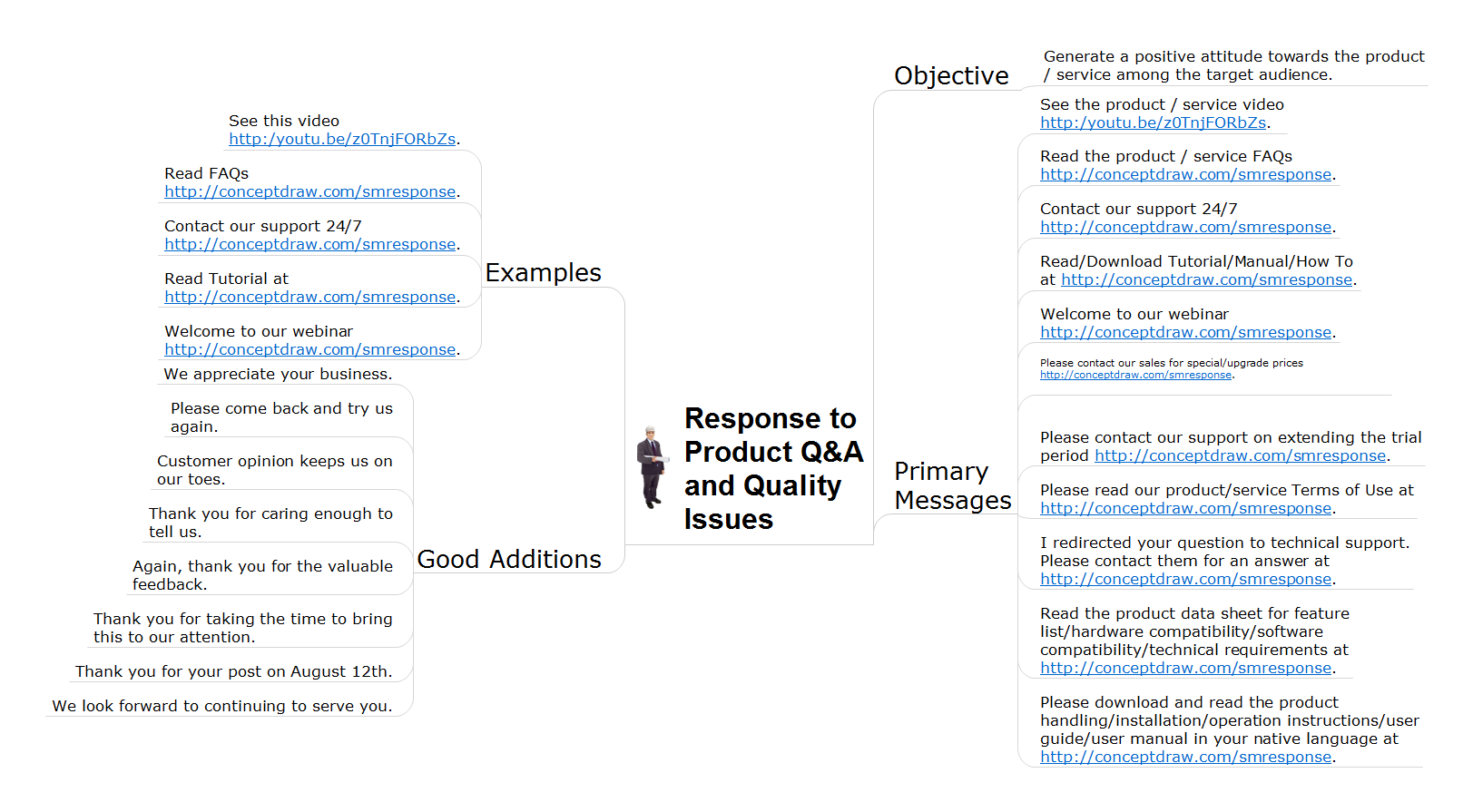
Action Mindmaps can be used to describe primary messages and good additions, show examples of messages, and also define the main objective of messaging for a specific situation. Using a combination of Interactive Flowcharts with Action Mindmaps helps professional social media teams be more proactive by being prepared with proper responses.

Social Media Response solution minimizes Time to Response, improves the quality of responses, and assists in your entire marketing strategy.

The response process consists of three major stages. These stages are easy to identify: review an input, evaluate specifics of the case, and respond.

They can be visualized by three vertical columns (swim-lanes) which collect the items identified for the appropriate stage.

The review stage is involved in assessment of the first impressions from received inputs. The evaluation stage is used when making decisions for the case you are dealing with. The response stage is intended for choosing the proper responsive action to take.

A response Action Mindmap organizes actions, scripts, advice, and work examples into a one-page visual assistant, useful for dispersing out to a team.

An Action Mindmap contains four major branches helping determine a responsive action - Primary Messages, Good Additions, Examples, and Objective.

Connecting items between a response process flowchart and Action Mindmaps is as easy as assigning hyperlinks to objects.

The solution provides a set of special symbols (“Action Mindmap” objects) intended to be used on flowcharts to symbolize connections and hyperlinks with Action MindMaps. These objects contain hyperlinks to mind map documents and can be titled and colored on the flowchart. When modifying a response process, these objects can be easily moved (drag-and-drop) between flowchart items without any need for editing. This helps provide meaning for the newly constructed response process as it refers to the same Action MindMap and will be used during other steps of the process.

From a practical stand point, “Action Mindmap” symbols are a great time-saver which makes reworking the response process much easier.

Critical steps one must take when developing a Social Media Response Flowchart are creating a flowchart, distributing Action symbols on the flowchart items, creating a set of Action Mindmaps, and assigning hyperlinks for Action symbols.

Flowcharts can be developed in any sequence. The critical steps involved in creating a flowchart can be completed in whatever order works for your team, whether you choose to start by identifying Action Mindmaps or you choose to first develop the flowchart describing the bigger picture of how you want to organize your social media response process. If your response process is part of a larger project and you also want to work with a Gantt chart, you may also incorporate ConceptDraw Project in order to connect Action Mindmaps with project Gantt charts.

Now organizing the response process for social media teams can be quicker and easier. Interactive flowcharts help to facilitate the training of your team, increase the quality of your responses, and will make you more prepared and proactive when responding to occurrences in social media.

See also Videos:

  • Organizing and Selecting Social Media Response Action
  • How to Prepare Learning Presentations for Training
  • How to Present a Social Media Response Plan to Your Team
  • What Is an Action Mind Map
  • How to Connect Social Media Flowchart with Action Maps

  • Create Response Charts *

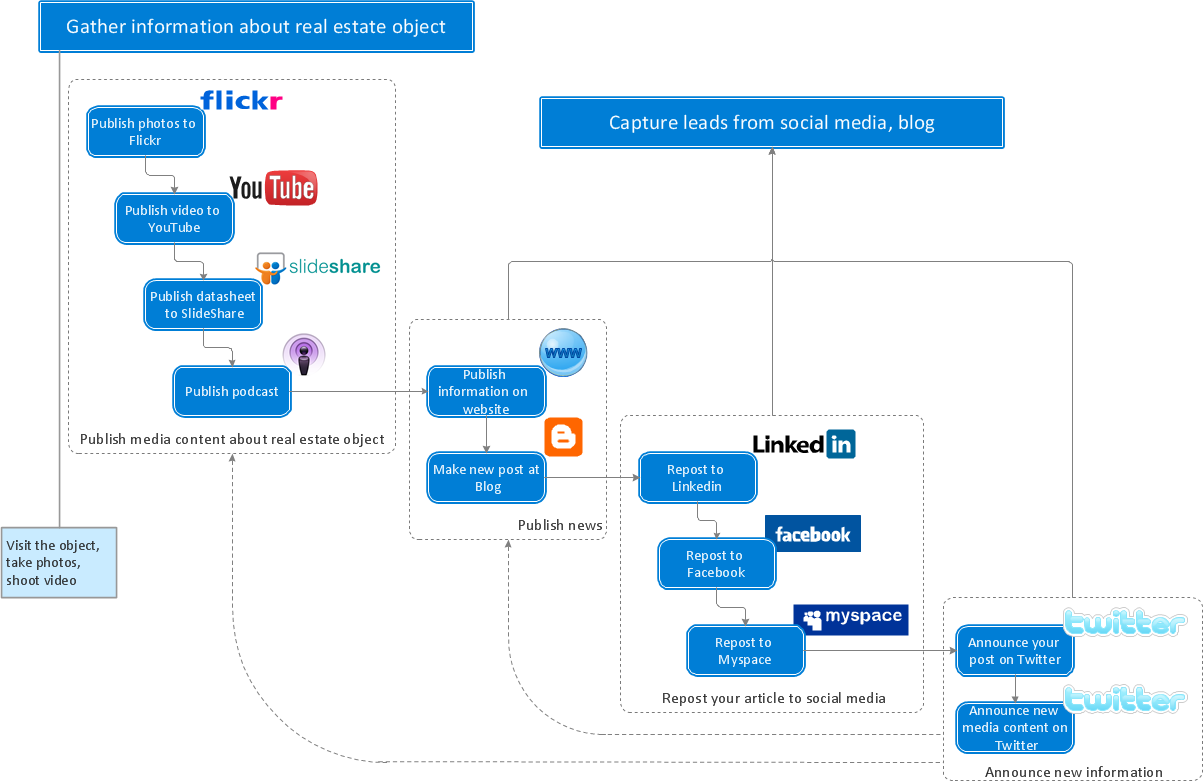
    Sample 1. Social media activity of a real estate agent flowchart.

    Use a flowchart to detail all variants of response. This chart looks at what to do in case of positive or negative feedback.

    The Interactive Flowcharts and Action Mind Maps demonstrate the solutions utilization, and management documents you can create using this solution.
    TEN RELATED HOW TO's:
    Create a Pie Chart with ConceptDraw software quickly and easily. The simple tutorial helps you learn how to create a pie chart.How to Create a Pie Chart *
    Picture: How to Create a Pie Chart
    Related Solution:
    Interactive tool helps you find the appropriate response to social media mentions quickly.How to Prepare Learning Presentations for Training *
    Picture: How to Prepare Learning Presentations for Training
    Related Solutions:
    Business graphic applications show a special knowledge representations and include many features for creating schematic pictures. These graphic tools are known as flowchart maker or flowchart maker software.Flowchart Maker
    Picture: Flowchart Maker
    Related Solution:
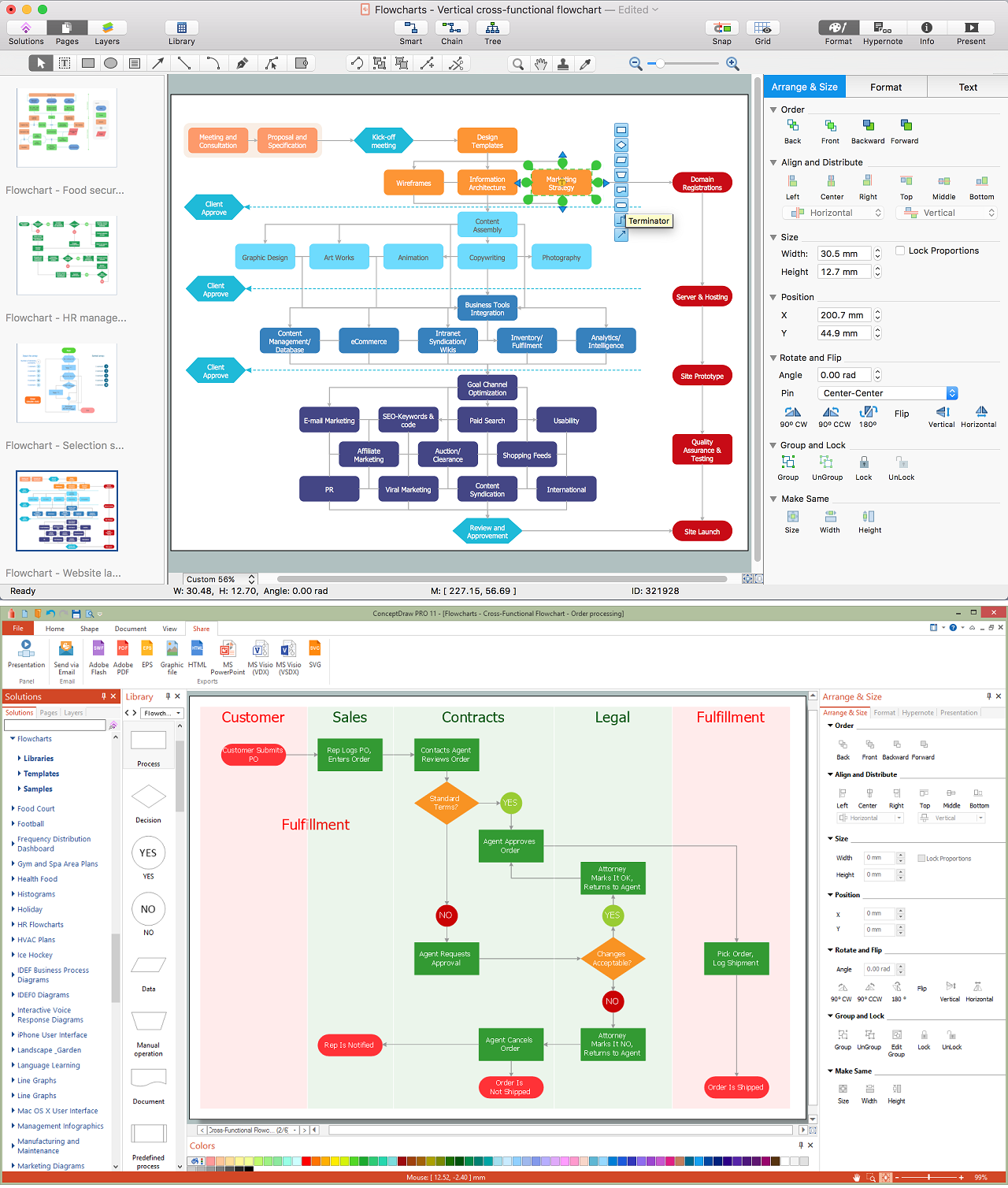
    While creating flowcharts and process flow diagrams, you should use special objects to define different statements, so anyone aware of flowcharts can get your scheme right. There is a short and an extended list of basic flowchart symbols and their meaning. Basic flowchart symbols include terminator objects, rectangles for describing steps of a process, diamonds representing appearing conditions and questions and parallelograms to show incoming data. This diagram gives a general review of the standard symbols that are used when creating flowcharts and process flow diagrams. The practice of using a set of standard flowchart symbols was admitted in order to make flowcharts and other process flow diagrams created by any person properly understandable by other people. The flowchart symbols depict different kinds of actions and phases in a process. The sequence of the actions, and the relationships between them are shown by special lines and arrows. There are a large number of flowchart symbols. Which of them can be used in the particular diagram depends on its type. For instance, some symbols used in data flow diagrams usually are not used in the process flowcharts. Business process system use exactly these flowchart symbols.Flowchart example showing a customer request approval process with start, input output, process steps, decision branches, and end
    Picture: Flowchart Symbols: Meaning and Examples
    Related Solution:
    The Circle Diagrams are the diagrams which represent the central element surrounded by other items in a circle. This type of diagram is very popular and widely used in marketing and management, for process modeling, market, resource, time and cost analysis, for visualization causes and effects. If you dream to design the Circle Diagrams quick and easy – the ConceptDraw DIAGRAM software extended with Business Diagrams Solution from the Management Area is exactly what you need.Circle Diagrams - Diagram Leadership and Data
    Picture: Circle Diagrams
    Related Solution:
    ConceptDraw DIAGRAM is a powerful software that helps you create professional and easy drawing diagrams for business, technology, science and education.Create Sophisticated Professional Diagrams - Simply *
    Picture: Create Sophisticated Professional Diagrams - Simply
    You need create a Sales Process Map? Use the ConceptDraw DIAGRAM software which is ideal for the sales process management, marketing and engineering thanks to the powerful Sales Flowcharts solution from the Marketing area of ConceptDraw Solution Park.Sales Process Map *
    Picture: Sales Process Map
    Related Solution:
    UML Diagrams Social Networking Sites Project. This sample was created in ConceptDraw DIAGRAM diagramming and vector drawing software using the UML Use Case Diagram library of the Rapid UML Solution from the Software Development area of ConceptDraw Solution Park. This sample shows the Facebook Socio-health system and is used at the projection and creating of the social networking sites.UML Use Case Diagram Example. Social Networking Sites Project
    Picture: UML Use Case Diagram Example. Social Networking Sites Project
    Related Solution:
    ConceptDraw MINDMAP software is an advanced tool for creating presentations. You can effectively generate, change, and update your presentation for demonstrating results of your work.Demonstrating Results *
    Picture: Demonstrating Results
    Related Solution:
    When we start to speak about databases, we must always mention database structure visualization. One of the most common ways to do it is to create an entity relationship diagram, and to put appropriate symbols on it. It is important either for database projecting and for its' future maintenance. Entity Relationship Diagram describes data elements and their relationships within a database. There are a set of special symbols that depict each element of an entity relationship diagram. Entities - represents some stable components such as supplier, employee, invoice, client, etc. Relation symbols show how the entities interact. Attributes define characteristics of the relationships. Attributes can be one-to-one or many-to-many. Physical symbols is used in the physical models. They represent items such as fields, tables, types and keys. ERD physical symbols are the building material for the database. Notation lines are used to illustrate the relationships. The most common method is Crow’s Feet notation. You can use ConceptDraw Entity-Relationship Diagram (ERD) solution to represent a database using the Entity-Relationship model.Entity Relationship Diagram Symbols
    Picture: Entity Relationship Diagram Symbols
    Related Solution:
    ConceptDraw
    DIAGRAM 18