Workflow Diagram Symbols
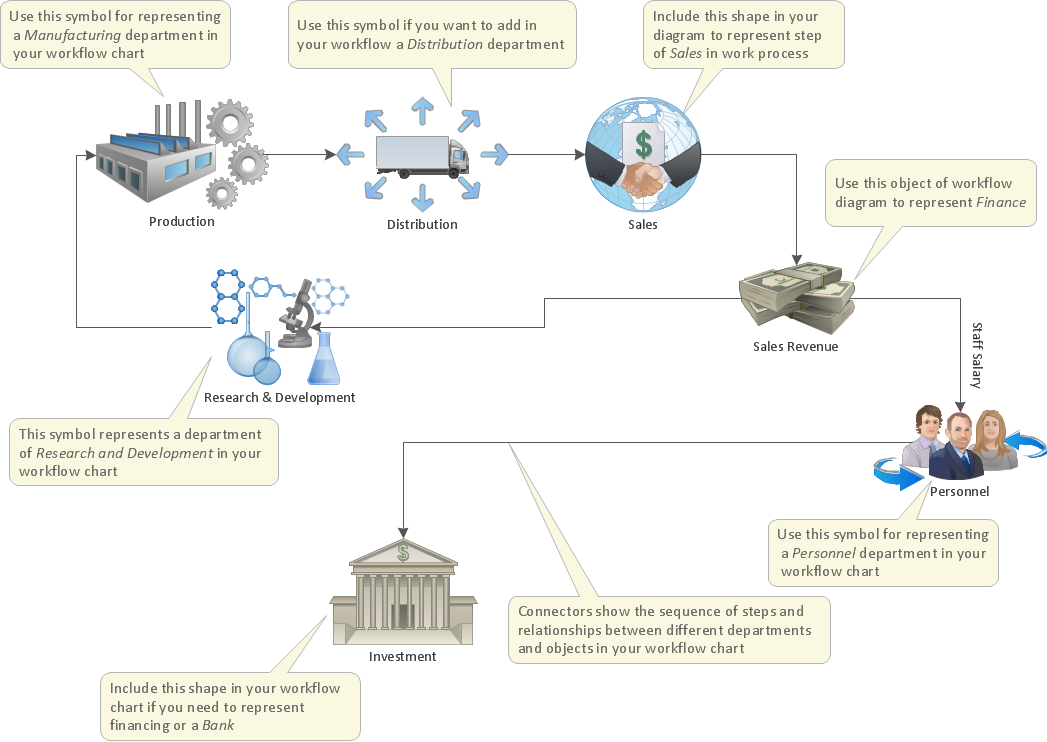
Workflow diagrams is the acknowledged method to draw the process flow which have concerted set of flowchart symbols you use for depicting work process steps or relations. There are many cases when you need inhance your workflow diagram to be professionally looking and add some rich illustrative graphic. ConceptDraw DIAGRAM extended with the Workflow solution delivers rich set of workflow diagram symbols helps you make your workflow better-suited for presentations.
ConceptDraw DIAGRAM is a professional drawing software for workflow diagram design. The part of this software is the Workflow Diagrams solution that adds library of vector stencils for providing a set of tools and features that allow users to accurately diagram workflow scenarios.
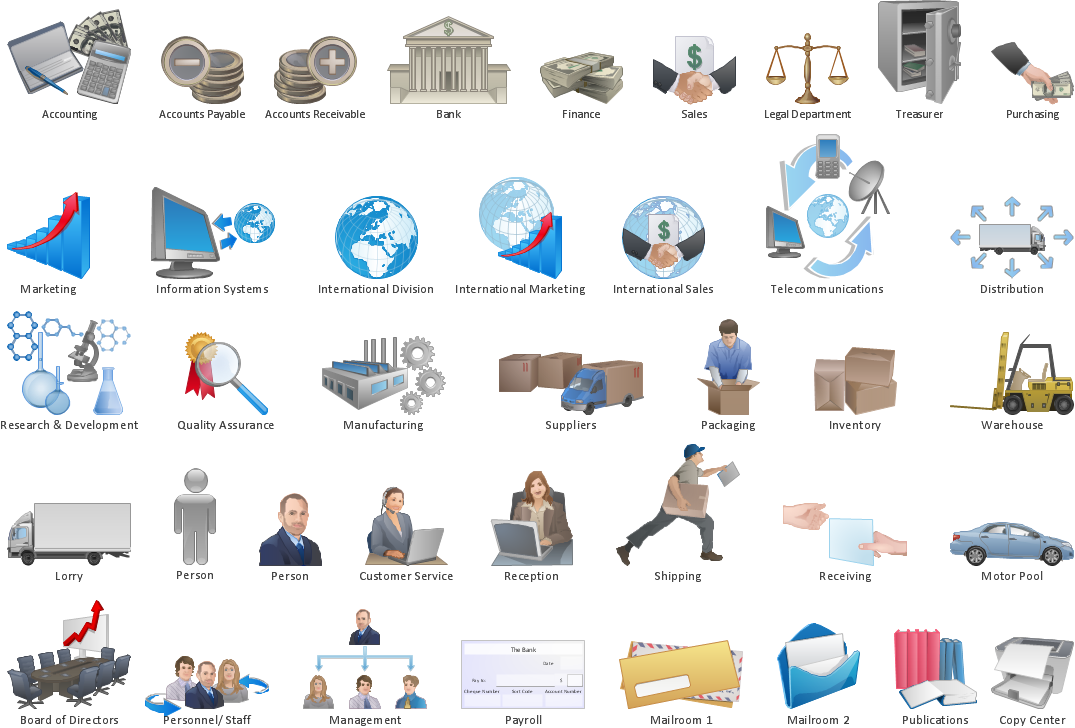
Example 1. Workflow diagram symbols
Workflow diagram lets to represent the transferring of data, documents, and tasks during performance of a work process, helps show relashionships between process steps and understand the complete process, identify critical stages and problem areas. The Workflow Diagrams solution extends ConceptDraw DIAGRAM software with samples, templates and library of instantly recognizable vector stencils for effectively drawing Workflow diagrams.

Example 2. Business Workflow Diagram
Use workflow flowcharts to analyze the work processes, to show the path of the tasks, the responsible persons and the associated documents, to identify required resources, to optimize a workflow, and to discover its inherent weak points.
Follow the next steps to design any Workflow Diagram:
- add desired workflow objects from the Workflow Diagram library by dragging them from the Work Flow Diagram library to the document page;
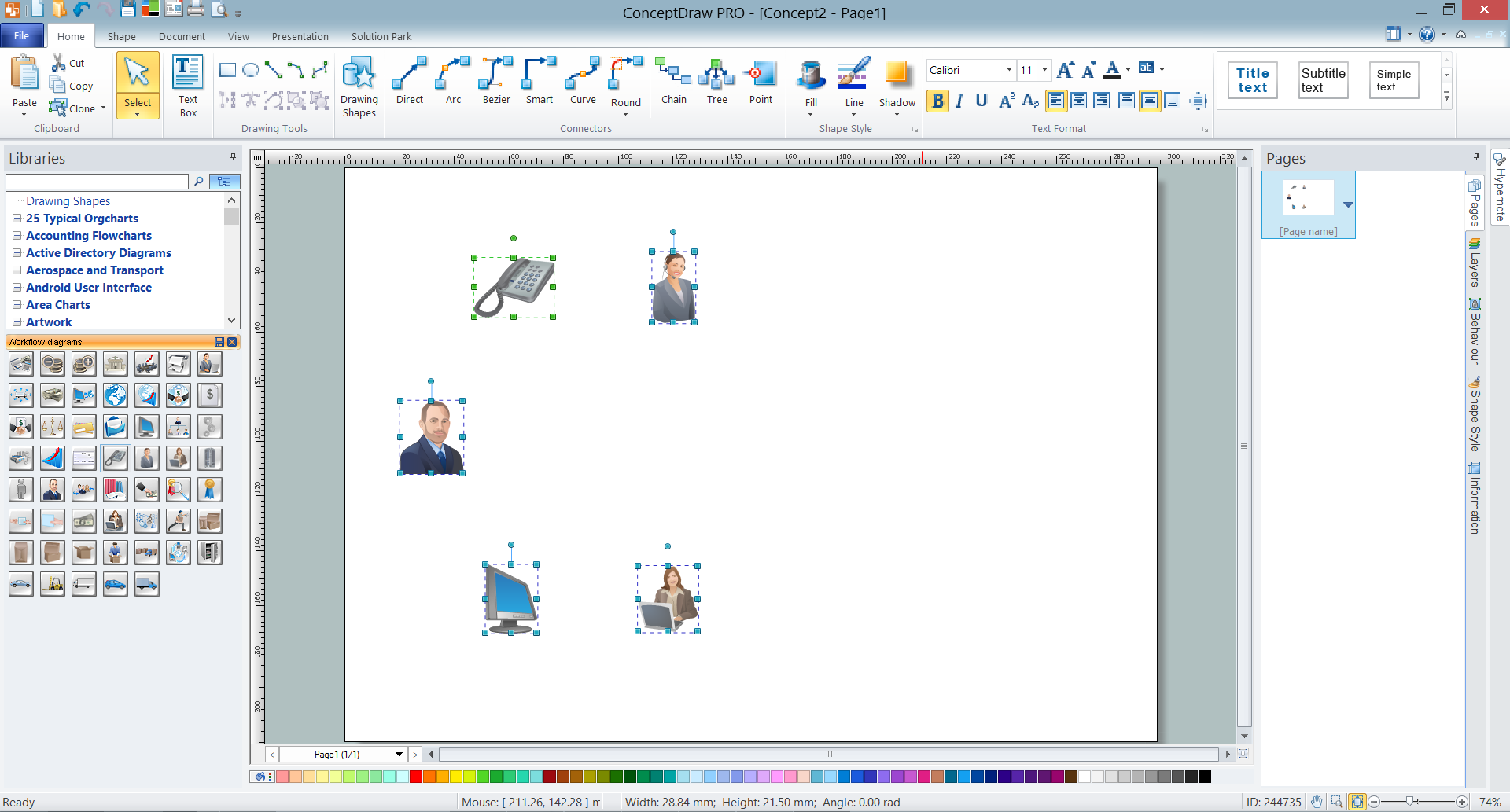
Example 3. Adding Workflow Objects
- arrange the objects and connect them with arrows using the connector tools from the ConceptDraw's Home toolbar, it is convenient to use the Smart connector and drag the connector from one connect dot to another;
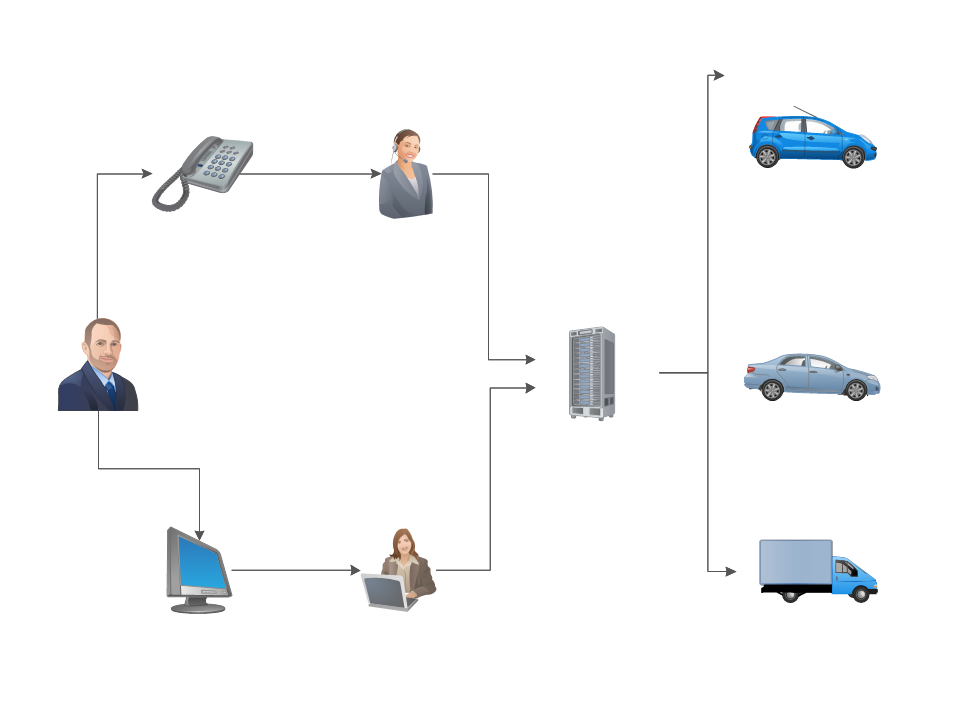
Example 4. Connecting Objects
- type the text, resize the objects if needed and recolor connectors according to your taste.
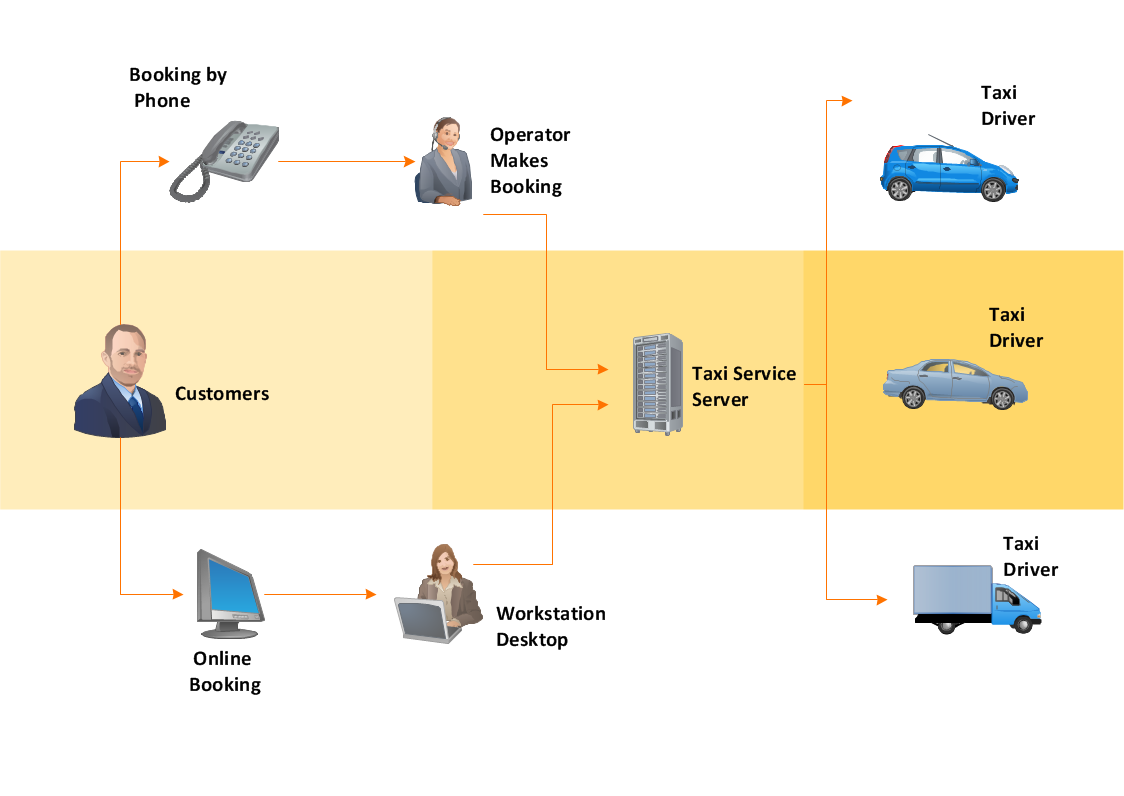
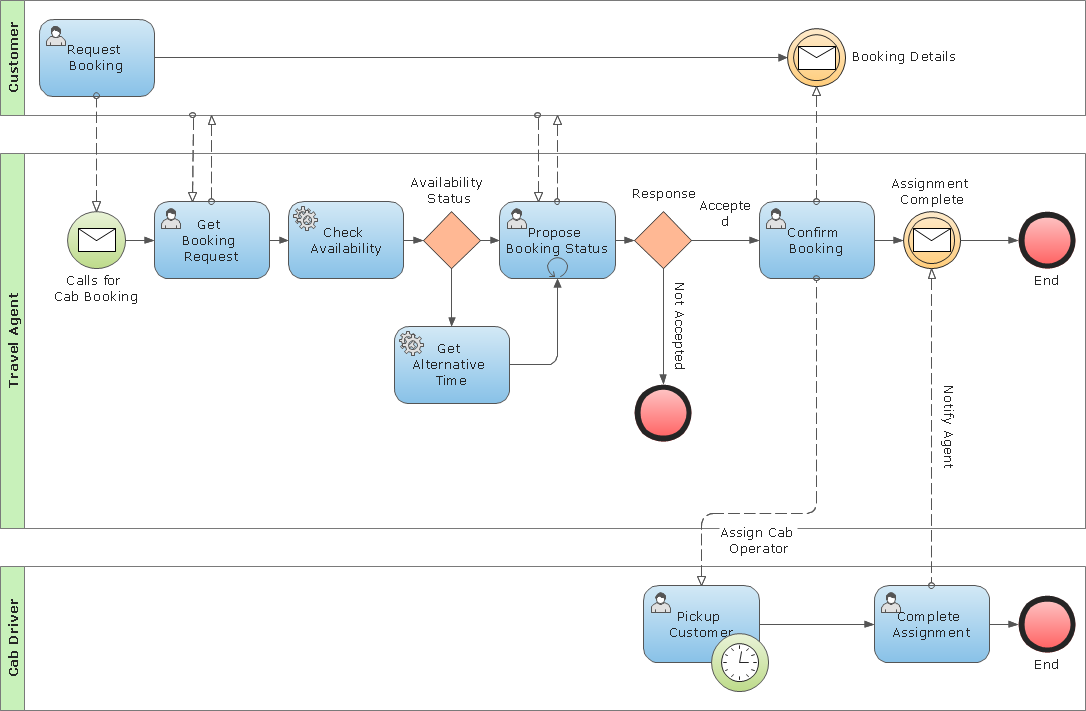
Example 5. Workflow Diagram - Taxi Service

Another way is to start with ready Workflow Diagram template also included to Workflow Diagrams solution and offered by ConceptDraw STORE. When modifying template, use also symbols from the variety offered by Workflow Diagrams library to represent different types of actions and the steps in a workflow, among them are the objects of persons, accounting, bank, accounts receivable and payable, customer service, manufacturing, marketing, distribution, quality assurance, and more others.

Example 6. Workflow Diagram Solution (Mac OS X and Windows)
When it comes to creating a Workflow Diagram, it's important to use software that is capable of describing a wide range of processes, using easily recognizable techniques and graphical notation. An ideal drawing platform will utilize functions that can cope with the output of a high volume of processes, that may change rapidly from development to implementation stages. ConceptDraw DIAGRAM software, with the extended functionality of the Workflow Diagrams solution, is the ideal medium for creating even the most complex designs of this type.
TEN RELATED HOW TO's:
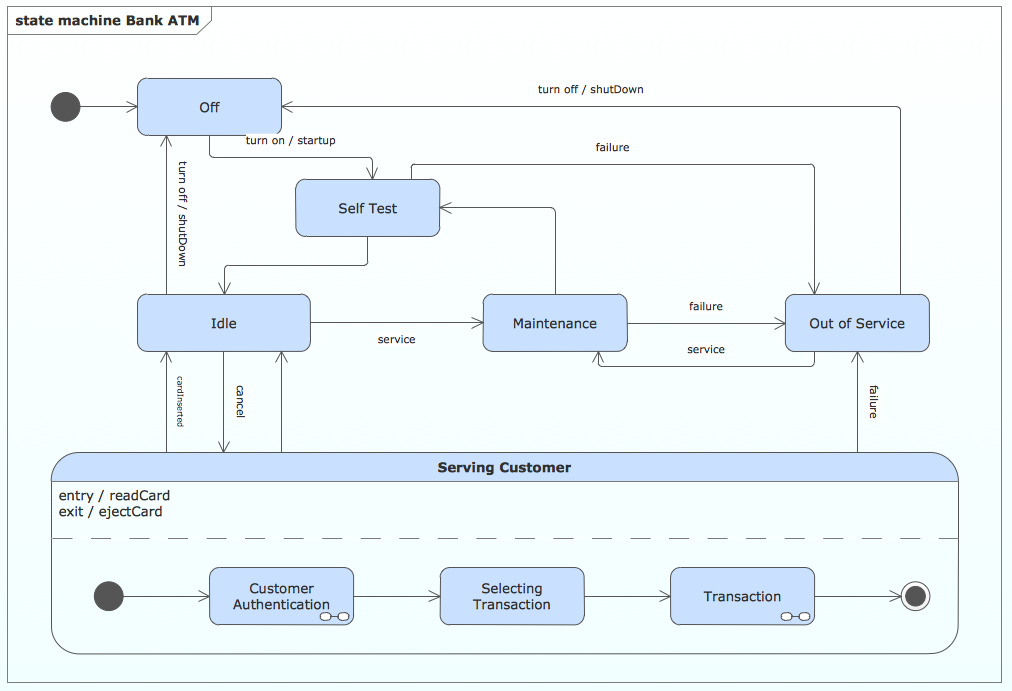
UML state machine's goal is to overcome the main limitations of traditional finite-state machines while retaining their main benefits.
ConceptDraw has 393 vector stencils in the 13 libraries that helps you to start using software for designing your own UML Diagrams. You can use the appropriate stencils of UML notation from UML State Machine library.
Picture: UML State Machine Diagram.Design Elements
Related Solution:
Data processing can be very complex sometimes. If you are interested in facilitating your work with data, it’s time to learn how to draw flowcharts with special software or using just a piece of paper. The list of flowchart basic symbols includes rectangles, diamond, ellipses etc. and is used to represent processes, actions, decisions or data processing.
A well-done flowchart bring the clearness of the sequence of a process stages. There are number of symbols that can be used in flow charts to show various sorts of steps. The basic flowchart can be created using a few of them: Process, Decision, Start/Finish. A basic element of a flowchart represents a simple action and looks like a box, that contains a description of the action. The depicting of actions sequence is made with arrows between corresponding action boxes, as you can see on the sample diagram. Also it shows the symbols for flowchart start and finish steps. ConceptDraw Flowcharts solution provides the ability to build basic flow charts as well as the ones of any size and complexity with a minimum of actions.
Picture: How to Draw a Flowchart: Step-by-Step Guide
Related Solution:
Chemistry solution provides the Chemical Drawings Library with large quantity of vector chemistry equation symbols to help you create professional looking chemistry diagrams quick and easy.
Picture: Chemistry Equation Symbols
Related Solution:
The vector stencils library SSADM from the solution Systems engineering contains specific symbols of SSADM diagrams for ConceptDraw DIAGRAM software.
Picture: SSADM Diagram
ConceptDraw DIAGRAM enhanced with Audio, Video, Media solution is a helpful tool for illustration of a CCTV network. It contains library of vector cliparts of video and TV devices and different digital gadgets for drawing such illustrations
Picture: Basic CCTV System Diagram. CCTV Network Diagram Example
Related Solutions:
What is a Work Flow Chart? It is a chart which visually displays the step-by-step transferring of data, documents and tasks during the work. ConceptDraw DIAGRAM extended with Workflow Diagrams solution from the Business Processes area of ConceptDraw Solution Park is the best software for drawing the Work Flow Chart of any complexity.
Picture: Work Flow Chart
Related Solution:
Use the ConceptDraw DIAGRAM software that has vector clipart of numerous cable connectors, examples, and templates for drawing different types of audio and video connection diagrams. Paste icon of the receiver or another device to page and layout sockets and plugs. Further connect plugs with each other, and now you have well-designed connection diagram.
Picture: How to Make Audio and Video Connections
Related Solution:
Visual information is easier to perceive. You can teach even a child to make diagrams with a good flowchart example that would be interesting for it. Flowcharts can be fun, it’s not about business processes or programming algorithms.
This flowchart shows step by step process of manufacturing of Nixtamal The product which is obtained by processing maize with calcium hydroxide. We must assume that the Aztecs were very fond of this product, if the recipe of its production came to our times. This flow chart was designed using ConceptDraw DIAGRAM with its solution for designing flowcharts of various types, sizes and purposes. ConceptDraw Flowcharts solution consists from the library of flowchart symbols, containing the set vector objects. Also there are a lot of diverse templates and samples of flow charts.
Picture: Flowchart Examples and Templates
Related Solution:
The Ishikawa diagram, Cause and Effect diagram, Fishbone diagram — all they are the names of one and the same visual method for working with causal connections. Originally invented by Kaoru Ishikawa to control the process quality, the Ishikawa diagram is well proven in other fields of management and personal scheduling, events planning, time management. It is a chart in the form of a fish, whose head is a problem, the fins are variants for its causes.
To design easily the Fishbone diagram, you can use a special ConceptDraw DIAGRAM vector graphic and diagramming software which contains the powerful tools for Fishbone diagram problem solving offered by Fishbone Diagrams solution for the Management area of ConceptDraw Solution Park.
Picture: Fishbone Diagram Problem Solving
Related Solution:
ConceptDraw DIAGRAM the best business process modeling tools.contains pre-designed libraries and templates based on the BPMN 2.0 standard that allows to create of both simple and complex (nested) models of processes.
Picture: Business Process Modeling Tools