Made with
ConceptDraw
DIAGRAM 18

Business Process Modeling Software for Mac

What is the Business Process Modeling?

Business process modeling (BPM) in systems engineering is the activity of representing processes of an enterprise, so that the current process may be analyzed or improved. BPM is typically performed by business analysts, who provide expertise in the modeling discipline; by subject matter experts, who have specialized knowledge of the processes being modeled; or more commonly by a team comprising both. Alternatively, the process model can be derived directly from events' logs using process mining tools.
Business process modeling diagrams

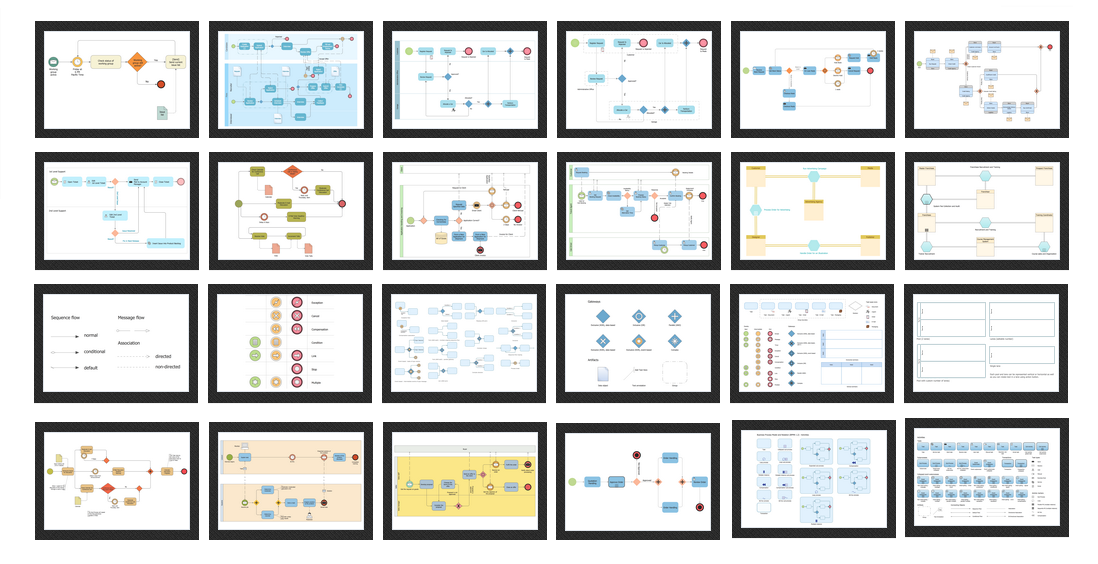
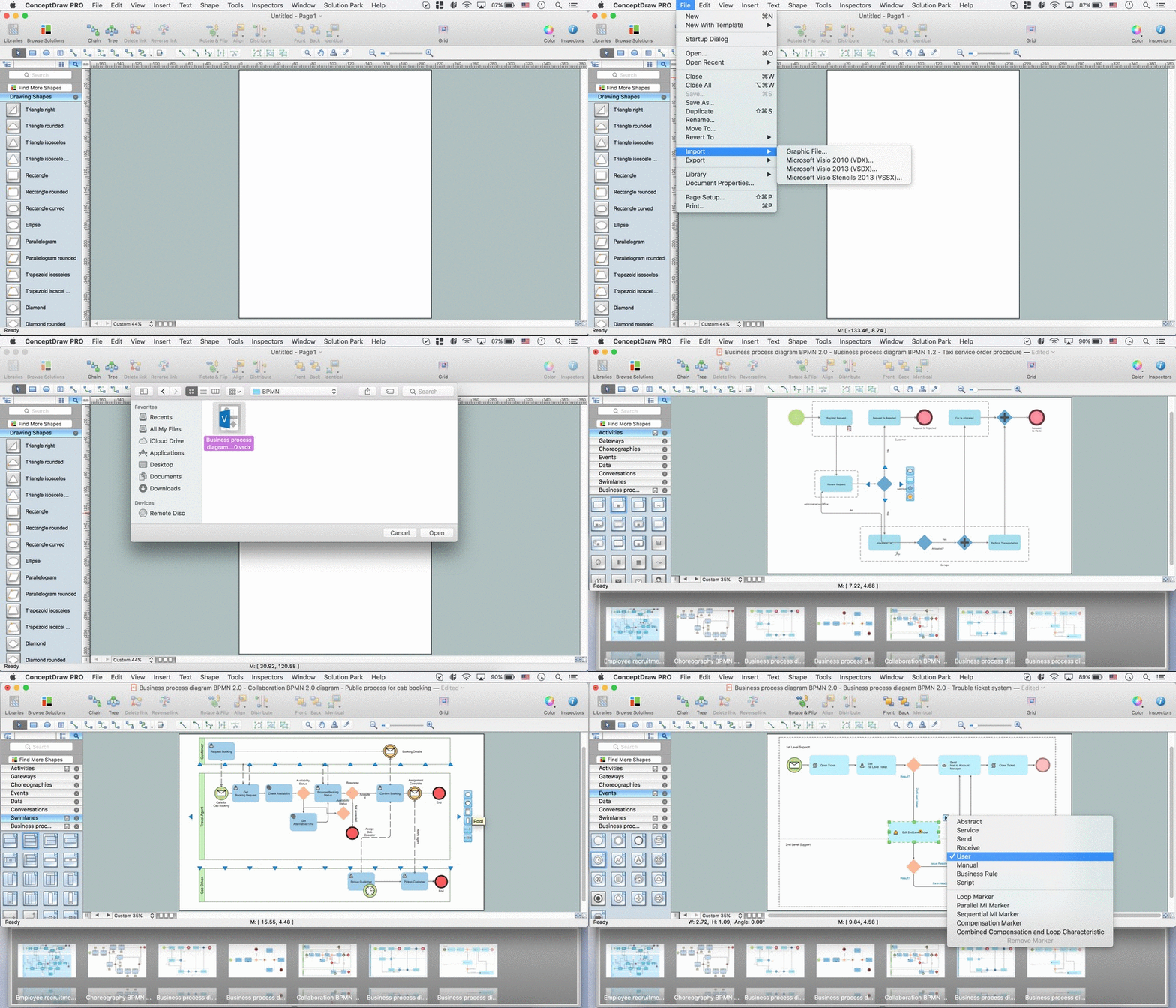
Pic.1. Business Process Modeling Diagrams

Business process modelling diagrams are known to be used in the software engineering and to get a chance to create one of those you might need a good (read: professional) software in order to get the final smart looking result already within a couple of hours maximum. One of such applications, which is known to be a great alternative of MS Visio for Mac, is ConceptDraw DIAGRAM software.

The mentioned business process modelling diagram software is very useful for creating any kinds of diagrams, including the BPM one, as it provides all of the necessary tools to make the final result look simply great and professional, offering the pre-made examples and templates of the existing diagrams as well as the stencils, which are all can become a part of your engineering drawings.

Thus, it’s well known that ConceptDraw DIAGRAM was developed especially for a purpose of providing the convenience for macOS operating system users, created especially for Mac fans to enjoy having it in order to have the necessary drawings finished the sooner the better. You might wonder what exactly it is so special of this particular application, but once you compare it to the other Visio alternatives, which also can be suitable for Mac, then it’ll become obvious that ConceptDraw DIAGRAM is the only one offering the pre-made solutions, available in another application, developed by the CS Odessa team — ConceptDraw STORE.

Having both ConceptDraw DIAGRAM drawing software and ConceptDraw STORE means having enough tools for creating the great looking as well as smart BPM diagrams, common for being used in the systems engineering in order to represent the needed processes of some particular enterprise, so that the current process may be analyzed or/and improved.


BPMN Tool

Business Process Model and Notation (BPMN) is a common standard for the modeling of business processes. Graphical notation provided by BPMN is applied when designing the Business Process Diagrams for analyzing and process improvement, uncovering and elimination problems, solving new challenges and goals in organizational development, reducing costs and increasing profits, and enhancement quality and performance.

The Business Process Diagram or Business Process Flowchart graphically represents the actions and steps in a process, depicts relations between major parts of the system, the sequence of executed steps using lines and arrows, and also connections between various systems.
Business Process Modeling Software for Mac

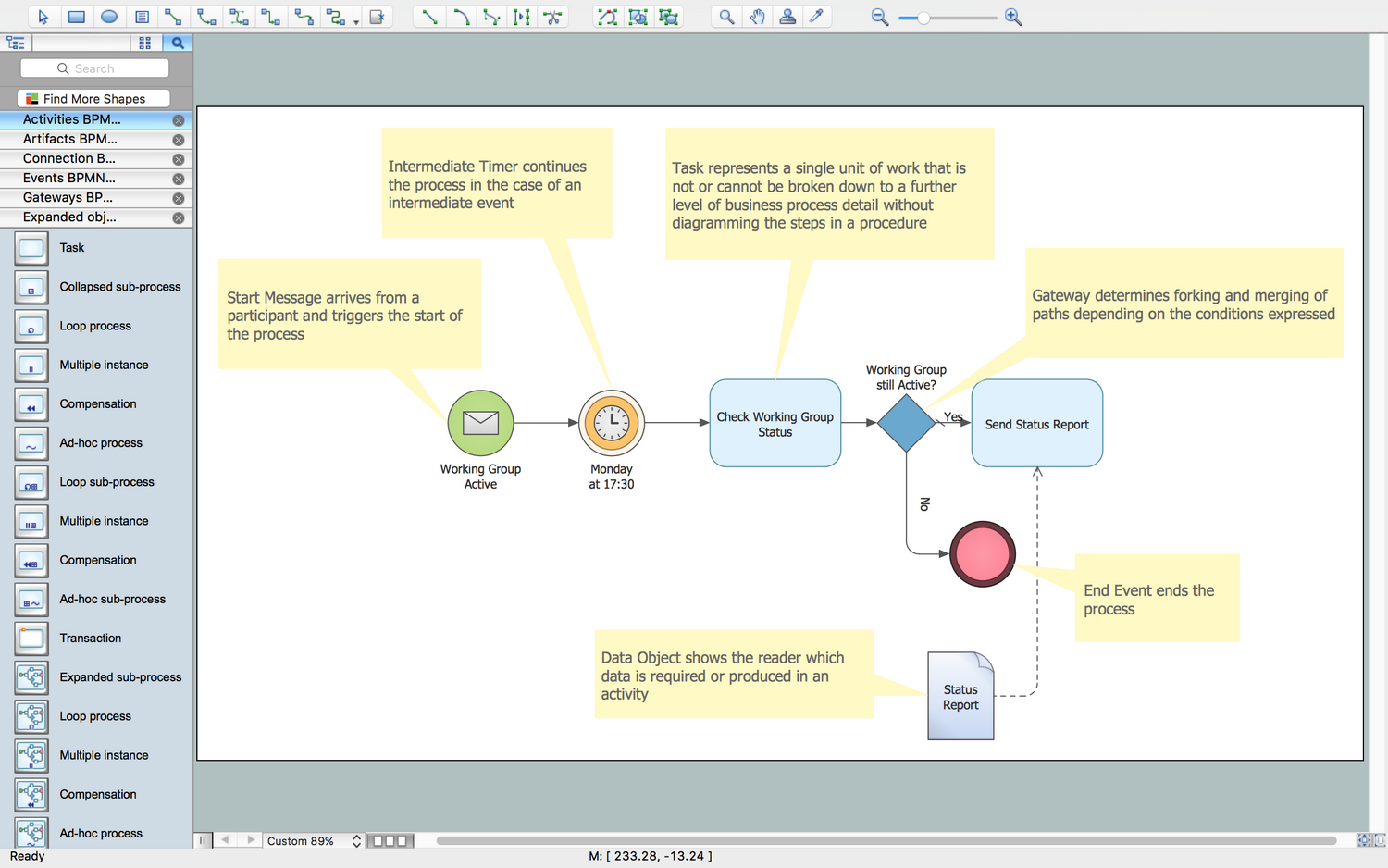
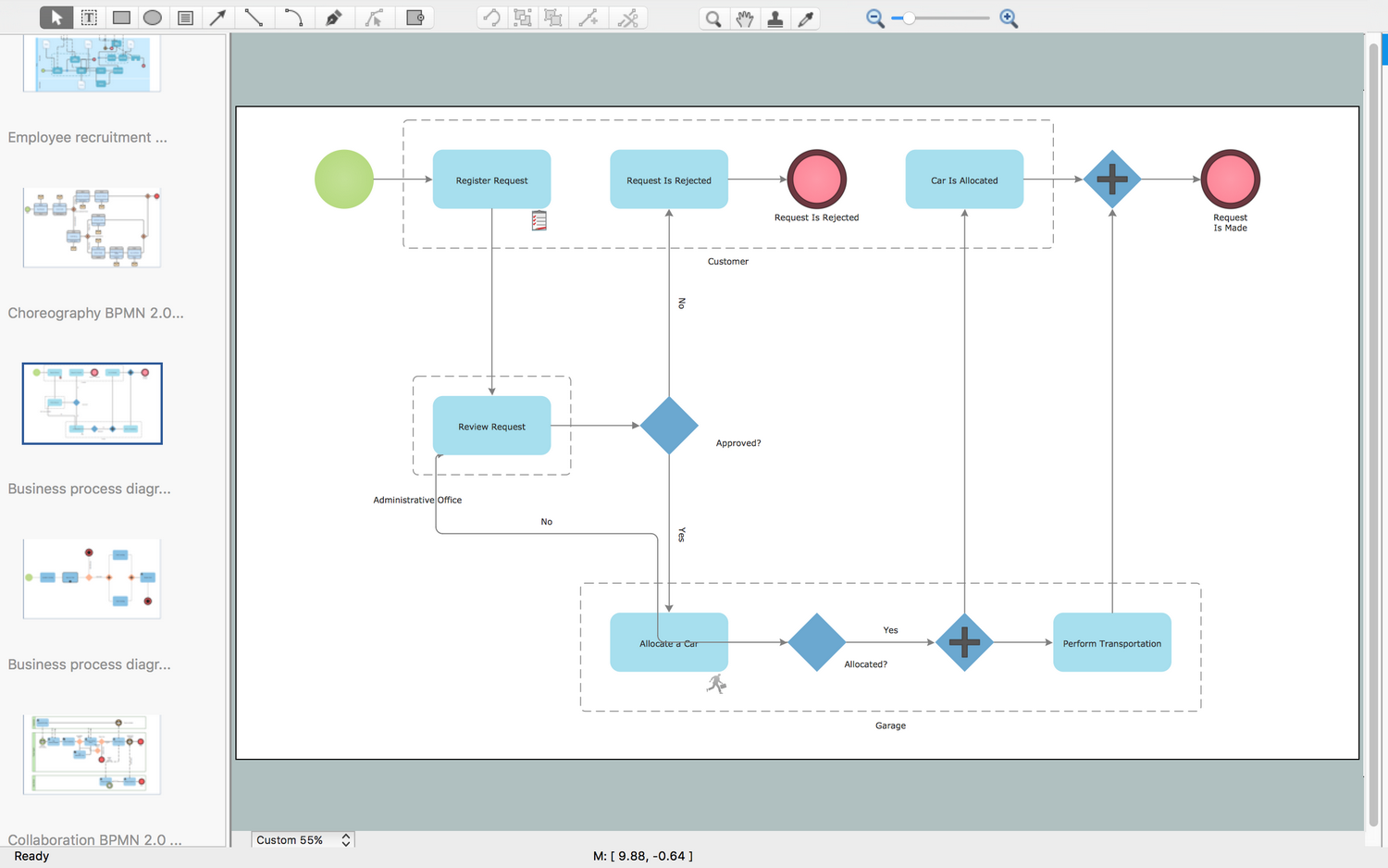
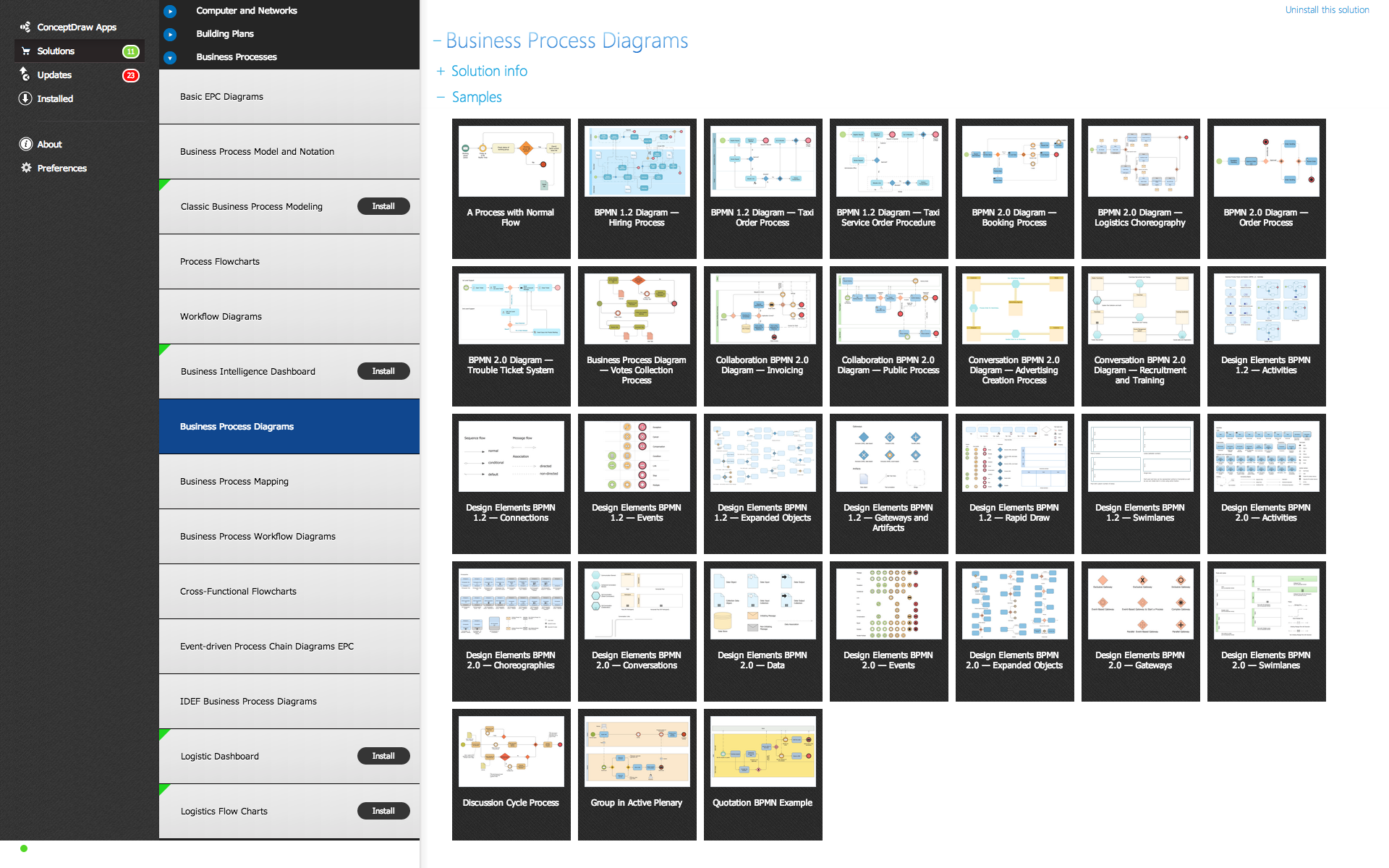
ConceptDraw DIAGRAM is a Mac OS compatible software for swiftly specifying the business processes based on BPMN 2.0. The Business Process Diagram solution contains pre-designed libraries and templates based on the BPMN 2.0 standard that allows to create of both simple and complex (nested) models of processes.
Business Process Modeling Solution

Pic.2. Business Process Modeling Solution


BPMN 2.0 diagram design elements and symbols

The aim of BPMN is assist in creating a diagram that is immediately understandable to all business stakeholders, with graphic elements that can be adapted to represent any form of function, decision, work or data flow. The symbols and structure it uses to do this can be divided into a number of categories:

  • Flow objects — includes Events, which are parts of a process that happen automatically, denoted by a circle; Activities show work that needs to be done, shown as a round-cornered rectangle; Gateways show a splitting or merging of paths, using a diamond shape.
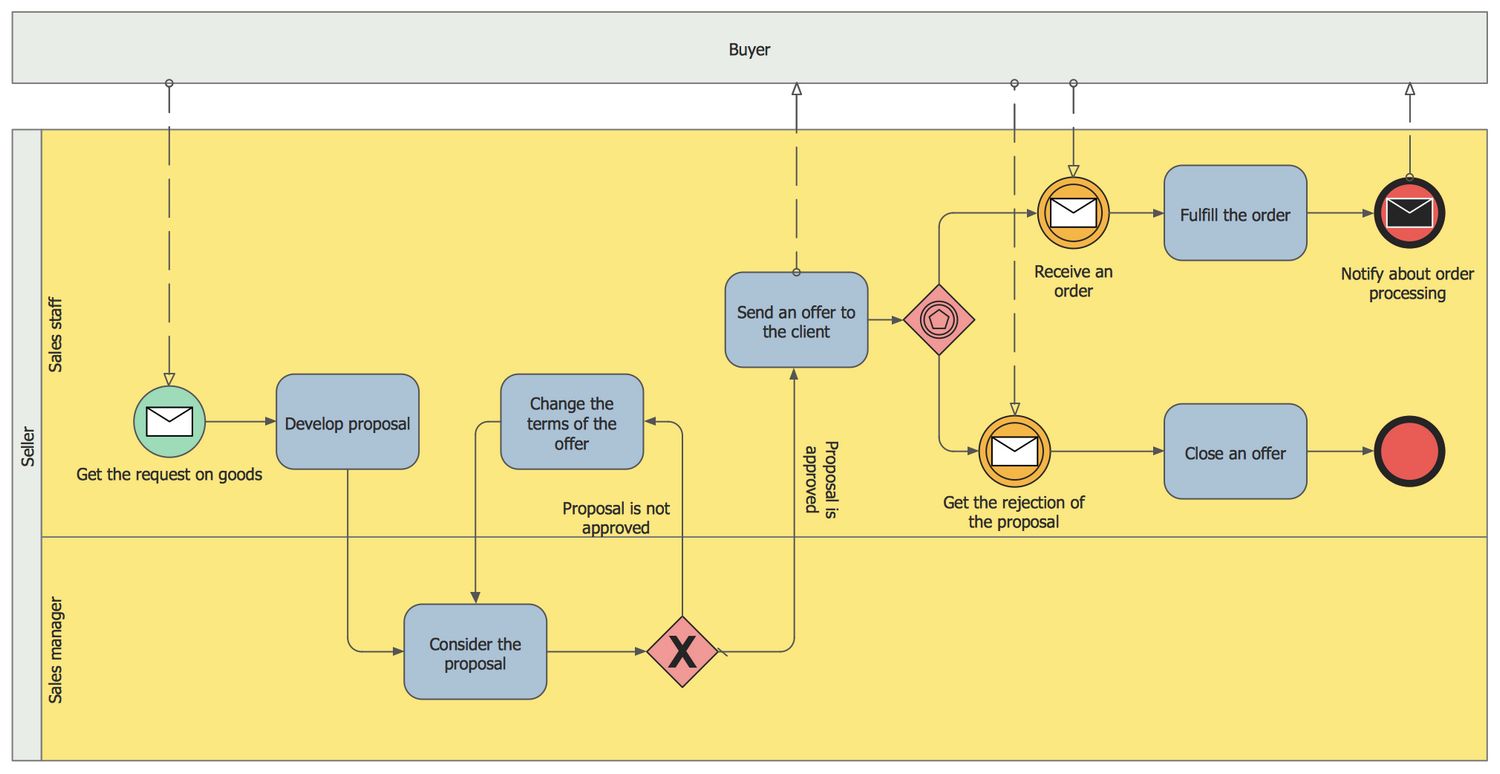
  • Connecting objects — used to connect flow objects, either as Sequence Flow, which indicated the order of activities; Message Flow, a dashed line that shows interaction between organizational boundaries, shown on diagrams as 'Pools'; Association is a dotted line used to connect an 'Artifact' or text to an activity.
  • Swim lanes — the widest possible overview of a process involving different organizations is known as a Pool. Different organizations each have their own Lane within the Pool, and are connected using Message Flow connecting objects.
  • Artifacts — Artifacts are pieces of information added to certain Activity flow objects to giver better understanding to those viewing the process diagram. They can be data required or produces, extra activities, or simply explanatory text.
  • Choreographies — These symbols allow the opportunity to show an activity or step that describes the behavior between business participants.


Business Process Modeling Examples and Templates

Business Process Management (BPM) enables organizations to tackle their most pressing and complex process automation and case management challenges from a single platform. Business and IT can easily collaborate and get work done, quickly and effectively.

Draw business process modeling diagrams in minutes. Start with browsing 15 examples, or 11 templates.
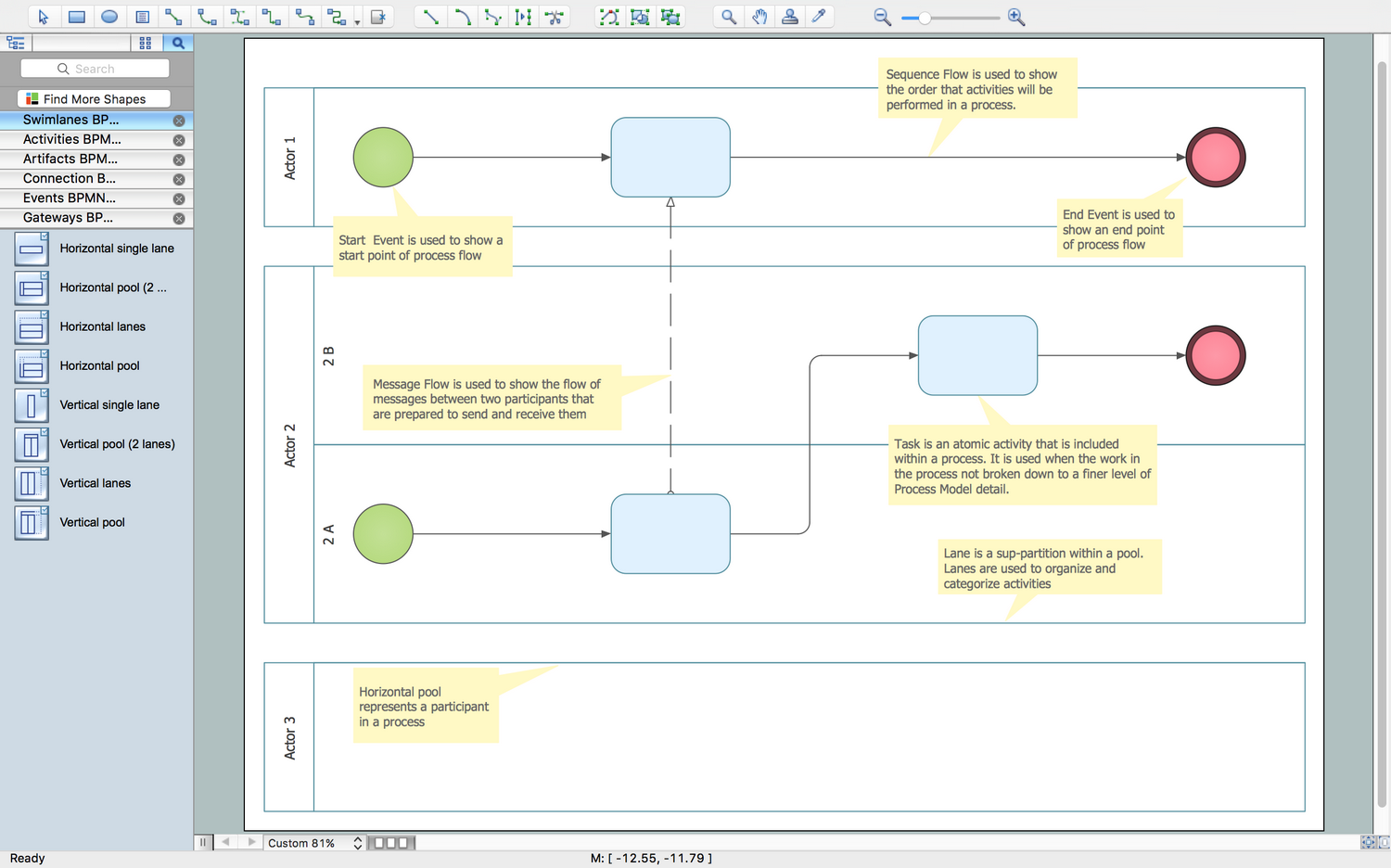
Business Process Swim Lane Diagram Template Business Process Swim Lane Diagram Template
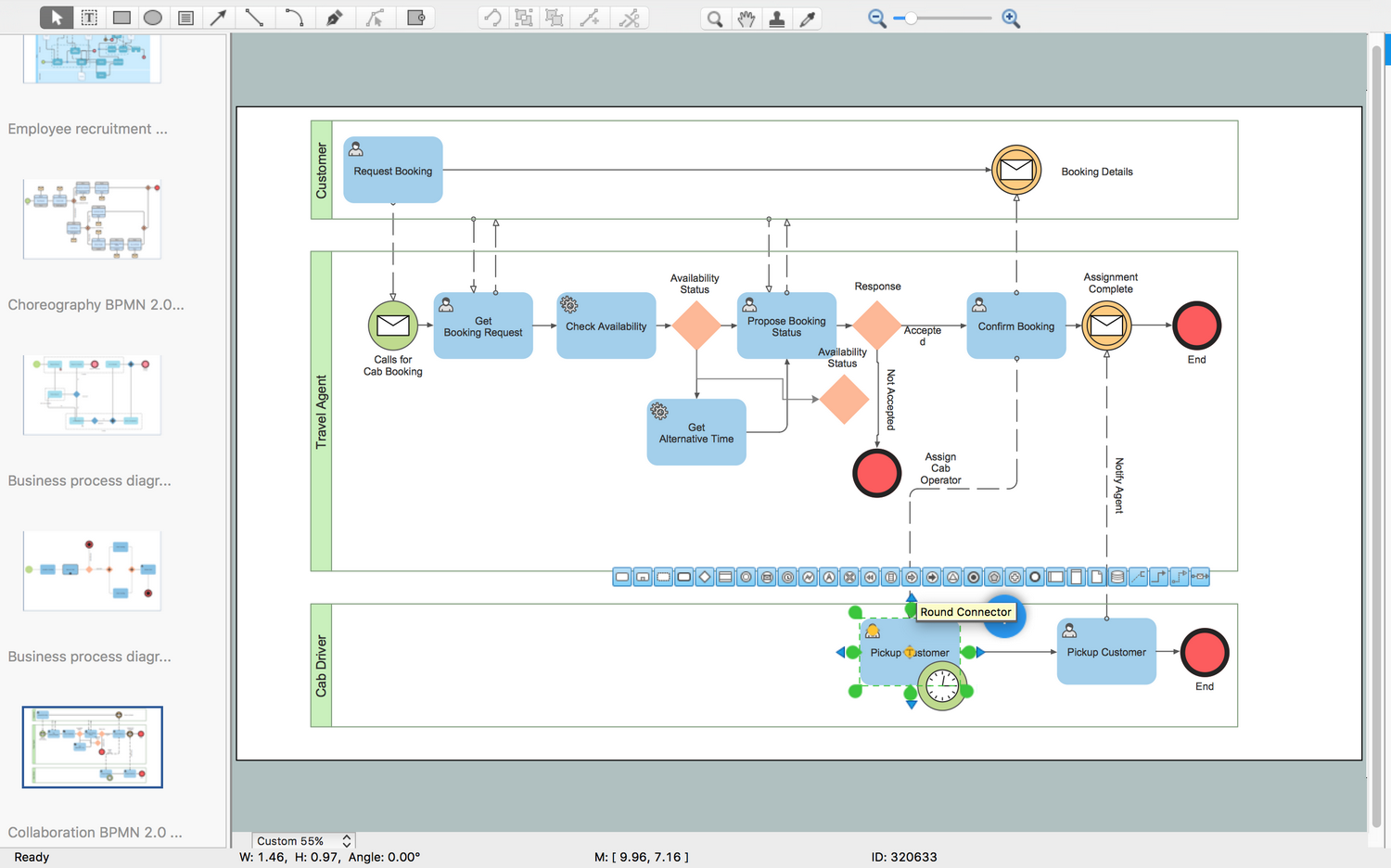
Business Process Modeling Diagram - Collaboration BPMN2.0Collaboration BPMN2.0
Business Process Modeling Diagram TemplateBusiness Process Modeling Diagram Template
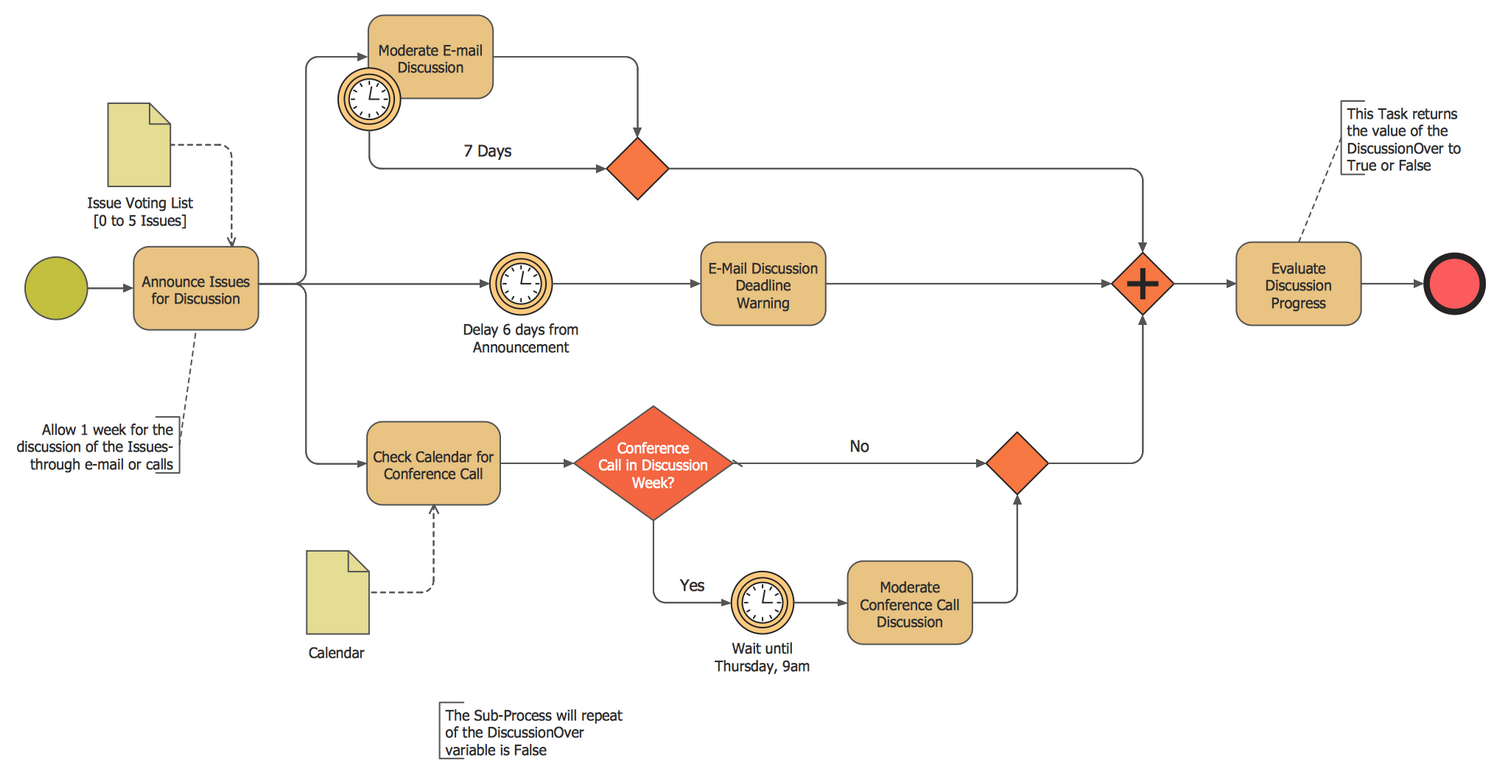
Business Process Modeling Diagram - BPMN 1.2Process Modeling Diagram - BPMN 1.2 Business Process Modeling Diagram ExampleBusiness Process Modeling Diagram Example Business Process Modeling Diagram - Discussion Cycle ProcessBusiness Process Modeling Diagram

ConceptDraw DIAGRAM — Business Process Modeling Software for Mac offers the Business Process Diagram Solution with powerful tools to help you easy represent the business processes and create the business process diagrams based on BPMN 1.2 and BPMN 2.0 standards.

Business Process Modeling Software for Mac *

Pic.3. Choreography model diagram BPMN 2.0 sample: Purchasing process choreography diagram.

A choreography diagram defines the expected behavior between interacting participants. The choreography activities are interactions that represent a set of message exchanges which involves two or more participants. There is no central controller, responsible entity or observer of the process.


The following features make ConceptDraw DIAGRAM the best Business Process Modeling Software for Mac:

  1. You don't need to be an artist to draw professional looking diagrams in a few minutes.
  2. Large quantity of ready-to-use vector objects makes your drawing diagrams quick and easy.
  3. Great number of predesigned templates and samples give you the good start for your own diagrams.
  4. ConceptDraw DIAGRAM provides you the possibility to use the grid, rules and guides. You can easily rotate, group, align, arrange the objects, use different fonts and colors to make your diagram exceptionally looking.
  5. All ConceptDraw DIAGRAM documents are vector graphic files and are available for reviewing, modifying, and converting to a variety of formats: image, HTML, PDF file, MS PowerPoint Presentation, Adobe Flash, MS Visio.
  6. Using ConceptDraw STORE you can navigate through ConceptDraw Solution Park, managing downloads and updates. You can access libraries, templates and samples directly from the ConceptDraw STORE.
  7. If you have any questions, our free of charge support is always ready to come to your aid.


TEN RELATED HOW TO's:
Accounts Payable Process Flow Chart - ConceptDraw DIAGRAM diagramming and vector drawing software extended with Accounting Flowcharts Solution provides the useful tools that will help you create easily and quickly. The Accounts Payable Process Flow Chart is very popular and widely used type of accounting flowcharts. Now their designing is simple thanks to the Accounting Flowcharts Solution that provides the Accounting Flowcharts library of predesigned commonly-used shapes and a set of templates and samples.Accounts Payable Process Flow Chart *
Picture: Accounts Payable Process Flow Chart
Related Solution:
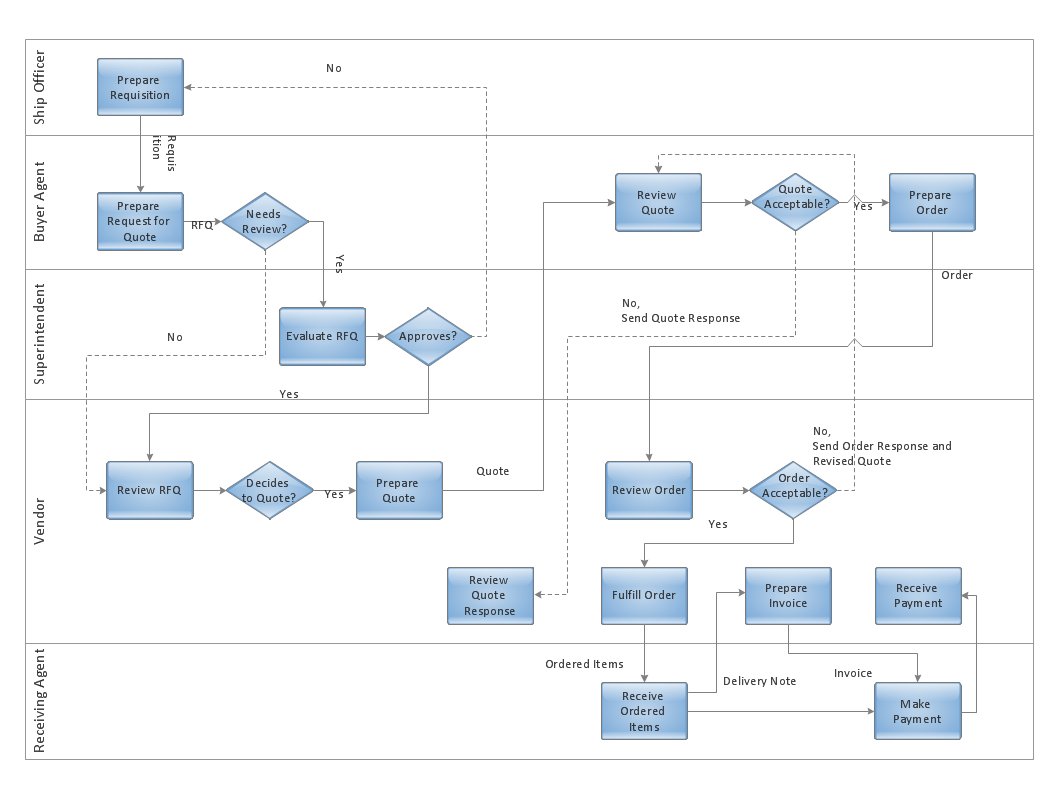
Job duties in small companies are usually spread randomly among workers, causing lots of problems and misunderstanding. One of the ways to restore order in business processing is to create a cross-functional flowchart with swim lanes that would represent every step in production system. Another advantage of using swim lanes flowchart is that it represents not only processes, but people responsible for them. Swim lane diagram is a kind of a process flow diagram. Its special feature is that it joins the features of process flow diagrams with organizational charts. Thus, a swim lane diagram display a participant of the business process in a conjunction with general flow of the business system. A swim lane diagram is looks similar to a swimming pool's lanes. Lanes can be horizontal and vertical. The lanes are pointed out relatively to resource name, which is assigned on implementation of the given part of the business process. ConceptDraw Business Process Mapping solution delivers the ability to design develop swim lanes flowcharts using the vector graphic objects of Swim Lanes library.Swim Lane Diagrams *
Picture: Swim Lane Diagrams
Related Solution:
ConceptDraw software has been developed for drawing any type of flowchart. Use RapidDraw - thi is flowchart maker technology for adding new objects to a flowchart quickly. This is technology of fast drawing technique focused on making great-looking flowcharts quickly. To get started using it download flowchart maker ConceptDraw DIAGRAM.Flowchart Program Mac *
Picture: Flowchart Program Mac
Related Solution:
Take a look on an example of Cross-Functional-Flowchart, showing the software service cross-function process flowcharts among the different departments. It presents a simple flowchart among the customer, sales, technical support, tester and development. Try now Flowchart Software and Cross-Functional library with 2 libraries and 45 vector shapes of the Cross-Functional Flowcharts solution. Then you can use built-in templates to create and present your software service cross-function process flowcharts.Cross Functional Flowchart Examples *
Picture: Cross Functional Flowchart Examples
Software for flowchart diagrams can help you: represents an algorithm or process, illustrates a solution to a given problem, represented process operations, analyzing a business process, designing a business process, documenting a business process, optimizing a business process. The Flowcharts Solution from the Diagrams area of ConceptDraw Solution Park contains a wide set of predesigned templates, samples and 3 libraries.Software for flowchart diagrams *
Picture: Software for flowchart diagrams
Related Solution:
The Rapid UML solution from Software Development area of ConceptDraw Solution Park includes 13 vector stencils libraries for drawing the UML 2.4 diagrams using ConceptDraw DIAGRAM diagramming and vector drawing software.Design Elements for UML Diagrams *
Picture: Design Elements for UML Diagrams
Related Solution:
Use ConceptDraw Expanded Objects library with 14 objects from BPMN. Expanded Objects are used for rapid design of Business Process Diagrams.Business Process Elements: Expanded Objects
Picture: Business Process Elements: Expanded Objects
ConceptDraw Flowcharts visualize a process or algorithm of program as step/operation blocks of various shapes connected with arrowed lines showed the process flow direction. They are used to visualize business or technical processes and software algorithms.Selecting & Creating Flowcharts *
Picture: Selecting & Creating Flowcharts
Related Solution:
Professional software: visualize general system architecture, AWS diagrams are part of architecturing tools provided with ConceptDraw Solution Park.Diagramming software for Amazon Web Service <br>diagrams, charts and schemes *
Picture: Diagramming software for Amazon Web Service diagrams, charts and schemes
For documenting the Cloud Computing Architecture with a goal to facilitate the communication between stakeholders are successfully used the Cloud Computing Architecture diagrams. It is convenient and easy to draw various Cloud Computing Architecture diagrams in ConceptDraw DIAGRAM software with help of tools of the Cloud Computing Diagrams Solution from the Computer and Networks Area of ConceptDraw Solution Park.Cloud Computing Architecture Diagrams *
Picture: Cloud Computing Architecture Diagrams
Related Solution:
ConceptDraw
DIAGRAM 18