Emergency Plan
Natural disasters, fires, hazardous leaks and other disaster events are reasons for companies to have a safe evacuation that needs the designing of an emergency plan.
First of all, in drawing an emergency plan is to put an evacuation manager that will develop an emergency evacuation procedure.
Each company's office should have to exit main and fire exit. Get the blueprint or building floor plan to design exit routes. Specify directions using red or green arrows on your diagram of the floor plan. The completed emergency floor plan should be located in every area of the office rooms.
An emergency plan specifies procedures for handling sudden or unexpected situations. The objective is to be prepared to:
- Prevent fatalities and injuries.
- Reduce damage to buildings, stock, and equipment.
- Protect the environment and the community.
- Accelerate the resumption of normal operations.
ConceptDraw DIAGRAM diagramming and vector drawing software extended with Fire and Emergency Plans Solution offers large collection of various examples and templates for drawing the Emergency Plan of any complexity.
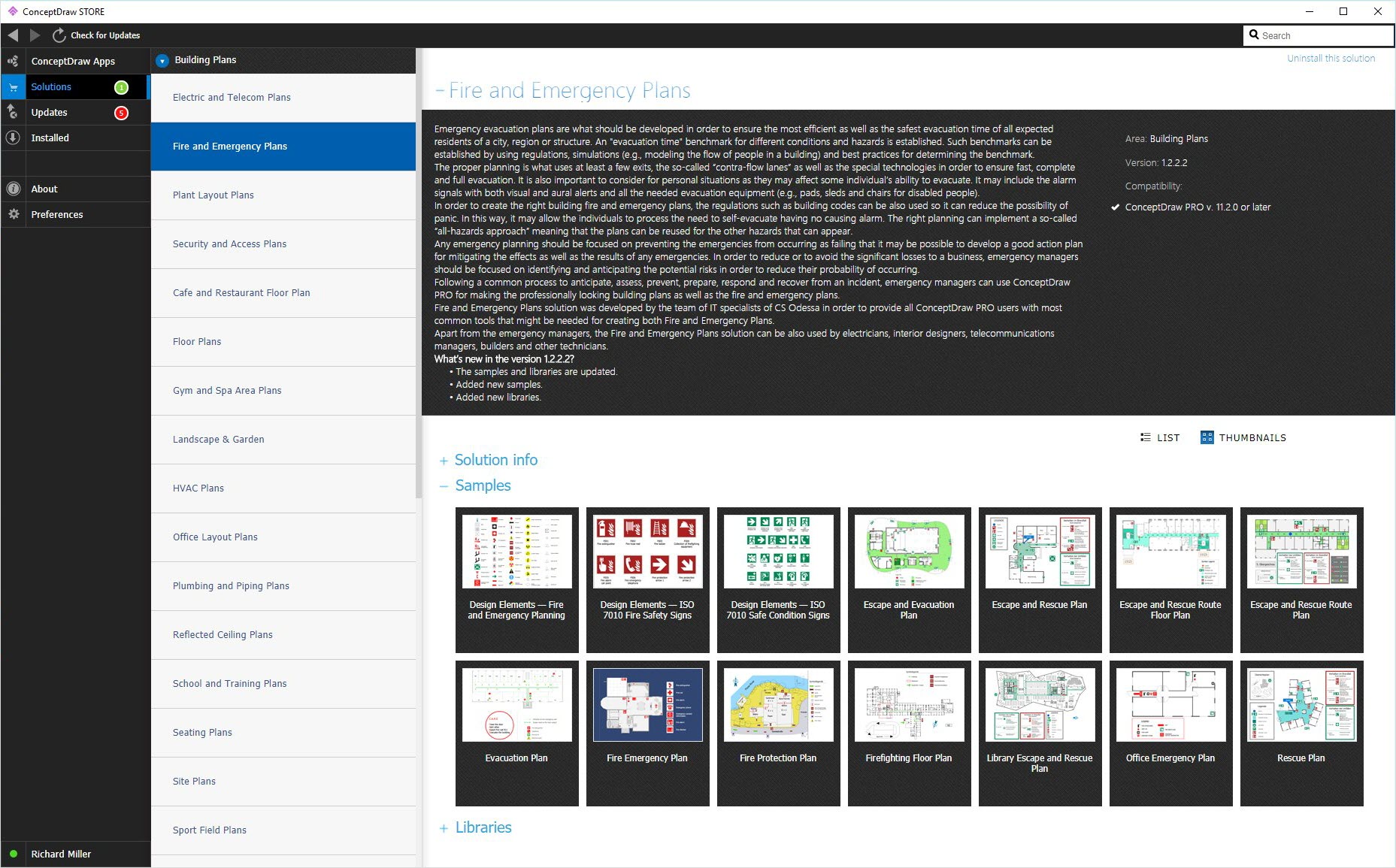
Example 1. Emergency Plan solution
You can create quick custom:
- Emergency Evacuation Floor Plan
- Fire Evacuation plans
- Home Emergency plans
- Office Emergency plans
- Fire Scene Safety diagrams
- Fire Emergency plans
- Fire Exit plan
- Family Emergency plan
- Business Emergency plans
- Sample Fire Emergency plan
with our Emergency plan software.
Start with the exact template you need then customize to fit your needs with more than 10000 stencils and you will find that creating emergency plan and sample fire emergency plan is fun drawing process.
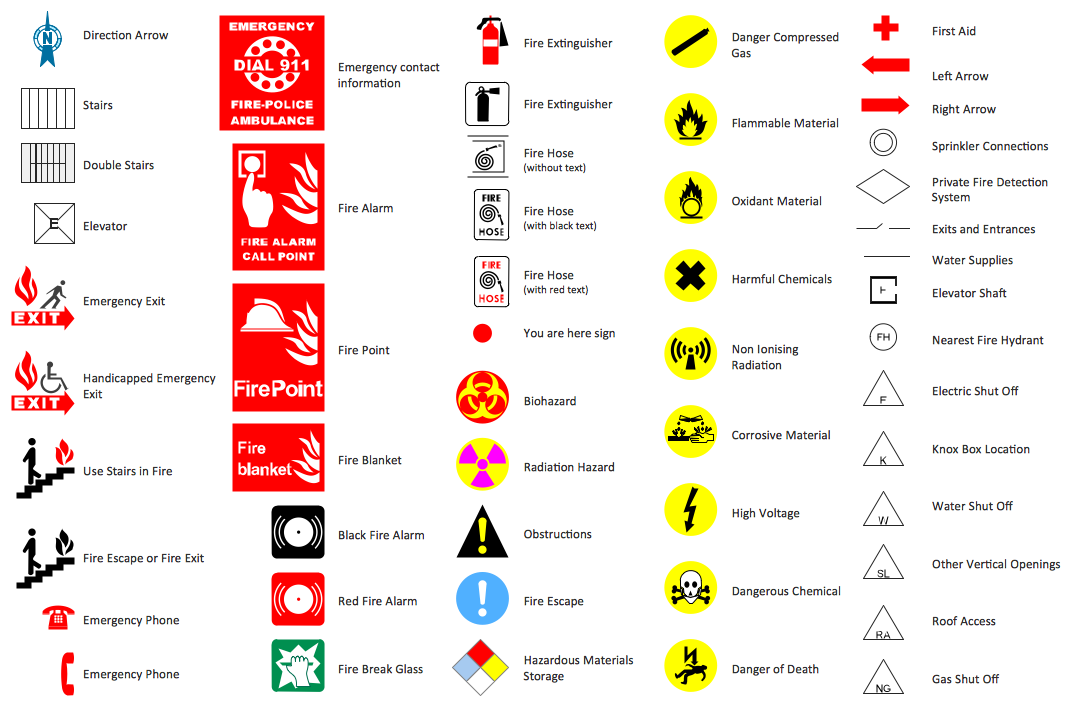

Example 2. Emergency plan in ConceptDraw DIAGRAM software (macOS, Windows®)
This sample was created in ConceptDraw DIAGRAM using the tools of Fire and Emergency Plans Solution and shows Fire Emergency Evacuation Plan. Fire emergency plan, fire exit plan, fire evacuation plan are widely used in hospitals, hotels, business centers, etc.
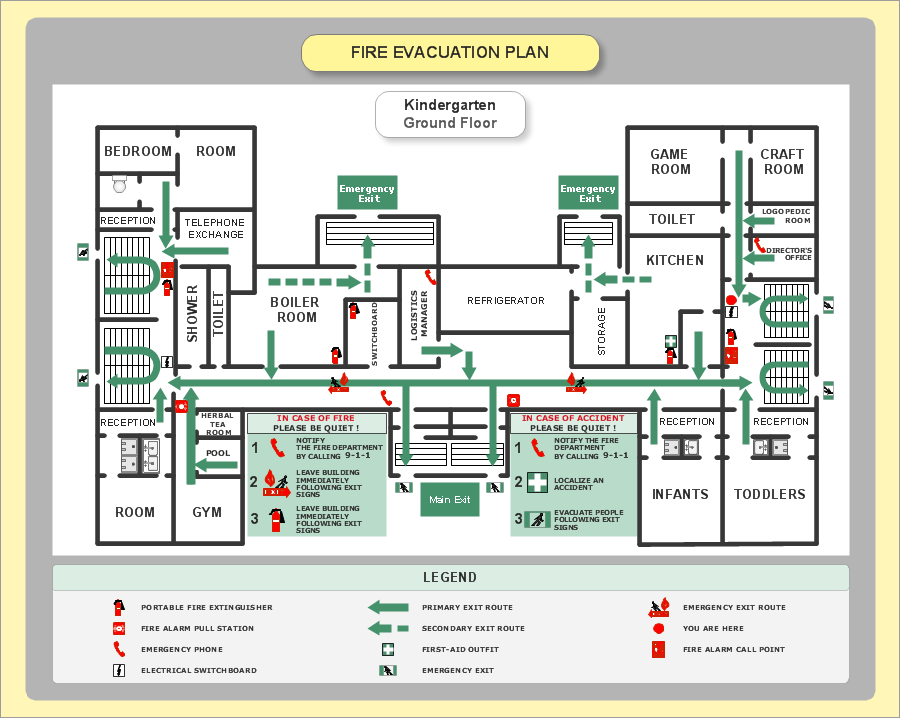
Example 2. Fire Emergency Evacuation Plan Example
The following features make ConceptDraw DIAGRAM the best
Fire and Emergency Plan Software:
- You don't need to be an artist to draw professional looking diagrams in a few minutes.
- Large quantity of ready-to-use vector objects makes your drawing diagrams quick and easy.
- Great number of predesigned templates and sample fire emergency plan give you the good start for your own diagrams.
- ConceptDraw DIAGRAM provides you the possibility to use the grid, rules and guides. You can easily rotate, group, align, arrange the objects, use different fonts and colors to make your diagram exceptionally looking.
- All ConceptDraw DIAGRAM documents are vector graphic files and are available for reviewing, modifying, and converting to a variety of formats: image, HTML, PDF file, MS PowerPoint Presentation, Adobe Flash, MS Visio.
- Using ConceptDraw STORE you can navigate through ConceptDraw Solution Park, managing downloads and updates. You can access libraries, templates and samples directly from the ConceptDraw STORE.
- If you have any questions, our free of charge support is always ready to come to your aid.
TEN RELATED HOW TO's:
The following examples cctv network were created in ConceptDraw DIAGRAM diagramming and vector drawing software using the Audio, Video, Media Solution. Using this easily customizable cctv network template you can represent any existing cctv network.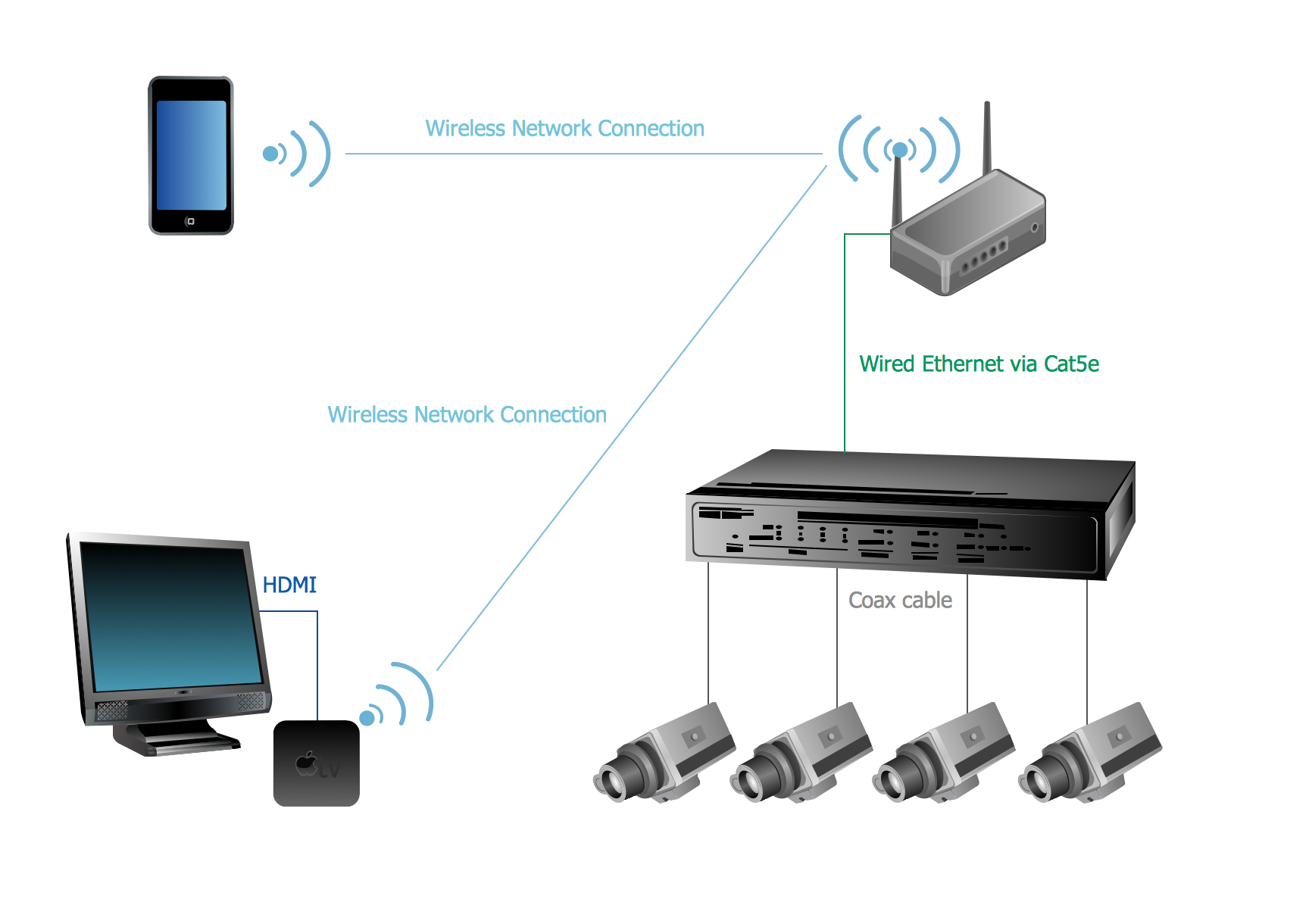
Picture: CCTV Network Example
Related Solutions:
UML Timing Diagram as special form of a sequence diagram are used to explore the behaviors of objects throughout a given period of time.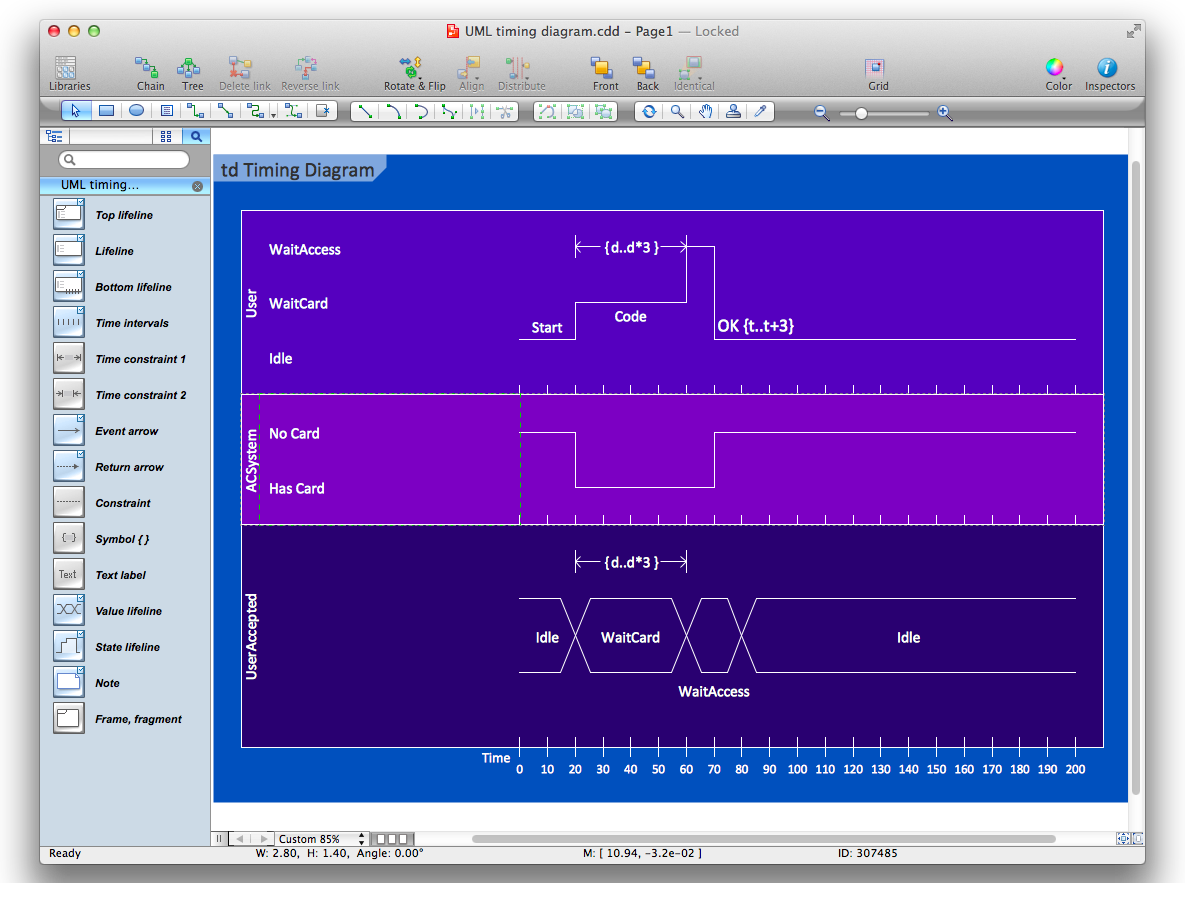
Picture: Diagramming Software for Design UML Timing Diagrams
ConceptDraw DIAGRAM extended with Cross-Functional Flowcharts Solution from the Business Processes Area is a powerful software which offers a variety of Cross Functional Flowchart examples. The use of predesigned examples as the base for your own Cross Functional Flowchart Diagrams is a timesaving and useful way.
Picture: Cross Functional Flowchart Examples
Related Solution:
Local area network connects computers and other network appliances within an area, such as office building or a campus. It can be difficult to provide such network without a predesigned plan. For these purposes you can use network diagram software, which helps you to create LAN network diagrams and office network diagrams quickly and effortless. This will speed up your work and you can save the diagram for the future network improvements.
The following diagram illustrates a network topology of the small office. LAN configuration has a star topology. The local network joins 8 computers among which are several desktop PCs, laptop, two iMacs and iBook. The end-point devices are divided into three groups. Each group is connected to its hub. There is a network printer and a modem, which are interconnected with other devices through a network server. Each computer on the LAN can access the server through a corresponding hub.
Picture: Network Diagram Software. LAN Network Diagrams. Physical Office Network Diagrams
Related Solution:
A landscape plan depicts all the features of a future garden including buildings, plants, lawns or a patio. Such plan is a very important part of site adjustment because it gives a complete picture of future project.
Picture: Landscape Plan
Related Solution:
ConceptDraw will help you to create the room planning of any configuration quickly and skillfully. ConceptDraw contains a number of ready templates for creation of premises plans, and due to libraries with interior objects existing in the program you will be able to place furniture, denote the location of doors and windows and indicate dimensions.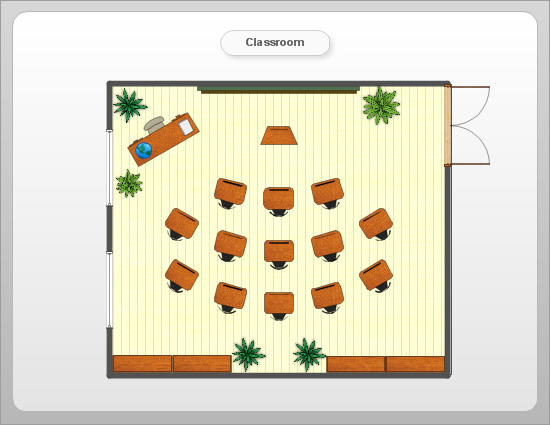
Picture: Room planning with ConceptDraw DIAGRAM
Related Solution:
ConceptDraw DIAGRAM extended with Floor Plans Solution from the Building Plans Area is a quick floor plan software for creating great-looking floor plans, floor charts and blueprints for facilities management, move management, office supply inventories, assets inventories, office space planning, and cubicles.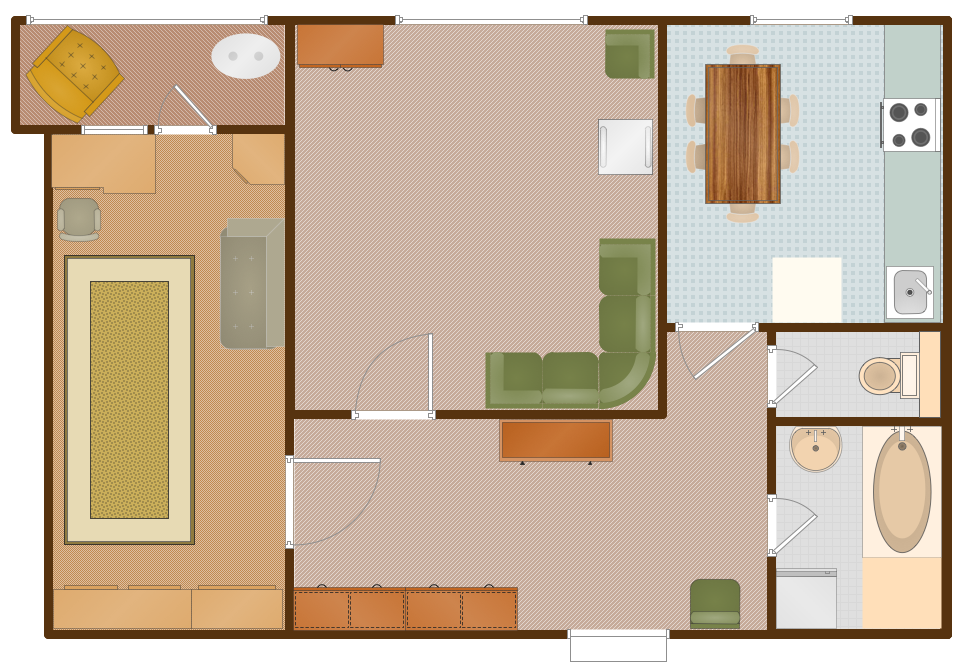
Picture: Floor Plan
Related Solution:
Over the past few centuries, data visualization has evolved so much that we use it every day in all areas of our lives. Many believe that infographic is an effective tool of storytelling, as well as analytics, and that it is able to overcome most of the language and educational barriers. Understanding the mechanisms of human perception will help you to understand how abstract forms and colors used in data visualization can transmit information more efficient than long paragraphs of text.
Picture: Tools to Create Your Own Infographics
ConceptDraw MINDMAP - an excellent tool for exporting mind maps to PowerPoint to visualize and presenting your project. You can simply generate, change, update your mindmap and then make a presentation in PowerPoint.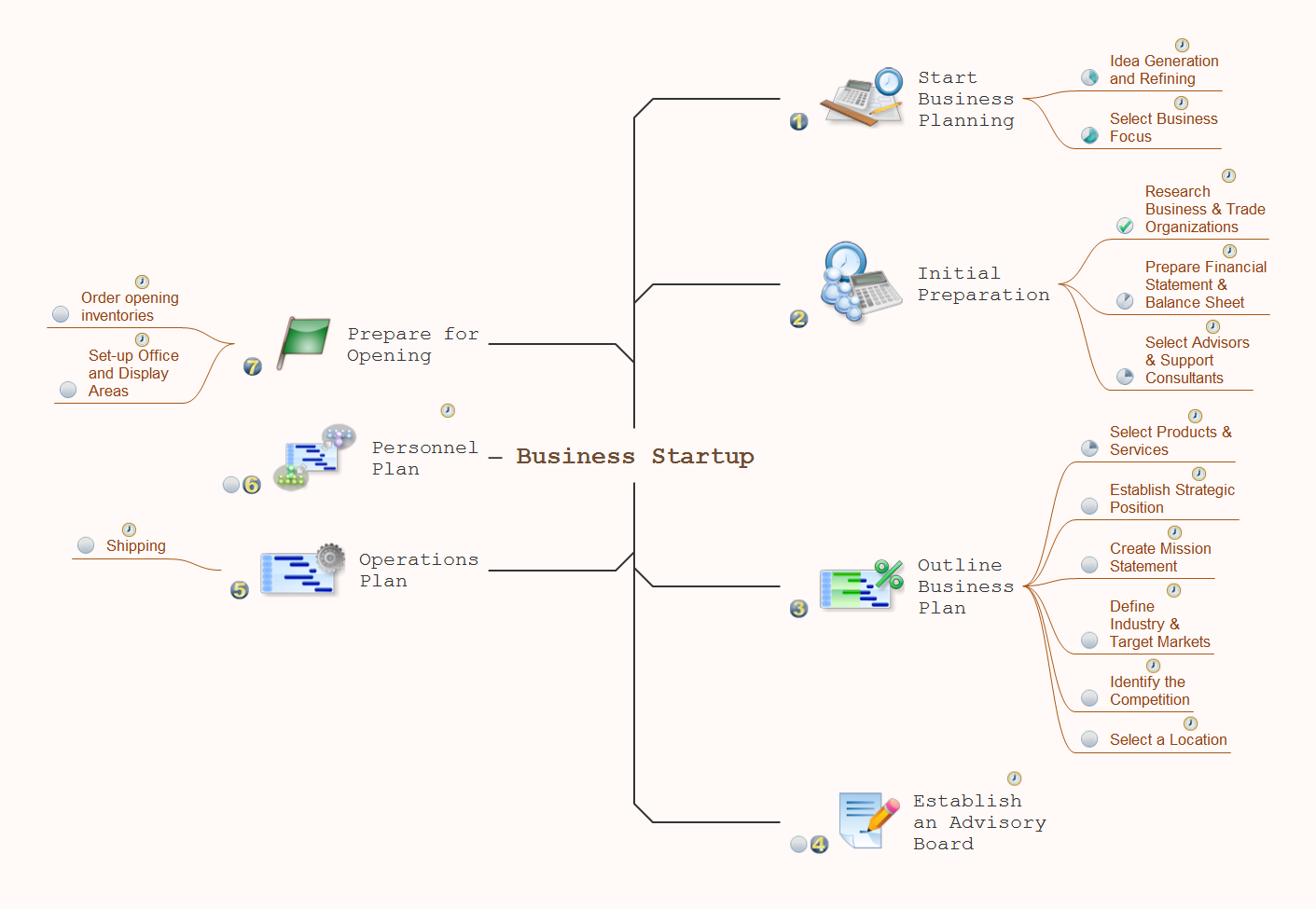
Picture: How To Do A Mind Map In PowerPoint
Related Solution:
The SWOT Analysis solution contains easy-to-use mind map templates that help identify Strengths, Weaknesses, Opportunities, and Threats, as well as outputs to ConceptDraw DIAGRAM for presenting analysis results.
Picture: SWOT Analysis
Related Solution:

