Account Flowchart Stockbridge SystemFlowchart Examples
ConceptDraw defines some flowchart types, divided into ten categories Every flowchart type has specific shapes and examples
A data processing system is a combination of people, machines, as well as the processes which produce a defined set of outputs out of a defined set of inputs. Both the outputs and the inputs can be interpreted as facts, data, information, etc. The definition depends on the interpreter's relation to the system and a common synonymous term is known to be an “information system”.
Any data processing system is known to be involving a combination of conversion for converting data to another format, a validation for making sure that the supplied data is correct, clear and useful, sorting for arranging the items in some particular sequence or in the different sets, summarization known to be simply reducing the detail data to its main points, aggregation, which is simply combining the multiple pieces of data, analysis (the organization after the collection and interpretation as well as the presentation of data) and reporting, which is a process of listing the details or the summary of data in a way of the computed information sometimes.
There are many types of data processing systems exist, such as those defined by the application area, the scientific data processing, which is a process involving a computation being simply the comparison as well as the arithmetic operations, upon a small amount of the so called “input data”. As a result, there is a small volume of output left in the very end. The so called “commercial data processing” is the one involving a large volume of input data, a large volume of output and a few computational operations.
“Data analysis” is the one of the methods used for describing the facts, detecting the patterns, developing explanations, as well as testing the hypotheses. It is used for analysing the sales and the data from the customers upon receiving the result of the surveys they’ve been through for identifying the connections between the different products allowing the so called “cross selling campaigns”. There are systems defined by the service type, the so called “transaction processing systems”. There are also the information storage and the retrieval systems, the control and command systems, the computing service systems, the process control systems and the message switching systems.
One of the most commonly used examples of a data processing system is the process of maintaining a check register when the transactions which are simply checks and deposits are recorded upon uprising, as well as the transactions being summarized for determining an existing balance. There are also so called “deposits by source” exist as well as the “checks by type”, such as the ones used within the charitable organizations’ activities. Such information is used for obtaining the information, such as the total of all contributions within one year. It is well-known that a system, in which all the transactions are being recorded on a consistent basis, as well as the same method of the so called “bank re-conciliation” is used each time.
Transaction processing is known to be distinct from all the other computer processing models, such as batch processing, real-time processing and time-sharing. The batch processing is simply an execution of a series of programs, which are known to be also called as the “jobs”, on a computer without using any manual intervention. A few transactions are called a “batch”. Such batch is known to be collected as well as processed at the very same time, resulting in each transaction having not an immediate result, available while the transaction is being entered, having a time delay.
But there are so called “real time systems” where an appropriate response to a stimulus can be always guaranteed as well as the request quick enough for affecting the conditions caused the stimulus itself. Each of the transactions in the real-time processing is known to be unique, being not a part of a group of any different transactions. A Transaction Processing System is basically a system, which is known to be collecting, modifying, retrieving and storing any data transactions of any enterprise. Transaction processing, instead of allowing some user to be able to run the so called “arbitrary programs”, allows the predefined as well as the structured transactions. Each of such transactions is basically a short duration, having its processing activity for each of the transactions programmed in advance.
Once you decide to create a flowchart mentioning all the processes happening within any needed system to be described, you can always use a very useful and unique as well as professionally developed software — ConceptDraw DIAGRAM Such application allows its users to make any needed flowchart, including the account one mentioning all the processes taking place within a particular system going into as many details as it is needed, using the previously created graphical objects as well as the pre-made examples of all the mostly and widely used flowcharts. Some of the existing solutions from ConceptDraw STORE contains more than one template enabling all the ConceptDraw DIAGRAM users to have such examples as their own drafts which can be always edited in order to end up having an amazing result — a professionally made chart, flowchart, diagram, any needed map, scheme, plan as well as other drawings, depending on what field of the business activity you are involved in.
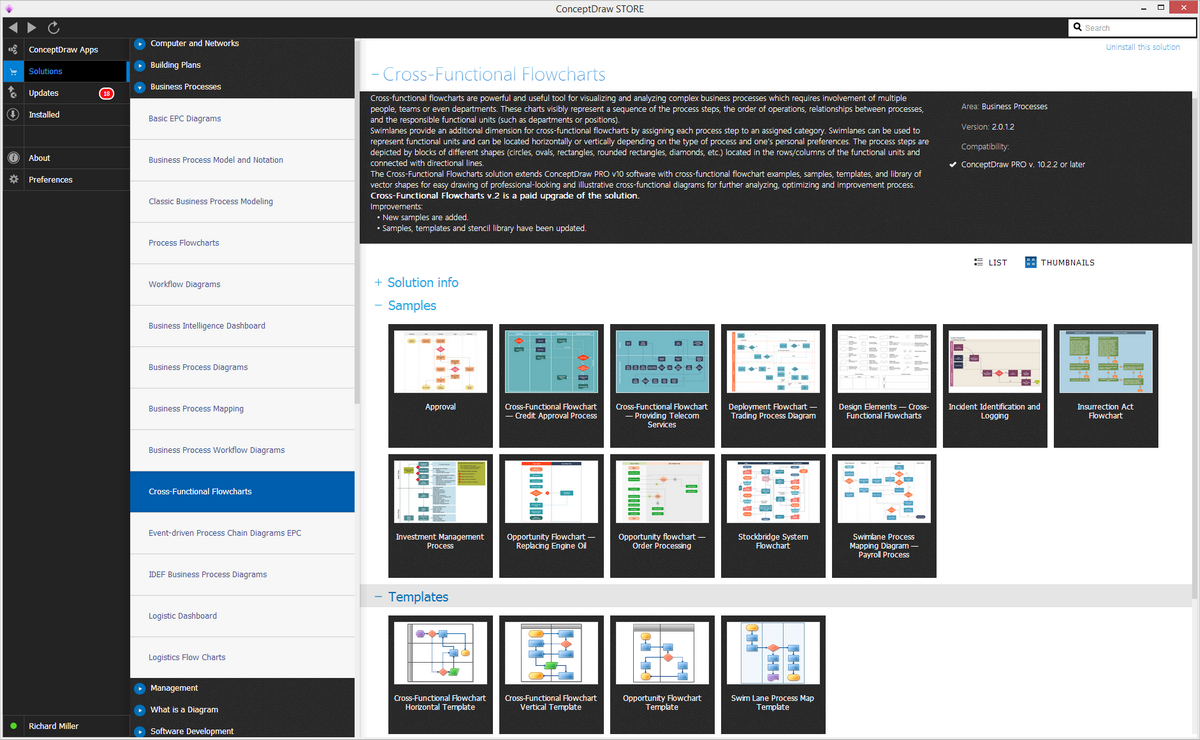
Example 1. Cross-Functional Flowcharts Solution
Thus, one of the solutions provided by the IT specialists of CS Odessa is the “Cross-Functional Flowcharts”, offering 45 graphical shapes as well as the pre-made and ready-to-use samples of the flowcharts, such as Cross-Functional ones. Having ConceptDraw DIAGRAM as well as the mentioned solution which can be downloaded from ConceptDraw STORE (and ConceptDraw STORE application can itself be downloaded from this site, as well as a ConceptDraw DIAGRAM one) means having an opportunity to make any needed flowchart, including the Cross-Functional one, mentioning all the needed data as well as its circulation within a particular system, such as a Stockbridge one.

Example 2. Stockbridge system flowchart example
"This is a flowchart of a data processing system combining manual and computerized processing to handle accounts receivable, billing, and general ledger."
[Data processing system. Wikipedia]
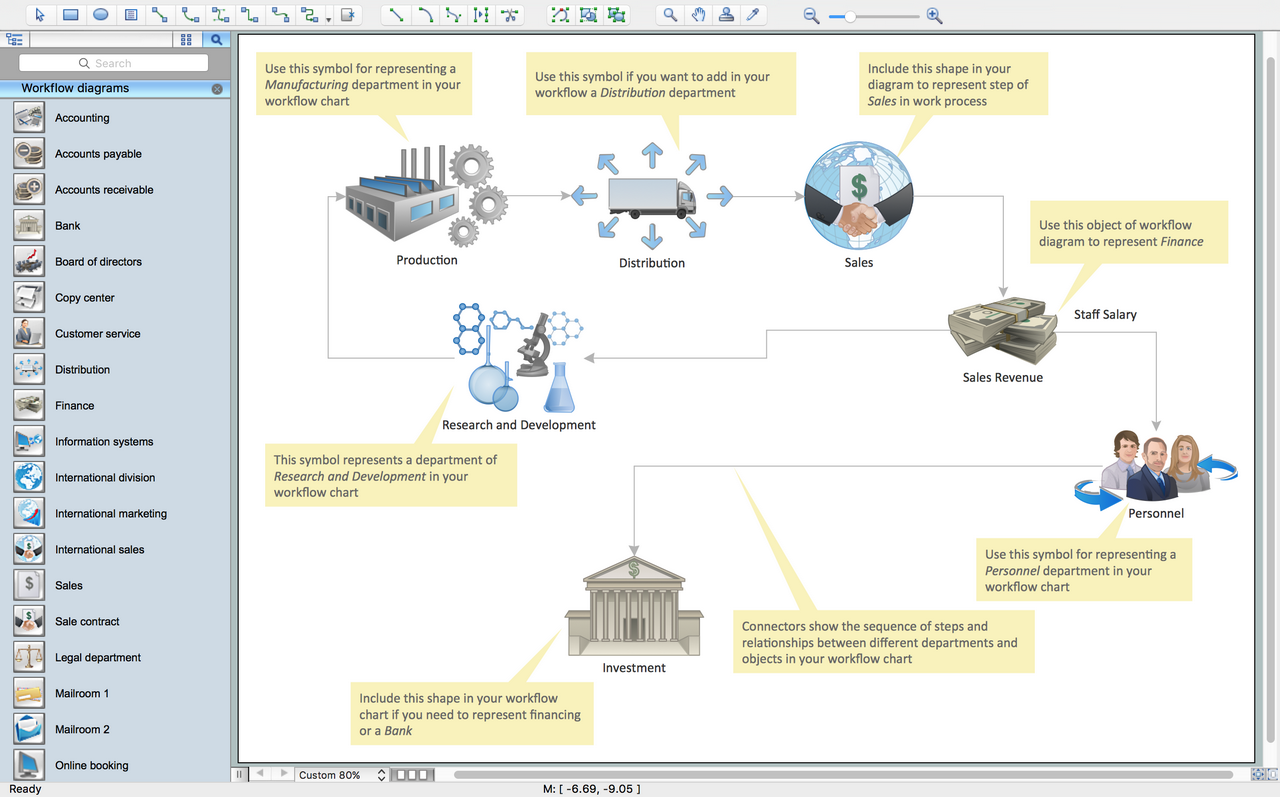
TEN RELATED HOW TO's:UML Component for Bank - This sample was created in ConceptDraw DIAGRAM diagramming and vector drawing software using the UML Component Diagram library of the Rapid UML Solution from the Software Development area of ConceptDraw Solution Park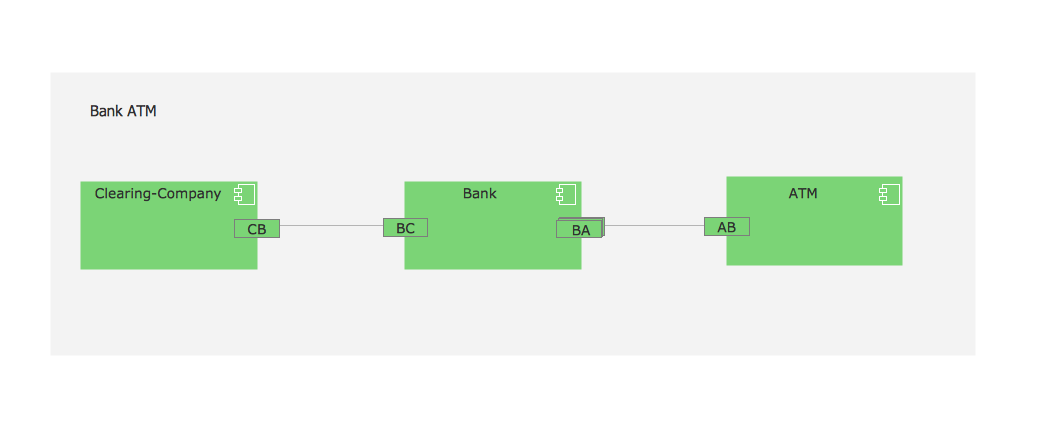 Picture: UML Component for BankRelated Solution: In any unclear situation create a workflow diagram. Workflow diagrams help to understand processes, find bottlenecks and fix the process. When you create workflow diagram using ConceptDraw DIAGRAM software you are able to focus on thinking, not drawing, that makes you as effective as possible.
 Picture: Create Workflow DiagramRelated Solution: Database design is an important part of any project, as databases become more and more complex nowadays. To make the model more representative, entity relationship diagrams are widely used in software engineering area. These diagrams show sets of entities as rectangles connected via lines labeled with their cardinalities.
This an example of the ER-diagram developed to store information regarding some online role-playing game. It includes three main elements of ER diagram: entities, relationships and attributes. The entities, attributes and relationships on this ER-diagram is depicted according to the Chen's notation. Chen's notation for Entity Relationship diagrams admits using of rectangles to depict entities, ovals for attributes and ,at least, diamonds to show relationships. ConceptDraw Entity-Relationship Diagrams solution was applied as ERD software to create this diagram.
Picture: Create Workflow DiagramRelated Solution: Database design is an important part of any project, as databases become more and more complex nowadays. To make the model more representative, entity relationship diagrams are widely used in software engineering area. These diagrams show sets of entities as rectangles connected via lines labeled with their cardinalities.
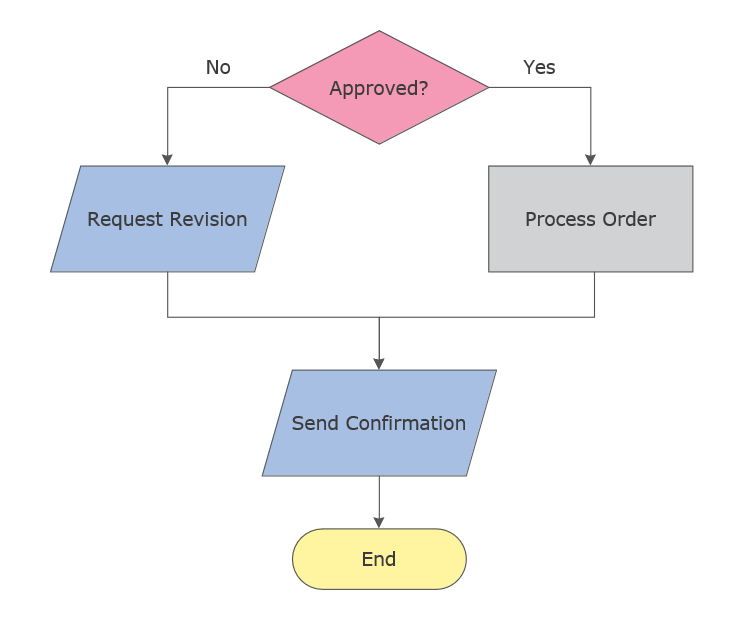
This an example of the ER-diagram developed to store information regarding some online role-playing game. It includes three main elements of ER diagram: entities, relationships and attributes. The entities, attributes and relationships on this ER-diagram is depicted according to the Chen's notation. Chen's notation for Entity Relationship diagrams admits using of rectangles to depict entities, ovals for attributes and ,at least, diamonds to show relationships. ConceptDraw Entity-Relationship Diagrams solution was applied as ERD software to create this diagram. Picture: ConceptDraw DIAGRAM ER Diagram ToolRelated Solution: Explore practical flowchart examples including business process diagrams, workflow charts, swimlane flowcharts, and IT troubleshooting flows. Review common patterns and start from ready templates.
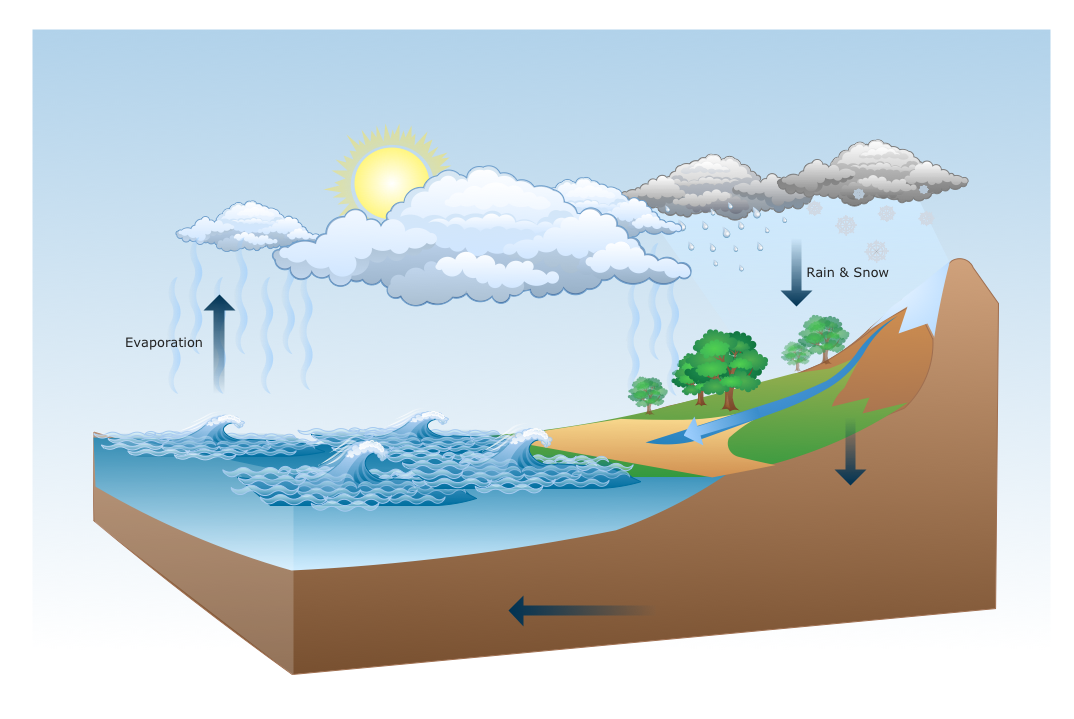
 Picture: Flowchart ExamplesRelated Solution: ConceptDraw DIAGRAM is a drawings software for creating Nature scenes. Nature solution from ConceptDraw Solution Park expands this software with a new library that contains 17 vector objects and samples illustration files.
 Picture: Drawing a Nature Scene On this diagram are used the flowchart symbols that represents the processes and documents.
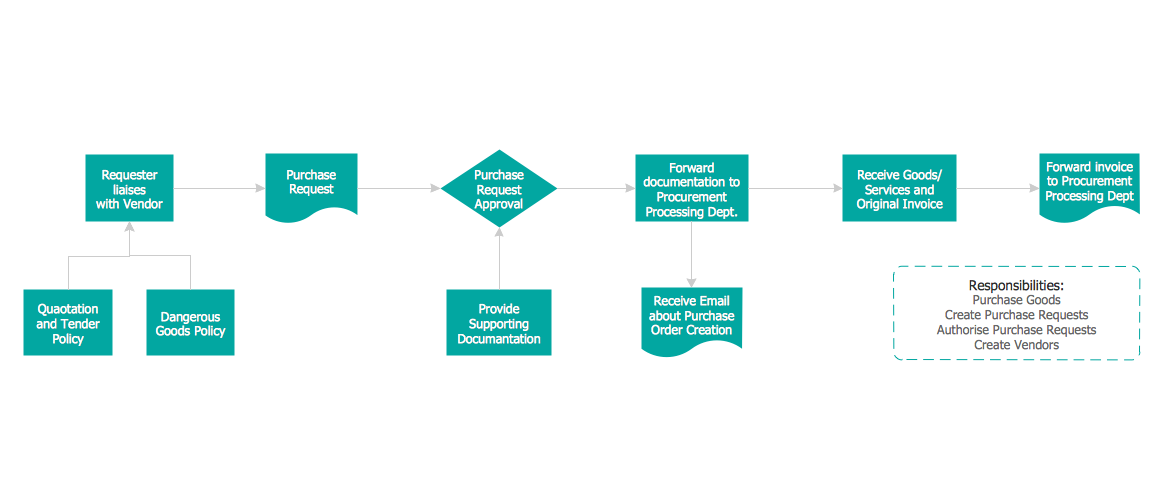 Picture: Credit Card Order Process Flowchart.Flowchart ExamplesRelated Solution: Use ConceptDraw DIAGRAM with Accounting Flowcharts solution to document and communicate visually how accounting processes work, and how each operation is done.
 Picture: Accounting Flowchart: Purchasing, Receiving, Payable and PaymentRelated Solution: Credit Card Processing System UML Diagram. This sample shows the Use Case Diagram of the credit card processing system. You can see how the payment by credit card occurs. This sample can be used by the bank, financial enterprises, for understanding the work of the credit card processing system at the projecting the banking systems.
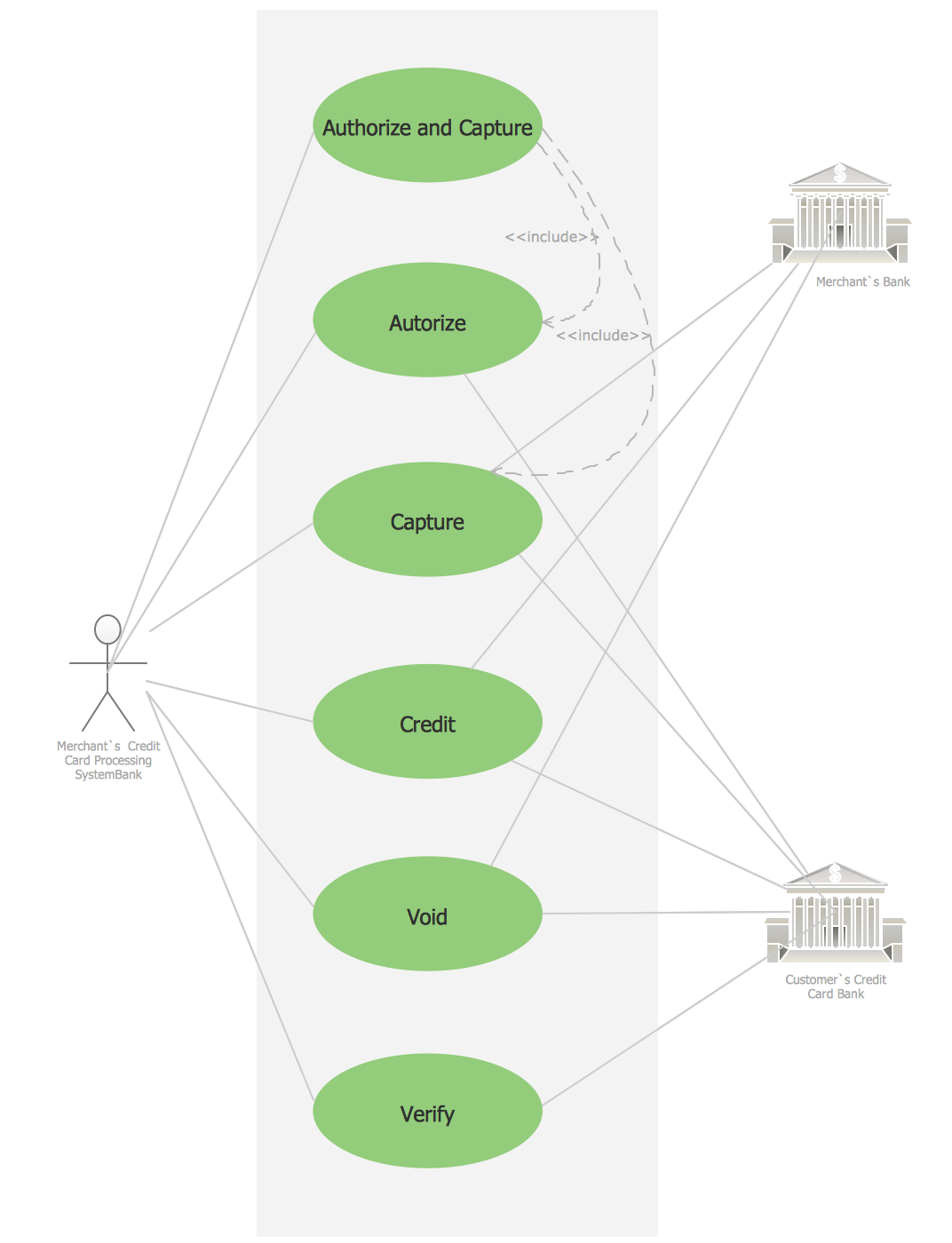 Picture: Credit Card Processing System UML DiagramRelated Solution:
A data processing system is a combination of people, machines, as well as the processes which produce a defined set of outputs out of a defined set of inputs. Both the outputs and the inputs can be interpreted as facts, data, information, etc. The definition depends on the interpreter's relation to the system and a common synonymous term is known to be an “information system”.
Any data processing system is known to be involving a combination of conversion for converting data to another format, a validation for making sure that the supplied data is correct, clear and useful, sorting for arranging the items in some particular sequence or in the different sets, summarization known to be simply reducing the detail data to its main points, aggregation, which is simply combining the multiple pieces of data, analysis (the organization after the collection and interpretation as well as the presentation of data) and reporting, which is a process of listing the details or the summary of data in a way of the computed information sometimes.
There are many types of data processing systems exist, such as those defined by the application area, the scientific data processing, which is a process involving a computation being simply the comparison as well as the arithmetic operations, upon a small amount of the so called “input data”. As a result, there is a small volume of output left in the very end. The so called “commercial data processing” is the one involving a large volume of input data, a large volume of output and a few computational operations.
“Data analysis” is the one of the methods used for describing the facts, detecting the patterns, developing explanations, as well as testing the hypotheses. It is used for analysing the sales and the data from the customers upon receiving the result of the surveys they’ve been through for identifying the connections between the different products allowing the so called “cross selling campaigns”. There are systems defined by the service type, the so called “transaction processing systems”. There are also the information storage and the retrieval systems, the control and command systems, the computing service systems, the process control systems and the message switching systems.
One of the most commonly used examples of a data processing system is the process of maintaining a check register when the transactions which are simply checks and deposits are recorded upon uprising, as well as the transactions being summarized for determining an existing balance. There are also so called “deposits by source” exist as well as the “checks by type”, such as the ones used within the charitable organizations’ activities. Such information is used for obtaining the information, such as the total of all contributions within one year. It is well-known that a system, in which all the transactions are being recorded on a consistent basis, as well as the same method of the so called “bank re-conciliation” is used each time.
Transaction processing is known to be distinct from all the other computer processing models, such as batch processing, real-time processing and time-sharing. The batch processing is simply an execution of a series of programs, which are known to be also called as the “jobs”, on a computer without using any manual intervention. A few transactions are called a “batch”. Such batch is known to be collected as well as processed at the very same time, resulting in each transaction having not an immediate result, available while the transaction is being entered, having a time delay.
But there are so called “real time systems” where an appropriate response to a stimulus can be always guaranteed as well as the request quick enough for affecting the conditions caused the stimulus itself. Each of the transactions in the real-time processing is known to be unique, being not a part of a group of any different transactions. A Transaction Processing System is basically a system, which is known to be collecting, modifying, retrieving and storing any data transactions of any enterprise. Transaction processing, instead of allowing some user to be able to run the so called “arbitrary programs”, allows the predefined as well as the structured transactions. Each of such transactions is basically a short duration, having its processing activity for each of the transactions programmed in advance.
Once you decide to create a flowchart mentioning all the processes happening within any needed system to be described, you can always use a very useful and unique as well as professionally developed software — ConceptDraw DIAGRAM Such application allows its users to make any needed flowchart, including the account one mentioning all the processes taking place within a particular system going into as many details as it is needed, using the previously created graphical objects as well as the pre-made examples of all the mostly and widely used flowcharts. Some of the existing solutions from ConceptDraw STORE contains more than one template enabling all the ConceptDraw DIAGRAM users to have such examples as their own drafts which can be always edited in order to end up having an amazing result — a professionally made chart, flowchart, diagram, any needed map, scheme, plan as well as other drawings, depending on what field of the business activity you are involved in.

Example 1. Cross-Functional Flowcharts Solution
Thus, one of the solutions provided by the IT specialists of CS Odessa is the “Cross-Functional Flowcharts”, offering 45 graphical shapes as well as the pre-made and ready-to-use samples of the flowcharts, such as Cross-Functional ones. Having ConceptDraw DIAGRAM as well as the mentioned solution which can be downloaded from ConceptDraw STORE (and ConceptDraw STORE application can itself be downloaded from this site, as well as a ConceptDraw DIAGRAM one) means having an opportunity to make any needed flowchart, including the Cross-Functional one, mentioning all the needed data as well as its circulation within a particular system, such as a Stockbridge one.
Example 2. Stockbridge system flowchart example
"This is a flowchart of a data processing system combining manual and computerized processing to handle accounts receivable, billing, and general ledger." [Data processing system. Wikipedia]
