Made with
ConceptDraw
DIAGRAM 18

Football – 2014 FIFA World Cup Standings Group

“The FIFA World Cup, often simply the World Cup, is an international association football competition contested by the senior men's national teams of the members of Fédération Internationale de Football Association (FIFA), the sport's global governing body. The current format of the tournament involves 32 teams competing for the title at venues within the host nation(s) over a period of about a month; this phase is often called the World Cup Finals. A qualification phase, which currently takes place over the preceding three years, is used to determine which teams qualify for the tournament together with the host nation(s).The 2014 FIFA World Cup will be the 20th FIFA World Cup, an international men's football tournament that is scheduled to take place in Brazil from 12 June to 13 July 2014. It will be the second time that Brazil has hosted the competition, the previous being in 1950.”[Wikipedia]

The 32 participating teams of 2014 FIFA World Cup were divided into the eight groups with four teams in each.

Whoever you are, sports fan, blogger, or journalist, you may be interested in tracking 2014 FIFA World Cup schedules and results. Now, visualizing the sports statistics becomes as easy as never before with ConceptDraw DIAGRAM diagramming and vector drawing software extended with the Soccer solution.

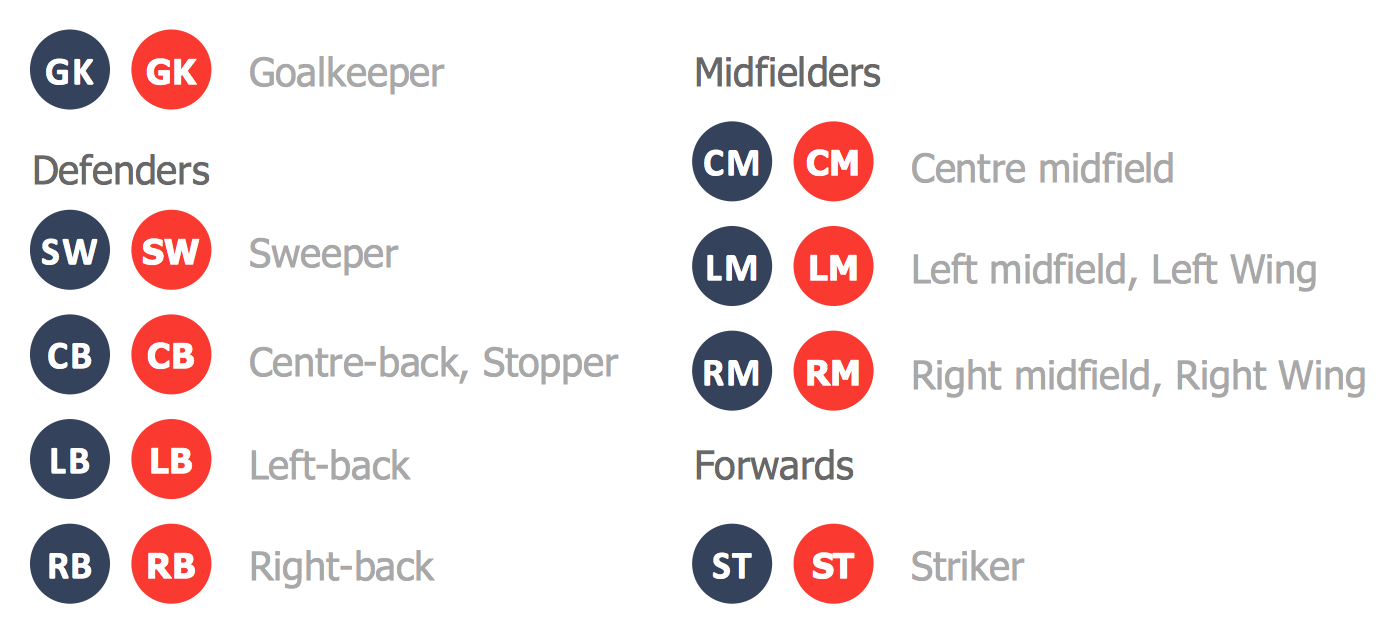
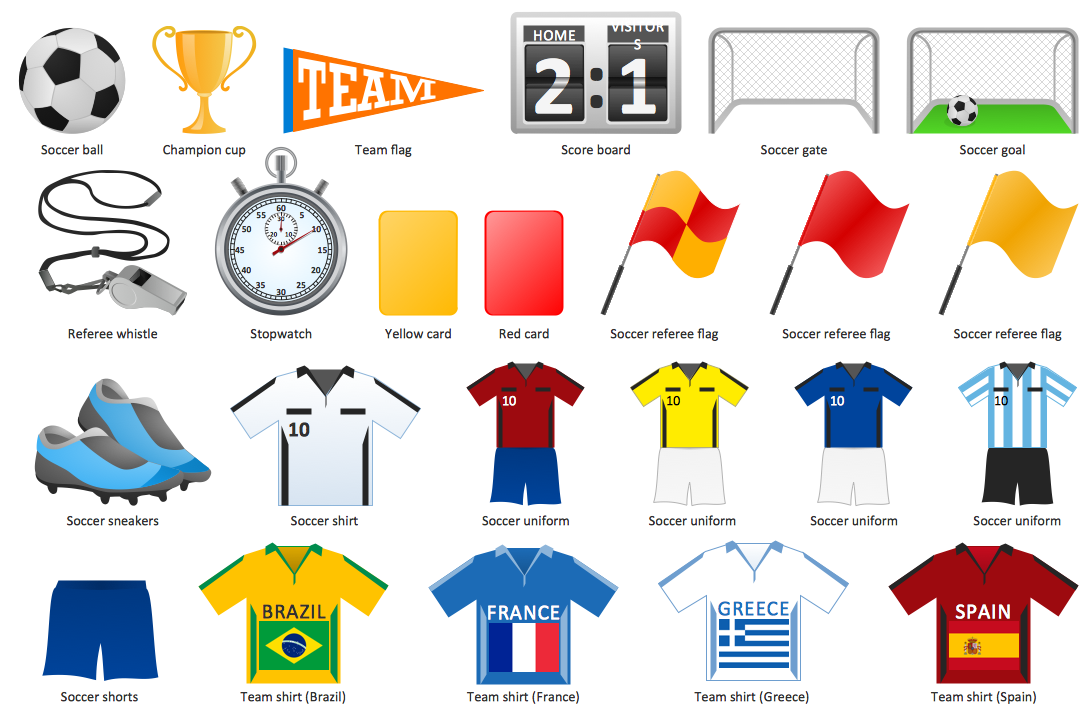
You can see below the samples representing the 2014 FIFA World Cup schedules and tournament tables for each of eight groups. These samples was created in ConceptDraw DIAGRAM using the “FIFA World Cup 2014 team flags”, “Soccer pictograms” and “Soccer silhouettes” libraries from the Soccer solution from the Sport area of ConceptDraw Solution Park.
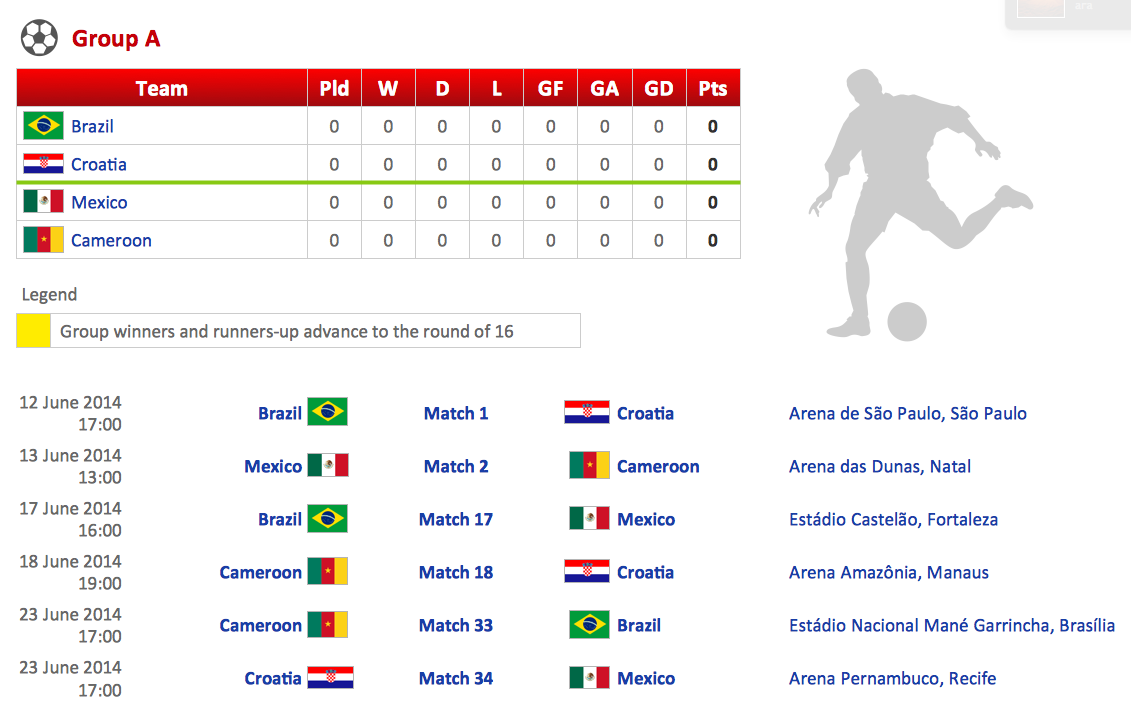
Football – 2014 FIFA World Cup Standings Group *

Sample 1. 2014 FIFA World Cup Standings Group A

Each sample displays the information about the pairs of teams of the group that will play, on which stadium will be the match and at what time. Also you can see the tournament tables that will display the information about the match results – about the number of matches, goals, winnings, etc.
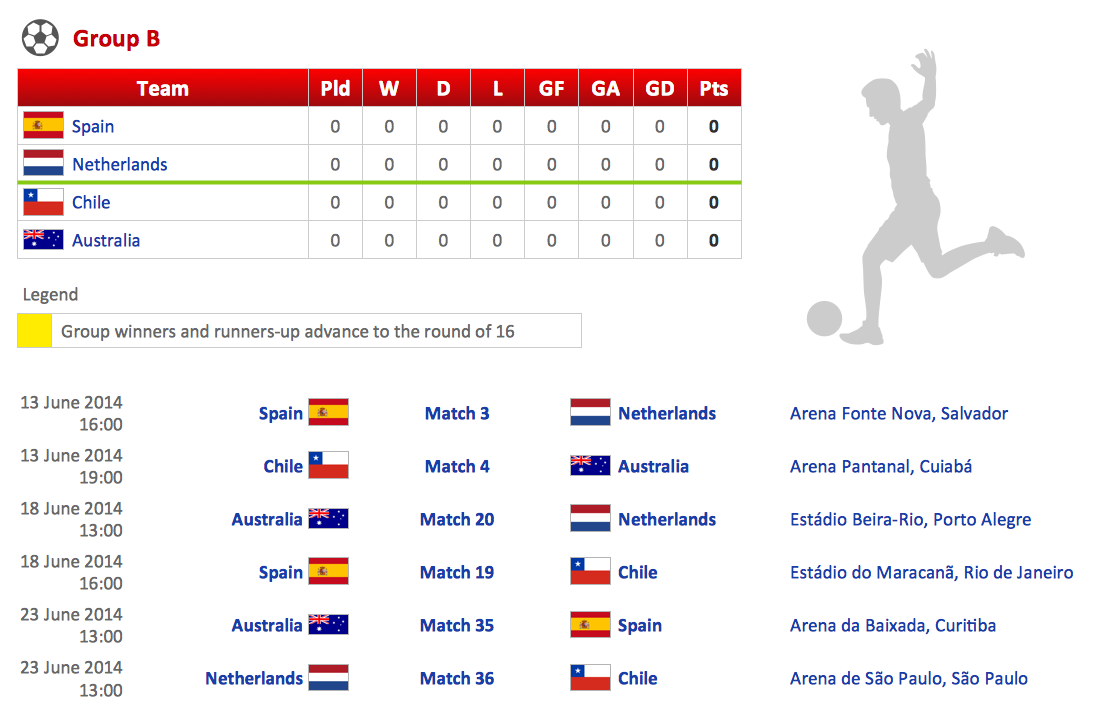
Football – 2014 FIFA World Cup Standings Group B

Sample 2. 2014 FIFA World Cup Standings Group B

All these samples were included to the Soccer solution. They are professional looking practical samples and you can quick and easy modify them, print, or publish on web.
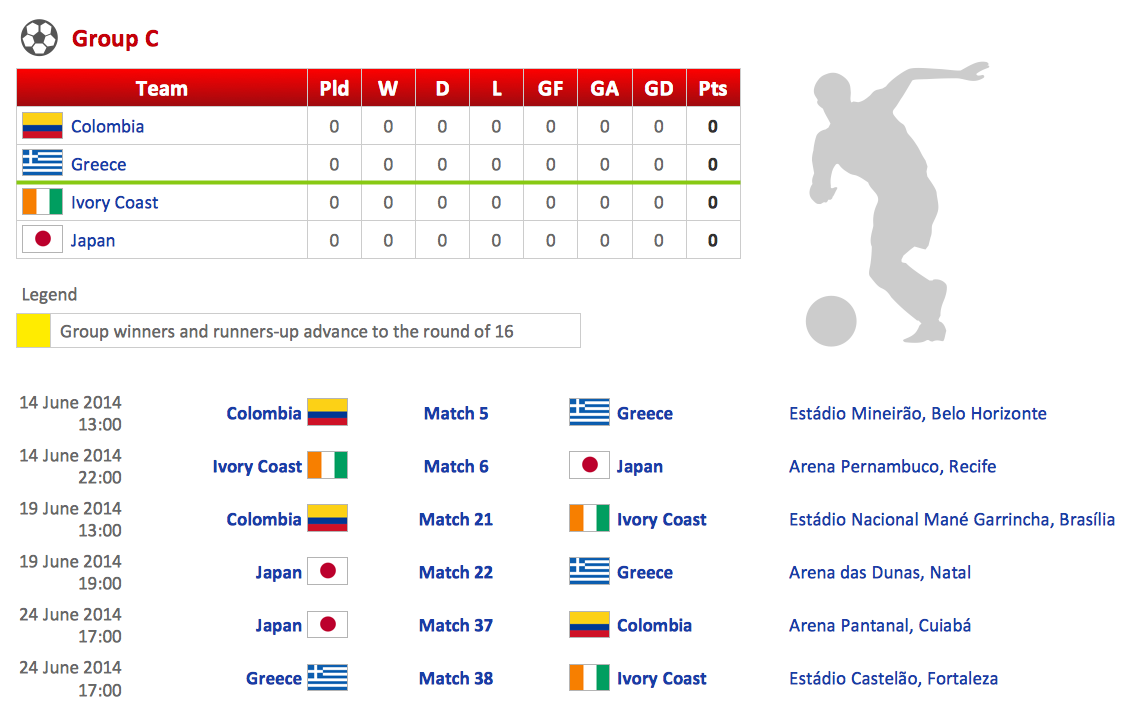
Football – 2014 FIFA World Cup Standings Group C

Sample 3. 2014 FIFA World Cup Standings Group C

“The ranking of each team in each group will be determined as follows:

  • Greater number of points in all group matches
  • Goal difference in all group matches
  • Greater number of goals scored in all group matches
  • Greatest number of points in matches between tied teams
  • Goal difference in matches between tied teams
  • Greatest number of goals scored in matches between tied teams
  • Drawing of lots by the FIFA Organising Committee”

    [Wikipedia]

Football – 2014 FIFA World Cup Standings Group D

Sample 4. 2014 FIFA World Cup Standings Group D

Two teams from each group will advance to knock out round, the round of sixteen. Top two teams with most points will qualify to the next round of 2014 FIFA World Cup.
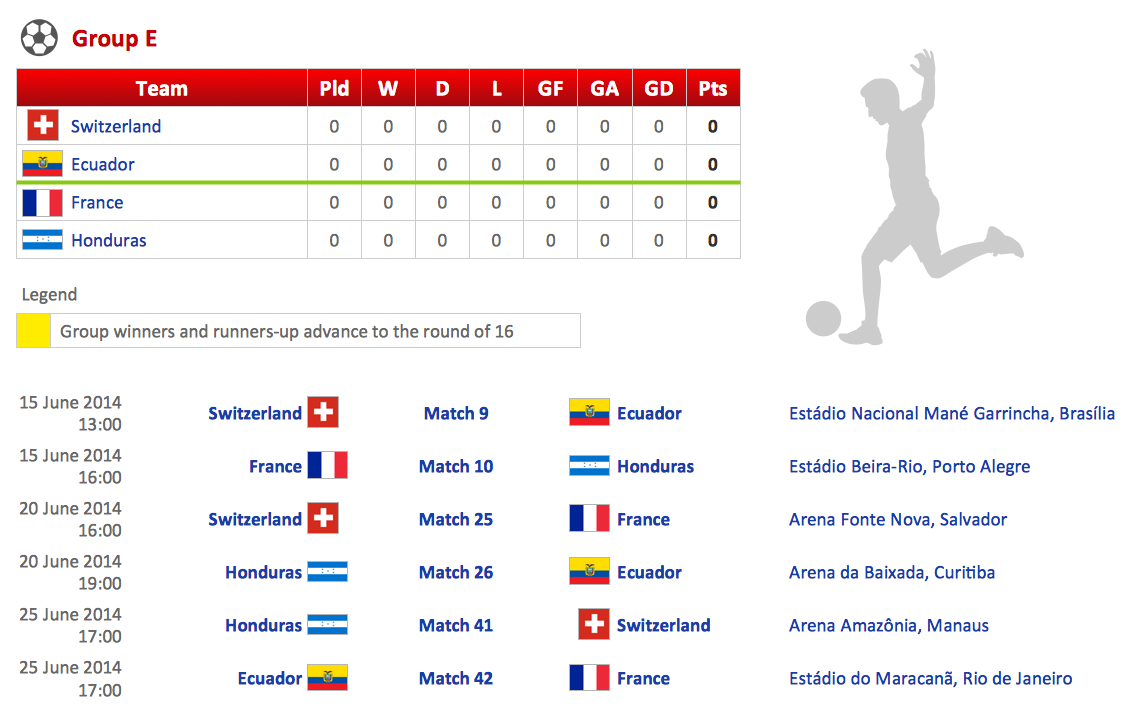
Football – 2014 FIFA World Cup Standings Group E

Sample 5. 2014 FIFA World Cup Standings Group E
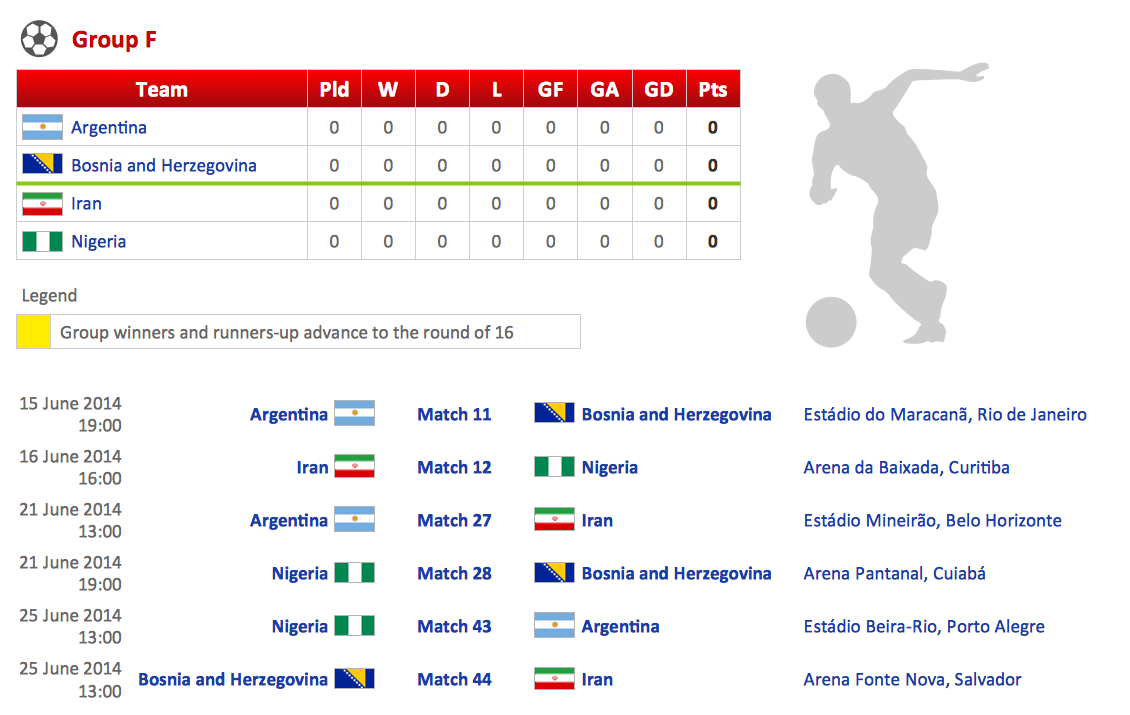
Football – 2014 FIFA World Cup Standings Group F

Sample 6. 2014 FIFA World Cup Standings Group F
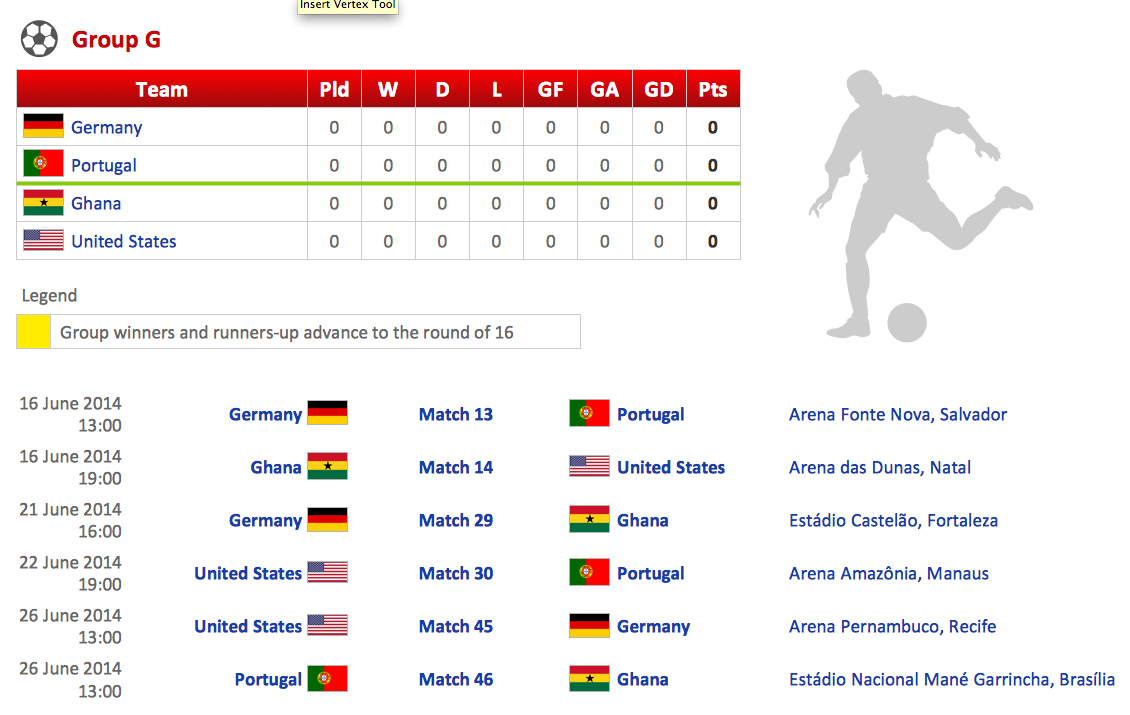
Football – 2014 FIFA World Cup Standings Group G

Sample 7. 2014 FIFA World Cup Standings Group G
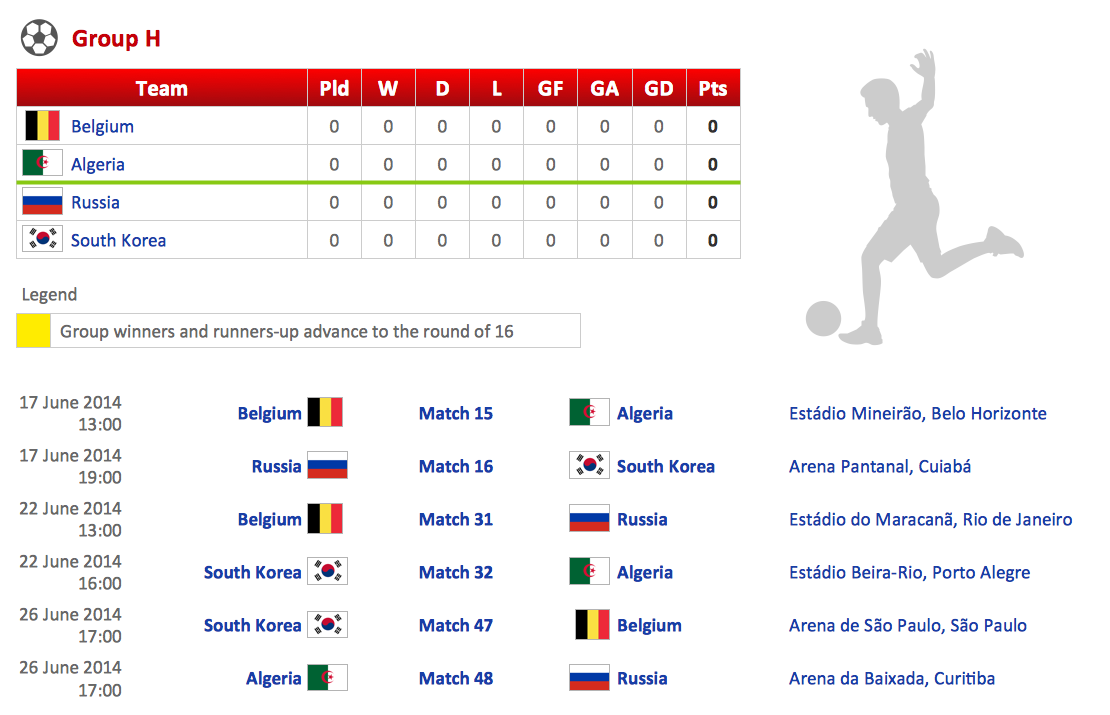
Football – 2014 FIFA World Cup Standings Group H

Sample 8. 2014 FIFA World Cup Standings Group H

The samples you see on this page were created in ConceptDraw DIAGRAM using the Soccer Solution. They demonstrate the solution's capabilities and the professional results you can achieve quick and easy. An experienced user spent 15 minutes creating every of these samples.

All source documents are vector graphic documents. They are available for reviewing, modifying, or converting to a variety of formats (PDF file, MS PowerPoint, MS Visio, and many other graphic formats) from the ConceptDraw STORE. The Soccer Solution is available for all ConceptDraw DIAGRAM or later users.



TEN RELATED HOW TO's:
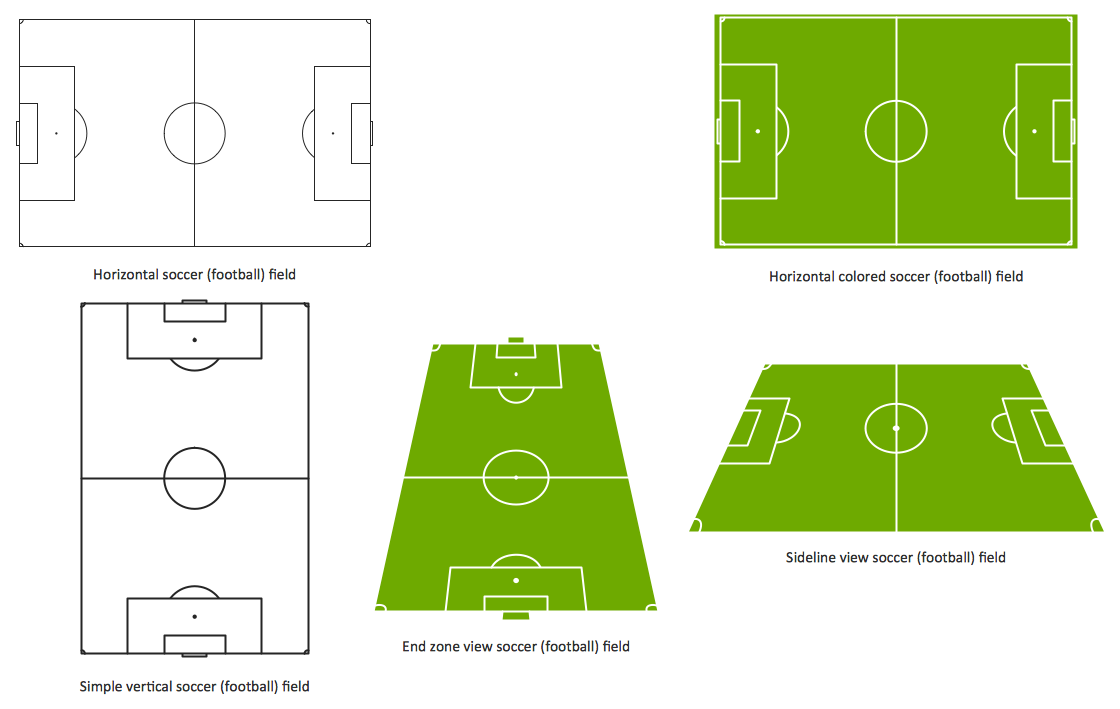
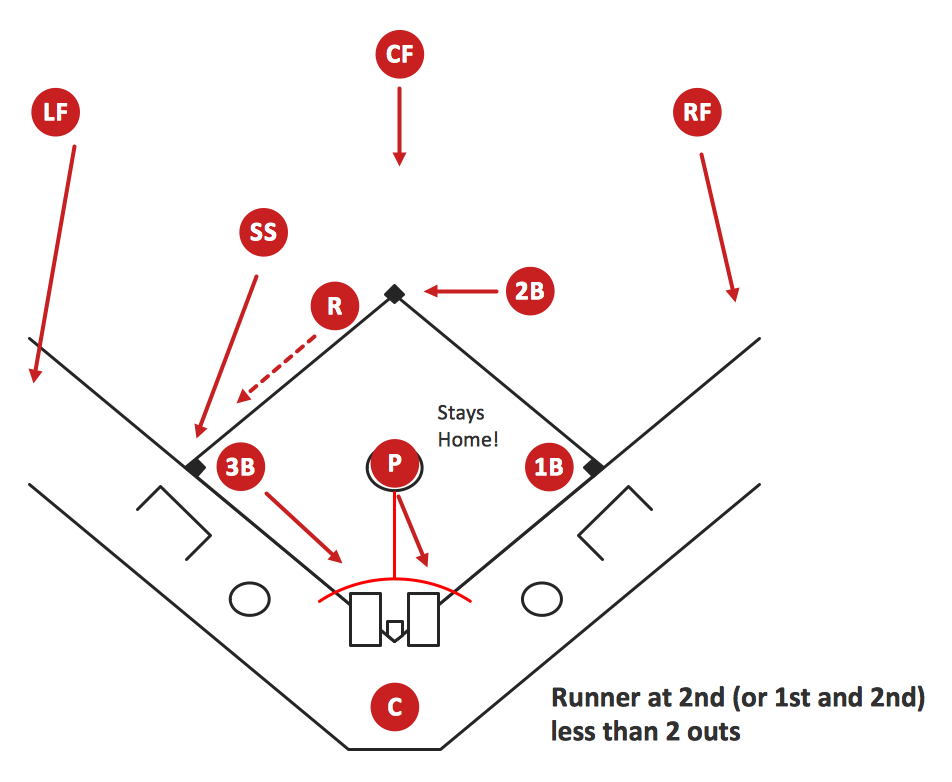
Extending ConceptDraw DIAGRAM software with the Baseball solution you receive a complete set of libraries, templates and samples allowing to draw baseball diagrams in seconds. You can start from a template, change positions and get ready diagram in some clicks.Baseball Diagram – Colored Baseball Field
Picture: Baseball Diagram – Colored Baseball Field
Related Solution:
There are numerous articles about the advantages of flowcharting, creating business graphics and developing different charts. Nevertheless, these articles are almost useless without the main component - the examples of flowcharts, org charts and without a fine example, it is difficult to get all the conveniences of creating diagrams. You can find tons of templates and vivid examples on Solution Park. This illustration shows a variety of business diagrams that can be created using ConceptDraw DIAGRAM. It comprises a different fields of business activities: management, marketing, networking, software and database development along with design of infographics and business illustrations. ConceptDraw DIAGRAM provides a huge set of sample drawings including business process modeling diagrams,, network diagrams, UML diagrams, orgcharts, DFD, flowcharts, ERD, geographical maps and more.Examples of Flowcharts, Org Charts and More
Picture: Examples of Flowcharts, Org Charts and More
Related Solution:
ConceptDraw DIAGRAM Software is a cross-platform flowcharting tool with extended HTML capabilities. It contains more than 10 000 pre-created objects and many templates, available for PC and Macintosh. Creating great designs and diagrams involves having the right drawing software. ConceptDraw is the business diagram software of choice for business professionals who need to quickly and easily visualize, explore, and communicate information.Business and Software Diagrams *
Picture: Business and Software Diagrams
Producing football diagrams using ConceptDraw DIAGRAM software takes seconds, not minutes. Thanks to Football solution from the Sport area of ConceptDraw Solution Park all you need is just drag and drop ready-to-use positions objects to a template contains football field, and place positions on the field.Offensive Play – Double Wing Wedge – Vector Graphic Diagram *
Picture: Offensive Play – Double Wing Wedge – Vector Graphic Diagram
Related Solution:
Risk Diagram (PDPC) - ConceptDraw OFFICE suite is a software for Risks Diagram making. This diagram identifies possible risks in accomplishing corrective actions. With the Risks Diagram, one analyzes each action separately in a tree of all actions and develops a preventive action in response of each potential obstacles or circumstances which may be a risk.CORRECTIVE ACTIONS PLANNING. Risk Diagram (PDPC) *
Picture: CORRECTIVE ACTIONS PLANNING. Risk Diagram (PDPC)
Use Case Diagrams describes the functionality provided by a system in terms of actors, their goals represented as use cases, and any dependencies among those use cases.Diagramming Software for Design UML Use Case Diagrams *
Picture: Diagramming Software for Design UML Use Case Diagrams
The strategic balance is a combination of factors that can both positively and negatively affect the activity of the company. To know the factors that influence the organization success, managers should use SWOT matrix template that will define the potential inner strengths and weaknesses and potential external opportunities and threats. This matrix does not contain a ready solution, but allows to streamline all the available information. This is a handy template of a SWOT matrix. It can serves as a visual guide for management students. To simplify the task, on the left and on the right we have added hints with examples of external and internal factors. This template one can found among numerous templates of SWOT and TOWS matrices that are included in the the eponymous solution by ConceptDraw Solution Park.SWOT Matrix Template *
Picture: SWOT Matrix Template
ConceptDraw DIAGRAM diagramming and vector drawing software extended with Cisco Network Diagrams Solution from the Computer and Networks Area is the best for creating Cisco Network Diagrams thanks to numerous predesigned Cisco network icons.Cisco Network Icons *
Picture: Cisco Network Icons
Related Solution:
ConceptDraw DIAGRAM is idea to draw the geological maps of World from the pre-designed vector geo map shapes.Geo Map - World *
Picture: Geo Map - World
Related Solution:
ConceptDraw software has been developed for drawing any type of flowchart. Use RapidDraw - thi is flowchart maker technology for adding new objects to a flowchart quickly. This is technology of fast drawing technique focused on making great-looking flowcharts quickly. To get started using it download flowchart maker ConceptDraw DIAGRAM.Flowchart Program Mac *
Picture: Flowchart Program Mac
Related Solution:
ConceptDraw
DIAGRAM 18