 Business-specific Drawings
Create an Organizational Chart Quickly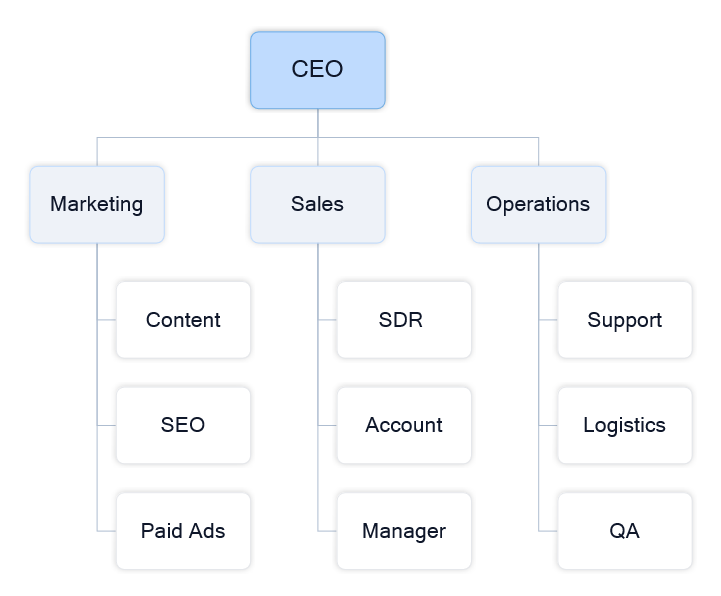
Example of a simple organizational chart you can create in minutes. Quick answer: Create an organizational chart in minutes by opening a ready-made template and mapping your team structure. What you will get: a clear visual representation of roles, responsibilities, and reporting lines. Open template and start editing → No setup required — start with a ready-made example. Start with an Org Chart TemplateThe fastest way to create an organizational chart is to start with a template and adapt it to your team.
Result: You create a working organizational chart in minutes without building from scratch. 
This diagram builds step by step — showing how an organizational structure comes visible in just a few simple actions. An example of an organizational chart that maps out a company's internal structure, showing hierarchies and reporting flows. Build an Organizational Chart Step by StepIf you need a more structured approach, you can build an org chart manually.
Result: You create a structured diagram that clearly shows hierarchy and team relationships. When to Use an Organizational Chart
Tips for Clear Org Charts
Continue Working with Your DiagramOnce your org chart is ready, you can update, expand, and share it with your team. ConceptDraw DIAGRAM provides templates, libraries, and tools for ongoing work. |