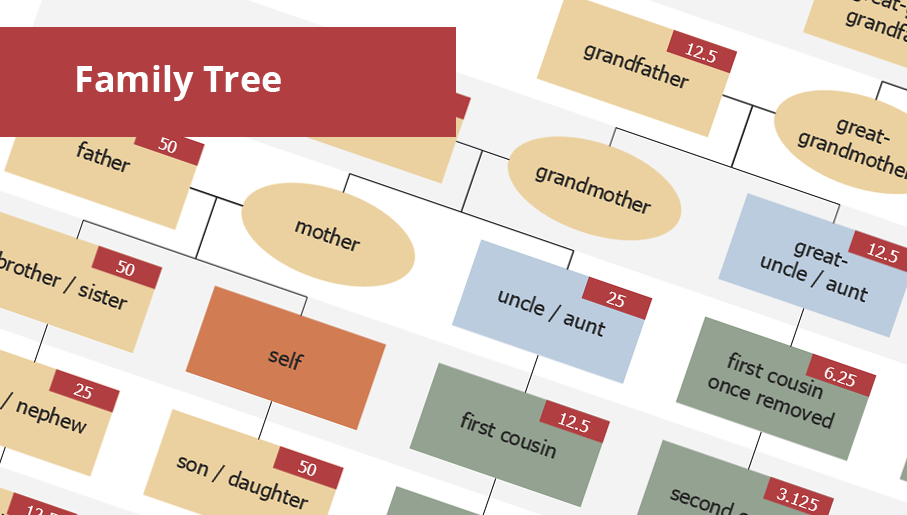
Family Tree
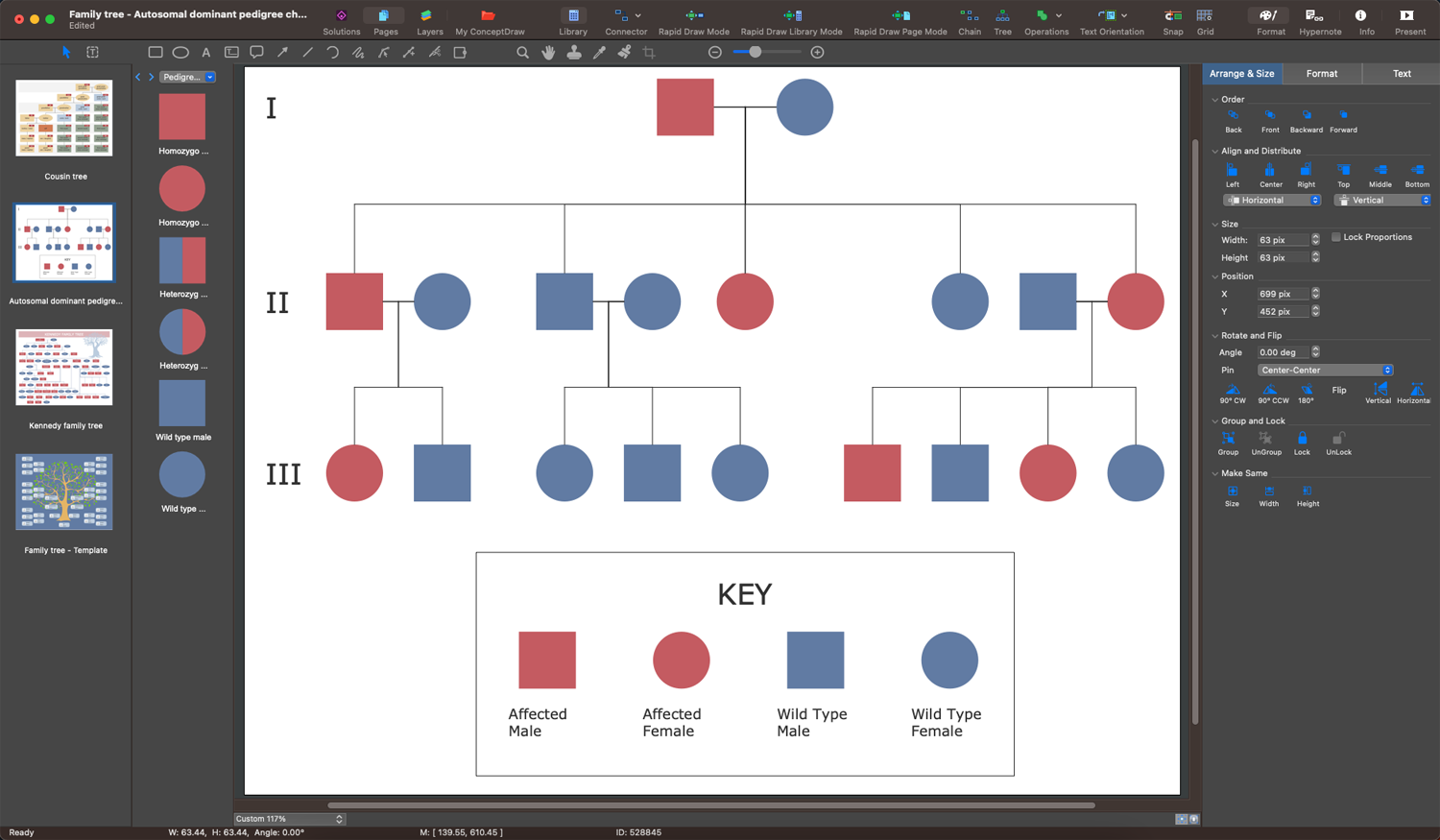
Family Tree solution with included vector design shapes for drawing family trees, pedigree chart symbols, photo blocks of different detailing and professionally designed samples, extends the functionality of ConceptDraw DIAGRAM software making it the best family tree maker and easy-to-use ancestry trees designer program for researchers, scientists, historians, genetics, medics, archeologists, and other stakeholders. Use it to design informative and colorful genealogy trees, simple family tree or extensive ancestry tree of any depth, genealogy schematics and illustrations with family trees.
Making Family Trees
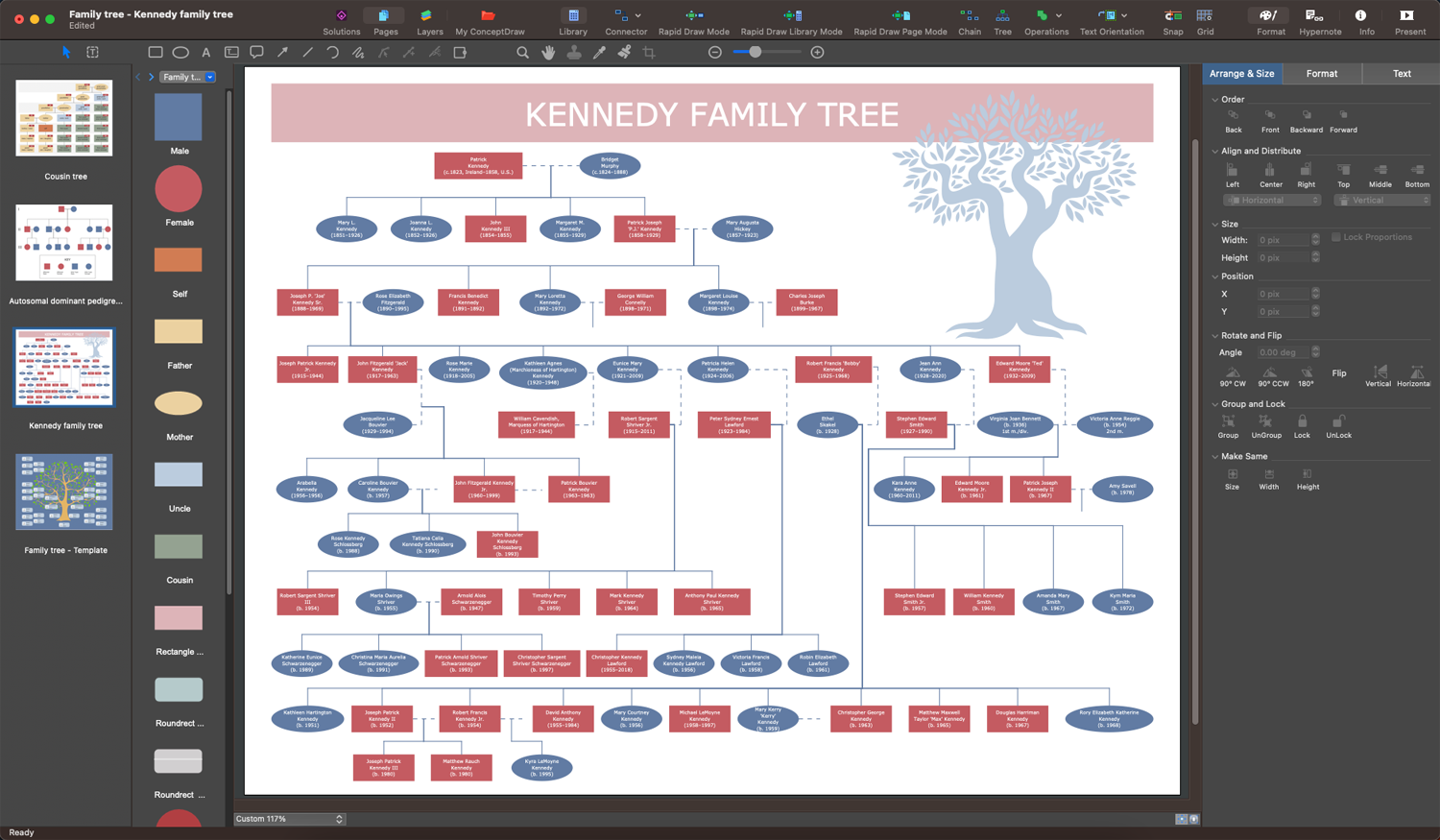
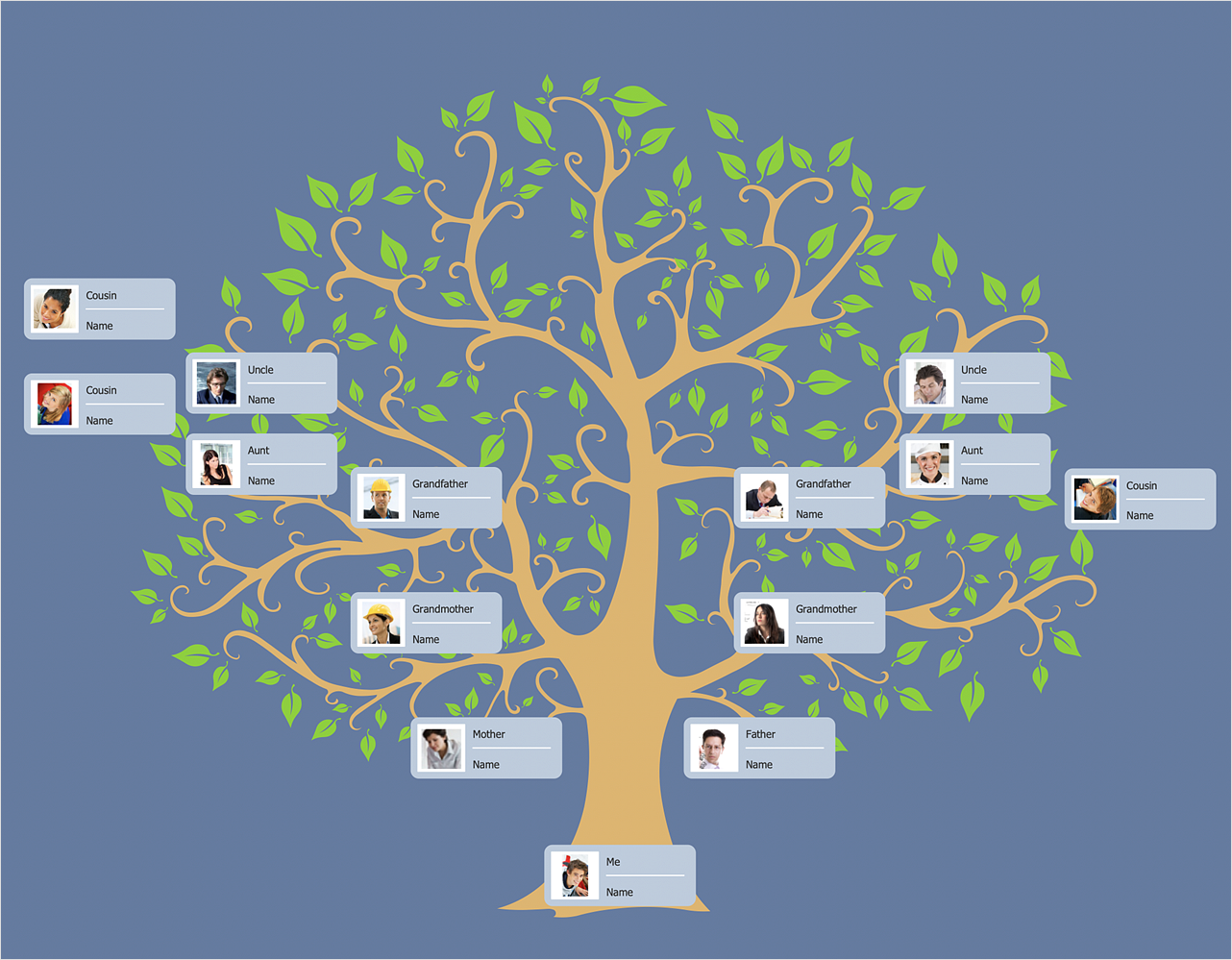
ConceptDraw DIAGRAM with Family Tree solution supports you in drawing both simple Family trees without digging deeply and detailed ones. Use it to record your family lineage, visualize relationships, discover some amazing facts about your own ancestors. Pass your family story through generations in the form of visual family trees. Preserve family memories, photos, written stories, audio recordings, and documents. Use the samples and templates included to Family Tree solution making family trees. Add pictures of your ancestors to the leaves, use colors and additional symbols and clipart to visualize your lineage. Immortalize your ancestry in an attractive and visual way of a family tree in ConceptDraw DIAGRAM. Share your family tree with other family members and encourage them to share new family-related facts.Creating a Family Tree
Enjoy the process of drawing a Family tree with ConceptDraw DIAGRAM enhanced with Family Tree solution. Specially developed templates and vector design elements included in Family Tree solution can save your time and effort. Show the entire picture of how your family looked like in past generations, the results of your discoveries related to your family and historical events. Perpetuate the names of your ancestors, honor their heritage, preserve the knowledge, and keep alive familial traditions and stories in a simple and visual way. Expand your tree as you obtain new data, add photos and images, notes with important dates, arrange your tree, change the color style, save for future generations, and share with your relatives in one click directly from the application. Get your children involved and tell them about the importance of preserving family history so they can continue it in the future.Genealogy
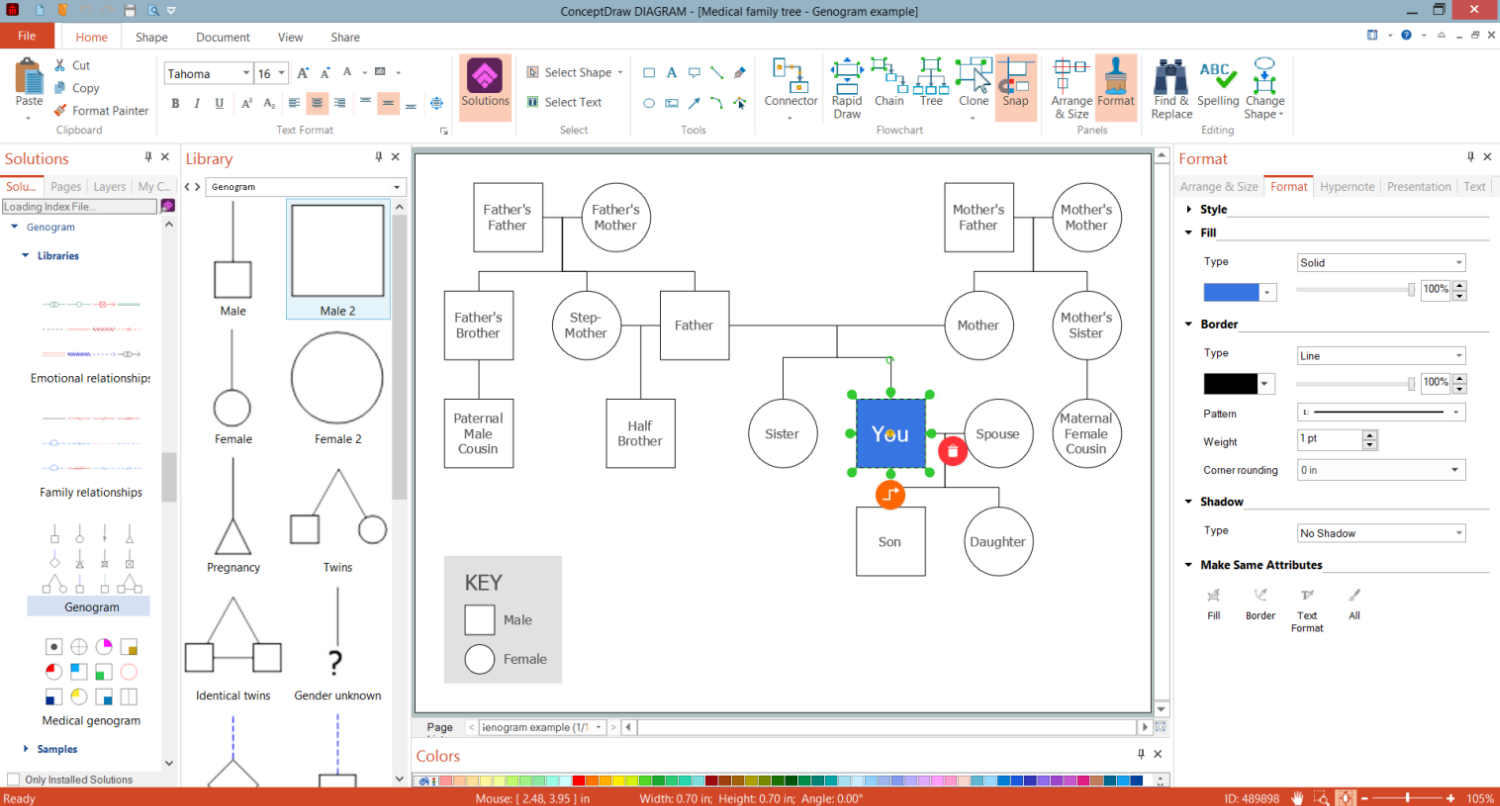
Genealogy is the study of families, origins, and history of a particular family, the tracing of kinship and lineage, the past and present family members. It is accepted to depict the family genealogy in a form of a genealogy tree or pedigree chart. The ConceptDraw DIAGRAM software and Genogram solution included to the ConceptDraw Solution Park are the best for easy designing the Genograms of any complexity to present the genealogy, family kinship in a visual view.Family Lineage
Information and data that seem hard to perceive become easily overseen when they are mapped. You can draw your family lineage freehand using pencil and paper, but making it with powerful design software is more convenient. Family Tree solution for ConceptDraw DIAGRAM includes professionally designed and easy-to-use templates. You can choose any you desire and fill it to fit your needs and requirements. Use the basic shapes, lines, and symbols included in solution libraries to visualize the lineage quickly and without any effort. Highlight important information or episodes in a person’s life. It is also efficient to add emotional relationships between family members. Record the family history in a visual way quickly and easily. Once you have finished your lineage diagram, share it with other family members. Add notes and modify your tree as you discover new information.
Genogram
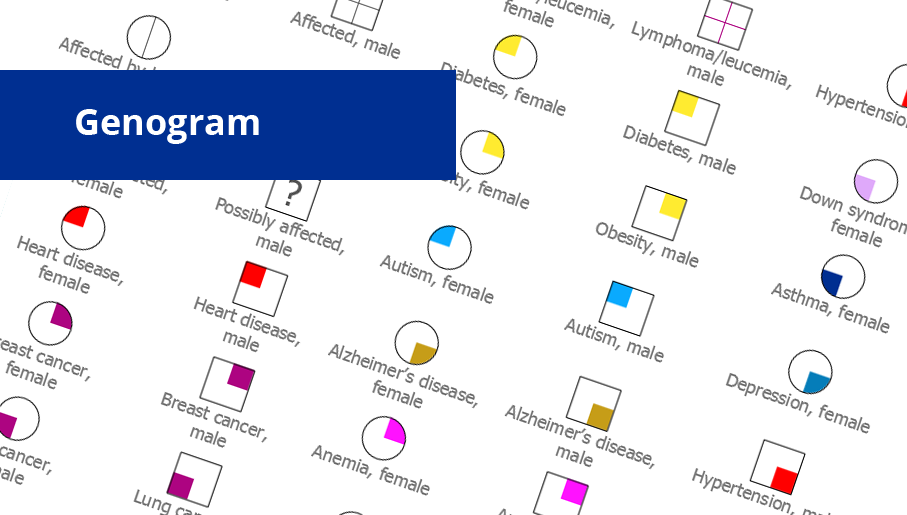
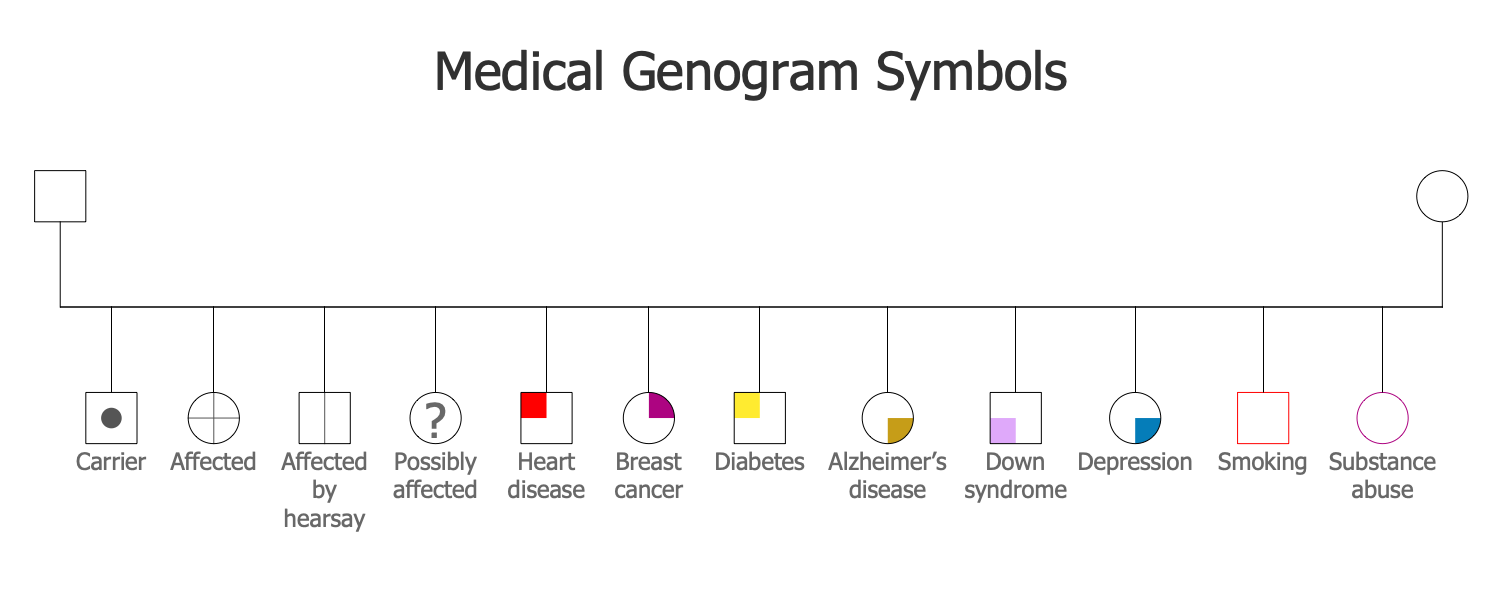
Genogram solution including professionally designed genogram samples and a wide range of high-quality vector design elements of genogram symbols, medical genogram symbols, emotional relationships and family relationships, makes the ConceptDraw DIAGRAM software the best for drawing the informative Genograms, genealogy schematics and illustrations, and family tree of any depth, and for any quantity of generations. It perfectly suits for the medical specialists of different profiles, medical consultants, therapists, genetics, psychologists, and other medical professionals, each individual and couple.
Family Tree
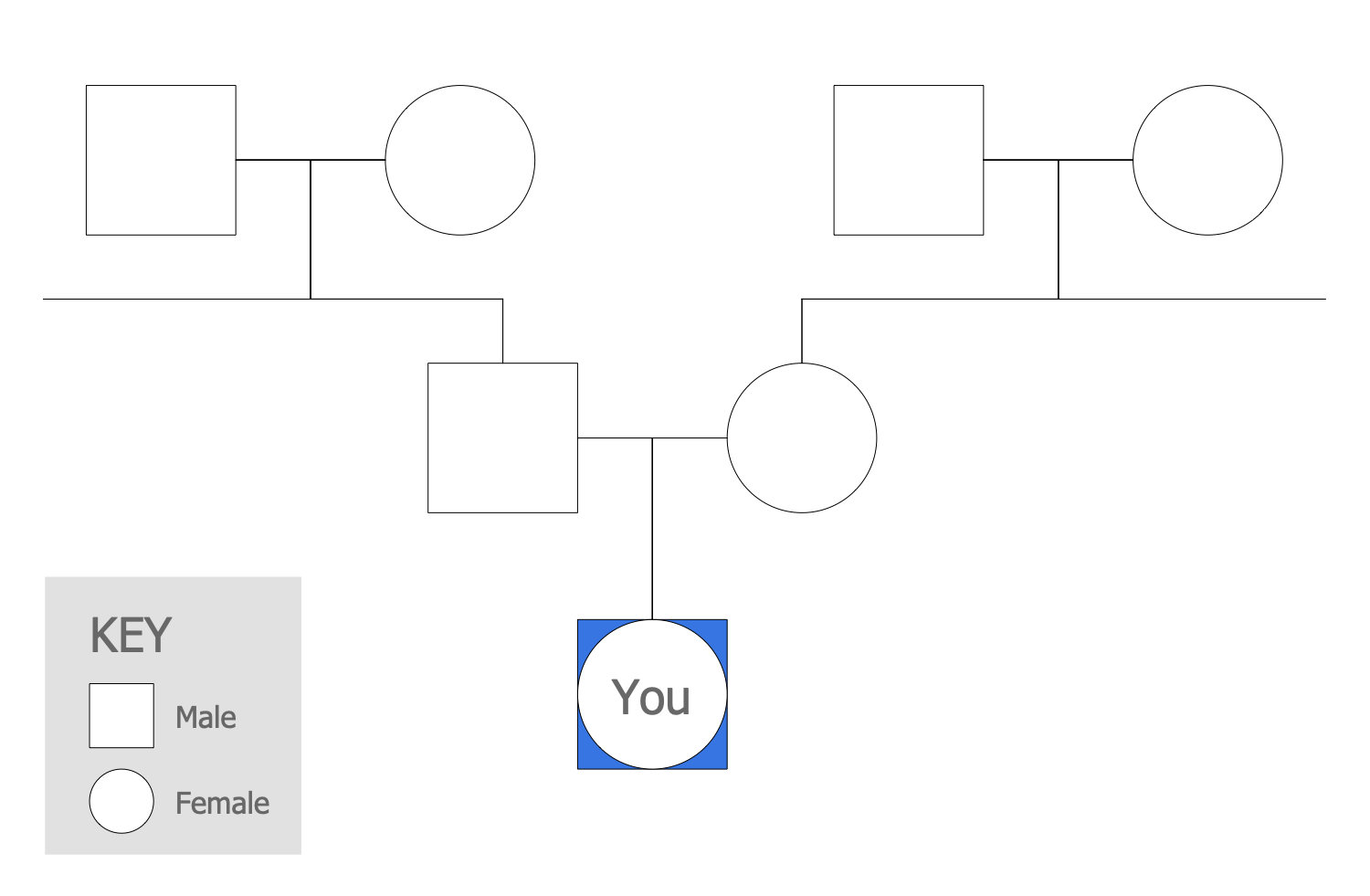
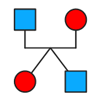
A family tree, genealogy chart, or pedigree chart is a visual representation of a person’s lineage. It depicts the family relationships in a tree structure with one individual as the root. A family tree allows tracing common ancestors, overseeing the lineage of each individual family member by tracing the branches leading from him to the root. Start discovering your family story with ConceptDraw DIAGRAM and its Genogram solution, and you will make a professionally-looking family tree or family genogram in minutes. When your diagram is ready, you can share it with your family, friends, or some other people directly from the application.HelpDesk
How to Draw a Family Tree
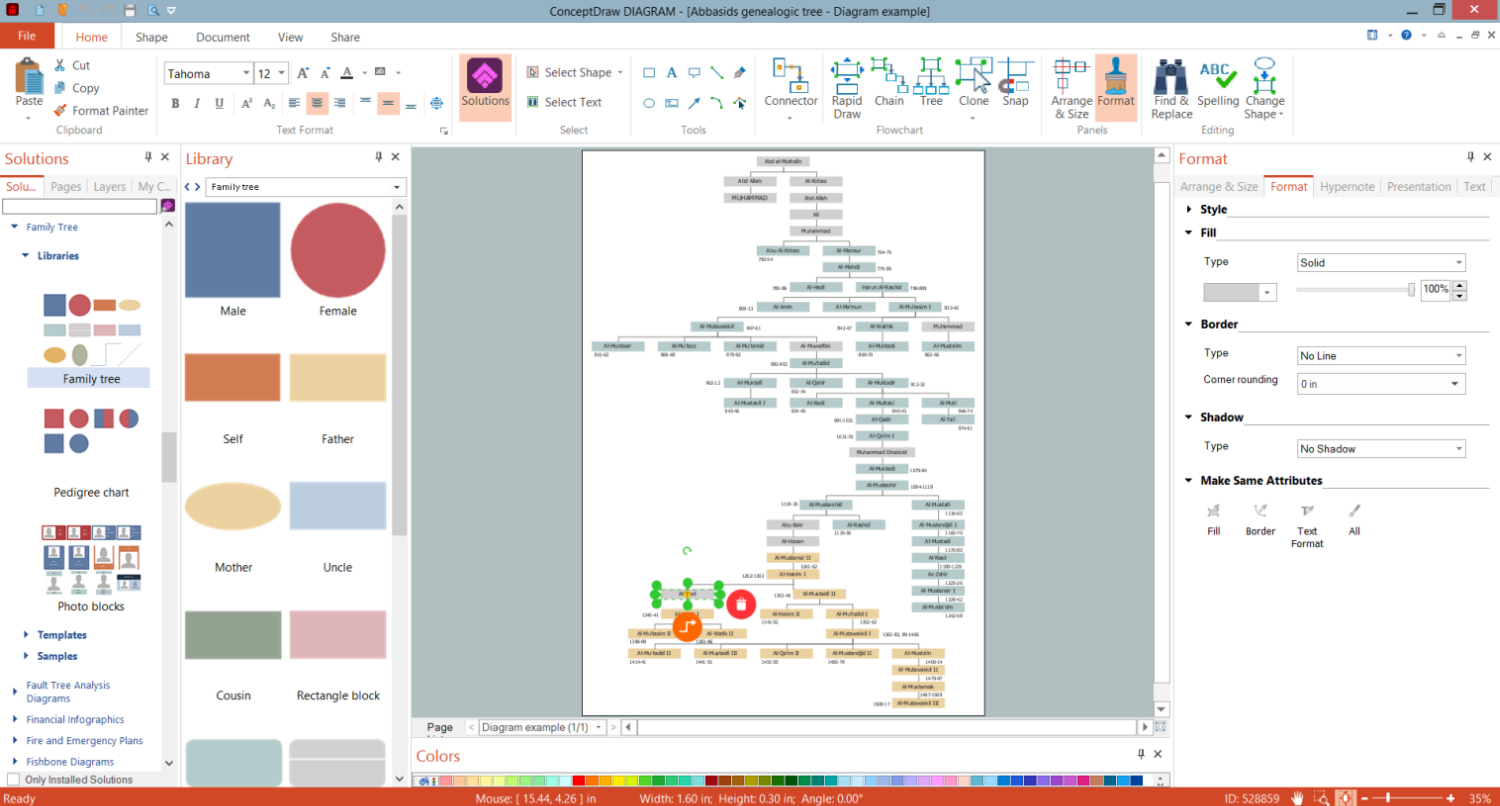
Exploring family history is essential to keep the hereditary memory alive and allow each generation to know who they are and where they come from. The Family Tree Solution for ConceptDraw DIAGRAM allows you allows you to draw family trees and pedigree charts quickly and effortlessly.Family History
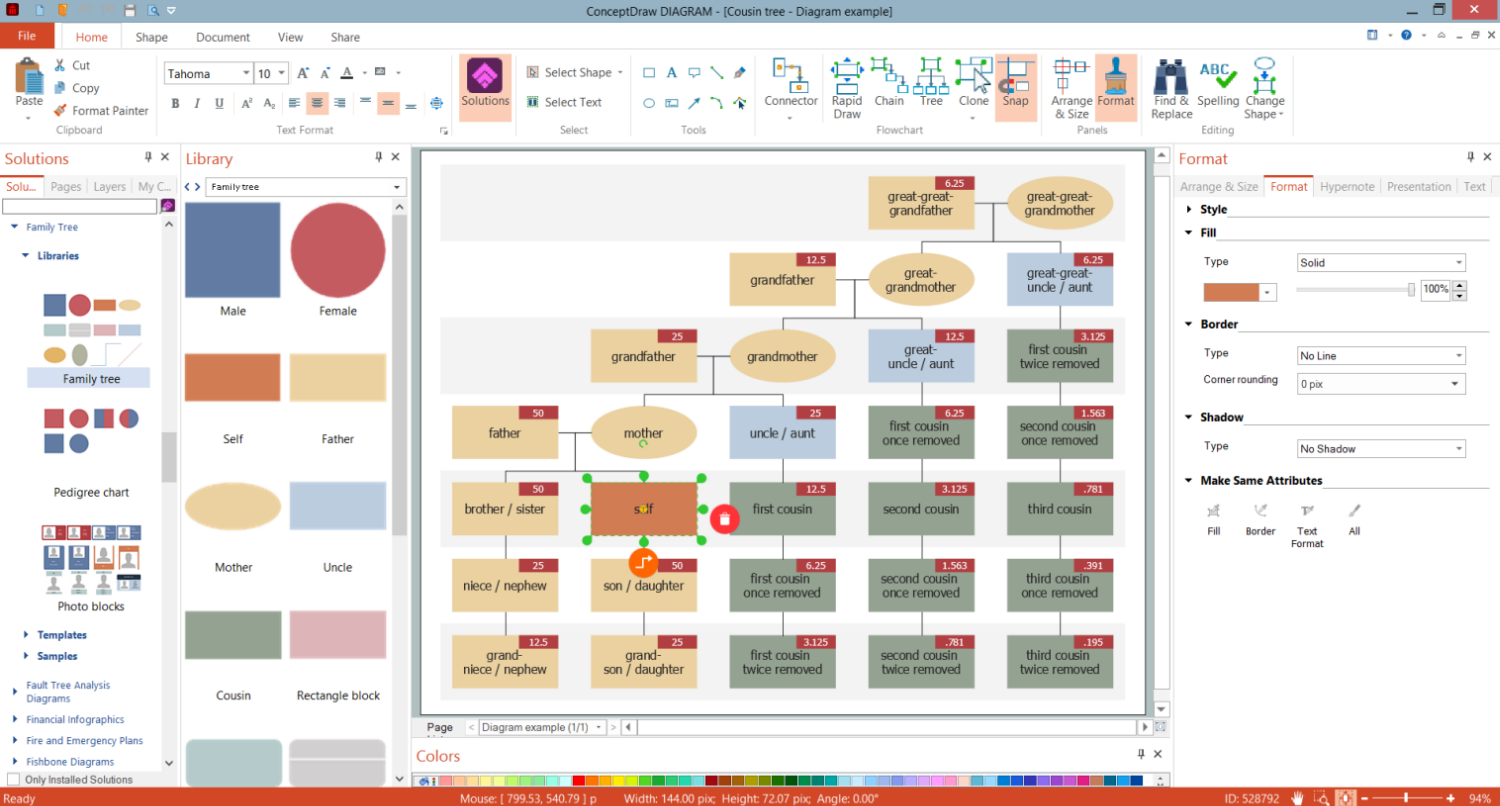
Family Tree solution for ConceptDraw DIAGRAM software saves your time offering intuitive design tools, large collection of vector design elements, samples, and templates. It is convenient for both designers and beginners due to its simplicity of use. You are free to choose: start from scratch or select a blank template from the Family Tree solution and customize it with shapes from the solution libraries. Most family trees usually outline from three to four generations. Show family history; make your family tree precise, simple, and easy to understand. Add clear labels, indicate coefficients of relatedness, and any other important parameters, group generations using the color-coordinate shapes and lines, and show direct and indirect family relationships.Family Genogram Example
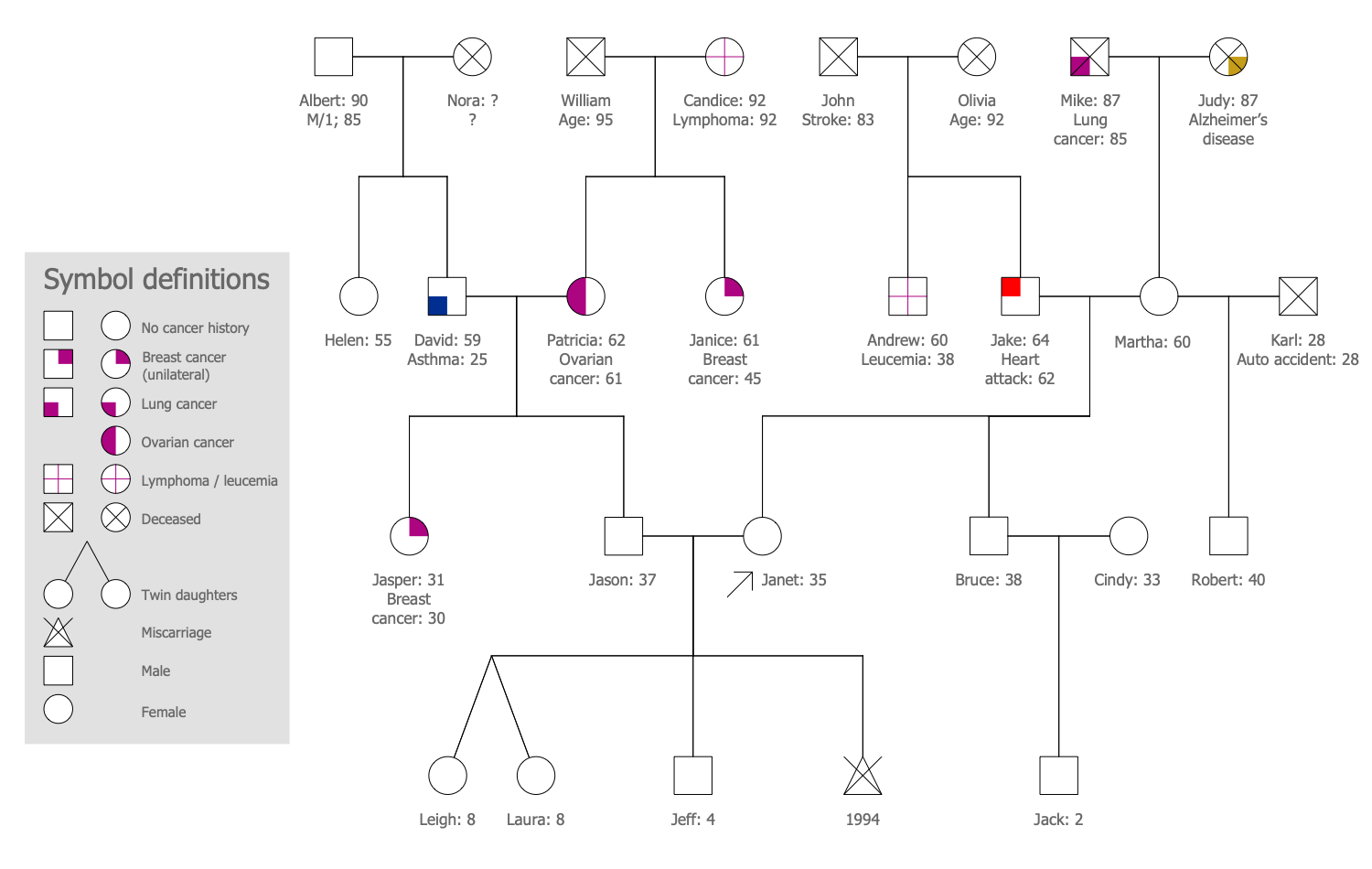
Each family genogram example, sample, and template included in the Genogram solution for ConceptDraw DIAGRAM is useful to be filled with your own data. Use included vector design elements to visualize efficiently your personal family relationships and history. Record names, dates of significant life events, gender, lifespan, medical information about serious diseases of ancestors, and other information. These data make your family tree useful for medical staff to trace possible diseases within the family history and prevent them or reduce their impact as much as possible for current and future generations. Use colors to identify specific family groups within your genogram or indicate the emotional relationships between the family members. Keep track of changes over time and make corrections, if you discover new circumstances.Orgchart
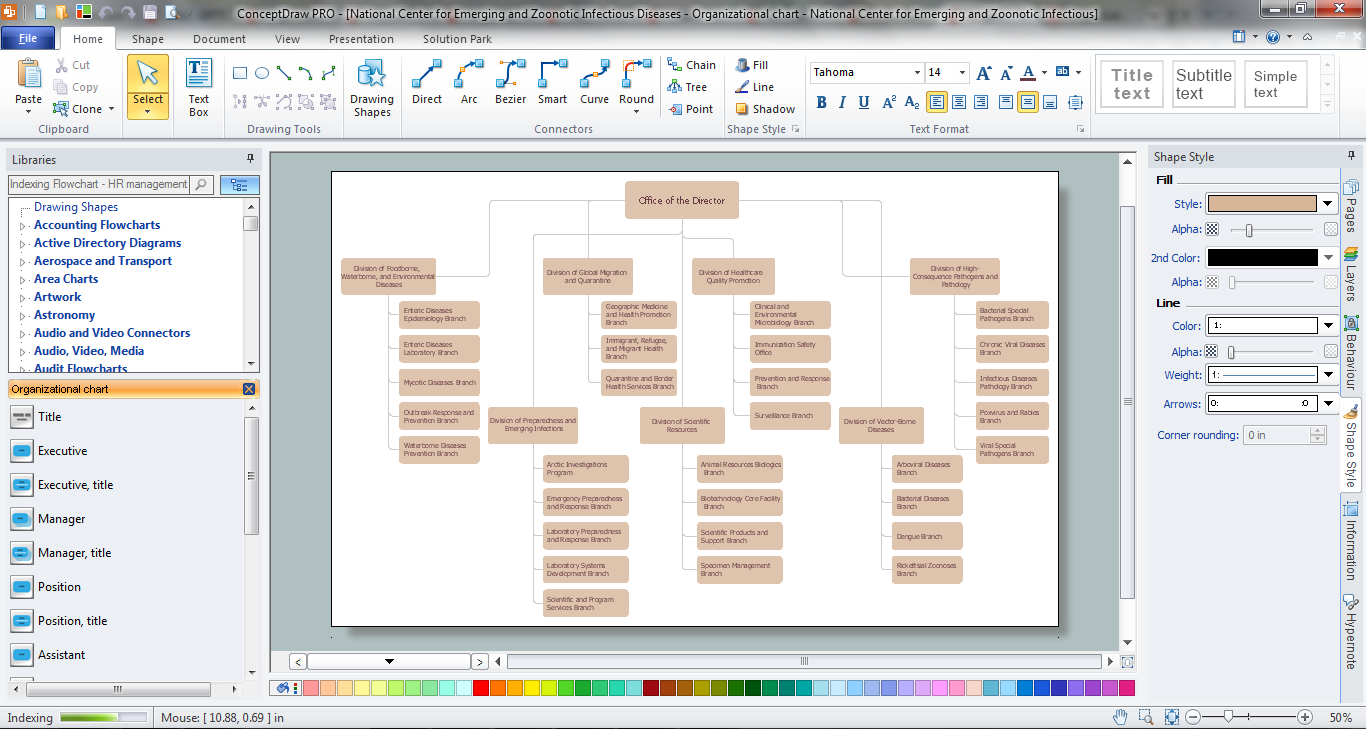
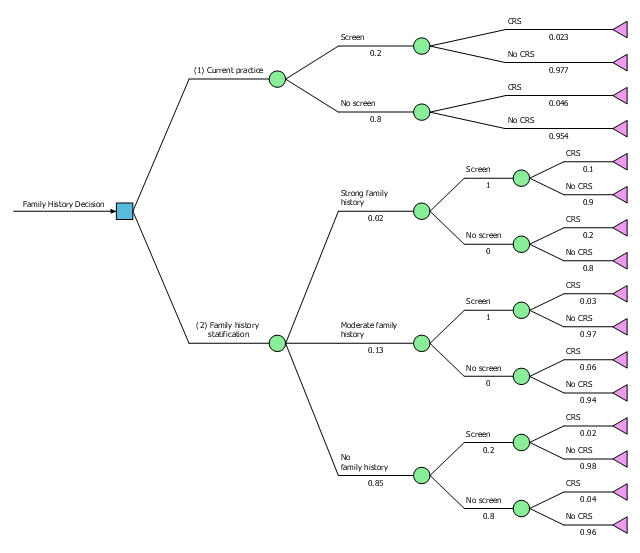
Workforce planning is strategically important for each company, organization, enterprise, and corporation, non important it is business, commercial, non-profit or government organization. Organizational Chart or Orgchart is a type of diagram that is successfully used to graphically illustrate the structure of an organization and also relationships between its parts. There are three different types of Orgcharts: hierarchical, matrix and flat. ConceptDraw DIAGRAM diagramming and vector drawing software supplied with Organizational Charts Solution from Management Area is the best for easy designing professional-looking Orgcharts. This solution provides you the predesigned samples and Organizational Chart library with ready-to-use vector objects required for Orgchart design. It also offers the most simple way of drawing - the possibility to start with one of built-in Orgchart templates. Typically Orgcharts require for regular updating and making modifications, in ConceptDraw DIAGRAM it is fast and easy, the blocks are editable and remain connected when they are moved.This example was designed on the base of Figure 4.33 "Decision Tree Comparing Colorectal Screening Current Practice with a Targeted Family History Strategy" from the "Principles of Epidemiology in Public Health Practice, Third Edition. An Introduction to Applied Epidemiology and Biostatistics. Self-Study Course SS1978. Lesson 4: Displaying Public Health Data. Section 4: Other Data Displays" on the Centers for Disease Control and Prevention (CDC) website.
"The graph shows a decision tree with outcomes, and probabilities. In this case, a family history decision tree has 16 potential outcomes."
[cdc.gov/ ophss/ csels/ dsepd/ ss1978/ lesson4/ section4.html]
"A decision tree is a decision support tool that uses a tree-like graph or model of decisions and their possible consequences, including chance event outcomes, resource costs, and utility. It is one way to display an algorithm that only contains conditional control statements.
Decision trees are commonly used in operations research, specifically in decision analysis, to help identify a strategy most likely to reach a goal, but are also a popular tool in machine learning." [Decision tree. Wikipedia]
The diagram example "Decision tree" was designed using ConceptDraw software extended with Decision Making solution from Management area of ConceptDraw Solution Park.
"The graph shows a decision tree with outcomes, and probabilities. In this case, a family history decision tree has 16 potential outcomes."
[cdc.gov/ ophss/ csels/ dsepd/ ss1978/ lesson4/ section4.html]
"A decision tree is a decision support tool that uses a tree-like graph or model of decisions and their possible consequences, including chance event outcomes, resource costs, and utility. It is one way to display an algorithm that only contains conditional control statements.
Decision trees are commonly used in operations research, specifically in decision analysis, to help identify a strategy most likely to reach a goal, but are also a popular tool in machine learning." [Decision tree. Wikipedia]
The diagram example "Decision tree" was designed using ConceptDraw software extended with Decision Making solution from Management area of ConceptDraw Solution Park.
DOM Tree
DOM Tree solution extends the functionality of ConceptDraw DIAGRAM and ConceptDraw MINDMAP software making them ideal for designing the Document Object Model, DOM hierarchy and DOM tree diagram. You are free to choose — design your DOM document object model in ConceptDraw DIAGRAM or create the DOM Tree Mind Map in ConceptDraw MINDMAP and then automatically generate it to DOM tree diagram in ConceptDraw DIAGRAM file. This solution includes a lot of samples and predesigned vector shapes, smart and direct connectors for fast and easy drawing strict, informative and professional-looking DOM model, DOM trees, DOM hierarchies, DOM document structures, and DOM Tree Mind Maps.

Kanban Board
Kanban Board solution offers an effective way to build the Kanban boards in an electronic view. This solution includes a lot of Kanban Board samples and the great number of predesigned vector design objects of Task Boards, basic symbols, and icons of caution and markers, communication, complete and numbers, emoji and priorities, sticky notes, and team members. Use all advantages of the Kanban boards, Kanban board agile and ConceptDraw’s Kanban Board solution tools, start with any included Kanban Board example and improve your workflow efficiency and personal effectiveness.
Decision Making
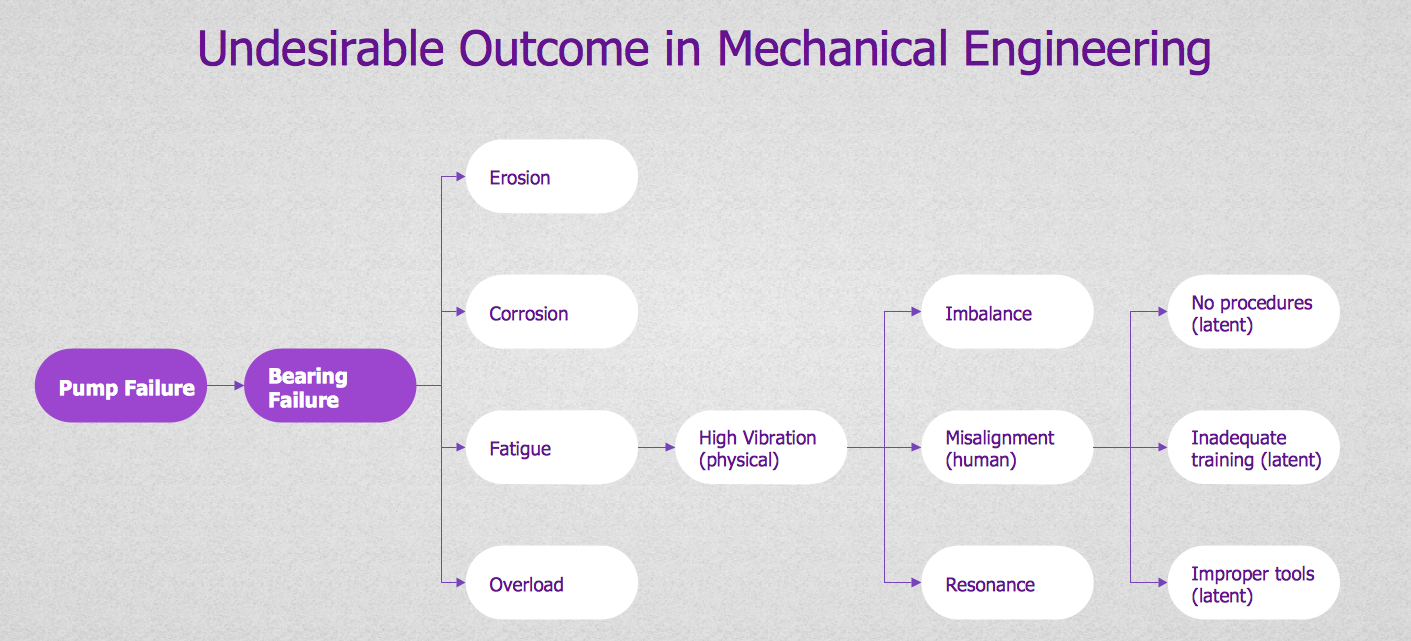
Decision Making - ConceptDraw Office suite provides visual tools that are given support on the stage of the decision making. The Seven Management and Planning Tools is a set for such diagrams: Affinity Diagram, Relations Diagram, Prioritization Matrix, Root Cause Tree Diagram, Involvement Matrix, PERT Chart, Risk Diagram (PDPC).
Network Layout Floor Plans
Network Layout Floor Plans solution extends ConceptDraw DIAGRAM software functionality with powerful tools for quick and efficient documentation the network equipment and displaying its location on the professionally designed Network Layout Floor Plans. Never before creation of Network Layout Floor Plans, Network Communication Plans, Network Topologies Plans and Network Topology Maps was not so easy, convenient and fast as with predesigned templates, samples, examples and comprehensive set of vector design elements included to the Network Layout Floor Plans solution. All listed types of plans will be a good support for the future correct cabling and installation of network equipment.

Family Emergency Plan
Drawing of Family Emergency Plan is quite complex process. How can you make it? Usually you draw it accurately on the sheet of paper and this process takes much time. ConceptDraw DIAGRAM diagramming and vector drawing software offers you Fire and Emergency Plans Solution - the new method of quickly drawing Family Emergency Plan of any complexity.Genome Sequencing
The genome sequencing or whole-genome sequencing is the process of determining the complete DNA sequence of an organism's genome, including both chromosomal DNA and DNA contained in the mitochondria. The multifunctional vector drawing software ConceptDraw DIAGRAM with the Genogram solution is recommended to design the Genograms and Medical Family Genograms of any complexity and document your family history in a visual view.
Decision Making
The Decision Making solution offers the set of professionally developed examples, powerful drawing tools and a wide range of libraries with specific ready-made vector decision icons, decision pictograms, decision flowchart elements, decision tree icons, decision signs arrows, and callouts, allowing the decision maker (even without drawing and design skills) to easily construct Decision diagrams, Business decision maps, Decision flowcharts, Decision trees, Decision matrix, T Chart, Influence diagrams, which are powerful in questions of decision making, holding decision tree analysis and Analytic Hierarchy Process (AHP), visual decomposition the decision problem into hierarchy of easily comprehensible sub-problems and solving them without any efforts.
- The Best Flowchart Software Available | Family Tree Creator
- Mind Map Exchange | Family Tree | MINDMAP Reports | Mind Map ...
- The Best Flowchart Software Available | Family Emergency Plan ...
- The Best Flowchart Software Available | Family Tree Graph Maker
- Family Tree | Emergency Plan | Biology | Family Biology Examples
- Fault Tree Diagram | How to Create a Fault Tree Analysis Diagram ...
- Block Diagrams | Decision Making | Create A Family Tree
- Block Diagrams | Decision tree | Decision Making | How To Family ...
- Family Tree | Flowchart of Products. Flowchart Examples | Safety ...
- Family Tree | MINDMAP Reports | MindTweet | Will Smiths Family Tree