Family Tree
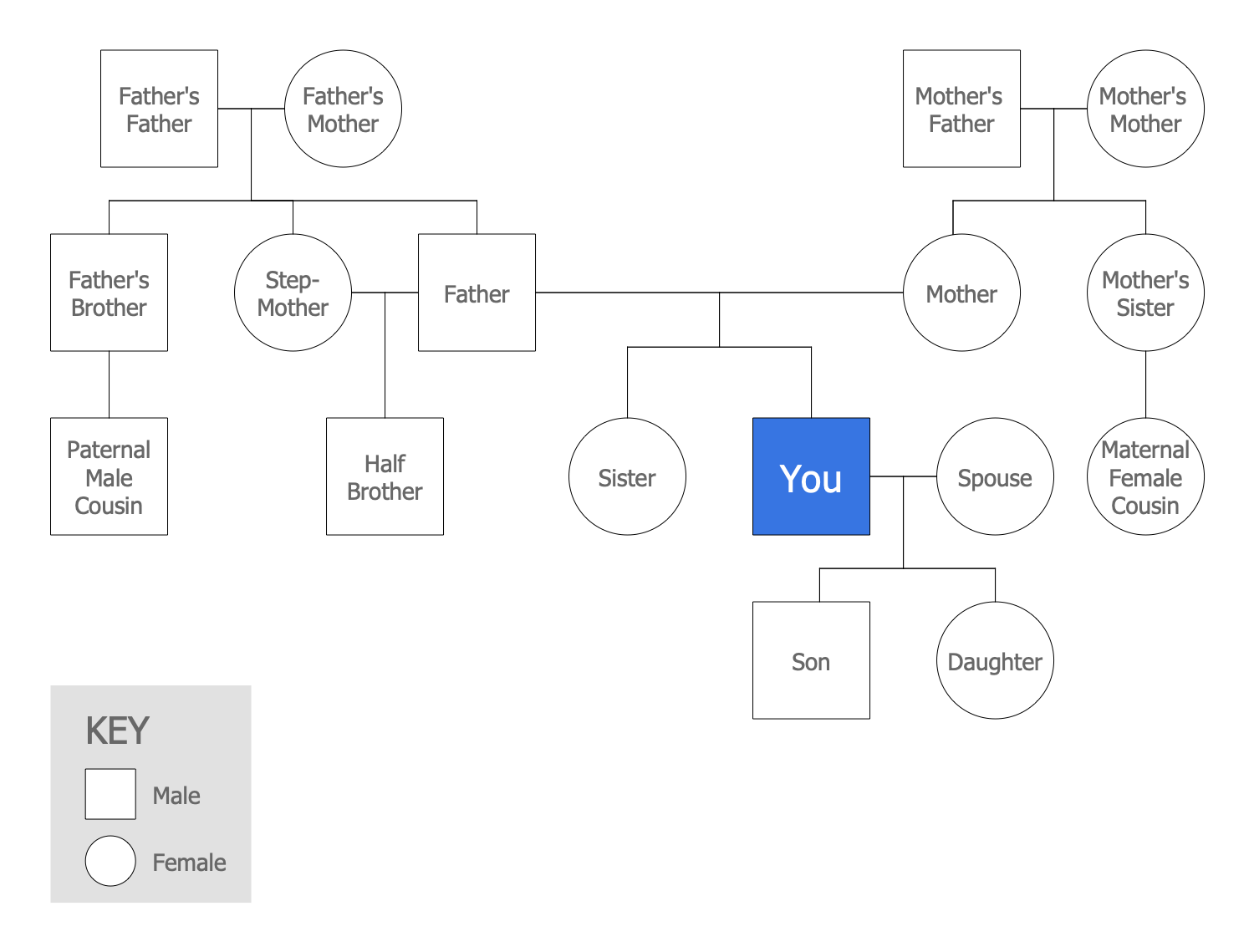
A family tree, genealogy chart, or pedigree chart is a visual representation of a person’s lineage. It depicts the family relationships in a tree structure with one individual as the root. A family tree allows tracing common ancestors, overseeing the lineage of each individual family member by tracing the branches leading from him to the root.
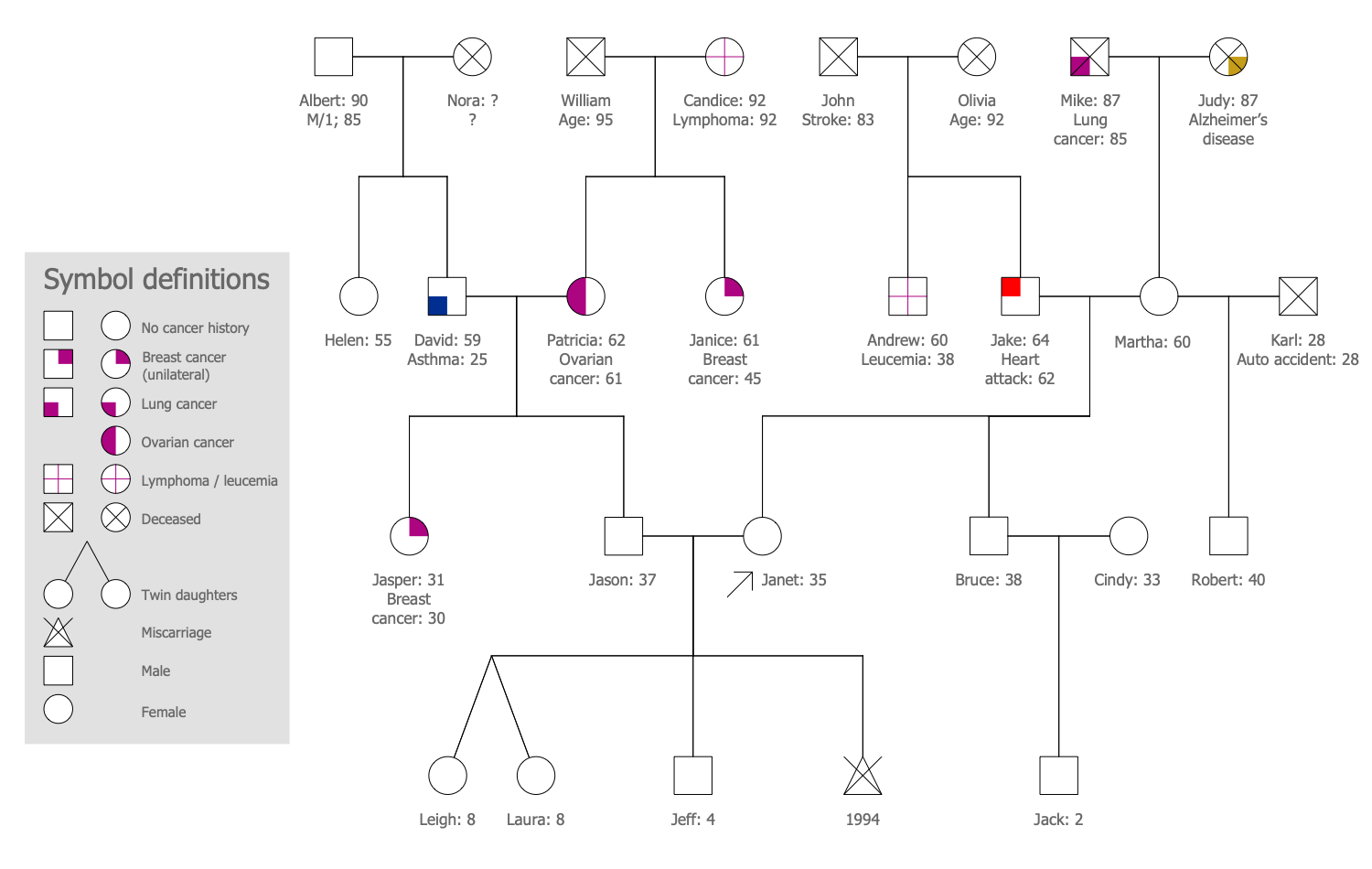
Typically, a family tree includes detailed information for each individual family member, the dates of birth, marriage, divorce, death, and much more events from the individual's life. It can also include more detailed information like data from the medical history. These family trees are known as genograms or medical genograms.
A family tree is useful to:
- learn and preserve your family history;
- trace the genealogy;
- connect to heritage;
- trace genetics and hereditary diseases;
- detect relations with historical events.
Your family story begins with your family tree and if you are interested in your ancestry and want to trace it, it is recommended to create a genealogy tree. A family tree diagram is a perfect way to record the relatives who make up your family history, places, occurred events, all useful information related to your family. Start with the names of yourself and close relatives, and then extend your diagrams with more ancestors.
Start discovering your family story with ConceptDraw DIAGRAM and its Genogram solution, and you will make a professionally-looking family tree or family genogram in minutes. When your diagram is ready, you can share it with your family, friends, and all stakeholders directly from the application.
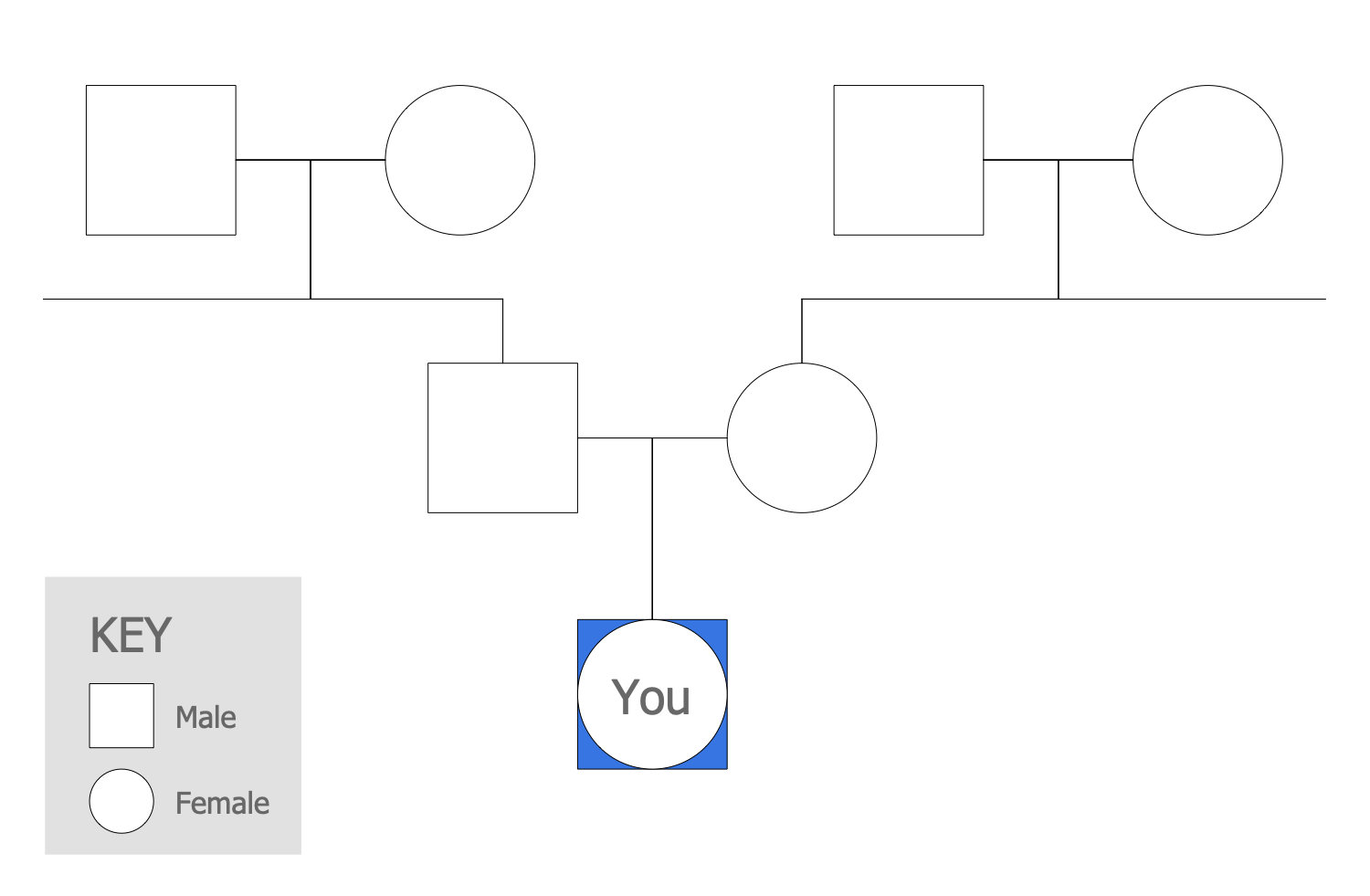
Example 1. Family Tree
The family tree can be constructed as downward from the oldest generation at the top and becoming wider at the bottom. And vice versa it can show the ancestors at the bottom and the newer generations at the top. In some charts, an individual is placed on the left and his ancestors on the right. All is up just to your taste and desire.
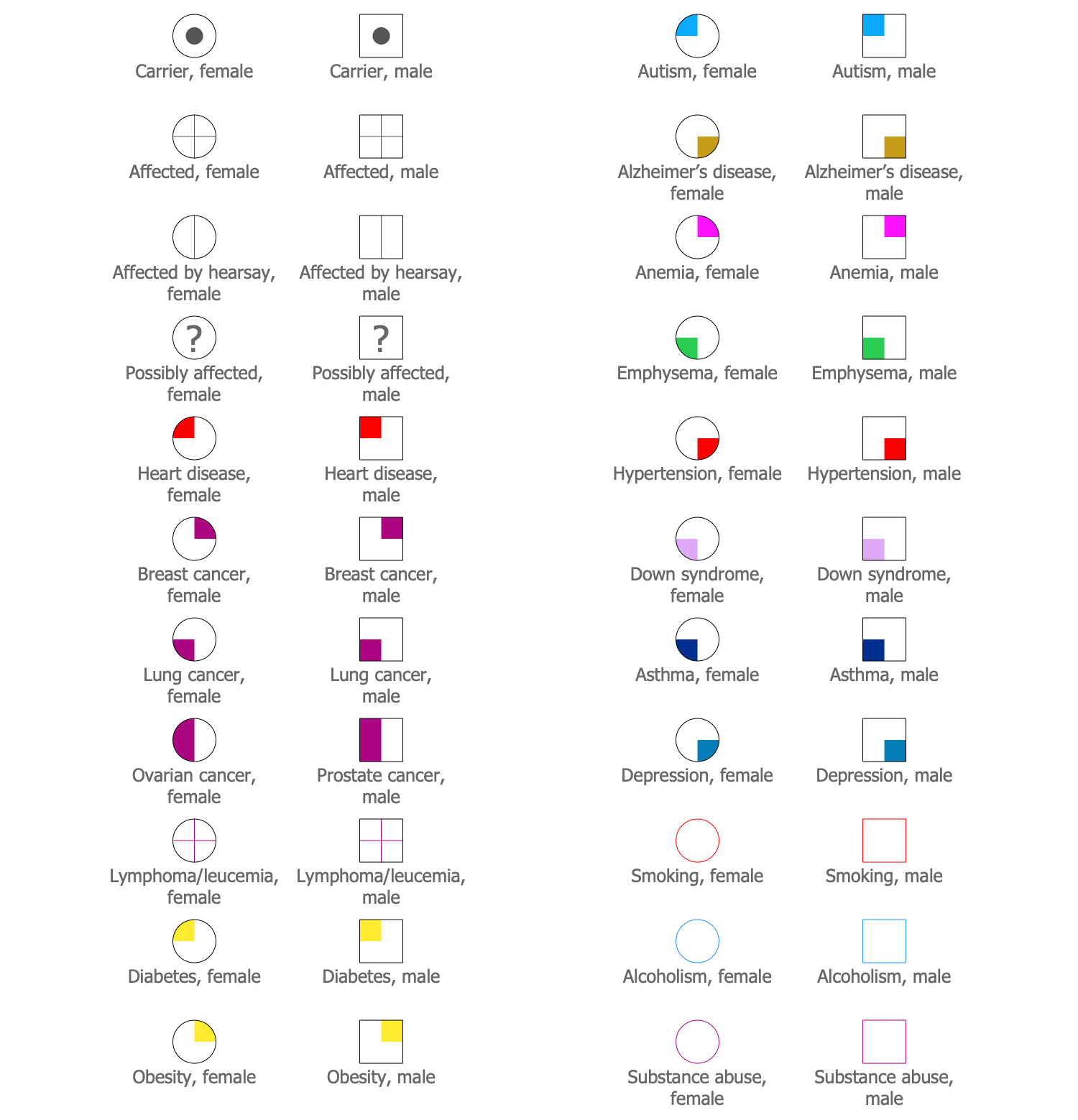
Example 2. Design Elements – Medical Genogram
Striving to construct a more detailed diagram, you can add the medical information about your family members. Use for this the common design elements – medical genogram symbols, emotional relationships from the libraries included to Genogram solution.
Example 3. Medical Family Tree
The illustrations you see on this page were created in ConceptDraw DIAGRAM software using the drawing tools of the Genogram Solution. They successfully demonstrate the solution's capabilities and professional results you can achieve. An experienced user spent 5-10 minutes creating each of them.
Use the powerful tools of the Genogram Solution for ConceptDraw DIAGRAM software to create your own illustrations and diagrams of any complexity fast and easy, and then successfully use them in your work activity.
All source documents are vector graphic documents. They are available for reviewing, modifying, or converting to a variety of formats (PDF file, MS PowerPoint, MS Visio, and many other graphic formats) from the ConceptDraw STORE. The Genogram Solution is available for all ConceptDraw DIAGRAM users.