Made with
ConceptDraw
DIAGRAM 18

Total Quality Management Business Diagram

In case it is needed for you to create a total quality management business diagram, then you can always do it using ConceptDraw DIAGRAM software, as well as the Fishbone Diagram Solution from ConceptDraw STORE application.

Total quality management is the one consisting of the organization-wide efforts in order to install and to make permanent a climate in which an organization may get the chance to continuously improve its ability to deliver the high-quality services and products to its customers. Such efforts are one of the part of the developed techniques and tools of the quality control. The quality control itself is a process by which the entities review the quality of all the factors which are involved in production, being a part of the quality management focused on fulfilling different quality requirements in order to fit them and so to satisfy the clients of some particular organization.

The approach of the quality control focuses on the three well-known aspects, which are elements (job management, controls, defined and well managed processes, identification of records and performance and integrity criteria), competence (knowledge, experience, qualifications and skills) and soft elements (integrity, personnel, confidence, motivation, organizational culture, quality relationships and team spirit).

Controls may include the process of product inspection, in which every product can be examined in a visual way. The inspectors are known to be usually provided with descriptions and lists of the unacceptable product defects such as surface blemishes or cracks. In case any of the mentioned three aspects is deficient in any way, then the quality of the outputs may be put at a risk.

To be able to track if all the aspects are taken into consideration, it is important to mention all the needed information in a way of a drawing, such as a diagram, for example. Having a good looking as well as smart looking diagram with help of which it is possible to illustrate the total quality management business processes, you can always make the needed changes on time, such as to pay more attention to some particular aspects. The way the total quality management business diagram may look like can be the way of Ishikawa diagram is.

“Ishikawa” diagrams are known to be the causal diagrams, which were invented by Kaoru Ishikawa used to show the causes of some specific event and since then (since 1968) they have been very popular in quality defect prevention as well as the product designing. They can be used for identifying the potential factors causing some unexpected overall effect, when each of the causes for imperfection is a source of variation. The causes are usually grouped into the bigger categories to simplify their identification and classification of the sources of variation.

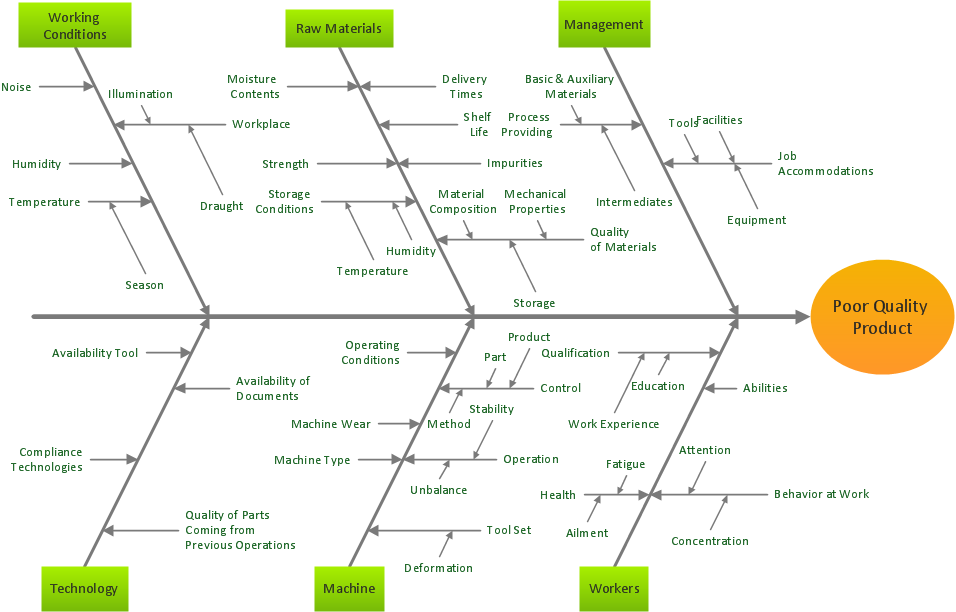
The “effect” within the “cause-and-effect” diagram is shown in a way of a fish's head, which usually faces to the right. At the same time, the “causes” all extend to the left in a way of this “fish’s bones”. The ribs branch off the backbone for the main causes, having the sub-branches for root-causes to the levels you can always mention on your diagram for as many as you want them to be there. The quality management processes can be easily simplified with the use of the “fishbone” diagrams, which are also widely used in the modern management. A “fish skeleton” is one of the structures to be used for a purpose of representing the needed data. Such diagrams can be also used in the “root-cause analysis”, which use’s intended to reveal the key relationships among different variables.

The causes within the mentioned analysis can provide another insight in the process behaviour. This behaviour can be simply illustrated within one diagram — “fishbone” one. On this diagram, you can group the needed causes into categories on the main branches off the “fishbone”. Within the “root-cause analysis” the categories for the “Ishikawa diagram” can be used to identify the crucial attributes, which are used for planning in such sphere of the business activity, such as “product marketing”. The elements used within one of the fishbone diagrams can be “product” (“service”), “promotion”, “price”, “place”, “process”, “physical evidence”, “performance” or “people”.
Total Quality Management Business Diagram *

Pic.1 Fishbone diagram — Total Quality Management Business Diagram

The four existing categories of possible cause are “surroundings”, “systems”, “skills” and “suppliers”, all of which can be illustrated within one diagram — fishbone one. Using ConceptDraw DIAGRAM software and the Fishbone diagram solution can simplify your work of designing the needed diagram, including the mentioned “fishbone” one, as well as the other ones, included in the quality control activity. There was a new application developed especially for all ConceptDraw DIAGRAM users to simplify their work with drawing the needed schematics — the ConceptDraw STORE.

This new product of CS Odessa can be very useful for those who want to save their time (not to waste on making the diagrams from a scratch) and so money (not to pay to the professional designers to do such job for them). Getting the needed solutions almost guarantees the result to be professionally looking. Using any of the available tools from such solution, as Fishbone Diagram one, you can create the needed diagrams, including the fish-bone ones.

Providing the needed tools, such as the previously made samples of the fishbone diagrams as well as the stencil libraries full of design symbols, developed by the specialists of CS Odessa in order to simplify all the ConceptDraw DIAGRAM users’ work with creating the diagrams, CS Odessa team members do their best to make it possible for all ConceptDraw DIAGRAM users to feel as if they all were the specialists, such as the designers, in drawing the needed schematics even if they do not have as much experience at all. Trying the Fishbone Diagram solution means almost ensuring yourself in being able to create a professionally looking diagrams, such as the total quality management business one, any time you need them within a short period of time.
TEN RELATED HOW TO's:
In almost every sphere of life and work the people time to time are faced with the fact that on their way there are certain obstacles and problems. But it is not always possible to identify the true cause of particular problem. To understand the basic causes of problems and eliminate them, it is convenient to use the chart of Kaoru Ishikawa - the technique specially designed for this. ConceptDraw DIAGRAM diagramming and vector drawing software extended with Fishbone Diagrams solution from the Management area can help you with construction the Fishbone Diagram also known as Ishikawa Diagram. Ishikawa Diagram shows factors of Equipment, Process, People, Materials, Environment and Management, all affecting the overall problem in one drawing for the further analysis. It is a well effective way to analyze the business problems you must identify and solve.Ishikawa Diagram *
Picture: Ishikawa Diagram
Related Solution:
Sometimes it's difficult to find a path in work processes or to understand the requirements, especially when you are a newcomer. To get your thoughts straight, create a workflow diagram, and put everything on it. This will not only help you to get into the workflow, but also show it’s weaknesses. This illustration captures the workflow process of payment an invoice for the electricity consumed by certain enterprise. It was drawn in ConceptDraw DIAGRAM using its solution for Workflow Diagrams. Making a workflow charts means that you need to depict consistently all processes engaged to the workflow process. Then, you should connect them with symbols meaning study and analysis. Next, add symbols of decisions. A work flow diagram made precisely and correctly can help to clarify your work flow to any person.Workflow Diagram *
Picture: Workflow Diagram
Related Solution:
Cause and Effect Diagrams are designed to identify the potential factors that cause an overall effect. The causes are grouped into the categories, each cause is a source of variation. ConceptDraw DIAGRAM powerful diagramming and vector drawing software provides the Fishbone Diagrams solution from the Management area of ConceptDraw Solution Park that allows to design the Cause and Effect Diagrams quick, easy and effective.Cause and Effect Diagrams *
Picture: Cause and Effect Diagrams
Related Solution:
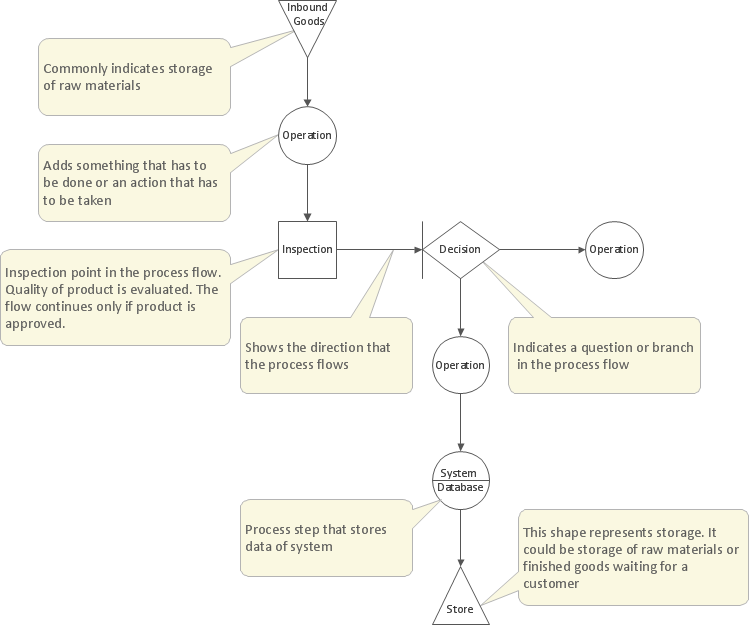
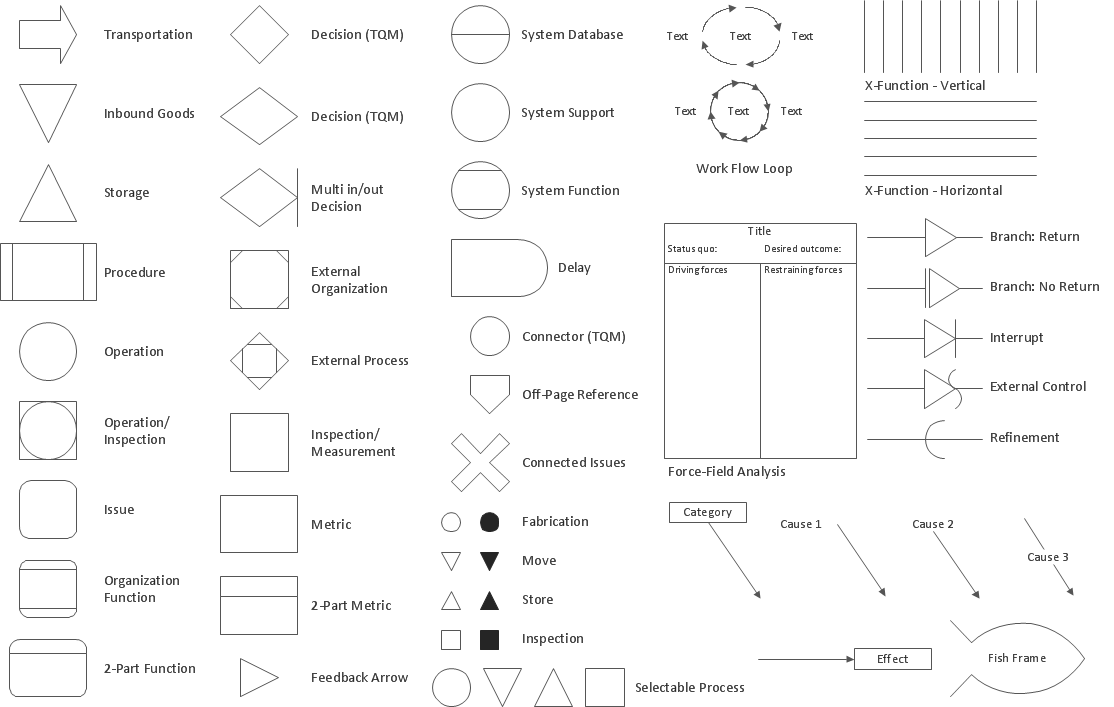
The Total Quality Management Diagram solution helps you and your organization visualize business and industrial processes. Create Total Quality Management diagrams for business process with ConceptDraw software.Organizational Structure Total Quality Management *
Picture: Organizational Structure Total Quality Management
Related Solution:
Business Processes description with ConceptDraw. Business-processes it allows to describe functional blocks, for example production and marketing. ConceptDraw lets creation of business processes description using IDEF0 and IDEF2 methods.Business Processes description with ConceptDraw DIAGRAM  *
Picture: Business Processes description with ConceptDraw DIAGRAM
Related Solution:
This method of problem analysis is widely used in IT, manufacture industries and chemical engineering. If you want to take a fresh look on your problem, you can draw a fishbone diagram with ConceptDraw DIAGRAM software, which supports both MAC OS and Windows. You can see and download fishbone diagram samples and templates in ConceptDraw Solution Park. This Fishbone (Ishikawa) diagram can be applied as template for performing the cause and effect analysis of a service industry problems. It can help to determine factors causing problems. Causes in this diagram are categorized according to the 4S’s principle that means Surroundings, Suppliers, Systems and Skills. Grouping causes allows to reveal main interactions between different events. This diagram was made using ConceptDraw Fishbone diagrams solution. It can help to reveal the causes effected a complicated issue. Of course it can be used together with other methods of approaching to the problem solving.Draw Fishbone Diagram on MAC Software *
Picture: Draw Fishbone Diagram on MAC Software
Related Solution:
Fishbone diagram is a powerful tool used for solving business problems and obstacles. ConceptDraw DIAGRAM software extended with Fishbone Diagrams solution from the Management area of ConceptDraw Solution Park is a helpful tool for cause and effect analysis. It gives the ability to easy identify many possible causes and factors which cause the effects and to draw Fishbone Diagrams for problem solving.Cause and Effect Analysis - Fishbone Diagrams for Problem Solving *
Picture: Cause and Effect Analysis - Fishbone Diagrams for Problem Solving
Related Solution:
ConceptDraw is your tool for driving social integration and managing change across and streamline social media processes of your organisation.This tool keeps the entire team on the same page allowing you to realize your social media strategy, improve the quality of your answers, and minimize the time it takes to respond.Social Media Response Management DFD Charts - software tools *
Picture: Social Media Response Management DFD Charts - software tools
Related Solution:
The Total Quality Management Diagram solution helps you and your organization visualize business and industrial processes. Create Total Quality Management diagrams for business process with ConceptDraw software.Total Quality Management Value *
Picture: Total Quality Management Value
Related Solution:
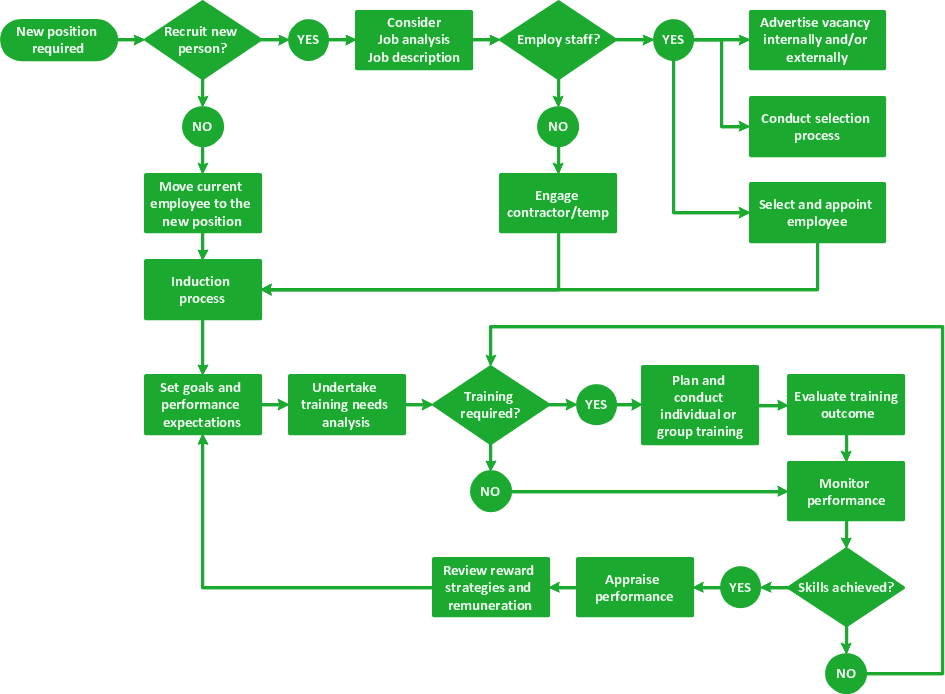
When trying to figure out the nature of the problems occurring within a project, there are many ways to develop such understanding. One of the most common ways to document processes for further improvement is to draw a process flowchart, which depicts the activities of the process arranged in sequential order — this is business process management. ConceptDraw DIAGRAM is business process mapping software with impressive range of productivity features for business process management and classic project management. This business process management software is helpful for many purposes from different payment processes, or manufacturing processes to chemical processes. Business process mapping flowcharts helps clarify the actual workflow of different people engaged in the same process. This samples were made with ConceptDraw DIAGRAM — business process mapping software for flowcharting and used as classic visio alternative because its briefly named "visio for mac" and for windows, this sort of software named the business process management tools. This flowchart diagram shows a process flow of project management. The diagram that is presented here depicts the project life cycle that is basic for the most of project management methods. Breaking a project into phases allows to track it in the proper manner. Through separation on phases, the total workflow of a project is divided into some foreseeable components, thus making it easier to follow the project status. A project life cycle commonly includes: initiation, definition, design, development and implementation phases. Distinguished method to show parallel and interdependent processes, as well as project life cycle relationships. A flowchart diagram is often used as visual guide to project. For instance, it used by marketing project management software for visualizing stages of marketing activities or as project management workflow tools. Created with ConceptDraw DIAGRAM — business process mapping software which is flowcharting visio alternative or shortly its visio for mac, this sort of software platform often named the business process management tools.Process Flowchart
Picture: Process Flowchart: A Step-by-Step Comprehensive Guide
Related Solution:
ConceptDraw
DIAGRAM 18