Introduction to Cloud Computing Architecture
The Cloud Computing Architecture is a broad and comprehensive modern concept, which includes the possibility to use the cloud to store large amounts of various data and applications, and providing them on demand, it is also the use of storage internet applications, as for example e-mails, it is the seamless access to powerful hardware, servers, storage and software technologies offered by datacenters without embedding significant investment to own infrastructure, software and hardware.
The clouds are classified by location and by offered services. By location they can be:
- Private - cloud which is build and exclusively used by a single organization.
- Public - cloud hosted by cloud service providers.
- Hybrid - combines both public and private cloud models.
As for the offered services, the clouds can be:
- Infrastructure as a service (IaaS) - which offer the storage and database hosting;
- Platform as a service (PaaS) - which offer a development platform;
- Software as a service (SaaS) - which offer a complete ready-to-use application.
The best way to visualize the introduction to Cloud computing architecture is to create diagrams and schematics representing what is a cloud computing and how it works. For their design, we recommend to use a powerful ConceptDraw DIAGRAM diagramming and vector drawing software supplied with Cloud Computing Diagrams solution from the Computers and Network area of ConceptDraw Solution Park.
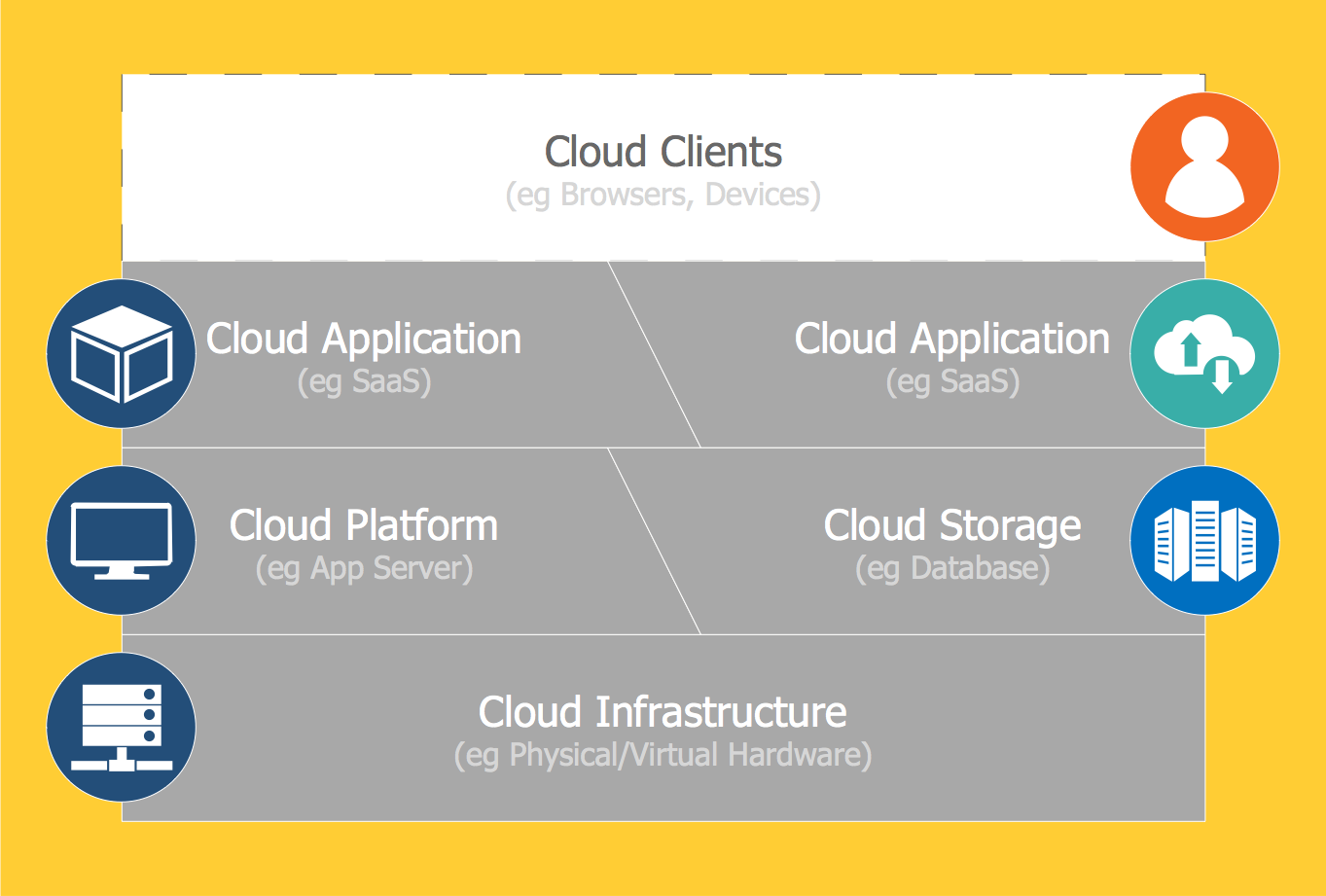
Example 1. Introduction to Cloud Computing Architecture - Cloud Computing Stack
Cloud Computing Diagrams Solution provides for your choice wide variety of useful drawing tools, 4 libraries with a number of various ready-to-use vector icons, objects and colorful clipart, and also collection of professionally designed samples and examples which can become a beautiful source of inspiration for you.

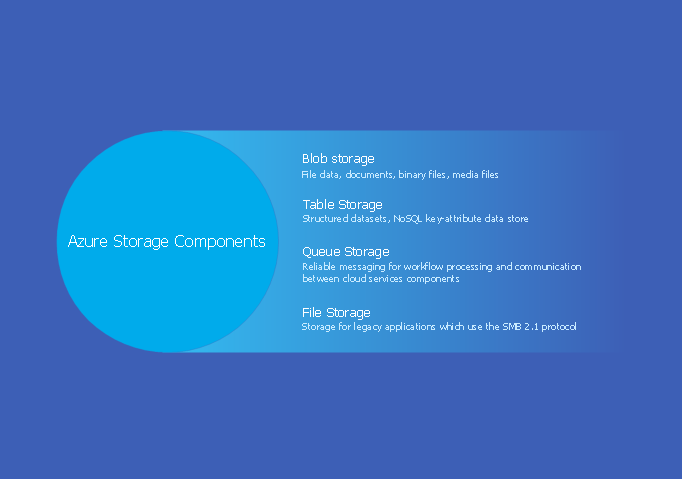
Example 2. Cloud Computing Types
All libraries objects are vector, so you can resize them without loss of quality, change their color to make your diagrams and charts more interesting, bright and attractive.
All samples are available at your disposal at ConceptDraw STORE, you can apply them as is, or open in ConceptDraw DIAGRAM to change some details and then successfully use them at your work and science activity.
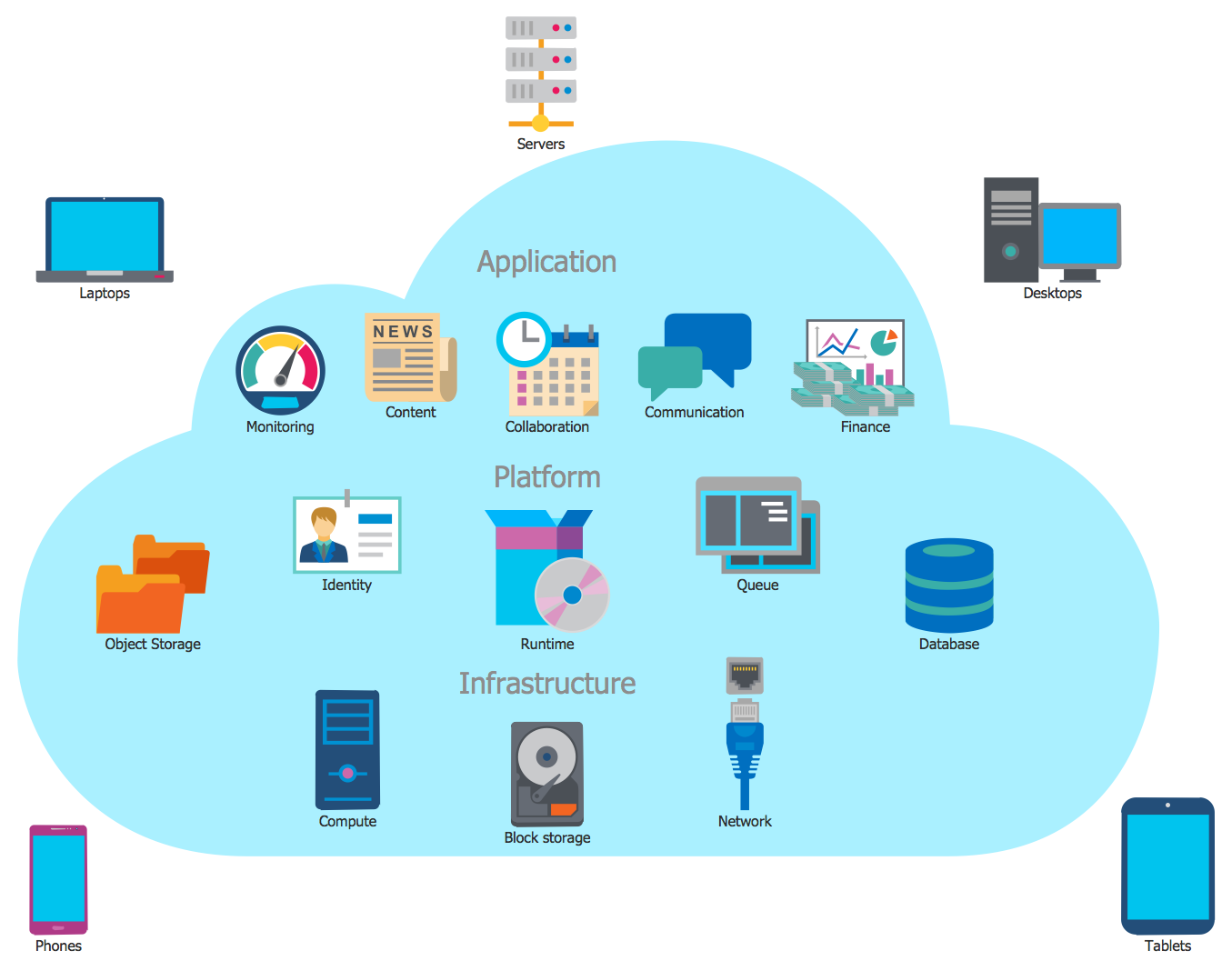
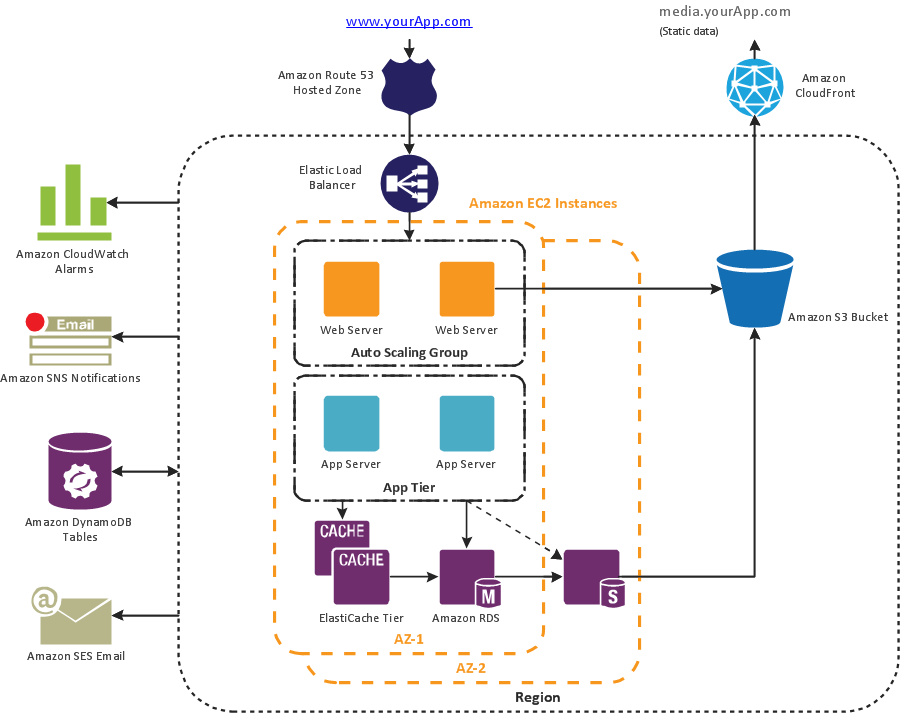
Example 3. Cloud Computing Architecture
The diagrams you see on this page were created in ConceptDraw DIAGRAM software using the tools of Cloud Computing Diagrams Solution for ConceptDraw Solution Park. They are the good introduction to Cloud computing architecture. An experienced user spent 5-10 minutes creating each of them.
Use the Cloud Computing Diagrams Solution for ConceptDraw DIAGRAM software to create your own professional looking Cloud Computing Architecture diagrams and schemes quick, easy and effective.
All source documents are vector graphic documents. They are available for reviewing, modifying, or converting to a variety of formats (PDF file, MS PowerPoint, MS Visio, and many other graphic formats) from the ConceptDraw STORE. The Cloud Computing Diagrams Solution is available for all ConceptDraw DIAGRAM users.
TEN RELATED HOW TO's:
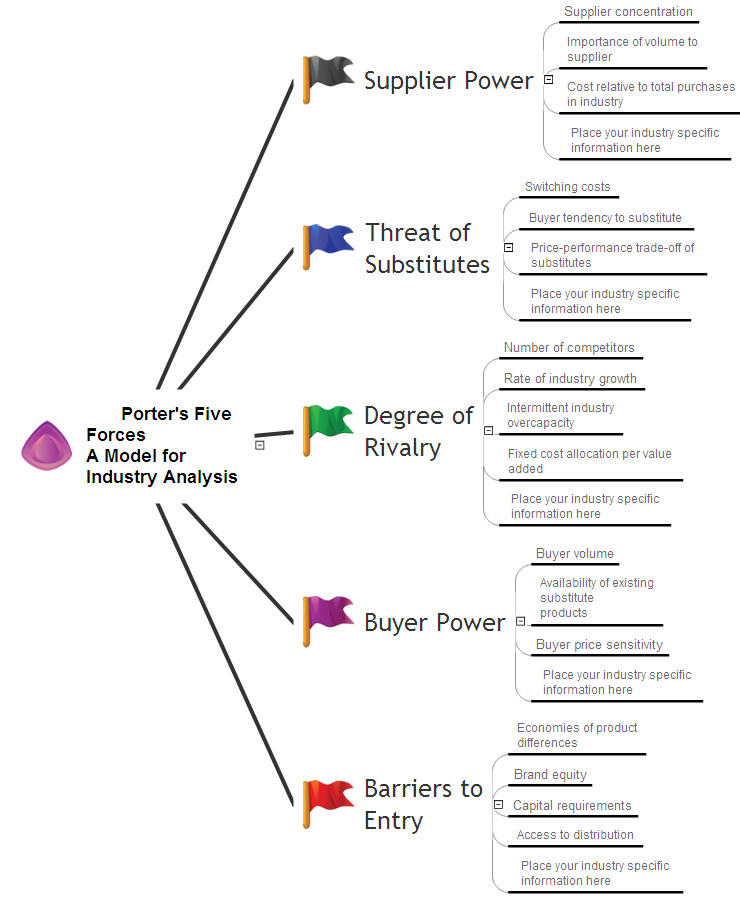
Create value stream maps - for value stream analysis and value stream management, material and information flow mapping, using our quick start templates included with ConceptDraw.
Picture: Best Value Stream Mapping mac Software
Related Solution:
These vector illustrations and cliparts are created for drawing the Project management Illustrations and contain plenty of project management design elements. The clipart library Project management includes 35 icons.
Picture: Project management - Design Elements
Related Solution:
System administrators of the whole world successfully use the Active Directory Domain Services. ConceptDraw DIAGRAM offers the Active Directory Diagrams Solution from the Computer and Networks Area with powerful drawing tools developed specially for all specialists which need create various active directory domain diagrams in their work activity.
Picture: Active Directory Domain
Related Solution:
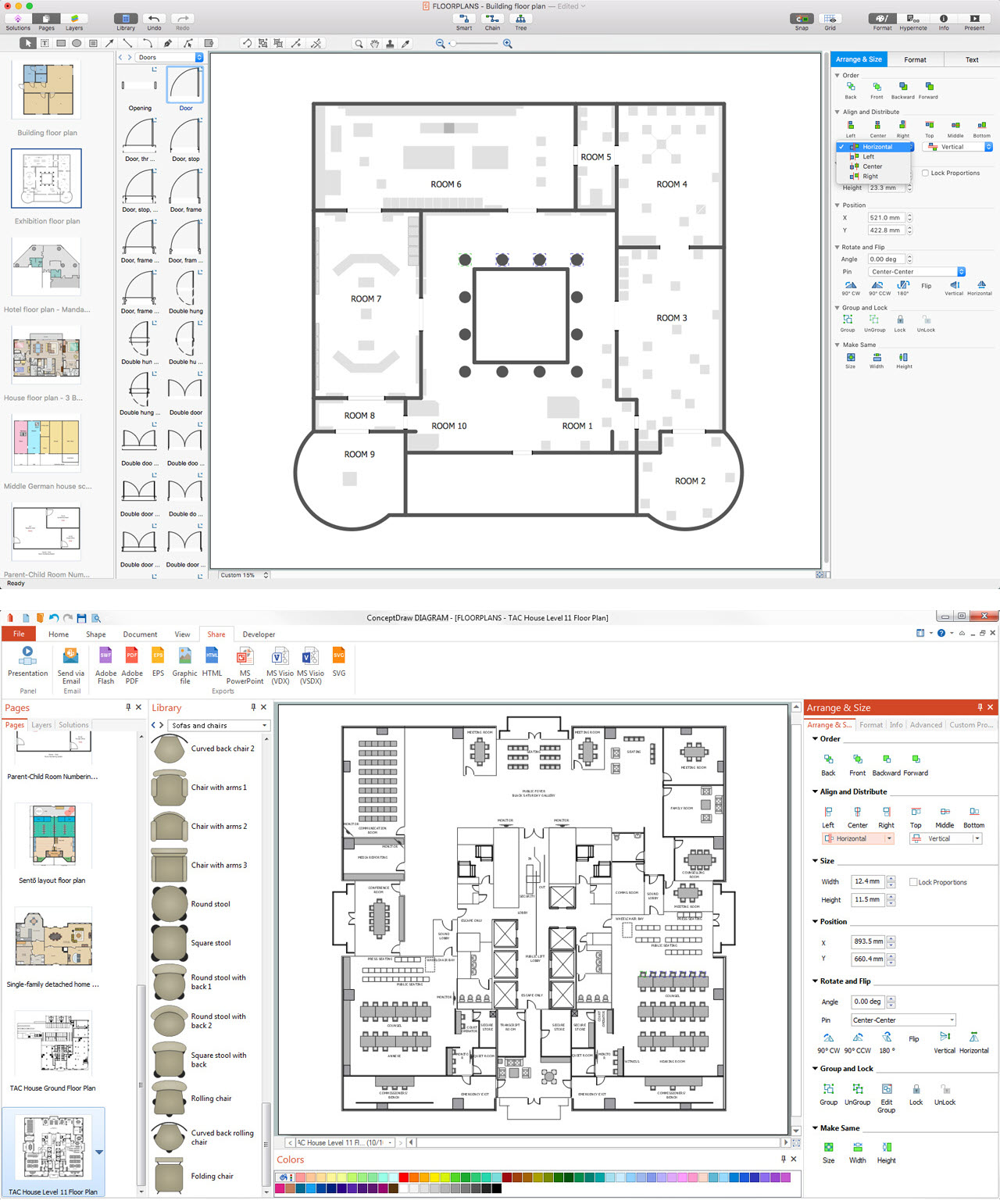
ConceptDraw DIAGRAM is the world’s premier cross-platform business-diagramming tool. Many, who are looking for an alternative to Visio, are pleasantly surprised with how well they can integrate ConceptDraw DIAGRAM into their existing processes. With tens of thousands of template objects, and an easy method for importing vital custom objects from existing Visio documents, ConceptDraw DIAGRAM is a powerful tool for making extremely detailed diagrams, quickly and easily.
Picture: ConceptDraw DIAGRAM : Able to Leap Tall Buildings in a Single Bound
Related Solution:
ConceptDraw DIAGRAM es una conocida y popular aplicación de gráficos de negocios y diagramas para Windows y Macintosh. Contiene potentes herramientas de dibujo vectorial, bibliotecas de gráficos con cientos de formas pre-dibujados, soporte para importación y exportación de numerosos formatos de archivos y muchas otras características profesionales.
Picture: Creando Diagramas
On this diagram are used the flowchart symbols that represents the processes and documents.
Picture:
Credit Card Order Process Flowchart.
Flowchart Examples
Related Solution:
ConceptDraw DIAGRAM software extended with Workflow Diagrams solution ideally suits for effective business process optimization, for determination the opportunities for improvements and enhancements the processes, cost reduction and cost savings.
Picture: Business Process Optimization
Related Solution:
It’s very important that your soccer drawing looked beautiful, interesting and attracted the attention. For this it is necessary add the illustrations! The Soccer solution delivers several libraries with predesigned bright and interesting clipart objects
Picture: Soccer (Football) Illustrated
Related Solution:
Internet solutions on ConceptDraw base. What may interest developers of Internet solutions.
Picture: Software development with ConceptDraw products
It's no secret that there is a list of skills that every average system administrator should have. And it's important to be able to manage domains via active directory technologies. The best way to keep all the details in mind is to draw a diagram representing users, groups and domains.
This diagram represents an Active Directory Services (Active Directory Domain Services). It can be helpful for system and network administrators to organize a network physical and logical elements (domains, data bases, servers, network equipment, end-user computers etc.) into a secure and logical structure. The logical structure of Active Directory is a hierarchical organization of all network components. The data that is stored in Active Directory comes from some diverse sources. The Active Directory diagram created using ConceptDraw Active Directory Diagram solution. It shows allocating group policies and functions assigned to end users. It helps to plan, manage and maintain the certain user access scenario.
Picture: Active Directory Diagram
Related Solution: