Campus Area Networks (CAN).
Computer and Network Examples
The modern education system, one way or another, aims to form students' abilities to work with information. It is no coincidence that the prior areas of education development pay special attention to form skills of information processing, which later becomes the mainstay of professional activity of graduates in the information society, a necessary component of information culture. In such circumstances, students will acquire the necessary knowledge to express themselves creatively, learn to evaluate the accuracy of the information, develop critical thinking, and distinguish information and knowledge.
Local networks are common in the education field. Most schools and other educational institutions have computers connected to a local network. At the same time, modern technologies allow to connect even the computers that are on different continents, and not only in the same room or building. Numerous educational institutions have branches in different countries, with computer connected via local network. Moreover, local area networks can connect computers from different colleges or universities.
Using Internet, any student can get public access to education materials that can be presented in the form of simple textbooks (e-text), as well as in the form of complex interactive systems, computer models of virtual learning environments, etc. The number of users and information sources of Internet is continuously increasing. In addition, there is a constant quality of telecommunications services improvement. Because of this, not only companies and organizations operating in the economic and other fields have a high-quality access to the Internet, but also educational institutions.
Many systems are susceptible to vulnerabilities that can take full control of critical resources (e-mail systems, network equipment management and others). Critical vulnerabilities are often associated with the use of outdated versions of software and operating systems.
Studies have shown that the modern corporate networks are quite vulnerable to attacks from internal and external intruders. The ability to access the critical resources of most examined systems leads to the conclusion about the necessity of the information security measures improvement, particularly in the area of password policies, web application protection, providing regular security updates and protection of privileged accounts. For safety deficiencies early detection, system administrator should regularly conduct security analysis, including the form of penetration testing.
A Campus Area Network (CAN) is a computer network that links the buildings and consists of two or more local area networks (LANs) within the limited geographical area. It can be the college campus, enterprise campus, office buildings, military base, industrial complex. CAN is one of the type of MAN (Metropolitan Area Network) on the area smaller than MAN.
The Campus networks usually use the:
- LAN technologies,
- such as Ethernet,
- Token Ring,
- Fiber Distributed Data Interface (FDDI),
- Fast Ethernet,
- Gigabit Ethernet
- Asynchronous Transfer Mode (ATM).
ConceptDraw DIAGRAM is a powerful diagramming and vector drawing software that allows quick and easy draw the Campus Area Networks.
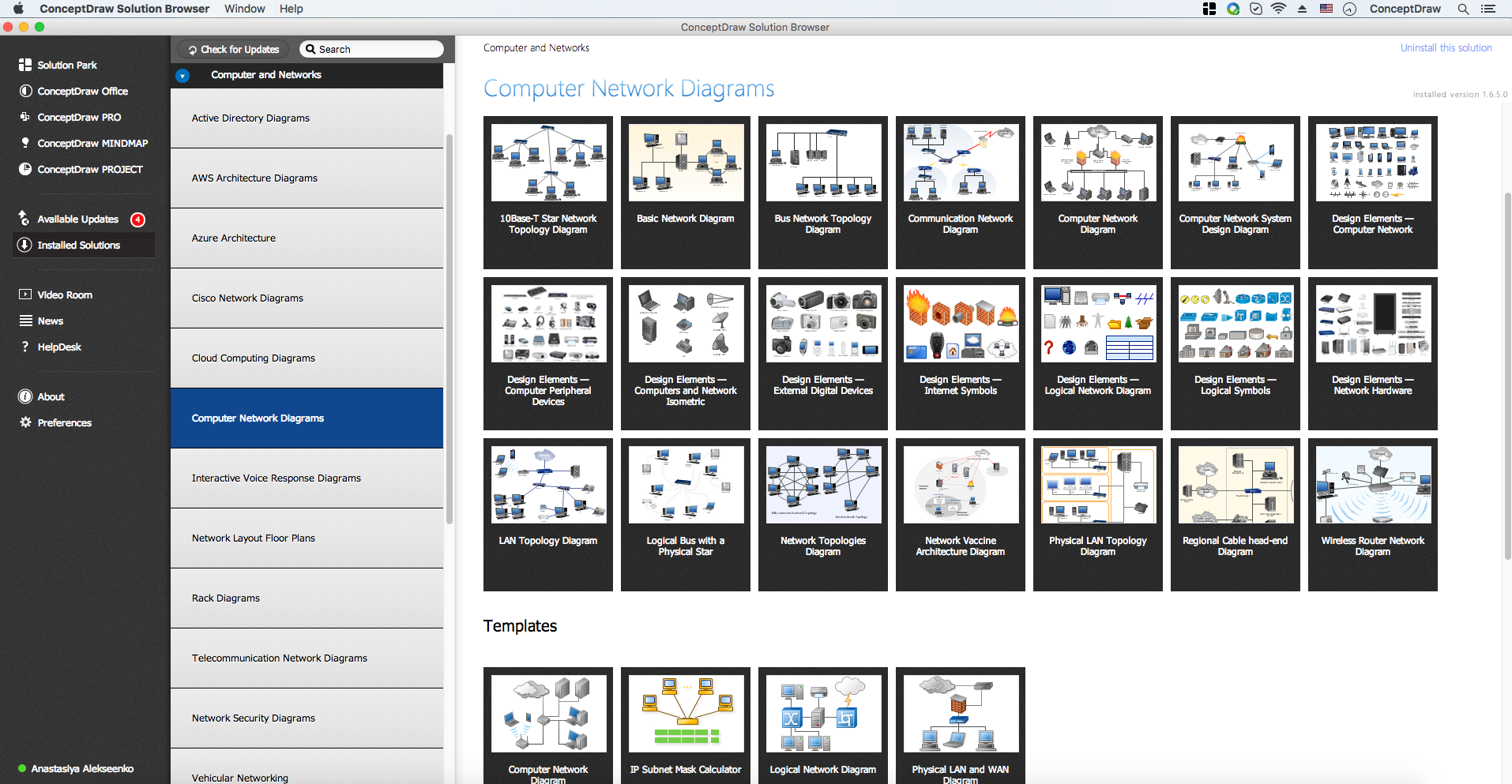
Example 1. Computer and Networks area
Computer and Networks Area provides solutions that contain the libraries with a great number of predesigned vector stencils, a set of professional looking examples that you can change for your needs.
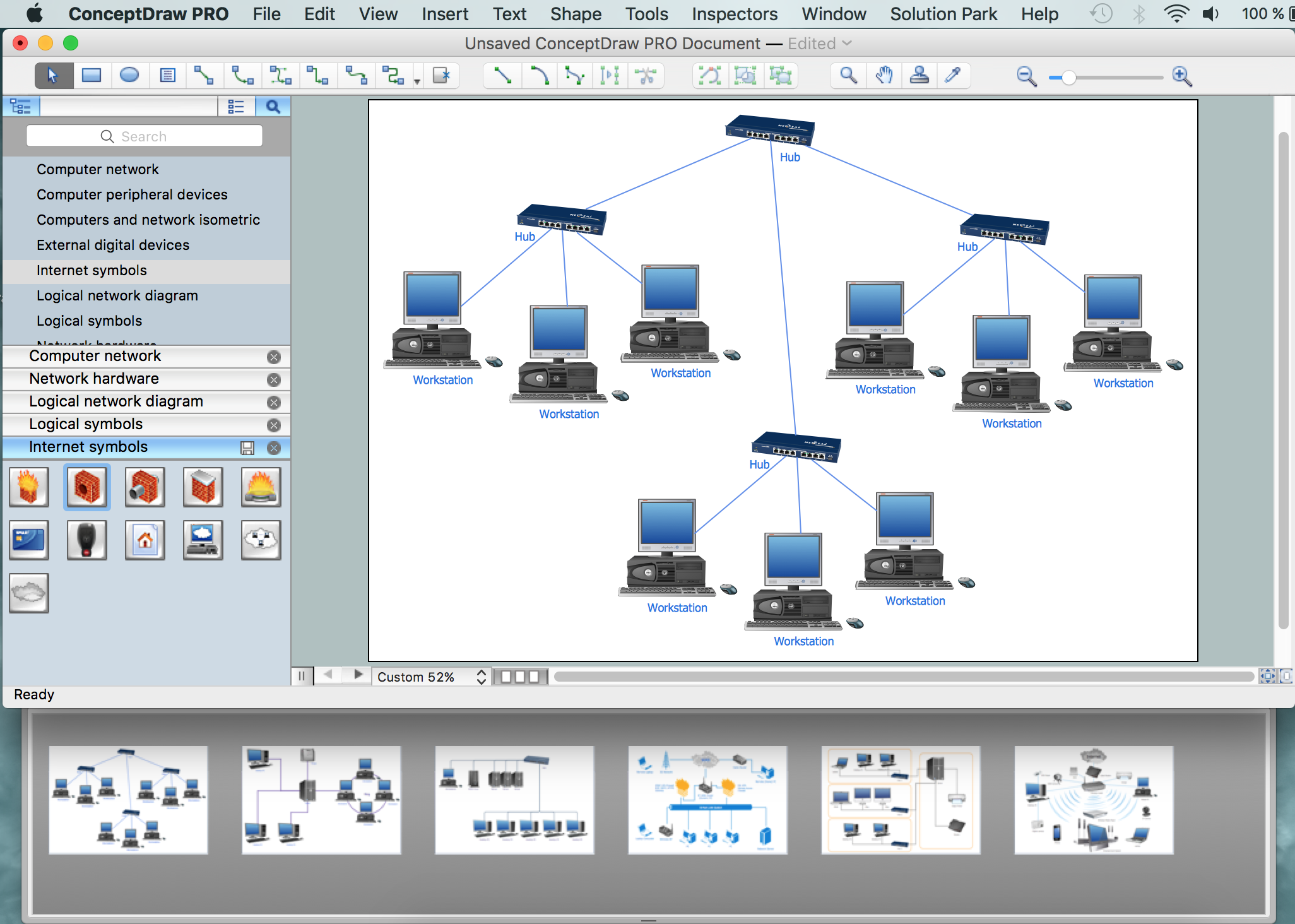
Example 2. Computer and Networks examples
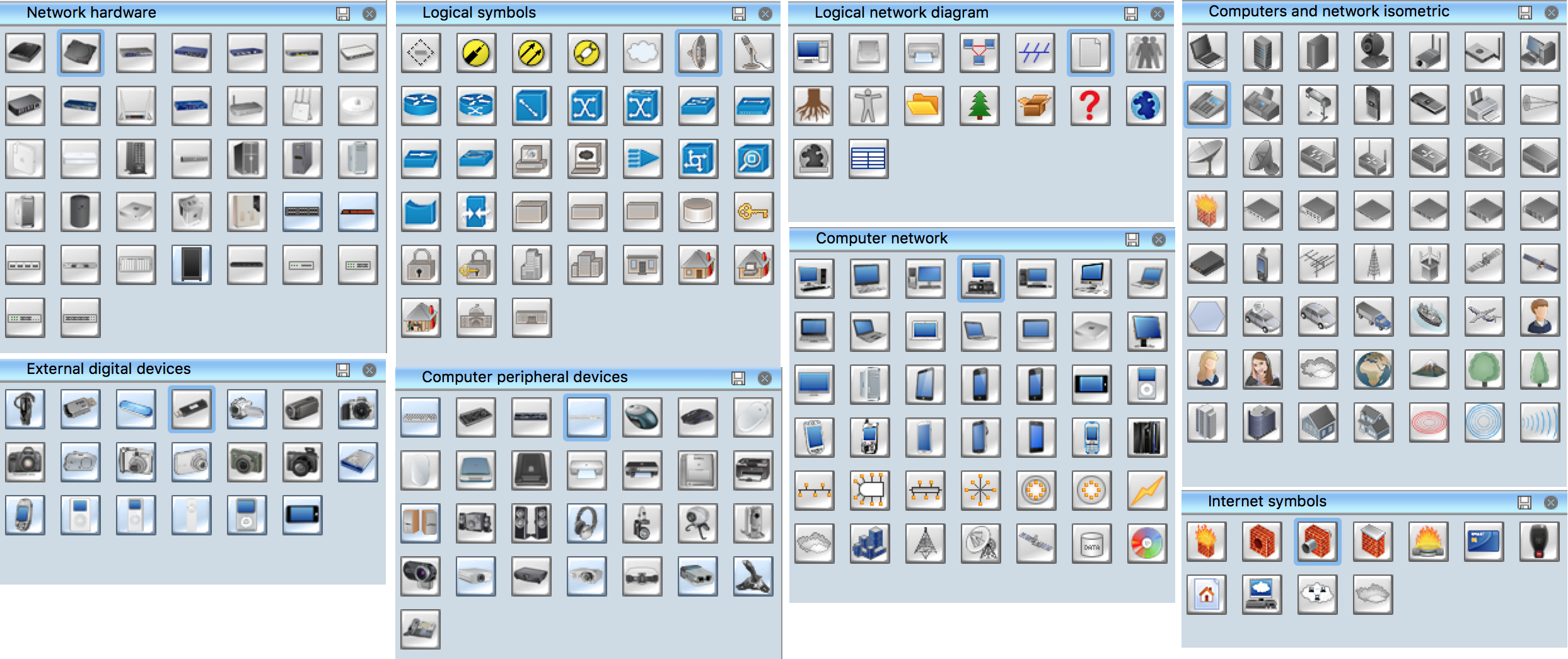
Example 3. Computer and Networks symbols for drawing Campus Area Network
All these allow you create the Campus Area Network of any complexity in a few minutes.

Example 3. Campus Area Network (CAN).
This example was created in ConceptDraw DIAGRAM using the Computer and Networks Area of ConceptDraw Solution Park and shows the Campus Area Network.
Campus network can be additional to the set of wireless connections, connect several buildings to the same network, but it's not the same thing. A campus network should be broad enough to cover a large territory, while the point-to-point access simply distributes a separate network within the territory of several buildings. Project Athena at MIT and Stanford University Network at Stanford University are the most well-known networks. Athena was launched in 1983 and it still works. It’s primary purpose was to share experience, code and ideas among students, to found a base of knowledge for the future generations and to develop educational tools. This project influenced the development of instant messaging, online help systems, improved client–server model of distributed computing, developed Kerberos protocol for encrypted authentication and authorization and has many other functional and system management advantages. Some of Athena architecture design features are used beyond MIT, for example in Iowa State University and North Carolina State University.
All networks designed with ConceptDraw DIAGRAM are vector graphic documents and are available for reviewing, modifying, and converting to a variety of formats (image, HTML, PDF, MS PowerPoint, Adobe Flash or MS Visio).
See also Samples:
TEN RELATED HOW TO's:
Electrical Engineering Solution used together with ConceptDraw DIAGRAM drawing facilities makes short a work of drawing various electrical and electronic circuit schemes. A library of vector objects composed from symbols of Analog and Digital Logic elements of electric circuit includes 40 symbolic images of logic gates, bistable switches of bi-stable electric current, circuit controllers, amplifiers, regulators, generators, etc. All of them can be applied in electronic circuit schemes for showing both analog and digital elements of the circuit.
Electrical Engineering Solution used together with ConceptDraw DIAGRAM drawing facilities makes short a work of drawing various electrical and electronic circuit schemes. A library of vector objects composed from symbols of Analog and Digital Logic elements of electric circuit includes 40 symbolic images of logic gates, bistable switches of bi-stable electric current, circuit controllers, amplifiers, regulators, generators, etc. All of them can be applied in electronic circuit schemes for showing both analog and digital elements of the circuit.
Picture:
Electrical Diagram Symbols F.A.Q.
How to Use Electrical ConceptDraw Diagram Software
Related Solution:
Any business process consists from a number of tasks carrying out the certain business goal. It is useful to diagram business processes to ensure that they are as foolproof, logical and sequential as possible. This business process diagram describes a typical booking process flow by the example of a cab booking process. It can be used as a roadmap for any booking system implementation. Diagramming a business process allows you to look at the entire project and take into account all types of possible scenarios. Business process diagram helps you investigate and clarify the process thoroughly so that you can find out how it can be improved. Business process diagram supports team communications by ensuring that each process element is clear and everyone in the team is on the same page.
Sometimes your company brings you less profit than you expect it to be, and it’s difficult to reveal the causes. Maybe it’s time to learn new technologies, because business diagram are easily developed by means of special software, so you won’t make any extra effort. In return, you will increase your productivity and get more done in a less time.
Picture: Business Diagram Software
Related Solutions:
There are numerous articles about the advantages of flowcharting, creating business graphics and developing different charts. Nevertheless, these articles are almost useless without the main component - the examples of flowcharts, org charts and without a fine example, it is difficult to get all the conveniences of creating diagrams. You can find tons of templates and vivid examples on Solution Park.
This illustration shows a variety of business diagrams that can be created using ConceptDraw DIAGRAM. It comprises a different fields of business activities: management, marketing, networking, software and database development along with design of infographics and business illustrations. ConceptDraw DIAGRAM provides a huge set of sample drawings including business process modeling diagrams,, network diagrams, UML diagrams, orgcharts, DFD, flowcharts, ERD, geographical maps and more.
Picture: Examples of Flowcharts, Org Charts and More
Related Solution:
ConceptDraw DIAGRAM diagramming and vector drawing software enhanced with Network Security Diagrams Solution from the Computer and Networks Area of ConceptDraw Solution Park is the best for effective design professional, colorful and attractive Network Security Diagram of any complexity and degree of detailing.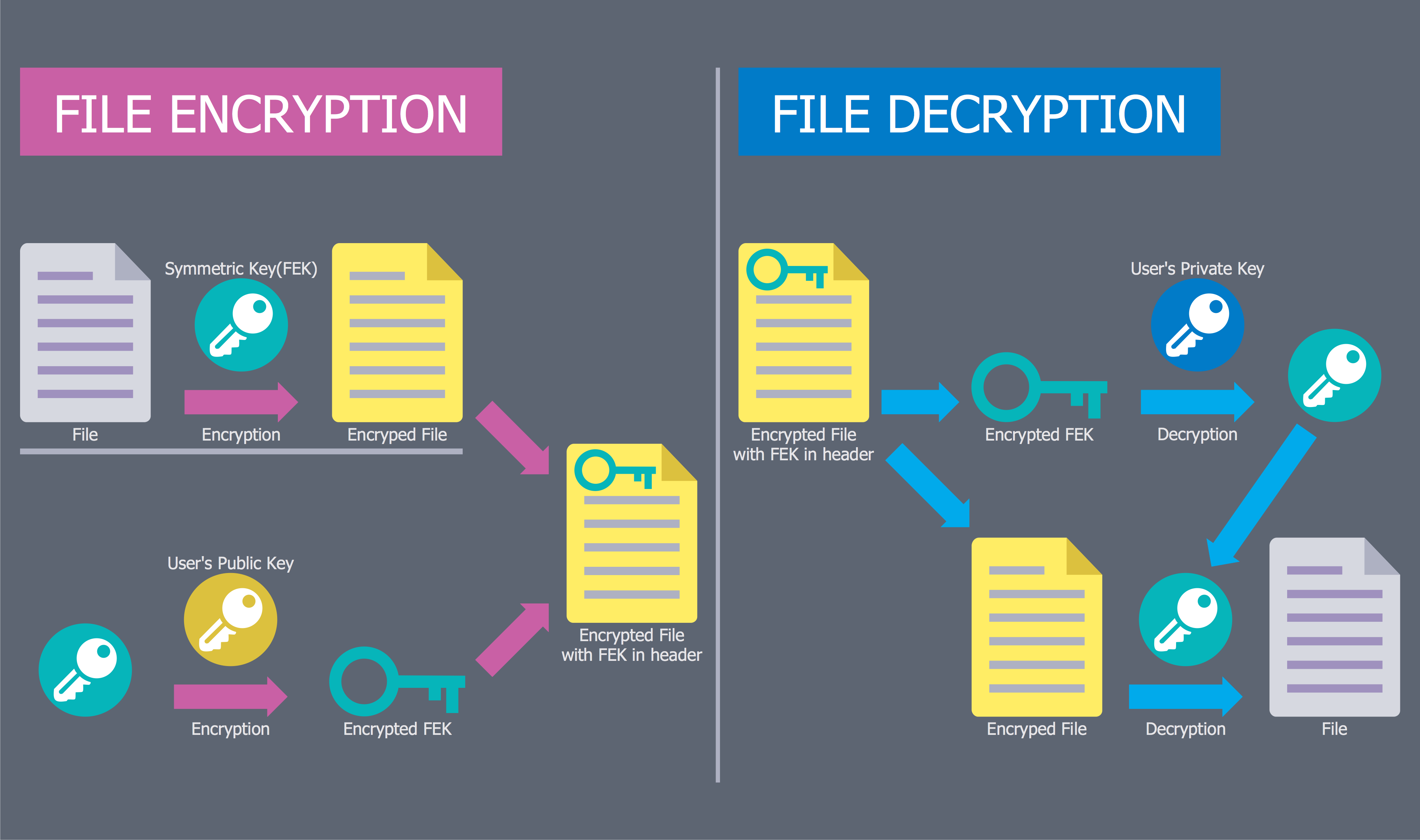
Picture: Network Security Diagram
Related Solution:
A Telecommunications network is a network of nodes, links, trunks and telephone switches that are connected, operated by telephone companies and realize telephone, audio, visual and data communications among the users. The telecommunications network can also include Internet, microwave, wireless equipment.
This example was created in ConceptDraw DIAGRAM using the Computer and Networks Area of ConceptDraw Solution Park and shows the Telecommunications network.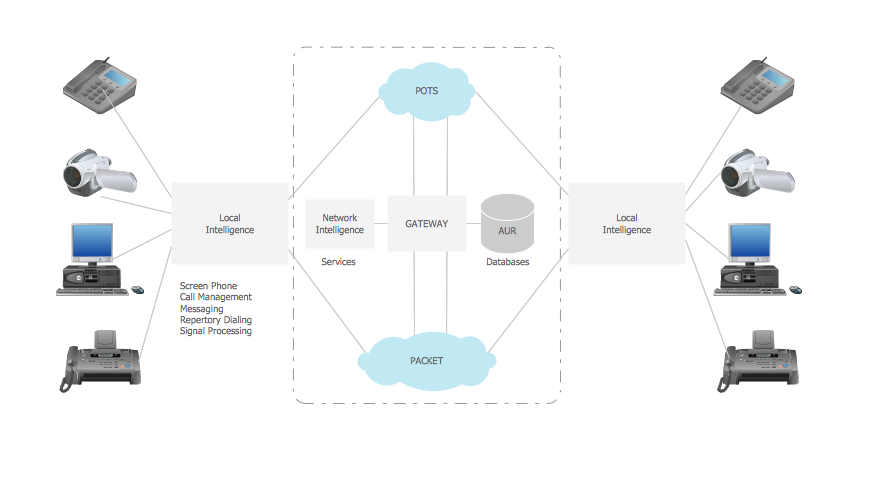
Picture: Telecommunication networks. Computer and Network Examples
Related Solution:
There are several basic topologies including bus, star, point-to-point, ring and a hybrid. Two computers can form a fully connected network topology, and as the number of network nodes increases, the network diagram gets more complicated. This type of topology is also called a full mesh.
This is a visual example of a computer network built using a mesh topology. This diagram presents the schematic structure of the full mesh network topology. A common mesh network topology means that each network device is connected with several points in the network, so if the one node of the network goes down, it does not cause an issue with an operability of the entire computer network. In a full mesh network topology, every computer or device in the network is interconnected with each of the other devices in the network.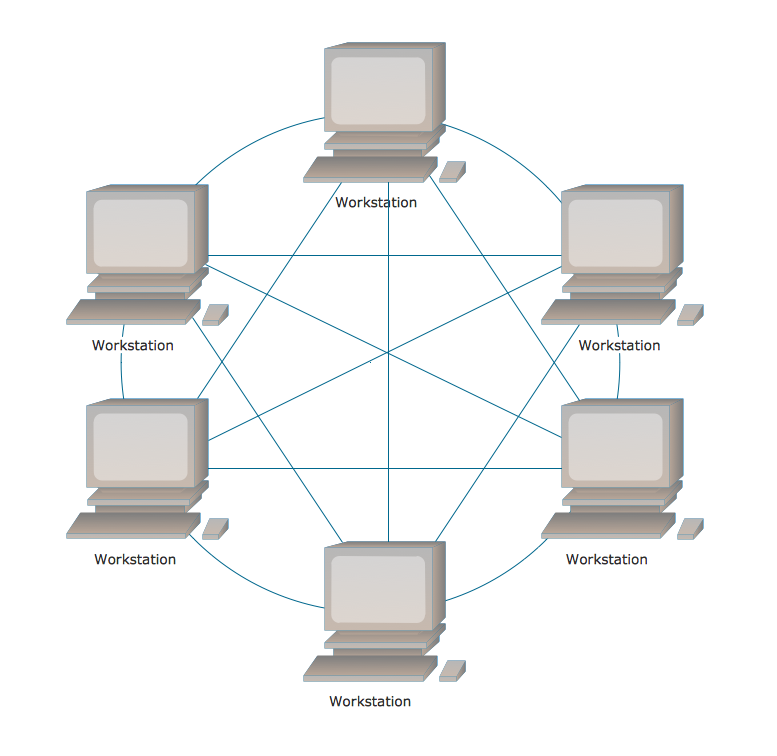
Picture: Fully Connected Network Topology Diagram
Related Solution:
The ConceptDraw vector stencils library Cisco People contains symbols for drawing the computer network diagrams.
Vector stencils library Cisco People contains 17 pictogram symbols and clipart for drawing the computer network diagrams using the ConceptDraw DIAGRAM diagramming and vector drawing software.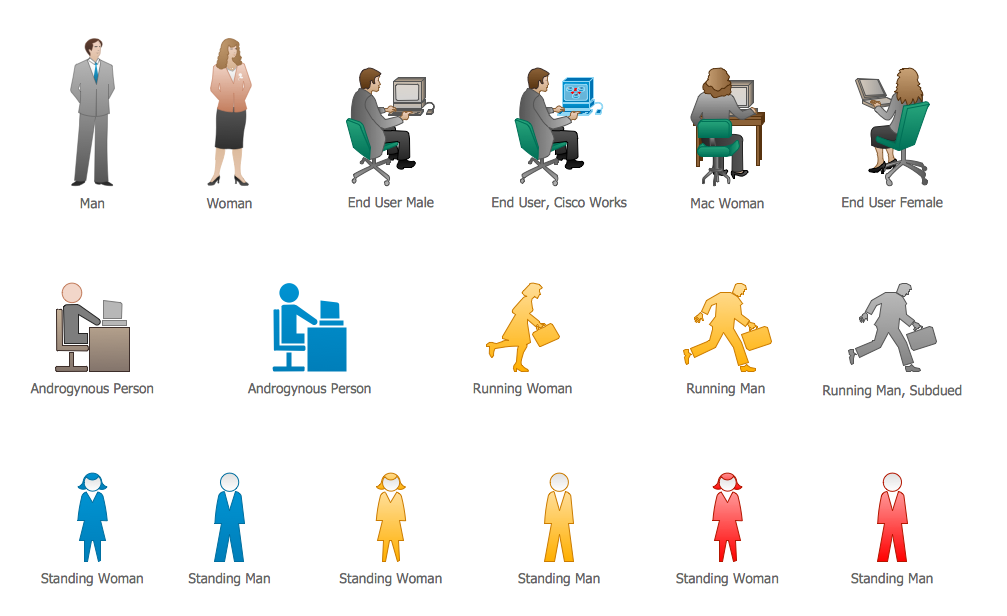
Picture: Cisco People. Cisco icons, shapes, stencils and symbols
Related Solution:
When designing a network, it is important to take into account the hierarchy of network devices. When you have a root device you should consider a tree network topology that might have any number of lower levels as you might need. This technology is based on star and bus network topologies.
This is a schematic representation of a Tree computer network topology. A tree topology means that some star networks are linked together. A star network is a topology of the local network where a central workstation is connected with each end-user computer or peripherals. A tree structure means that, the central nodes of these star networks are linked to a main cable (the Bus topology). So, a Tree network topology is a few Star networks connected into a Bus topology. This scheme can be applied to draw the particular physical or logical network diagrams using the ConceptDraw Computer and Networks solution.
Picture: Tree Network Topology Diagram
Related Solution:
An abstract representation is usually the first thing you will need while developing a database. To understand the ways that databases are structured, you should look through entity-relationship diagram examples and see the notations features and attributes. With an entity-relationship model you can describe a database of any complexity.
This Entity-relationship diagram is a tool for software developers. It enables every element of database to be managed, communicated and tested before release. This ERD was created using symbols advocated by Chen's notation. Because of a linguistic origin of the Chen’s notation, the boxes representing entities could be interpreted as nouns, and the relationships between them are in verb form, shown on a diagram as a diamond.
Picture: Entity Relationship Diagram Examples
Related Solution:
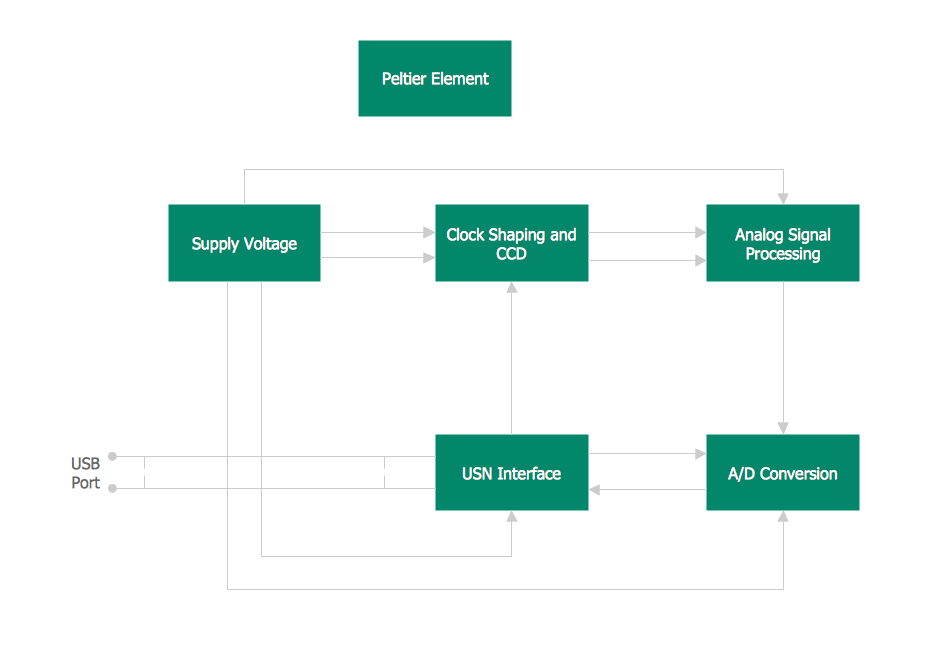
This template shows the Context Diagram. It was created in ConceptDraw DIAGRAM diagramming and vector drawing software using the Block Diagrams Solution from the “Diagrams” area of ConceptDraw Solution Park.
The context diagram graphically identifies the system. external factors, and relations between them. It’s a high level view of the system. The context diagrams are widely used in software engineering and systems engineering for designing the systems that process the information.
Picture: Context Diagram Template
Related Solution:

