Interior Design. Plumbing — Design Elements
For creating interior design as well as the plumbing plan, you need many different elements, vector symbols for this purpose. Thus, there are so many of them in the Plumbing library, which are: Rotary pump, Fan, Compressor, Heating, Heating coil, Cooling coil, Radiator, Water surface, Radiant panel, Basin, Sink unit, Bath, Toilet, Towel rail, Shower head, End view, Flat ends, Boiler, Tank, Angled ends, Curved ends, Radiant panel, Convector, Heater/cooler, Cooler, Pipe coils and many more as there are so many more libraries you can use to have all needed vector symbols and elements. It only seems to be so hard doing the designing job, but once you download ConceptDraw DIAGRAM created by designers who have so many years of experience working to provide all of the clients with high quality product, you will find drawing the plans as well as the diagrams, very interesting and fun, especially once the result will look that professional.
Plumbing plan — Design elements library
Vector stencils library Plumbing contains shapes of plumbing components and bathroom fixtures for ConceptDraw DIAGRAM diagramming and vector drawing software.
Use it to draw plumbing and piping building interior design plans, schematic diagrams and blueprints of waste water disposal systems, and hot and cold water supply systems.
The Plumbing library is included in Plumbing and Piping Plans solution from Building Plans area of ConceptDraw Solution Park.
The Plumbing library contains 30 symbols:
- Pump
- Rotary pump
- Compressor
- Fan
- Heating
- Cooling coil
- Heating coil
- Radiator
- Radiant panel
- Water surface
- Sink unit
- Basin
- Toilet
- Bath
- Shower head
- Towel rail
- End view
- Boiler
- Flat ends
- Boiler
- Tank
- Curved ends
- Angled ends
- Convector
- Radiant panel
- Heater/cooler
- Cooler
- Open
- Closed
- Pipe coils
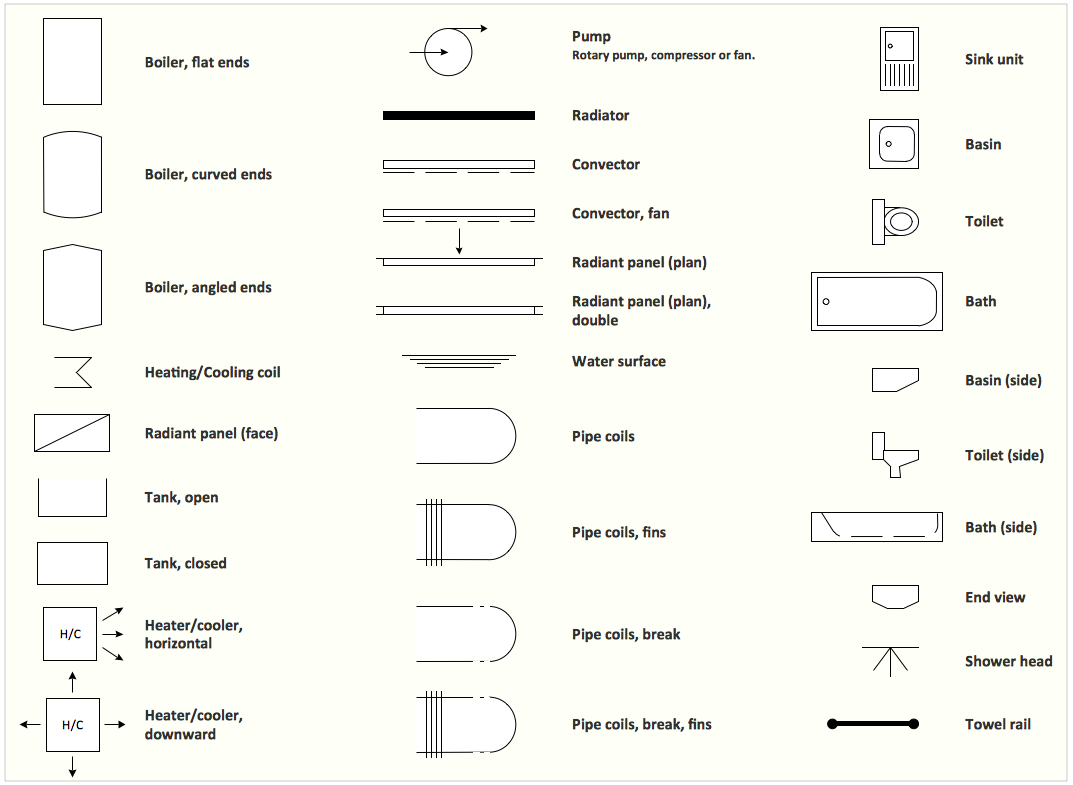
Sample 1. Interior Design Software. Design Elements — Plumbing
for macintosh and windows
Solution Building Plans from ConceptDraw Solution Park provides 4 vector stencils libraries with 128 design elements as pipes, valves and other sanitary equipment for drawing Plumbing & Piping Plans.
Use ConceptDraw DIAGRAM diagramming and vector drawing software enhanced with Building Plans solution to draw your own plumbing & piping plans, annotated diagrams or schematics of waste water disposal systems, hot and cold water supply systems, water lines, plumbing systems and waste water engineering.
Read more about Home and Landscape design
NINE RELATED HOW TO's:
An integrated circuit (IC) is a chip or microchip that consists of a substrate created from semiconductor material and thousands or millions of tiny electronic components installed on it. ConceptDraw DIAGRAM software with included Digital Electronics solution allows you to choose from an enormous number of vector electrical symbols, integrated circuits, logic gates, connections, flip flop symbols. Collection of the pre-made symbols and also an included set of professionally designed samples are useful to create Integrated circuit schematics of various kinds in minutes.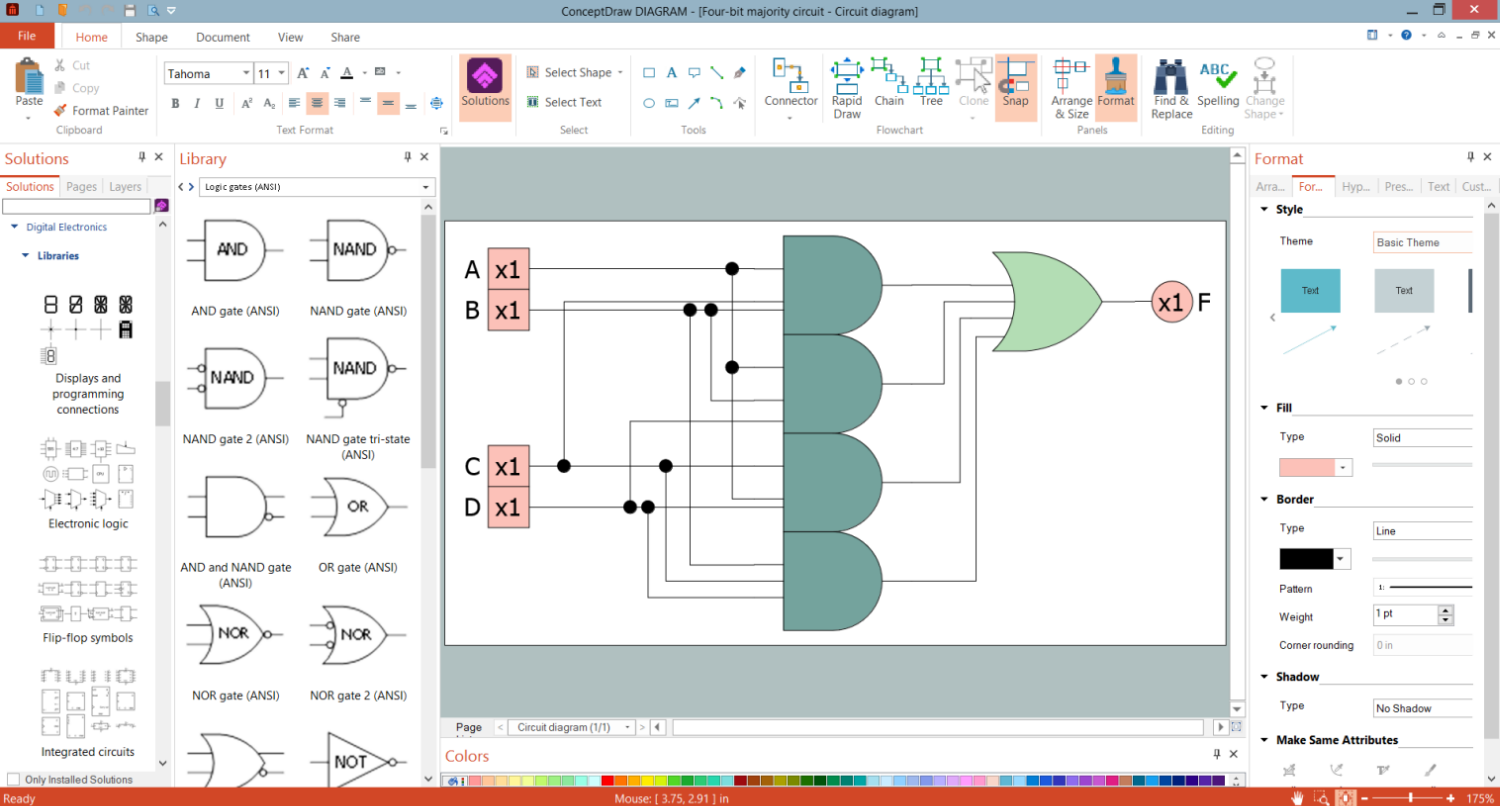
Picture: Integrated Circuit
Timeline is a type of diagram which illustrates the series of events in a chronological order on a linear timescale. How to make a timeline? It is convenient to use a modern powerful software. ConceptDraw DIAGRAM diagramming and vector drawing software extended with Timeline Diagrams solution from the Management area is exactly what you need.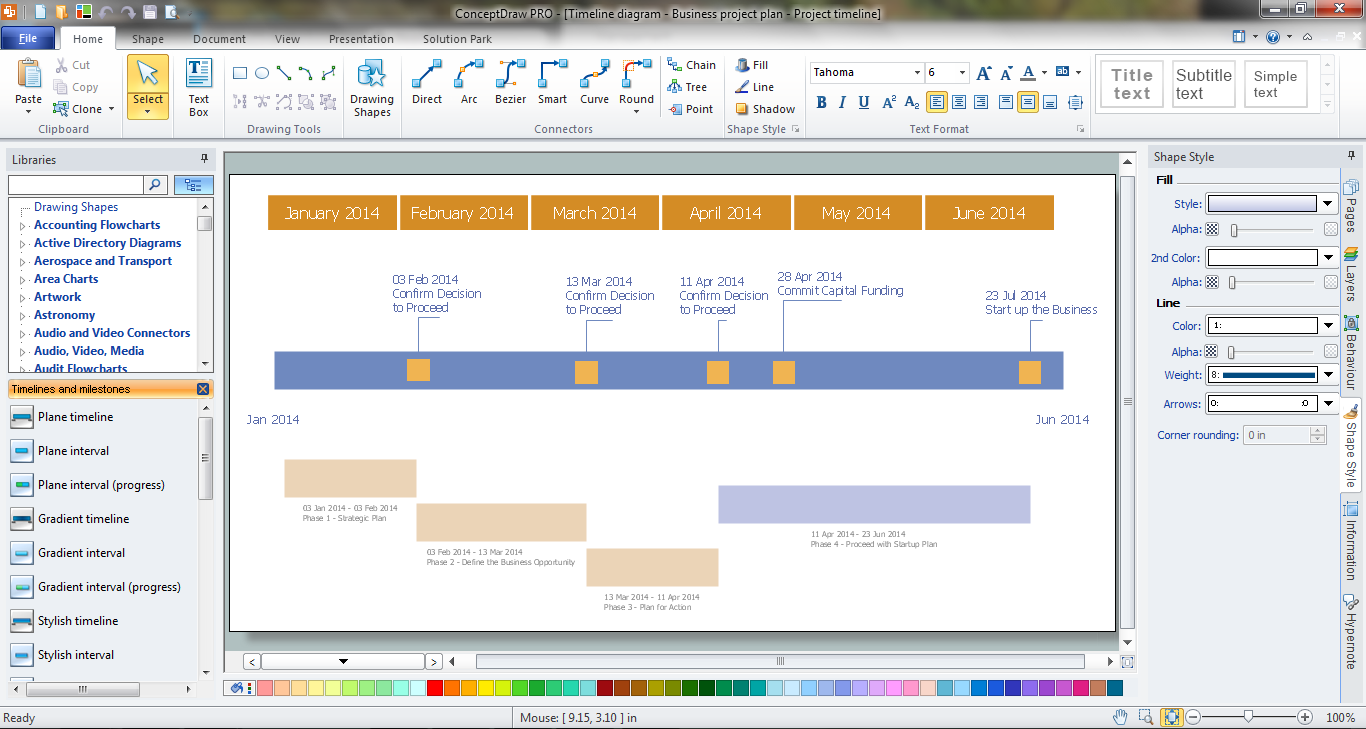
Picture: How to Make a Timeline
Related Solution:
To draw SysML diagrams use the ConceptDraw DIAGRAM software extended with the Rapid UML solution from the Software Development area of ConceptDraw Solution Park.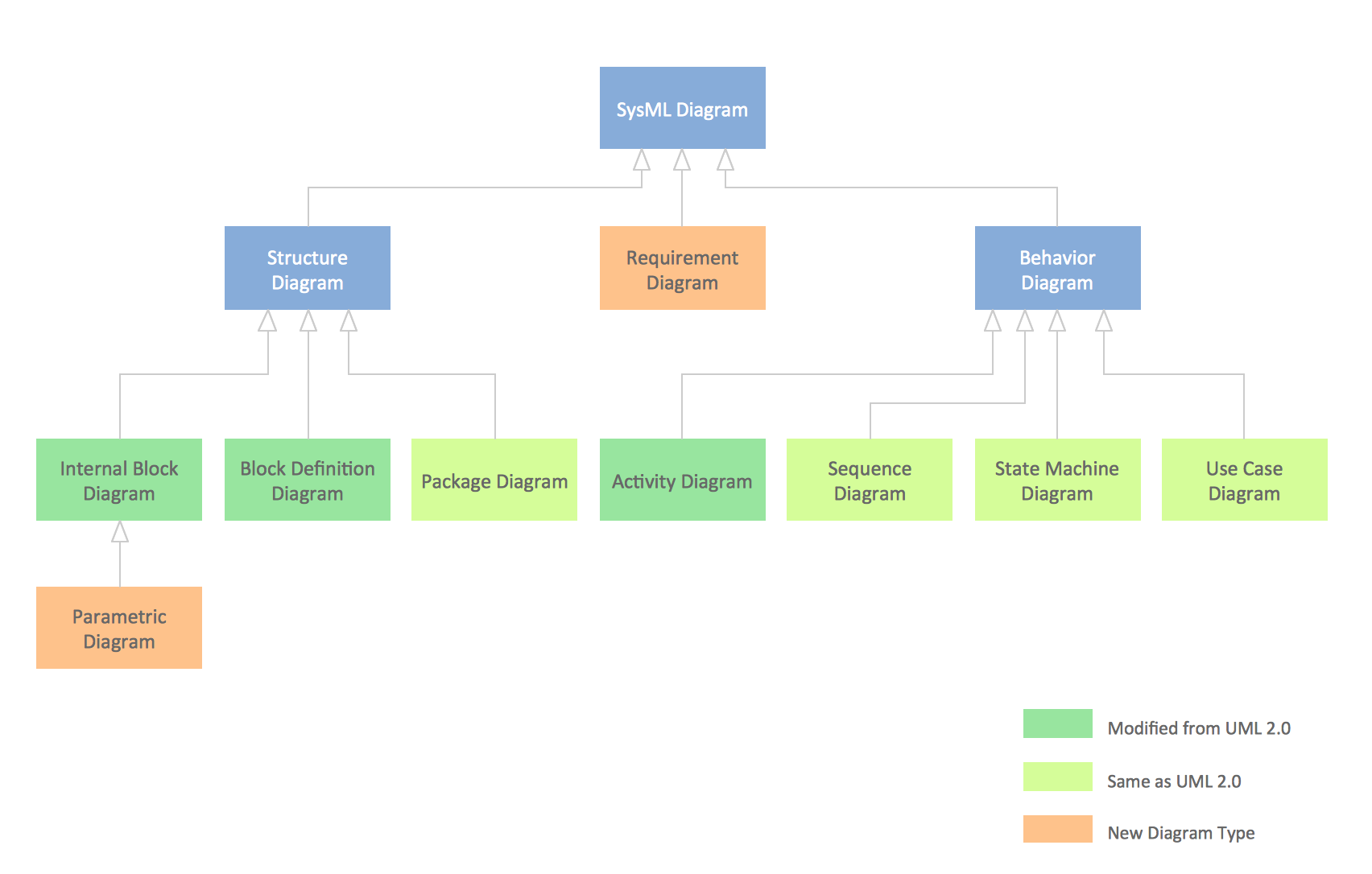
Picture: SysML Diagram
Related Solutions:
This method of problem analysis is widely used in IT, manufacture industries and chemical engineering. If you want to take a fresh look on your problem, you can draw a fishbone diagram with ConceptDraw DIAGRAM software, which supports both MAC OS and Windows. You can see and download fishbone diagram samples and templates in ConceptDraw Solution Park.
This Fishbone (Ishikawa) diagram can be applied as template for performing the cause and effect analysis of a service industry problems. It can help to determine factors causing problems. Causes in this diagram are categorized according to the 4S’s principle that means Surroundings, Suppliers, Systems and Skills. Grouping causes allows to reveal main interactions between different events. This diagram was made using ConceptDraw Fishbone diagrams solution. It can help to reveal the causes effected a complicated issue. Of course it can be used together with other methods of approaching to the problem solving.
Picture: Draw Fishbone Diagram on MAC Software
Related Solution:
Beginning from the 19th century, people tried to tame electricity. Nowadays, electrical engineering covers a wide range of applications starting from providing illumination in our homes to developing space technologies. Considering the fact that every project needs documentation, engineers use electrical diagram software to develop these projects. Standard electrical symbols of electrical components are recognizable all around the world.
This illustration represents the 26 libraries that are supplied by the ConceptDraw Electrical Engineering solution. The Electric Engineering libraries contains about a thousand objects enabling you to draw various charts depicting electrical connections and circuits, along with schemes of different equipment and devices. The electric engineering libraries delivered with ConceptDraw solution meet the standards adopted in the image to electrical circuits. So they can be used by professionals along with amateurs in electrical engineering.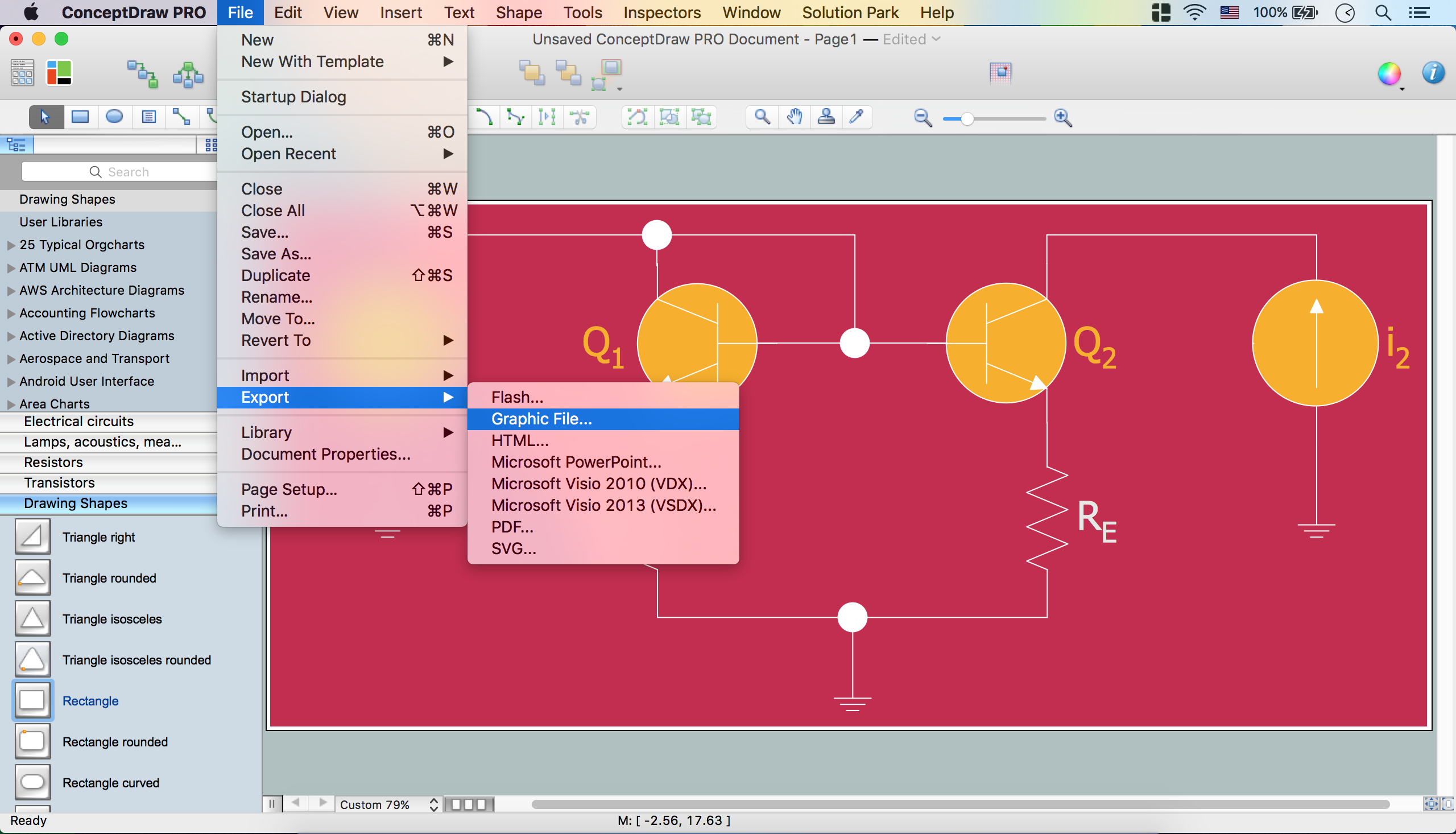
Picture: Electrical Diagram Software
Related Solution:
Every interior design project starts from a deep understanding of all the utilities used in the building. In the first place, plumbing projection stage is crucial for the future design because it is very important to fit all the elements in their places correctly. Kitchen interior, for instance, will depend on the plumbing very much.
Planning the layout of bathroom facilities, plumbing and sanitary equipment is a critical stage of the interior design of the entire house. Suppose, you do not need to see grill in your bathroom and the toilet in your kitchen, you need to give the proper consideration to the plumbing and piping planning. The ConceptDraw Plumbing and Piping Plans solution delivers the kit of 4 vector libraries containing more than 120 elements as pumps, tanks, pipes, boilers and other bathroom equipment for depicting Plumbing & Piping Plans. Using the Plumbing library, enables designing plumbing and piping interior designs, schemes and blueprints of water supply and sewerage systems.Picture: Interior Design. Plumbing — Design Elements
Related Solution:
Infrastructure is very important part of any district, and educational buildings presence is one of the factors. Another not less important thing is the school design, because it influences the children's’ sense of aesthetics. To develop a harmonic school layout, use a proper software.
This image represents the School layout library that is supplied with ConceptDraw School and Training Plans solution. The library contains a set of vector graphic objects that will be in help while drawing a layout of classroom. Any lecturer desires to organize the layout of the classroom for the best student advantage. Students must be focused and be engaged in the learning process. The classroom places organization is an important element of a students learning. It is significant for a lecturer to set up a classroom layout and change it time to time to support lectures, to invoke disputes or solve any organizational issues. By using ConceptDraw DIAGRAM you can easily plan how to re-arrange the desks in the class room to maintain visual control of your class and build a friendly environment in the classroom.
Picture: Building Drawing Software for Design School Layout
Related Solution:
No building project can exist without an electrical circuit map. It’s more convenient to develop electrical drawing with a proper software which would contain vector shapes and electrical symbols. This will help in the future if any problems appear.
This circuit diagram shows the scheme of a location of components and connections of the electrical circuit using a set of standard symbols. It can be use for graphical documentation of an electrical circuit components. There are many of different electric circuit symbols that can be used in a circuit diagram. Knowing how to read circuit diagrams is a useful skill not only for professionals, but for any person who can start creating his own small home electronic projects.
Picture: Electrical Drawing Software and Electrical Symbols
Related Solution:
UML Apartment Plan. This sample was created in ConceptDraw DIAGRAM diagramming and vector drawing software using the UML Class Diagram library of the Rapid UML Solution from the Software Development area of ConceptDraw Solution Park.
This sample show the detailed plan of the apartment and is used by building companies, design apartments, real estate agencies, at the buying / selling of the realty.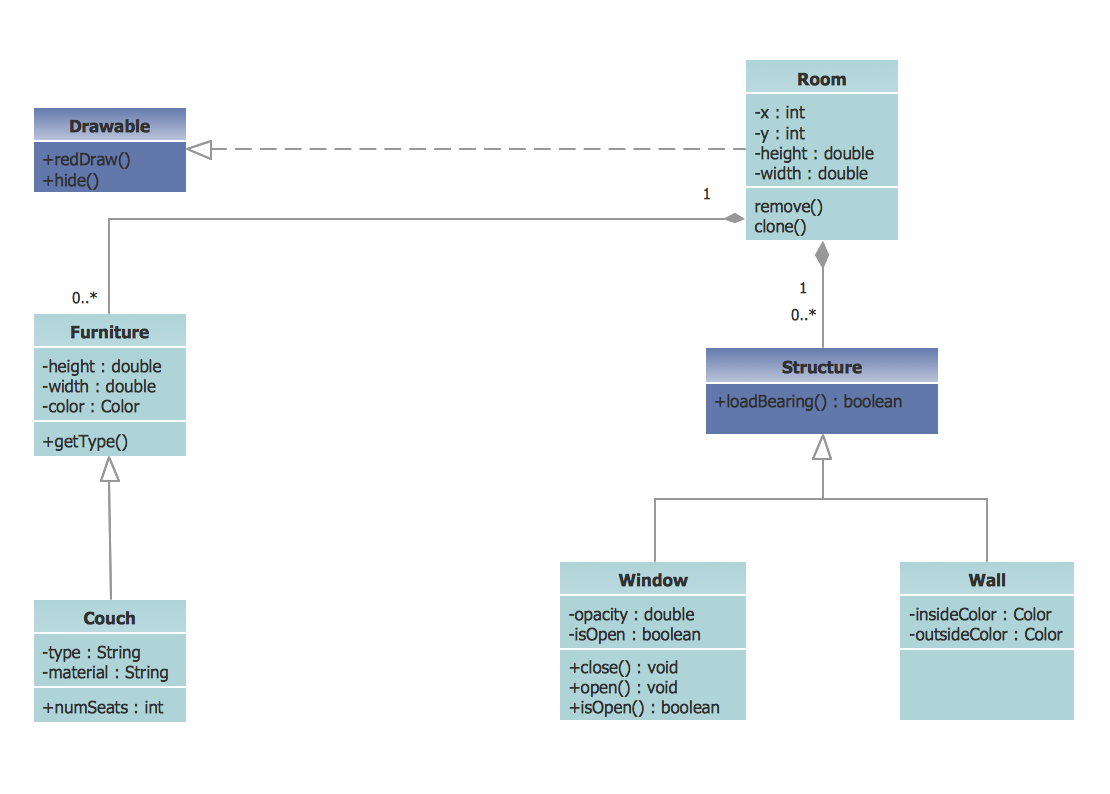
Picture: UML Class Diagram Example - Apartment Plan
Related Solution: