Made with
ConceptDraw
DIAGRAM 18

UML Class Diagram. Design Elements

UML Class Diagram is a type of Structure Diagrams that shows the classes of a system, attributes, operations, and the relationships between them.

Class Diagram is one of important types of UML Diagrams. UML Class Diagrams are used for static modeling of the system, for data modeling, for conceptual modeling of the application, and for modeling of the system dictionary.

On the Class Diagram, Classes are represented as boxes that consist of three parts: name, attributes of the class, and operations or methods.

Use the following notations to set the visibility of a class member: Public (+), Private (-),
Protected (#), Derived (/), Static (_), Package (~). Notation must be placed before the name of class member.

There are a few types of associations between objects and classes on the Class Diagrams.

Bi-directional associations are represented by a line between two classes, it is default connection between classes.

Uni-directional associations are represented as the unbroken lines with an open arrowhead.

Aggregation is an association with the relation between the whole and its parts, and is represented as empty diamond on the Class Diagram.

Composition is a strong variant of aggregation, represents on as filled diamond.

Generalization or inheritance is when a child object or class assumes all properties of his parent object or class, is represented as empty triangle.

There are four notations: 0..1, 1, 0..*, 1..*, that indicate the multiplicity of associations.

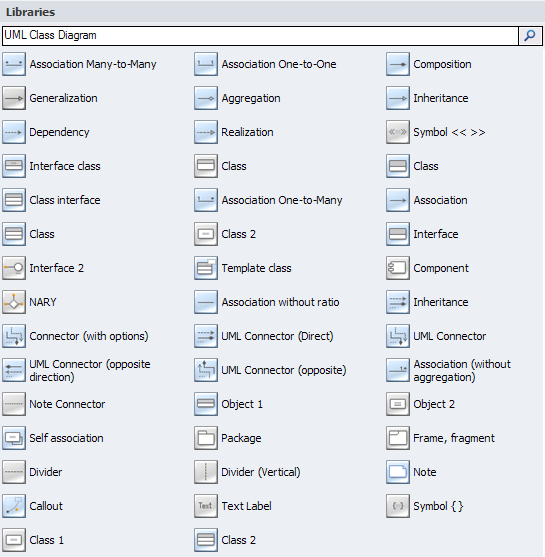
The Rapid UML Solution for ConceptDraw DIAGRAM contains 13 vector stencils libraries with 393 interactive shapes that you can use to design your UML diagrams.

To design your own Class Diagram use the UML Class Diagram library.

UML Class Diagram library contains 39 shapes:

  • Class
  • Class 2
  • Object 1
  • Object 2
  • Self association
  • Interface
  • Template class
  • NARY
  • Text Label
  • Symbol { }
  • Symbol << >>
  • Divider (Vertical)
  • Divider
  • Association without ratio
  • Association
  • Association One-to-Many
  • Association Many-to-Many
  • Association One-to-One
  • Inheritance
  • Composition
  • Aggregation
  • Inheritance
  • Dependency
  • Connector
  • Package
  • Frame, fragment
  • Note
  • Callout
  • Component
  • Interface 2
  • Realization
  • Generalization
  • UML Connector (Direct)
  • UML Connector
  • UML Connector (opposite)
  • UML Connector (opposite direction)
  • Association (without aggregation)
  • Note Connector

Pic.1. UML Class Diagram Library
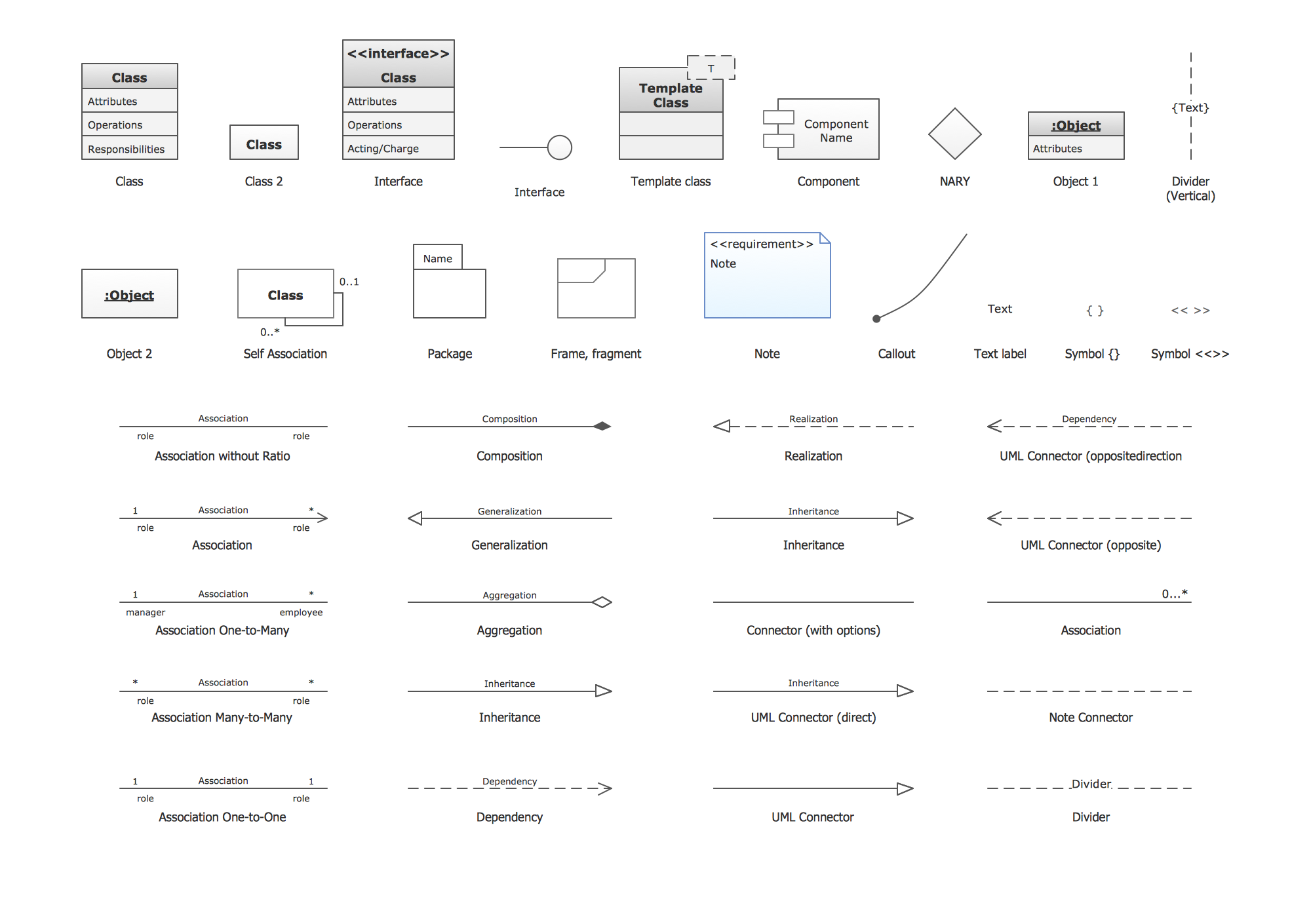
UML Class Diagram. Design Elements *

Pic.2. UML Class Diagram Library Elements

ConceptDraw Rapid UML solution provides UML Class Diagram library of vector stencils for drawing the class diagrams using class blocks and assembly connectors.

All libraries for creating UML diagrams are available inside the ConceptDraw DIAGRAM Templates and samples are located in the Rapid UML section of ConceptDraw STORE.

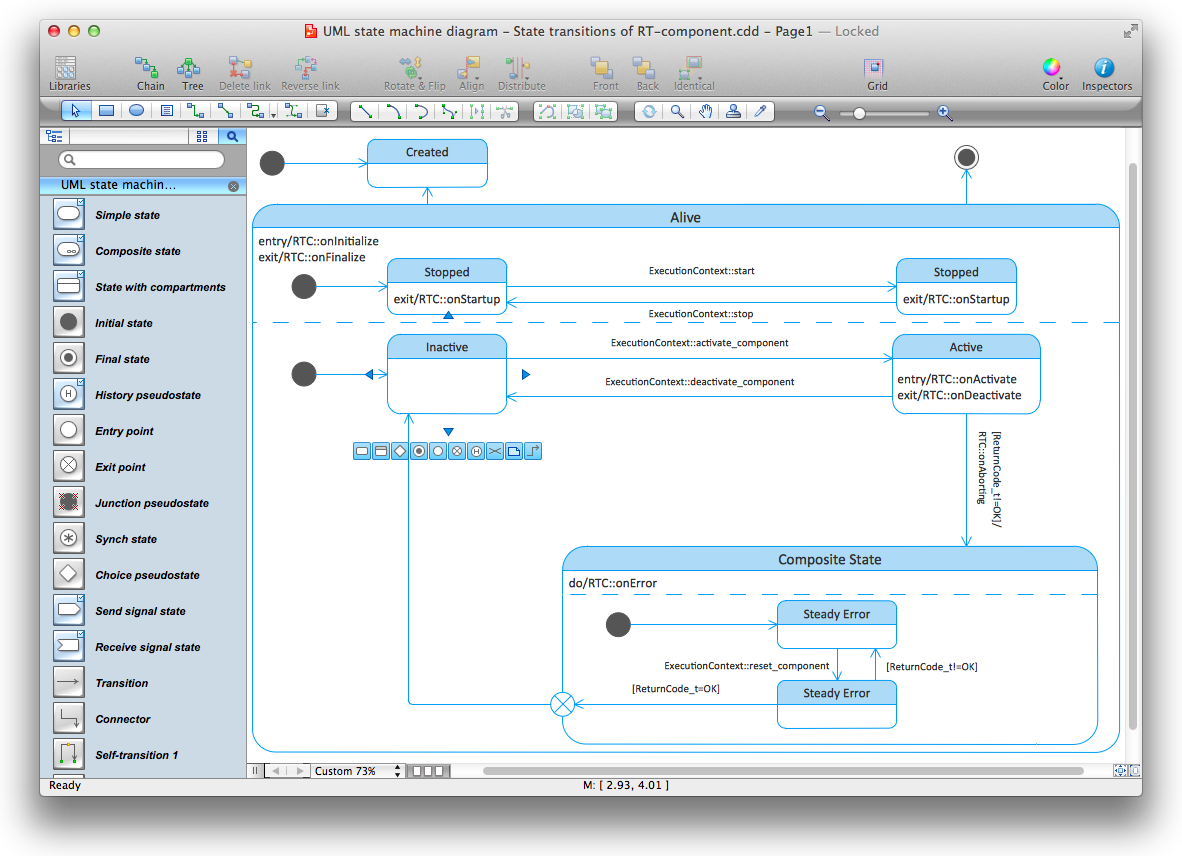
UML Diagram Solution

Pic.3. UML Diagrams solution

Use design element from the UML Class Diagram library to draw your own UML class diagrams of complex systems and software applications.

UML Class Diagram

UML Class Diagram


TEN RELATED HOW TO's:
This sample was created in ConceptDraw DIAGRAM diagramming and vector drawing software using the UML Class Diagram library of the Rapid UML Solution from the Software Development area of ConceptDraw Solution Park. This sample describes the use of the classes, the generalization associations between them, the multiplicity of associations and constraints. Provided UML diagram is one of the examples set that are part of Rapid UML solution.UML Class Diagram Generalization Example<br>UML Diagrams *
Picture: UML Class Diagram Generalization ExampleUML Diagrams
Related Solution:
In software engineering, a UML Class Diagrams is a type of static structure diagram that is used both for general conceptual modeling of the systematics of the application, and for detailed modeling translating the models into programming code. Use ConceptDraw DIAGRAM with UML class diagram templates, samples and stencil library from Rapid UML solution to show the classes of system, their attributes, operations or methods, and the relationships among the classes.UML Class Diagrams. Diagramming Software for Design UML Diagrams *
Picture: UML Class Diagrams. ConceptDraw DIAGRAM - Diagramming Software for Design UML Diagrams
Related Solution:
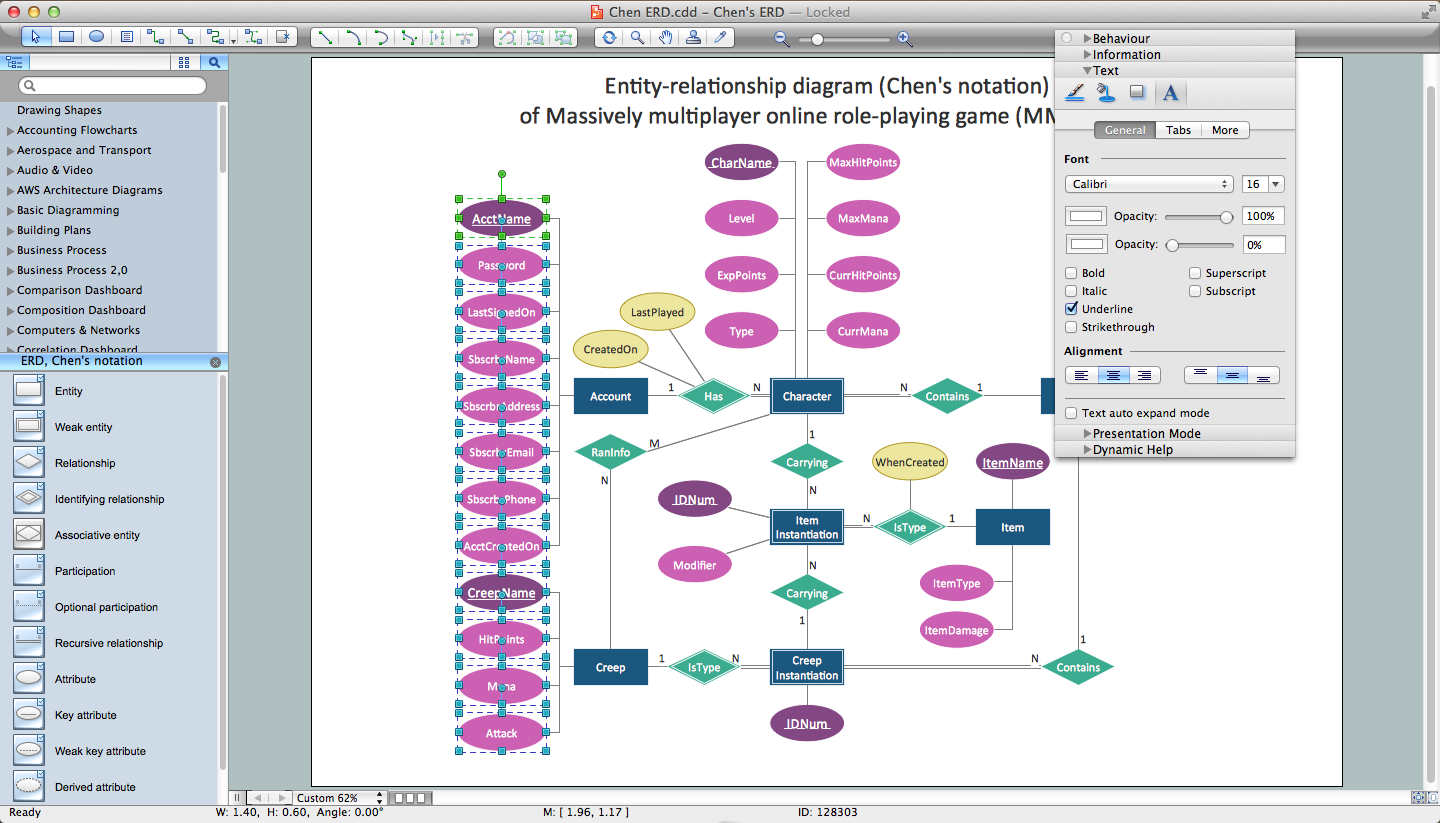
Database design is an important part of any project, as databases become more and more complex nowadays. To make the model more representative, entity relationship diagrams are widely used in software engineering area. These diagrams show sets of entities as rectangles connected via lines labeled with their cardinalities. This an example of the ER-diagram developed to store information regarding some online role-playing game. It includes three main elements of ER diagram: entities, relationships and attributes. The entities, attributes and relationships on this ER-diagram is depicted according to the Chen's notation. Chen's notation for Entity Relationship diagrams admits using of rectangles to depict entities, ovals for attributes and ,at least, diamonds to show relationships. ConceptDraw Entity-Relationship Diagrams solution was applied as ERD software to create this diagram.ConceptDraw DIAGRAM ER Diagram Tool *
Picture: ConceptDraw DIAGRAM ER Diagram Tool
Related Solution:
A database is a data collection, structured into some conceptual model. Two most common approaches of developing data models are UML diagrams and ER-model diagrams. There are several notations of entity-relationship diagram symbols and their meaning is slightly different. Crow’s Foot notation is quite descriptive and easy to understand, meanwhile, the Chen notation is great for conceptual modeling. An entity relationship diagrams look very simple to a flowcharts. The main difference is the symbols provided by specific ERD notations. There are several models applied in entity-relationship diagrams: conceptual, logical and physical. Creating an entity relationship diagram requires using a specific notation. There are five main components of common ERD notations: Entities, Actions, Attributes, Cardinality and Connections. The two of notations most widely used for creating ERD are Chen notation and Crow foot notation. By the way, the Crow foot notation originates from the Chen notation - it is an adapted version of the Chen notation.ERD Symbols and Meanings
Picture: ERD Symbols and Meanings
Related Solution:
Tools to deliver presentations remotely via SkypeHow To Share Presentation via Skype *
Picture: How To Share Presentation via Skype
Related Solution:
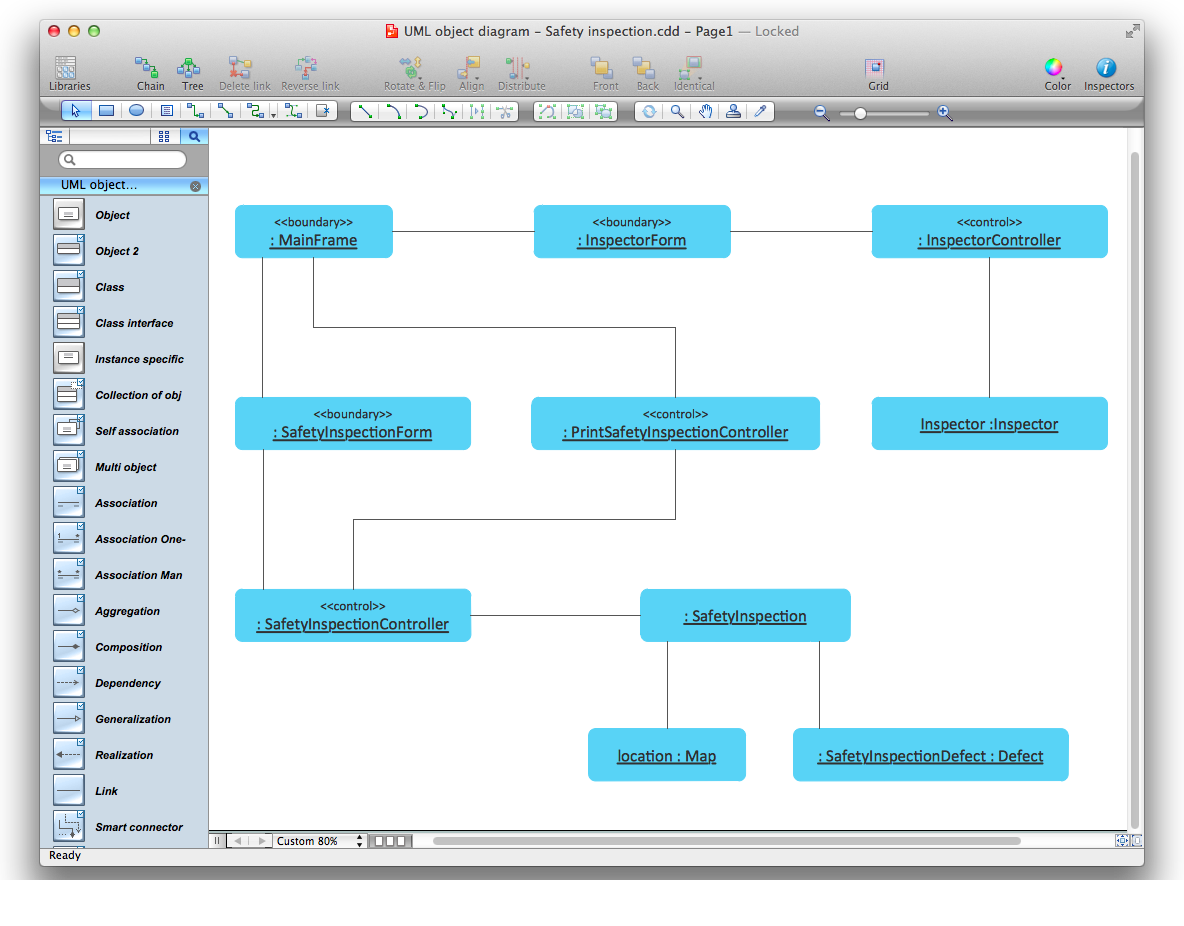
UML Object Diagram shows the structure of a modeled system at a specific time. ConceptDraw has 393 vector stencils in the 13 libraries that helps you to start using software for designing your own UML Diagrams. You can use the appropriate stencils of UML notation from UML Object library.UML Object Diagram. Design Elements *
Picture: UML Object Diagram. Design Elements
Related Solution:
Use Case Diagram Taxi Service UML. This sample was created in ConceptDraw DIAGRAM diagramming and vector drawing software using the UML Use Case Diagram library of the Rapid UML Solution from the Software Development area of ConceptDraw Solution Park. This sample shows the work of the taxi service and is used by taxi stations, by airports, in the tourism field and delivery service.About UML *
Picture: About UML
Related Solution:
When we start to speak about databases, we must always mention database structure visualization. One of the most common ways to do it is to create an entity relationship diagram, and to put appropriate symbols on it. It is important either for database projecting and for its' future maintenance. Entity Relationship Diagram describes data elements and their relationships within a database. There are a set of special symbols that depict each element of an entity relationship diagram. Entities - represents some stable components such as supplier, employee, invoice, client, etc. Relation symbols show how the entities interact. Attributes define characteristics of the relationships. Attributes can be one-to-one or many-to-many. Physical symbols is used in the physical models. They represent items such as fields, tables, types and keys. ERD physical symbols are the building material for the database. Notation lines are used to illustrate the relationships. The most common method is Crow’s Feet notation. You can use ConceptDraw Entity-Relationship Diagram (ERD) solution to represent a database using the Entity-Relationship model.Entity Relationship Diagram Symbols
Picture: Entity Relationship Diagram Symbols
Related Solution:
ConceptDraw DIAGRAM diagramming and vector drawing software extended with Rapid UML Solution from the Software Development Area is a powerful UML Class diagram tool.Class Diagram Tool *
Picture: Class Diagram Tool
Related Solution:
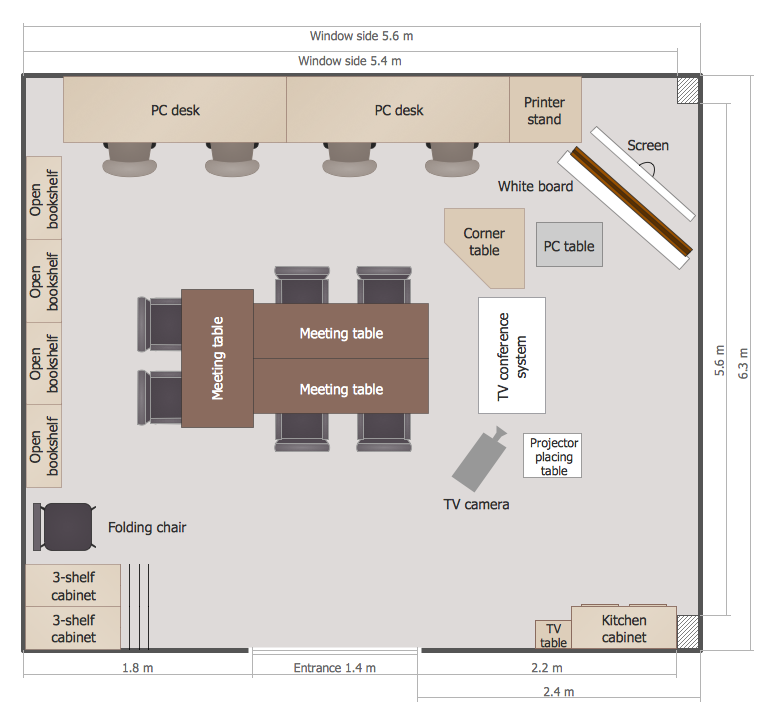
When moving to a new apartment it is always pleasure to develop an interior design project. Nevertheless, another important part that should not be forgotten is the piping plan, because wrong piping system might ruin all the renovation. So, to avoid such problems, a stress analysis is performed. Plumbing and piping plans should be created for any premises. They are used to trace location of pipes, fixtures and valves in the house. This diagram presents a set of certified piping plan symbols for drawing plumbing and piping floor plans, diagrams and other technical drawings. Applying standard symbols when creating a piping plan is very important for creating a valid piping plan included into the building documentation pack. It is essential for any professional to be able to read and properly interpreted any piping plan.Interior Design. Piping Plan — Design Elements *
Picture: Interior Design. Piping Plan — Design Elements
Related Solution:
ConceptDraw
DIAGRAM 18