Made with
ConceptDraw
DIAGRAM 18

UML Tool & UML Diagram Examples

Types of UML Diagrams

UML or Unified Modelling Language can be at any time applied in different spheres of business activity, such as finance, internet technologies, banking, healthcare, aerospace and other business activities. This language is an accepted standard and this standard can be used for modelling any needed system. There are lots of notations you can use for making any needed UML diagrams. These notations can be made for visual representation of any needed subsystems, requirements, physical and logical elements, behavioural and structural patterns, as they are especially relevant to the systems built during using a so-called “object-oriented” style.

The Unified Modelling Language (UML) is a standardized and general-purpose language and it is very popular and quite widely used, especially in the field of software engineering in IT. This Unified Modelling Language includes a set of some graphic notation techniques for creating the visual models of object-oriented software-intensive systems. There are thirteen types of such UML diagrams and you can always create any of them in ConceptDraw DIAGRAM software. These types of UML diagrams are: “package” (or “class”), “collaboration”, “object”, “use case”, “sequence”, “component”, “activity”, “deployment” “state machine”, “timing”, “interaction overview” and “composite structure” UML diagrams. Each of the types of Unified Modelling Language will be described later in this article.

Thus, Unified Modelling Language “Class” diagrams are the static structure diagrams, with the help of which you can describe a structure of some system in a way of showing the system's methods, classes, attributes, operations as well as the relationships among the objects within this system. The so-called Unified Modelling Language “Package” diagram can be used in the Unified Modelling Language for a reason of depicting the dependencies between the packages that can make a particular model. The so-called Unified Modelling Language “Object” diagrams are popular for being used in the Unified Modelling Language (UML). Unified Modelling Language “Object” diagrams show a partial or a complete view of a system’s structure within some specific period of time. The so-called Unified Modelling Language “Use Case” diagrams can be the representations of a user's interaction with some system and with their aid you can depict some particular specifications of a use case. The so-called Unified Modelling Language “Sequence” diagrams are also known as interaction diagrams with the help of which it is simpler for you to show the way some particular processes operate with each other and in which order they do it. The UML “Communication” diagrams model the interactions between different parts in terms of sequenced messages. “Communication” diagrams represent the information from “Use Case”, “Class” and “Sequence” diagrams, describing the dynamic behaviour and the static structure of some system. The UML “Activity” diagrams are the representations of the workflows of the actions as well as the activities with an iteration, choice and concurrency. In the Unified Modelling Language “Activity” diagrams there are models of both organisational and computational processes (for example, workflows) represented and this type of UML diagrams in general represents the overall flow of the control. With UML “Component” diagram you can depict the way some system components are wired with each other and so to form the larger components of software systems or software systems themselves. These diagrams are used for illustrating the structure of arbitrarily complex systems. The UML “Deployment” diagrams can be used for modelling the physical deployment of the artifacts on nodes. The nodes with the artifacts appear in a way of boxes and the artifacts in each node appear in a way of the rectangles in these boxes. These nodes can also have sub-nodes and these sub-nodes can appear in a way of the nested boxes. One single node in the UML “Deployment” diagrams can represent a lot of different physical nodes. The UML “State Machine” diagrams can be used for enhancing the mathematical concept of some finite automaton once it is used in some computer science applications. The UML “Timing” diagrams are quite specific and still interaction diagrams. They are used for concentrating on the timing constraints. The UML “Timing” diagrams can be also used for exploring the behaviour of objects within some particular period of time. With the aid of the UML “Interaction Overview” diagram you can illustrate a control flow with nodes which contain the interaction diagrams. The UML “Interaction Overview” diagrams are identical to the “Activity” diagrams and they both visualize a sequence of some activities, although there is a slight difference between them. The UML “Composite Structure” diagrams are similar to the “Static Structure” diagrams and with their help you can show the internal structure of a class so the collaborations, which this structure makes possible. While creating the UML “Composite Structure” diagrams you can include the internal parts, with the help of which the parts of some system can interact with each other.

You can always create any of mentioned and described above Unified Modelling Language diagrams with the aid of ConceptDraw DIAGRAM software. Besides downloading the ConceptDraw DIAGRAM application, it is also beneficial to have ConceptDraw STORE one as well, as this another product of “CS Odessa” allows ConceptDraw DIAGRAM users to download any solution they need for making your charts, flowcharts, maps and diagrams, schemes and plans, as well as any of the mentioned above UML diagrams at any time you need to create them.

“Rapid UML” solution enables you to make any of the Unified Modelling Language diagrams, using so many different examples and templates from this solution for simplifying ConceptDraw DIAGRAM users' work of creating similar great looking diagrams.
UML Notation


Pic.1. UML Notation

Solution RapidUML from Software Development area of ConceptDraw Solution Park provides templates, examples and 13 vector stencils libraries for drawing all types of UML 1.x and 2.x diagrams using ConceptDraw DIAGRAM diagramming and vector drawing software.

Use these UML diagram templates and examples to quickly start drawing your own UML diagrams.

Package Diagrams

UML Package Diagram illustrates the functionality of a software system.
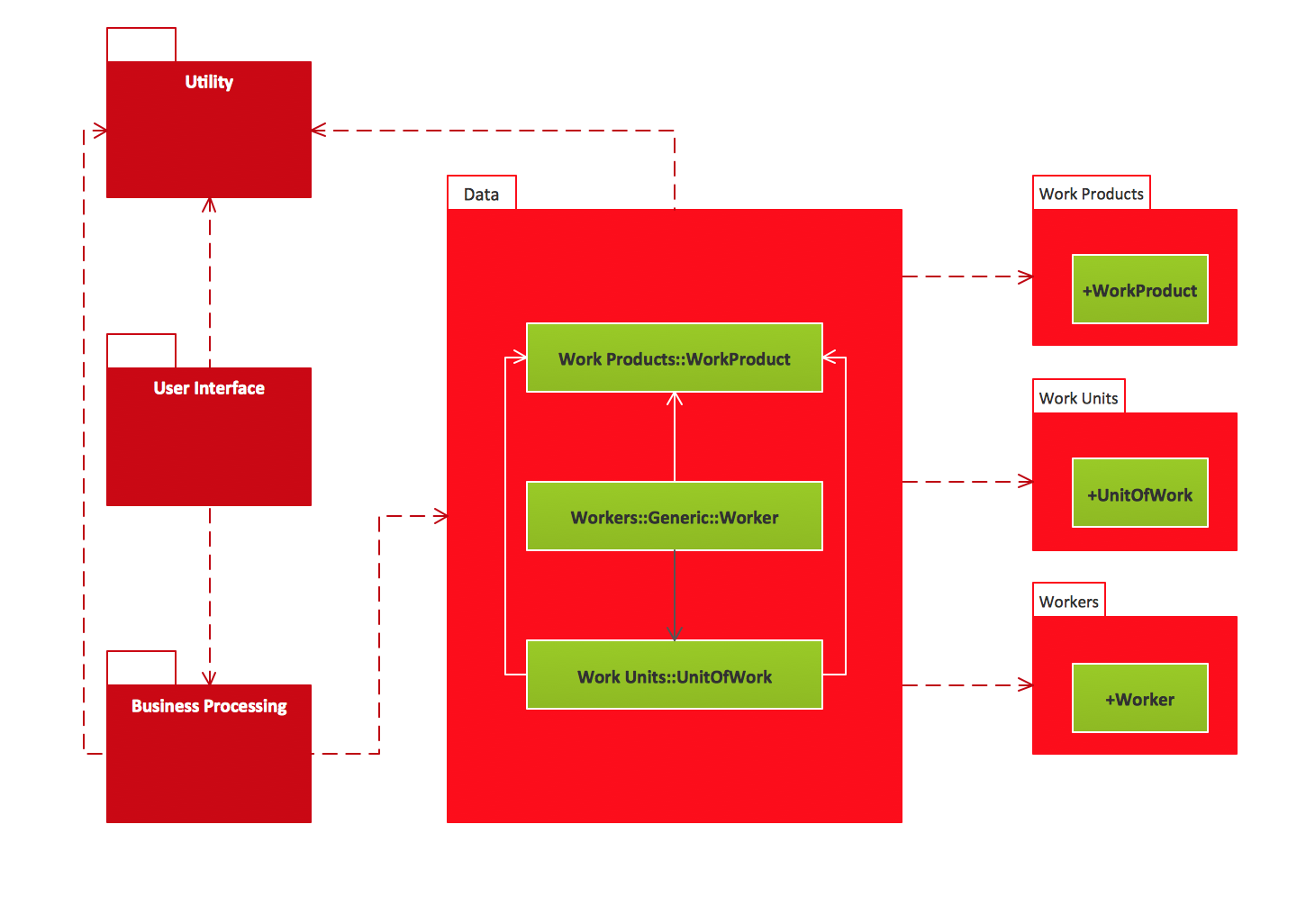
UML Package Diagrams. Business process Business process

Collaboration Diagrams

UML Communication Diagram depicts the interactions between objects or parts in terms of sequenced messages and describes both the static structure and dynamic behavior of a system.

UML Collaboration Diagrams. Ticket processing system Ticket processing system

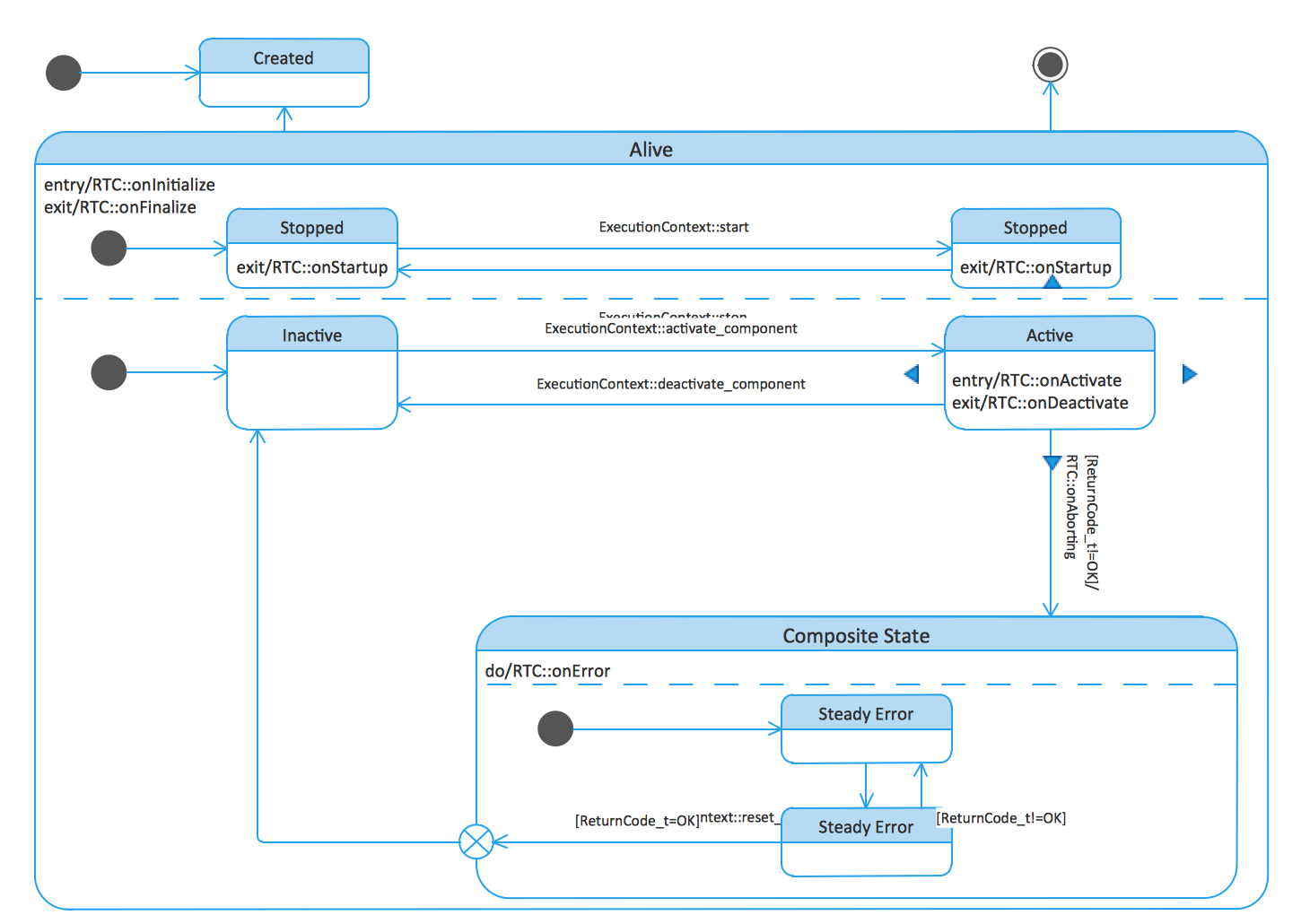
State Machine Diagrams

UML state machine's goal is to overcome the main limitations of traditional finite-state machines while retaining their main benefits.

UML State Machine Diagrams. State transitions of RT component State transitions of RT component

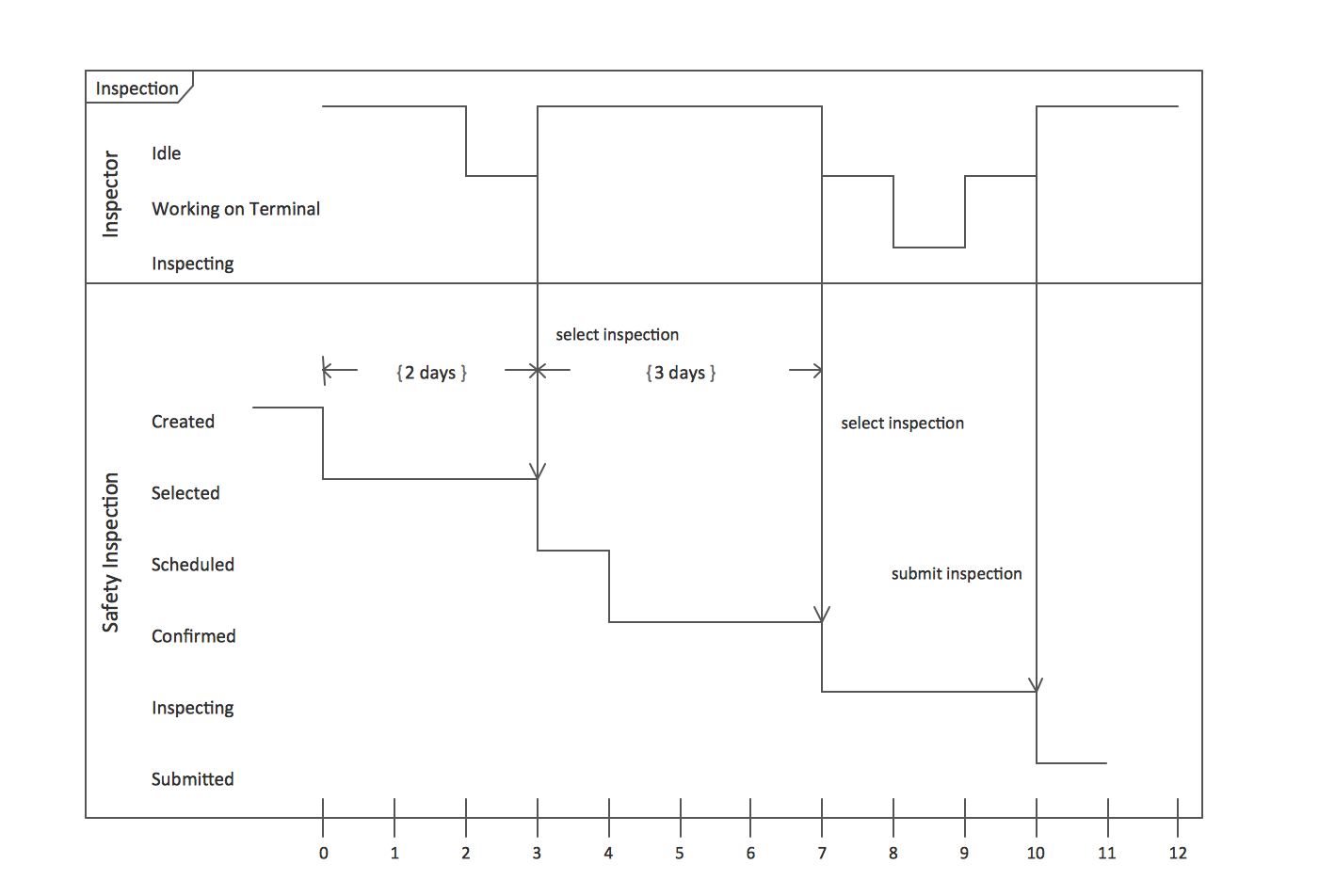
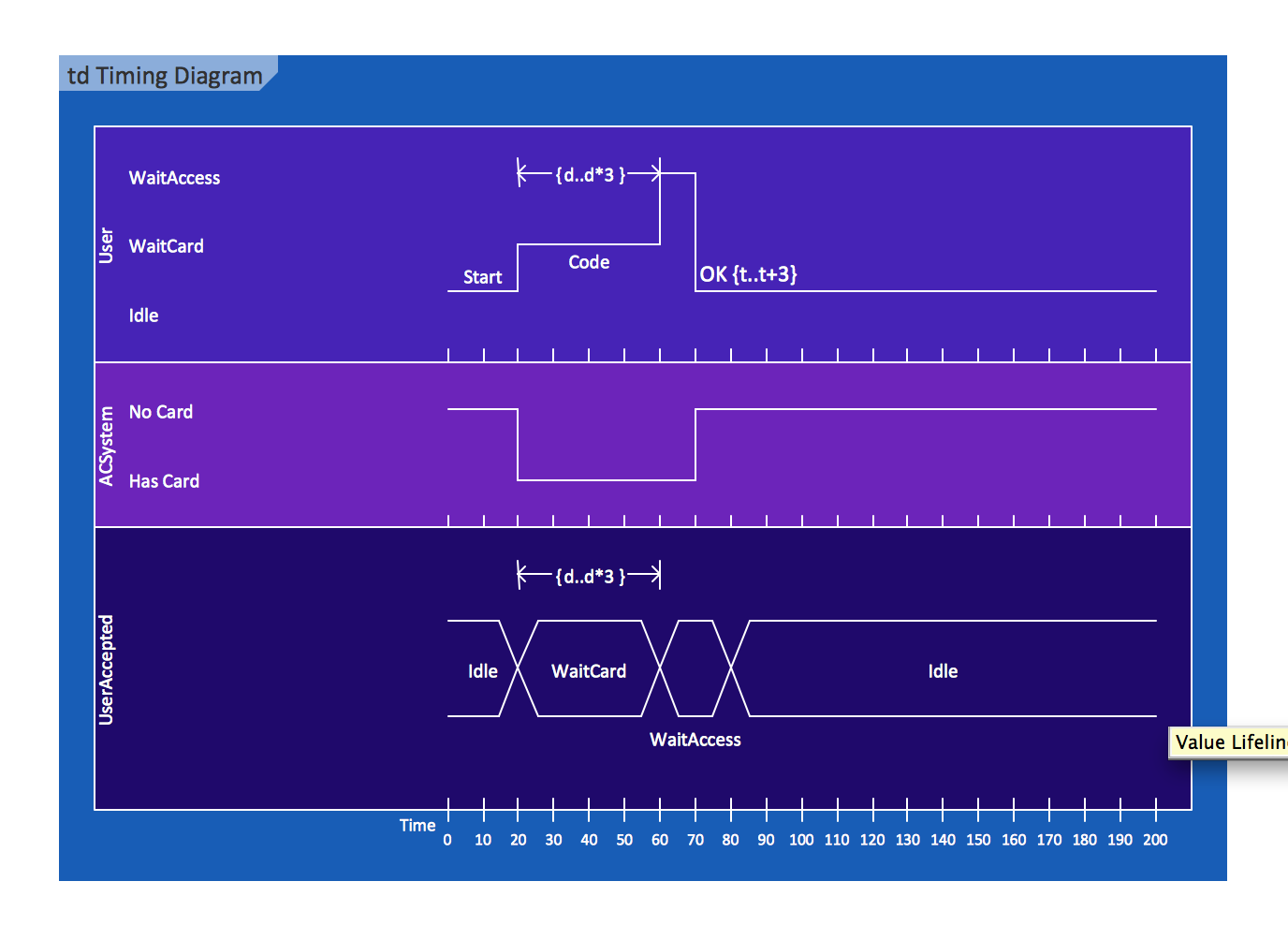
Timing Diagrams

UML Timing Diagram as special form of a sequence diagram are used to explore the behaviors of objects throughout a given period of time.

UML Timing Diagrams. Inspection Inspection UML Timing Diagram UML timing diagram

Class Diagrams

Class Diagrams describes the structure of a system by showing the system's classes, their attributes, and the relationships among the classes

UML Class Diagrams. Metadata information model Metadata information model UML Class Diagram UML class diagram

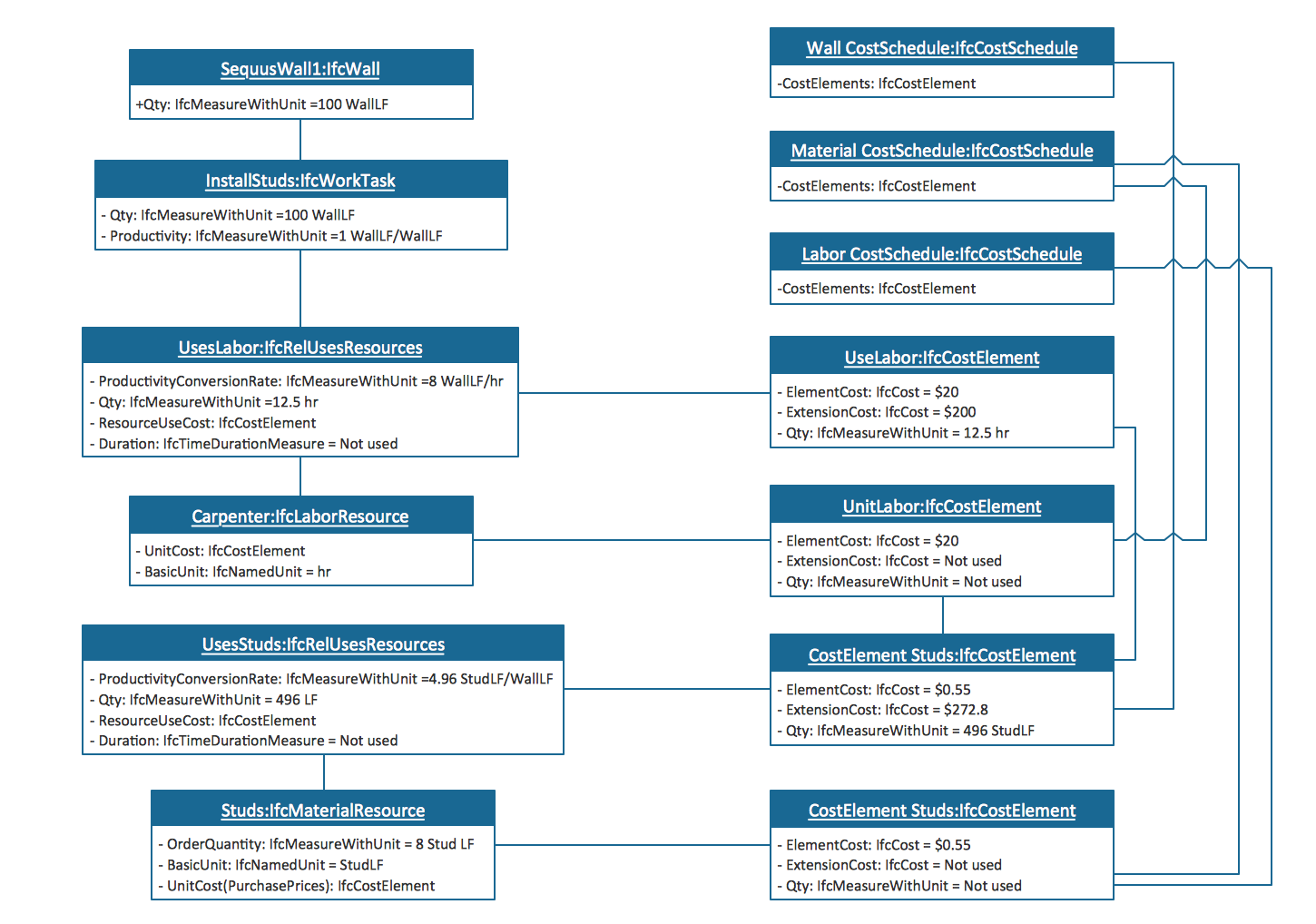
Object Diagrams

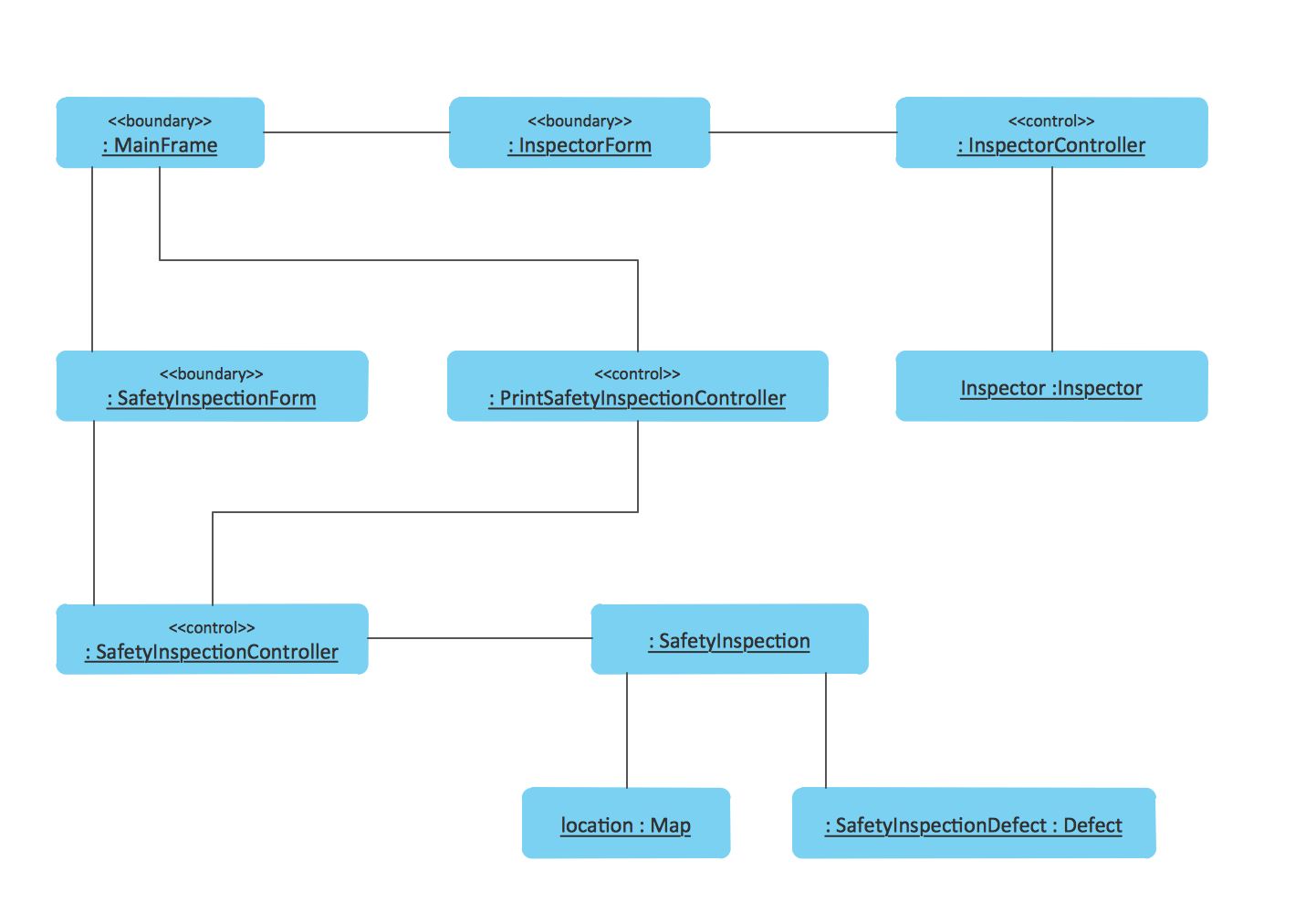
UML Object Diagram shows the structure of a modeled system at a specific time.

UML Object Diagrams. Estimating scenario Estimating scenario UML Object Diagrams. Safety inspection Safety inspection

Composite Structure Diagrams

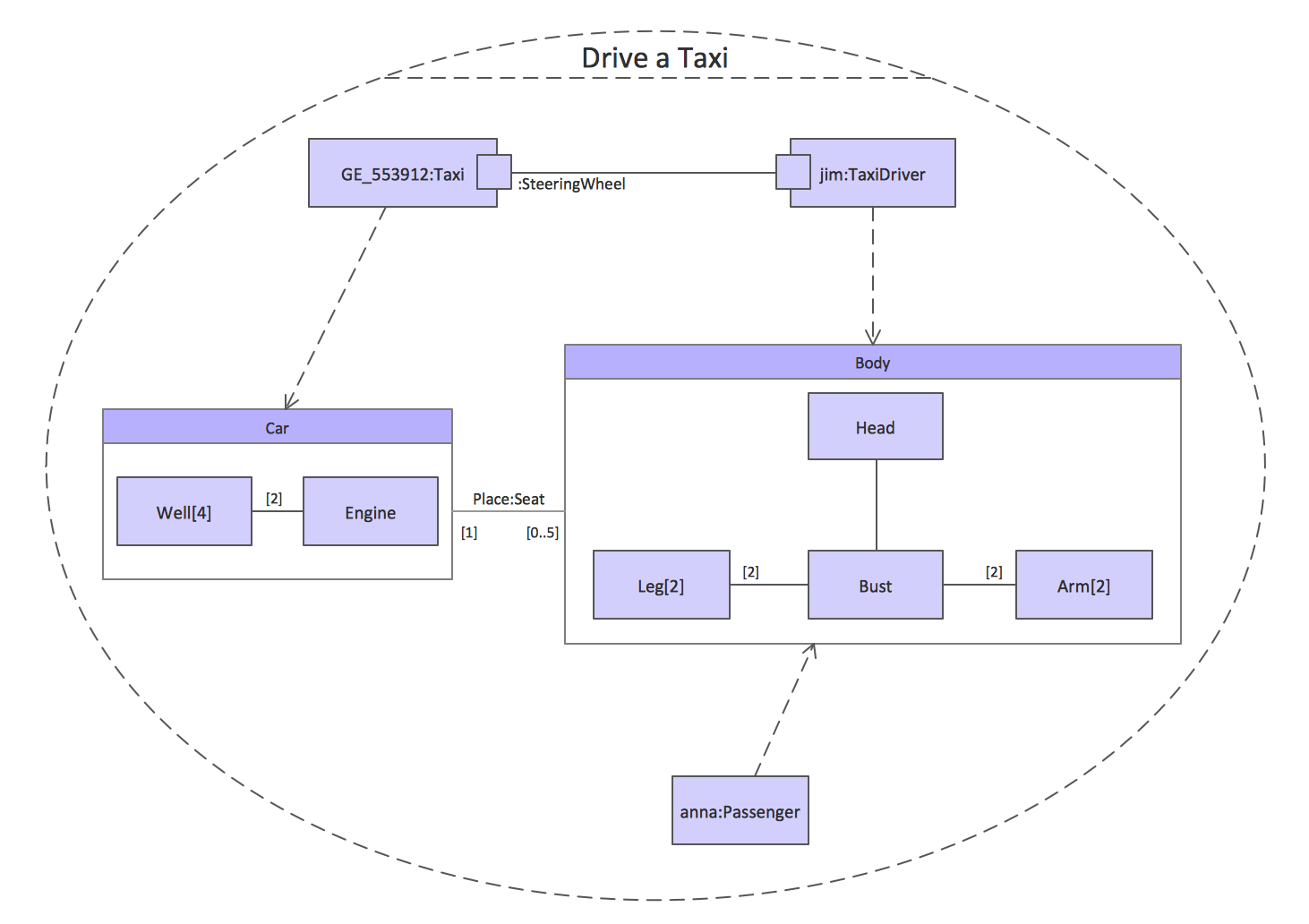
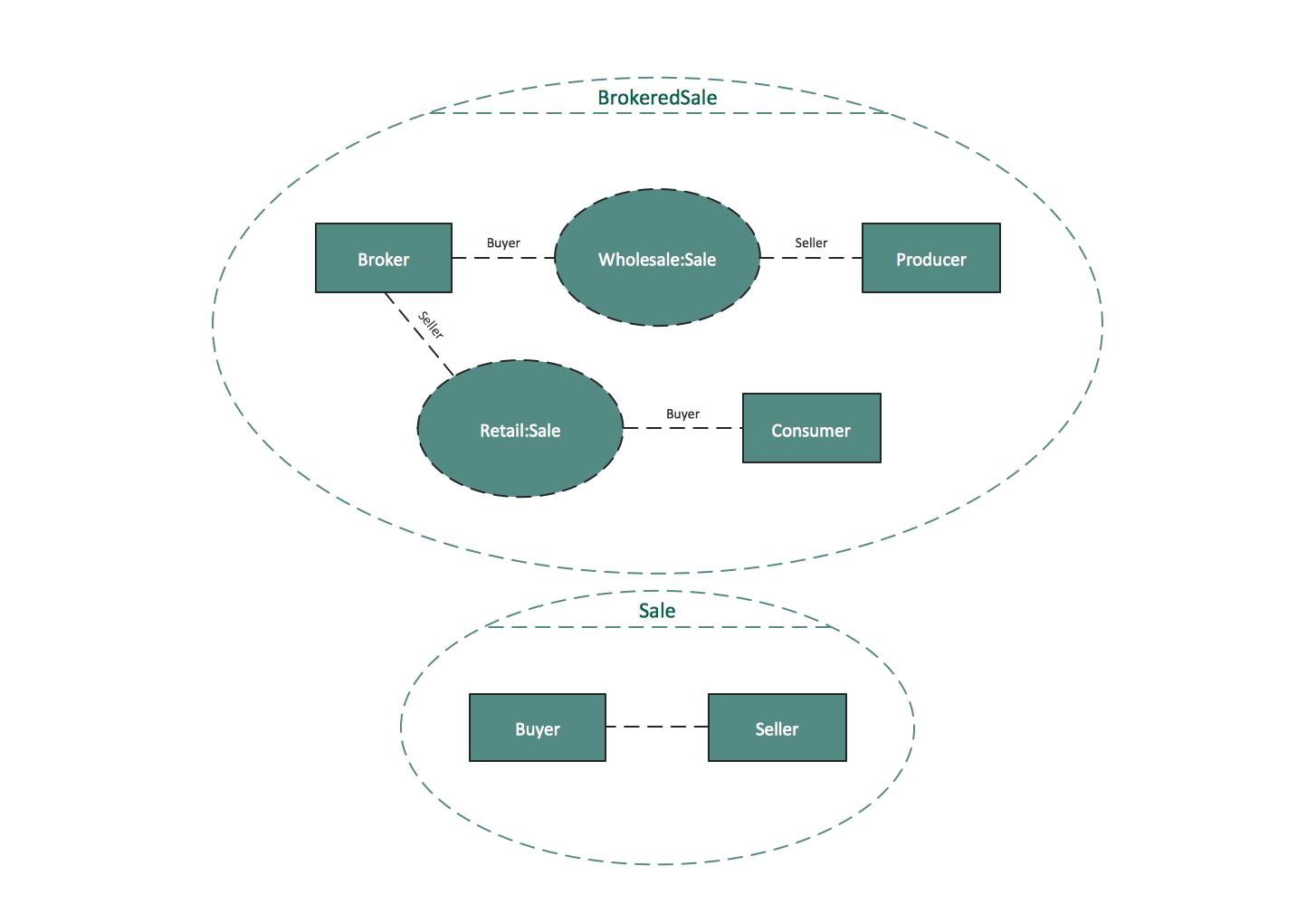
UML Composite Structure Diagram shows the internal structure of a class and the possible interactions at this structure.

UML Composite Structure Diagrams. Drive a taxi Drive a taxi UML Composite Structure Diagrams. Sale process Sale process

Interaction Overview Diagrams

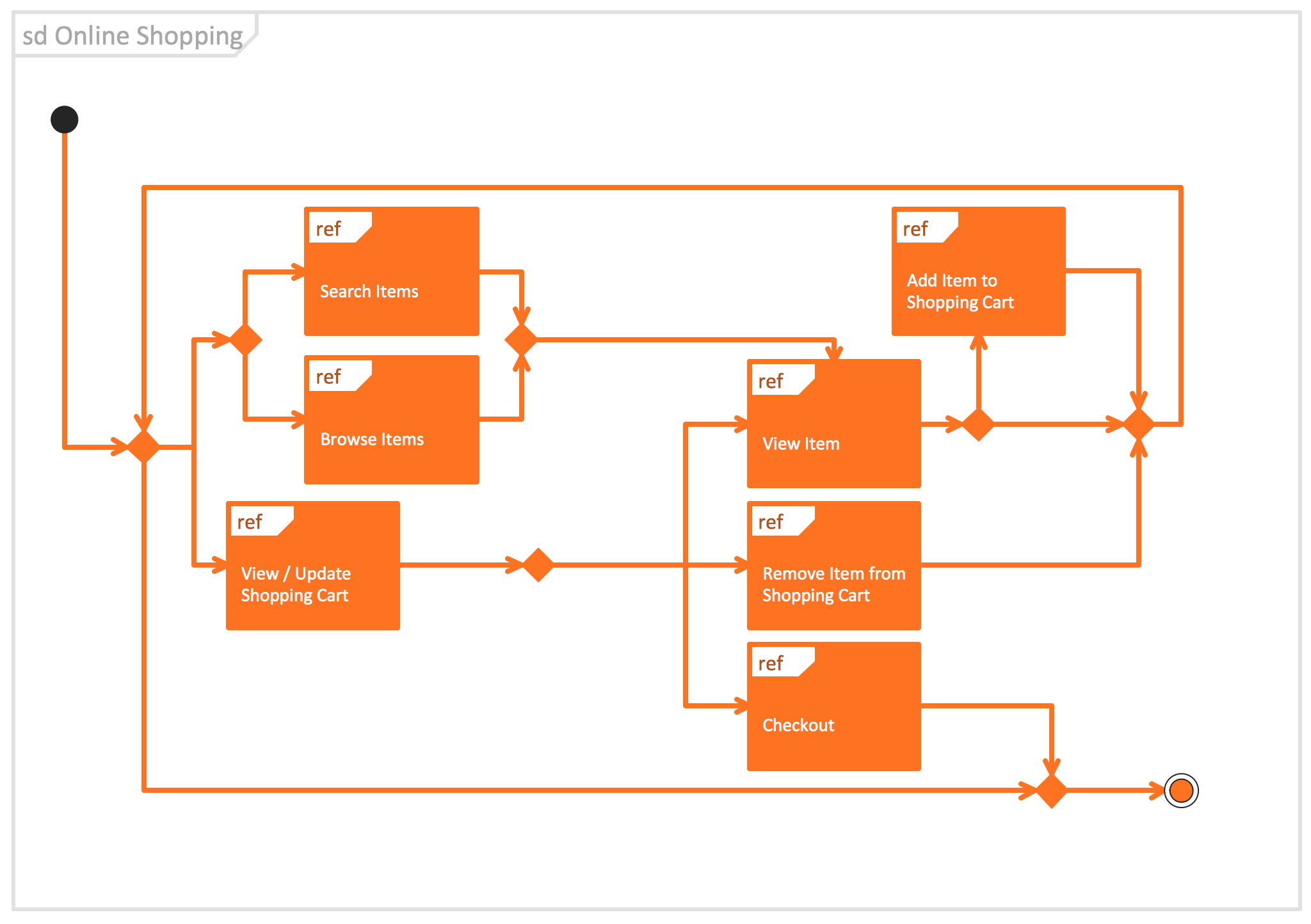
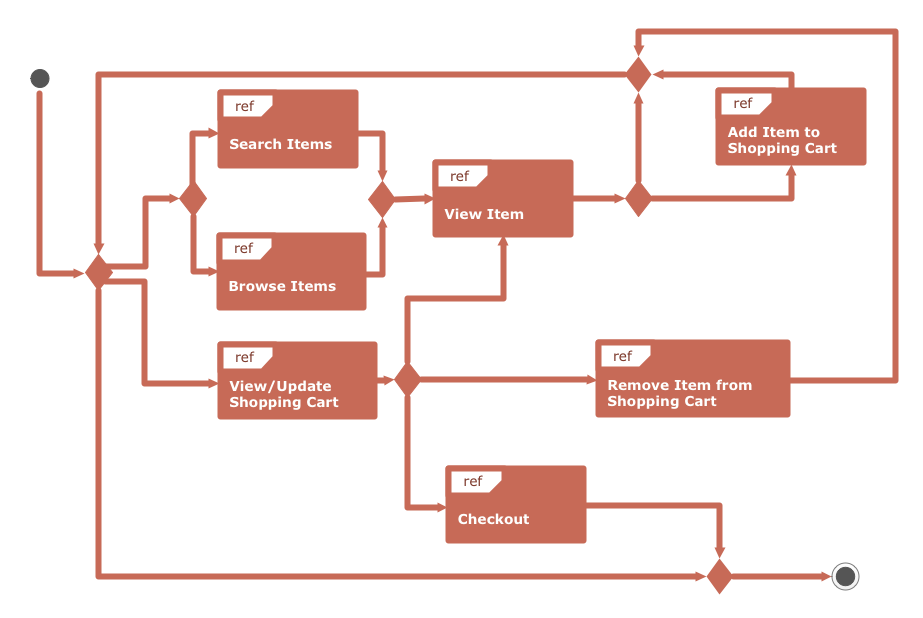
UML Interaction Overview Diagram schematically shows a control flow with nodes and a sequence of activities that can contain interaction or sequence diagrams.

UML Interaction Overview Diagrams. System authentication System authentication UML Interaction Overview Diagram UML interaction overview diagram UML Interaction Overview Diagram. Online ShoppingOnline Shopping

Use Case Diagrams

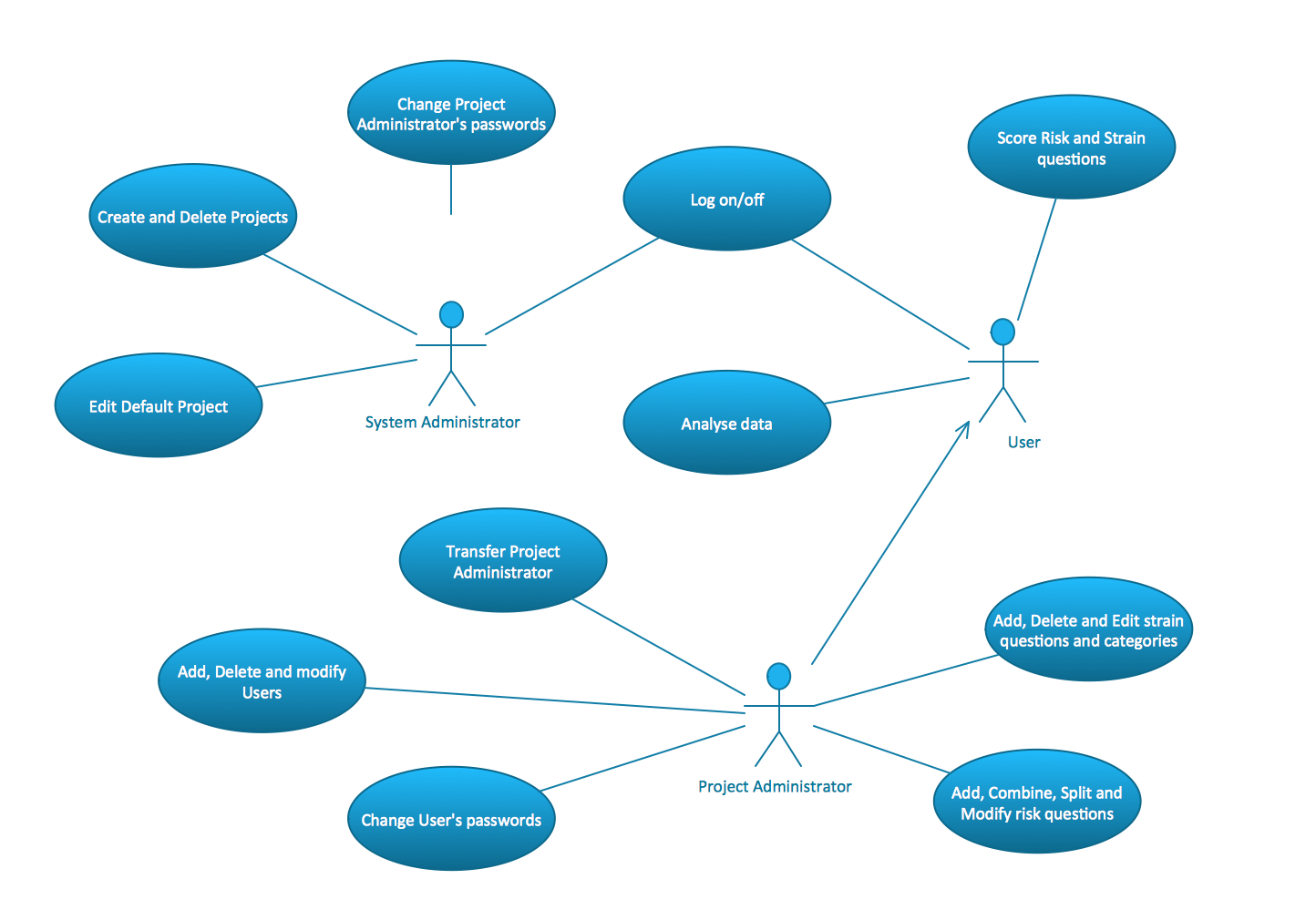
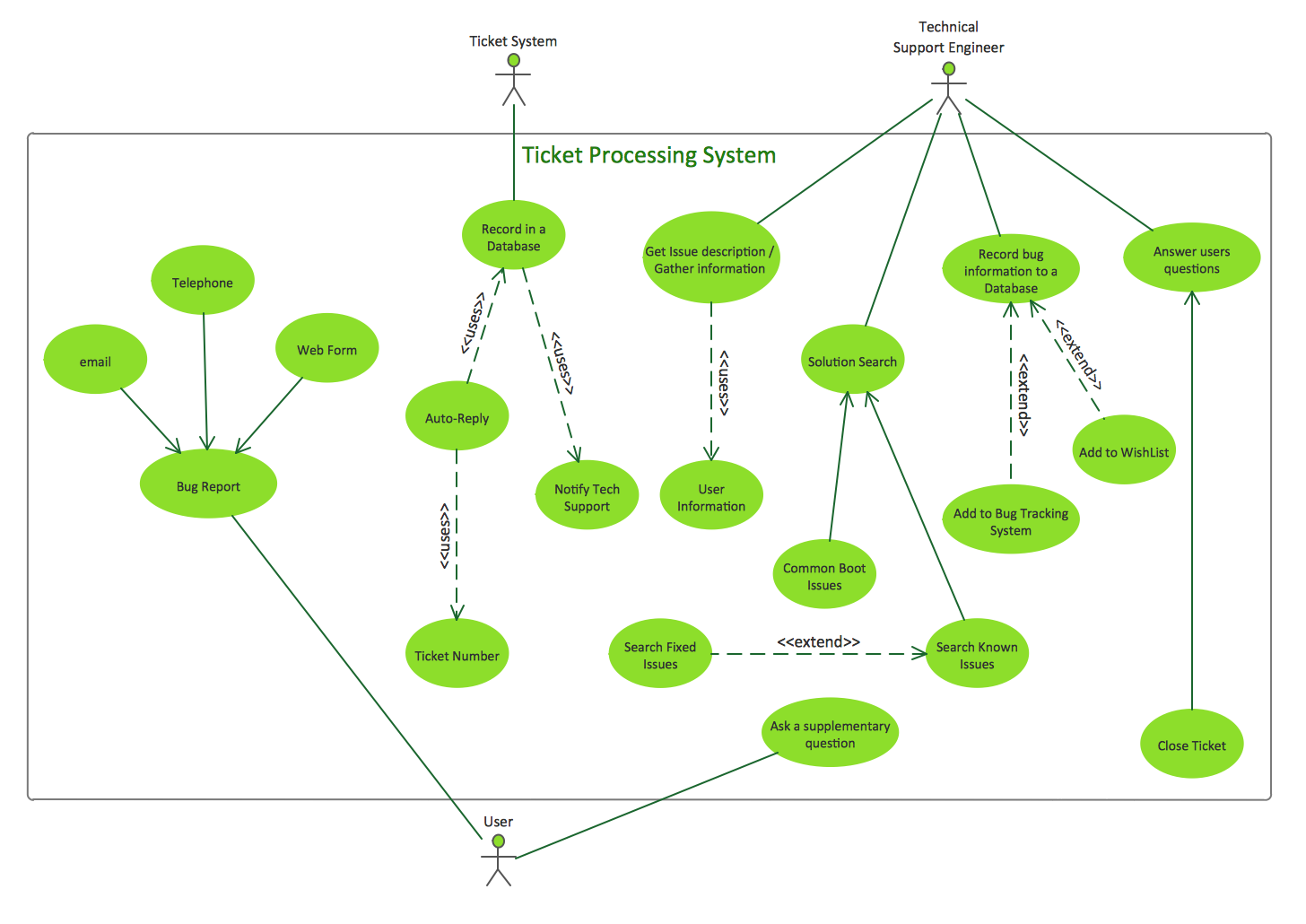
Use Case Diagrams describes the functionality provided by a system in terms of actors, their goals represented as use cases, and any dependencies among those use cases.

UML Use Case Diagrams. Project administrator Project administrator UML Use Case Diagrams. Ticket processing system Ticket processing system UML Use Case Diagrams. Trading system usage scenarios Trading system usage scenarios

Sequence Diagrams

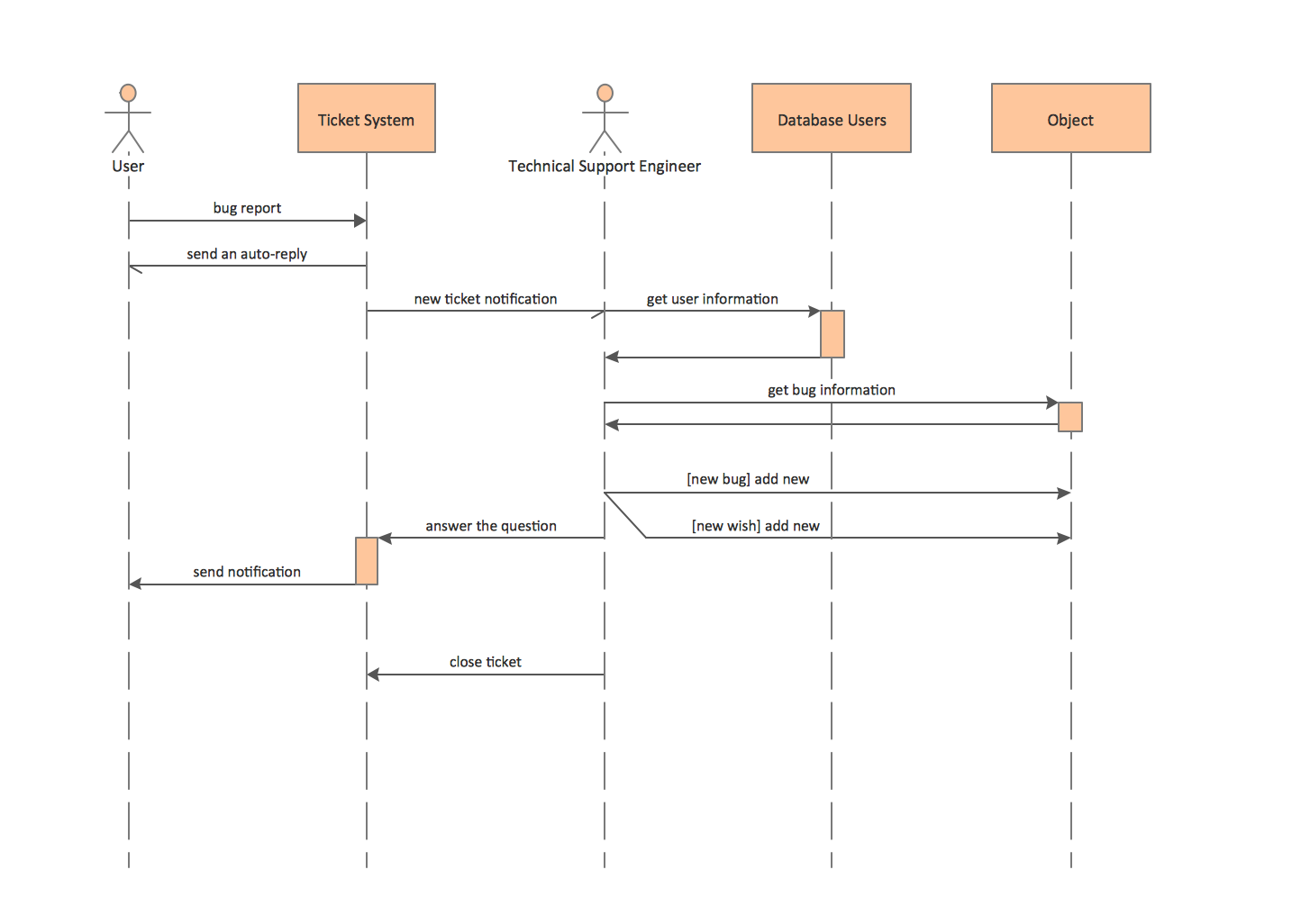
Sequence Diagrams shows how objects communicate with each other in terms of a sequence of messages. Also indicates the lifespans of objects relative to those messages.

UML Sequence Diagrams. Checking process Checking process UML Sequence Diagrams. GET request GET request UML Sequence Diagrams. Ticket processing system Ticket processing system

Activity Diagrams

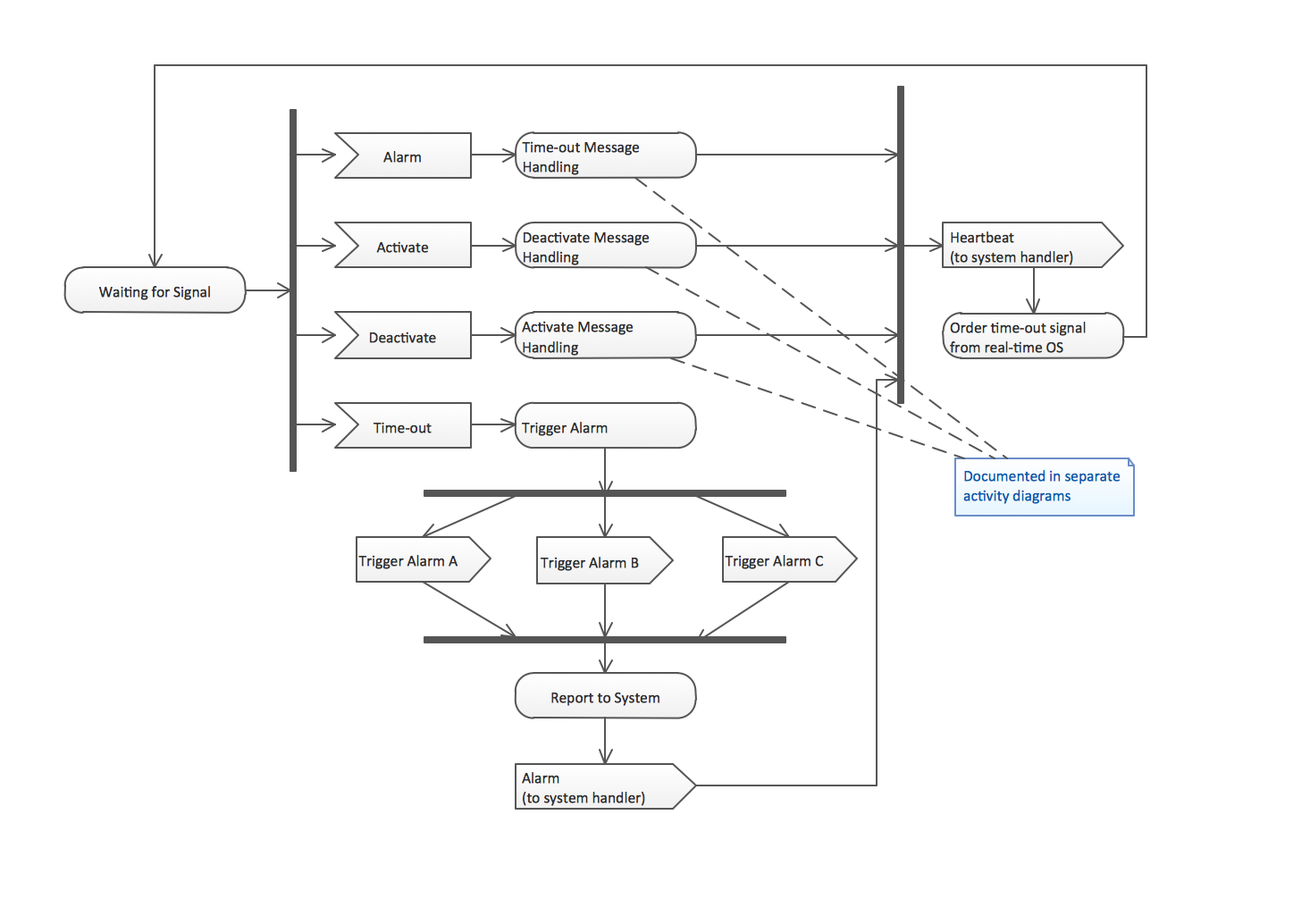
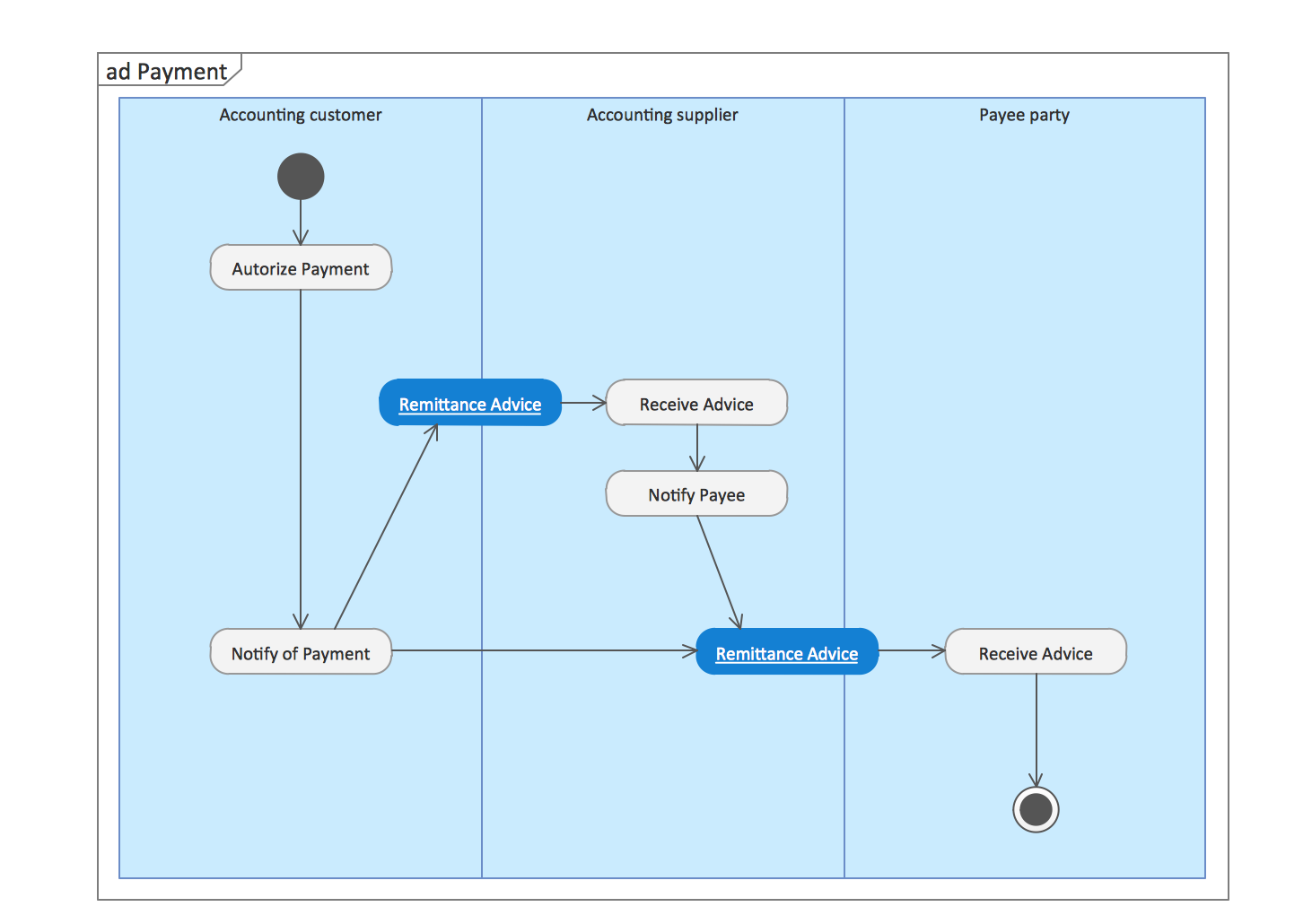
Activity diagram describes the business and operational step-by-step workflows of components in a system. An activity diagram shows the overall flow of control.

UML Activity Diagrams. Alarm trigger processing Alarm trigger processing UML Activity Diagrams. Cash withdrawal from ATM Cash withdrawal from ATM UML Activity Diagrams. Payment process Payment process

Component Diagrams

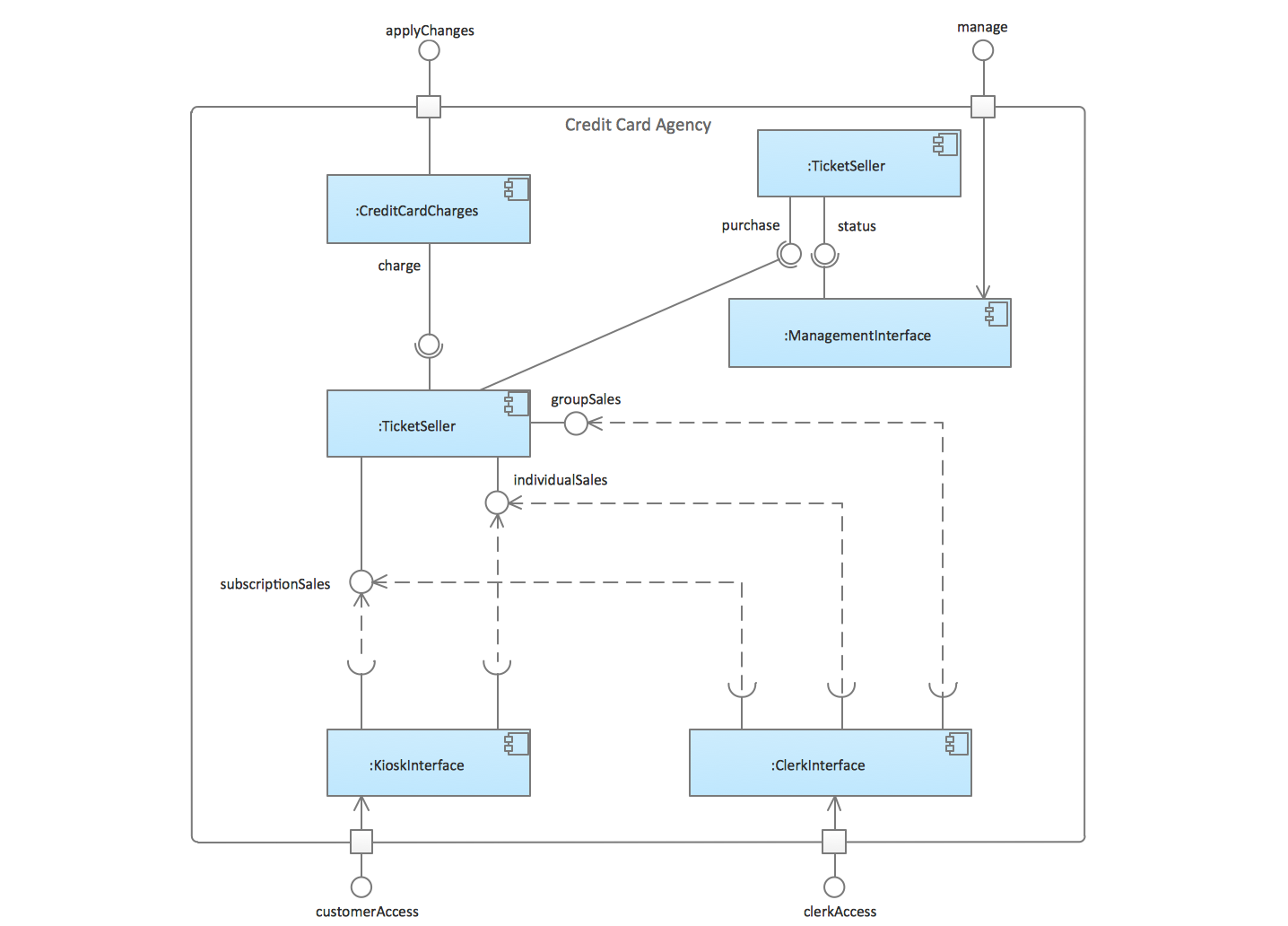
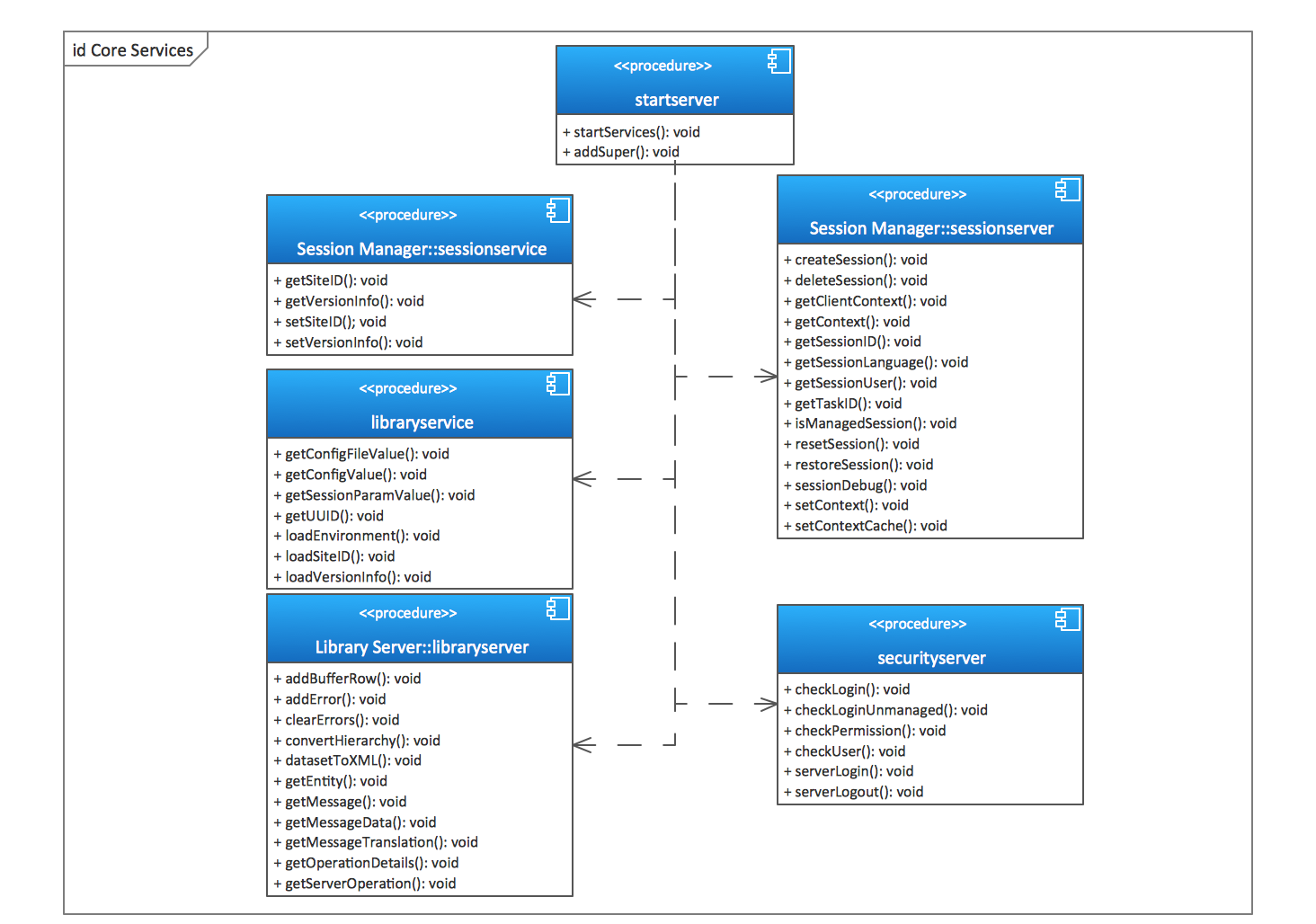
UML Component Diagram illustrate how components are wired together to larger components and software systems that shows the structure of arbitrarily complex systems.

UML Component Diagrams. Credit card agency Credit card agency UML Component Diagrams. Start server Start server UML Component Diagram UML component diagram template

Deployment Diagrams

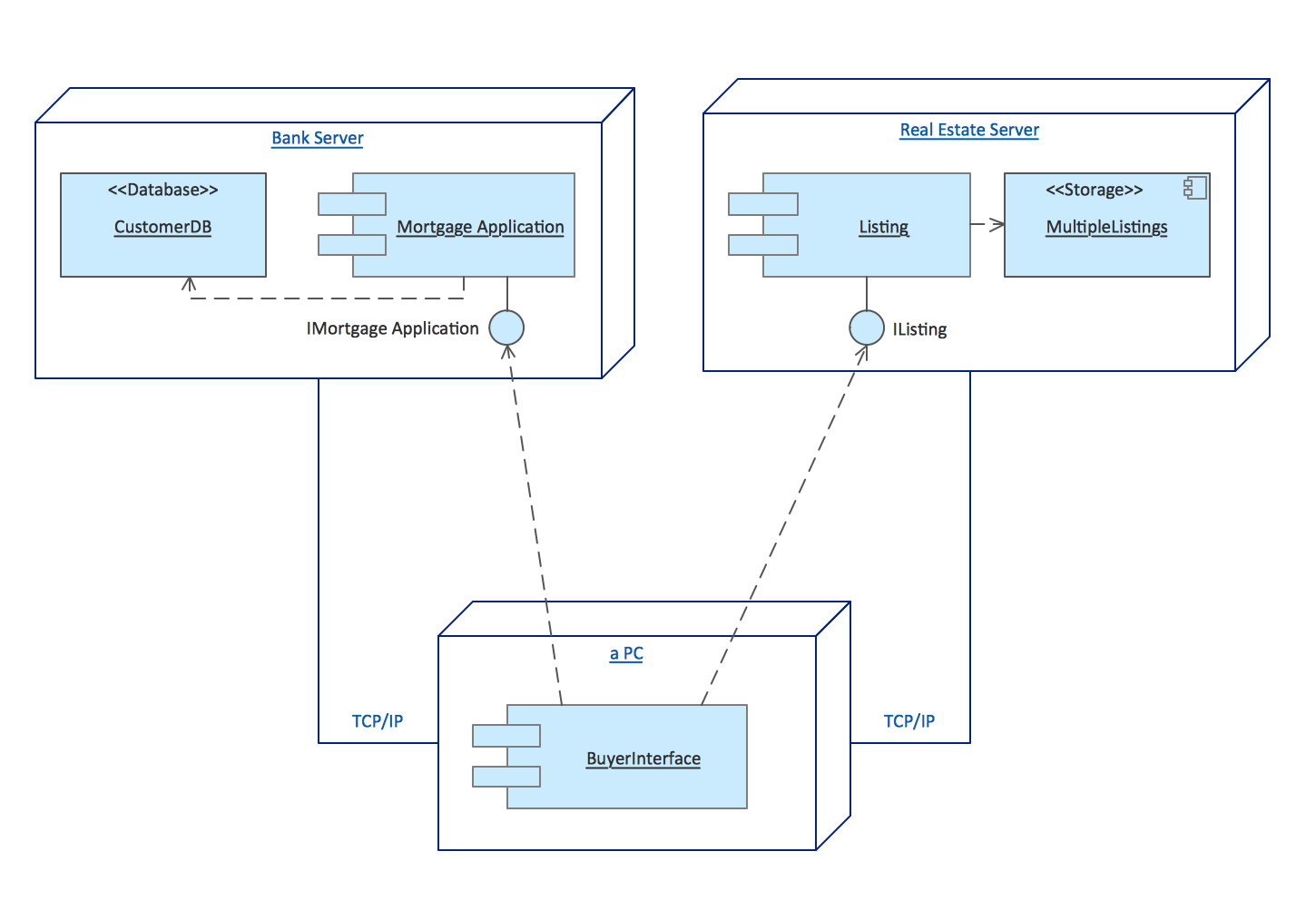
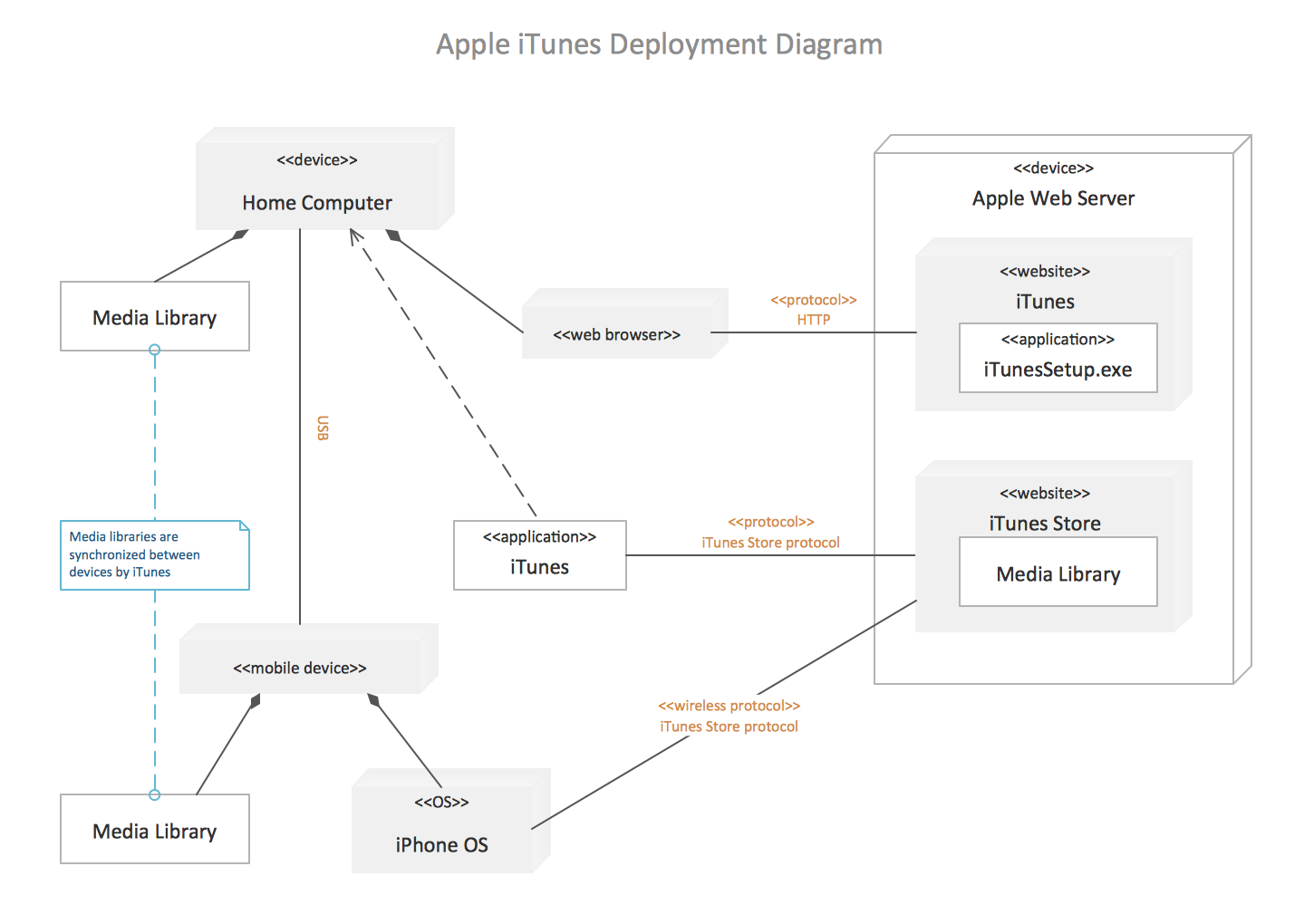
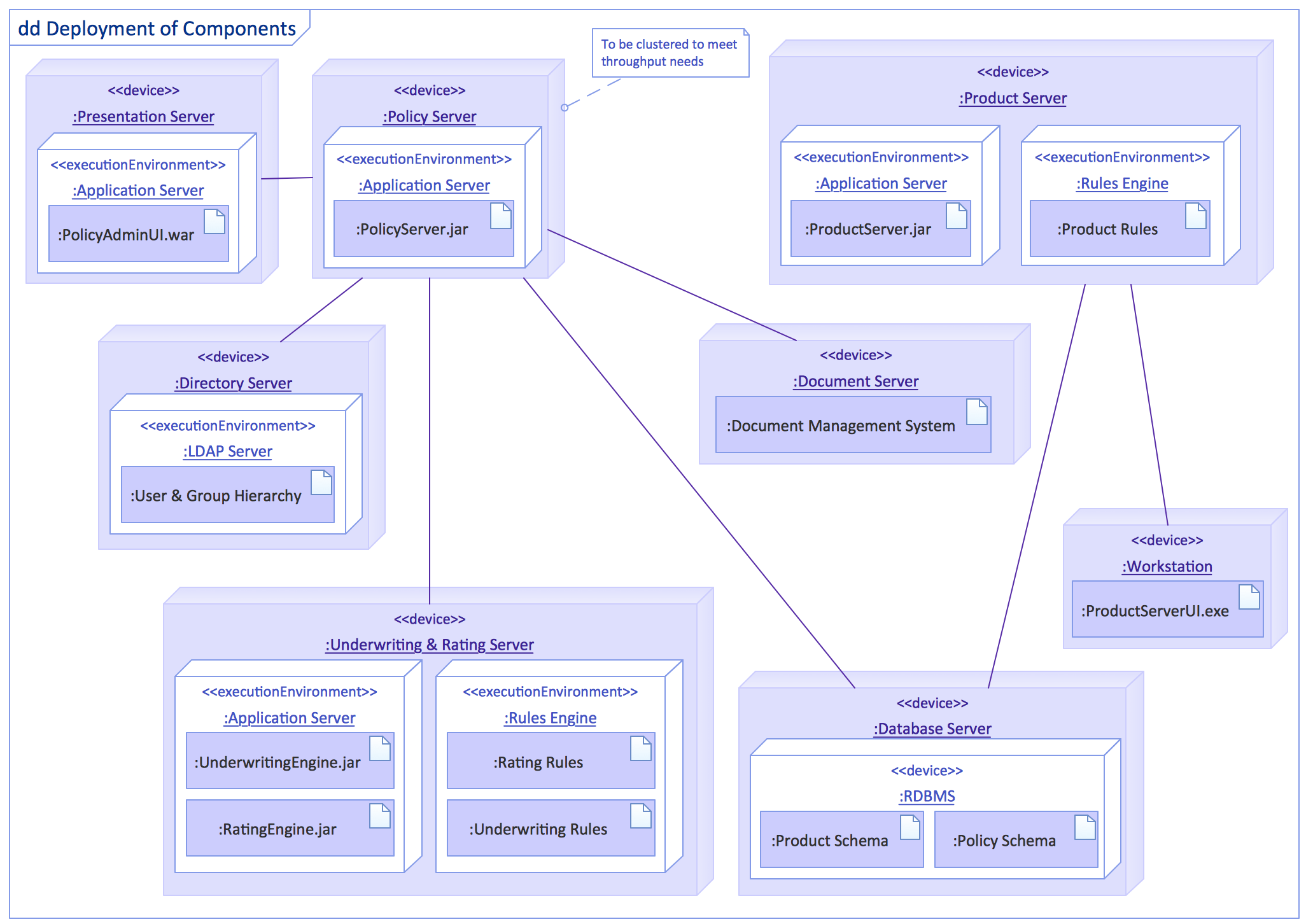
Deployment diagram describes the hardware used in system implementations and the execution environments and artifacts deployed on the hardware.

UML Deployment Diagrams. Real estate transactions Real estate transactions UML Deployment Diagram example UML deployment diagram example UML Deployment Diagram UML deployment diagram

Free Download UML Software and View All Examples

UML Tool & UML Diagram Examples *

Pic 2. UML use case diagram template. Ticket processing system


The following features make ConceptDraw DIAGRAM the best UML Diagram Software:

  1. You don't need to be an artist to draw professional looking diagrams in a few minutes.
  2. Large quantity of ready-to-use vector objects makes your drawing UML diagrams quick and easy.
  3. Great number of predesigned templates and samples give you the good start for your own diagrams.
  4. ConceptDraw DIAGRAM provides you the possibility to use the grid, rules and guides. You can easily rotate, group, align, arrange the objects, use different fonts and colors to make your diagram exceptionally looking.
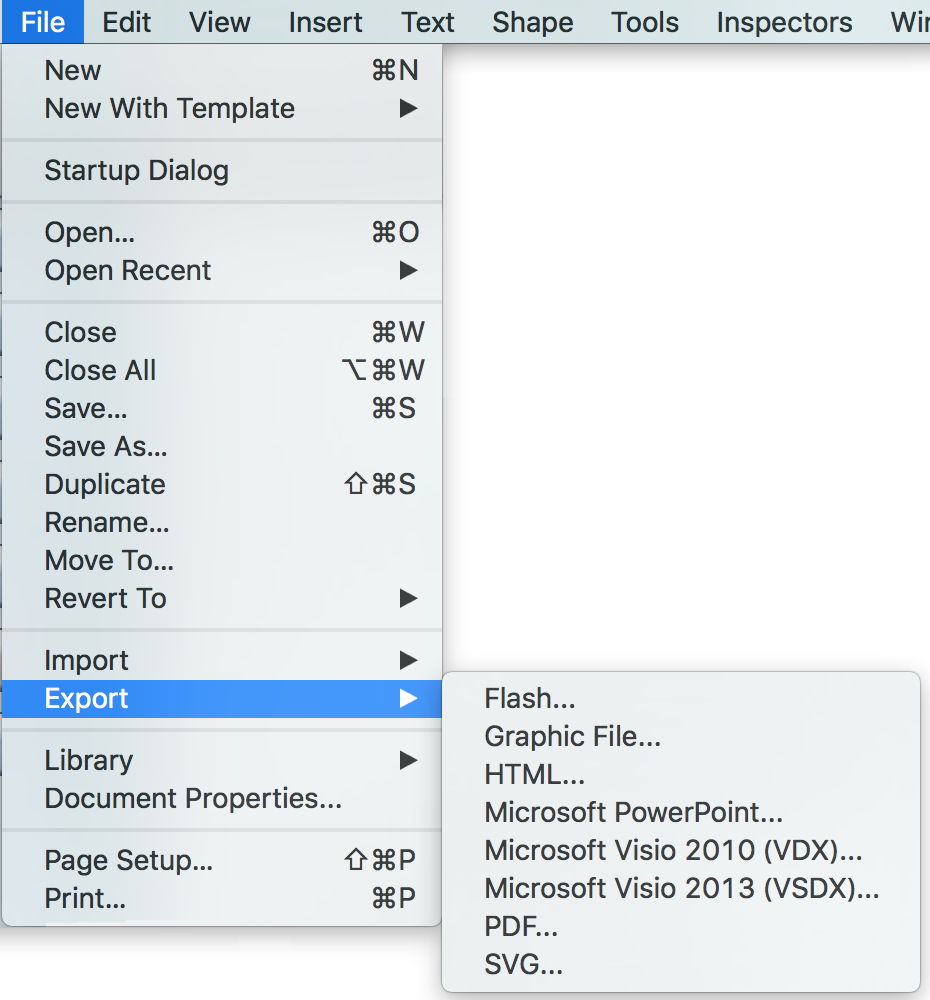
  5. All ConceptDraw DIAGRAM documents are vector graphic files and are available for reviewing, modifying, and converting to a variety of formats: image, HTML, PDF file, MS PowerPoint Presentation, Adobe Flash, MS Visio.

    uml class diagram - export

  6. Using ConceptDraw STORE you can navigate through ConceptDraw Solution Park, managing downloads and updates. You can access libraries, templates and samples directly from the ConceptDraw STORE.

    uml class diagram solution

  7. If you have any questions, our free of charge support is always ready to come to your aid.


TEN RELATED HOW TO's:
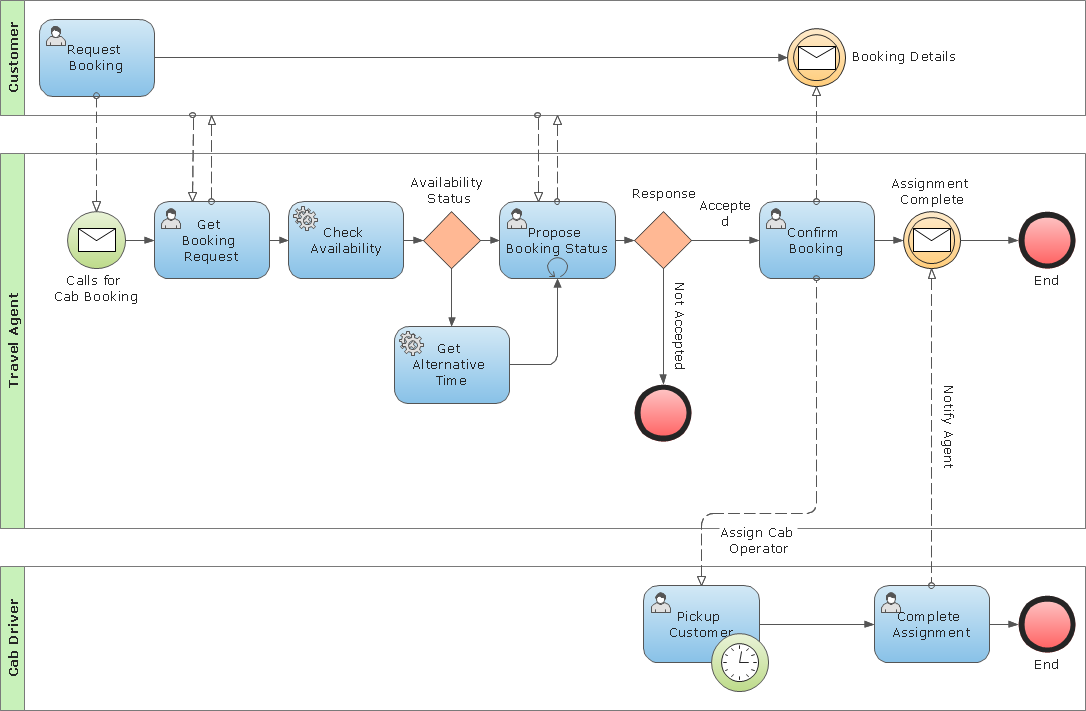
Create business process diagrams (BPMN 2.0.) with ConceptDraw using professional looking templates. ConceptDraw is business process improvement tools.Business Process Modeling Notation Template *
Picture: Business Process Modeling Notation Template
ConceptDraw DIAGRAM diagramming and vector drawing software extended with Marketing Diagrams Solution from the Marketing Area of ConceptDraw Solution Park is the best software for quick and easy creating Marketing Flow Chart of any complexity and design.Marketing Flow Chart *
Picture: Marketing Flow Chart
Related Solution:
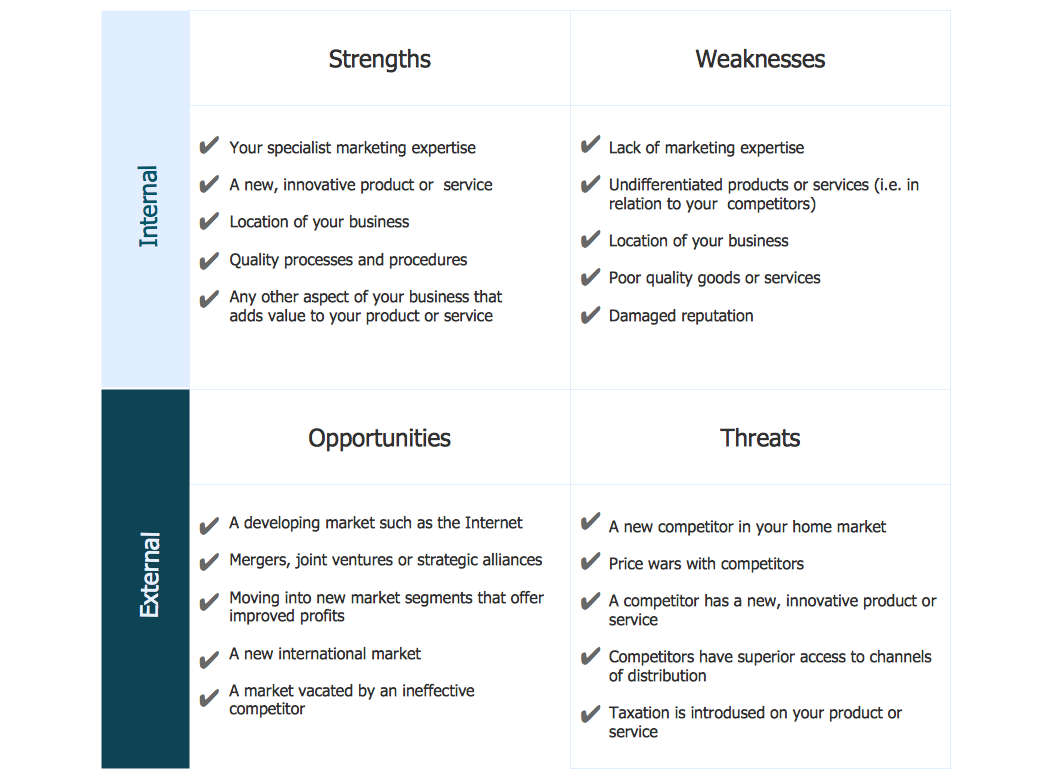
Analysis is very important part for every business, as it helps to understand the weakness and to see the opportunities, and SWOT is one of the most effective tools. To illustrate the multifunctionality of this tool, let’s imagine a SWOT sample in area of computers networking, which can be carried out to realize the pros and cons of some equipment, for example. Even a network topology or a administer can be a subject for this analysis. This SWOT analysis matrix illustrate the sample of using this useful technique for comprehension of Strengths and Weaknesses, and for determining the Opportunities open to business and the Threats it encounters. Used in a business scope, it will help to create a perspective niche in the market for particular business. The ConceptDraw SWOT and TOWS Analysis solution gives a lot of templates of both SWOT and TOWS matrices that allow managers and marketers create custom diagrams to perform SWOT or TOWS analysis in context of a particular business.SWOT Sample in Computers *
Picture: SWOT Sample in Computers
An abstract representation is usually the first thing you will need while developing a database. To understand the ways that databases are structured, you should look through entity-relationship diagram examples and see the notations features and attributes. With an entity-relationship model you can describe a database of any complexity. This Entity-relationship diagram is a tool for software developers. It enables every element of database to be managed, communicated and tested before release. This ERD was created using symbols advocated by Chen's notation. Because of a linguistic origin of the Chen’s notation, the boxes representing entities could be interpreted as nouns, and the relationships between them are in verb form, shown on a diagram as a diamond.Entity Relationship Diagram Examples
Picture: Entity Relationship Diagram Examples
Related Solution:
This sample shows the UML Class Diagram that was created in ConceptDraw DIAGRAM on the Mac and then was opened for editing in MS Visio. Using the 13 libraries of the Rapid UML Solution for ConceptDraw DIAGRAM you can create your own visual vector UML diagrams quick and easy.UML Diagram Visio *
Picture: UML Diagram Visio
Related Solution:
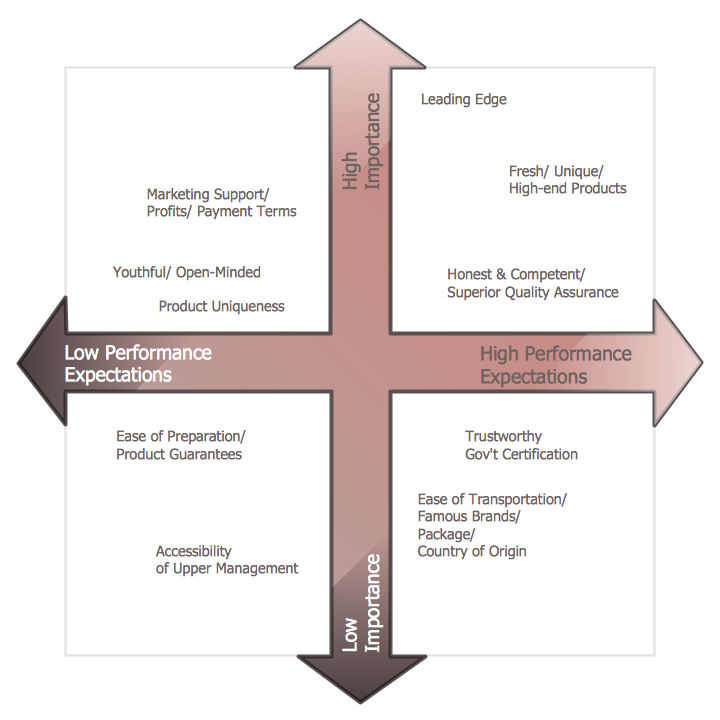
ConceptDraw DIAGRAM is a powerful diagramming and vector drawing software. Extended with Matrices Solution from the Marketing Area of ConceptDraw Solution Park it became the best software for quick and easy designing various types of Matrix Diagrams, including Positioning Map.Positioning Map *
Picture: Positioning Map
Related Solution:
The Rapid UML Solution from the Software Development area of ConceptDraw Solution Park helps you to create the UML Class Diagrams quick and easy using ConceptDraw DIAGRAM diagramming and vector drawing software.UML Class Diagram Tutorial *
Picture: UML Class Diagram Tutorial
Related Solution:
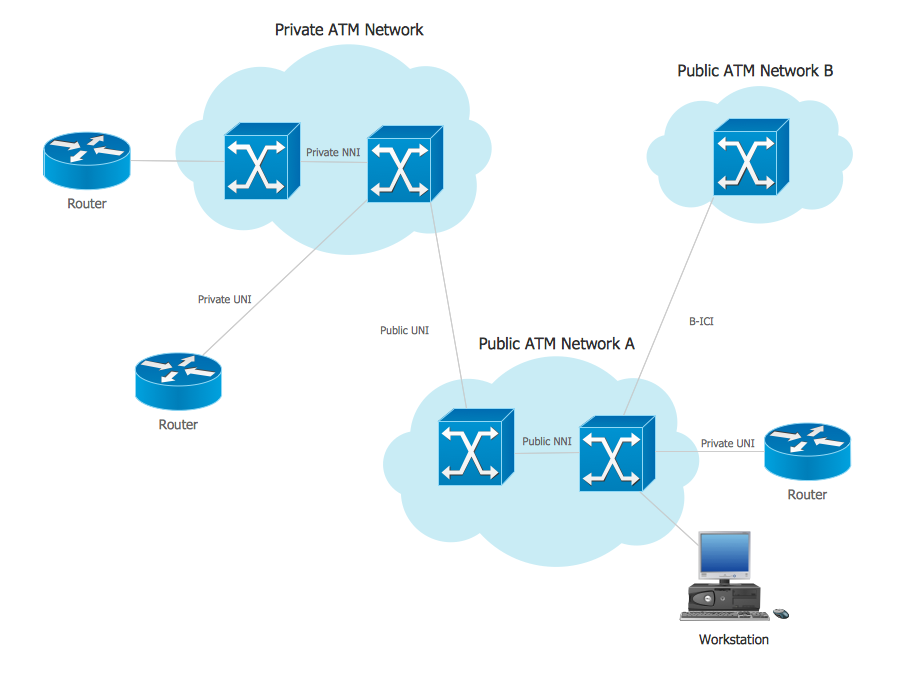
Asynchronous Transfer Mode (ATM) is a high-speed networking standard intended for supporting the voice and data communications. ConceptDraw DIAGRAM is a powerful network diagramming and vector drawing software that provides the Computer and Networks solution with wide set of ready-to-use predesigned vector stencils and examples to help you design the ATM Networks quick and easy.ATM Network. Computer and Network Examples *
Picture: ATM Network. Computer and Network Examples
Related Solution:
Use the libraries from the Block Diagrams solution to draw block diagrams for your business documents, presentations and websites in a few minutes.Block Diagram
Picture: Block Diagram
Related Solution:
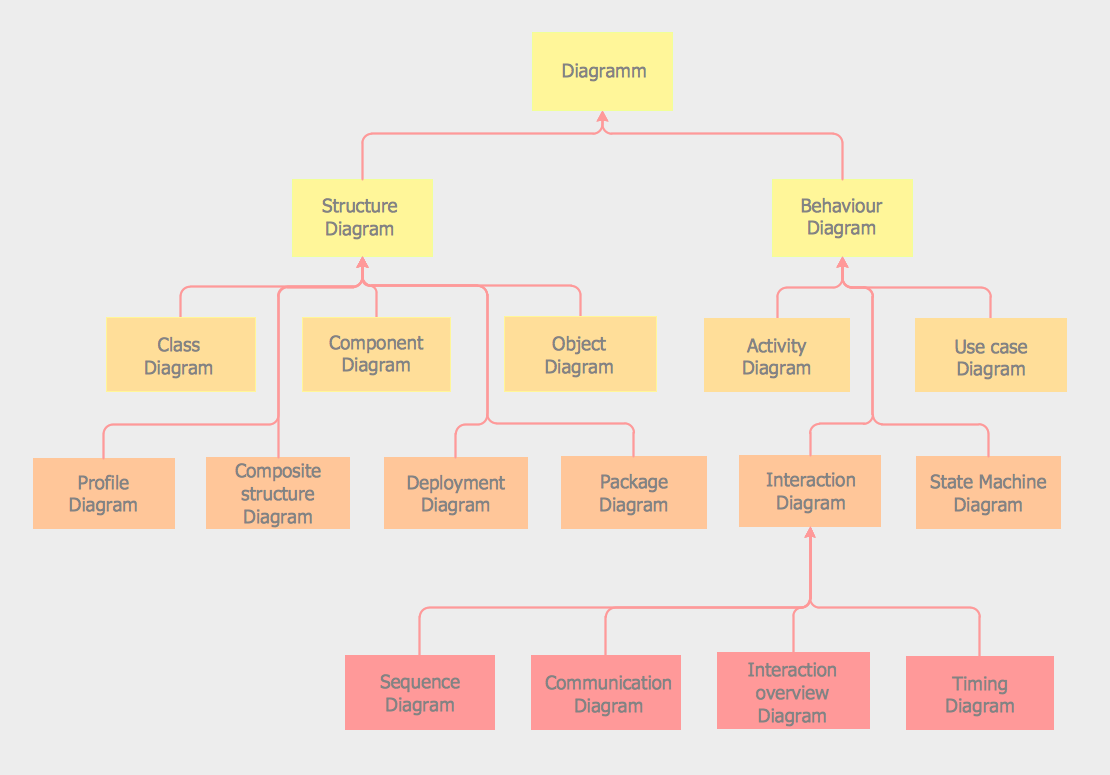
You can use many tools to create a representation of a system behavior or a scheme of objects relationships. Some of them are quite abstract and useless, and some, like UML tools help clarifying both the structure and the behavior of a system. There are various types of uml diagrams and tons of examples explaining the difference between them. UML 2.2 specification has many kinds of diagrams. They are divided into two groups( structure and behavior diagrams). This class diagram shows the hierarchical structure of UML 2.2 specification. Class diagram - the most suitable tool for this task because it is designed to describe basic structure of a system. This diagram can be use as a visual aid for learning UML.UML Tool & UML Diagram Examples *
Picture: UML Tool & UML Diagram Examples
Related Solution:
ConceptDraw
DIAGRAM 18