UML Diagrams with ConceptDraw DIAGRAM
UML (Unified Modeling Language) is a general-purpose modeling language used to represent the structure of complex software in a visual form, and employed in software engineering. UML diagrams are also efficient for documenting complex computer systems and software. Such visual models facilitate communication between the customer, system analysts and programmers, who write the source code. In addition, it's much easier for new programmers to understand the source code when a detailed UML diagram of it is available. Previously, when a programmer resigned a part of his work was gone with him because the code-creating process took place exclusively in his head. Now a newcomer can understand and get familiar with someone else's code without much trouble.
Programming languages may use operations and methods which are basically same, though vary by names and graphical notations. The UML language defines standards not only for operations and methods of programming languages, but also for their terminology.
So, using UML diagrams for visual modeling will help you to improve the final software products, simplify the process of its creation and meet the deadlines.
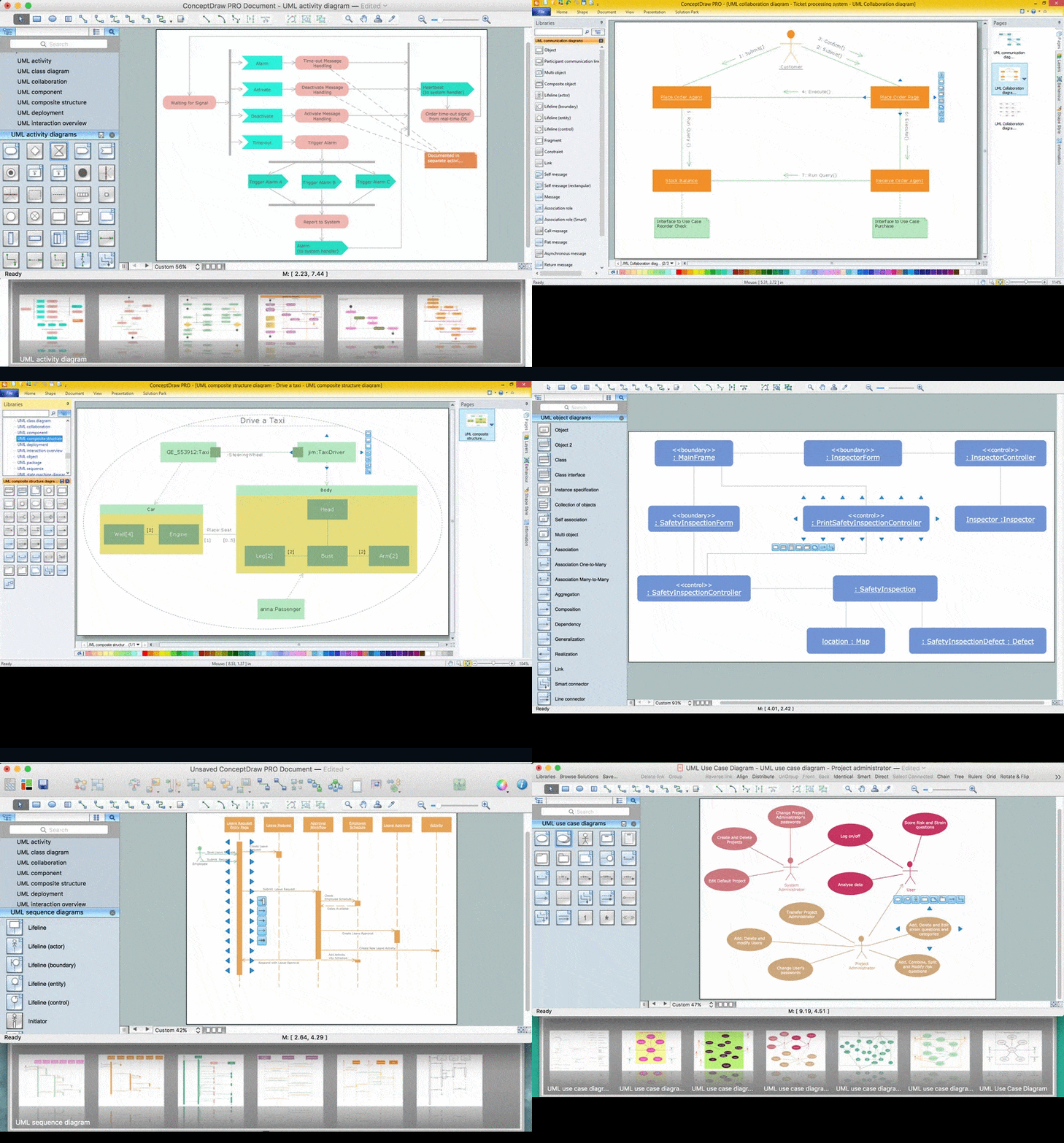
ConceptDraw DIAGRAM is a professional software product designed for creating detailed UML diagrams. A large number of libraries with ready-made objects for UML diagrams and task-oriented templates let you create UML diagrams of any complexity without effort.
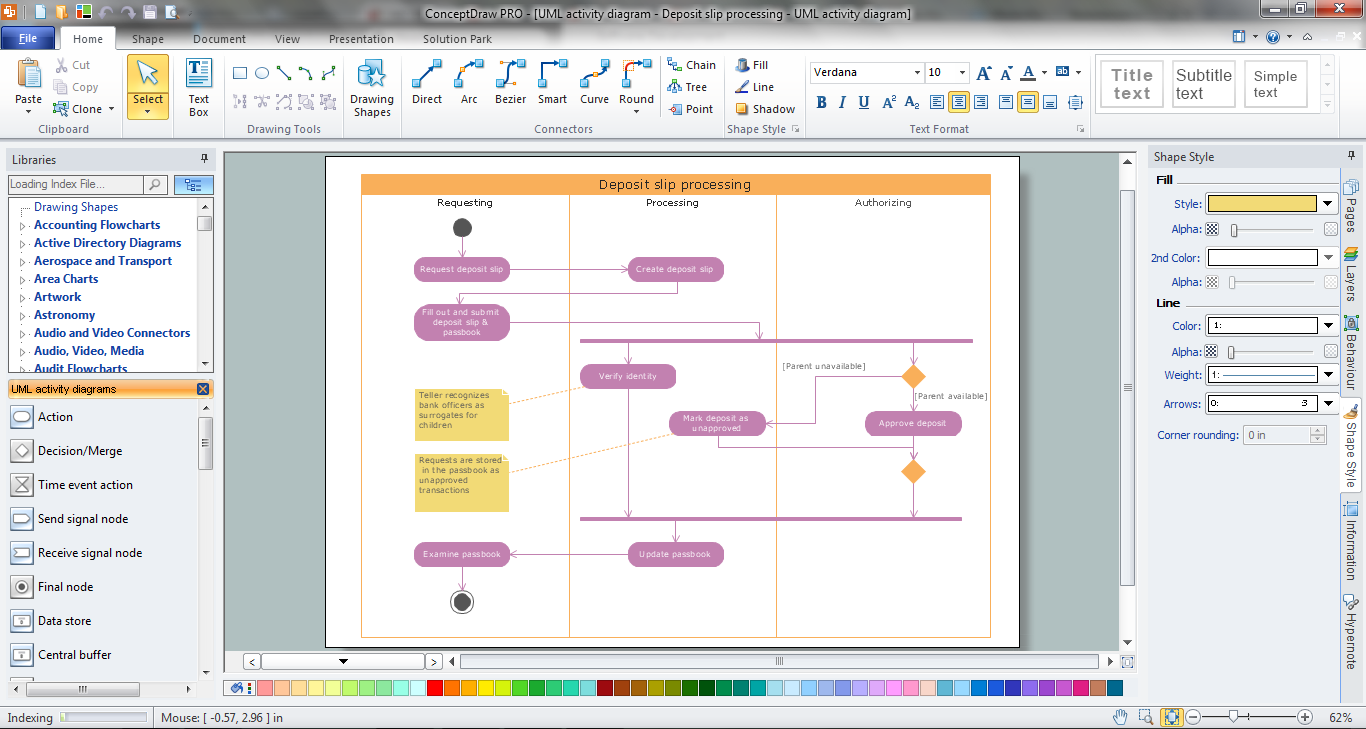
To draw a diagram, just drag the required objects from the corresponding library onto the document page, then connect them with connectors appropriate for diagrams of this type.
There are 8 types of UML diagrams:
Use case diagram:
Diagrams of this type represent a list of operations performed by the system. Such diagrams are also called functional diagrams, as the list of the system's functions is created based on them, in accordance with the specified requirements.
Use case diagrams are used to describe business processes in automated applications and to define requirement for software to be developed. They depict objects from the system and application domain as well as the tasks performed by them.
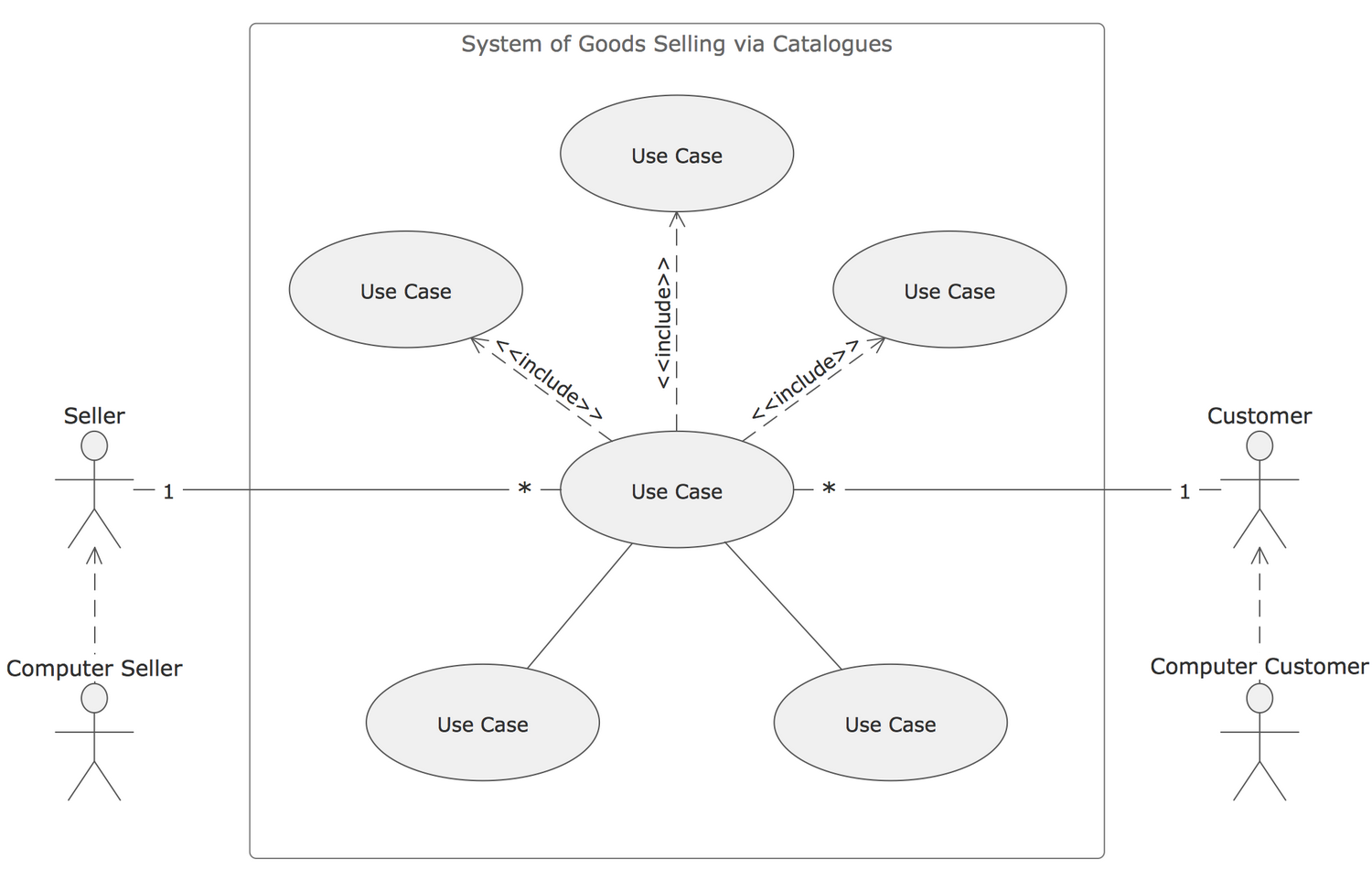
Pic.1. UML use case diagram
To draw diagrams of this type, use the UML Use Case Diagram library in ConceptDraw DIAGRAM
Deployment diagram:
UML diagrams of this type serve to analyse the hardware used in system implementations, interaction between the processor and other components. As a rule, such diagrams are used in the beginning of designing to determine the hardware configuration of the system.
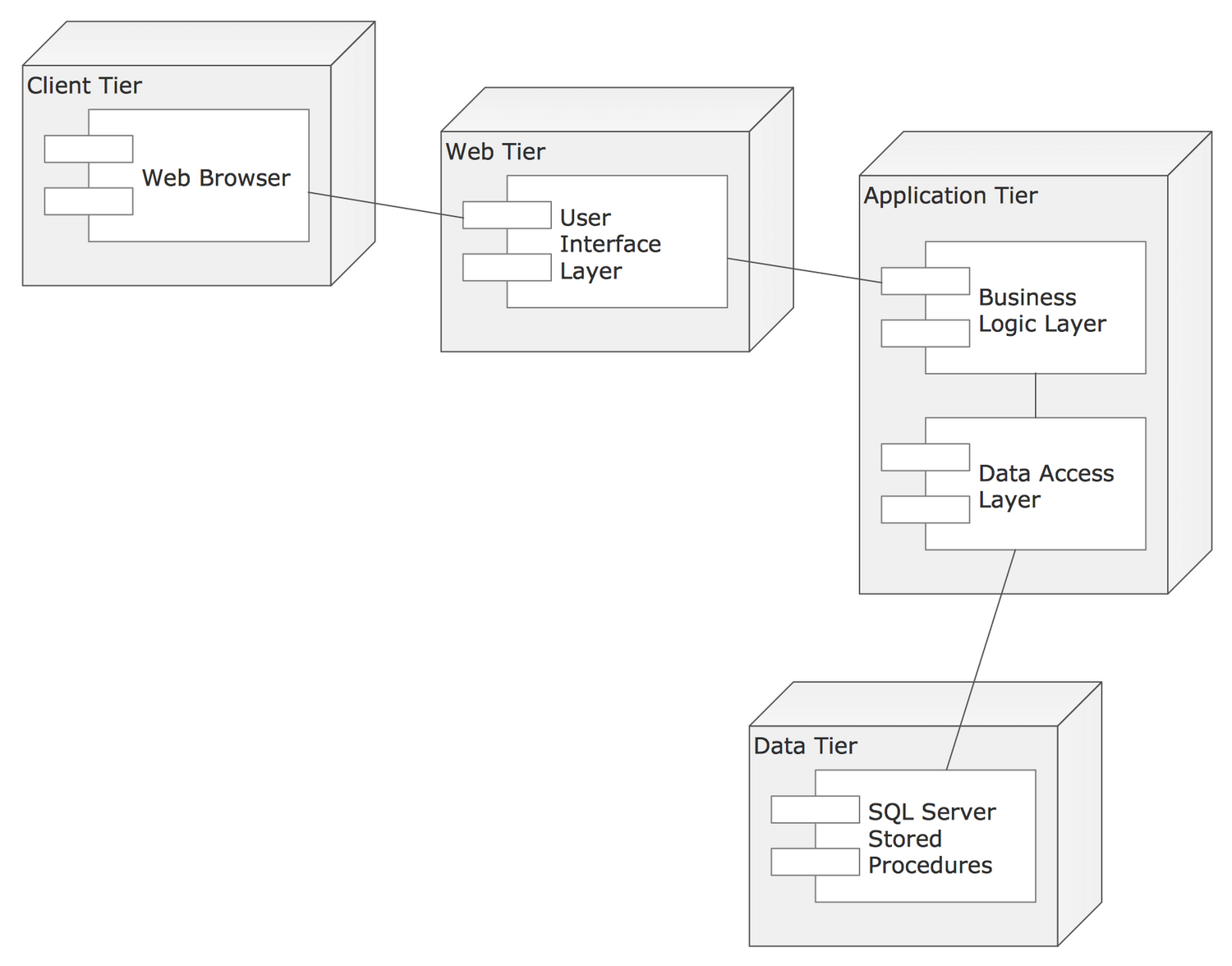
Pic.2. UML deployment diagram
Use the UML Deployment Diagram library to create such diagrams in ConceptDraw DIAGRAM
Statechart diagram:
Statechart diagrams serve to model possible states of the objects in the system. They also depict the sequence of actions required for transition between the states.
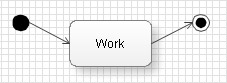
Pic.3. UML statechart diagram
Use the UML Statechart Diagram library to create such diagrams in ConceptDraw DIAGRAM
Activity diagram:
Same as Statechart diagrams, such diagrams show the states of objects in the system. The difference is that they can also depict forks for transitions from one state to another. These diagrams can be used to describe behavior algorithms of objects. You may also use them to create flow charts.
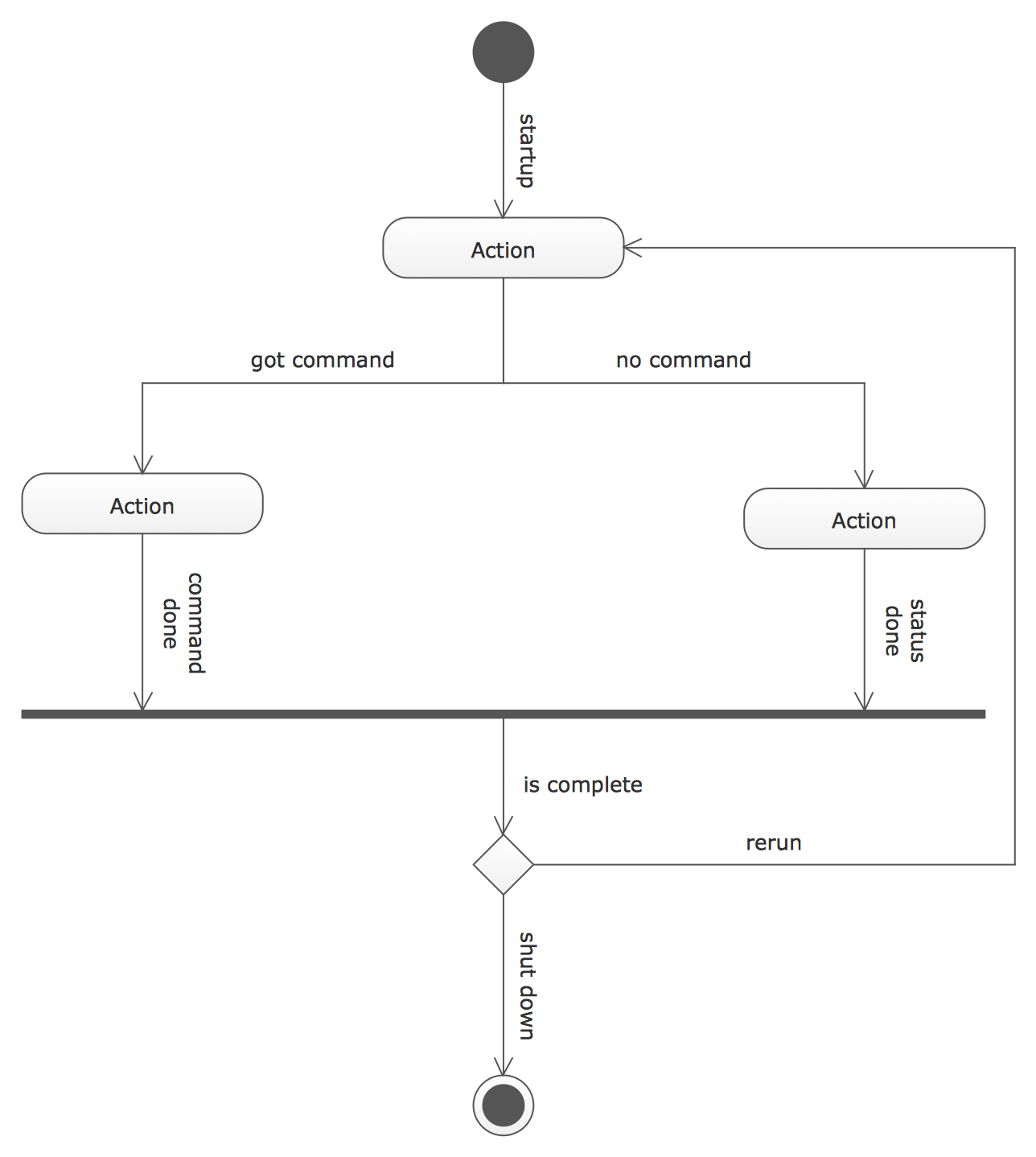
Pic.4. UML activity diagram
In ConceptDraw DIAGRAM such diagrams are represented in the UML Activity Diagram library.
Sequence diagram:
A type of interaction diagram. Sequence diagrams describe a sequence of interactions between objects.
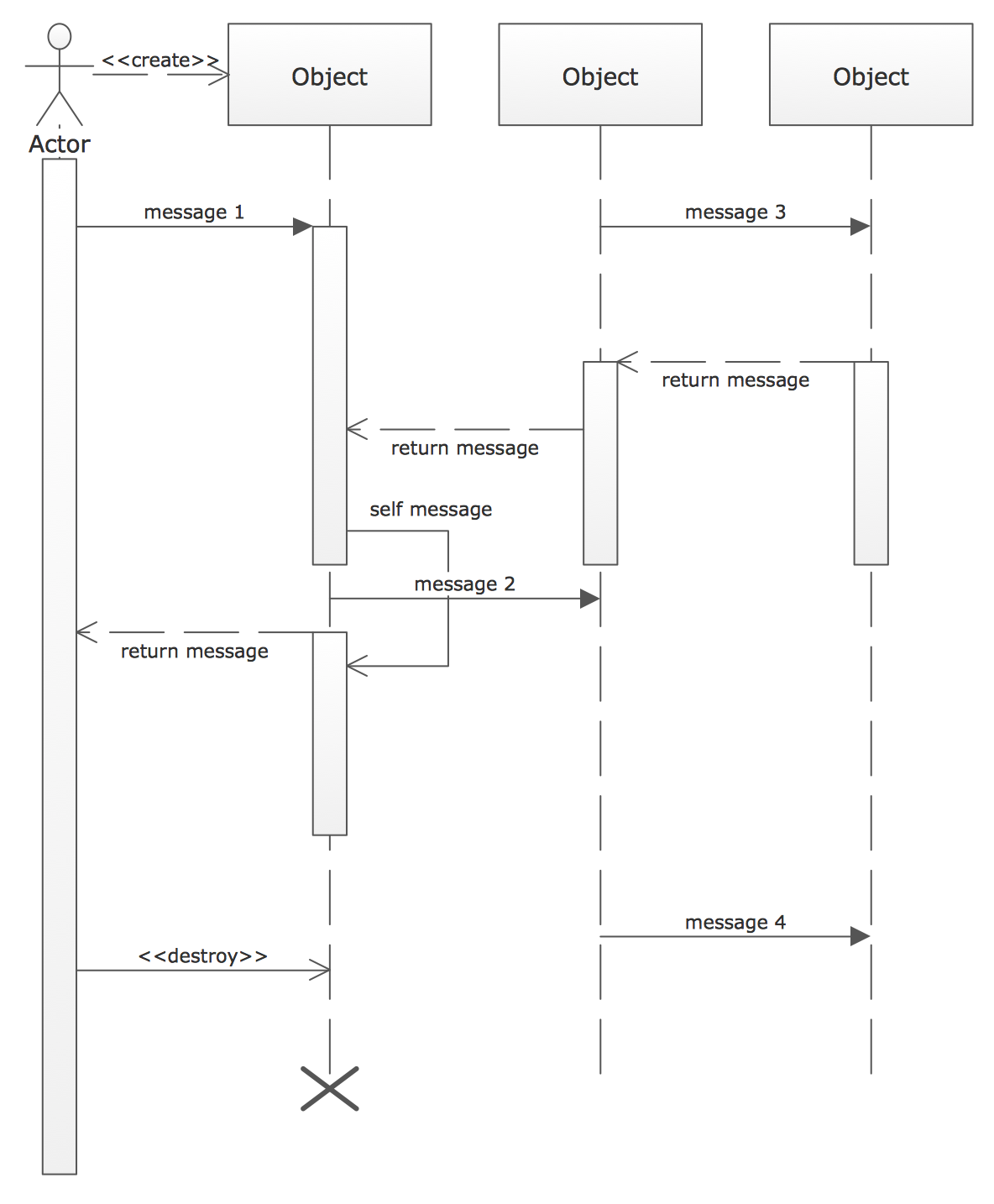
Pic.5. UML sequence diagram
To draw such a diagram, use the UML Sequence Diagram library.
Collaboration diagram:
A collaboration diagram is also a type of interaction diagram, but unlike sequence diagrams these diagrams instead of the sequence of interactions between objects describe all variants of such interactions, regardless the sequence.
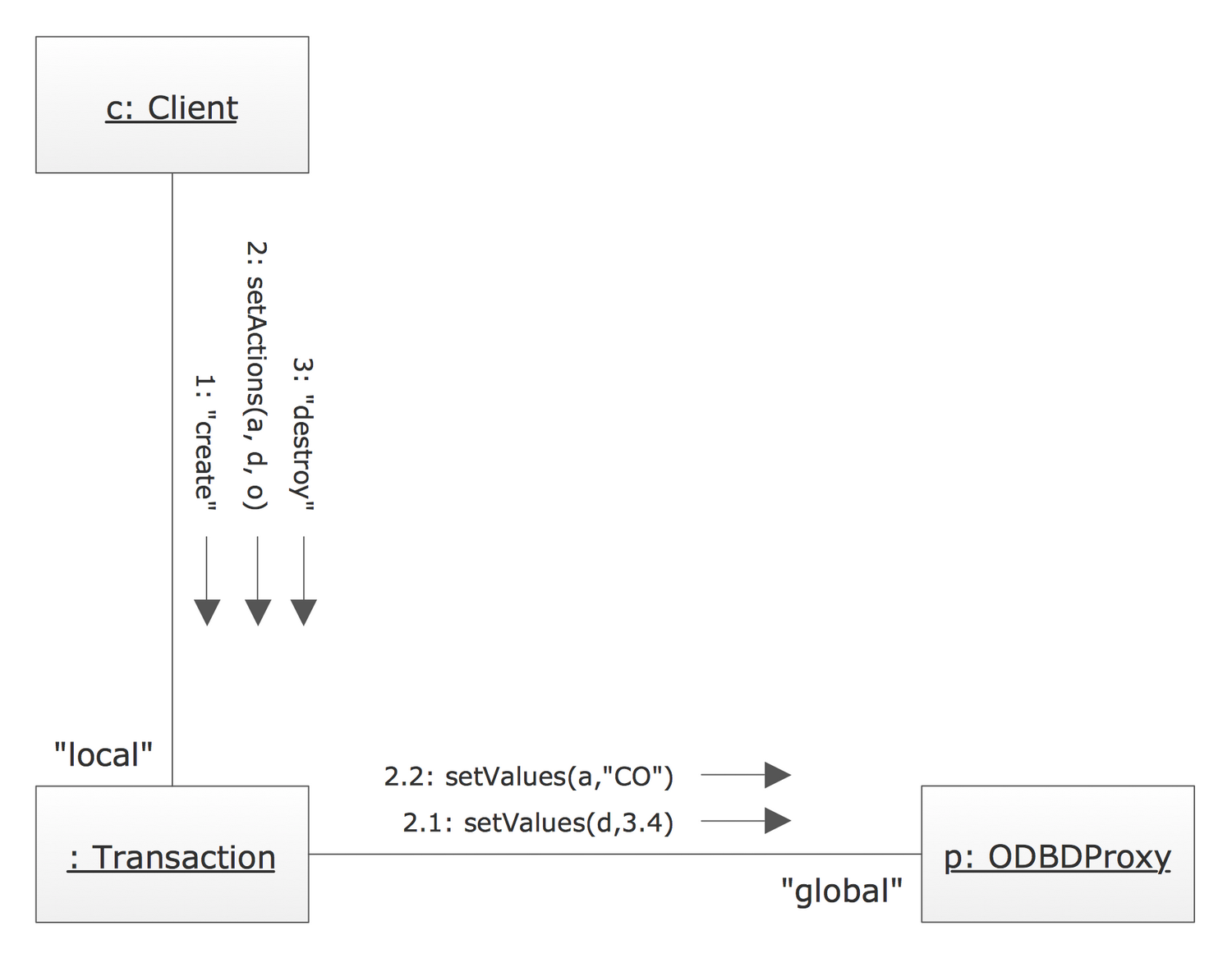
Pic.6. UML collaboration diagram
Class diagram:
They help to create graphical logical models of a system, further used to create the source code for the classes represented on the diagram.
UML class diagrams describe relationship between classes and interfaces. We recommend to create class diagrams using the Booch OOD template from the ConceptDraw STORE.
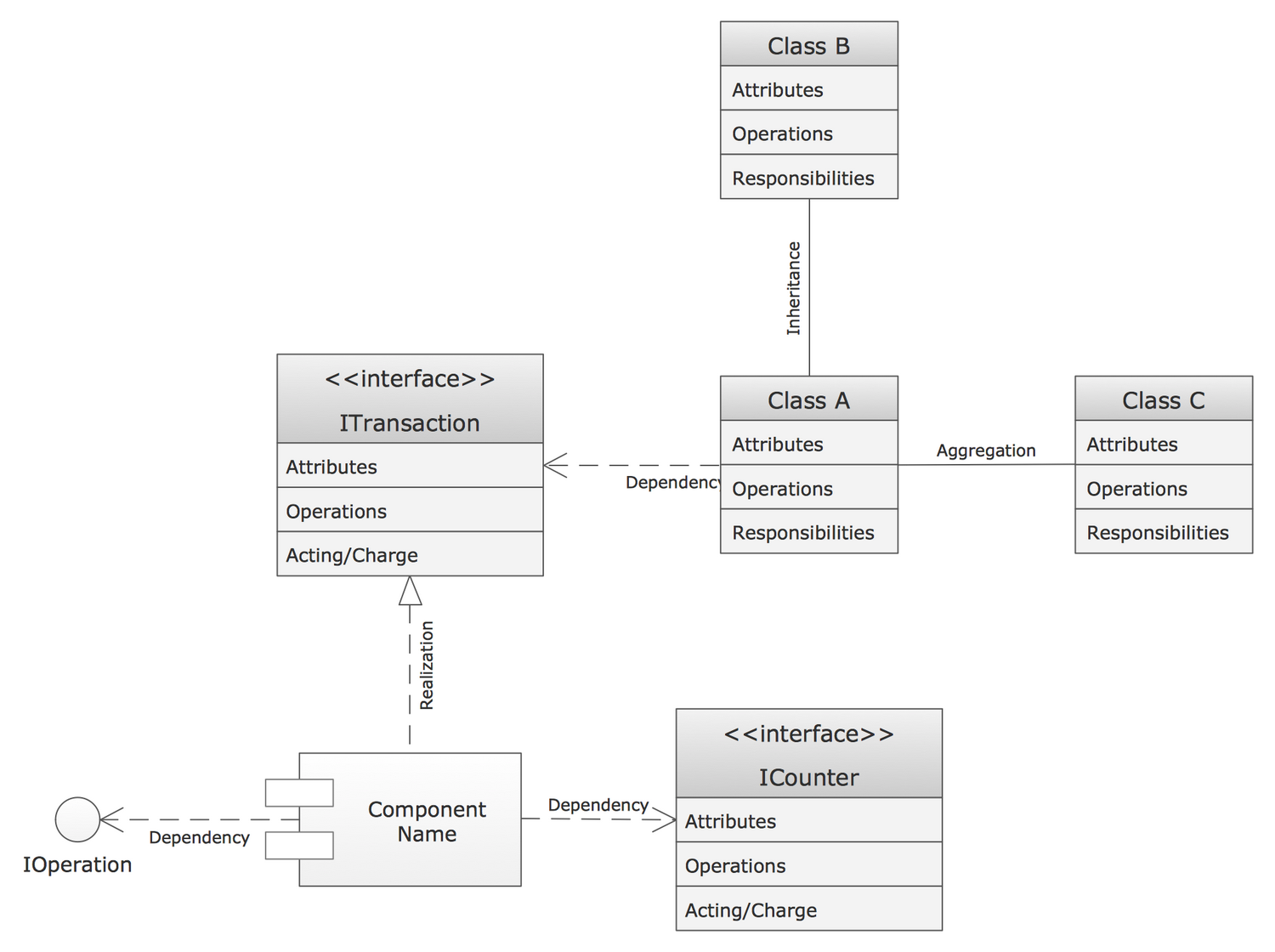
Pic.7. UML class diagram
Component diagram:
On diagrams of this type, also known as module diagrams, classes and objects are distributed by components or modules. This is very convenient for designing large systems which may count hundreds of components.
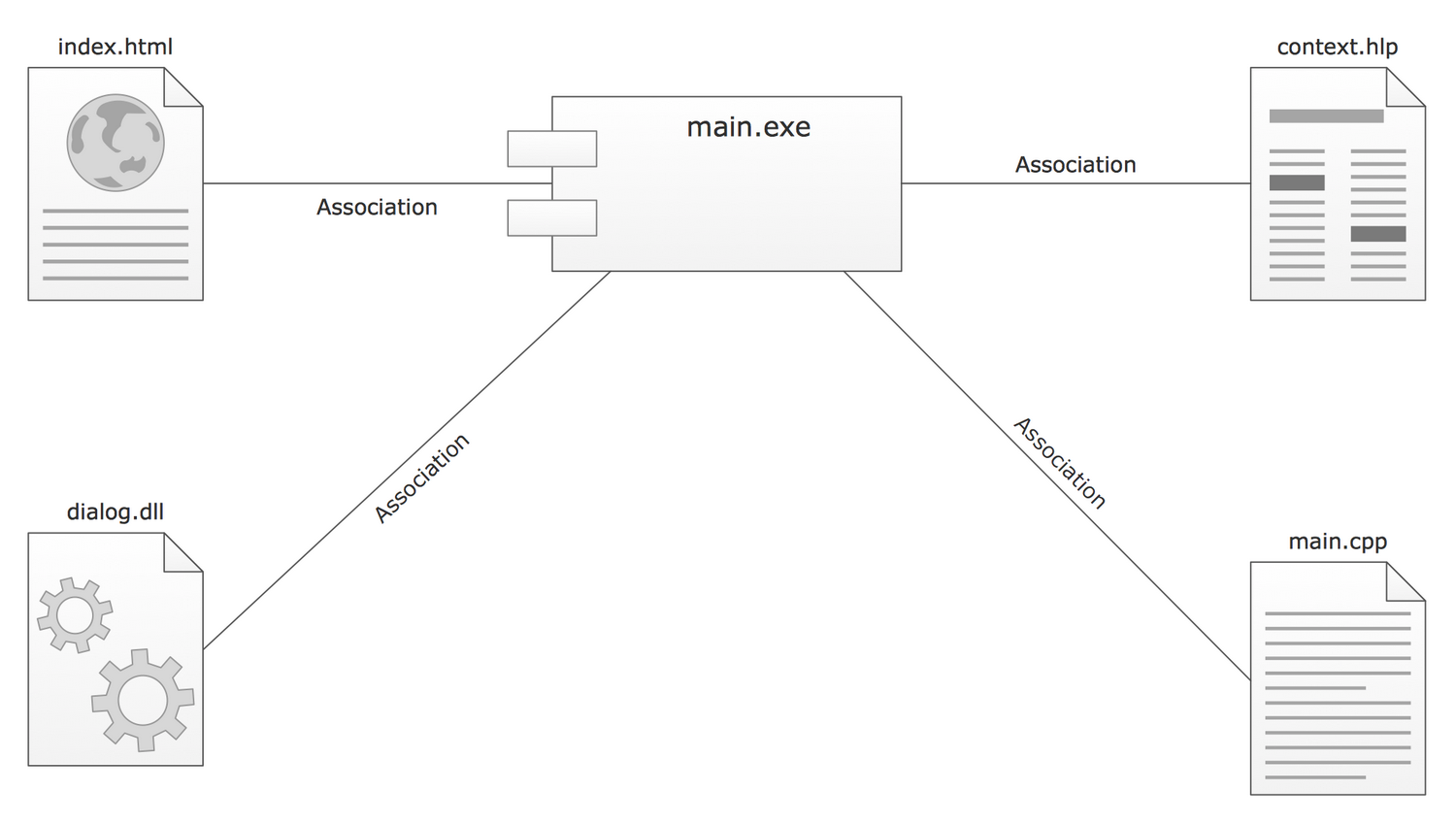
Pic.8. UML component diagram
Use the UML Component Diagram library for drawing diagrams of this type.
All libraries for creating UML diagrams are available inside the ConceptDraw DIAGRAM Templates and samples are located in the Rapid UML section of ConceptDraw STORE.
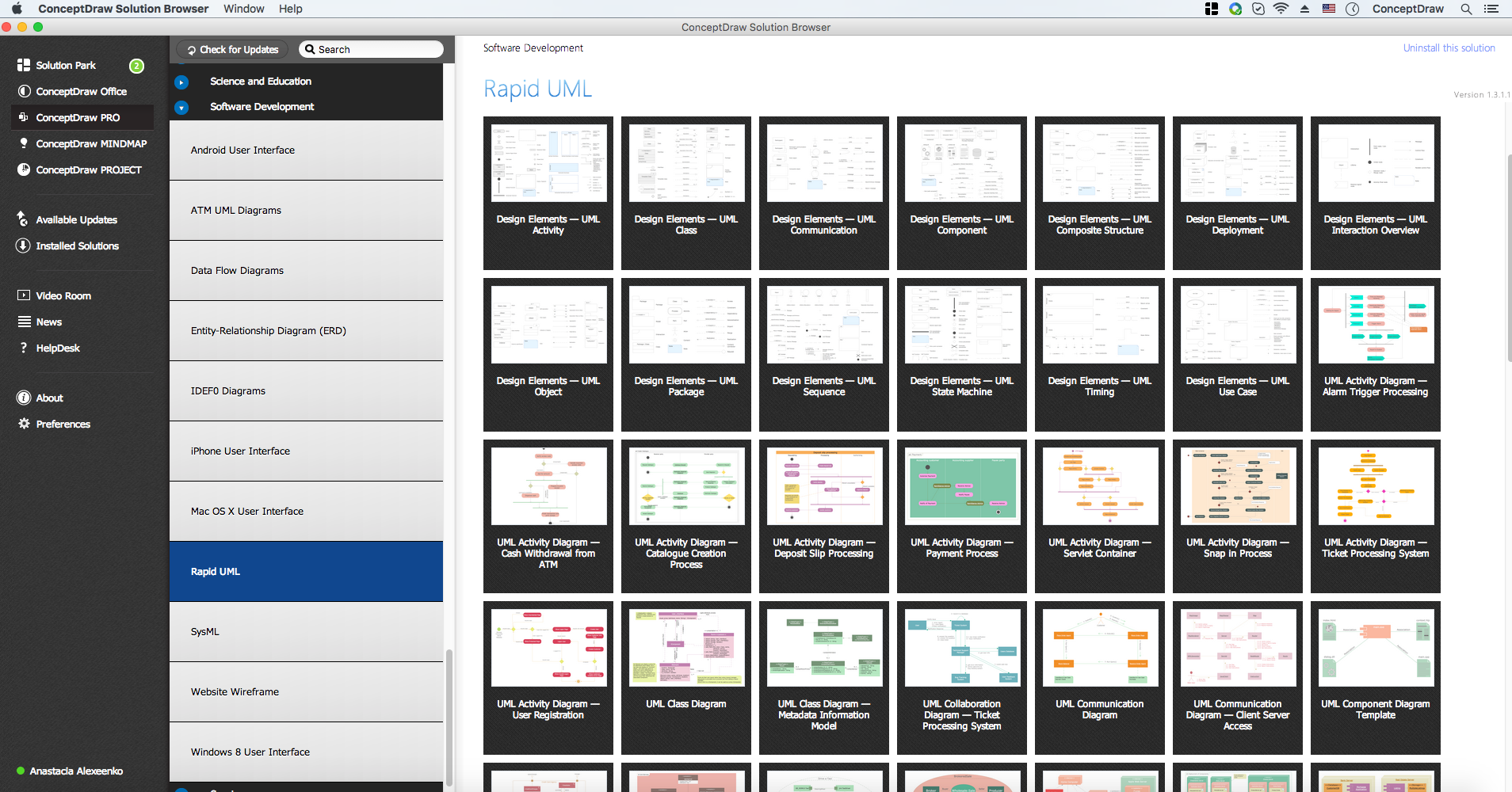
Pic.9. Rapid UML Solution in ConceptDraw STORE
TEN RELATED HOW TO's:
UML Apartment Plan. This sample was created in ConceptDraw DIAGRAM diagramming and vector drawing software using the UML Class Diagram library of the Rapid UML Solution from the Software Development area of ConceptDraw Solution Park.
This sample show the detailed plan of the apartment and is used by building companies, design apartments, real estate agencies, at the buying / selling of the realty.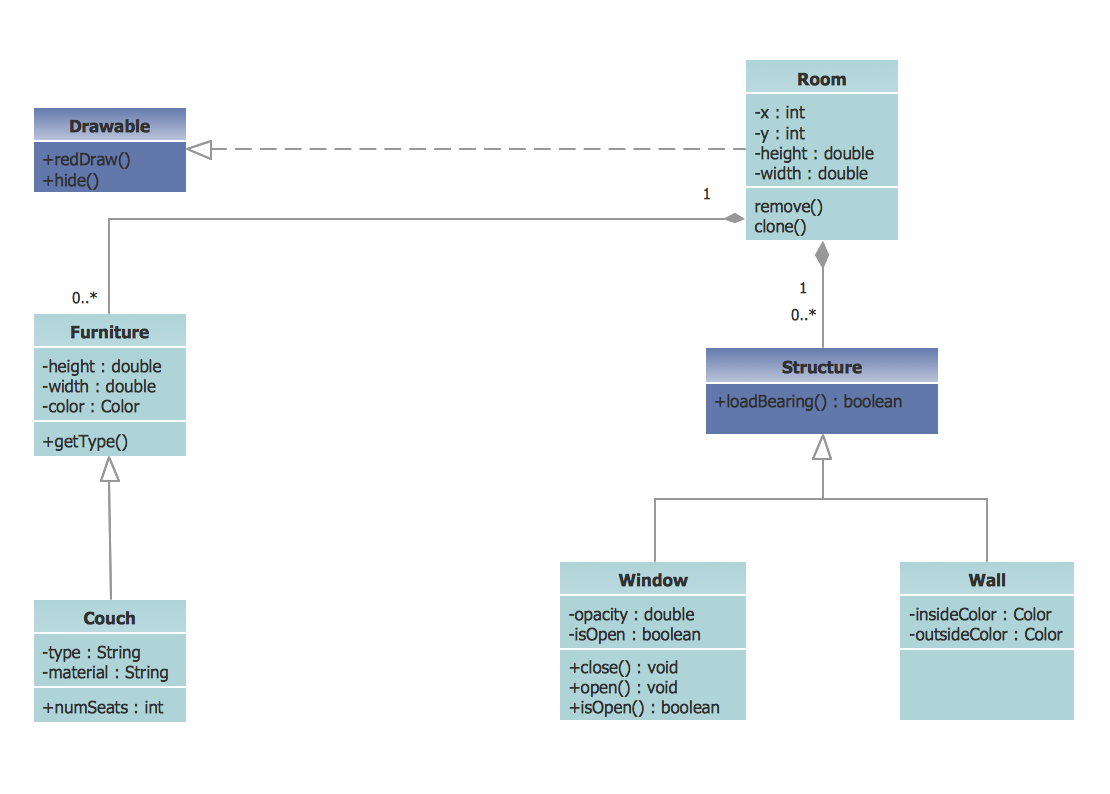
Picture: UML Class Diagram Example - Apartment Plan
Related Solution:
ConceptDraw DIAGRAM extended with ATM UML Diagrams Solution from the Software Development Area of ConceptDraw Solution Park is a powerful software for representing the ATM processes, for designing and building banking system and ATMs.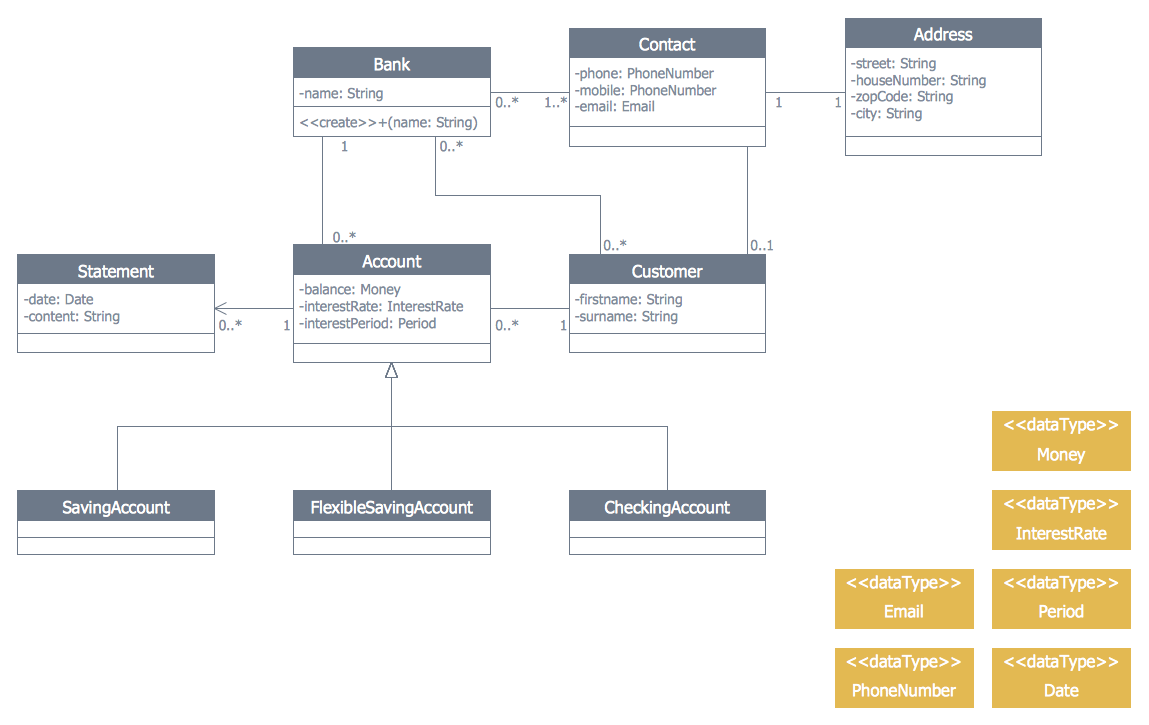
Picture: Banking System
Related Solution:
A waterfall model describes software development process as a sequence of phases that flow downwards. SSADM is one of the implementations of waterfall method. It’s easier to learn about structured systems analysis and design method (SSADM) with ConceptDraw DIAGRAM because this software has appropriate tools for creating data flow diagrams. You can use all the three main techniques of SSADM method with special tools and predesigned templates.
This data flow diagram illustrates the Structured Systems Analysis and Design Method. This method method considers analysis, projecting and documenting of information systems. Data flow models are the most important elements of SSADM and data flow diagrams are usually used for their description. It includes the analysis and description of a system as well as visualization of possible issues.
Picture: Structured Systems Analysis and Design Method. SSADM with ConceptDraw DIAGRAM
Related Solution:
This sample was created in ConceptDraw DIAGRAM diagramming and vector drawing software using the UML Sequence Diagram library of the Rapid UML Solution from the Software Development area of ConceptDraw Solution Park.
This sample shows the interactions of the customer with the system and is used at the registration on the sites.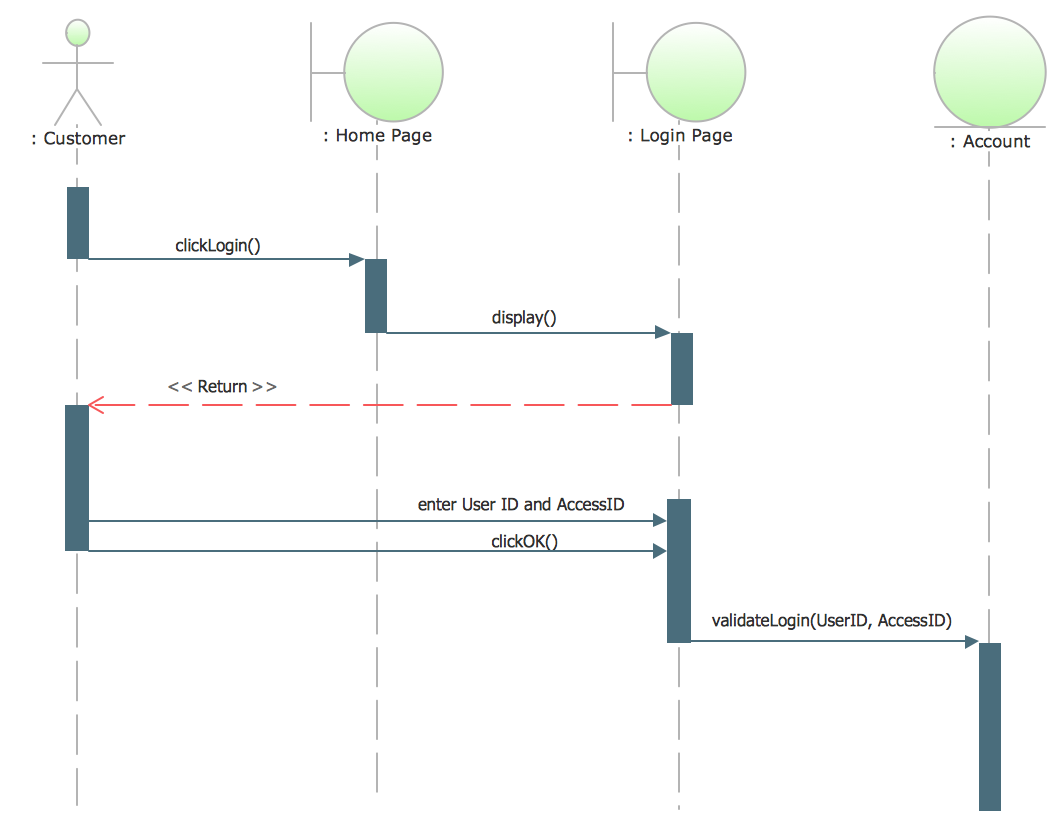
Picture: UML Sequence Diagram Example. SVG Vectored UML Diagrams Tools
Related Solution:
It is so simple making the drawing process easier and faster. you just need to choose the right drawing software.
ConceptDraw Arrows10 Technology - This is so easy and fast to draw any type of diagram with any degree of complexity.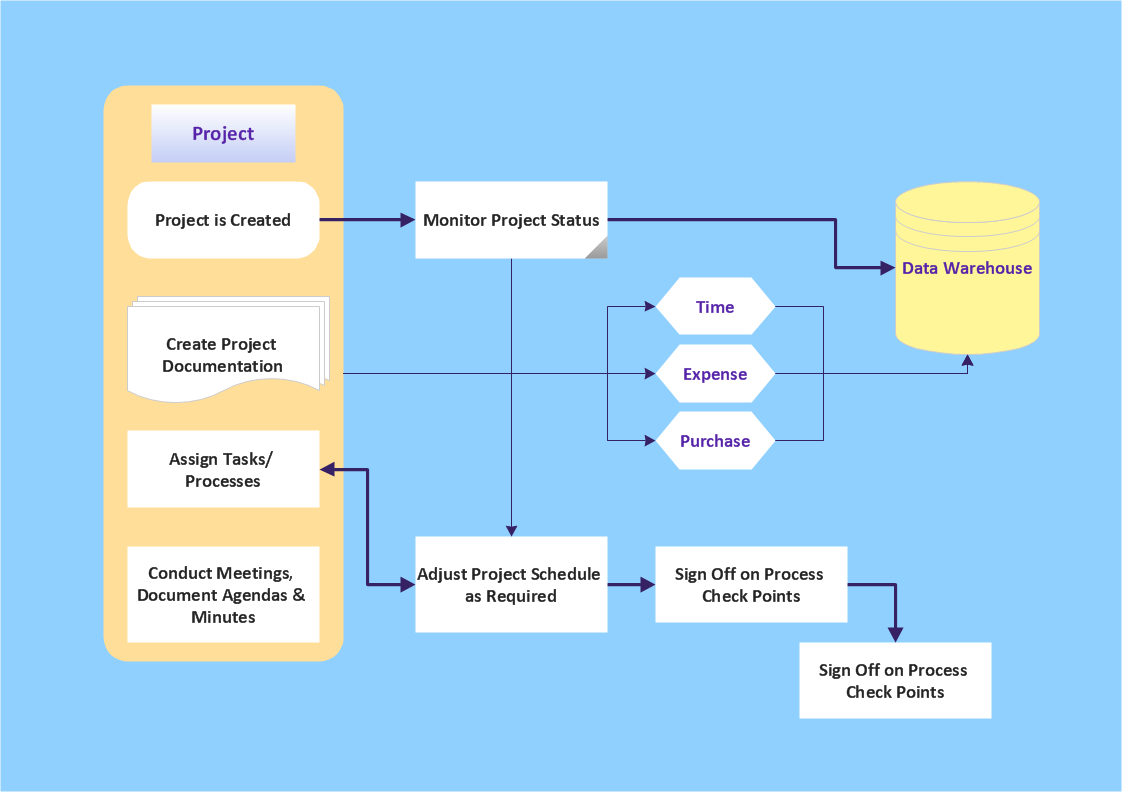
Picture: Simple & Fast Diagram Software
Related Solutions:
Flowcharts visualize a process or algorithm of program as step/operation blocks of various shapes connected with arrowed lines showed the process flow direction. They are used to visualize business or technical processes and software algorithms.
Conceptdraw DIAGRAM - feature-rich flowchart software. It will allow you to create professional looking flowcharts.
Picture: Best Flowcharts
Related Solution:
There are many ways to define the flow of information within a system. Structured-systems analysis method often uses data flow diagrams to show data flow, data storages and data processing visualization. These diagrams are easy to develop and quite useful.
Here is a dataflow diagram presenting an example of the manufacturing process flow. The oval process shapes represent a process that controls data within the current system. The process may produce data or make some action based on data. Data flows are represented by lines. They show the movement of information through the system. The direction of the data flow is depicted by the arrow. The external entities are shown by rectangles. They represent the external entities interacting with the system. The data store objects (unclosed rectangles) are used to show data bases participating in a process flow.
Picture: Data Flow Diagram
Related Solution:
The Building Plans area of ConceptDraw Solution Park includes a set of solutions of Interior Design. The Interior Design solutions for ConceptDraw DIAGRAM allow you simply and quickly create the professional looking Building Plans that will help you to design, redesign your room, flat, home, office, cafe or any other building. Having the ready plan of the rooms you can easy rearrange the furniture, interior objects on the plan and see the future result at once.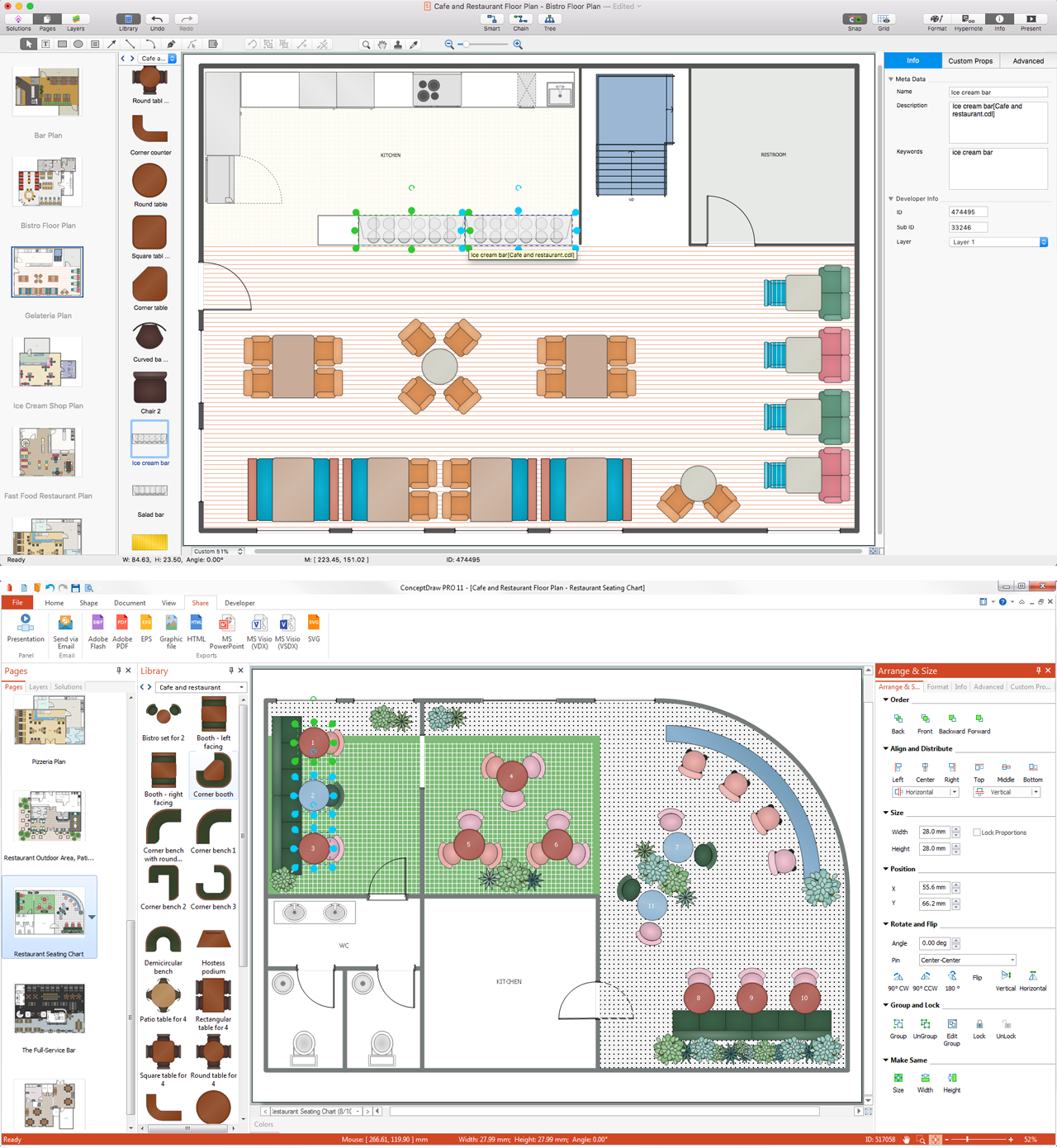
Picture: Interior Design Software. Building Plan Examples
Related Solution:
ConceptDraw DIAGRAM diagramming and vector drawing software extended with Rack Diagrams solution from the Computer and Networks area is a powerful rack diagrams and server rack diagrams drawing software.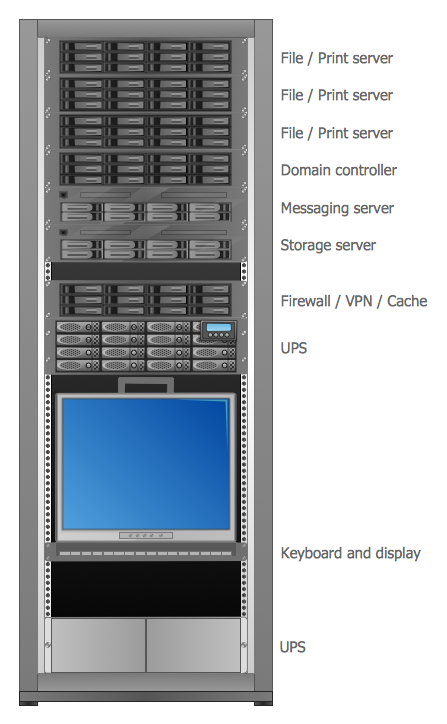
Picture: Server
Related Solution:
Data processing can be very complex sometimes. If you are interested in facilitating your work with data, it’s time to learn how to draw flowcharts with special software or using just a piece of paper. The list of flowchart basic symbols includes rectangles, diamond, ellipses etc. and is used to represent processes, actions, decisions or data processing.
A well-done flowchart bring the clearness of the sequence of a process stages. There are number of symbols that can be used in flow charts to show various sorts of steps. The basic flowchart can be created using a few of them: Process, Decision, Start/Finish. A basic element of a flowchart represents a simple action and looks like a box, that contains a description of the action. The depicting of actions sequence is made with arrows between corresponding action boxes, as you can see on the sample diagram. Also it shows the symbols for flowchart start and finish steps. ConceptDraw Flowcharts solution provides the ability to build basic flow charts as well as the ones of any size and complexity with a minimum of actions.
Picture: How to Draw a Flowchart: Step-by-Step Guide
Related Solution:
