Design a Soccer (Football) Field
A “football field” can be known as a “football pitch” or “soccer field”. This field is a surface for playing football. The dimensions of such “soccer” field and all of its markings have to be put following the instructions of the “Laws of the Game”. The football field surface can be artificial (usually, artificial grass) or natural (usually simply natural grass, chopped the way it is short enough to be simpler to play football on such field. It is mentioned in the “Laws of the Game” of “FIFA”, that all of the “artificial” surfaces for playing “football” (or “soccer”) must be in green colour. The “football” or the “soccer” “pitch” is usually made of grass or green artificial grass (it can be artificial turf).
A “football pitch” in general reminds of a green rectangular, which longer sides are called “touchlines” and the opposite sides are named the “goal lines”. Both of the “goal lines” must be the size of between 45 and 90 metres. These lines must be the exactly same length. Both of the “touch lines” must also be of the very same length and all of them must be between 90 and 120 metres in their length. All lines must be both equally wide; they do not have to be longer than 12 centimetres. The corners of the football pitch always have to be marked by the so-called “corner flags”.
The line markings on the soccer field are all defined by the “FIFA” and in case a ball on or above of the so-called “touchline”, but still within the borders of the soccer field and a “foul” committed over the line of 16,5 metres, then there is a so-called “penalty area”. That is the reason why a ball must cross the “touchline”, as in case this ball crossed the “touchline”, then it is known as the one being “out of play” and so this ball must cross the so-called “goal line”. This “goal line” is between the “goal posts”. In case of any part of this ball or all of the ball is still being on or above this “goal line”, then the ball is still in play and it can be used for continuing the game.
The “goals” are meant to be in the centre of each of the “goal-lines”. These “goals” have two upright posts, which are placed from the corner of so-called “flag-posts”. The inner edges of the “flag-posts” must be 7,32 metres apart. The lower edge of the “crossbar” must be 2,44 metres above the playground itself. The so-called “nets” are usually can be found behind the “goal”. But these “nets” are never required to be there, according to the “Laws”.
The “goal area” is the one formed by the “goal-line” and also by the two lines on the goal-line 5 metres from the “goal-posts”. This area extends 5 metres into the football pitch from the “goal-line” and a line. Goal kicks and any free kicks performed by the “defenders” team may be taken anywhere within this area. These “free kicks” are simply indirect ones and they are awarded to the “attackers” team within the “goal area”. These kicks must be performed from the certain point on the line, parallel to the “goal line” and they cannot be taken further than within this so-called “goal area”.
The “penalty area” is the area which covers and includes the “goal-line” as well as many other lines, all extending from it. These lines must be only 16 metres from the “goal posts” and they have to be extended for 16 metres into the “football” or the “soccer” field. The “penalty area” is the area for goalkeepers to handle the ball and there a “defender’s” foul can become punishable. It becomes punishable by a so-called “penalty kick”. The “penalty mark” is 11 metres in front of the centre of the “goal”. The so-called “penalty arc” is marked from the outside edge of the “penalty area” as well as from the “penalty mark” on a distance of 9,15 metres. There are very many other nuances about playing and arranging playing this game, including the positions of the field and the marking. There is also a “centre circle” marked on the soccer (football) field at 9,15 metres from the so-called “centre mark”. This “circle” indicates the minimum distance, which opposing players have to keep during their “kick-offs” once the ball is placed on that mentioned above “centre mark”.
There is also a “half-way line” on the football field, which is there for dividing the soccer pitch in halves. One of these halves is commonly referred to being this football players’ team’s half, so the players must stay within “their” half during a “kick-off”. They may not be penalised as being “offside” in “their” half. The intersections between the “half-way line” and the “touch-line” can be marked with the flags, such as those marking the “corners”. The arcs in these “corners” denote the area where the ball has to be placed from the “corner kicks”.
All of the football (or “soccer”) rules about marking the “soccer” field and other have to be considered while creating your own football field template. You can always use the Soccer solution, which can be found and downloaded from the “Sport area” of ConceptDraw Solution Park on this site or from ConceptDraw STORE application to use any of so many stencil libraries with pre-made vector objects as well as the templates of the soccer field plans for making your own great looking plans.
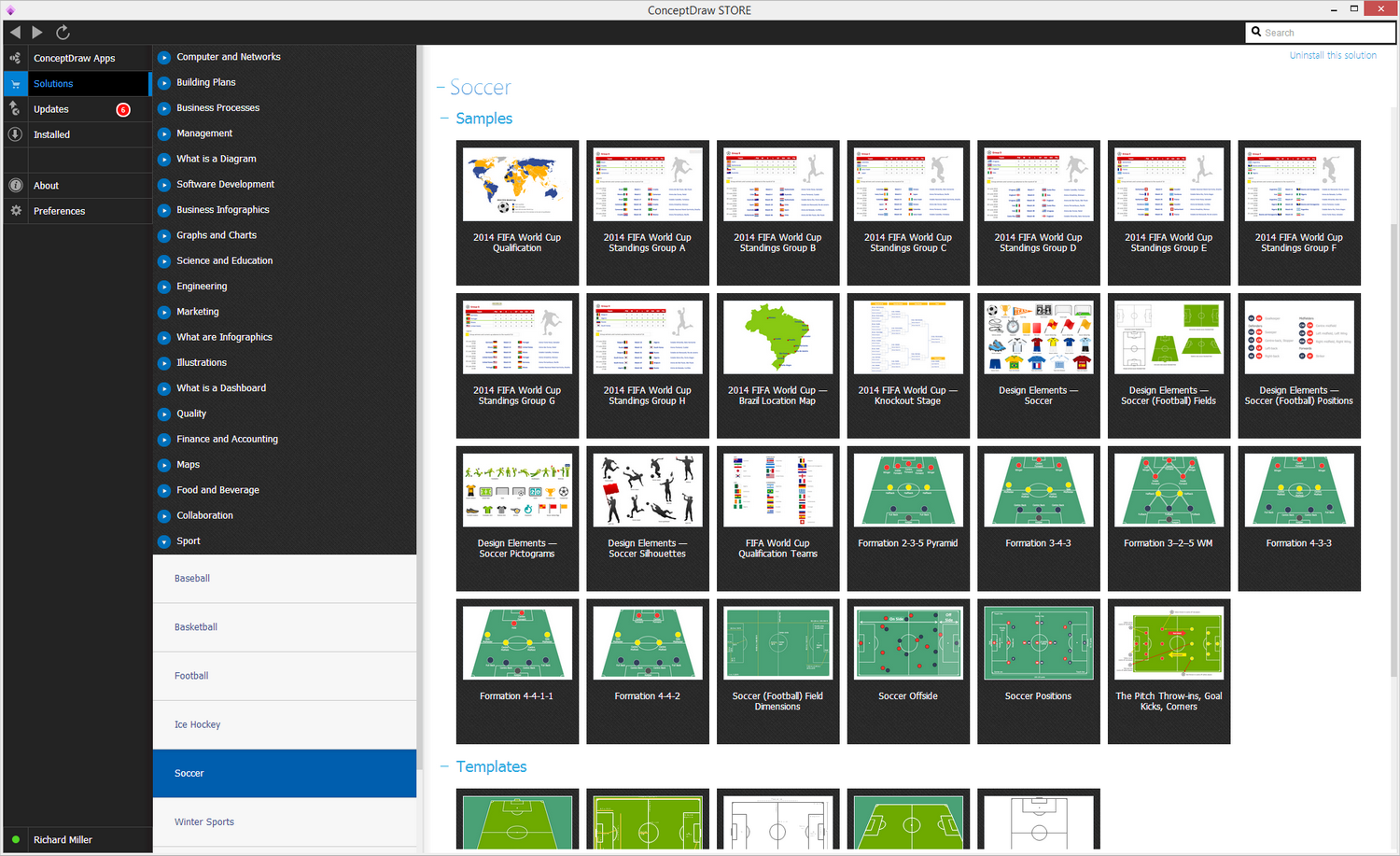
Sample 1. Soccer Solution in ConceptDraw STORE
The "Soccer (Football) Fields" library from this “Soccer” solution provides a complete set of predesigned fields, both horizontal and vertical located, coloured and not coloured, offer the template of the “end zone” view soccer field. All of the field objects from this solution are designed in accordance to the real football field dimensions. Once you want to use the, you can simply drop the needed field from the "Soccer (Football) Fields" library to design your own soccer/football diagram. The “Soccer solution” can be used for making football field plans while working using the ConceptDraw DIAGRAM software as it provides all of the ConceptDraw DIAGRAM users with a wide collection of templates and samples in order to help the soccer specialists and fan draw any soccer-related diagrams and schemes within only a couple of minutes.
ConceptDraw DIAGRAM software extended with the Soccer solution delivers libraries, templates and samples allowing specialists or soccer fans to draw the soccer-related diagrams and schemas of any complexity in a few minutes.
The "Soccer (Football) Fields" library from the Soccer solution from the Sport area of ConceptDraw Solution Park provides a complete set of predesigned fields:
- horizontal / vertical located,
- colored or not,
- end zone view soccer field.
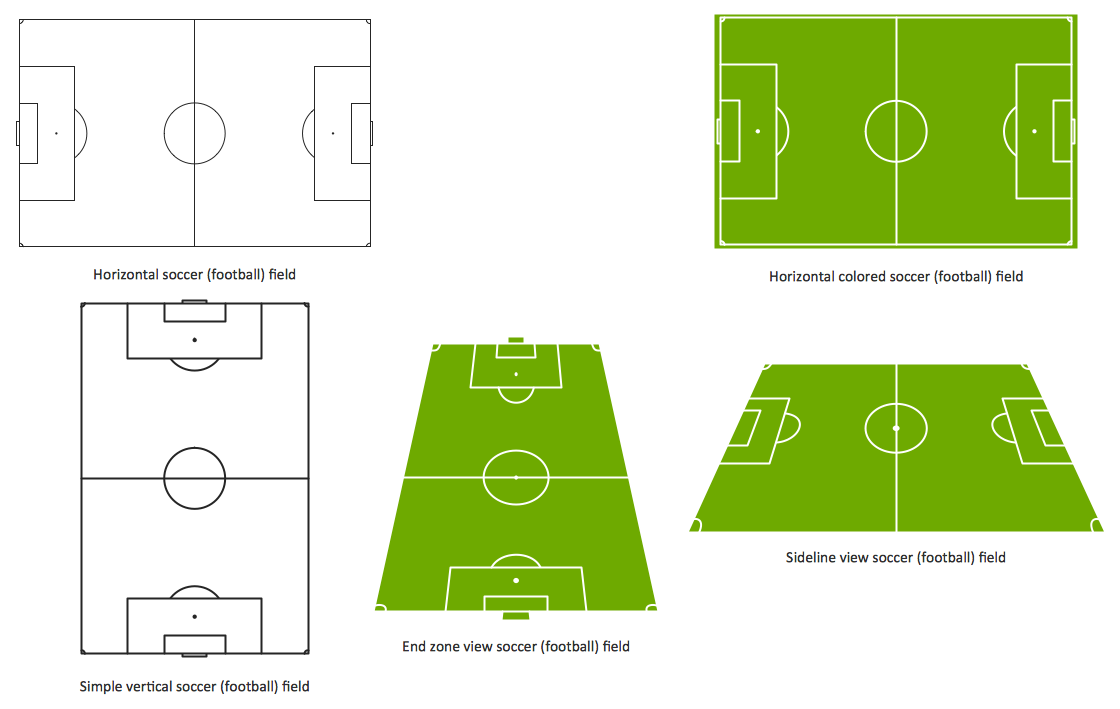
Sample 2. Design a Soccer (Football) Field
All field objects are designed according to the real fields dimensions. Simply drop the needed field from the "Soccer (Football) Fields" library to design your own soccer diagram.
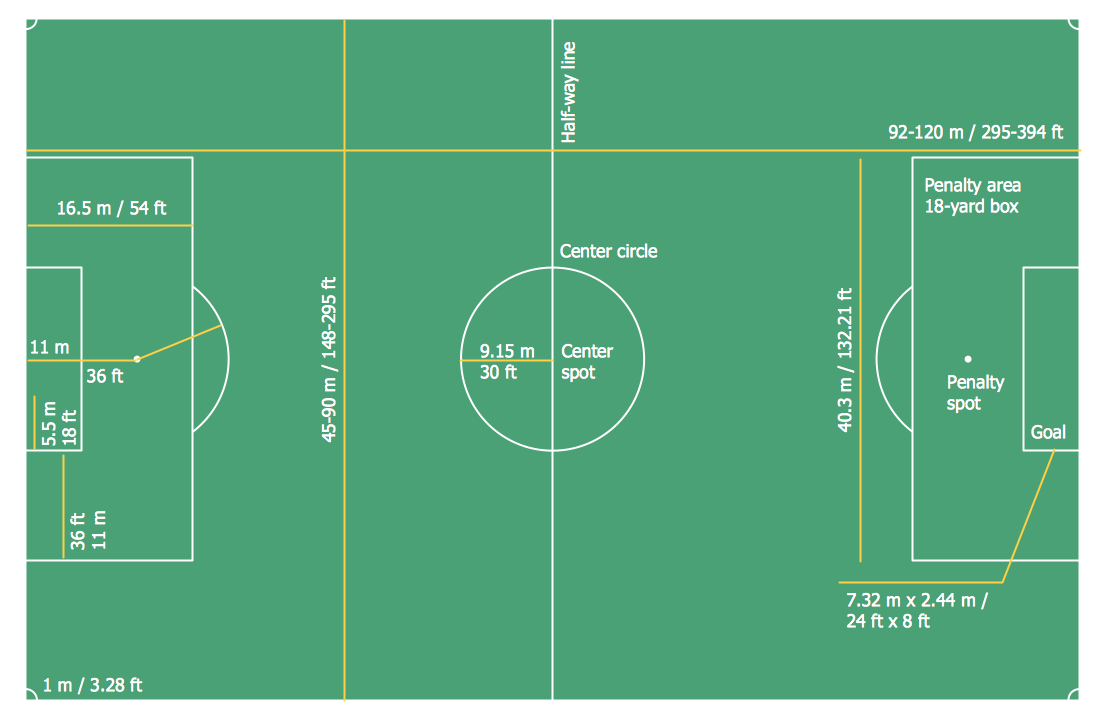
Sample 3. Soccer (Football) Field Dimensions
This diagram was created in ConceptDraw DIAGRAM using the "Soccer (Football) Fields" library from the Soccer solution and shows the soccer field with all dimensions. An experienced user spent 5 minutes creating this professional looking sample.
All source documents are vector graphic documents. They are available for reviewing, modifying, or converting to a variety of formats (PDF file, MS PowerPoint, MS Visio, and many other graphic formats) from the ConceptDraw STORE. The Soccer Solution is available for all ConceptDraw DIAGRAM or later users.
See Also Samples:
-Sample.png)