Made with
ConceptDraw
DIAGRAM 18

Area Network.
Computer and Network Examples

ConceptDraw DIAGRAM is a powerful diagramming and vector drawing software that provides the Computer and Networks Area for quick and easy drawing the computer network diagrams.

Computer and Networks Area contains several solutions that allows to create various types of diagrams: computer network architecture, topology, and design; logical, physical, cable networks; rack diagrams, Cisco networks, telecommunication network diagrams, wireless networks, etc.

Solutions of Computer and Networks Area provide the great number of professional looking examples that you can use for quick creating your own computer network diagrams. Simply choose the predesigned template or sample and customize it for your needs.
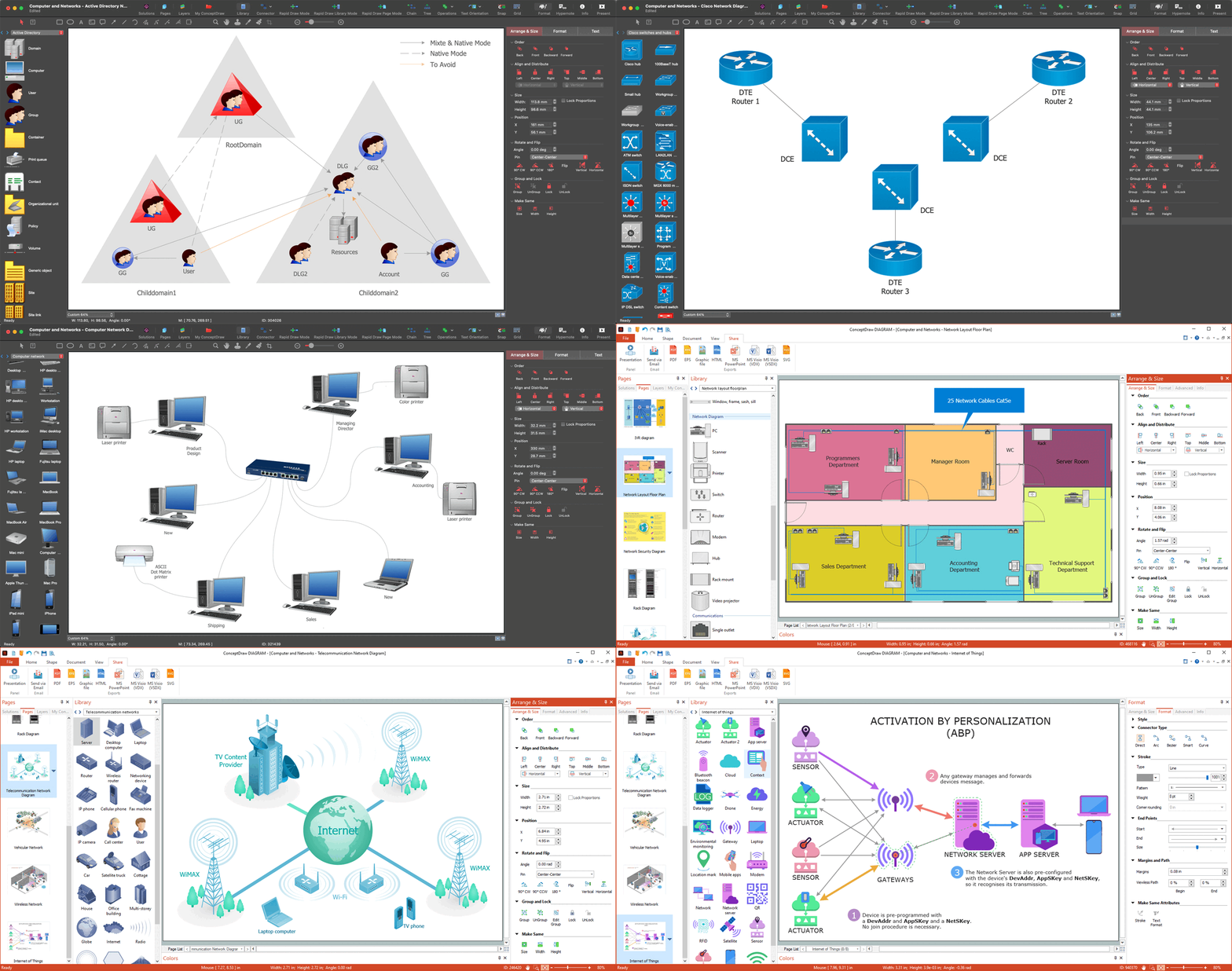
Area Network. Computer and Network Examples

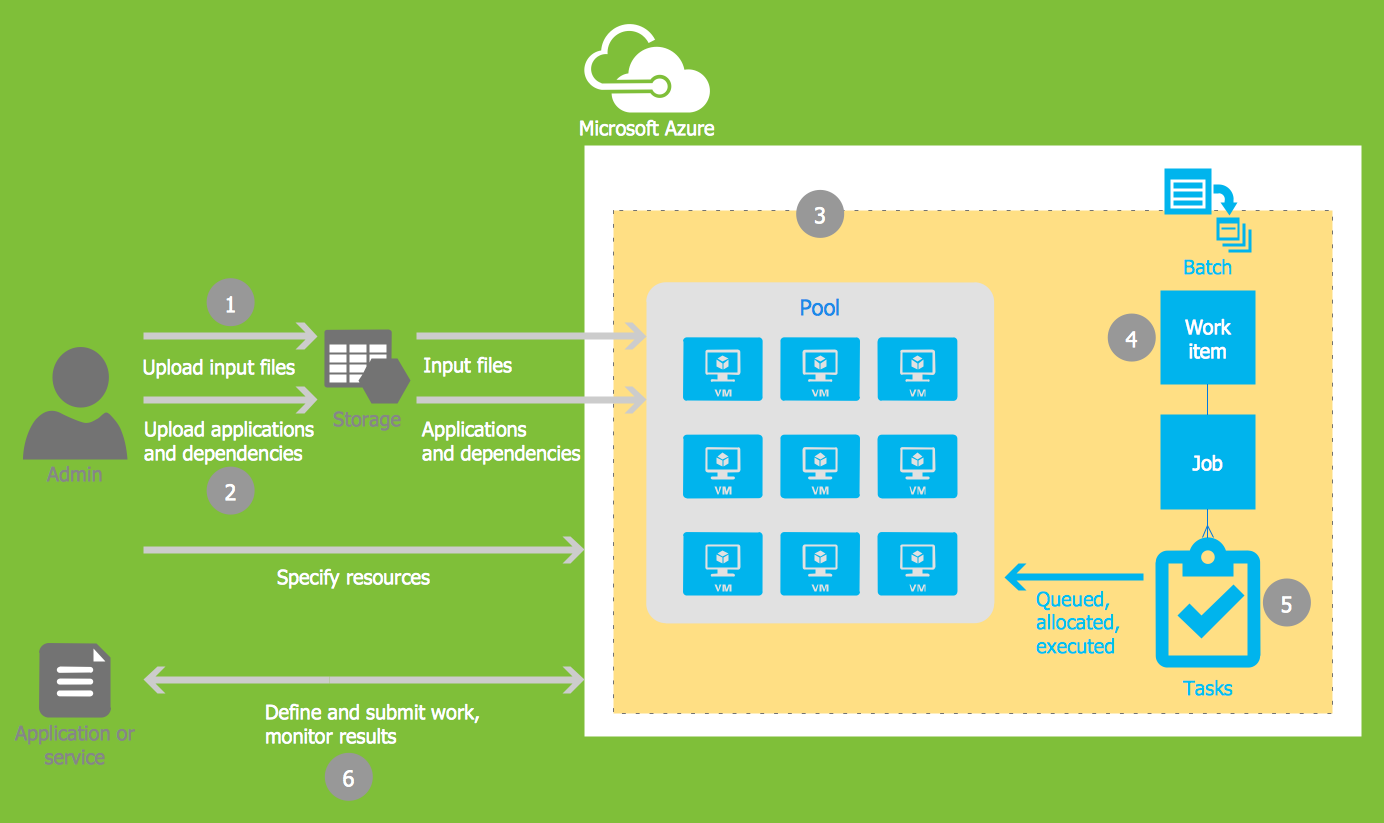
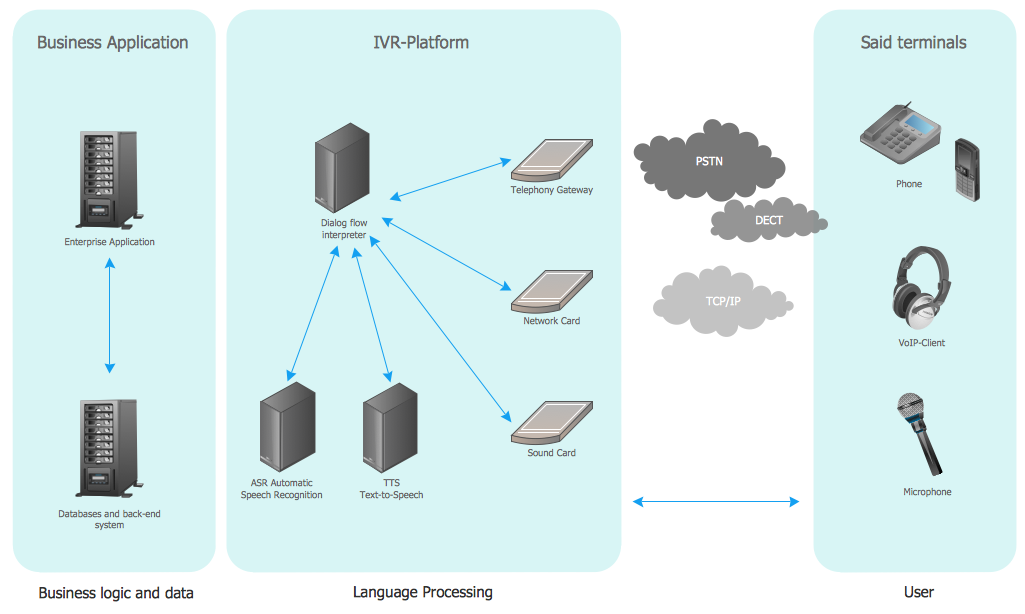
Example 1. Computer and Network Examples

Use Solutions:

  1. Computer and Network Design
  2. WLAN Wireless Computer Networks
  3. Vehicular Networks
  4. Computer Network Architecture
  5. Topology and Design
  6. Logical, Physical, Cable Networks
  7. Cisco Network Topology
Area Network. Computer and Network Examples

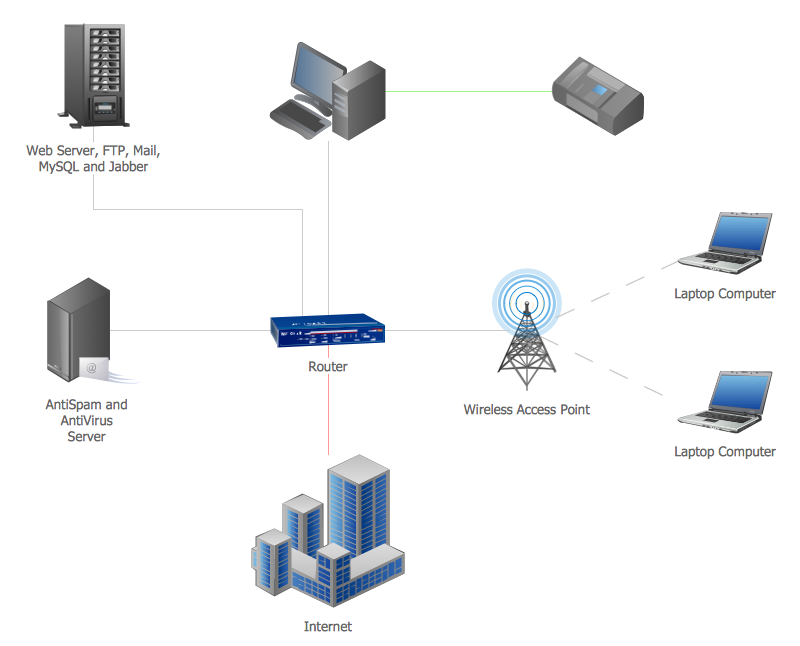
Example 2. Area Network

This example was created in ConceptDraw DIAGRAM using the Computer and Networks Area of ConceptDraw Solution Park and shows the devices connection to the Internet.

All charts and graphs designed with ConceptDraw DIAGRAM are vector graphic documents and are available for reviewing, modifying, and converting to a variety of formats (image, HTML, PDF file, MS PowerPoint Presentation, Adobe Flash or MS Visio).

See also Samples:


Reed More:

FOUR RELATED HOW TO's:
Developing a corporate network starts from choosing equipment such as servers or routers. You should choose a topology for your network depending on your needs and budget. Thus, a star topology is cheap to implement, and mesh topology, for instance, is more reliable. This network diagram illustrates various types of computer network diagrams. Here one can find out the samples of Star, Ring, common Bus and even a rather rare fully connected network topologies. This diverse array of diagrams was created using the ConceptDraw DIAGRAM software and its solution designed especially for computer networking: design and documenting. There are more than 2 thousands graphical symbols of network equipment in the solution's vector libraries. You can create a diagram of any type network, containing any equipment and connections - no matter is it the most ancient or the super-modern networkNetwork Topology
Picture: Network Topology
Related Solution:
A landscape plan depicts all the features of a future garden including buildings, plants, lawns or a patio. Such plan is a very important part of site adjustment because it gives a complete picture of future project.Landscape Plan *
Picture: Landscape Plan
Related Solution:
The ConceptDraw vector stencils library Cisco WAN contains equipment symbols for drawing the computer wide area network diagrams.Cisco WAN. <br>Cisco icons, shapes, stencils and symbols *
Picture: Cisco WAN. Cisco icons, shapes, stencils and symbols
Related Solution:
Special libraries of highly detailed, accurate shapes and computer graphics, servers, hubs, switches, printers, mainframes, face plates, routers etc.Network Printer *
Picture: Network Printer
ConceptDraw
DIAGRAM 18