 Computer and Network Package

Computer and Network Package is a large set of valuable graphical solutions from ConceptDraw Solution Park, developed and specially selected to help computer network specialists and IT professionals to realize their daily work the most efficiently and quickly. This package contains extensive set of graphic design tools, ready-to-use vector elements, built-in templates and samples for designing professional-looking diagrams, charts, schematics and infographics in a field of computer network technologies, cloud computing, vehicular networking, wireless networking, ensuring networks security and networks protection. It is useful for designing different floor plans and layout plans for homes, offices, hotels and instantly construction detailed schemes of computer networks and wireless networks on them, for making professional-looking and colorful Pie Charts, Bar Graphs and Line Charts visualizing the relevant information and data.
Landscape Architecture with ConceptDraw DIAGRAM

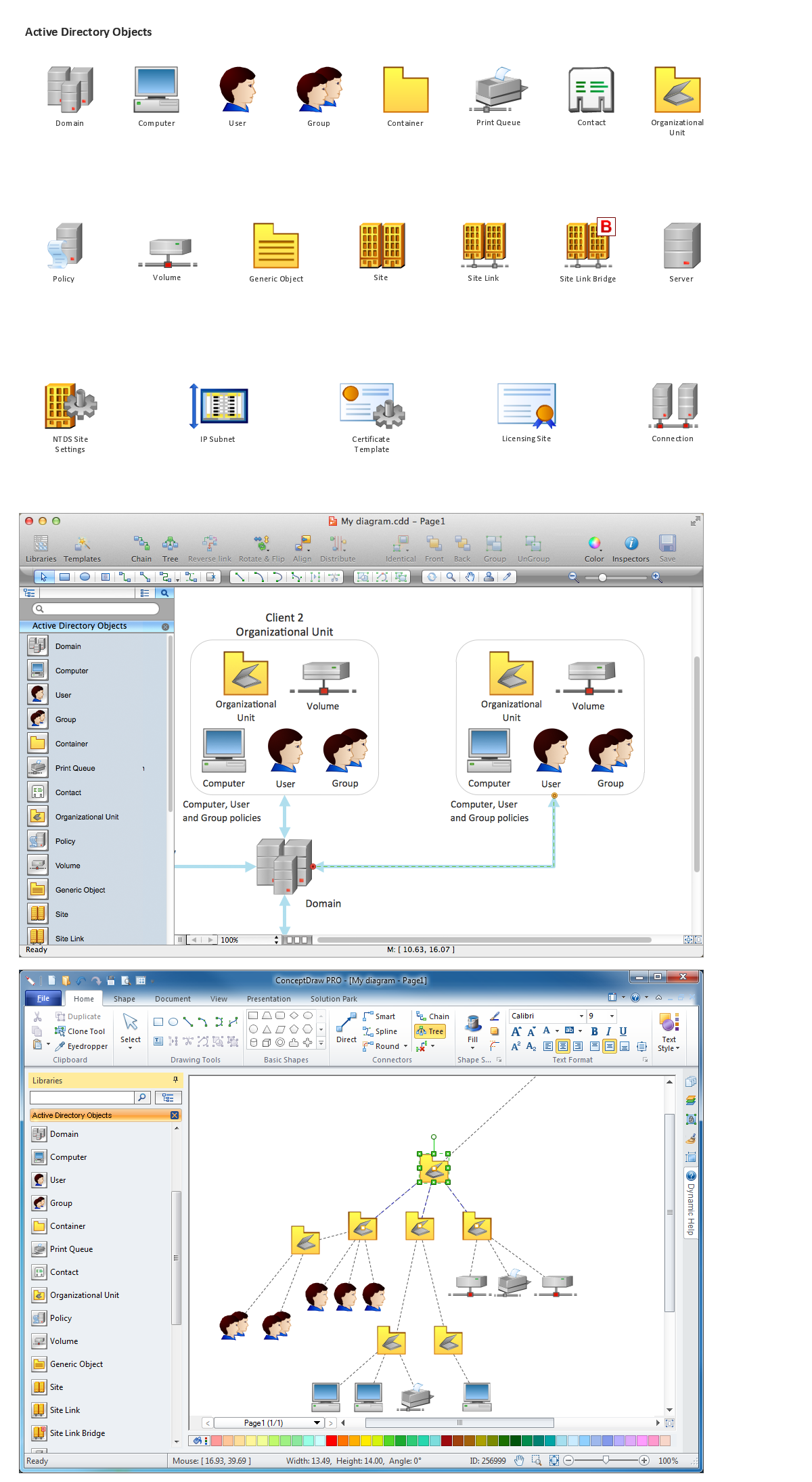
Network Diagramming Software for Network Active Directory Diagrams

Create Graphs and Charts

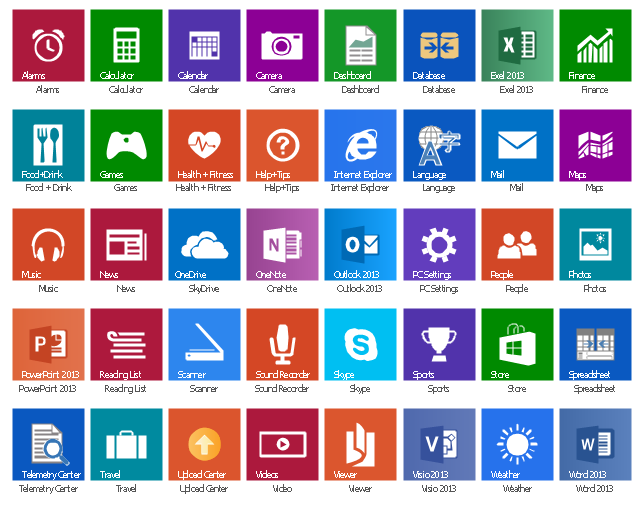
The vector stencils library "Windows 8 apps" contains 40 shortcut icons of Windows 8 software applications.
Use this shortcut UI icon set to design graphic user interface (GUI) prototypes of your software apps for Windows 8.
"In computing, a file shortcut is a handle in a user interface that allows the user to find a file or resource located in a different directory or folder from the place where the shortcut is located.
Shortcuts are typically implemented as a small file containing a target URI or GUID to an object, or the name of a target program file that the shortcut represents. The shortcut might additionally specify parameters to be passed to the target program when it is run. Each shortcut can have its own icon. Shortcuts are very commonly placed on a desktop, in an application launcher panel such as the Microsoft Windows Start menu, or in the main menu of a desktop environment. ...
File shortcuts (also known as shell links) were introduced in Windows 95. Microsoft Windows uses .lnk as the filename extension for shortcuts to local files, and .URL for shortcuts to remote files, like web pages. Commonly referred to as "shortcuts" or "link files", both are displayed with a curled arrow overlay icon by default, and no filename extension. ...
Shortcut files can be used to launch programs in minimized or maximized window states if the program supports it. ...
Beginning with Windows 7, some shortcuts also store Application User Model IDs (AppUserModelIDs). Instead of the target command line, AppUserModelIDs may directly be used to launch applications. Shortcuts with AppUserModelIDs are used by some desktop programs and all WinRT Modern apps for launching." [File shortcut. Wikipedia]
The shortcut icons example "Windows 8 apps - Vector stencils library" was created using the ConceptDraw PRO diagramming and vector drawing software extended with the Windows 8 User Interface solution from the Software Development area of ConceptDraw Solution Park.
Use this shortcut UI icon set to design graphic user interface (GUI) prototypes of your software apps for Windows 8.
"In computing, a file shortcut is a handle in a user interface that allows the user to find a file or resource located in a different directory or folder from the place where the shortcut is located.
Shortcuts are typically implemented as a small file containing a target URI or GUID to an object, or the name of a target program file that the shortcut represents. The shortcut might additionally specify parameters to be passed to the target program when it is run. Each shortcut can have its own icon. Shortcuts are very commonly placed on a desktop, in an application launcher panel such as the Microsoft Windows Start menu, or in the main menu of a desktop environment. ...
File shortcuts (also known as shell links) were introduced in Windows 95. Microsoft Windows uses .lnk as the filename extension for shortcuts to local files, and .URL for shortcuts to remote files, like web pages. Commonly referred to as "shortcuts" or "link files", both are displayed with a curled arrow overlay icon by default, and no filename extension. ...
Shortcut files can be used to launch programs in minimized or maximized window states if the program supports it. ...
Beginning with Windows 7, some shortcuts also store Application User Model IDs (AppUserModelIDs). Instead of the target command line, AppUserModelIDs may directly be used to launch applications. Shortcuts with AppUserModelIDs are used by some desktop programs and all WinRT Modern apps for launching." [File shortcut. Wikipedia]
The shortcut icons example "Windows 8 apps - Vector stencils library" was created using the ConceptDraw PRO diagramming and vector drawing software extended with the Windows 8 User Interface solution from the Software Development area of ConceptDraw Solution Park.
Alarms

Calculator

Calendar

Camera

Dashboard

Database

Exel 2013
Finance

Food + Drink

Games

Health + Fitness

Help+Tips

Internet Explorer

Language

Mail

Maps

Music

News

SkyDrive

OneNote
Outlook 2013

PC Settings
People

Photos

PowerPoint 2013
Reading List

Scanner
Sound Recorder

Skype

Sports

Store
Spreadsheet

Telemetry Center

Travel

Upload Center

Video

Viewer

Visio 2013
Weather

Word 2013
Entity-Relationship Diagram (ERD) with ConceptDraw DIAGRAM


Diagramming Software for Design UML Object Diagrams

Graphical User Interface Examples

The vector stencils library "Design elements - Windows 8 Apps" contains 22 icons of Windows 8 software applications.
Use it to design graphic user interface (GUI) prototypes of your software apps for Windows 8.
The example "Design elements - Windows 8 Apps" was created using the ConceptDraw PRO diagramming and vector drawing software extended with the Windows 8 User Interface solution from the Software Development area of ConceptDraw Solution Park.
Use it to design graphic user interface (GUI) prototypes of your software apps for Windows 8.
The example "Design elements - Windows 8 Apps" was created using the ConceptDraw PRO diagramming and vector drawing software extended with the Windows 8 User Interface solution from the Software Development area of ConceptDraw Solution Park.
Application icons
Graphic Technologies
Program to Make Flow Chart

Restaurant Floor Plan Software

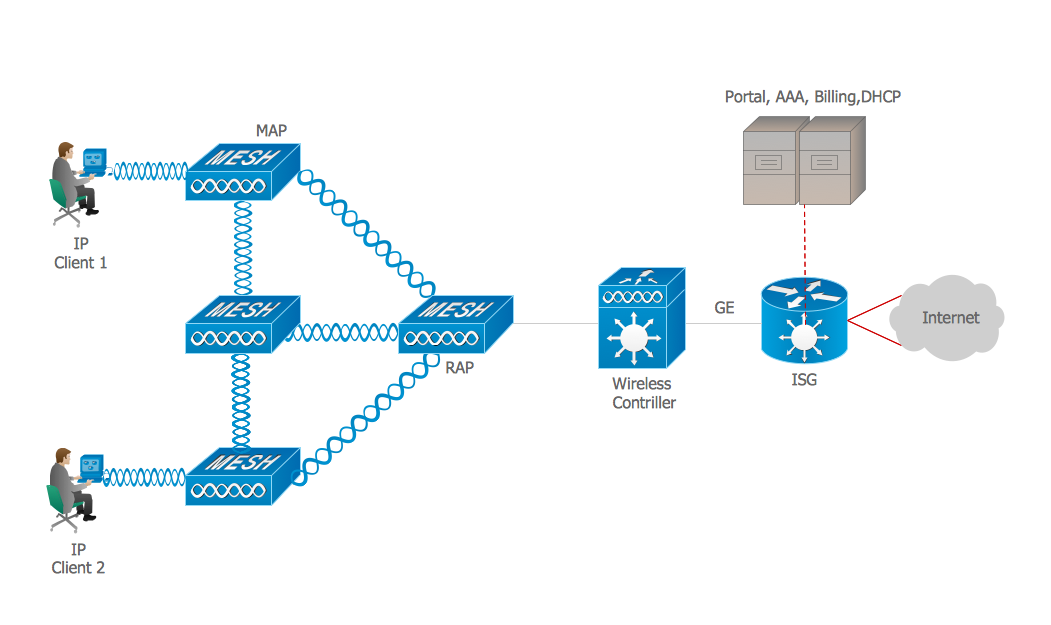
Intelligent Services Gateway (ISG) network. Computer and Network Examples
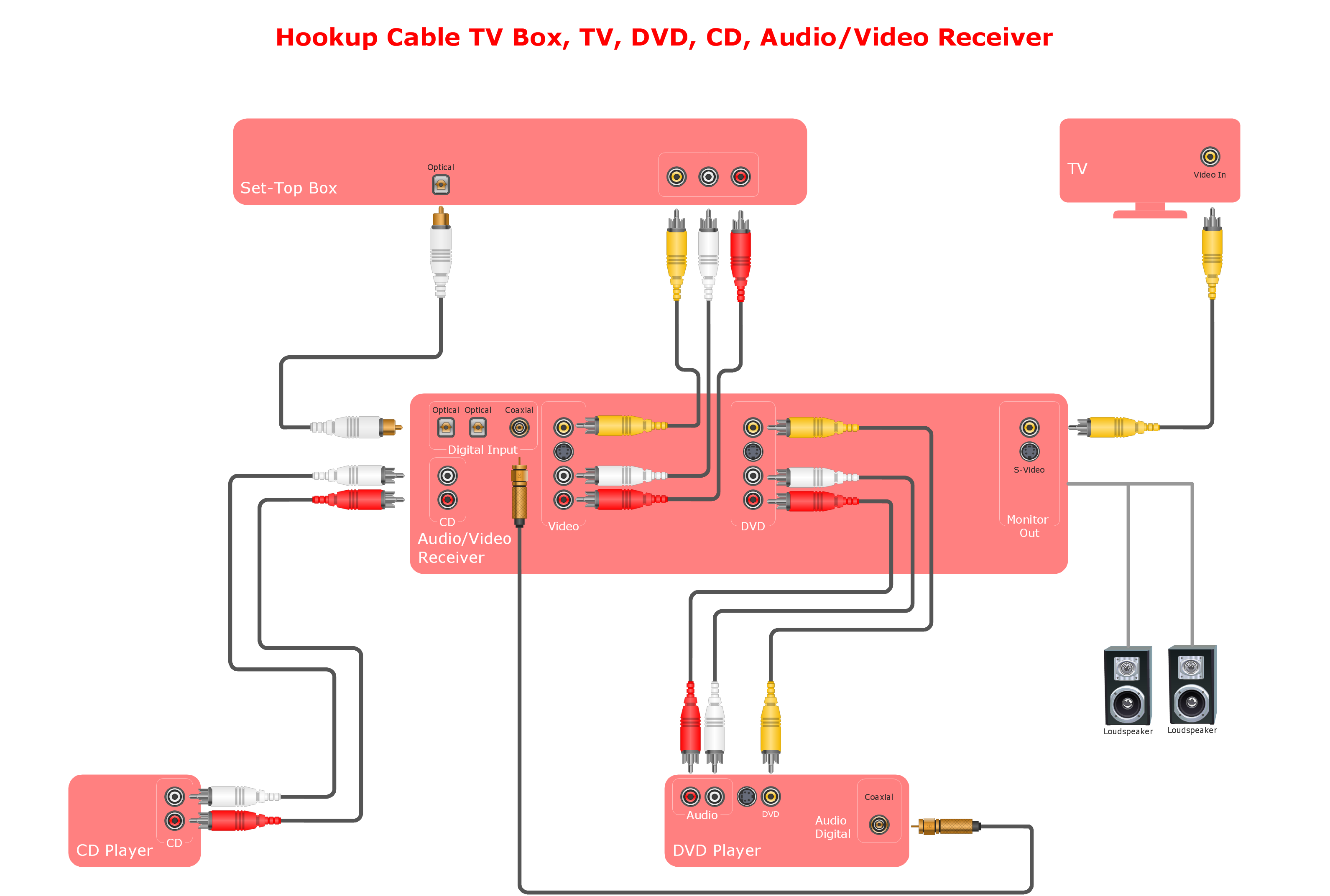
Audio and Video Connections Explained
Export from ConceptDraw DIAGRAM Document to MS Visio® XML


- Graphical User Interface Examples | GUI Software | Windows 8 UI ...
- 3D Network Diagrams. Computer and Network Examples | Network ...
- How to Design a Mockup of Windows 10 User Interface | Graphical ...
- | Design elements - Yosemite Apps | App Graphic Design Software
- macOS User Interface | Software Development Area | Windows 10 ...
- Mac OS User Interface Design Examples | Windows Gui Design ...
- MS Windows Vista user interface - Vector stencils library | Design ...
- Mac OS User Interface Design Examples | Mac OS GUI Software ...
- Windows Vista graphic user interface - Template | macOS User ...
- In searching of alternative to MS Visio for MAC and PC with ...


