Prioritization Matrix
Another matrix which is so simple to draw using ConceptDraw RPO is a so called “Prioritization Matrix”. The mentioned matrix is known to be a useful tool widely used for prioritizing different items describing them considering their so called “weighted criteria”. This tool uses a combination of both matrix and tree diagramming techniques for enabling you to do an evaluation of the different items in order to narrow them down from the already existing options to the most effective or the most desired ones. One of the popular applications for the “Prioritization Matrix” is a so called “return on investment” (ROI) analysis. Another application is known to be a Cost–benefit analysis where the investment is compared to its return. This “cost benefit analysis” is also known as “CBA” or “BCA” — “benefit cost analysis”.
Benefit cost analysis is a systematic approach used for estimating the weaknesses as well as the strengths of the alternatives, and for determining all the options that provide the best of the possibly used approaches for achieving the needed benefits while preserving savings. The “CBA” can be also defined as a “systematic process for comparing and calculating all the costs and benefits of a decision, policy, taking into consideration the particular regard to the government policy, or project. There are two main purposes followed by the “CBA”: to provide a basis for comparing the projects involving the comparing of the total expected cost of each of the existing options against its total benefits, that are expected to be gained; and to determine if a planned investment to be done is sound in a way of verifying if its benefits outweigh the costs.
“CBA” is known to be related to, but distinct from the “cost-effectiveness analysis”. Benefits and costs in CBA are expressed in the monetary terms, and they are adjusted for the time value of money. All the formal techniques include cost–utility analysis, cost-effectiveness analysis, risk–benefit analysis, fiscal impact analysis, social return on investment analysis as well as an economic impact analysis.
The cost–benefit analysis is known to be used by the different organizations in order to appraise the desirability of a given policy. It is known to be an analysis of the expected balance of costs and benefits, including an account of different alternatives. With help of CBA you can simply predict if the benefits of a policy outweigh its costs. It is also simpler to find out the way to rank the alternate policies taking into consideration the “cost–benefit ratio. Any accurate cost–benefit analysis identifies the choices with help of which it is simpler to increase a welfare from a utilitarian perspective, offering a well-educated estimate of the best alternatives.
Listing the alternative projects or programs you can always put them in the right order depending on your prerogative. Listing the stakeholders you can always rate them depending on how influential as well as powerful they are within the certain project. You can also create any needed prioritization matrix selecting the needed measurements or cost and benefit elements in order to put them the way you think they should be rated. Another application of the prioritization matrix is a so called “time management matrix”. Time management is known to be the process of the exercising the conscious control over the amount of time which was spent on some particular activities as well as planning in order to increase efficiency, productivity or effectiveness. Mentioning what it is better to spend more time on analysing the current situation solving the existing problems you can always make any needed prioritization matrix using ConceptDraw DIAGRAM software as well as ConceptDraw STORE, downloading the Seven Management and Planning Tools Solution from the last mentioned product of CS Odessa.
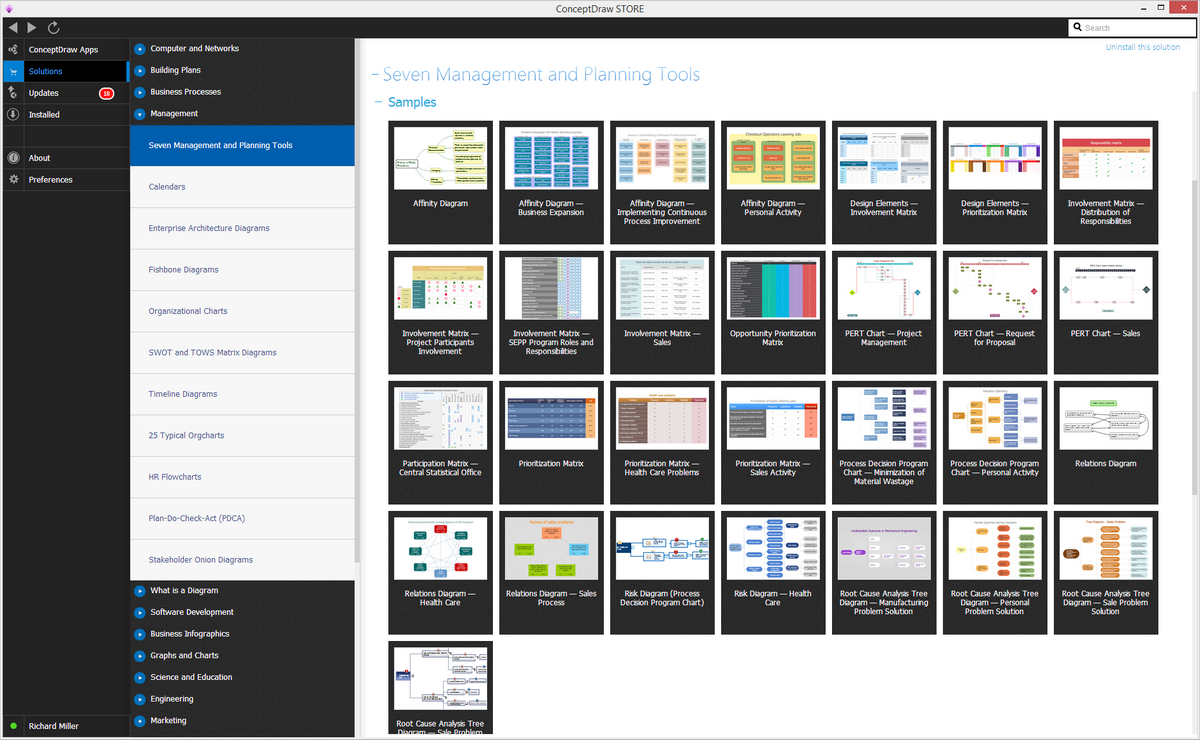
Example 1. Seven Management and Planning Tools Solution
Seven Management and Planning Tools have their roots in Operations Research work written after World War II. They became very popular after the Japanese total quality control (TQC) research — widely known by those working within the total quality management industry, which consists of the organization-wide efforts to make permanent a specific climate, in which an organization gets the chance to improve its ability to deliver the high-quality products as well as high-quality services to its customers. Most of the TQM efforts are known to be drawn on the previously developed techniques and tools of the quality control.
You can always use the mentioned prioritization matrix in any of the existing fields of business activity, including different kinds of the management activities. The Seven Management and Planning Tools include the so called “Affinity Diagram”, which is a special kind of brainstorming tool used for organizing the large amounts of the dis-organized data as well as the information into groupings that are based on the “natural relationships”, being created by Jiro Kawakita (the Japanese anthropologist) in the 1960s. “Affinity Diagram” is also known as “KJ diagram” being used for the situations when you are confronted with many ideas or facts in apparent chaos and when the issues seem to be too complex and large to grasp.
There are other six Management and Planning Tools left out of all existing seven and they are: Interrelationship Diagram, Tree Diagram, Matrix Diagram or quality table, Process Decision Program Chart, Activity Network Diagram, and, of course, the mentioned so many time in this article — Prioritization Matrix. Any of the described tools may be always created within the ConceptDraw DIAGRAM document using the very useful Seven Management and Planning Tools Solution, available for all the ConceptDraw DIAGRAM users any time they need it to simply download from ConceptDraw STORE, which can be downloaded itself from this site, as well as the ConceptDraw DIAGRAM application.
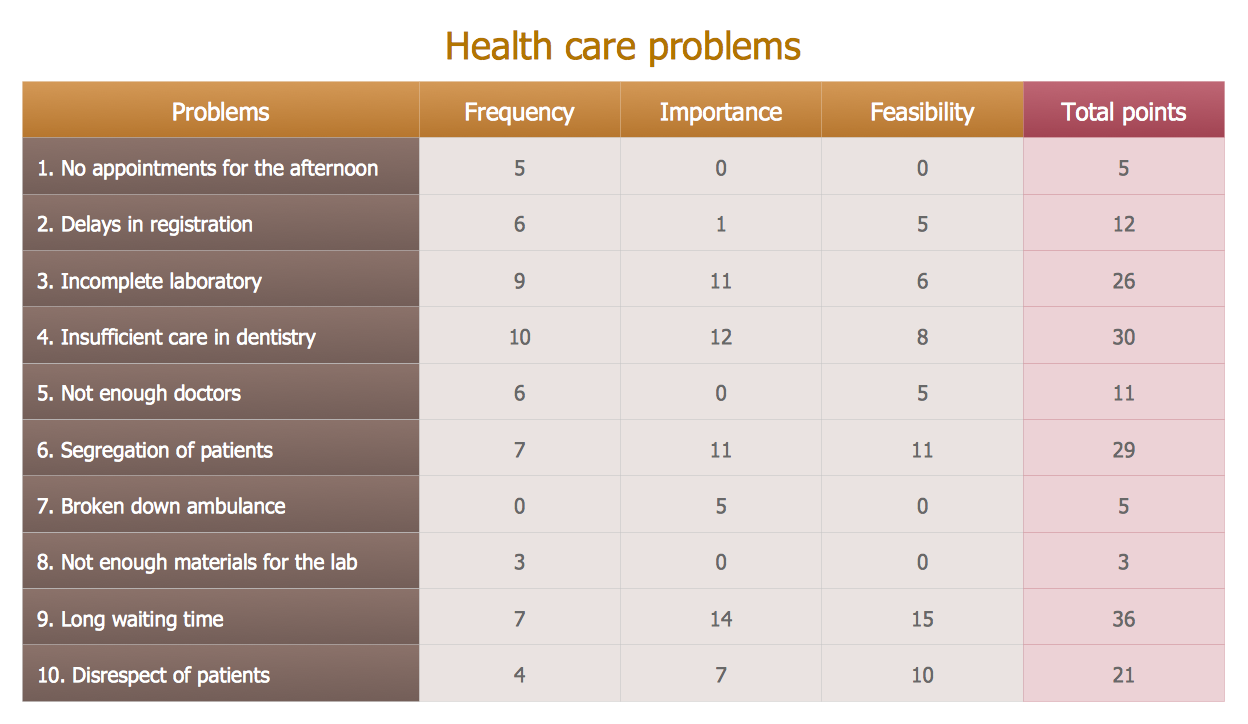
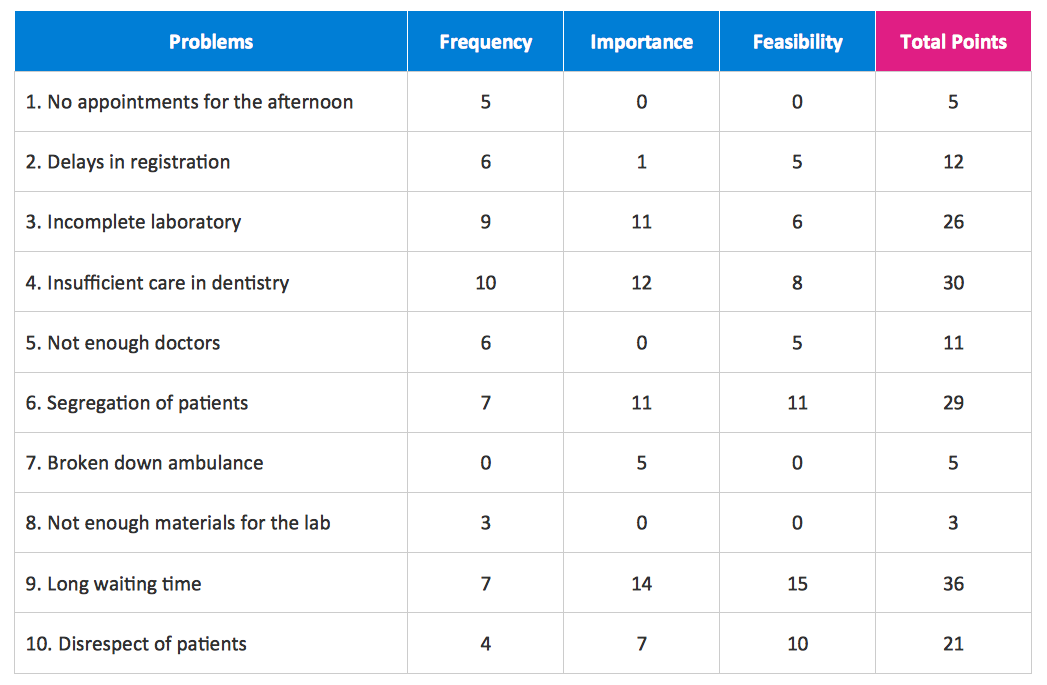
Example 2. Prioritization Matrix
Seven Management and Planning Tools Solution offers 7 libraries with variety of predesigned vector shapes for drawing all 7 types of Seven Management and Planning Tools diagrams, including the Prioritization Matrix:
- Affinity Diagrams Objects Library
- Involvement Matrix Objects Library
- PERT Charts Library
- Prioritization Matrix Library
- Relations Diagrams Library
- Risk Diagram (PDPC) Library
- Root Cause Analysis Tree Diagram Library
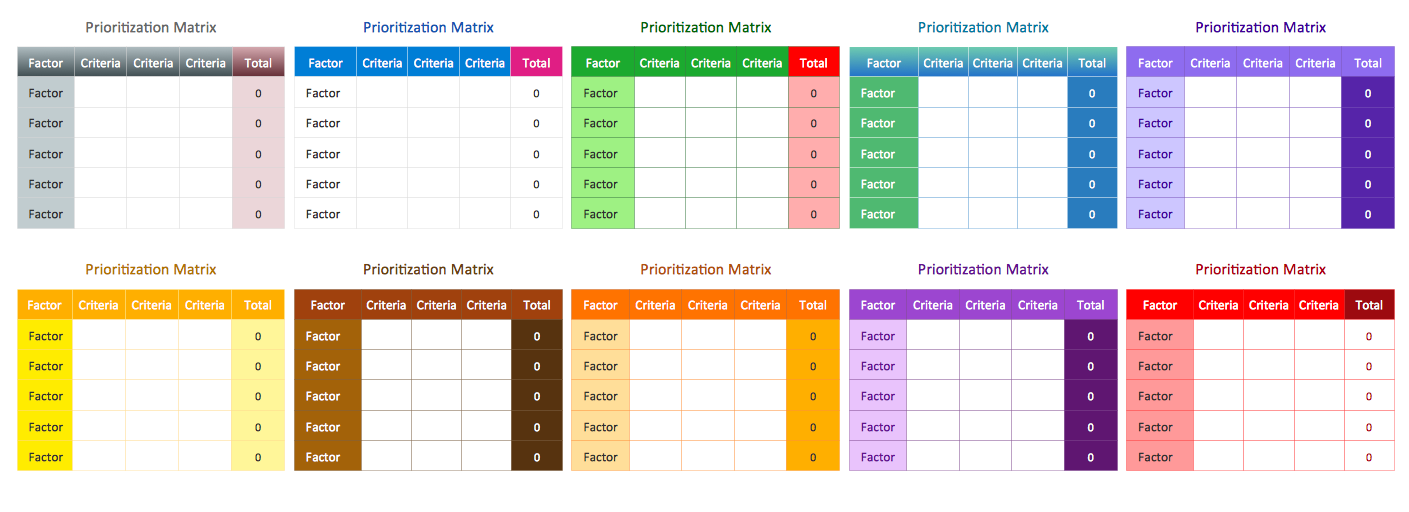
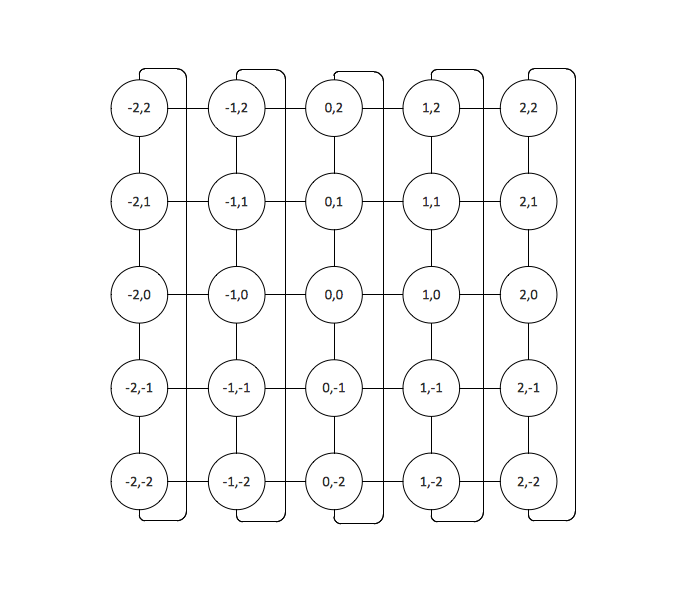
Example 3. Prioritization Matrix Library Design Elements
Using the predesigned vector shapes from the Prioritization Matrix library you don't need draw from the beginning. Each object is almost ready prioritization matrix. You need only drag the object with a favorite design and fill it with your data.
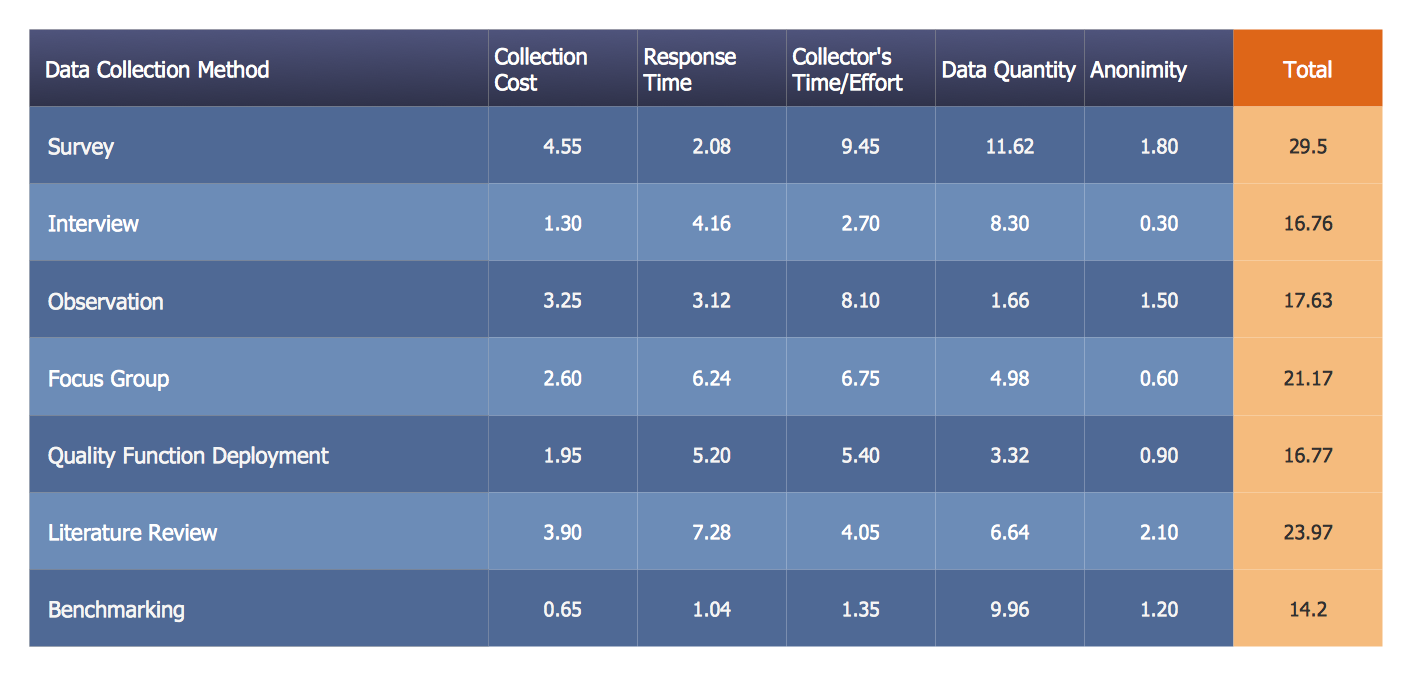
Example 4. Prioritization Matrix Example
The samples you see on this page were created in ConceptDraw DIAGRAM using the Seven Management and Planning Tools Solution for ConceptDraw DIAGRAM Solution Park and demonstrate the Prioritization Matrix examples. An experienced user spent 10 minutes creating every of these samples.
Use the Seven Management and Planning Tools Solution for ConceptDraw DIAGRAM software to create your own professional looking diagrams Prioritization Matrix fast, easy and effective.
All source documents are vector graphic documents. They are available for reviewing, modifying, or converting to a variety of formats (PDF file, MS PowerPoint, MS Visio, and many other graphic formats) from the ConceptDraw STORE. The Seven Management and Planning Tools Solution is available for all ConceptDraw DIAGRAM or later users.