Made with
ConceptDraw
DIAGRAM 18

PDPC

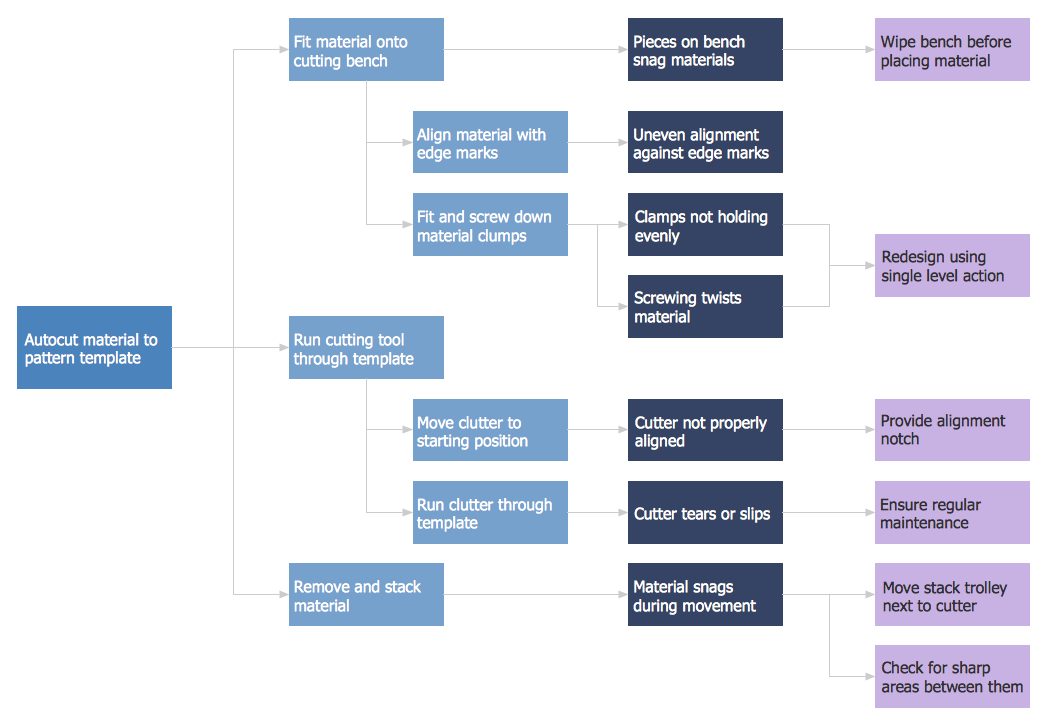
PDPC, or Process Decision Program Chart, is one of the popular techniques that was designed in order to help prepare the contingency plans. The main reason for using the PDPC is to create some appropriate contingency plans used for limiting the risks and to identify the consequential impact of failure on the activity plans. Planning tree diagrams as well as the process diagrams are known to be extended by a couple of levels. At the same time, the PDPC can be applied to all the bottom level tasks on those diagrams.

From the very bottom level of any of the activity boxes, the PDPC is known to be adding the levels in order to identify what can go wrong, to find out the consequences of that failure and the possible countermeasures.
PDPC *

Example 1. PDPC — Minimization of Material Wastage

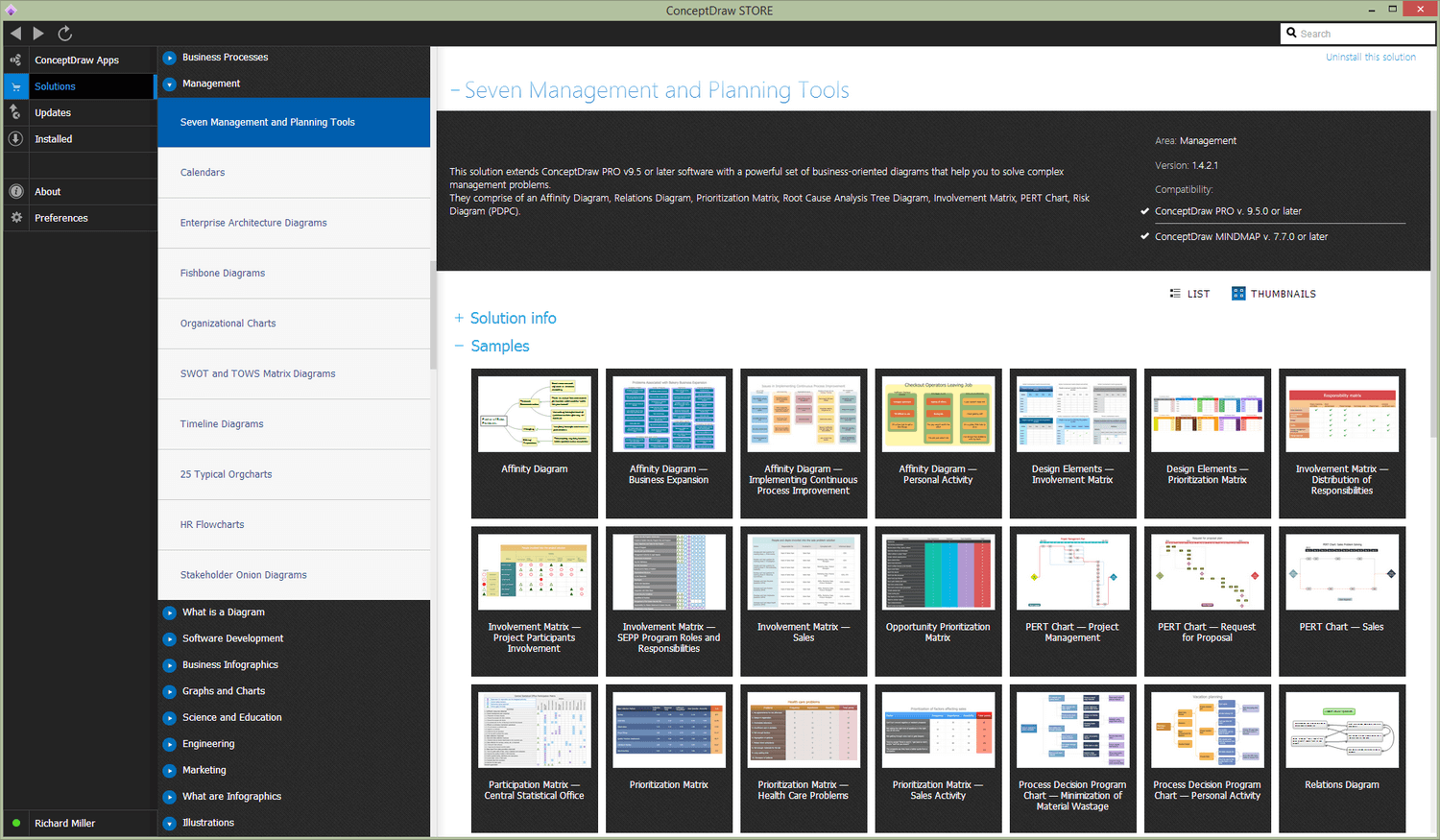
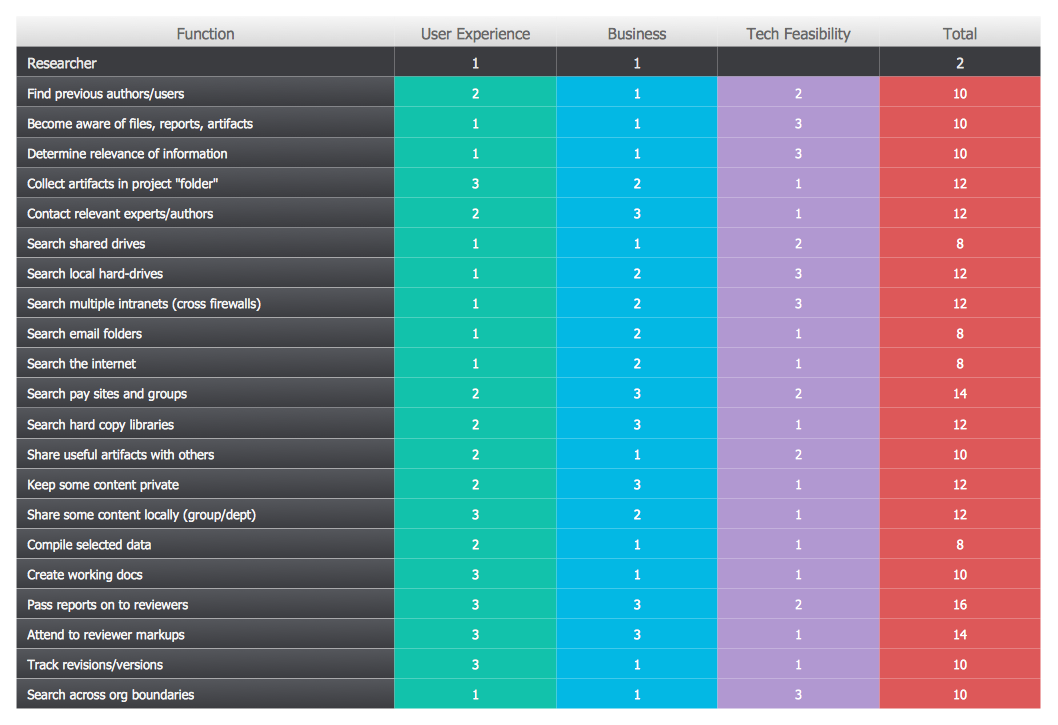
Seven Management and Planning Tools Solution offers 5 stencil libraries that contain 45 vector objects. One of the stencil libraries is called as the “Design Elements — Involvement Matrix” having 20 vector shapes, another is a “Design Elements — Prioritization Matrix” having the 10 vector shapes.

In order to make any needed diagrams from the Seven Management and Planning Tools, such as an Affinity Diagram, a Prioritization Matrix, a Root Cause Analysis Tree Diagram, an Involvement Matrix, a PERT Chart, a Risk Diagram (PDPC) or/and the Relations Diagram, you can simply download ConceptDraw DIAGRAM diagramming and drawing application from this site as well as a ConceptDraw STORE one to get a great looking result within only a few minutes by editing the already pre-made templates that are all available in the previously mentioned solution.
Seven Management and Planning Tools Solution

Example 2. Seven Management and Planning Tools Solution in ConceptDraw STORE

In order to identify what can go wrong during any business activity, the risks have to be evaluated. Any risk is known to be the potential of losing or gaining something of a value that can be a physical health, an emotional well-being, a financial wealth and/or a social status. Any value can be either lost or gained while taking a risk. It may result from an inaction or a given action, foreseen or unforeseen meaning planned or unplanned risk that can also be defined as the intentional interaction with some uncertainty. The mentioned uncertainty can be some uncontrollable, unpredictable potential outcome. And any risk is a consequence of an action taken in spite of any uncertainty.

Risk perception is known to be the subjective judgment that people make about the probability as well as a severity of a risk. It may vary person to person. Any human activity, including the business one, always carries some risk, but some of them are much riskier than others. To be able to cope with the risk as a challenge for any organization, business activity such as a project, etc., it is important to know some basics about risk management as it is the process of an assessment done after the identification of the risks.

Risk management also includes a prioritization of the previously identified and assessed risks followed by an economical and coordinated application of resources. It should be done in order to monitor, to control and to possibly minimize any impact or probability of some unfortunate events as well as to maximize the realization of all the given opportunities. Risk management’s main objective is to assure that any uncertainty does not deflect the endeavor from the main business objectives and goals.
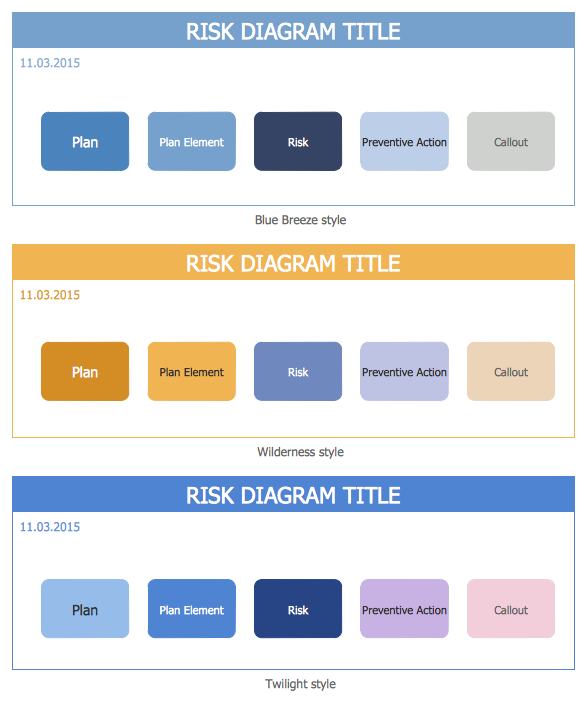
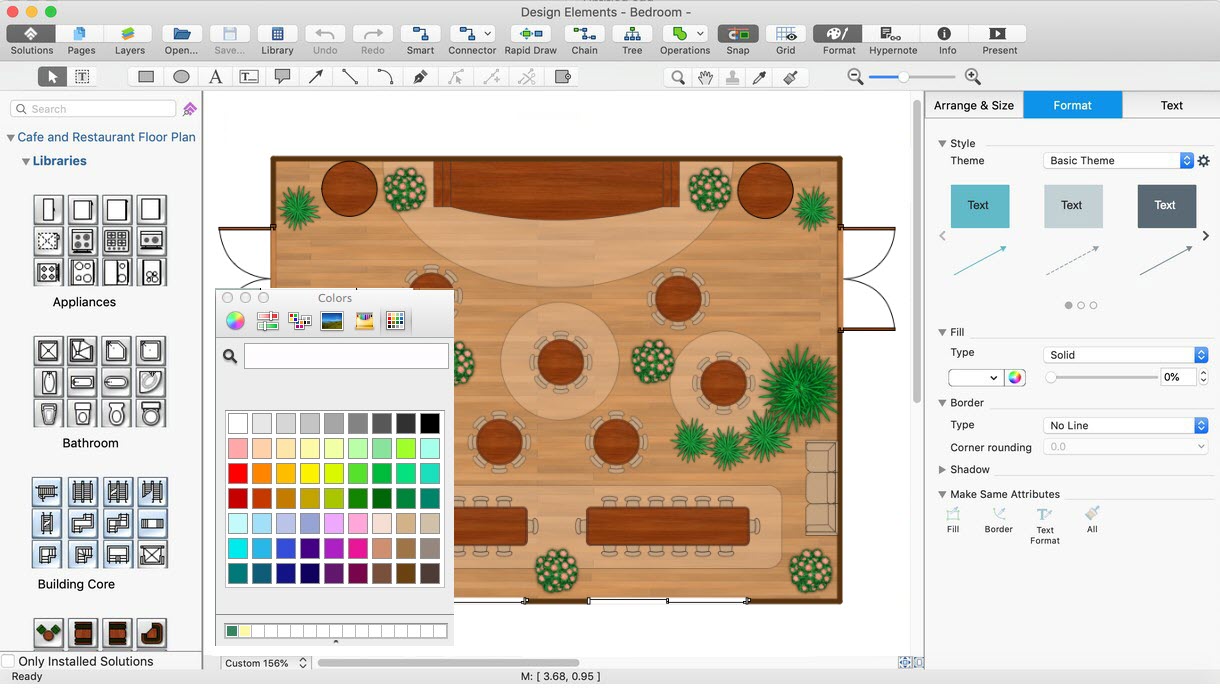
Risk Diagram (PDPC) Library Design Elements

Example 3. Risk Diagram (PDPC) Library Design Elements

Risks are known to be coming from many different sources, such as an uncertainty in the financial markets, some threats from the project failures that can appear at any phase in development, design, sustainment life-cycles, production, legal liabilities, credit risk, natural causes, natural disasters, accidents, deliberate attack from an adversary, or events of unpredictable or uncertain root-cause. There are two types of events: for instance, the negative events can be classified as risks when positive ones can be classified as opportunities.

There are a few risk management standards that have been developed. They include the ISO standards, the National Institute of Standards and Technology, the Project Management Institute and the actuarial societies. Different methods, goals and definitions may vary according to whether the risk management method is in the context of security, engineering, industrial processes, project management, public health and safety issues, financial portfolios or actuarial assessments.

Making a risk diagram, or PDPC, may help illustrate some potential threats some organization is at a risk to face and so to help solve such problems. In case such drawings should be made within a short period of time, the ConceptDraw DIAGRAM diagramming and drawing application can be very useful as well as the ConceptDraw STORE one where the Seven Management and Planning Tools Solution may be found offering the pre-made design elements as well as the layouts for making the professionally looking and smart looking diagrams.
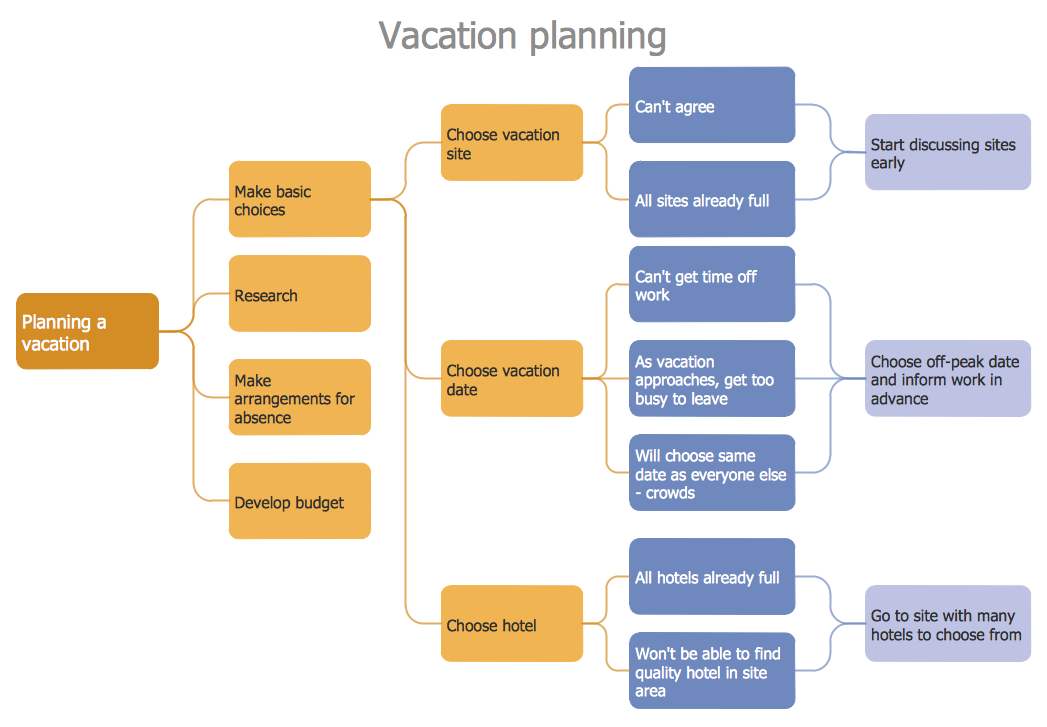
PDPC - Personal Activity

Example 4. PDPC — Personal Activity

There are many different strategies that are all used for managing the threats meaning the uncertainties with some negative consequences. The mentioned strategies may include reducing the probability of the threats, the negative effects, avoiding the threats, transferring a part or all the threat to some another party, and/or even retaining all or some of the potential or some actual consequences of some particular threats and the opposites for opportunities.


NINE RELATED HOW TO's:
In software engineering, it is important to understand how the system would cooperate with external sources, like data sources. To give this information a visual representation, data flow diagrams (DFD) were used for years. The entire system is usually divided into smaller ones, and all of them process data flows in appropriate ways. The visualizing business processes which engages the data transfer, is commonly preformed using DFDs (data flow diagrams). DFD is used to show the data flow processing and transformation. This DFD represents the electronic system of a customer purchase. It was created using Gane/Sarson notation. Data flow diagrams helps you to sort through and clarify transferring process making it available for analysis, and representation. ConceptDraw DFD solution introduces the vector library, containing the full set of icons from DFD notations.Data Flow Diagram (DFD) *
Picture: Data Flow Diagram (DFD)
Related Solution:
ConceptDraw DIAGRAM is a flowchart creating software. This software includes over 20 vector stencils in libraries. These objects allow you to create well-designed flowcharts. Put an initial object from library to a page and use RapidDraw technology clicking on direction arrows to add new objects to the flowchart. This way you can make flowchart quickly.How To Create a Flow Chart in ConceptDraw *
Picture: How To Create a Flow Chart in ConceptDraw
Related Solution:
A lot of business process techniques are able to be applied in regular life. Although this tool is considered to be used for business purposes, you can make a SWOT template for yourself. In fact, any obstacle might become a subject for SWOT analysis. ConceptDraw solution for SWOT analysis solution provides a power visual maintenance of a SWOT analysis. It is a procedure of strategic planning made to discover the Strengths, Weaknesses, Opportunities, and Threats business meet. This mind map template for ConceptDraw MINDMAP isually maintains investigation of good and bad factors. For example, factors that provides an advantage over others are strength; factors that brings a disadvantage are factors of weakness. After the analysis is finished, transfer your data to create a SWOT matrix in ConceptDraw DIAGRAM.SWOT Template *
Picture: SWOT Template
It doesn’t matter what kind of business you have, a bar or a gym, there are common concepts for any of them. One of those concepts is accounting, and to facilitate the work with the figures, you can use accounting flowchart symbols and create a clear and representative scheme. You can create flowchart for auditing, tax accounting and even for planning your own budget. A graphical tool for displaying successive processes is flowchart. This method is mostly suited to represent an accounting process. The sequence of steps in the accounting process usually consists of standard accounting procedures, that can be depicted by using a minimal number of symbols, applied for the basic flowcharting. The advanced opportunity to create professional Accounting Flow charts is provided by ConceptDraw Accounting Flowcharts solution. It includes contains a library of accounting flowchart symbols used when drawing the accounting process flow.Accounting Flowchart Symbols
Picture: Accounting Flowchart Symbols
Related Solution:
Internal auditing is an independent, objective assurance and consulting activity designed to add value and improve an organization's operations. ConceptDraw DIAGRAM diagramming and vector drawing software extended with Audit Flowcharts solution from the Finance and Accounting area perfectly suits for the Internal Audit Process. You can make sure this right now!Internal Audit Process *
Picture: Internal Audit Process
Related Solution:
The most easier way of creating the visually engaging and informative Sales Process Flowchart is to create the new ConceptDraw document and to use the predesigned vector symbols offered in 6 libraries of the Sales Flowchart Solution. There are more than six types of sales process flow diagrams, ConceptDraw DIAGRAM software is flowchart maker which include six collections of extended flowchart symbols for effective diagramming. There are main collections of color coded flowchart symbols: Sales Department, Sales Steps, Sales Workflow, Sales Symbols and special set of Sales Arrows and Sales Flowchart.Sales Process Flowchart Symbols *
Picture: Sales Process Flowchart Symbols
Related Solution:
The growth–share matrix (BCG Matrix) was created by Bruce D. Henderson for the Boston Consulting Group in 1970 to help corporations to analyze their business units and to help the company allocate resources. How is it easy design the BCG Matrices in ConceptDraw DIAGRAM diagramming and vector drawing software supplied with unique Matrices Solution from the Marketing Area of ConceptDraw Solution Park.BCG Matrix *
Picture: BCG Matrix
Related Solution:
Installing a wireless network is not very different from a regular network. After you configure the interfaces, the half of network configuration is done. You should also set routing, masquerading and set all the addresses. This Interactive Voice Response Diagram (IVR) diagram depicts topology of an IVR system and shows physical and logical structure of an IVR system. It is created using facilities of the ConceptDraw solutions: Computer and Networks Diagrams in conjunction with Interactive Voice Response Diagrams. The diagram helps to understand how the call-center's equipment interacts with customer's calls to route them in the proper manner enabling client to get a useful response.Network Configuration *
Picture: Network Configuration
Related Solution:
Start your business process mapping with conceptDraw DIAGRAM and its Arrows10 Technology. Creating a process map, also called a flowchart, is a major component of Six Sigma process management and improvement. Use Cross-Functional Flowchart drawing software for business process mapping (BPM). Use a variety of drawing tools, smart connectors and shape libraries to create flowcharts of complex processes, procedures and information exchange. Define and document basic work and data flows, financial, production and quality management processes to increase efficiency of you business.Cross Functional Flowchart for <br>Business Process Mapping *
Picture: Cross Functional Flowchart for Business Process Mapping
ConceptDraw
DIAGRAM 18