HR Department Chart
What is the Structure of an HR Department?
The Human resources (HR) department is a company division responsible for searching, screening, interviewing, onboarding, and managing employees, their satisfaction, comfortable conditions of work and motivation, incentives, compensation, rewarding, bonuses, and benefit programs. Their responsibilities also include writing job descriptions, employees' training and professional development, creating personnel policies and procedures, complying with regulations and labor laws, managing employee relations, maintaining safety at the workplace, and risk management. All this contributes to efficient performing jobs and staying productive.
Functions of the HR department can differ depending on the industry, company size, and more factors. But in any way, the HR department has a high value for a company of any size. HR managers improve the hiring processes, optimize workforce productivity, engage and retain employees, and strive to manage people the most effectively. Because people are the greatest resource of any organization and correctly chosen staff impacts the business functions, improves the company's productivity and efficiency. Therefore currently businesses attend great attention to hiring the right people and keeping them engaged to be motivated and as productive as possible. The valuation of employee satisfaction is realized in various ways including direct communication, surveys, and questionnaires.
There are different ways to structure the HR department:
Centralized structure — the hierarchical structure where the HR manager reports to upper management and can have managers for recruitment and employee development under his authority; as a rule, HR activity is localized in one place and all divisions of the company are in equal conditions;
Decentralized structure — HR functions are distributed across different units of the business and departments may be located in diverse geographical areas; as a rule, each department of the company takes an active part in the decision-making and then the HR department takes the final decision, this provides flexibility in communication level between employees and upper management and improves the working relationships;
Matrix structure — combines the centralized and decentralized structure, often employees report to both the HR manager and separate departments in the company; different levels of HR department ensure fast and easy access to the information and correspondingly a faster response;
Outsourced structure — supposes hiring an outside company or freelancers to perform HR tasks; as a rule, it is a good solution for small companies.
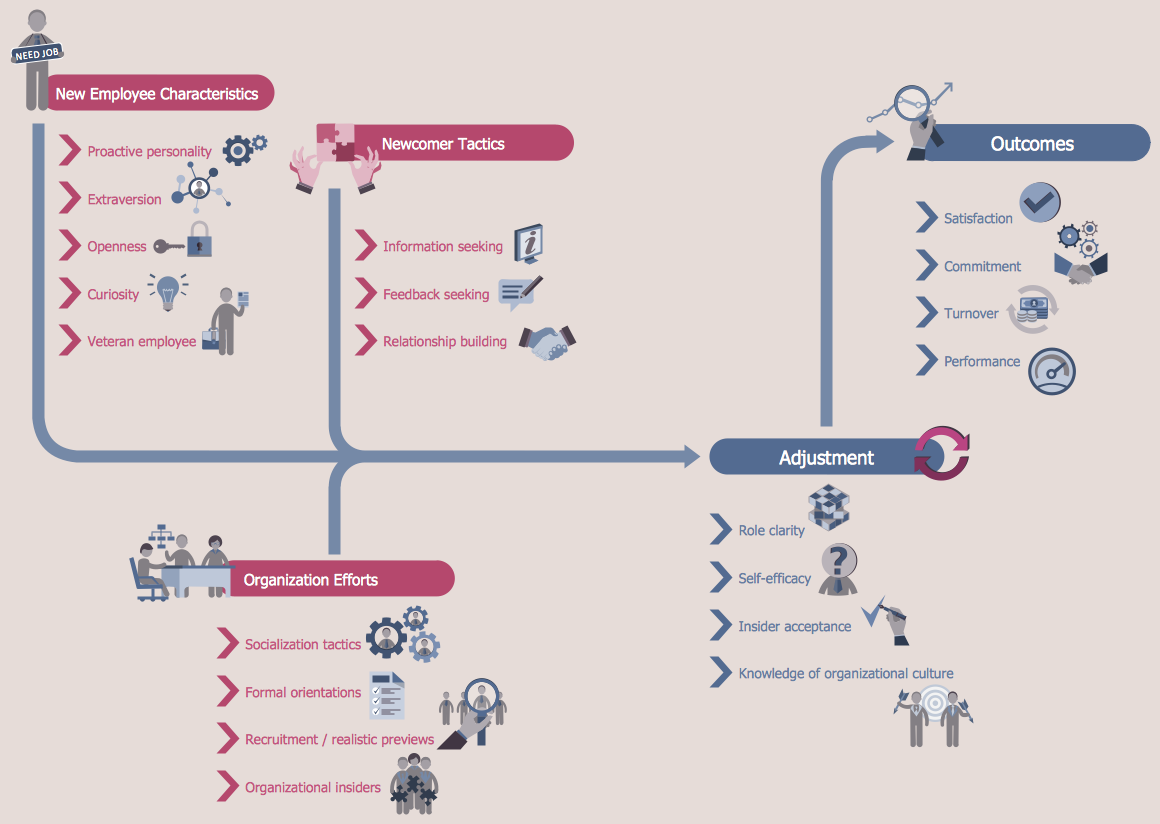
Example 1. HR Department Chart
To structure efficiently your HR department, follow the simple steps:
analyze key functions and company goals and choose a suitable structure;
explore company needs in recruitment (usually large companies have a consistent need for recruitment and training personnel);
identify HR department functions;
define the HR department's size and specify HR team competencies;
determine measures of success;
select a provider correctly and carefully when outsourcing an HR department;
consider diversity and specificity of your company activities;
track the performance of your company and make the needed improvements timely.
What is the HR Organization Chart?
HR Department Chart helps to visualize, plan, and manage the human resources, human functions, and processes of a company. It clarifies the structure of the HR department of the company, the employees' hierarchy, relations between HR employees, their roles and responsibilities. It is a simple, understandable but at the same time capacious structure, which helps in decision-making, better managing human resources, evaluating success and efficiency of the company, detecting and filling vacant positions, achieving expected outcomes, improving the relationships between employees, managers, supervisors, and other organizational units.
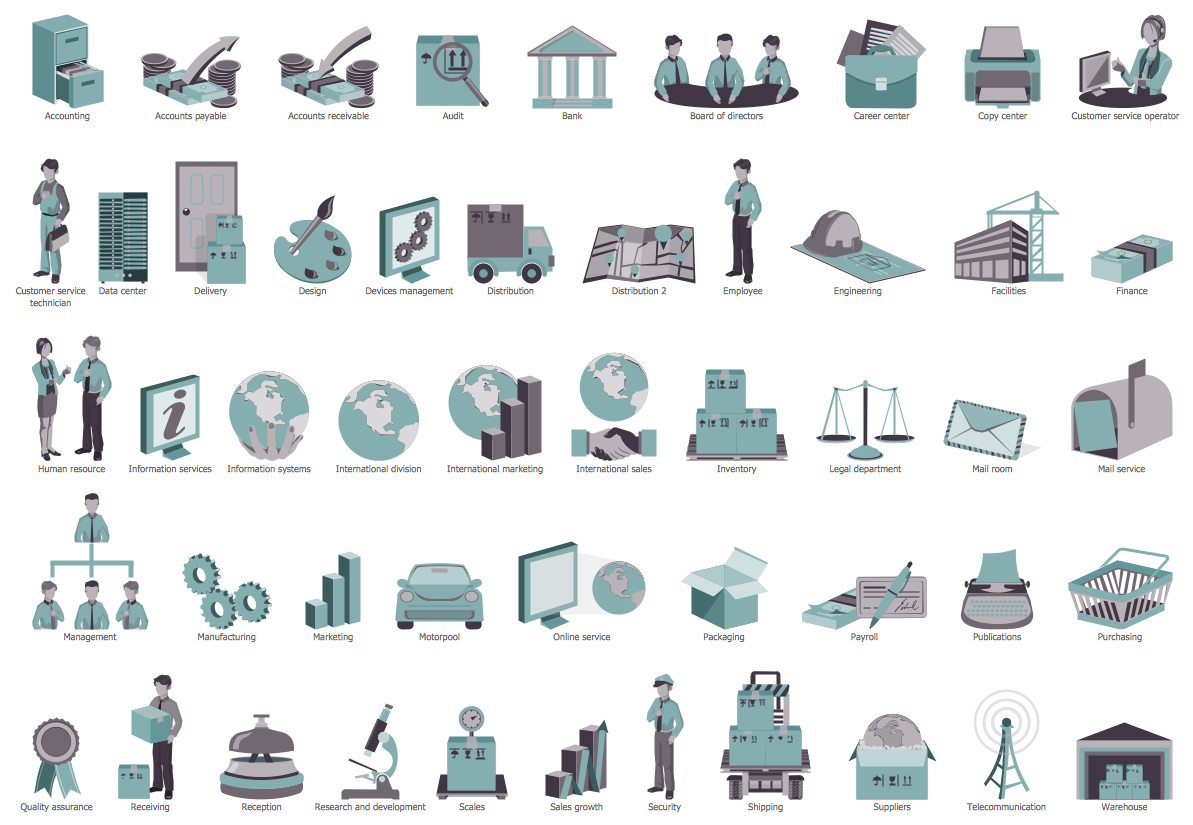
Example 2. HR Department Library Design Elements
HR Flowcharts solution extends the drawing capabilities of ConceptDraw DIAGRAM's users and assists in designing professional-looking and informative HR department charts in minutes. This solution includes a large collection of pre-made samples and vector design elements — HR department symbols and pictograms, flowchart objects, arrows, and other elements in 7 libraries.
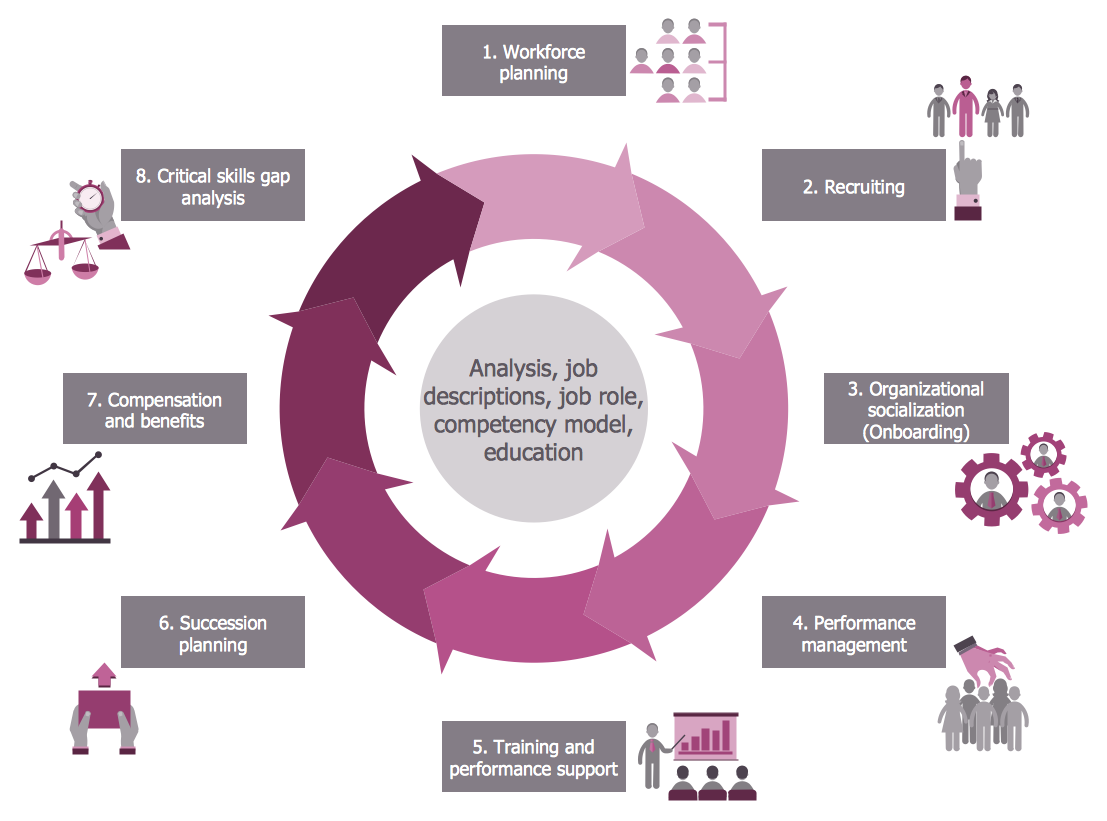
Example 3. HR Flowchart — Talent Management Process
The HR Charts you see on this page were created in ConceptDraw DIAGRAM software using the extensive drawing tools of the HR Flowcharts Solution and visually show hiring process on the HR Flowchart. They successfully demonstrate the solution's capabilities and professional results you can achieve. An experienced user spent 10-15 minutes creating each of these samples.
Use the powerful tools of the HR Flowcharts Solution for ConceptDraw DIAGRAM software for effective hiring process and for quick and easy creating professional-looking HR Flowcharts. Use successfully the created diagrams in your work and personal activity.
All source documents are vector graphic documents. They are available for reviewing, modifying, or converting to a variety of formats (PDF file, MS PowerPoint, MS Visio, and many other graphic formats) from the ConceptDraw STORE. The HR Flowcharts Solution is available for all ConceptDraw DIAGRAM users.

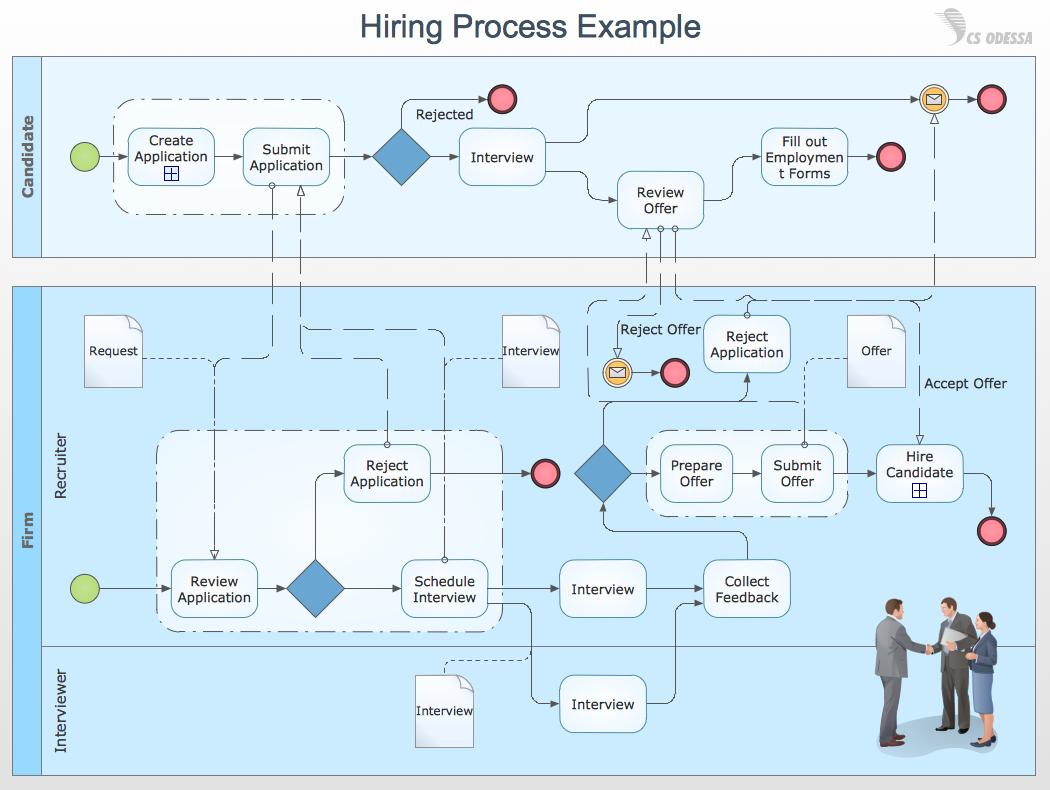
This sample shows the Workflow Diagram that clearly illustrates stages a BPM consists of and relations between all parts of business. The Workflow Diagrams are used to represent the transferring of data during the work process, to study and analysis the working processes, and to optimize a workflow.