A Creative Look at Quality Procedures
Get a creative look at a quality procedures with mindmaping software ConceptDraw MINDMAP . Once a quality problem is identified, mind maps can be of great value in depicting and describing a problem in detail, then structure it, and find the right decision. Using quality mind maps is a perfect addition to quality visualization in your company. Mind maps provide descriptive documents for daily work and keep all quality team members clearly informed about key points.
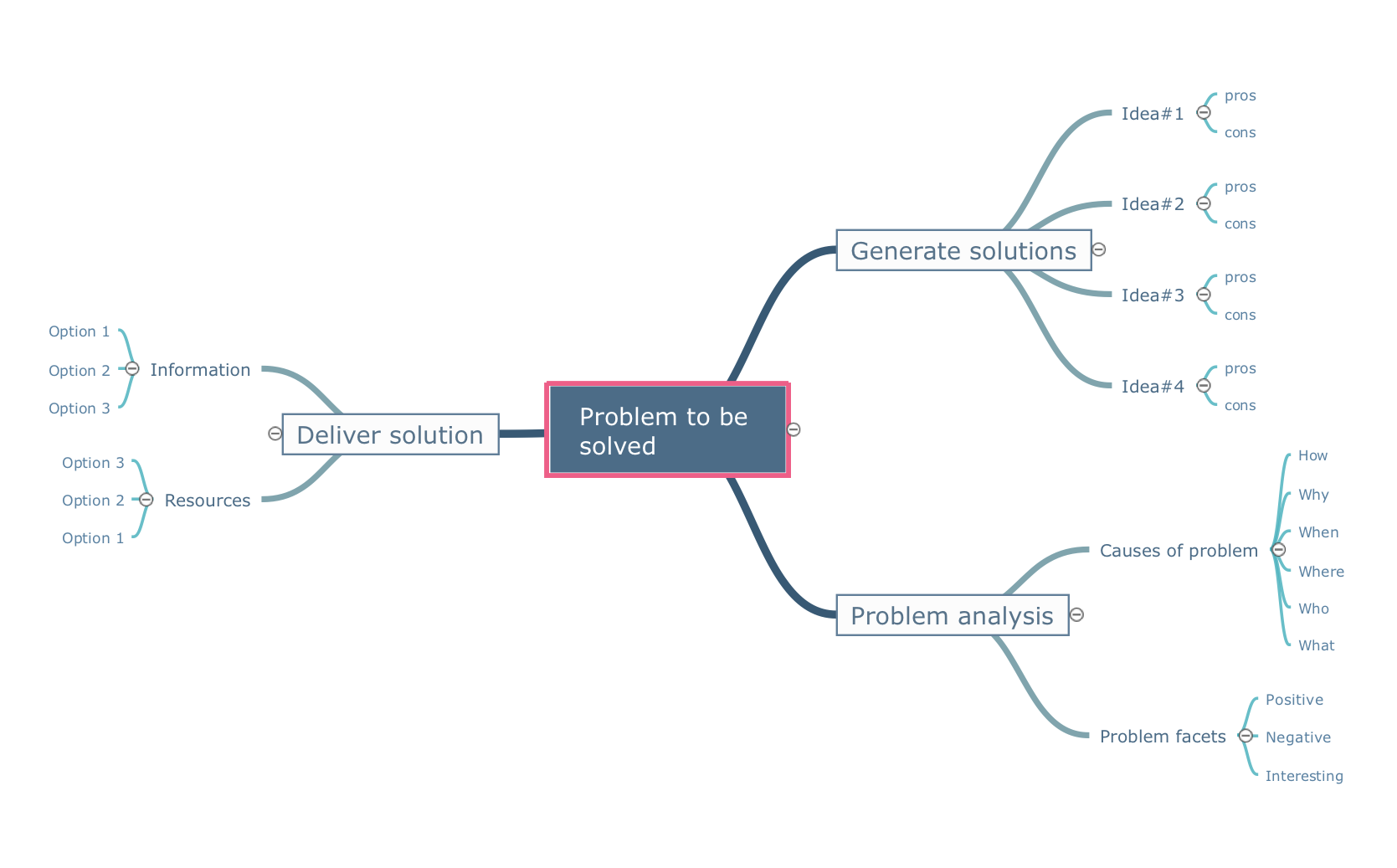
Pic.1 Problem to be solved - Mind map template.
Look at quality procedures creatively using ConceptDraw Quality mindmaps solution.
See also Samples:
SEVEN RELATED HOW TO's:
Evernote Tools for mac: Use mind map to add notes. A solution to exchange notes with Evernote.
Picture: Exchange with Evernote on Mac
Related Solution:
ConceptDraw MINDMAP is a powerful business and personal productivity software application that provides visual organization and access to information for individuals and organizations.
Picture: ConceptDraw MINDMAP :Brainstorming, Mind Mapping for macOS and Windows
The Ishikawa diagram, Cause and Effect diagram, Fishbone diagram — all they are the names of one and the same visual method for working with causal connections. Originally invented by Kaoru Ishikawa to control the process quality, the Ishikawa diagram is well proven in other fields of management and personal scheduling, events planning, time management. It is a chart in the form of a fish, whose head is a problem, the fins are variants for its causes.
To design easily the Fishbone diagram, you can use a special ConceptDraw DIAGRAM vector graphic and diagramming software which contains the powerful tools for Fishbone diagram problem solving offered by Fishbone Diagrams solution for the Management area of ConceptDraw Solution Park.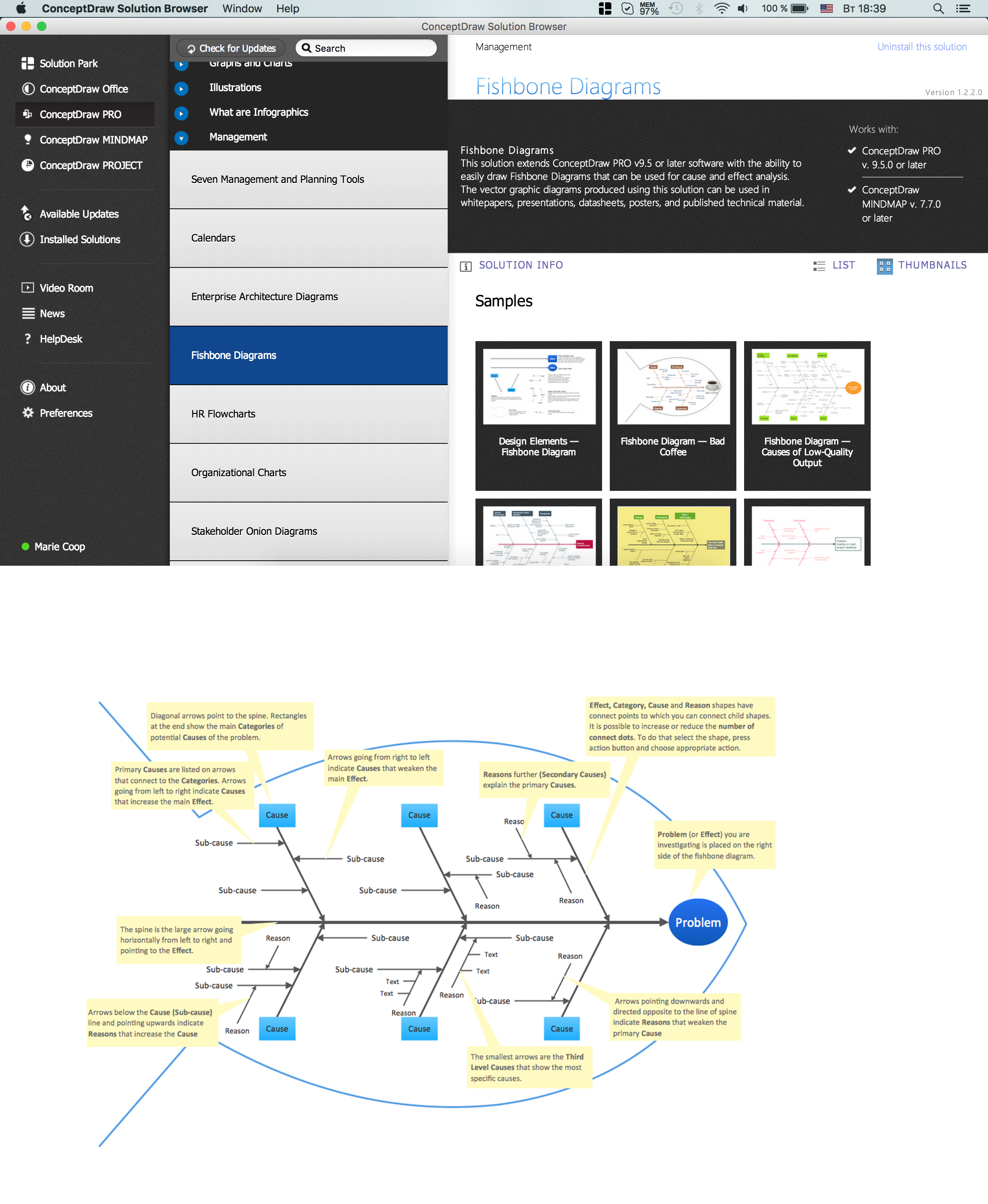
Picture: Fishbone Diagram Problem Solving
Related Solution:
Analyze the root causes of factors that influence the problem. A diagram is constructed separately for each high priority factor. Identify the root causes for a factor and then propose possible corrective actions. The diagram displays the structure of causes for a factor and possible corrective actions. The Root Cause Analysis Tree Diagram is used for further formulation of actions.
Picture: Root Cause Tree Diagram
Related Solution:
Tips on how to make an accounting flowchart. Describing methods and symbols that are used to represent the accounting system.
Picture: How to Make an Accounting Process Flowchart
Related Solution:
A triangular graphic representing Graham's hierarchy of disagreement, based on Paul Graham's March 2008 essay How to Disagree.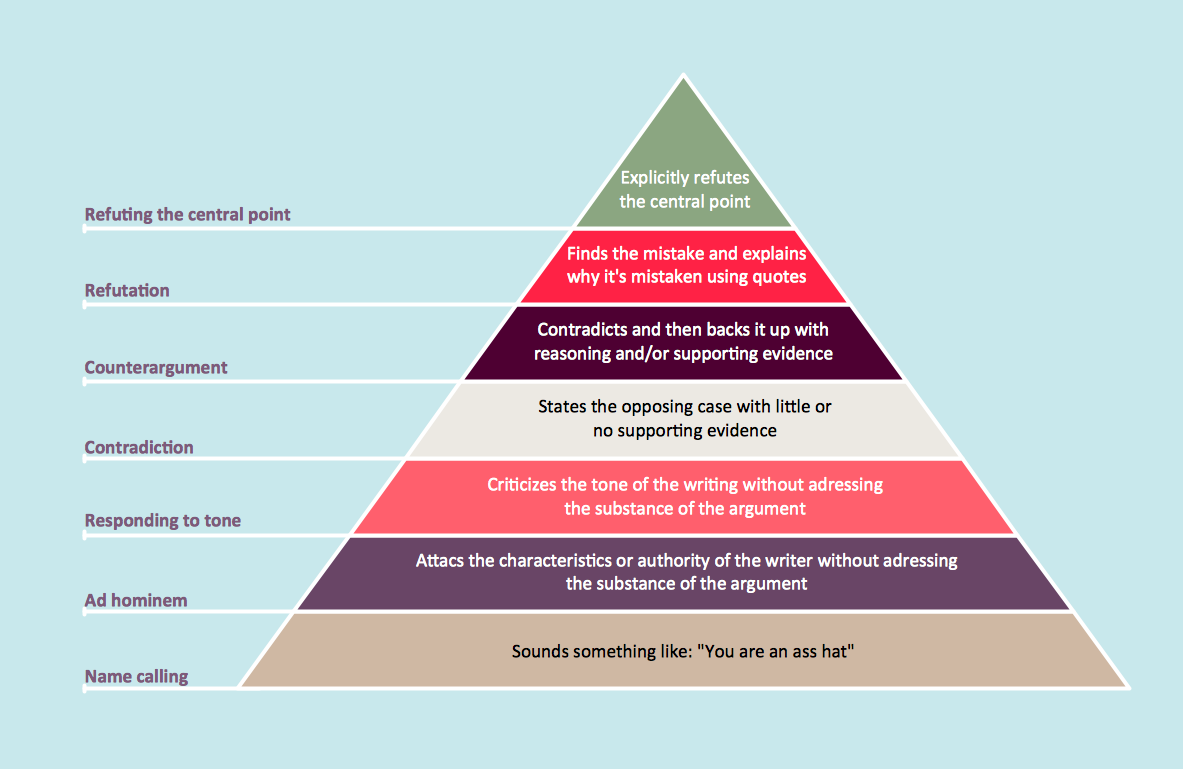
Picture: Pyramid Diagram
Related Solutions:
There are available tool to lend a fresh look to quality procedures - ConceptDraw MINDMAP.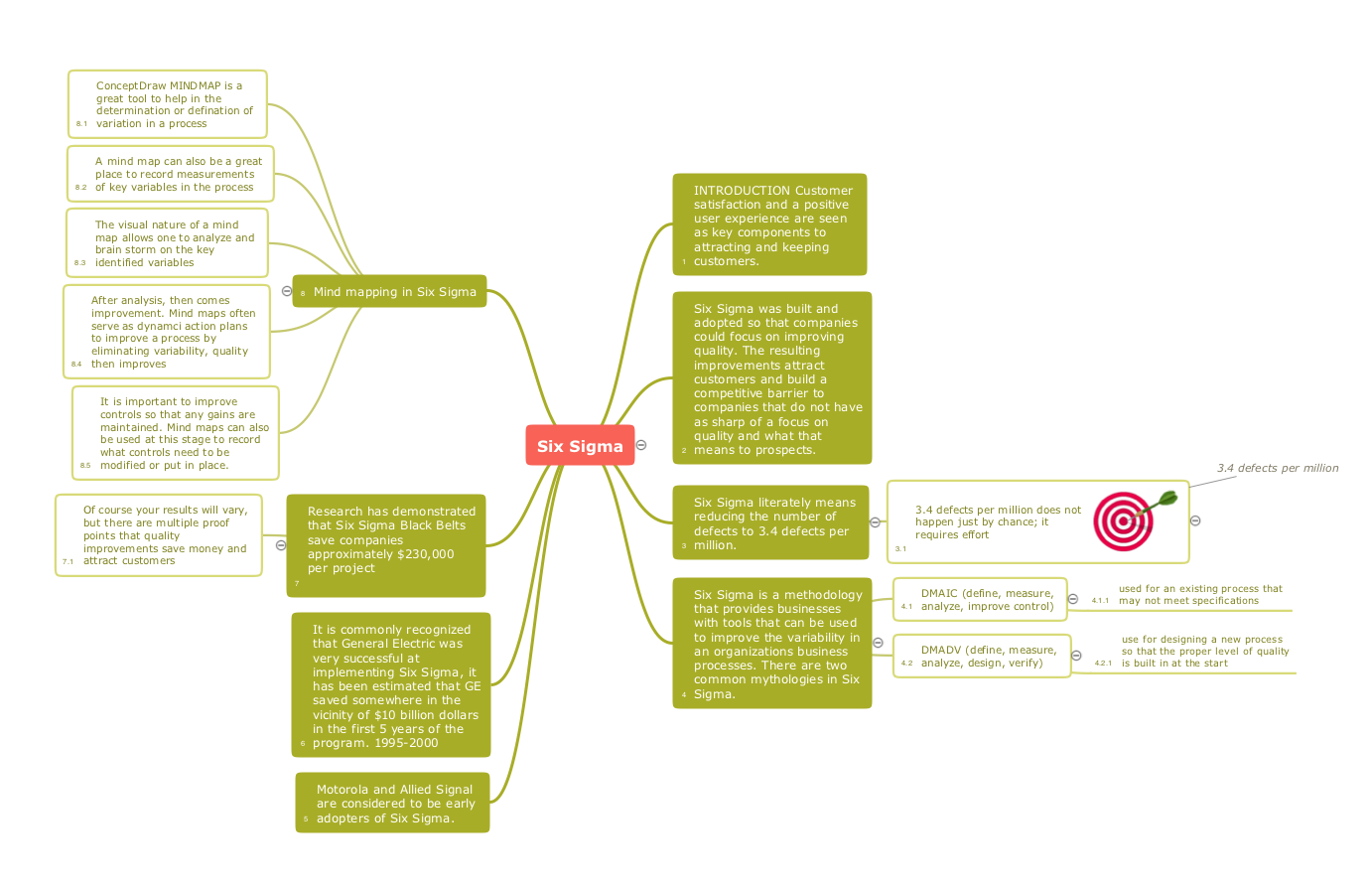
Picture: Constant improvement of key performance indicators
Related Solution:
ConceptDraw
MINDMAP 16