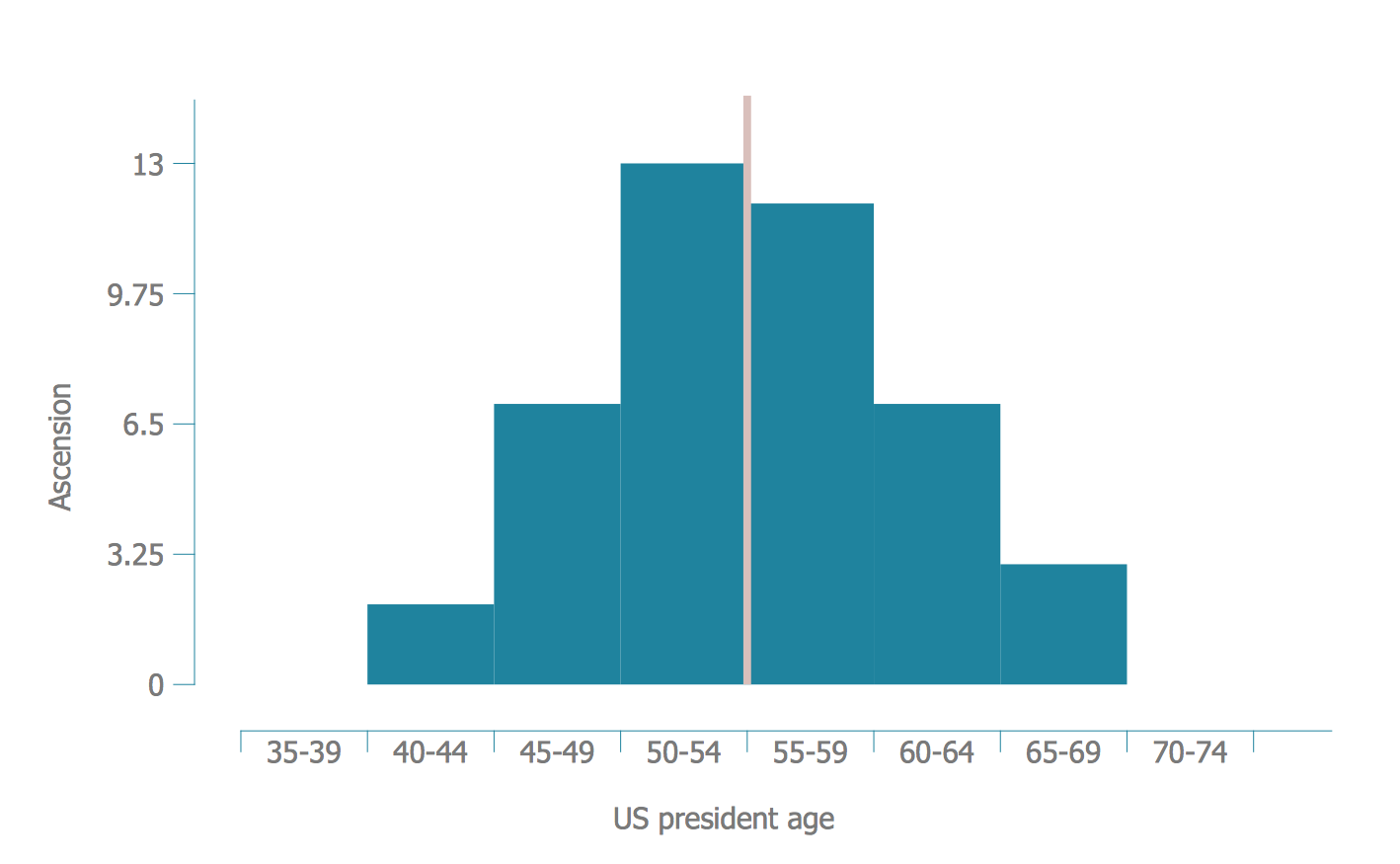
Example 1. Histogram - Age of Presidential Acsension
Use of special software such as ConceptDraw DIAGRAM is the easiest way of drawing a Histogram. Seven Basic Tools of Quality Solution provides 9 libraries with variety of predesigned vector objects, among them is a Histogram library which contains ready-to-use histogram objects.
Now, to design a Histogram, you need only choose the appropriate object from the Histogram library and simply fill it with your own data.
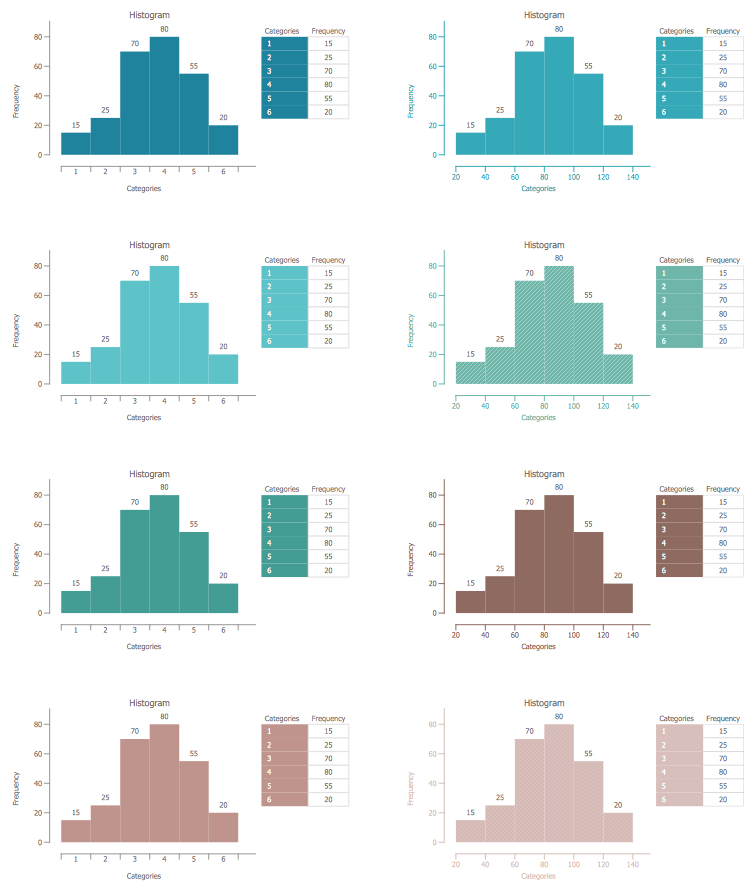
Example 2. Histogram Library Design Elements
Another way is to use as the basis one of the samples offered by the Seven Basic Tools of Quality Solution in ConceptDraw STORE.
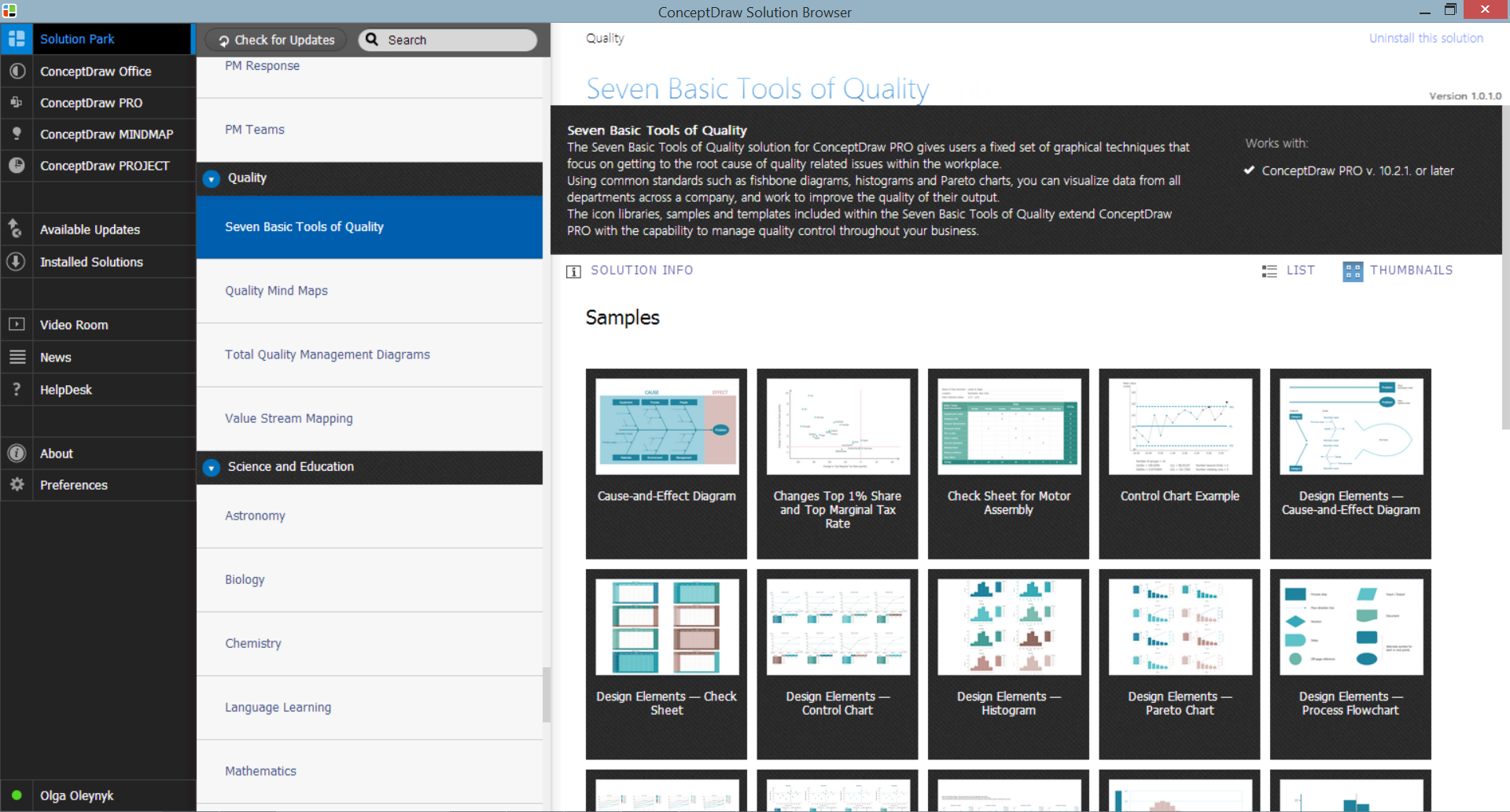
Example 3. Seven Basic Tools of Quality Solution in ConceptDraw STORE
Each sample included in Seven Basic Tools of Quality solution for ConceptDraw DIAGRAM is carefully thought-out example, perfect base for drawing your own chart, diagram or histogram and excellent source of inspiration!
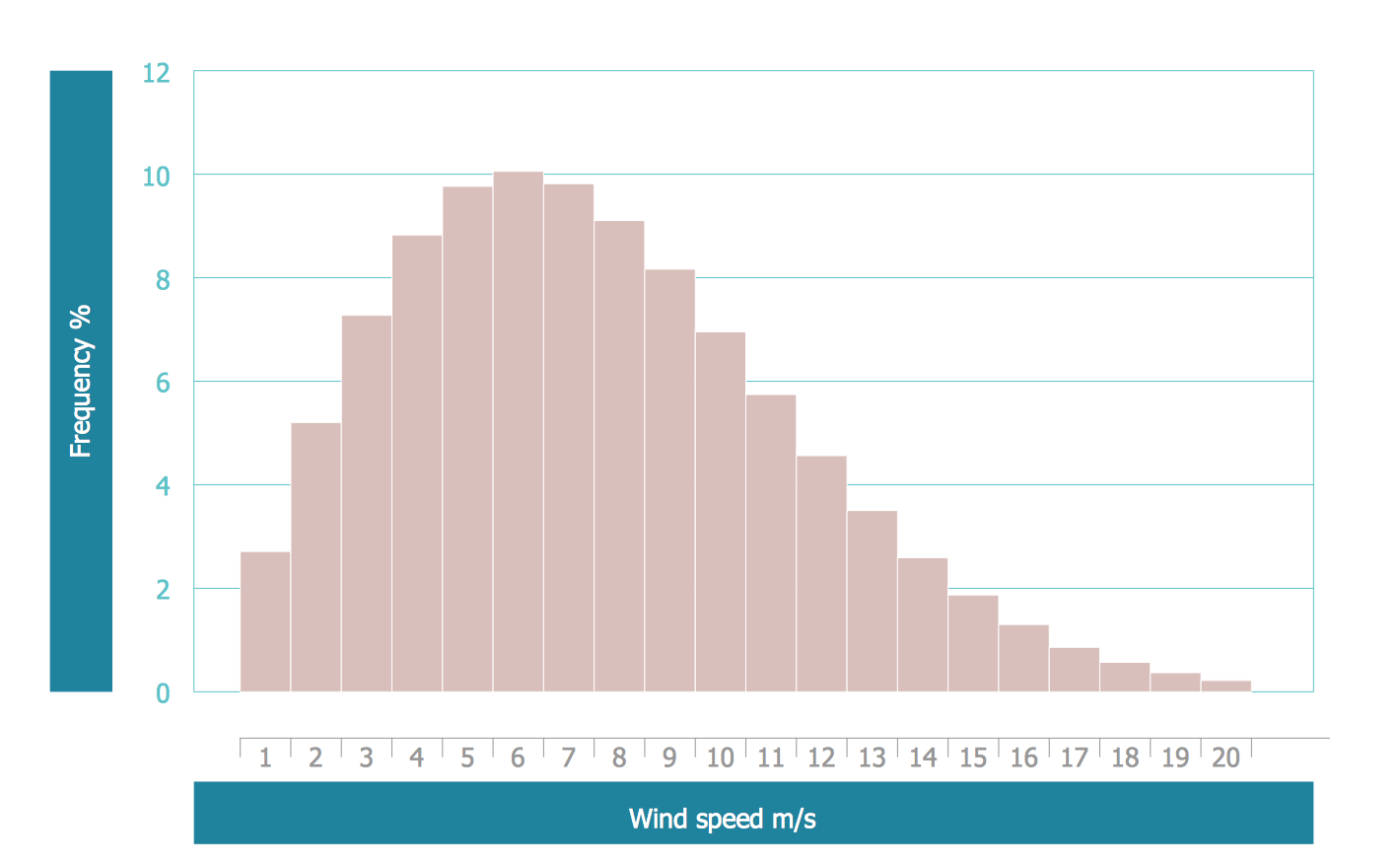
Example 4. Histogram - Frequency Allocation Diagram
The samples you see on this page were created in ConceptDraw DIAGRAM software using the Seven Basic Tools of Quality Solution and demonstrate the Histograms. These examples successfully demonstrate solution's capabilities and professional results you can achieve. An experienced user spent 10-15 minutes creating each of them.
Use the Seven Basic Tools of Quality Solution for ConceptDraw DIAGRAM software to create your own professional looking Histogram of any complexity quick, easy and effective.
All source documents are vector graphic documents. They are available for reviewing, modifying, or converting to a variety of formats (PDF file, MS PowerPoint, MS Visio, and many other graphic formats) from the ConceptDraw STORE. The Seven Basic Tools of Quality Solution is available for all ConceptDraw DIAGRAM
TEN RELATED HOW TO's:
A histogram is a chart which visually displays a distribution of numerical data.
ConceptDraw DIAGRAM diagramming and vector drawing software offers a powerful Seven Basic Tools of Quality solution from the Quality area of ConceptDraw Solution Park which contains a set of useful tools for easy drawing Histogram and other quality related diagrams of any complexity.Picture: Seven Basic Tools of Quality - Histogram
Related Solution:
ConceptDraw DIAGRAM is perfect for software designers and software developers who need to draw Network Layout Diagrams._Win_Mac.png)
Picture: Network Diagramming Software for Design Network Layout Diagrams
Related Solution:
Developing a software project supposes architecture first. To make it proper, you can use data flow diagram model in your current project.
The data flow diagram represents the Model of small traditional production enterprise that is made using Yourdon and Coad notation. It shows how the data is transfered through a process. According to the notation of Yourdon and Coad a process is represented by circles and data stores are drawn using parallel lines. This DFD was created using the ConceptDraw Data Flow Diagrams solution. Using this solution one can visualize data flow accordingly to the rules of two basic notations used for data flow modeling.
Picture: Data Flow Diagram Model
Related Solution:
This sample was created in ConceptDraw DIAGRAM software using the Flowcharts solution.
Picture:
Copying Service Process Flowchart.
Flowchart Examples
Related Solution:
UML Composite Structure Diagram shows the internal structure of a class and the possible interactions at this structure.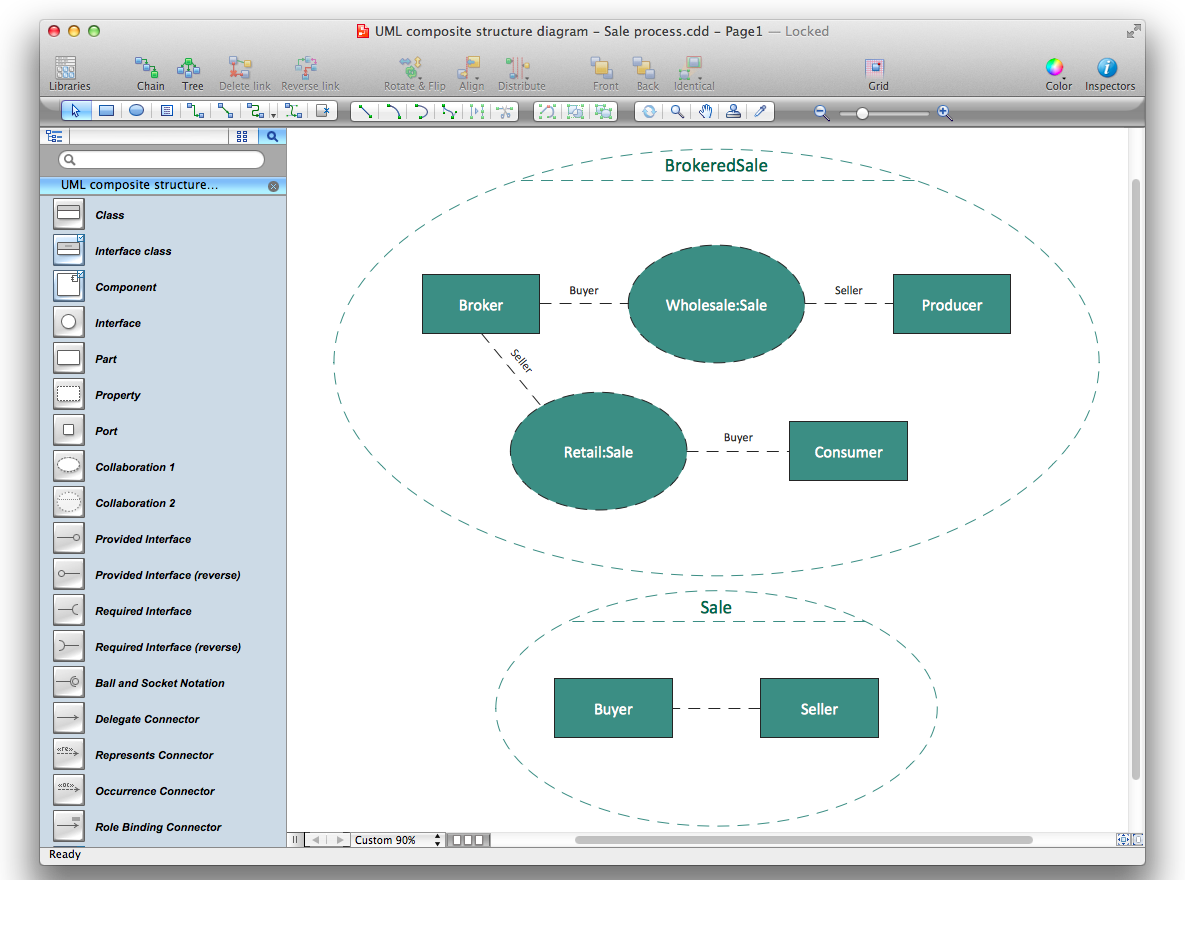
Picture: Diagramming Software for UML Composite Structure Diagrams
ConceptDraw DIAGRAM diagramming and vector drawing software extended with Seven Basic Tools of Quality solution from the Quality area of ConceptDraw Solution Park provides effective tools for quality control and helps design any types of quality-related diagrams.
Picture: Seven Basic Tools of Quality — Quality Control
Related Solution:
There are many tools to manage a process or to illustrate an algorithm or a workflow. Flowcharting is one of those tools. However, it may be difficult to show complex processes that require multiple attributes or several people in a simple flowchart, so a cross-functional flowchart would be a solution for that situation. To create such flowchart, group processes and steps to labeled rows or columns, and divide those groups with horizontal or vertical parallel lines. It is worth mentioning that there are different types of cross-functional flowcharts, like opportunity or deployment flowchart.
This diagram shows a cross-functional flowchart that was made for a trading process. It contains 14 processes, distributed through 5 lines depicting the participants who interact with the process. Also there are connectors that show the data flow of information between processes. The cross-functional flowchart displays a detailed model of the trading process, as well as all participants in the process and how they interact with each other. The lines in the flowchart indicates the position, department and role of the trading process participants.
Picture: Cross-Functional Flowchart
Related Solution:
ConceptDraw DIAGRAM enhanced with Seven Basic Tools of Quality solution from the Quality area of ConceptDraw Solution Park is an ideal software for fast and easy drawing professional looking quality diagrams, including a Fishbone diagram.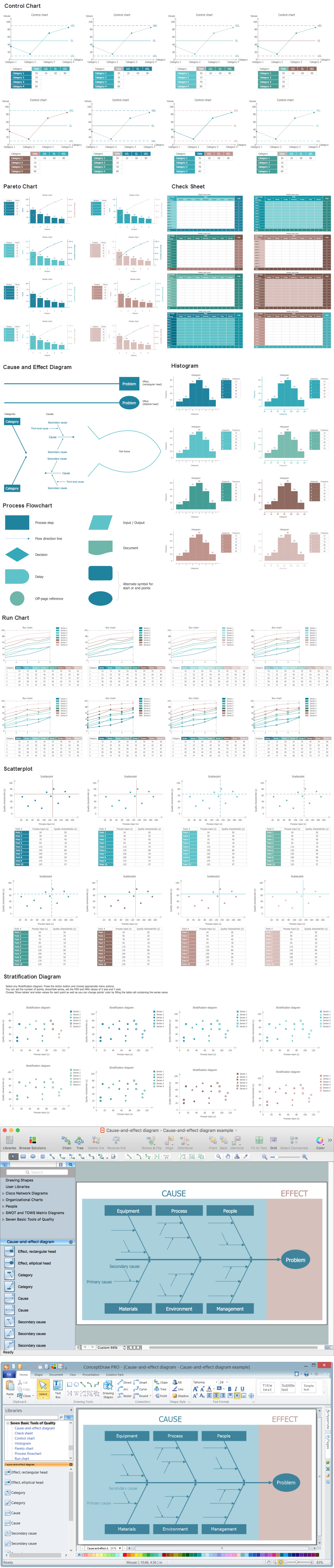
Picture: Seven Basic Tools of Quality - Fishbone Diagram
Related Solution:
How do you make a histogram usually? ConceptDraw DIAGRAM make this process became simple and fast.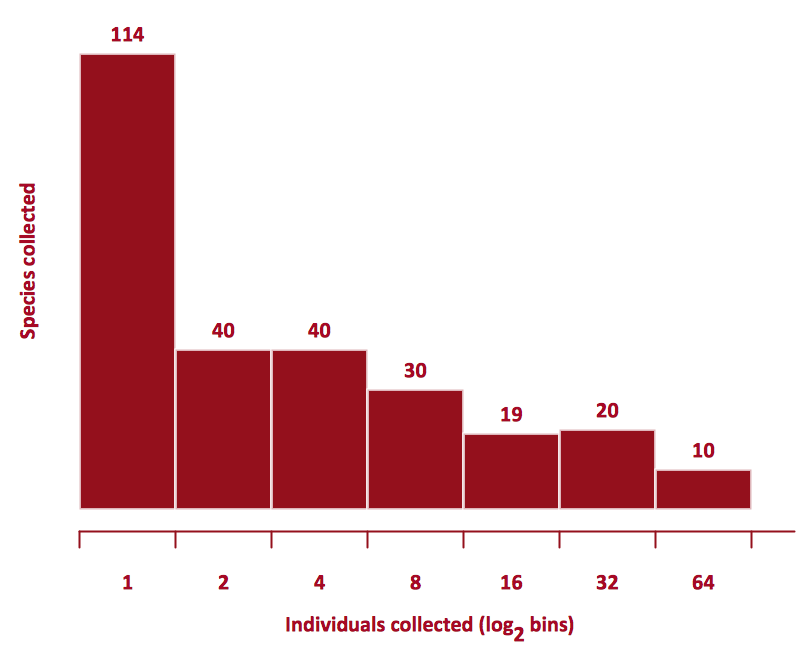
Picture: How Do You Make a Histogram?
Related Solution:
Create flowcharts, organizational charts, bar charts, line graphs, and more with ConceptDraw DIAGRAM.
Picture: Basic Diagramming
Related Solution:


