Made with
ConceptDraw
DIAGRAM 18

Pie Chart Examples and Templates

Whatever needs to be compared, it can be done with help of charts, such as a pie chart. Pie chart is a very widely used type of chart which illustrates its sectors in the different proportions with different angles. This type of chart is very useful for illustrating some kind of data, divided by the groups. The way this data is represented is very convenient as it is obvious to tell if one sector is bigger than another by only looking at the pie chart and its sectors. Shortly, pie chart looks like a disk, which is divided by different sectors. Each sector displays its own numerical proportion. Each sector is situated by an angle, which is proportional to the total quantity, which always equals 100%. The pie chart was named this way because of its resemblance to a sliced pie which effectively displays the proportions of its constituents. The pie chart allows everyone to emphasize the value of each part of the total amount illustrated on this chart.

There are different types of pie chart you can make if you need to. There are pie charts with its sectors located at a short distance one from another or joined. Sometimes some pie chart has a hole in the very centre of it, then it’s called a donut chart. If you use a bright colour palette for creating your pie chart, then there are more chances for those who this chart is being made to see and to recognize which of the sectors is what and if one bigger than another. If you add a legend to your chart, it will increase your chances for having the final result effective, so it will lead to what it was planned to lead to, as both having it coloured with a legend increases the understanding of the data which is being illustrated.

Pie charts are very widely used in business and statistics. They are meant to be explaining some particular data and, sometimes, the work results. They are also often used in mass media to compare the existing facts and other information which is described in the main articles on the news sites, etc. This kind of charts is simply for visualizing the percentage of the parts of one total unit and it is very widely used in very many fields of activity.

In case you want to create such pie chart or pie charts, then you can make it using the appropriate software as creating all of the sectors one by one, colouring them, etc, is always better when you have existing examples to look at and to replicate.

There is one good application we can recommend, which is, obviously, ConceptDraw DIAGRAM as it is one of the best tools existing for making any kind of chart, flowchart, diagram, plan or scheme. This software was developed by the team of specialists in IT from CS Odessa.

ConceptDraw DIAGRAM software is famous for its solutions which can be found in ConceptDraw STORE – another product of CS Odessa which can be used additionally to ConceptDraw DIAGRAM Having these very useful applications as well as needed solutions can simplify your work in making different flowcharts, plans, schemes, diagrams and charts, including the pie chart. One of popular solutions is a Pie Chart solution which can be used while working in ConceptDraw DIAGRAM application. This solution offers very many different powerful tools for drawing the needed charts and it provides its users with different templates, samples and one library full of vector stencils which can be used for creating the pie charts, donut chart and pie graph worksheets.

ConceptDraw DIAGRAM software is a very useful thing itself and together with its solution can be even more useful. Having it, you can always draw any needed Pie Chart, Exploded Pie Chart, Percentage Pie Chart, Donut Chart, Arrow Ring Chart, Donut Chart Template and many other charts. Also you can always Free Download Pie Chart Software and View All Examples using this site.

In the end of the process of drawing your own chart, which can be simply created with help of the previously made examples of already existing pie charts, you will get truly unique and professionally looking pie chart which will be the one looking very smart as if you spent lots of long hours making it or even days. But the fact is that having the appropriate solution eliminates your need for making everything from a scratch and it means that you can save lots of time by simply using what was already made as your draft, only changing the data, converting it to your own which has to be illustrated.

The solution as well as the software itself is quite a unique thing to have. There are not as many applications which are extended with examples, at least not as professional and convenient. In case you want to make something very special so it looks very smart, professional and good, then you have to, first of all, download ConceptDraw DIAGRAM software, download the needed solution (Pie Chart solution if you want to create a pie chart) and to choose any needed and admired example from it to convert into your own drawing.

Once you try to use this great and smart, sophisticated and very convenient software, you will get used to it very soon having our support team helping you with all of the issues needed to be solved, and you will be very soon able to create not only a pie chart, but any other chart, using different solutions, and so the stencil libraries and examples as working in some business structure you may need to make not only pie charts, but so many more other drawings, which can be always created in ConceptDraw DIAGRAM only within a couple of hours or even a couple of minutes.

Download this software today to make sure you do the right thing as once you get it for yourself, you will be surprised how useful and helpful it is as well as ready to recommend it to some other people you know: your business partners, colleagues, employees and clients.

These pie and donut chart examples was designed using ConceptDraw DIAGRAM diagramming and vector drawing software extended with Pie Charts solution from Graphs and Charts area of ConceptDraw Solution Park.
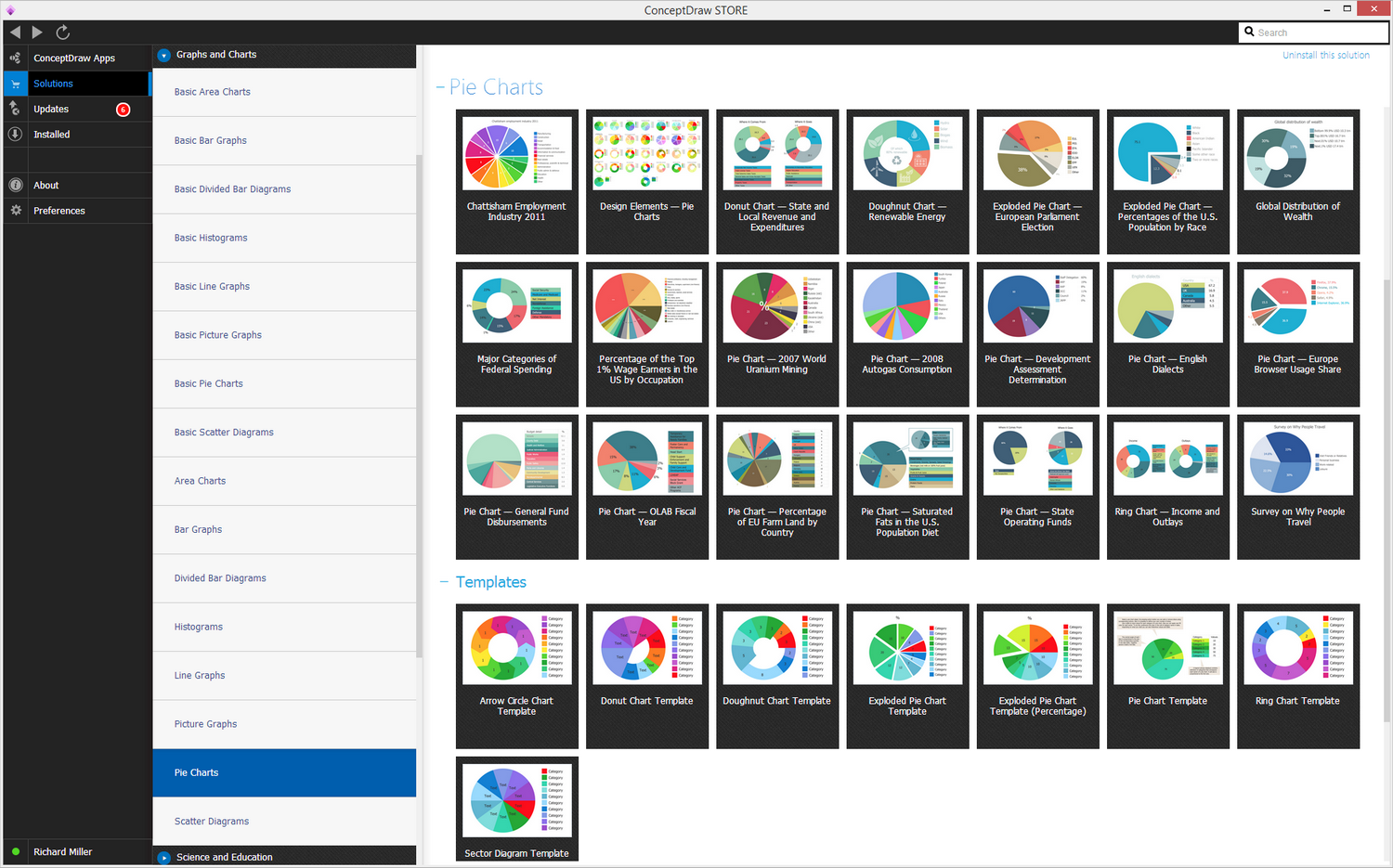
Pie Charts solution

Example 1. Pie Charts Solution

All these pie and donut chart samples are included in the Pie Charts solution.

You can quickly rework these examples into your own charts by simply changing displayed data, title and legend texts.

Pie chart example - Sector weightningsPie Chart
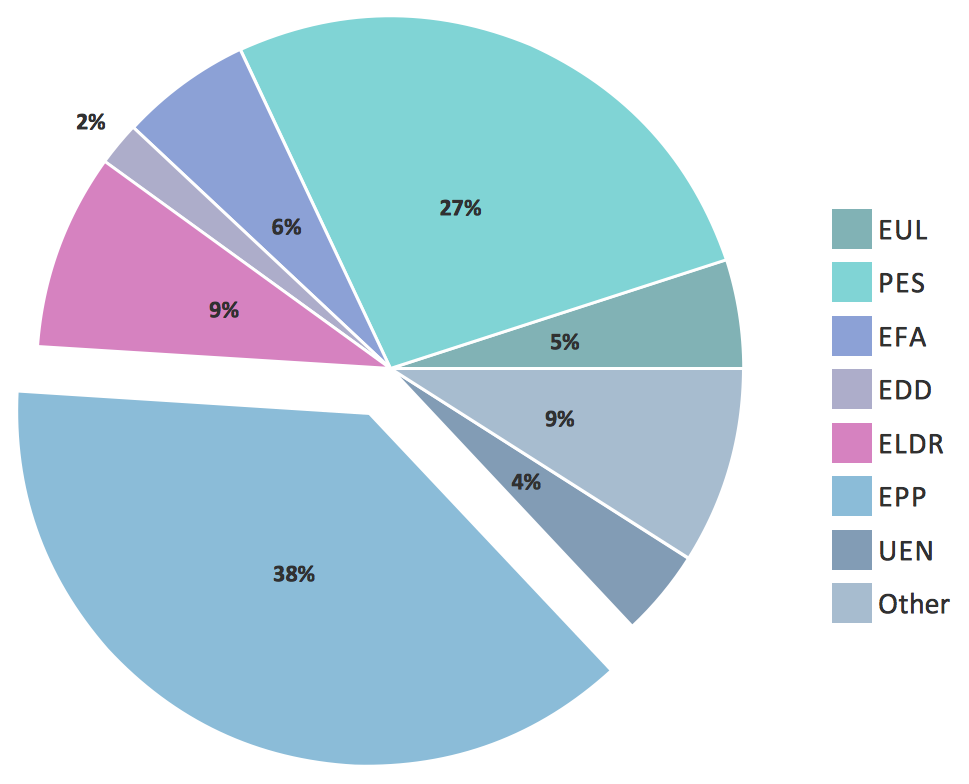
Exploded pie chart example - European Parliament electionExploded Pie Chart
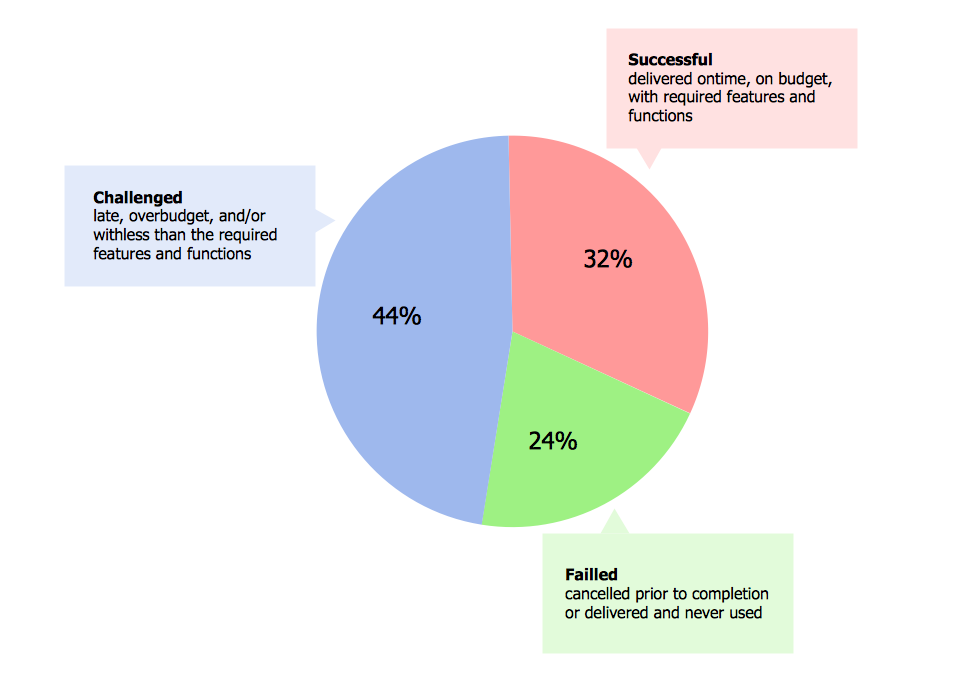
Percentage pie chart example - DA determinationsPercentage Pie Chart
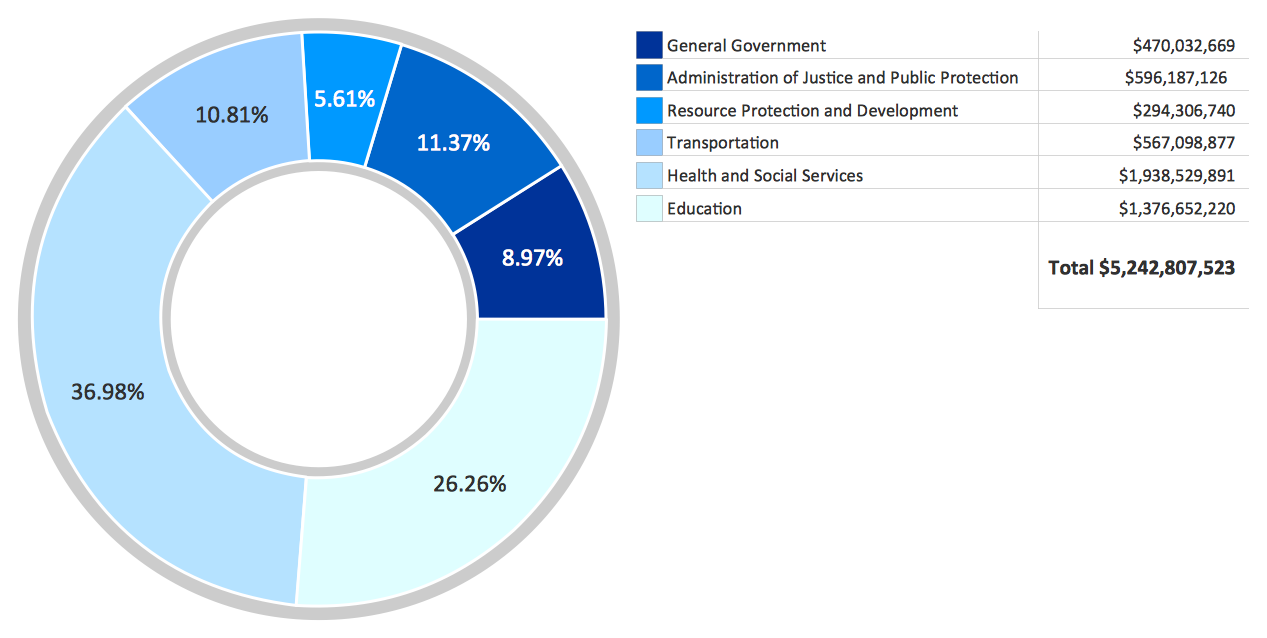
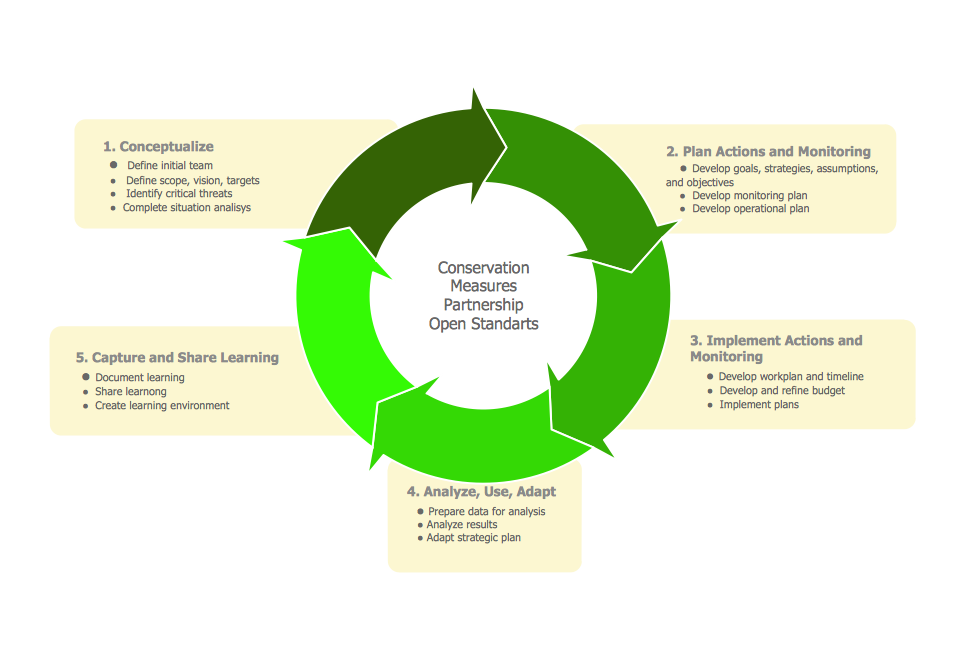
Donut chart example - budgeted appropriationsDonut Chart Percentage pie chart - ReportsPercentage Pie Chart Arrow ring part example - CMP cycleArrow Ring Chart Donut Chart TemplateDonut Chart Template Pie Chart ExamplePie Chart Pie Chart ExamplePie Chart

Free Download Pie Chart Software and View All Examples

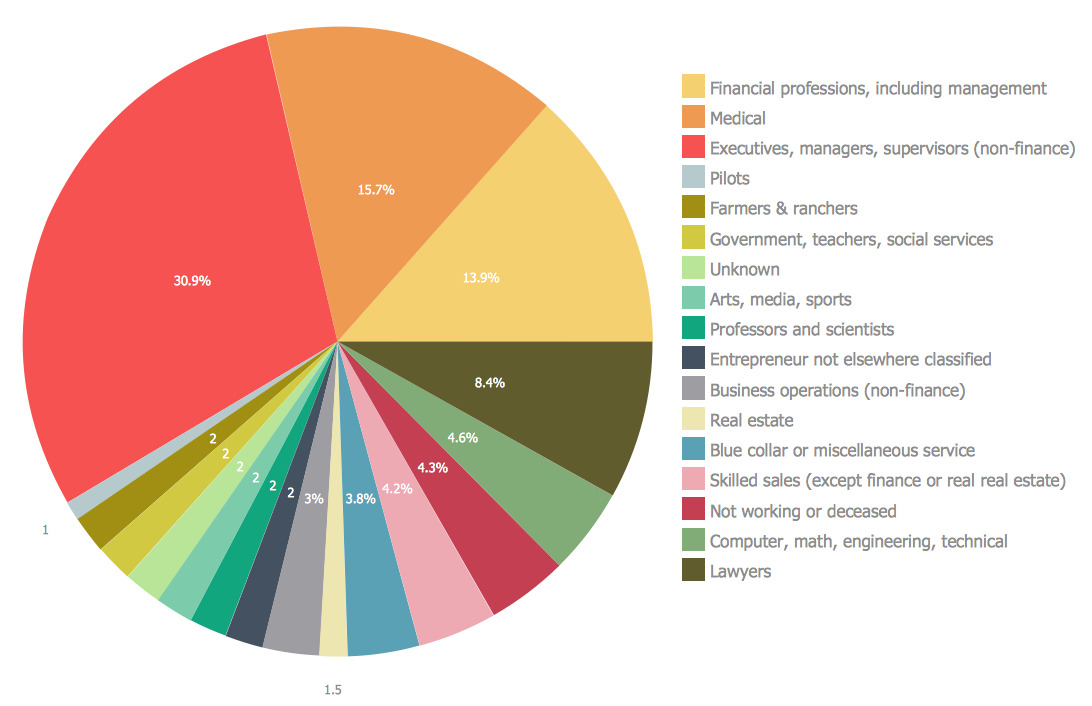
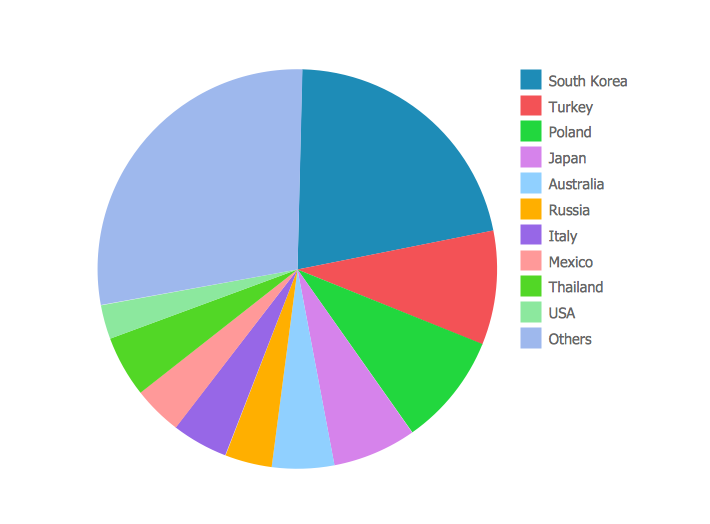
This is a typical example of pie chart. It captures attention using a rich color palette. When using this approach, be aware of using too many categories. This can make your pie chart impossible to understand.

Pie Chart Examples and Templates *

Example 2. Pie chart. Sector weightings.

All source documents are vector graphic documents. They are available for reviewing, modifying, or converting to a variety of formats (PDF file, MS PowerPoint, MS Visio, and many other graphic formats) from the ConceptDraw STORE. The Pie Charts Solution is available for all ConceptDraw DIAGRAM or later users.


See also Samples:


NINE RELATED HOW TO's:
A flowchart is a simple but very functional tool when it comes to understanding a workflow or to removing unnecessary stages from a process. When drawing flowcharts, keep in mind that there are four common types of flowcharts, like document flowcharts and data flowcharts that show control over a data or document flow over a system. To show controls on a physical level, use system flowcharts. In addition, to show controls in a program, you can draw a program flowchart. This flowchart diagram represents the piece of an article editing process, that involves the author and editor. It was created using the Basic Flowchart notation that consists from the basic flowchart symbols. The start and the end of the process are indicated with "Terminator" symbols. The "Process" symbols show the action steps consisting from making edits and searching for a compromise, when the author does not agree with the suggestions of the editor. The "Process" symbol is the general symbol in process flowcharts. The "Decision" symbol indicates a branching in the process flow. There are two branches indicated by a Decision shape in the current flowchart (Yes/No, Disagree/Agree). This basic flowchart can be used as a repeating unit in the workflow diagram describing the working process of some editorial office.Types of Flowcharts *
Picture: Types of Flowcharts
Related Solution:
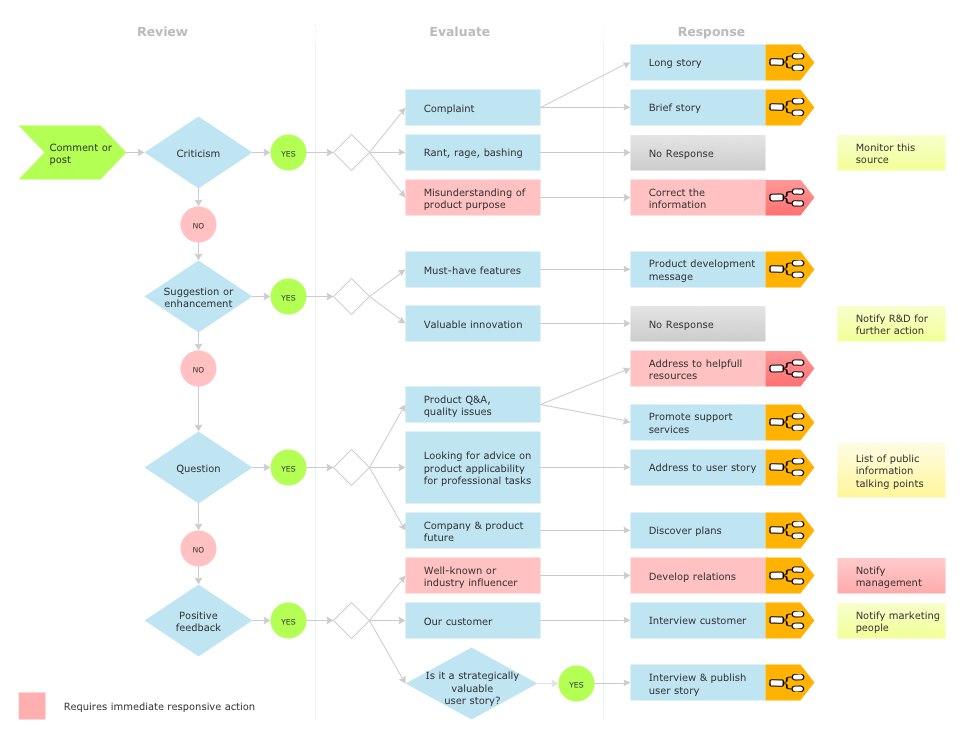
Diagramming software for Mac and PC - create flowcharts and presentations for Social Media Organizing.Social Media Response DFD Flowcharts - diagramming software ( Mac PC ) *
Picture: Social Media Response DFD Flowcharts - diagramming software ( Mac PC )
Related Solution:
Automatically create a presentation-quality diagram in one click with ConceptDraw DIAGRAM.Visual Presentations Made Easy <br>with Diagramming Software *
Picture: Visual Presentations Made Easy with Diagramming Software
Related Solution:
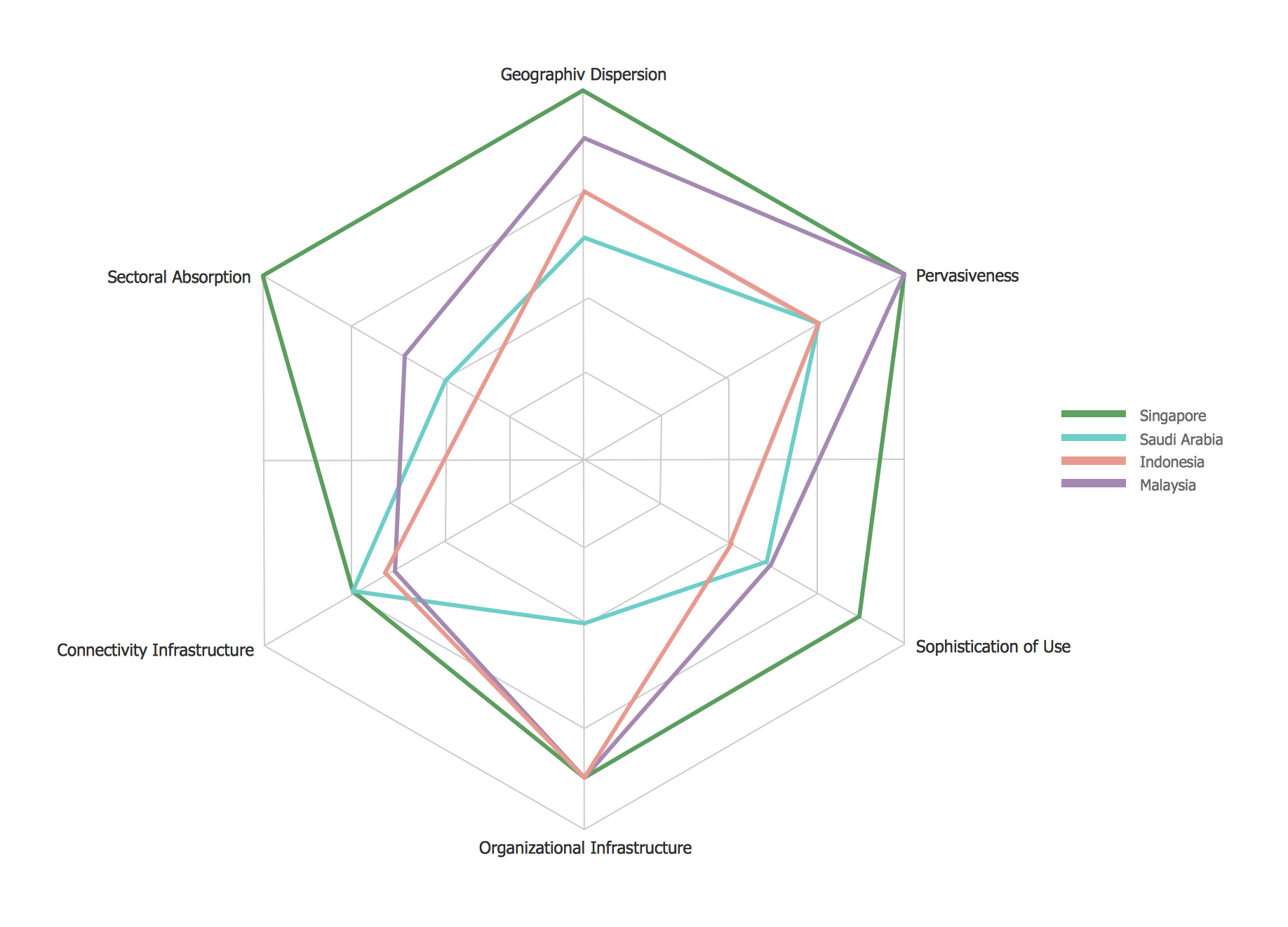
This sample shows the Radar Chart that compares the internet dimensions in the four countries. The Radar Chart represents the multivariate data as a two-dimensional chart with three or more variables displayed on the axes that start in one point. The Radar Charts are used in the quality management, business, analytics and sport.Radar Chart *
Picture: Radar Chart
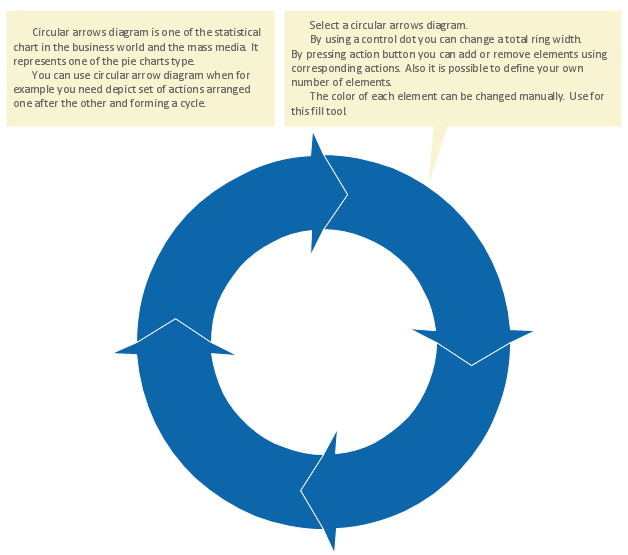
You need to draw the Circular Arrows Diagram, Segmented Diagram or Circular Flow Diagram? Any of these diagrams can be fast and easy designed in ConceptDraw DIAGRAM software, which offers the Business Diagrams Solution from the Management Area with extensive drawing tools, predesigned samples and circular flow diagram template. The use of ready template is the easiest way of drawing.Circular Flow Diagram Template *
Picture: Circular Flow Diagram Template
Related Solution:
The behavior of worker in organization is influences organizational effectiveness. A simple block diagram made with ConceptDraw Block diagrams solution can improve the understanding of expectations of workers regarding what they l contribute to organization and what they wait to obtain. Making block diagram depicting the individual behavior in organization is used in HR management to obtain an optimal and positive overall contribution to the organization. The behavior of worker in organization is influences organizational effectiveness. A simple block diagram made with ConceptDraw Block diagrams solution can improve the understanding of expectations of workers regarding what they l contribute to organization and what they wait to obtain. Making block diagram depicting the individual behavior in organization is used in HR management to obtain an optimal and positive overall contribution to the organization.Basic Diagramming *
Picture: Basic Diagramming
Related Solution:
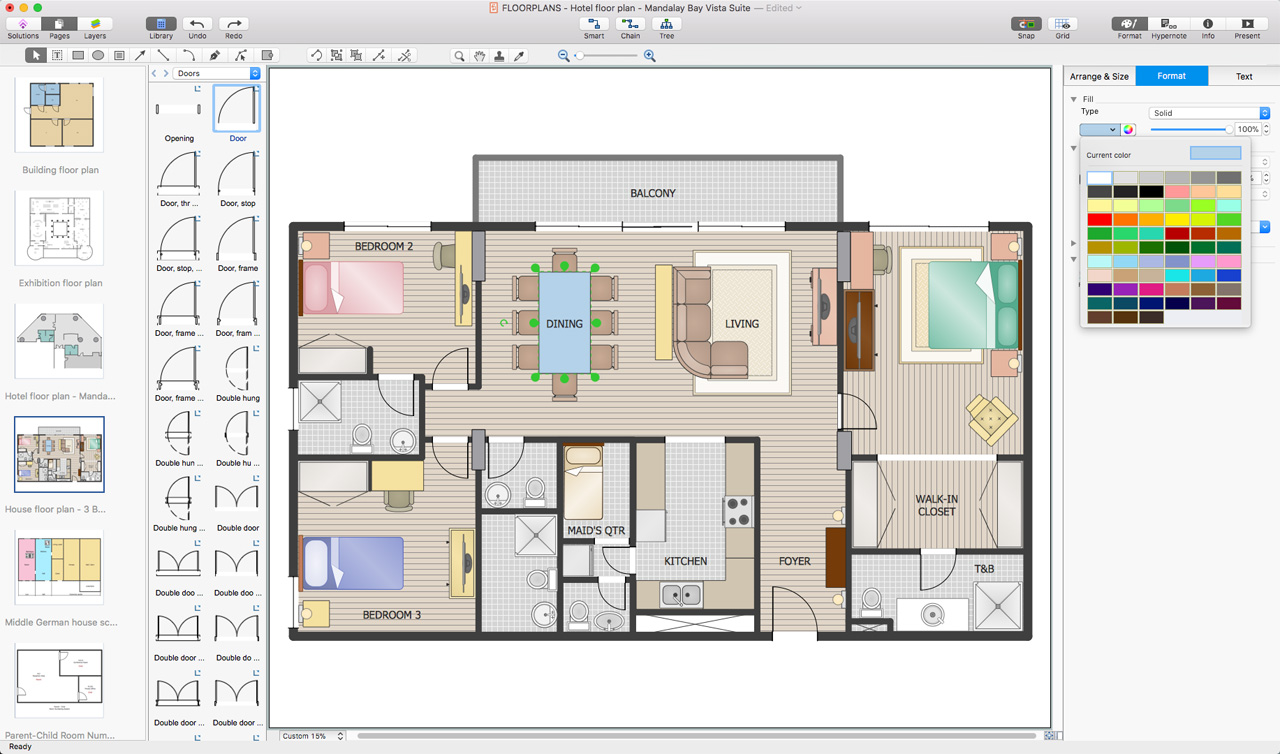
You want create a professional room plan quick and easy? ConceptDraw DIAGRAM diagramming and vector drawing software will help you. It’s very simple and convenient design the room plans with Floor Plans Solution from the Building Plans area of ConceptDraw Solution Park.Room Planning Software *
Picture: Room Planning Software
Related Solution:
A flowchart is a powerful tool for examining processes. It helps improving processes a lot, as it becomes much easier to communicate between involved people, to identify potential problems and to optimize workflow. There are flowcharts of different shapes, sizes and types of flowchart vary from quite basic process flowcharts to complex program flowcharts. Nevertheless, all these diagrams use the same set of special symbols like arrows to connect blocks, parallelogram to show data receiving or rectangles for showing process steps. Basic flowcharts are used to represent a simple process algorithm. A basic flowchart notation consists of rectangles (business processes), arrows (the flow of information, documents, etc.). The same notation is used in items such as the "decision", which allow you to do the branching. To indicate the start of the entire business process and its termination can be used the "Terminator" element. The advantages of Basic Flowchart are simplicity and clarity. With it you can quickly describe the business process steps. Creating of Basic Flowchart does not require any special knowledge, as easily understand by employees with different levels of education and IQ.Types of Flowchart — Overview
Picture: Types of Flowchart: Comprehensive Overview
Related Solution:
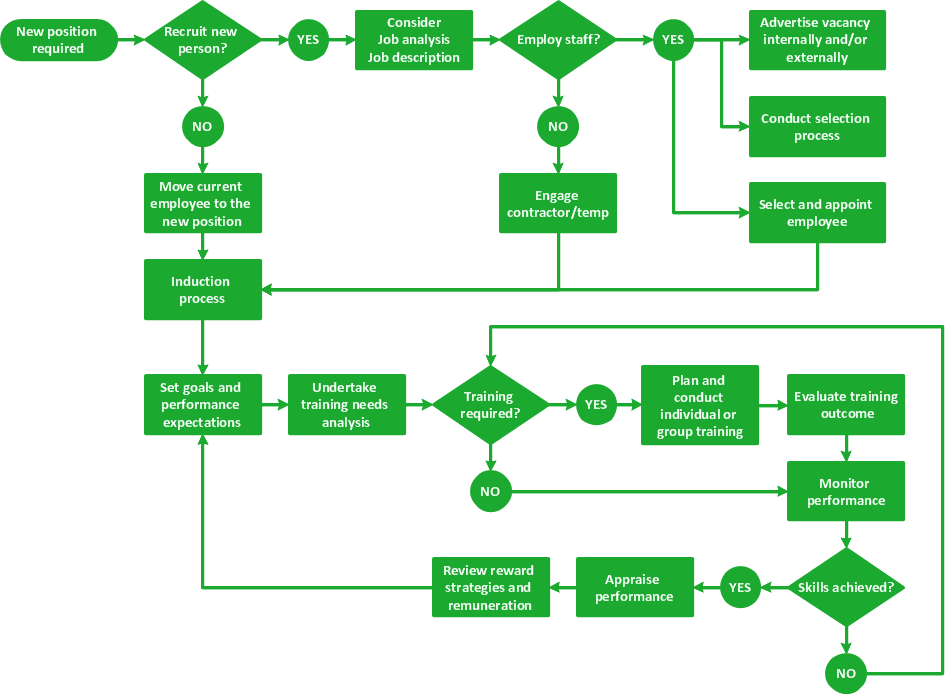
Describing a workflow or approval process can take hours and be too complicated, especially since there are options to do it quickly and vividly. Diagrams called flowcharts replace long paragraphs of boring text and represent information in a graphic way. You can draw one on paper or you can use flowchart software to do it quickly and scalable. This kind of software is easy to use and you don’t need any special skills to start using it. In addition, there are a lot examples and predesigned templates on the Internet. Flowcharts are a best tool for staking out a huge and complex process into some small readable parts. Surely, flowcharts can be drawn manually but the use of standard symbols that make it clear for a wide audience makes a software tool preferred for this task. The core for a successful flowchart is its simplicity. That is why often before beginning making flowchart through software, people draw the sketch on a piece of paper. Designing an effective flowchart means the combination of the data needed to be shown and the simplicity with which you depict it.Flowchart Software
Picture: Flowchart Software: A Comprehensive Guide
Related Solution:
ConceptDraw
DIAGRAM 18