Products
Solutions
Samples
Contact Us
Buy
Helpdesk
✕
Sign In
Sign In
My ConceptDraw
Profile
Cart 
Activate
My Activated Licenses
Upgrade Information
Download Product
Open Support Ticket
Sign Out
This site uses cookies. By continuing to browse the ConceptDraw site you are agreeing to our Use of Site Cookies.
Helpdesk  >  ConceptDraw DIAGRAM  >    Edit Drawing

How to Edit Drawing Using Shadow
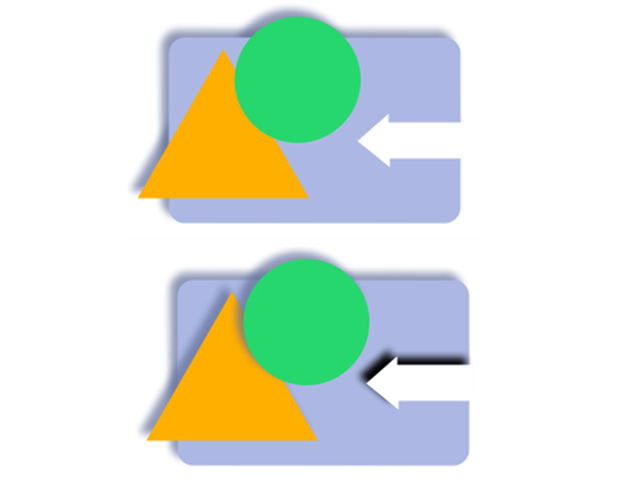
Add shadow effects to diagram objects in ConceptDraw DIAGRAM

ConceptDraw DIAGRAM provides a variety of tools for editing and enhancing drawings. You can create custom objects, modify existing ones, and apply visual effects to improve the appearance of your diagrams.

One of these effects is a shadow, which can be added to objects in just a few clicks using the Format panel. ConceptDraw DIAGRAM supports two shadow-drawing modes:
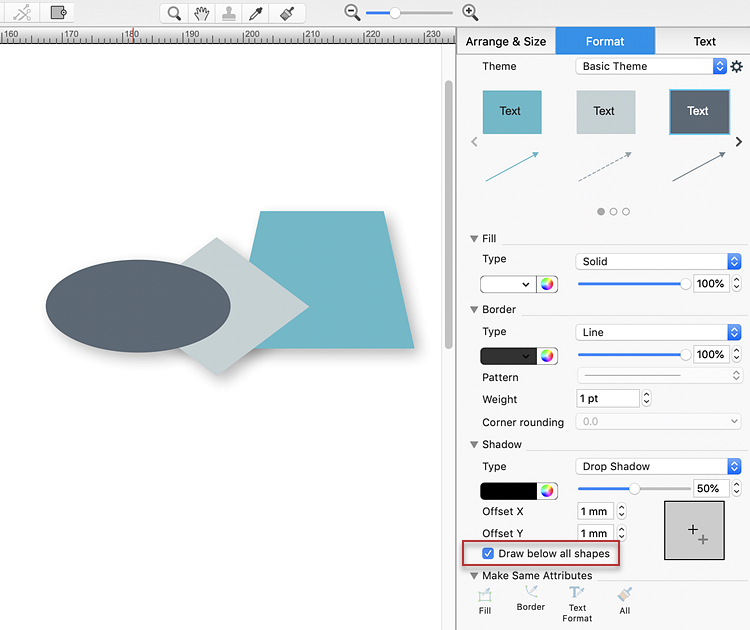
  1. Mode 1: By default, shadows are drawn beneath all objects on the page.
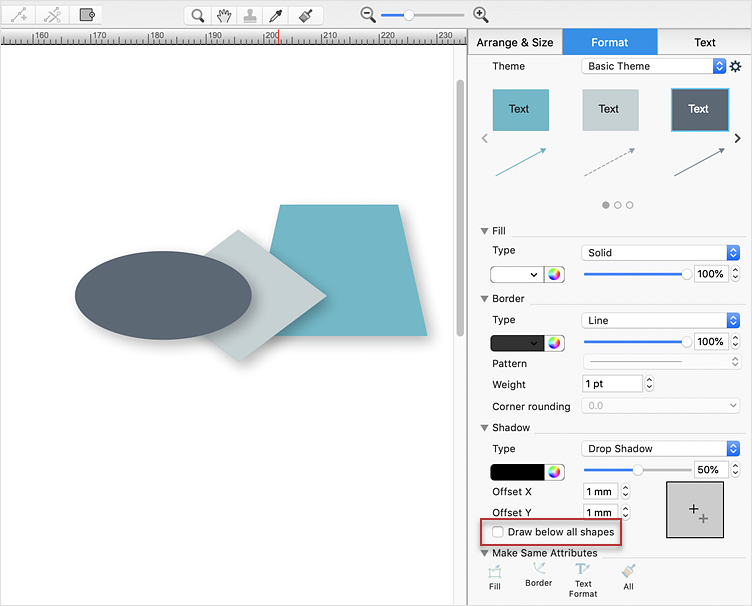
  2. Mode 2: Shadows are drawn directly beneath each object and may slightly overlap underlying objects.
  1. For Mode 1, open the Format side panel and select the Shadow tab.
  2. To switch to Mode 2, clear the Draw shadow below all shapes option.
  3. Shadow settings and draw shadow below all shapes option in ConceptDraw DIAGRAM
  4. To adjust the shadow offset, drag the gray cross in the Offset field of the Shadow tab on macOS. In the Microsoft Windows version, enter the offset values manually.
  5. Adjusting shadow offset settings for diagram objects in ConceptDraw DIAGRAM
  6. The shadow effect is applied to the selected objects using the specified settings.

Result: Adding shadows to objects enhances the visual depth of your diagrams, helping important elements stand out and creating a more professional appearance.

How to Edit Drawing Using Shadow

Products

  • ConceptDraw OFFICE v11
  • ConceptDraw DIAGRAM v18
  • ConceptDraw MINDMAP v16
  • ConceptDraw PROJECT v15
  • ConceptDraw STORE
  • ConceptDraw BOOKS

Solutions

  • Free
  • Premium

Samples

Support

  • Technical Support
  • Upgrade Request
  • Visio File Conversion
  • System Requirements
  • Helpdesk
  • Students & Educators
  • Enterprise
  • Customer Service

Solutions

  • Free
  • Premium

Samples

Video Room

  • Products
  • Solutions

Ready To Buy

  • Buy Online
  • Reseller Partners
  • Manage Your Account
  • Download Your Software
  • CS Odessa

    • About Us
    • Contact Us
    • CS Odessa Identity
    • News
  • CS Odessa
    Plan. Do. Communicate.

    About Us | Contact Us | Feedback | EULA | Privacy | TOU | TOS
    © 1993 — 2026 CS Odessa Corp.