Products
Solutions
Samples
Contact Us
Buy
Helpdesk
✕
Sign In
Sign In
My ConceptDraw
Profile
Cart 
Activate
My Activated Licenses
Upgrade Information
Download Product
Open Support Ticket
Sign Out
This site uses cookies. By continuing to browse the ConceptDraw site you are agreeing to our Use of Site Cookies.
Helpdesk  >  ConceptDraw DIAGRAM  >    Create Drawing

How to Create a Custom Diagram Template
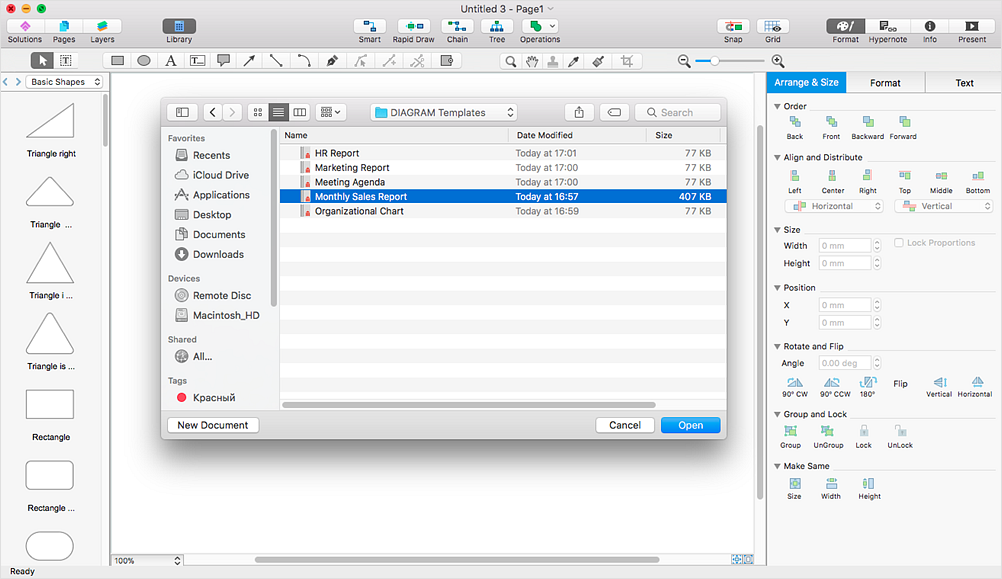
Create and customize diagram templates in ConceptDraw DIAGRAM

ConceptDraw DIAGRAM provides a variety of templates delivered with its Solutions. It also allows you to create and customize your own diagram templates. A template is a pre-designed drawing that serves as a starting point for a new graphics document.

When you open a template, it is already preformatted for a specific purpose. A custom template typically includes a prepared workspace and the appropriate object libraries. When saving a document created from a template, you are usually prompted to save it as a separate file to avoid overwriting the original template.

Templates can be provided either with a ConceptDraw Solution or created by the user. If you frequently create similar documents, saving one as a template can save time and ensure consistency across your diagrams.

Simply open a template and begin working from it. This eliminates the need to configure workspace settings and document properties each time you create a new drawing. You can also apply templates that you have previously saved.

  1. Run ConceptDraw DIAGRAM and configure the document properties for your custom template using the File menu options:
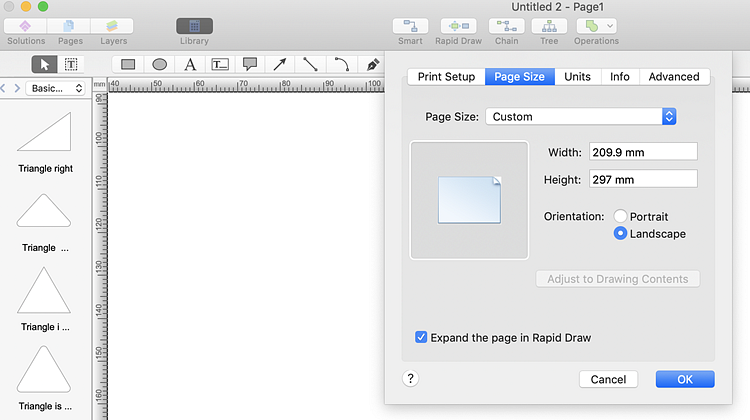
  2. Page size and orientation.

    Set page size and orientation for a ConceptDraw template

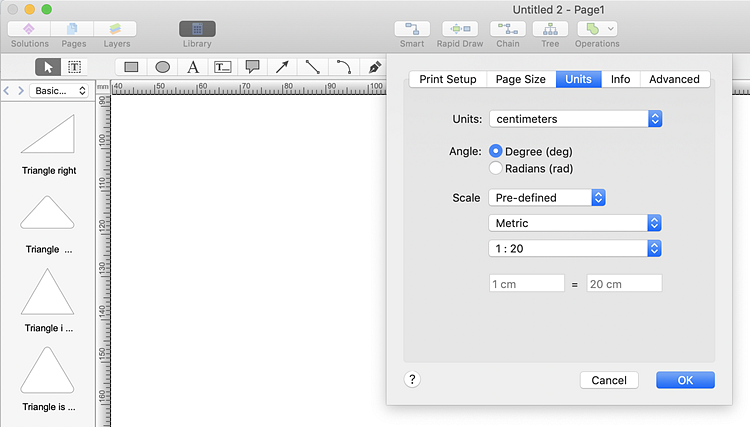
    Measurement units.

    Set measurement units for a ConceptDraw diagram template

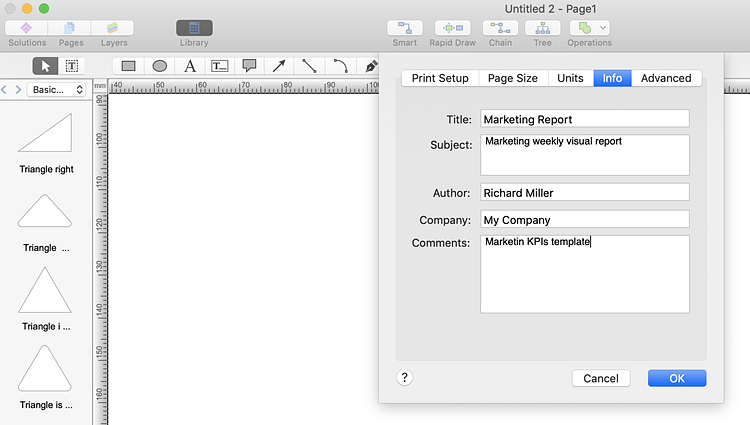
    Template description.

    Edit template description in ConceptDraw DIAGRAM
  3. Open the appropriate libraries and create a diagram that you want to use as a template.
  4. Create a diagram to be used as a ConceptDraw template
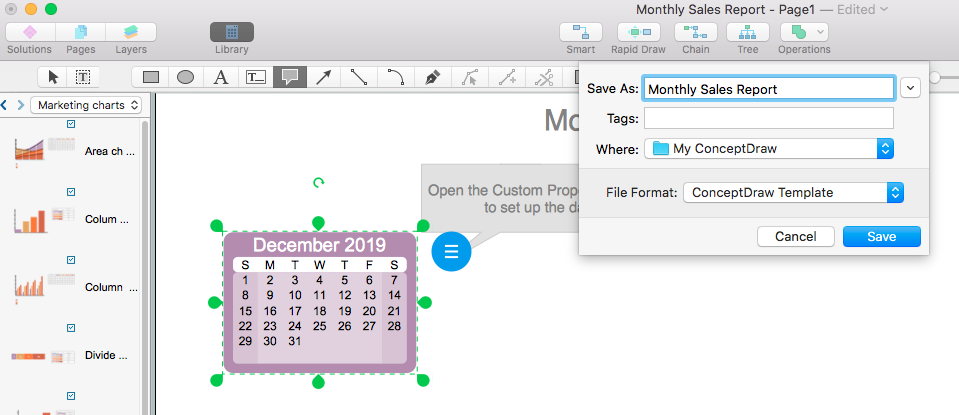
  5. Save your template using the Save as ConceptDraw Template option.
  6. Save a custom diagram template in ConceptDraw DIAGRAM

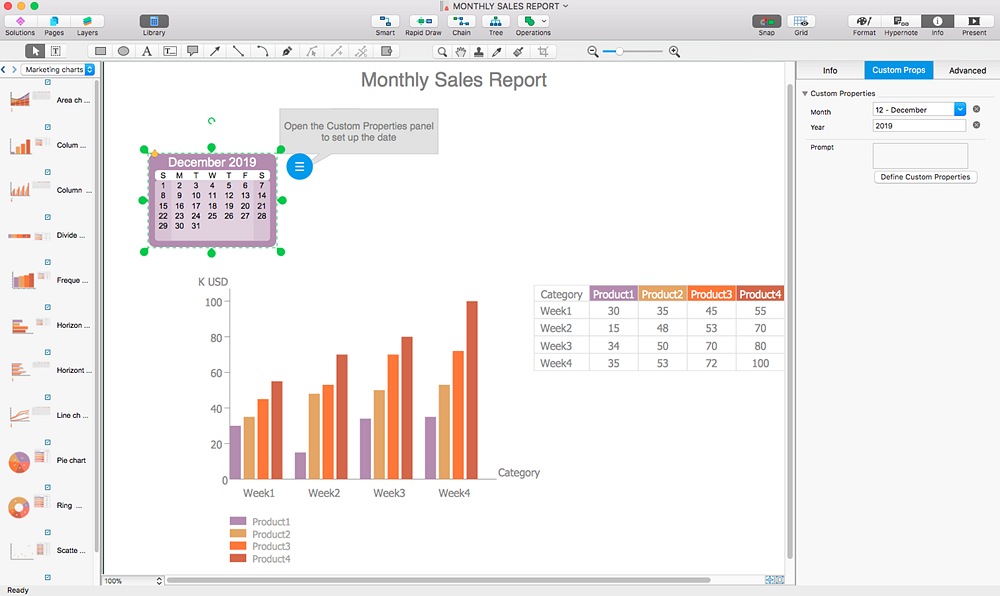
Result: You can quickly and easily create and share commonly used diagrams using your custom templates.

Using Custom Template in ConceptDraw DIAGRAM

Products

  • ConceptDraw OFFICE v11
  • ConceptDraw DIAGRAM v18
  • ConceptDraw MINDMAP v16
  • ConceptDraw PROJECT v15
  • ConceptDraw STORE
  • ConceptDraw BOOKS

Solutions

  • Free
  • Premium

Samples

Support

  • Technical Support
  • Upgrade Request
  • Visio File Conversion
  • System Requirements
  • Helpdesk
  • Students & Educators
  • Enterprise
  • Customer Service

Solutions

  • Free
  • Premium

Samples

Video Room

  • Products
  • Solutions

Ready To Buy

  • Buy Online
  • Reseller Partners
  • Manage Your Account
  • Download Your Software
  • CS Odessa

    • About Us
    • Contact Us
    • CS Odessa Identity
    • News
  • CS Odessa
    Plan. Do. Communicate.

    About Us | Contact Us | Feedback | EULA | Privacy | TOU | TOS
    © 1993 — 2026 CS Odessa Corp.