Made with
ConceptDraw
MINDMAP 16

Conference Planning

ConceptDraw Office

ConceptDraw Office is an integrated set of visualization products and document exchange technologies. ConceptDraw OFFICE consists of a diagramming platform, a mind mapping, and a project management tool. These tools are essential to generate business diagrams, mind maps, project plans, dashboards, presentations, schematics, and any other business visualizations. These tools have access to an online service, ConceptDraw Solution Park that will deliver additional product extensions in the future. This is a time saving assistant for generating your business documents and presentations.

ConceptDraw Office consists of a diagramming platform, a mind mapping, and a project management tool. These tools are essential to generate business diagrams, mind maps, project plans, dashboards, presentations, schematics, and any other business visualizations.

ConceptDraw MINDMAP Samples

Sample mind maps created in ConceptDraw MINDMAP that demonstrate the different capabilities and applications of the program for business, personal, or education use.

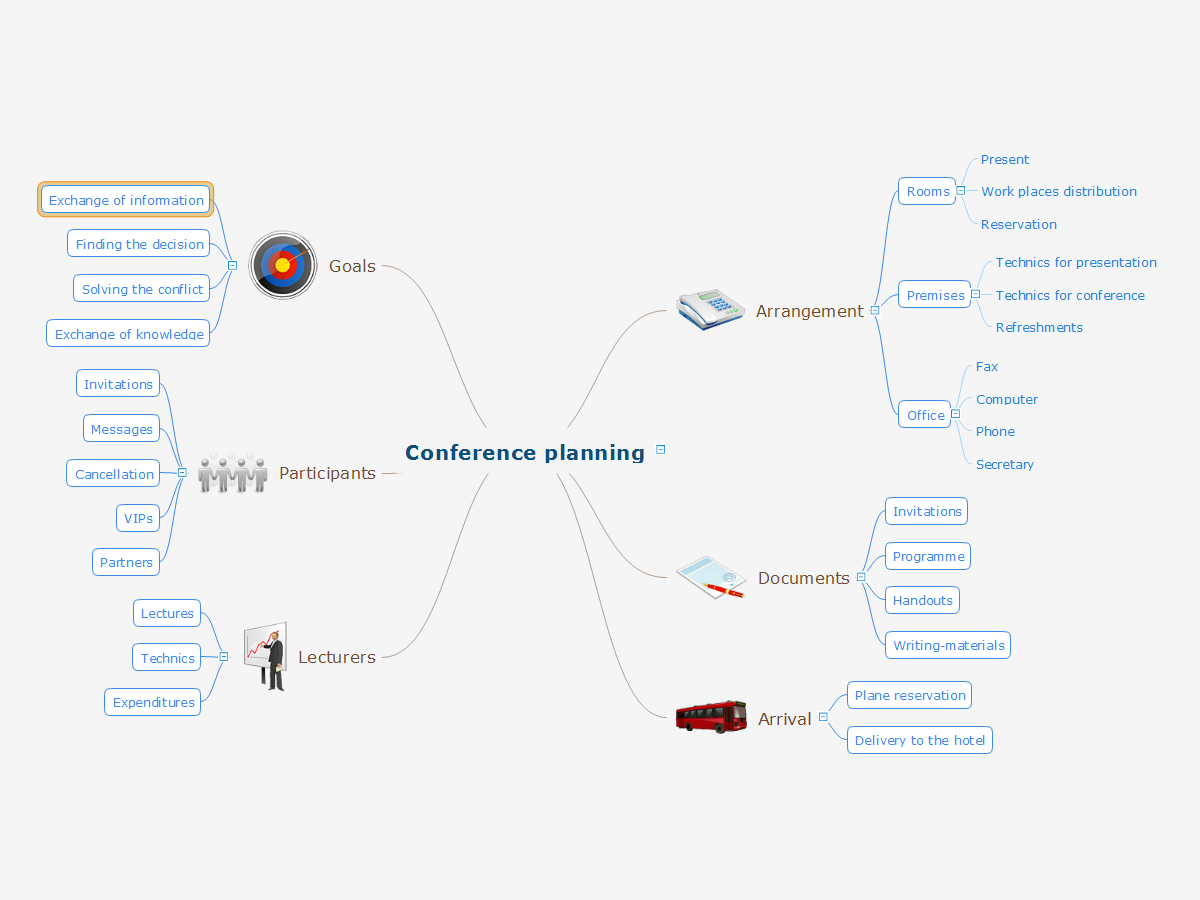
Mind map that can be useful when planning the logistics of a conference.
Conference Planning *

Example 1. Conference Planning


Export to Outline


    Conference planning
    • Arrangement
      • Rooms
        • Present
        • Work places distribution
        • Reservation
      • Premises
        • Technics for presentation
        • Technics for conference
        • Refreshments
      • Office
        • Fax
        • Computer
        • Phone
        • Secretary
    • Documents
      • Invitations
      • Programme
      • Handouts
      • Writing-materials
    • Arrival
      • Plane reservation
      • Delivery to the hotel
    • Lecturers
      • Lectures
      • Technics
      • Expenditures
    • Participants
      • Invitations
      • Messages
      • Cancellation
      • VIPs
      • Partners
    • Goals
      • Exchange of information
      • Finding the decision
      • Solving the conflict
      • Exchange of knowledge

The Benefits for ConceptDraw MINDMAP Brainstorming Software

  • ConceptDraw MINDMAP is effective for brainstorming, designing mind maps, idea generating, creative and lateral thinking, creativity and problem solving.
  • ConceptDraw MINDMAP is ideal for team and personal work in Business, Marketing and Project Management.
  • The libraries with large quantity of vector objects help to illustrate your mind maps and to make them bright, visual and comprehensible.
  • Use of View Navigator tool lets create presentations from a mind map: you can simply select the map parts you want to present, sequence your slides, and preview the presentation.
  • ConceptDraw MINDMAP provides wide capabilities of importing and exporting in various formats: Microsoft PowerPoint, Microsoft Word, MS Excel, Mindjet MindManager, image, HTML, PDF file.


EIGHT RELATED HOW TO's:
The power, economy, and versatility of ConceptDraw MINDMAP takes personnel and team productivity to another level. Discover today what this means to you.Mind Map Making Software *
Picture: Mind Map Making Software
Related Solution:
Mind map that organizes tasks, resources, outcomes and people for a marketing research project.Marketing Research Project *
Picture: Marketing Research Project
Related Solution:
When you need to visually represent the structure of relational database, Entity relationship diagram (ERD) is a type of diagram for that case. Most entity-relationship diagrams can be built with objects from Flowchart solution or ERD Solution which contains inbuilt templates. Follow these steps to create your own custom ERD diagram. Don't be frightened if it looks complex, ConceptDraw DIAGRAM makes it easy to create an ERD, and hundreds of other diagrams, in minutes.Developing Entity Relationship Diagrams *
Picture: Developing Entity Relationship Diagrams
Related Solution:
This sample was created in ConceptDraw DIAGRAM diagramming and vector drawing software using the Computer and Networks solution from Computer and Networks area of ConceptDraw Solution Park. This sample shows the Hypercube network topology. Network topology is the topological structure of the computer network. Hypercube is a type of the toroidal network. The Torus is a topology with n-dimensional grid network with circularly connection of the nodes. If the number of nodes along each dimension of the toroidal network is 2, it is a Hypercube network topology.Hypercube Network Topology *
Picture: Hypercube Network Topology
Related Solution:
ConceptDraw collection of vector elements for infographics design.Map Infographic Design *
Picture: Map Infographic Design
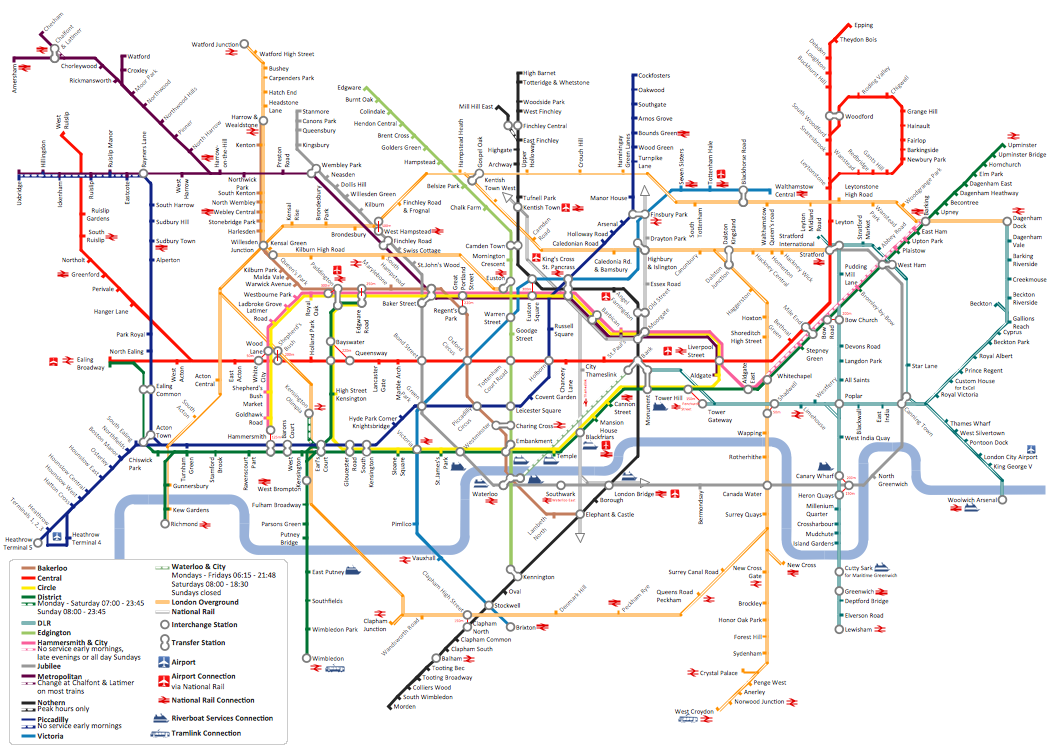
Tool to draw Metro Map styled inforgraphics. London Tube map sample.How to draw Metro Map style infographics?   <i>(London)</i> *
Picture: How to draw Metro Map style infographics? (London)
Related Solution:
This sample was created in ConceptDraw DIAGRAM diagramming and vector drawing software using the Workflow Diagrams Solution from the Software Development area of ConceptDraw Solution Park.

This sample shows the Workflow Diagram that clearly illustrates stages a BPM consists of and relations between all parts of business. The Workflow Diagrams are used to represent the transferring of data during the work process, to study and analysis the working processes, and to optimize a workflow.Software Work Flow Process in Project Management with Diagram *

Picture: Software Work Flow Process in Project Management with Diagram
Related Solution:
If you have no time, you can create a SWOT diagram even on asphalt using a chalk. Although, in case you want a proper scheme, you should use a special software for creating SWOT analysis diagrams that would be comprehensible. SWOT analysis is useful not only for business purposes, but even for cities or for a particular person. The ConceptDraw SWOT and TOWS Matrix Diagrams solution is a tool for performing both SWOT and TOWS analysis. It provides templates of different sorts of Matrix Diagrams. Besides different embedded templates, the solution enabling create custom SWOT and TOWS matrices. Using the compatibility between the MINDMAP and DIAGRAM is the best way of making SWOT or TOWS diagrams quickly. The mind map templates help identify the core statements of SWOT and TOWS analysis: Strengths, Weaknesses, Opportunities, and Threats. The next step is matrix creation - both SWOT and TOWS analysis use the same basic steps and the only difference is the order in which these criteria are studied.Software for Creating SWOT Analysis Diagrams *
Picture: Software for Creating SWOT Analysis Diagrams
Related Solution:
ConceptDraw
MINDMAP 16