Create a Value Stream Map Rapidly
The Value Stream Mapping solution from ConceptDraw Solution Park extends ConceptDraw DIAGRAM software with a new library that contains vector objects, samples and templates. With this well-designed vector objects users can draw Value Stream Mapping diagram. Also users can export resulting document to PDF, PowerPoint, and popular graphic formats.
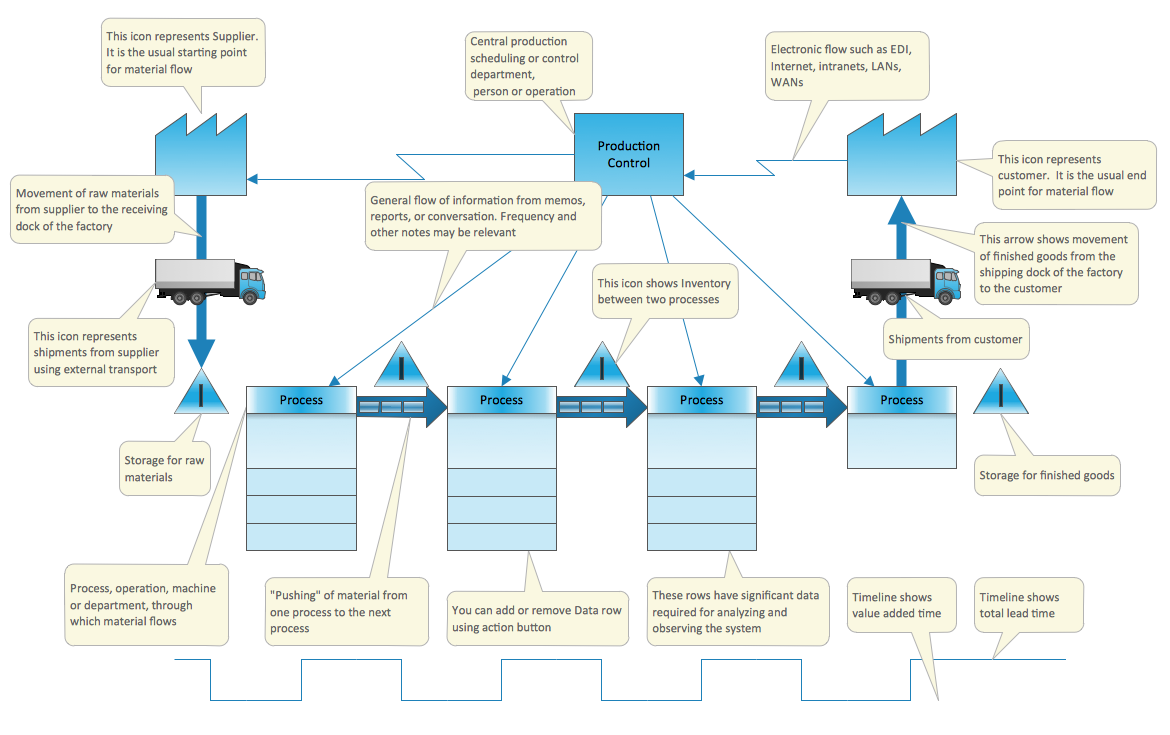
Pic.1 Value stream map (VSM) template.
This template of Value Stream Map is contained in the Value Stream Mapping solution located in the ConceptDraw Solution Park. It helps you to draw VSM diagrams using ConceptDraw DIAGRAM easy and quick.
This Value Stream Map template explains the meanings of the VSM design elements.
See also Samples:
FOUR RELATED HOW TO's:
You want create a Subway Train Map fast and easy? Use the excellent tool - ConceptDraw DIAGRAM diagramming and vector drawing software. Extended with Metro Map Solution from the Maps Area, it is the best for drawing various types of metro maps.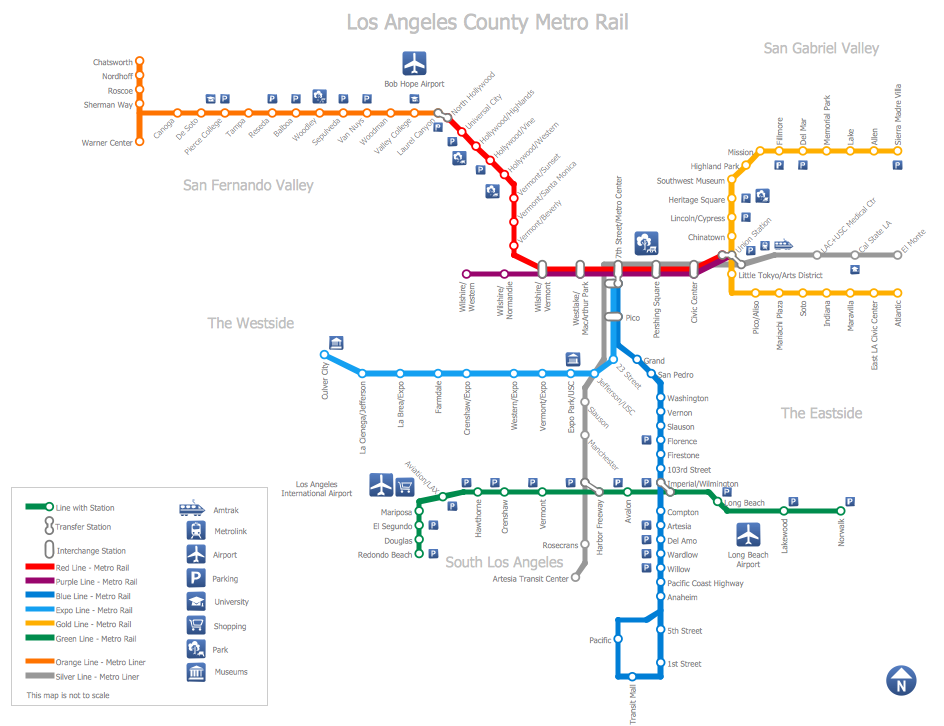
Picture: Subway Train Map
Related Solution:
Tool to draw Metro Map styled inforgraphics. Moscow Metro sample.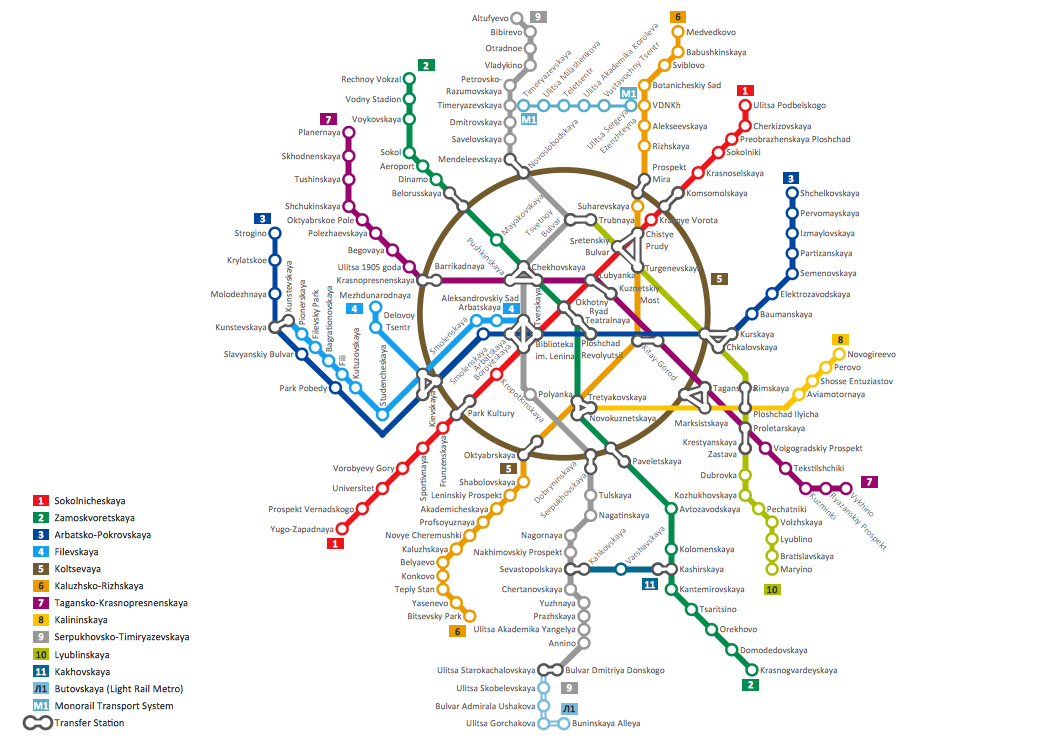
Picture: How to draw Metro Map style infographics? (Moscow)
Related Solution:
VSM →
Value stream mapping is a lean-management method for analyzing the current state and designing a future state for the series of events that take a product or service from its beginning through to the customer. ConceptDraw DIAGRAM diagramming and vector drawing software extended with Value Stream Mapping solution from the Quality area of ConceptDraw Solution Park is effective for implementation a value stream mapping (VSM) process and for creating Value Stream Maps.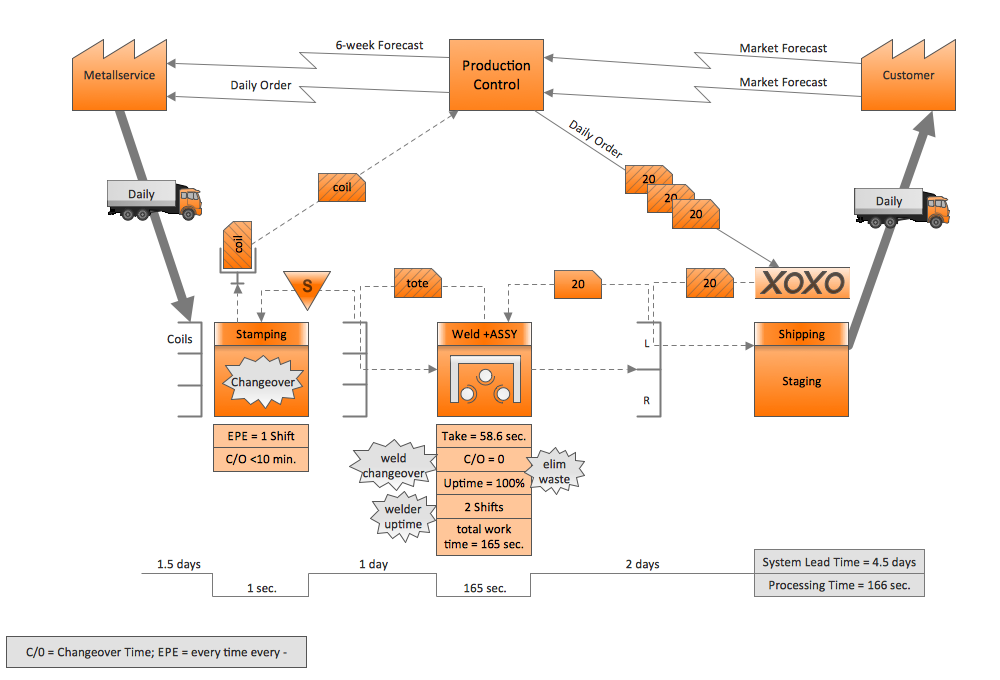
Picture: VSM
Related Solution:
This sample shows the Perceptual map. It was created in ConceptDraw DIAGRAM diagramming and vector drawing software using the Matrices Solution from the Marketing area of ConceptDraw Solution Park.
Perception Mapping helps organizations measure and transform all aspects of their business, people and culture. Perception Mapping allows to represent the complex relationships graphically, helps identify potential problems of the organization and make the best decisions.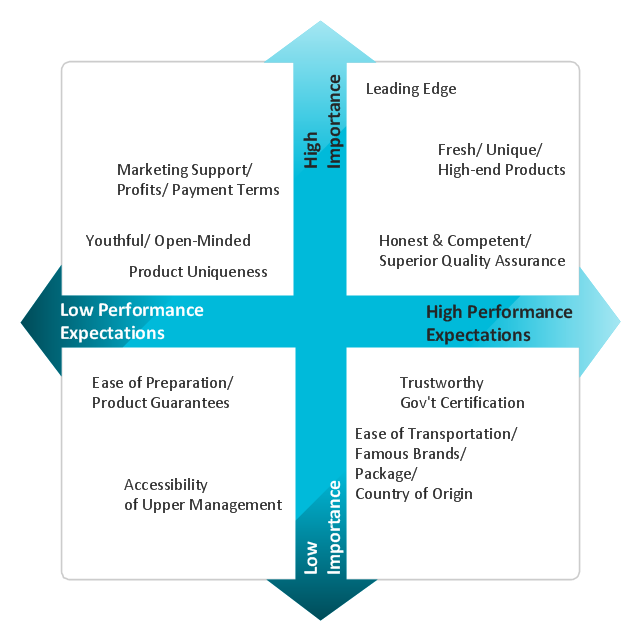
Picture: Business Tools Perceptual Mapping
Related Solution:
ConceptDraw
MINDMAP 16