Made with
ConceptDraw
DIAGRAM 18

Chemical Diagram Maker

Chemistry studies and analyses the structure, properties, and behavior of various elements and compounds, and their changes as a result of chemical reactions with releasing or absorbing energy. This science actively uses structure diagrams to represent visually the compounds' structure, explain their properties and features, chemical patterns, logic combinations, the nature of the functional groups. It is especially actual for organic chemistry involving large molecules and complex compounds. They help to show and understand the structure of chemical bonds. Many chemical compounds exist in different isomeric forms, they have the same molecular formula while their enantiomeric structures differ. The Kekule formulas, Condensed formulas, Skeletal structures, Lewis Structures, Haworth projections, Newman projections, and Fischer projections are used in organic chemistry to depict the structural formulas of chemical compounds.

Kekule formulas are structural formulas displaying how the atoms are bonded in the molecules by covalent bonds. The bonds are shown by the lines; a single line corresponds to a single covalent bond, a double line to a double bond, etc.

Lewis structures are flat graphical formulas mostly used for small molecules. They give an overview of the molecular and electronic geometry of the molecules, show the connections between atoms and lone paired or unpaired electrons. The bonds are often drawn at certain angles. Lewis structures determine the bond angles and hybridization. A single bond of two electrons is shown by a single line, double and triple bonds are shown by two and three parallel lines between pairs of atoms. Pairs of dots show the bonding pairs, all non-bonded electrons both paired and unpaired are also indicated.

Skeletal formulas are used for complex organic molecules. The carbon atoms are located at the vertices and ends of line segments, a positive or negative charge at a carbon atom is indicated. The hydrogen atoms attached to carbon atoms and forming four bonds are not indicated in the schematic, while ones attached to atoms of other elements are indicated. The three-dimensional structure is illustrated using skeletal formulas.

The structural formula is a graphic representation of the molecular structure of a chemical compound in three-dimensional space. All chemical bonding within the molecule is shown. These formulas provide a complete geometric representation of the molecular structure, describe chemical reactions and structural changes that occur during them.
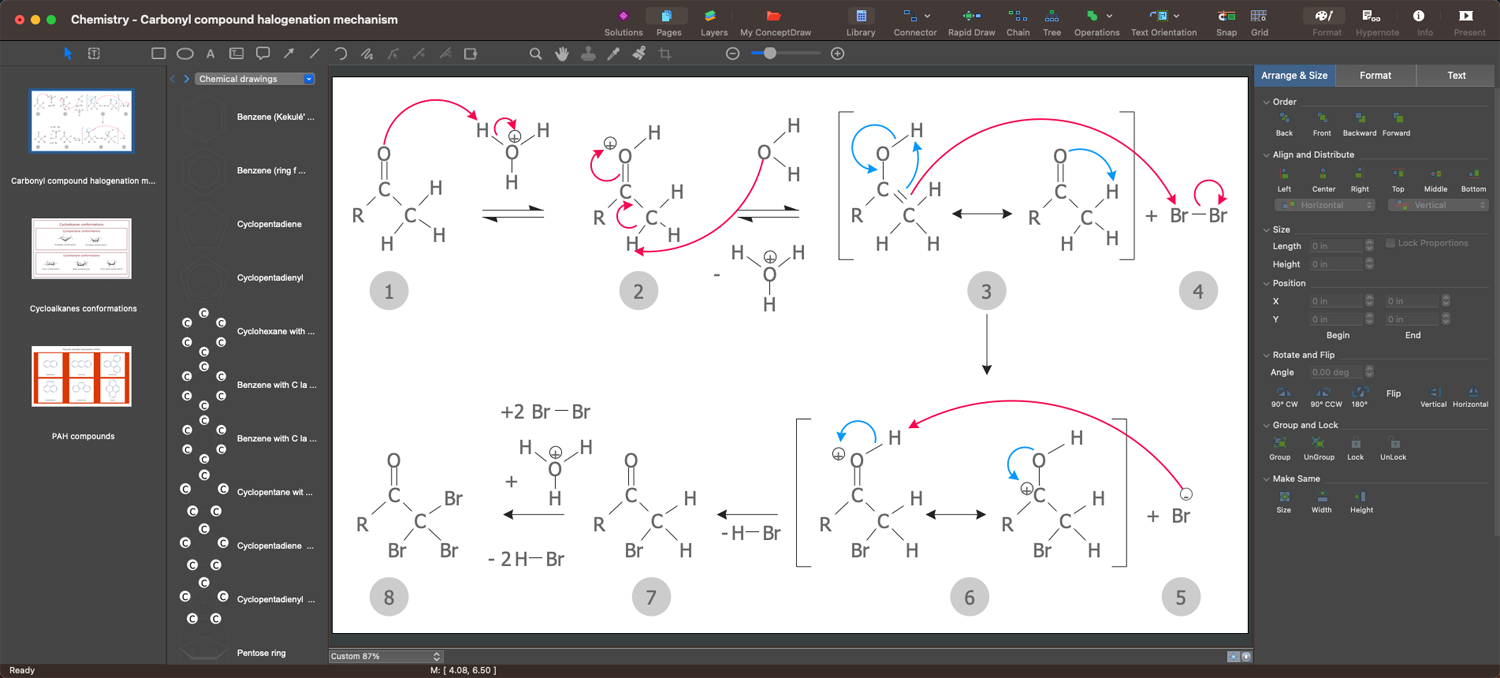
Chemical Diagram Maker - ConceptDraw DIAGRAM

Example 1. Chemical Diagram Maker — ConceptDraw DIAGRAM

Chemical scientists, researchers, lecturers, and students of chemical faculties always need a powerful drawing tool to draw chemical structures, equations, and reactions in reports, scientific works, presentations, manuscripts, theses, etc. ConceptDraw DIAGRAM enhanced with Chemistry solution is a powerful chemical diagram maker and helps to produce high-quality graphics, schematics, diagrams, and chemistry-related illustrations efficiently.

ConceptDraw DIAGRAM is user-friendly and perfectly suits for drawing chemical structures of different kinds and complexity including organic molecules, biomolecules, aromatics, polymers, cyclooctene, and other molecular structures and chemical compounds. It is useful to visualize chemical expressions and chemical schemas, analyze chemical reactions and properties of compounds, and simplify structural formulas.
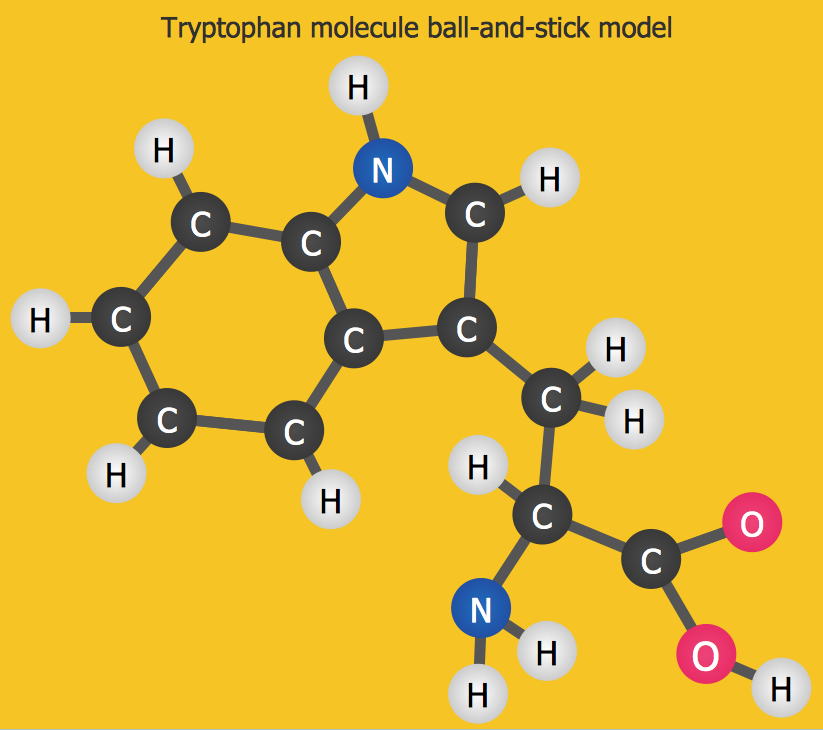
Chemistry Diagram - Tryptophan Molecule

Example 2. Chemistry Diagram — Tryptophan Molecule

The solution offers an extensive set of functionalities. Drawing tools and included libraries of design elements are convenient for using. Design elements — chemistry equation symbols, chemical elements, conformations, connections, periodic table of chemical elements, clipart of laboratory equipment, and other elements are available for all ConceptDraw DIAGRAM users. All elements are vector and resizable without loss of quality. And once your chemical schematic is ready, you can simply export it in various graphical formats, publish or send to your colleagues, and modify at any time.
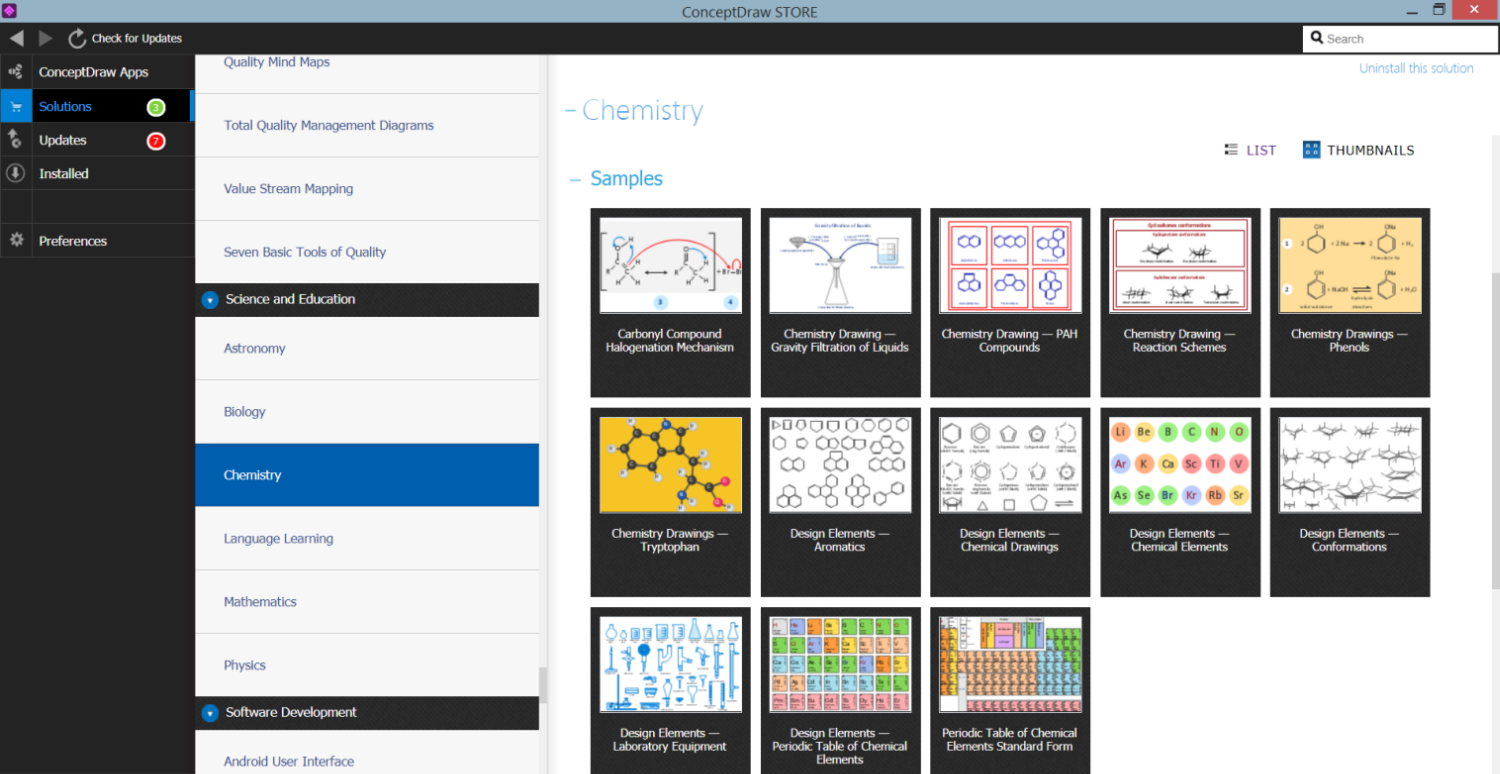
Chemistry Solution in ConceptDraw STORE

Example 3. Chemistry Solution in ConceptDraw STORE

The samples you see on this page were created in ConceptDraw DIAGRAM software using the organic chemistry symbols from the libraries of Сhemistry Solution. These organic chemistry schemes successfully demonstrate solution's capabilities and professional results you can achieve. An experienced user spent 5-15 minutes creating each of them.

Use the Chemistry Solution for ConceptDraw DIAGRAM software to create your own professional-looking chemical drawings, diagrams, illustrations and schemes of any complexity quick, easy and effective.

All source documents are vector graphic documents. They are available for reviewing, modifying, or converting to a variety of formats (PDF file, MS PowerPoint, MS Visio, and many other graphic formats) from the ConceptDraw STORE. The Chemistry Solution is available for all ConceptDraw DIAGRAM users.




TEN RELATED HOW TO's:
Accounting is a cornerstone of any business, it’s basement. If you want to have a visual representation of your finance management, use audit flowchart symbols to document the money flow. Although some would say that accounting is boring, it is very a responsible duty. The audit flowchart symbols is supplied with ConceptDraw Audit Flowcharts solution as a vector objects library. Together with Conceptdraw Drawing capabilities it forms the helpful tool for audit process planning and setting the steps of audit by designing audit flow charts. Audit Flow charts are used to organize fiscal information tracking process as well as in accounting, finance and investment management.Audit Flowchart Symbols
Picture: Audit Flowchart Symbols
Related Solution:
Data structure diagram (DSD) is intended for description of conceptual models of data (concepts and connections between them) in the graphic format for more obviousness. Data structure diagram includes entities description, connections between them and obligatory conditions and requirements which connect them. Create Data structure diagram with ConceptDraw DIAGRAM.Data structure diagram with ConceptDraw DIAGRAM
Picture: Data structure diagram with ConceptDraw DIAGRAM
Diagramming is an astonishing way to visualize business processes. The list of the most common business process flowchart symbols is quite long starting from basic flowcharts, continuing with SIPOC diagrams. Business process modeling was never easier than now, with special ConceptDraw Business Process Mapping solution. To carry out all professional standard requirements for business processes mapping, it is necessarily to follow the special graphical notations. ConceptDraw Business Process Mapping solution offers an exhaustive suite of tools to aid business process mapping. There are three vector libraries SIPOC Diagrams, Business Process Flowcharts, and Swim Lanes that contains totally more than 50 symbols of standard BPM notations. This is all that professionals need to effectively evaluate and manage quality in business processes.Business Process Flowchart Symbols *
Picture: Business Process Flowchart Symbols
Related Solution:
If you need to describe some process, diagramming is a perfect tool for almost any imaginable purpose. The set of the most commonly used flow charts symbols is quite wide and includes symbols for operations, processes, data inputs and outputs. You can see the full list of all the symbols used for flowcharting in Flowcharts solution from Diagrams area in ConceptDraw Solution Park. A flow chart is often used for visual representation of a sequential process flow. The flowchart approach to any process is to divide it into some sequential actions. What makes a flow chart so popular and clear to make out is the set of standard flowchart symbols that has the same reading independently from processes described with their applying. The current drawing represents the vector library containing the pack of standard flowchart symbols. This library is supplied with ConceptDraw Flowcharts solution.Flow Chart Symbols
Picture: Flow Chart Symbols
Related Solution:
A flowchart is a simple but very functional tool when it comes to understanding a workflow or to removing unnecessary stages from a process. When drawing flowcharts, keep in mind that there are four common types of flowcharts, like document flowcharts and data flowcharts that show control over a data or document flow over a system. To show controls on a physical level, use system flowcharts. In addition, to show controls in a program, you can draw a program flowchart. This flowchart diagram represents the piece of an article editing process, that involves the author and editor. It was created using the Basic Flowchart notation that consists from the basic flowchart symbols. The start and the end of the process are indicated with "Terminator" symbols. The "Process" symbols show the action steps consisting from making edits and searching for a compromise, when the author does not agree with the suggestions of the editor. The "Process" symbol is the general symbol in process flowcharts. The "Decision" symbol indicates a branching in the process flow. There are two branches indicated by a Decision shape in the current flowchart (Yes/No, Disagree/Agree). This basic flowchart can be used as a repeating unit in the workflow diagram describing the working process of some editorial office.Types of Flowcharts *
Picture: Types of Flowcharts
Related Solution:
Use ConceptDraw DIAGRAM diagramming and business graphics software to draw your own flowcharts of computer algorithms.Process Flow app for macOS *
Picture: Process Flow app for macOS
Related Solution:
The ConceptDraw Flowchart component includes a set of samples and templates. This geathered as flowchart maker toolbox which focused on drawing flowcharts of any industry standards.Flowchart Components
Picture: Flowchart Components
Related Solution:
Data flow diagrams are the graphical tool, used in the visualization of data flow of some data processing systems. It is the valuable process modeling tool. Also designing DFD is the important component of the initial part of any information system development project. The standard symbols are used to represent the interaction of a system components and how various kinds of components influence on data flow. The ConceptDraw Data Flow Diagrams solution is design to assist professional software engineers in making DFDs according to Gane and Sarson, and Yourdon and Coad notations. Do you imagine yourself as a successful IT specialist? To your mind, they all use data flow diagram examples to learn and to get inspired. Aren’t you still with us?Data Flow Diagram Examples *
Picture: Data Flow Diagram Examples
Related Solution:
ConceptDraw DIAGRAM is a world-class diagramming platform that lets you display, communicate, and present dynamically. It′s powerful enough to draw everything from basic flowcharts to complex engineering schematics. Video tutorials on ConceptDraw products. Try it today!Business  Process Mapping — How to Map a Work Process *
Picture: Business Process Mapping — How to Map a Work Process
Related Solutions:
Event-Driven Process Chain Diagrams for improvement throughout an organisation. ConceptDraw DIAGRAM - software that reduces the time needed to create a business process model.Graphical Symbols to use in EPC diagrams *
Picture: Graphical Symbols to use in EPC diagrams
Related Solution:
ConceptDraw
DIAGRAM 18