 School and Training Plans
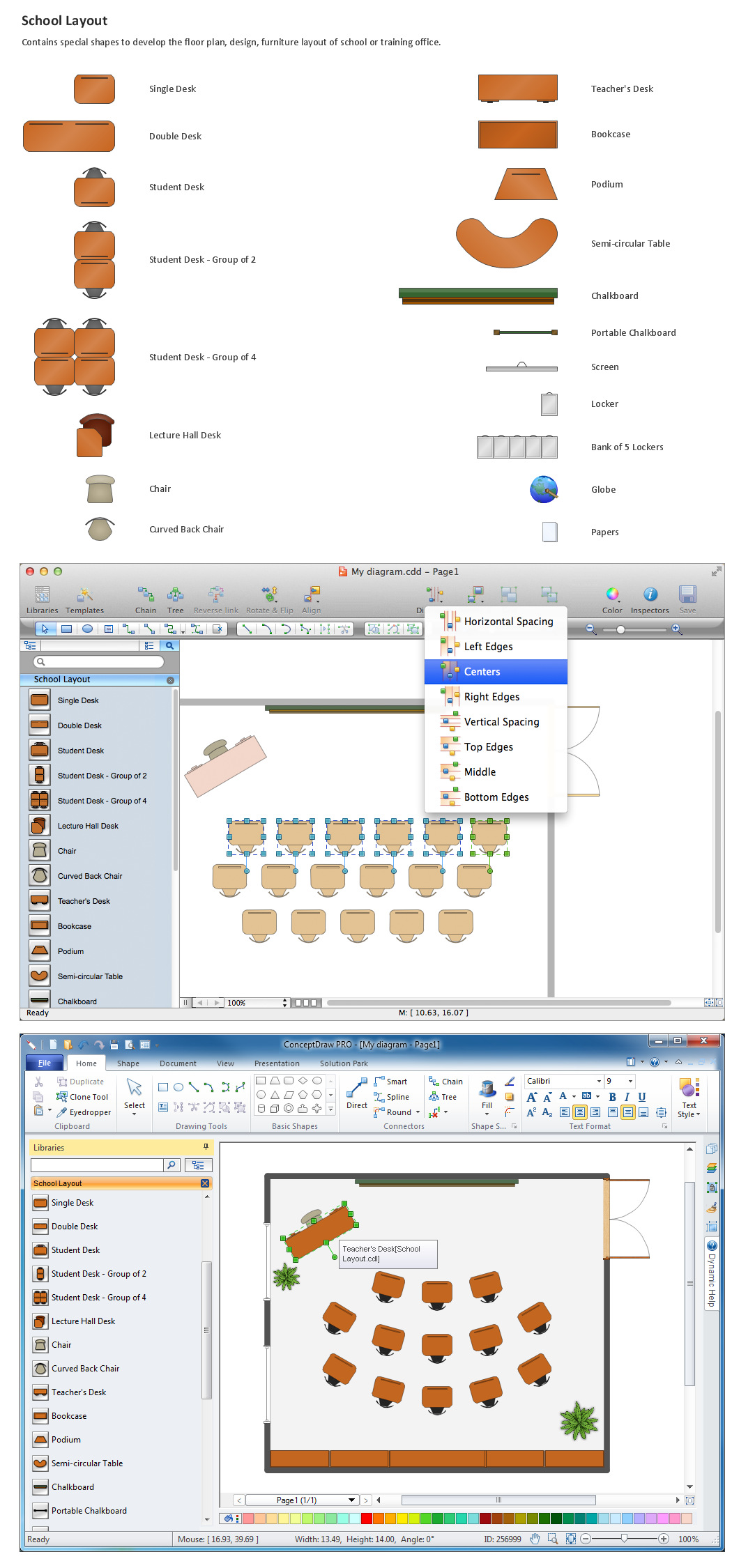
Planning a school and its campus layout needs to depict the premises, represent internal spaces, location of windows and direction of natural light. Detailed classroom seating chart helps you visualize location of the blackboard and desks, taking into account the specifics of the room and its lighting, with a goal to design the classroom to be comfortable for each pupil and teacher.
Interior Design School Layout - Design Elements

School Floor Plans
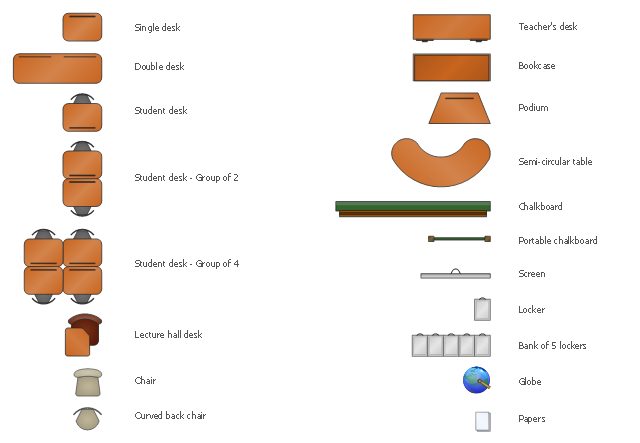
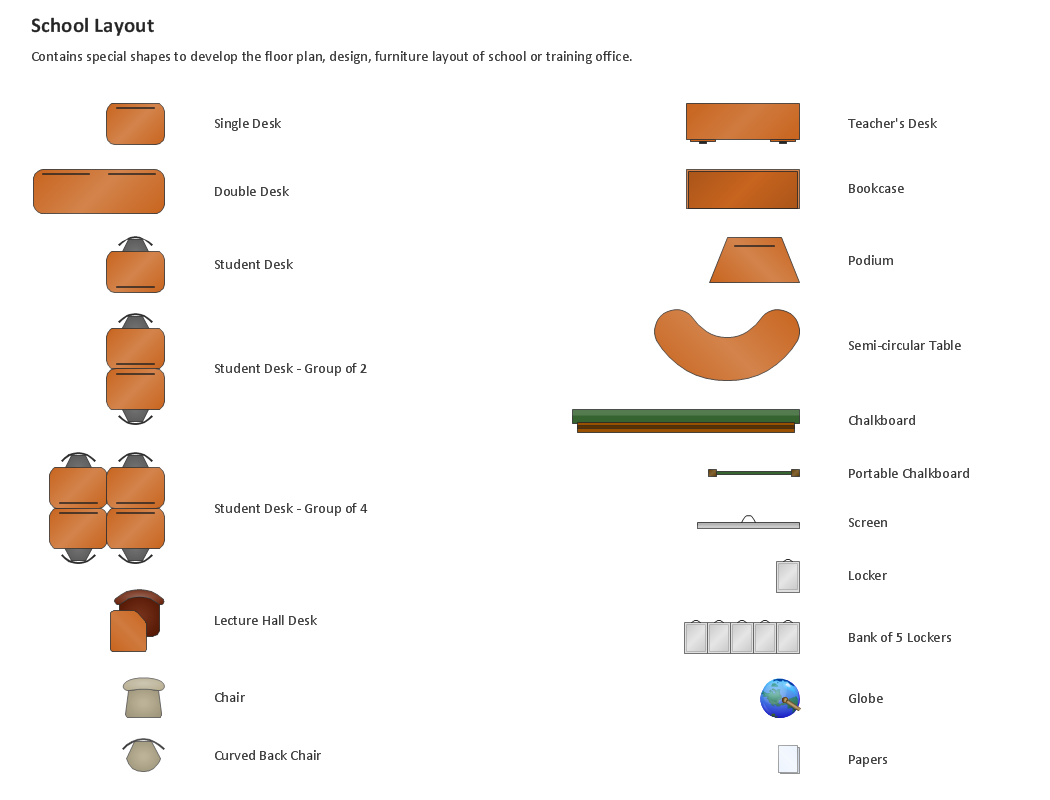
The vector stencils library "School layout" contains 19 symbols of classroom furniture and educational equipment.
Use it to develop the school interioir design floor plan, furniture and educational equipment layout of classroom or training office using the ConceptDraw PRO diagramming and vector drawing software.
"Schools are organized spaces purposed for teaching and learning. The classrooms, where teachers teach and students learn, are of central importance..." [School. Wikipedia]
"Traditionally, classrooms have had one setup: straight rows of desks facing the front of the classroom.
Another classroom seating alternative would be the use of tables instead of desks." [Classroom. Wikipedia]
This design elements library is included in the School and Training Plans solution from the Building Plans area of ConceptDraw Solution Park.
Use it to develop the school interioir design floor plan, furniture and educational equipment layout of classroom or training office using the ConceptDraw PRO diagramming and vector drawing software.
"Schools are organized spaces purposed for teaching and learning. The classrooms, where teachers teach and students learn, are of central importance..." [School. Wikipedia]
"Traditionally, classrooms have had one setup: straight rows of desks facing the front of the classroom.
Another classroom seating alternative would be the use of tables instead of desks." [Classroom. Wikipedia]
This design elements library is included in the School and Training Plans solution from the Building Plans area of ConceptDraw Solution Park.
School furniture and educational equipment
Building Drawing . Design Element: School Layout

Building Drawing Software for Design School Layout
Classroom Seating Chart Maker
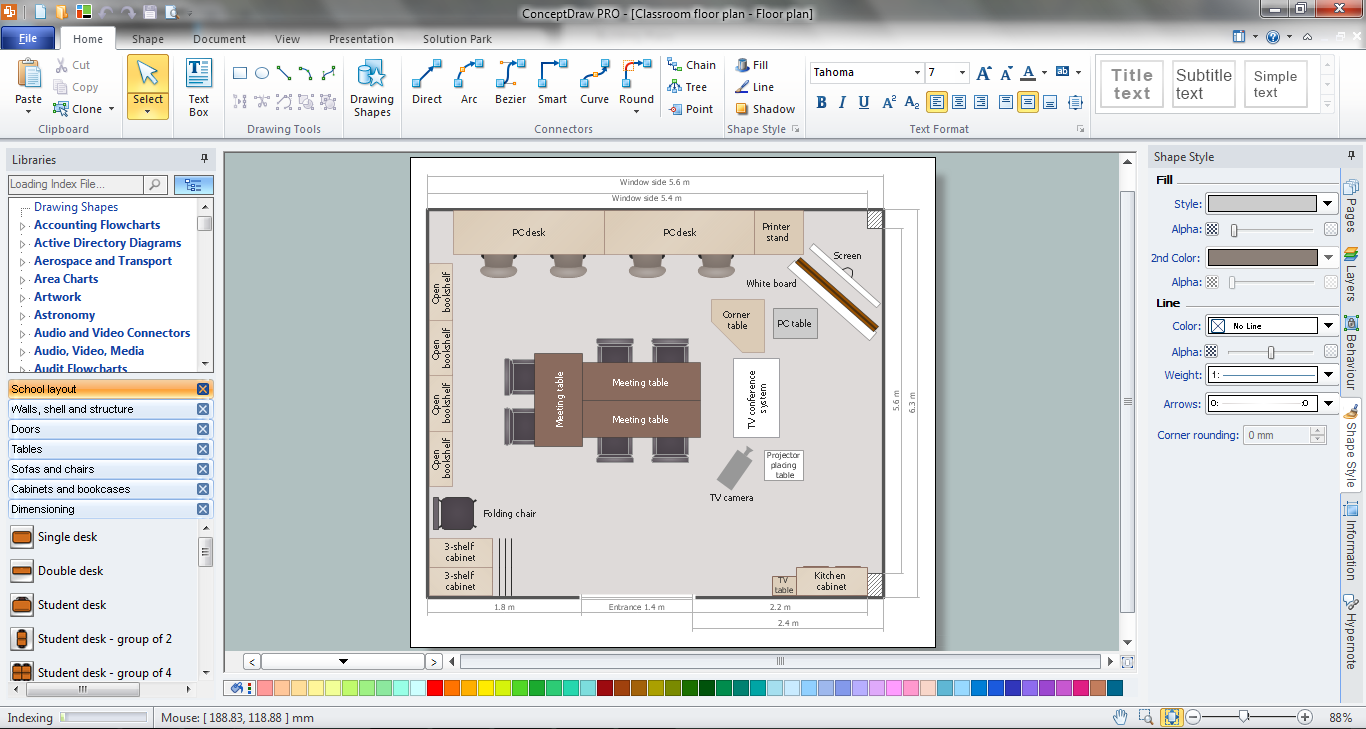
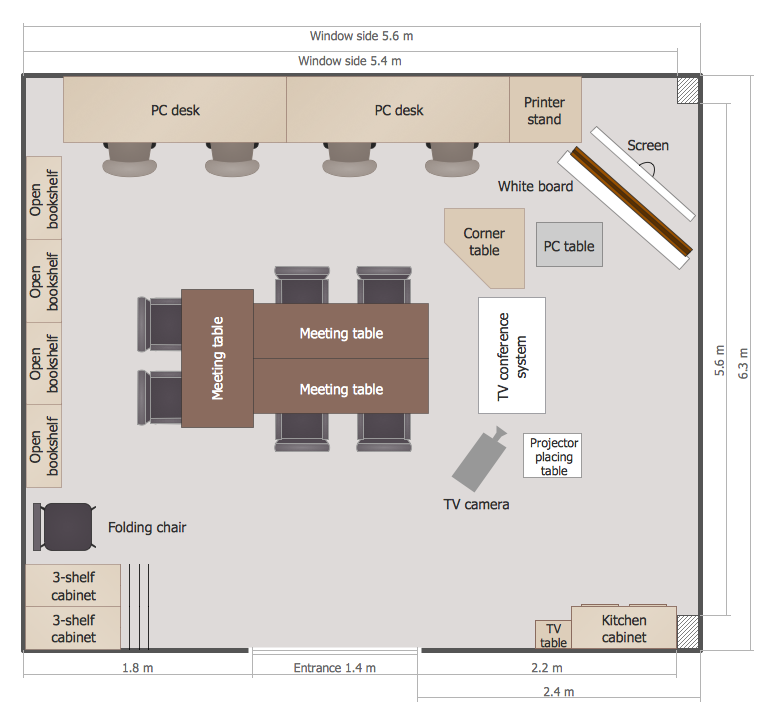
This classroom floorplan example shows school furniture and educational equipment layout.
"A classroom or schoolroom is a room dedicated primarily to teaching or learning activities. Classrooms are found in educational institutions of all kinds, including public and private schools, home schools, corporations, and religious and humanitarian organizations. ...
For lessons that require specific resources or a vocational approach different types of classrooms both indoors and outdoors are used. This allows for learning in an authentic context that fosters the natural development of the particular vocational skill. This is known as situated learning. Classrooms can range from small groups of five or six to big classrooms with hundreds of students. A large class room is also called a lecture hall. A few examples of classrooms are computer labs which are used for IT lessons in schools, gymnasiums for sports, and science laboratories for biology, chemistry and physics. There are also small group classrooms where students learn in groups of about 7 ...
A university classroom with permanently installed desk-chairs, green chalkboards, and an overhead projector.
Most classrooms have a large writing surface where the instructor or students can share notes with other members of the class. Traditionally, this was in the form of a blackboard but these are becoming less common in well-equipped schools because of new alternatives like flipcharts, whiteboards and interactive whiteboards. Many classrooms also have TVs, maps, charts, Pencils, books, monographs and LCD projectors for presenting information and images from a computer." [Classroom. Wikipedia]
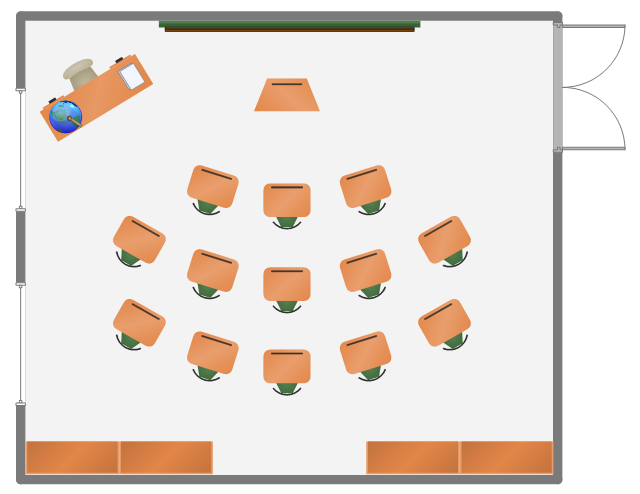
The school furniture and equipment layout example "Classroom plan" was created using the ConceptDraw PRO diagramming and vector drawing software extended with the School and Training Plans solution from the Building Plans area of ConceptDraw Solution Park.
"A classroom or schoolroom is a room dedicated primarily to teaching or learning activities. Classrooms are found in educational institutions of all kinds, including public and private schools, home schools, corporations, and religious and humanitarian organizations. ...
For lessons that require specific resources or a vocational approach different types of classrooms both indoors and outdoors are used. This allows for learning in an authentic context that fosters the natural development of the particular vocational skill. This is known as situated learning. Classrooms can range from small groups of five or six to big classrooms with hundreds of students. A large class room is also called a lecture hall. A few examples of classrooms are computer labs which are used for IT lessons in schools, gymnasiums for sports, and science laboratories for biology, chemistry and physics. There are also small group classrooms where students learn in groups of about 7 ...
A university classroom with permanently installed desk-chairs, green chalkboards, and an overhead projector.
Most classrooms have a large writing surface where the instructor or students can share notes with other members of the class. Traditionally, this was in the form of a blackboard but these are becoming less common in well-equipped schools because of new alternatives like flipcharts, whiteboards and interactive whiteboards. Many classrooms also have TVs, maps, charts, Pencils, books, monographs and LCD projectors for presenting information and images from a computer." [Classroom. Wikipedia]
The school furniture and equipment layout example "Classroom plan" was created using the ConceptDraw PRO diagramming and vector drawing software extended with the School and Training Plans solution from the Building Plans area of ConceptDraw Solution Park.
Furniture and equipment layout
How To Draw Building Plans
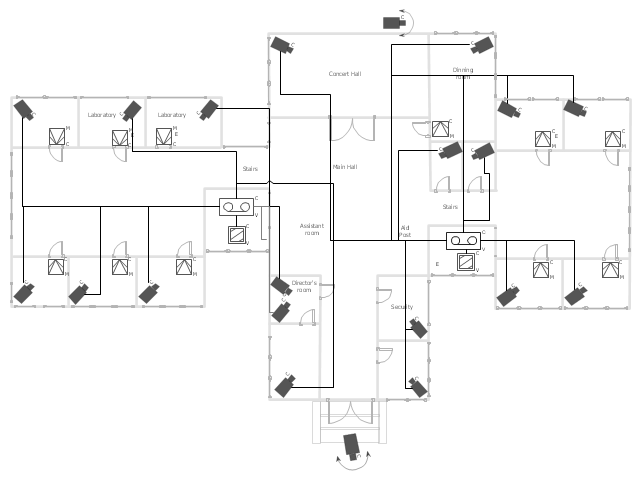
"Closed-circuit television (CCTV) is the use of video cameras to transmit a signal to a specific place, on a limited set of monitors. It differs from broadcast television in that the signal is not openly transmitted, though it may employ point to point (P2P), point to multipoint, or mesh wireless links. Though almost all video cameras fit this definition, the term is most often applied to those used for surveillance in areas that may need monitoring such as banks, casinos, airports, military installations, and convenience stores. Videotelephony is seldom called "CCTV" but the use of video in distance education, where it is an important tool, is often so called.
In industrial plants, CCTV equipment may be used to observe parts of a process from a central control room, for example when the environment is not suitable for humans. CCTV systems may operate continuously or only as required to monitor a particular event. A more advanced form of CCTV, utilizing digital video recorders (DVRs), provides recording for possibly many years, with a variety of quality and performance options and extra features (such as motion detection and email alerts). More recently, decentralized IP cameras, some equipped with megapixel sensors, support recording directly to network-attached storage devices, or internal flash for completely stand-alone operation. Surveillance of the public using CCTV is particularly common in many areas around the world. In recent years, the use of body worn video cameras has been introduced as a new form of surveillance. ... In the United States, closed-circuit television is used for school security to monitor visitors, track unacceptable student behavior and maintain a record of evidence in the event of a crime. There are some restrictions on installation, cameras may not be used in an area where there is a "reasonable expectation of privacy". Examples of these are bathrooms, gym locker areas and private offices (unless consent by the office owner is given). Сameras are generally acceptable in hallways, parking lots, front offices where students, employees, and parents come and go, gymnasiums, cafeterias, supply rooms and classrooms. The use of cameras in classrooms is often debated by teachers who want cameras for protection and teachers who do not." [Closed-circuit television. Wikipedia]
The floor plan example "Video surveillance scheme" was created using the ConceptDraw PRO diagramming and vector drawing software extended with the Security and Access Plans solution from the Building Plans area of ConceptDraw Solution Park.
In industrial plants, CCTV equipment may be used to observe parts of a process from a central control room, for example when the environment is not suitable for humans. CCTV systems may operate continuously or only as required to monitor a particular event. A more advanced form of CCTV, utilizing digital video recorders (DVRs), provides recording for possibly many years, with a variety of quality and performance options and extra features (such as motion detection and email alerts). More recently, decentralized IP cameras, some equipped with megapixel sensors, support recording directly to network-attached storage devices, or internal flash for completely stand-alone operation. Surveillance of the public using CCTV is particularly common in many areas around the world. In recent years, the use of body worn video cameras has been introduced as a new form of surveillance. ... In the United States, closed-circuit television is used for school security to monitor visitors, track unacceptable student behavior and maintain a record of evidence in the event of a crime. There are some restrictions on installation, cameras may not be used in an area where there is a "reasonable expectation of privacy". Examples of these are bathrooms, gym locker areas and private offices (unless consent by the office owner is given). Сameras are generally acceptable in hallways, parking lots, front offices where students, employees, and parents come and go, gymnasiums, cafeterias, supply rooms and classrooms. The use of cameras in classrooms is often debated by teachers who want cameras for protection and teachers who do not." [Closed-circuit television. Wikipedia]
The floor plan example "Video surveillance scheme" was created using the ConceptDraw PRO diagramming and vector drawing software extended with the Security and Access Plans solution from the Building Plans area of ConceptDraw Solution Park.
Video surveillance scheme
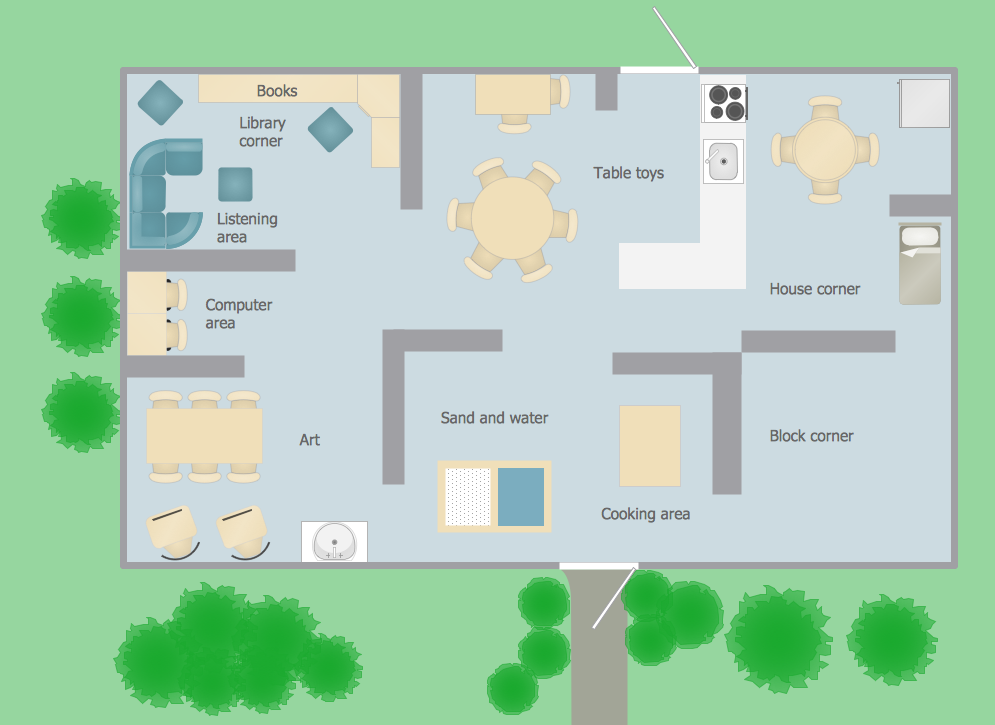
Classroom Layout
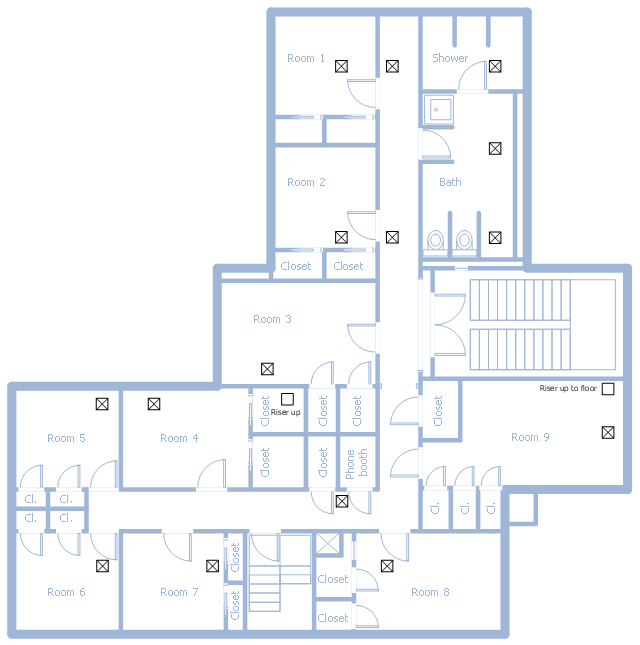
This school HVAC plan sample represent layout of air conditioning ductwork inlets and outlets.
"Air conditioning (often referred to as A/ C or AC) is the process of altering the properties of air (primarily temperature and humidity) to more comfortable conditions, typically with the aim of distributing the conditioned air to an occupied space such as a building or a vehicle to improve thermal comfort and indoor air quality. In common use, an air conditioner is a device that removes heat from the air inside a building or vehicle, thus lowering the air temperature. The cooling is typically achieved through a refrigeration cycle, but sometimes evaporation or free cooling is used. Air conditioning systems can also be made based on desiccants." [Air conditioning. Wikipedia]
The fllor plan example "School HVAC plan" was created using the ConceptDraw PRO diagramming and vector drawing software extended with the HVAC Plans solution from the Building Plans area of ConceptDraw Solution Park.
"Air conditioning (often referred to as A/ C or AC) is the process of altering the properties of air (primarily temperature and humidity) to more comfortable conditions, typically with the aim of distributing the conditioned air to an occupied space such as a building or a vehicle to improve thermal comfort and indoor air quality. In common use, an air conditioner is a device that removes heat from the air inside a building or vehicle, thus lowering the air temperature. The cooling is typically achieved through a refrigeration cycle, but sometimes evaporation or free cooling is used. Air conditioning systems can also be made based on desiccants." [Air conditioning. Wikipedia]
The fllor plan example "School HVAC plan" was created using the ConceptDraw PRO diagramming and vector drawing software extended with the HVAC Plans solution from the Building Plans area of ConceptDraw Solution Park.
Floor plan
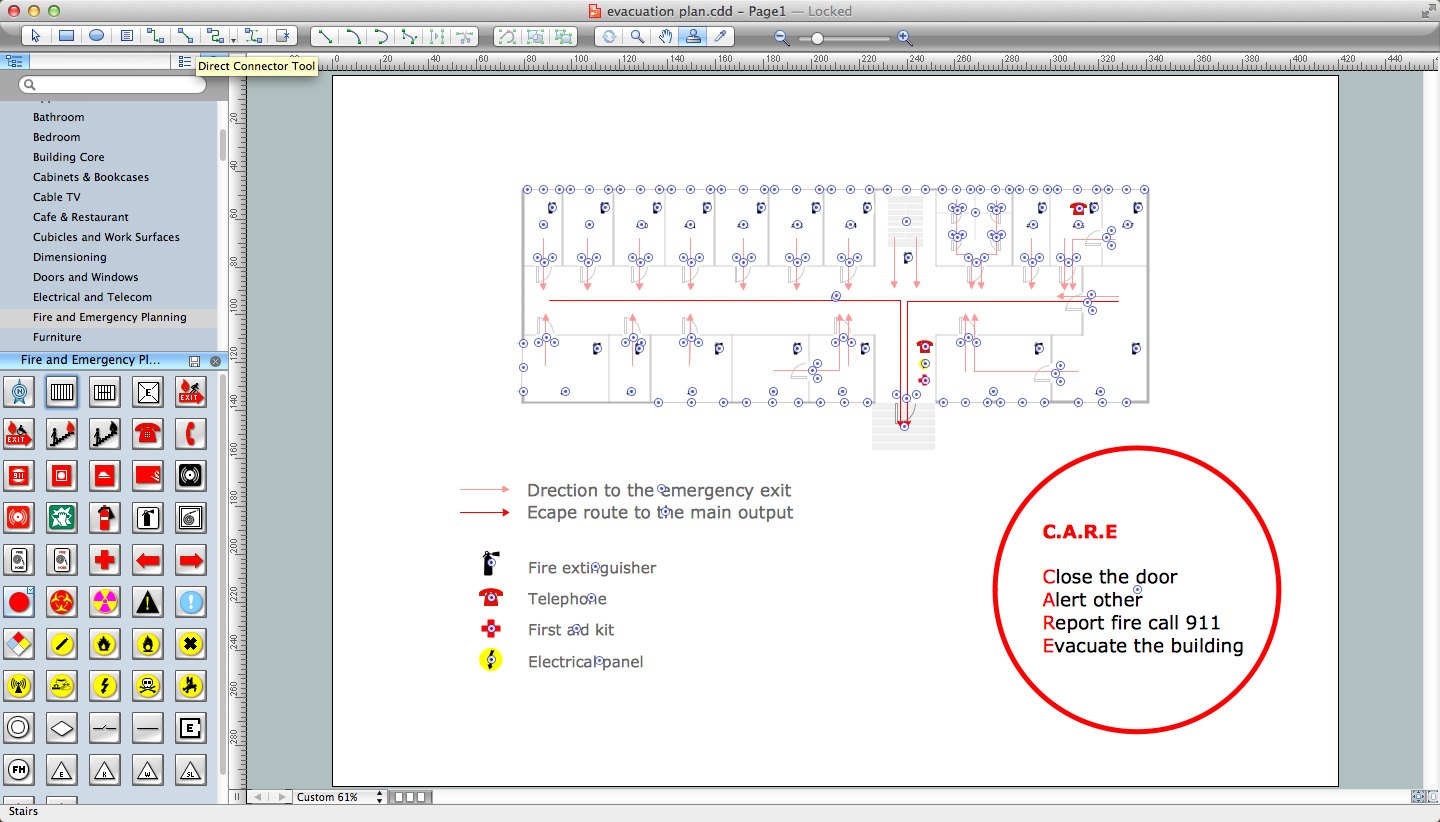
Fire Exit Plan

Emergency Plan
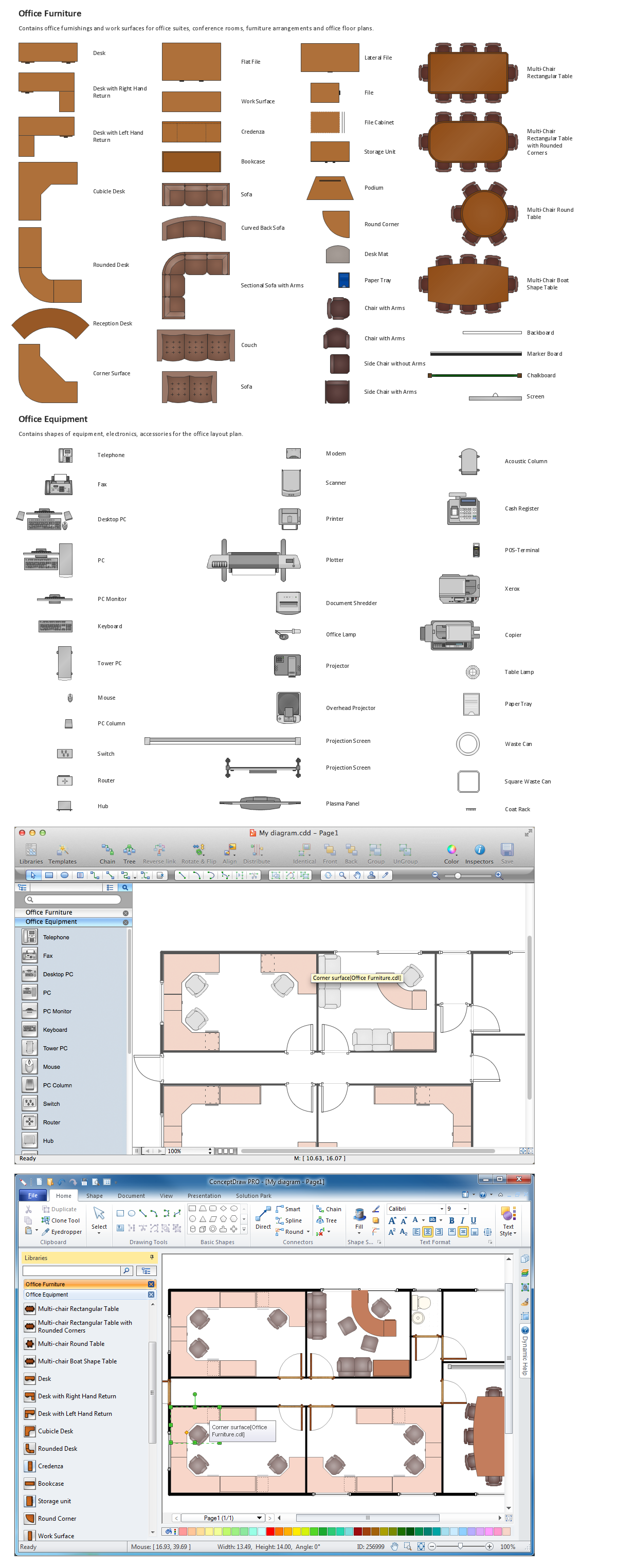
Building Drawing Software for Design Office Layout Plan
- School Plan
- Classroom plan | Classroom plan | Design elements - School layout ...
- Plan School Building
- Building Plan Sample For School
- Emergency Plan | Fire Exit Plan . Building Plan Examples | Fire and ...
- Classroom Layout | How to Create a Floor Plan for the Classroom ...
- How to Create a Floor Plan for the Classroom | Classroom lighting ...
- School and Training Plans | Design elements - School layout plan ...
- School Building Design Software
- Plans Of Schools With Furniture
- Www Ablution Facility Plans For Schools
- School and Training Plans | School Floor Plans | Video surveillance ...
- School Floor Plans | Café Floor Plan Design Software. Professional ...
- Drawing Plan Of School Building
- Interior Design Office Layout Plan Design Element | Design ...
- Www Ablution Facilities For Schools And Floor Plans
- Design elements - School layout plan | Training classroom | School ...
- Sample Building Plans For A School
- Emergency Plan | Fire and Emergency Plans | School and Training ...
- Sample Floor Plans For Schools


