Business Startup
ConceptDraw OfficeConceptDraw Office is an integrated set of visualization products and document exchange technologies. ConceptDraw OFFICE consists of a diagramming platform, a mind mapping, and a project management tool. These tools are essential to generate business diagrams, mind maps, project plans, dashboards, presentations, schematics, and any other business visualizations. These tools have access to an online service, ConceptDraw Solution Park that will deliver additional product extensions in the future. This is a time saving assistant for generating your business documents and presentations. ConceptDraw Office consists of a diagramming platform, a mind mapping, and a project management tool. These tools are essential to generate business diagrams, mind maps, project plans, dashboards, presentations, schematics, and any other business visualizations. ConceptDraw MINDMAP SamplesSample mind maps created in ConceptDraw MINDMAP that demonstrate the different capabilities and applications of the program for business, personal, or education use. |
Mind map of a basic business startup plan covering the various phases of opening a business.
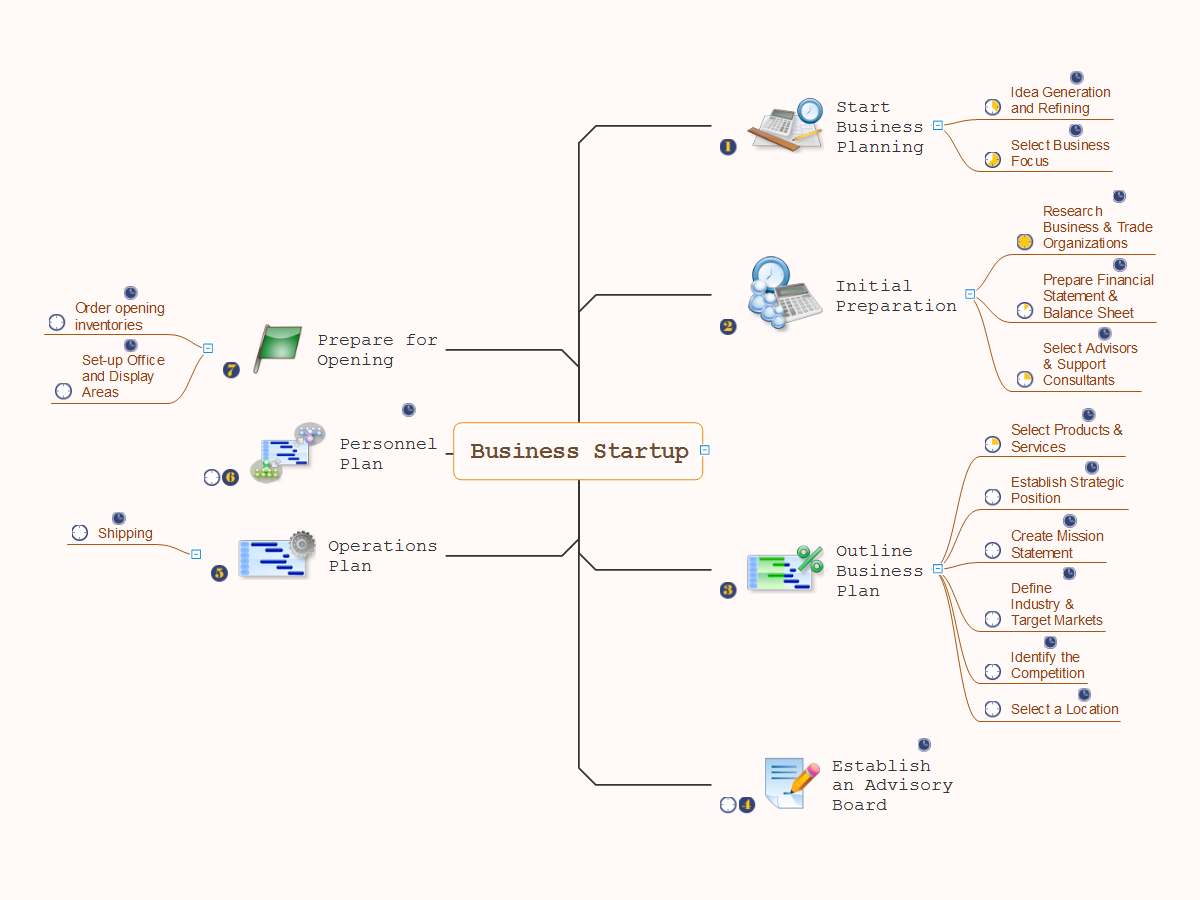
Example 1. Business Startup
Export to Outline
-
Business Startup
- Start Business Planning
- Idea Generation and Refining
- Select Business Focus
- Initial Preparation
- Research Business & Trade Organizations
- Prepare Financial Statement & Balance Sheet
- Select Advisors & Support Consultants
- Outline Business Plan
- Select Products & Services
- Establish Strategic Position
- Create Mission Statement
- Define Industry & Target Markets
- Identify the Competition
- Select a Location
- Establish an Advisory Board
- Operations Plan
- Shipping
- Personnel Plan
- Prepare for Opening
- Order opening inventories
- Set-up Office and Display Areas
- ConceptDraw MINDMAP is effective for brainstorming, designing mind maps, idea generating, creative and lateral thinking, creativity and problem solving.
- ConceptDraw MINDMAP is ideal for team and personal work in Business, Marketing and Project Management.
- The libraries with large quantity of vector objects help to illustrate your mind maps and to make them bright, visual and comprehensible.
- Use of View Navigator tool lets create presentations from a mind map: you can simply select the map parts you want to present, sequence your slides, and preview the presentation.
- ConceptDraw MINDMAP provides wide capabilities of importing and exporting in various formats: Microsoft PowerPoint, Microsoft Word, MS Excel, Mindjet MindManager, image, HTML, PDF file.
The Benefits for ConceptDraw MINDMAP Brainstorming Software