Create a Value Stream Map
Value Stream Mapping solution is a Lean Manufacturing tool that uses a flow diagram to document in great detail every step of a manufacturing process. For the start simply put timeline objects from library and continue to create diagram. After that put it to specific place object that illustrate processes of the production. Many lean practitioners use Value Stream Mapping as a fundamental tool to identify waste, cut process cycle times, and implement process improvement.
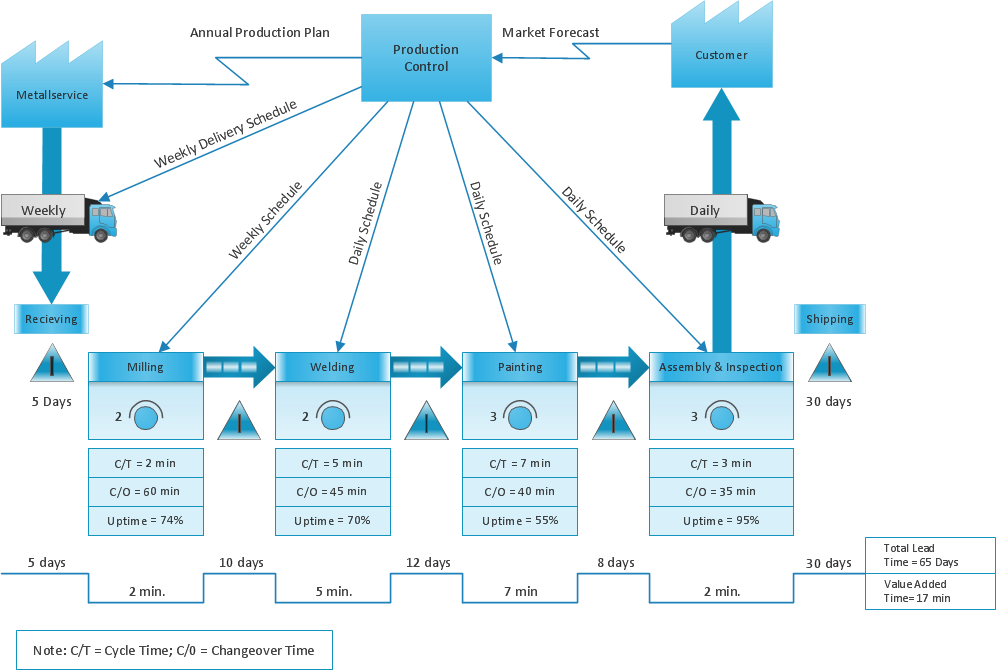
Pic.1 Value Stream Map (VSM) example.
Use ConceptDraw DIAGRAM software extended with Value Stream Mapping solution to create your own VSM diagrams.
See also Samples:
FIVE RELATED HOW TO's:
ConceptDraw DIAGRAM is a world-class diagramming platform that lets you display, communicate, and present dynamically. It′s powerful enough to draw everything from basic flowcharts to complex engineering schematics.
Video tutorials on ConceptDraw products. Try it today!
Picture: Business Process Mapping — How to Map a Work Process
Related Solutions:
Create Quality Engineering Diagrams (value stream maps) - for value stream analysis and value stream management, material and information flow mapping, using our quick start templates included with ConceptDraw.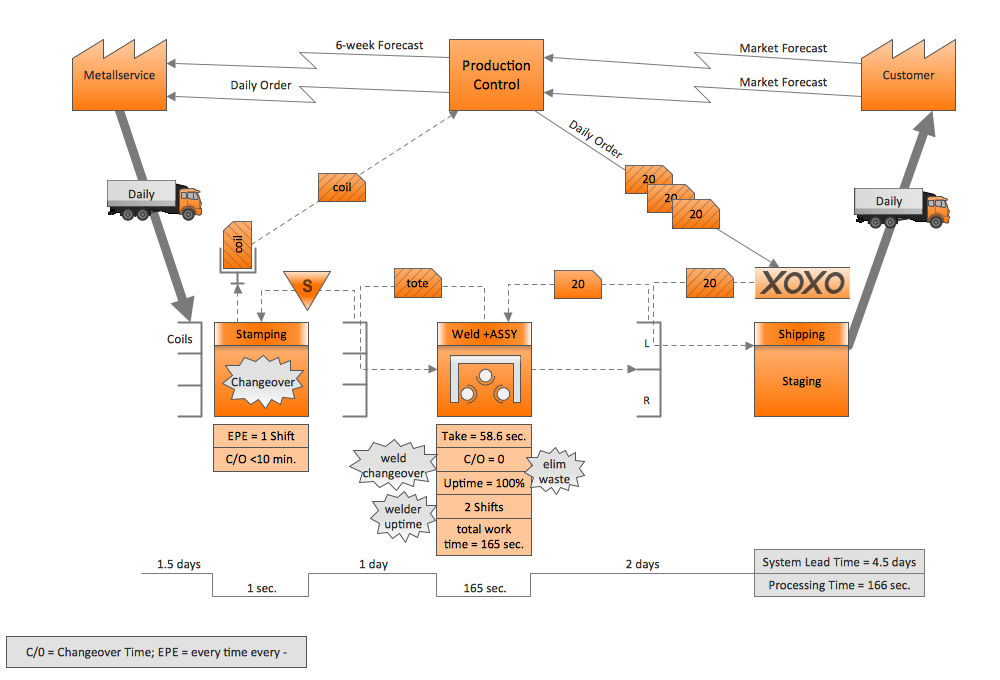
Picture: Quality Engineering Diagrams
Related Solution:
Value Stream Maps are used in lean methodology for analysis of manufacturing process and identification of the improvement opportunities.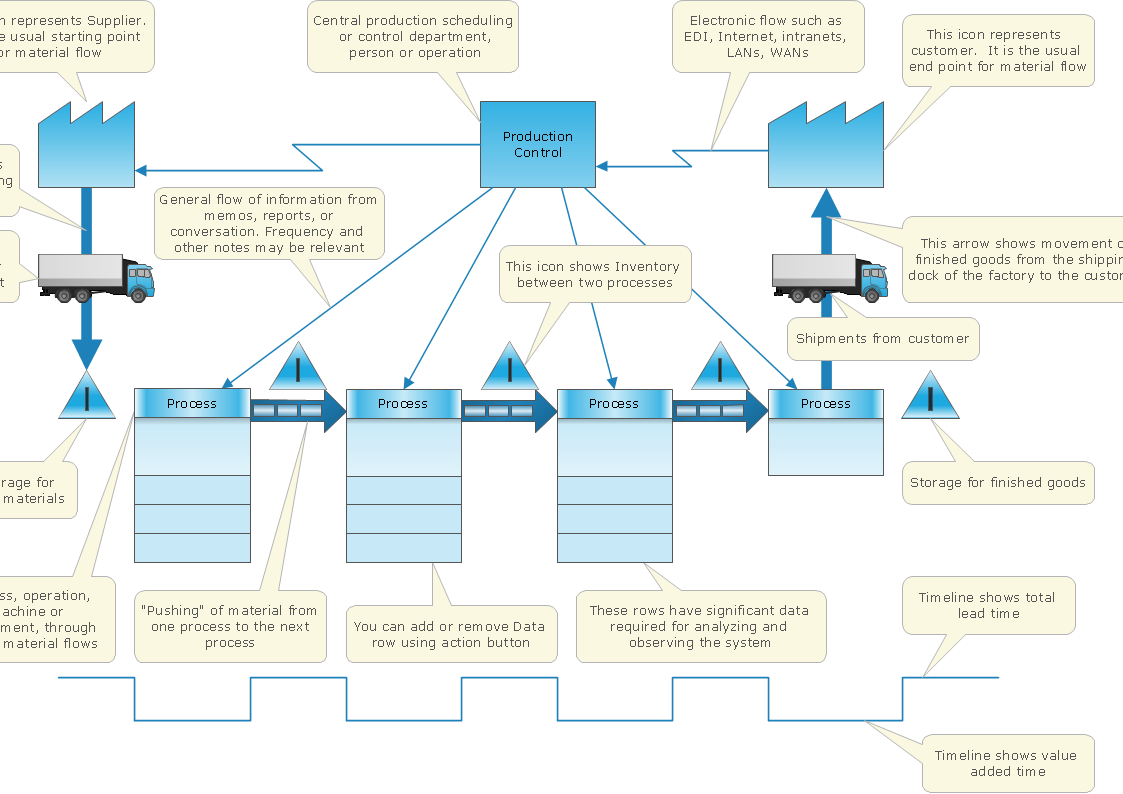
Picture: Value Stream Mapping and Analysis
Related Solution:
Create value stream maps - for value stream analysis and value stream management, material and information flow mapping, using our quick start templates included with ConceptDraw.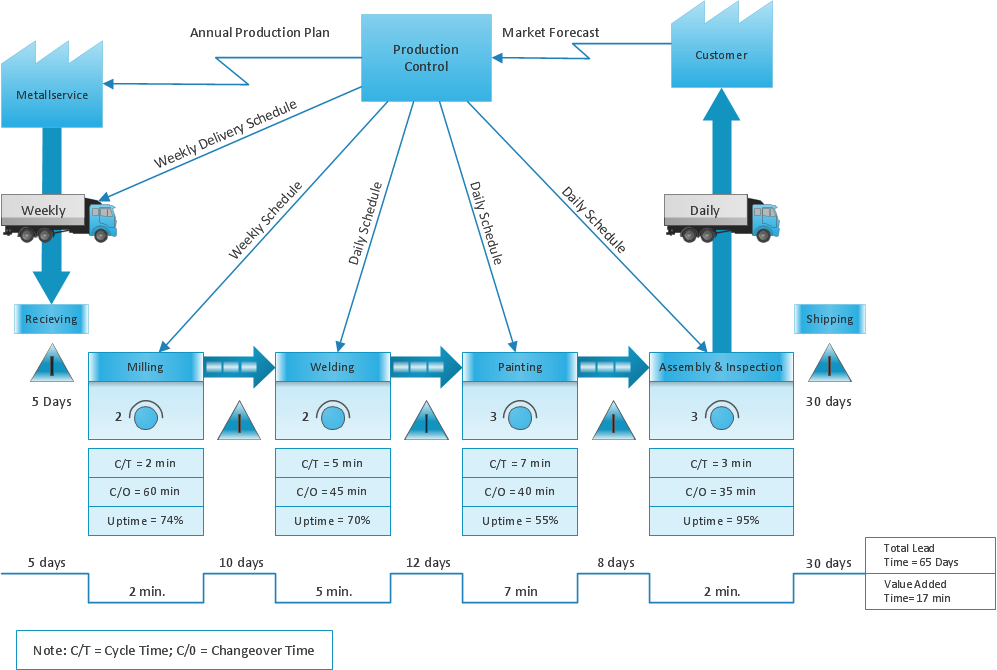
Picture: The Lean Enterprise Value Stream Mapping
Related Solution:
Lean Manufacturing tool is a new Value Stream Mapping solution found in the ConceptDraw Solution Park.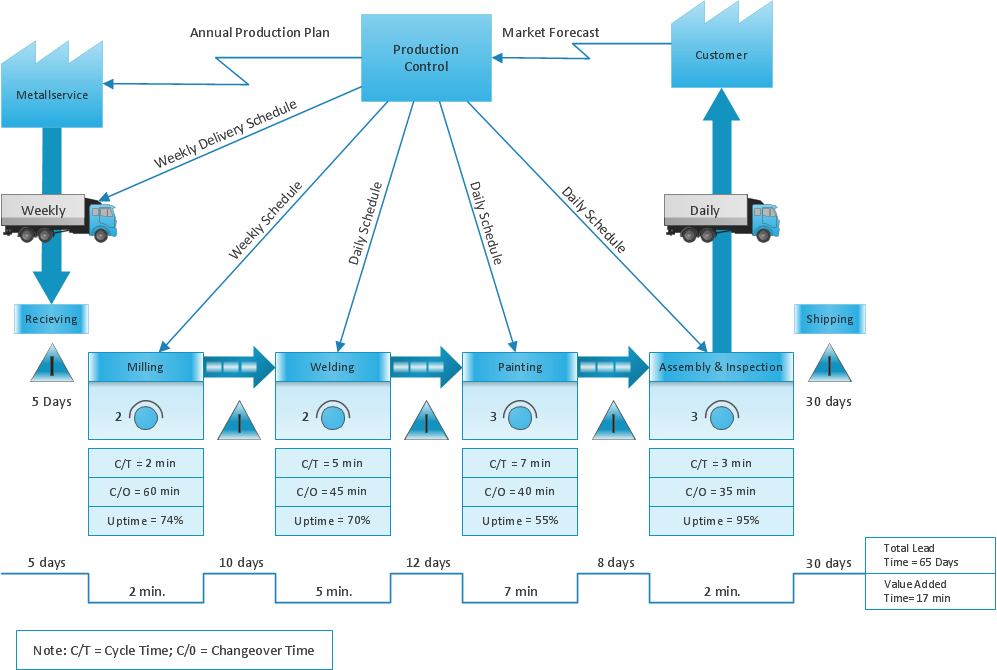
Picture: Lean Value Stream Map
Related Solution:
ConceptDraw
MINDMAP 16