Bank Customer Notifications
CollaborationBeing successful in business is about meeting your defined objectives and adapting to changes occurring in the global market. The ability for an organization to successful adapt to a rapidly changing environment leads to continued growth and success. Failure to adapt, leads to stakeholder disappointment and eventually to extinction if an organization cannot adjust to the situation. Many organizations, who at one time in their history flourished, have been known to flounder because of loss of direction and vision. Keeping an organization moving forward requires strong collaborative team work to transition an organization from one stage to the next in its life cycle. Mistakes in strategy or implementation today are punishing when your team fails to correctly identify an early opportunity. Early opportunities not acted on cease to be success possibilities. Social Media ResponseThe Social Media Response solution provides an interactive flow chart with action mind map templates to help to create an effective response to applicable social media mentions. BenefitsThe Social Media Response solution helps to organize the process of response for interactions occuring in social media. The Social Media Response solution provides the means to respond to social media mentions quickly and professionally. This tool keeps the entire team on the same page allowing you to realize your social media strategy, improve the quality of your answers, and minimize the time it takes to respond. ObjectiveInteractive tool helps you find the appropriate response to social media mentions quickly. Solution PurposeGive quick and professional responses to social media mentions. Present workflow to team. Train employees. Accumulate knowledge and experience. Intended ForSocial media strategists, online marketing agencies, internet entrepreneurs, bloggers, social media consultants, startup groups using online promotion, sales people, technical support, PR professionals, trainers/coaches. Products and methodsThe Social Media Response solution delivers an innovative combination of interactive flow charts and action mind maps to help you boost your social media succes |
This action mindmap helps to close messaging to the community from an unhappy customer, transfer communication to a private channel, and resolve customer issues.
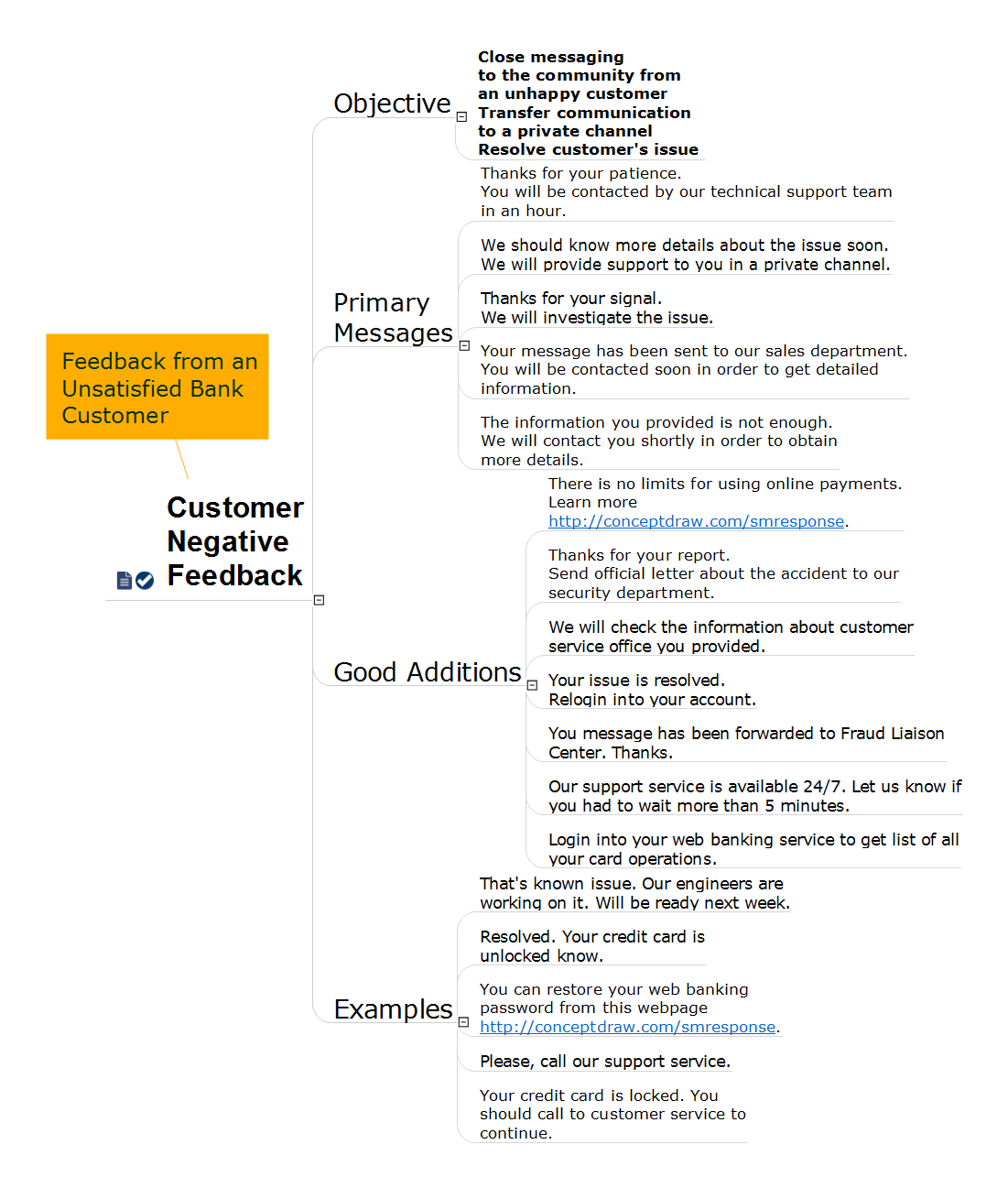
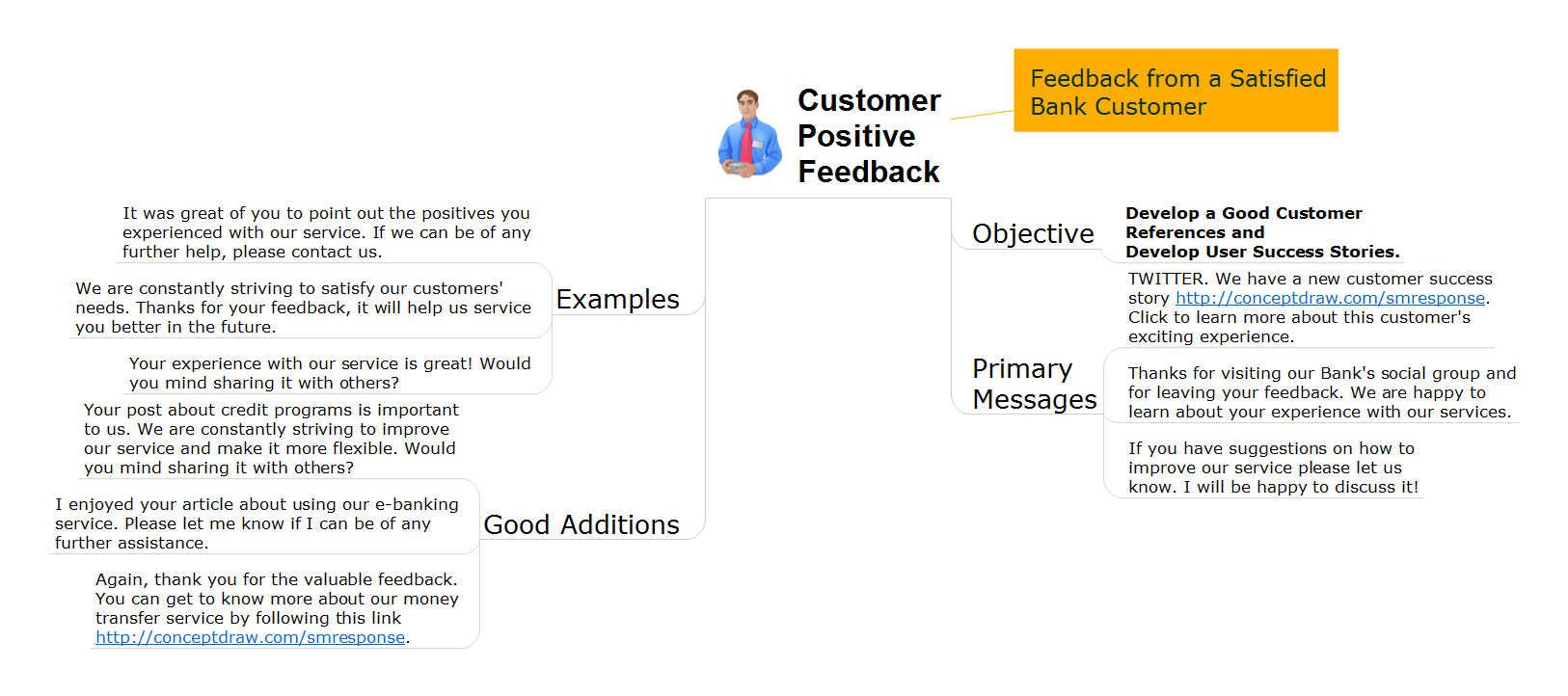
Example 1. Bank Customer Notifications
Export to Outline
Customer Negative Feedback
-
Objective
- Close messaging to the community from an unhappy customer Transfer communication to a private channel Resolve customer's issue
-
Primary Messages
- Thanks for your patience. You will be contacted by our technical support team in an hour.
- We should know more details about the issue soon. We will provide support to you in a private channel.
- Thanks for your signal. We will investigate the issue.
- Your message has been sent to our sales department. You will be contacted soon in order to get detailed information.
- The information you provided is not enough. We will contact you shortly in order to obtain more details.
-
Good Additions
- There is no limits for using online payments. Learn more https://www.conceptdraw.com/smresponse.
- Thanks for your report. Send official letter about the accident to our security department.
- We will check the information about customer service office you provided.
- Your issue is resolved. Relogin into your account.
- You message has been forwarded to Fraud Liaison Center. Thanks.
- Our support service is available 24/7. Let us know if you had to wait more than 5 minutes.
- Login into your web banking service to get list of all your card operations.
-
Examples
- That's known issue. Our engineers are working on it. Will be ready next week.
- Resolved. Your credit card is unlocked know.
- You can restore your web banking password from this webpage https://www.conceptdraw.com/smresponse.
- Please, call our support service.
- Your credit card is locked. You should call to customer service to continue.
The Benefits for ConceptDraw MINDMAP Brainstorming Software
- ConceptDraw MINDMAP is effective for brainstorming, designing mind maps, idea generating, creative and lateral thinking, creativity and problem solving.
- ConceptDraw MINDMAP is ideal for team and personal work in Business, Marketing and Project Management.
- The libraries with large quantity of vector objects help to illustrate your mind maps and to make them bright, visual and comprehensible.
- Use of View Navigator tool lets create presentations from a mind map: you can simply select the map parts you want to present, sequence your slides, and preview the presentation.
- ConceptDraw MINDMAP provides wide capabilities of importing and exporting in various formats: Microsoft PowerPoint, Microsoft Word, MS Excel, Mindjet MindManager, image, HTML, PDF file.