Make Block Diagram in ConceptDraw DIAGRAM
Block Diagram is a type of diagram widespread in software and hardware design, electronic engineering, and many else fields. It is used to describe the internal structure of systems of all types, composition and interconnections within the systems. They are also applied to show the cause-and-effect relationships. The basic elements used to design a Block Diagram are blocks depicting the principal parts or functions. The lines connecting the items show the relationships existing between the system blocks. The popularity of Block Diagrams is explained by their simplicity.
Striving to find the best software to make Block Diagram, pay attention to ConceptDraw DIAGRAM software. It includes one of the best tools to create Block Diagrams. It is the Block Diagrams solution from the "Diagrams" Area of ConceptDraw Solution Park.
Block Diagrams solution offers a lot of useful capabilities.They help you to get started on varied projects. Use the predesigned objects from the solution libraries and use samples as examples. Or start with one of the included predesigned templates. Each template is simply filled with your information, own ideas, and data.
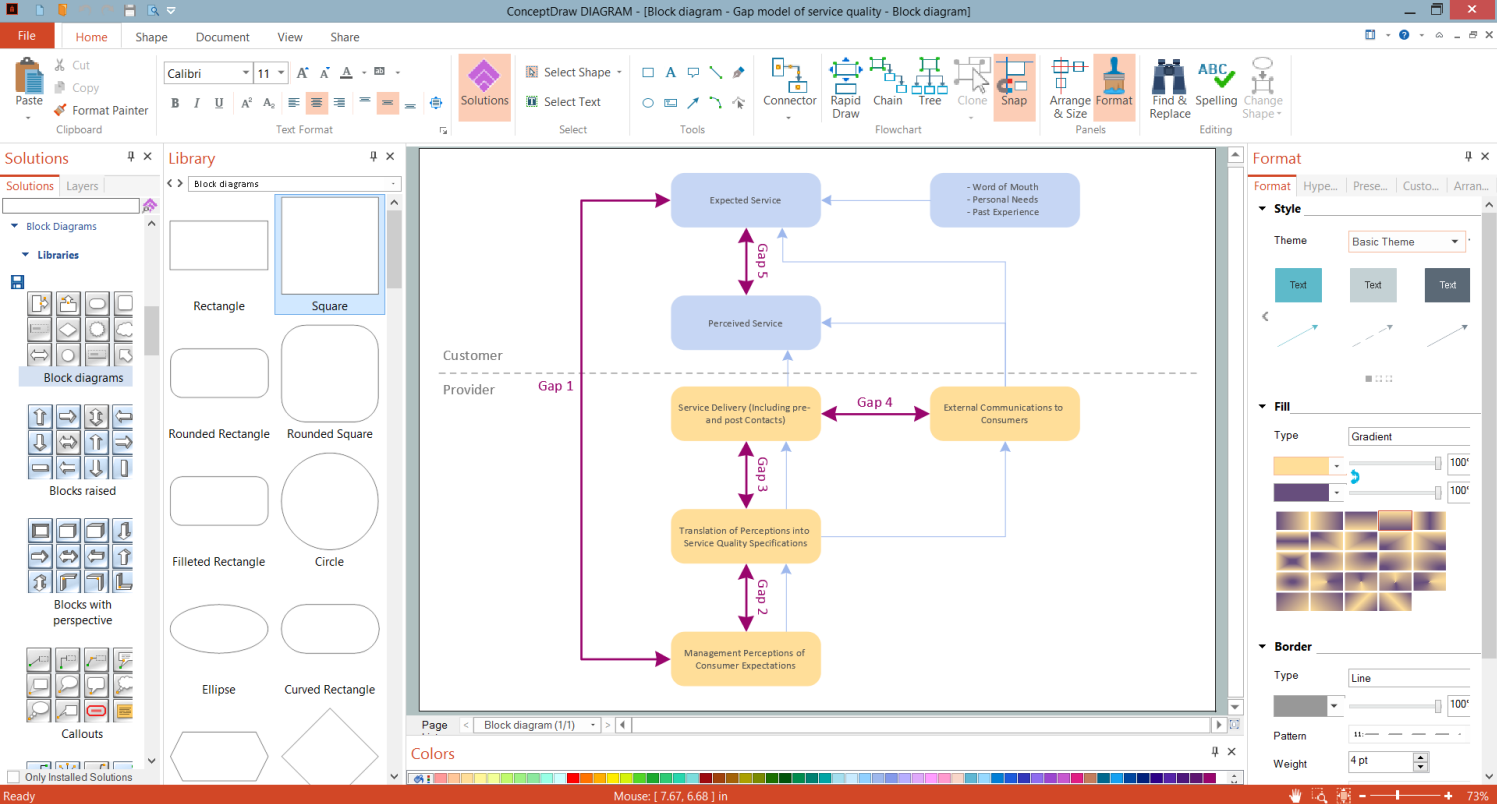
Example 1. Make Block Diagram in ConceptDraw DIAGRAM
ConceptDraw DIAGRAM software is much more than just software to make Block Diagram. It allows a lot of solutions to prepare the full set of documentation in any field of activity. You can design a Block Diagram for the planning process, sources of customer satisfaction, total solution process. You can represent Six Markets Model or stages of promise issue, or some else you desire.
As for the Block Diagrams, the ConceptDraw's Block Diagrams solution offers 5 libraries with all possible objects you may need to make your Block Diagram:
- Block Diagrams library
- Blocks with Perspective library
- Callouts library
- Connectors library
- Raised Blocks library
To speed up your drawing, you can start with one of the Block Diagram templates also included in the Block Diagrams solution.
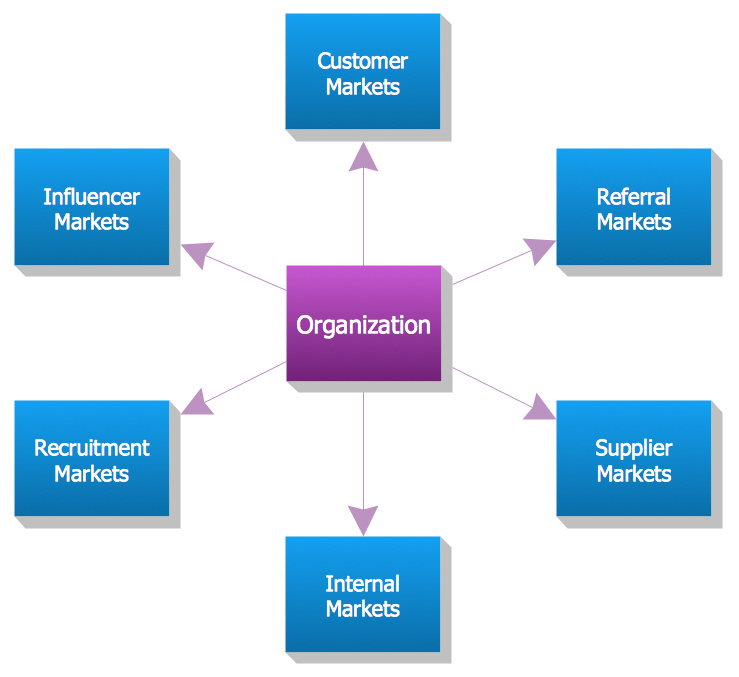
Example 2. Block Diagram - Six Markets Model
The samples you see on this page were created in ConceptDraw DIAGRAM software using the Block Diagrams Solution for ConceptDraw Solution Park. Each Block Diagram you see here is a good example of solution's capabilities and professional results you can achieve. An experienced user spent 5-10 minutes creating each of these samples.
Use the Block Diagrams Solution for ConceptDraw DIAGRAM software to create your own professional-looking Block Flow Diagram of any complexity quick, simply, and effective.
All source documents are vector graphic documents. They are available for reviewing, modifying, or converting to a variety of formats (PDF file, MS PowerPoint, MS Visio, and many graphic formats) from the ConceptDraw STORE. The Block Diagrams Solution is available for all ConceptDraw DIAGRAM users.


