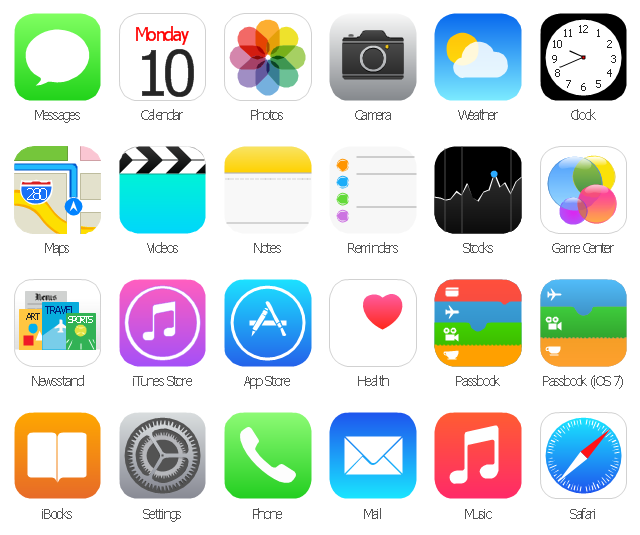
The vector stencils library "App icons" contains 24 icons of iOS 8 / iPhone 6 software applications.
Use it to design iOS 8 apps GUI prototypes and iPhone 6 software applications user interface sketches and mockups.
The icons example "App icons - Vector stencils library" was created using the ConceptDraw PRO diagramming and vector drawing software extended with the iPhone User Interface solution from the Software Development area of ConceptDraw Solution Park.
Use it to design iOS 8 apps GUI prototypes and iPhone 6 software applications user interface sketches and mockups.
The icons example "App icons - Vector stencils library" was created using the ConceptDraw PRO diagramming and vector drawing software extended with the iPhone User Interface solution from the Software Development area of ConceptDraw Solution Park.
Messages

Calendar

Photos
Camera

Weather

Clock
Maps

Videos

Notes
Reminders
Stocks
Game Center
Newsstand

iTunes Store

App Store

iBooks

Health

Passbook
Passbook (iOS 7)
-app-icons---vector-stencils-library.png--diagram-flowchart-example.png)
Settings

Phone

Mail

Music

Safari
The vector stencils library "App icons" contains 24 icons of iOS 8 / iPhone 6 software applications.
Use it to design iOS 8 apps GUI prototypes and iPhone 6 software applications user interface sketches and mockups.
The icons example "App icons - Vector stencils library" was created using the ConceptDraw PRO diagramming and vector drawing software extended with the iPhone User Interface solution from the Software Development area of ConceptDraw Solution Park.
Use it to design iOS 8 apps GUI prototypes and iPhone 6 software applications user interface sketches and mockups.
The icons example "App icons - Vector stencils library" was created using the ConceptDraw PRO diagramming and vector drawing software extended with the iPhone User Interface solution from the Software Development area of ConceptDraw Solution Park.
Messages
Calendar
Photos
Camera
Weather
Clock
Maps
Videos
Notes
Reminders
Stocks
Game Center
Newsstand
iTunes Store
App Store
iBooks
Health
Passbook
Passbook (iOS 7)
Settings
Phone
Mail
Music
Safari
The vector stencils library "Apps icons" contains 24 icons of iOS 8 / iPhone 6 applications: Messages, Calendar, Photos, Camera, Weather, Clock, Maps, Videos, Notes, Reminders, Stocks, Game Center, Newsstand, iTunes Store, App Store, iBooks, Health, Passbook, Settings, Phone, Mail, Music, Safari.
Use it to design iOS 8 apps GUI prototypes and iPhone 6 applications user interface sketches and mockups.
"iOS 8 is the eighth major release of the iOS mobile operating system designed by Apple Inc. as the successor to iOS 7. It was announced at the company's Worldwide Developers Conference (WWDC) 2014 on June 2, 2014 and will be released on September 17, 2014.
A new app named Health and a corresponding framework named HealthKit will be available. Siri will support hands-free activation and music identification using Shazam. Voice and video messages will be automatically deleted unless the user saves them for future reference. Interactive notifications will let the user respond to texts without leaving the app they are currently using." [iOS 8. Wikipedia]
The example "Design elements - Apps icons" was created using the ConceptDraw PRO diagramming and vector drawing software extended with the iPhone User Interface solution from the Software Development area of ConceptDraw Solution Park.
Use it to design iOS 8 apps GUI prototypes and iPhone 6 applications user interface sketches and mockups.
"iOS 8 is the eighth major release of the iOS mobile operating system designed by Apple Inc. as the successor to iOS 7. It was announced at the company's Worldwide Developers Conference (WWDC) 2014 on June 2, 2014 and will be released on September 17, 2014.
A new app named Health and a corresponding framework named HealthKit will be available. Siri will support hands-free activation and music identification using Shazam. Voice and video messages will be automatically deleted unless the user saves them for future reference. Interactive notifications will let the user respond to texts without leaving the app they are currently using." [iOS 8. Wikipedia]
The example "Design elements - Apps icons" was created using the ConceptDraw PRO diagramming and vector drawing software extended with the iPhone User Interface solution from the Software Development area of ConceptDraw Solution Park.
iOS 8 apps icons
The vector stencils library "App icons" contains 24 icons of iOS 8 / iPhone 6 software applications.
Use it to design iOS 8 apps GUI prototypes and iPhone 6 software applications user interface sketches and mockups.
The icons example "App icons - Vector stencils library" was created using the ConceptDraw PRO diagramming and vector drawing software extended with the iPhone User Interface solution from the Software Development area of ConceptDraw Solution Park.
Use it to design iOS 8 apps GUI prototypes and iPhone 6 software applications user interface sketches and mockups.
The icons example "App icons - Vector stencils library" was created using the ConceptDraw PRO diagramming and vector drawing software extended with the iPhone User Interface solution from the Software Development area of ConceptDraw Solution Park.
Messages
Calendar
Photos
Camera
Weather
Clock
Maps
Videos
Notes
Reminders
Stocks
Game Center
Newsstand
iTunes Store
App Store
iBooks
Health
Passbook
Passbook (iOS 7)
Settings
Phone
Mail
Music
Safari
The vector stencils library "App icons" contains 24 icons of iOS 8 / iPhone 6 software applications.
Use it to design iOS 8 apps GUI prototypes and iPhone 6 software applications user interface sketches and mockups.
The icons example "App icons - Vector stencils library" was created using the ConceptDraw PRO diagramming and vector drawing software extended with the iPhone User Interface solution from the Software Development area of ConceptDraw Solution Park.
Use it to design iOS 8 apps GUI prototypes and iPhone 6 software applications user interface sketches and mockups.
The icons example "App icons - Vector stencils library" was created using the ConceptDraw PRO diagramming and vector drawing software extended with the iPhone User Interface solution from the Software Development area of ConceptDraw Solution Park.
Messages
Calendar
Photos
Camera
Weather
Clock
Maps
Videos
Notes
Reminders
Stocks
Game Center
Newsstand
iTunes Store
App Store
iBooks
Health
Passbook
Passbook (iOS 7)
Settings
Phone
Mail
Music
Safari
The vector stencils library "App icons" contains 24 icons of iOS 8 / iPhone 6 software applications.
Use it to design iOS 8 apps GUI prototypes and iPhone 6 software applications user interface sketches and mockups.
The icons example "App icons - Vector stencils library" was created using the ConceptDraw PRO diagramming and vector drawing software extended with the iPhone User Interface solution from the Software Development area of ConceptDraw Solution Park.
Use it to design iOS 8 apps GUI prototypes and iPhone 6 software applications user interface sketches and mockups.
The icons example "App icons - Vector stencils library" was created using the ConceptDraw PRO diagramming and vector drawing software extended with the iPhone User Interface solution from the Software Development area of ConceptDraw Solution Park.
Messages
Calendar
Photos
Camera
Weather
Clock
Maps
Videos
Notes
Reminders
Stocks
Game Center
Newsstand
iTunes Store
App Store
iBooks
Health
Passbook
Passbook (iOS 7)
Settings
Phone
Mail
Music
Safari
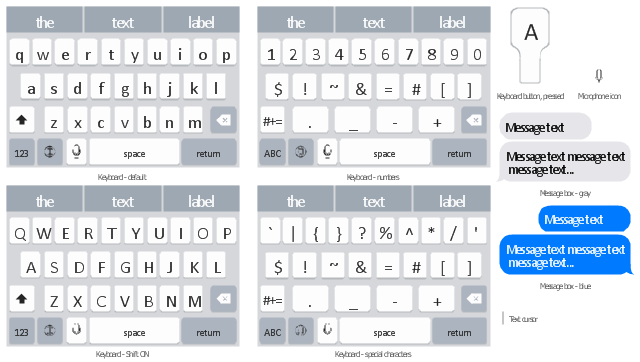
The vector stencils library "iMessage" contains 8 iMessage GUI elements: keyboards, buttons, microphone icon, message boxes.
Use the library "iMessage" to draw iMessage keyboard, message box and buttons for design of iPhone user interface sketches, mockups and prototypes.
The iOS GUI elements sample "Design elements - iMessage" was created using the ConceptDraw PRO diagramming and vector drawing software extended with the iPhone User Interface solution from the Software Development area of ConceptDraw Solution Park.
Use the library "iMessage" to draw iMessage keyboard, message box and buttons for design of iPhone user interface sketches, mockups and prototypes.
The iOS GUI elements sample "Design elements - iMessage" was created using the ConceptDraw PRO diagramming and vector drawing software extended with the iPhone User Interface solution from the Software Development area of ConceptDraw Solution Park.
iOS GUI: iMessage
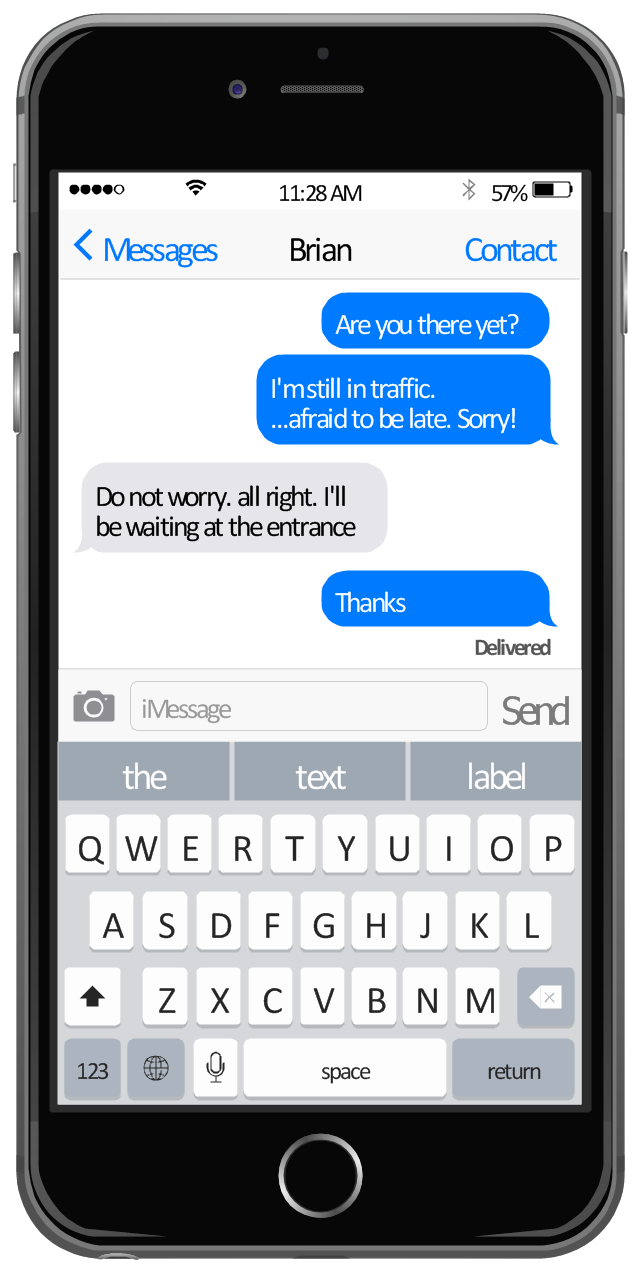
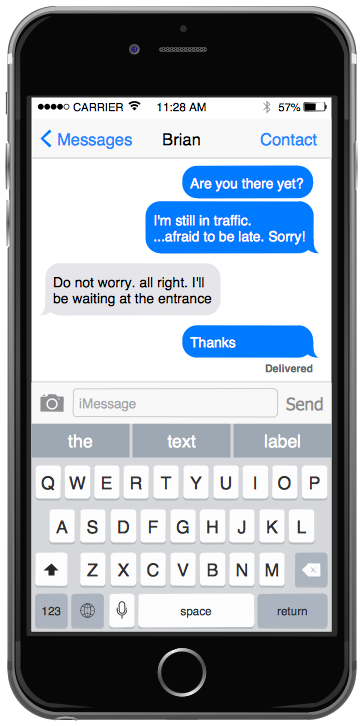
This example shows iPhone 6 Messages screen.
"Messages is an instant messaging software application developed by Apple Inc. for its OS X and iOS operating systems. ... While it inherits the majority of iChat's features, Messages also brings support for iMessage, Apple's messaging service for iOS, as well as FaceTime integration. The mobile version of Messages on iOS used on iPhone and iPad also supports SMS and MMS due to replacing the older text messaging Text app since iOS 3. Users can tell the difference between a message via SMS and one sent over iMessage as the bubbles will appear either green (SMS) or blue (iMessage). ... iOS 8. Users can send audio and video messages by holding down the record button. In group conversations, users can remove/ add someone to a thread, name a thread, share their location in a thread, view all attachments, and turn on Do Not Disturb to not receive notifications from a specific thread. As a part of the new continuity feature, users can now use their iPhones as a relay to send and receive SMS and MMS messages on their Macs and iPads." [Messages (application). Wikipedia]
The sample "Messages" was created using the ConceptDraw PRO diagramming and vector drawing software extended with the iPhone User Interface solution from the Software Development area of ConceptDraw Solution Park.
"Messages is an instant messaging software application developed by Apple Inc. for its OS X and iOS operating systems. ... While it inherits the majority of iChat's features, Messages also brings support for iMessage, Apple's messaging service for iOS, as well as FaceTime integration. The mobile version of Messages on iOS used on iPhone and iPad also supports SMS and MMS due to replacing the older text messaging Text app since iOS 3. Users can tell the difference between a message via SMS and one sent over iMessage as the bubbles will appear either green (SMS) or blue (iMessage). ... iOS 8. Users can send audio and video messages by holding down the record button. In group conversations, users can remove/ add someone to a thread, name a thread, share their location in a thread, view all attachments, and turn on Do Not Disturb to not receive notifications from a specific thread. As a part of the new continuity feature, users can now use their iPhones as a relay to send and receive SMS and MMS messages on their Macs and iPads." [Messages (application). Wikipedia]
The sample "Messages" was created using the ConceptDraw PRO diagramming and vector drawing software extended with the iPhone User Interface solution from the Software Development area of ConceptDraw Solution Park.
iPhone screen - Messages
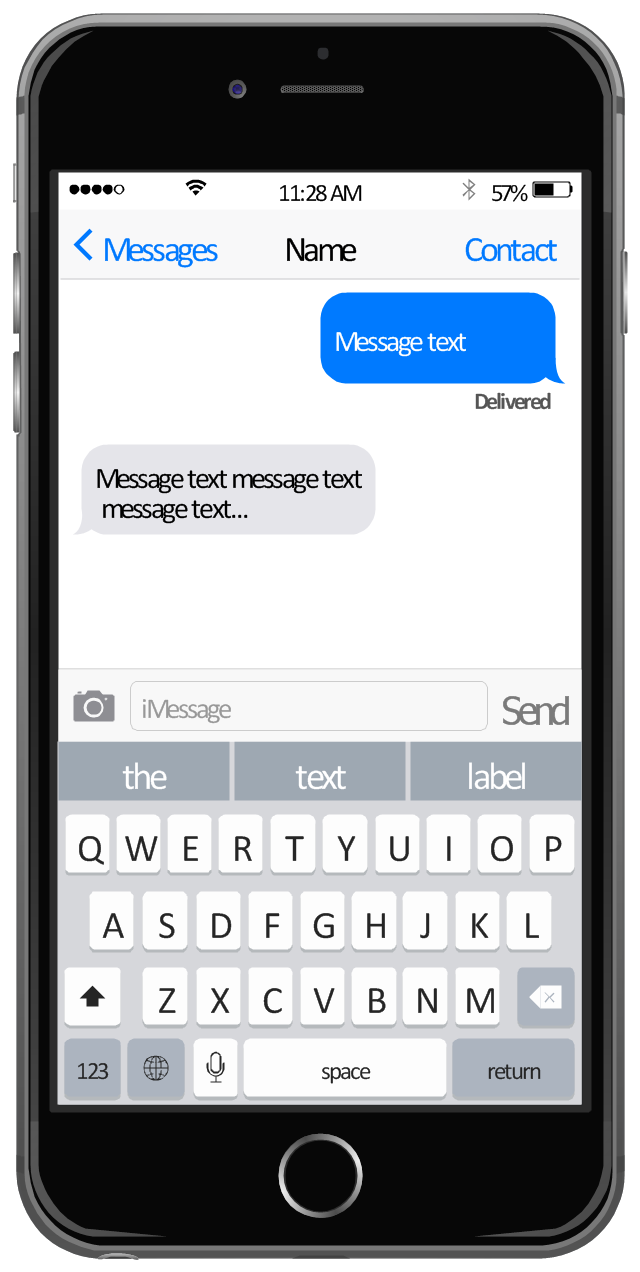
This template shows iPhone 6 Messages screen.
Use it to design iPhone 6 software apps user interface.
The template "Messages" for the ConceptDraw PRO diagramming and vector drawing software is included in the iPhone User Interface solution from the Software Development area of ConceptDraw Solution Park.
Use it to design iPhone 6 software apps user interface.
The template "Messages" for the ConceptDraw PRO diagramming and vector drawing software is included in the iPhone User Interface solution from the Software Development area of ConceptDraw Solution Park.
iPhone screen template - Messages
"The interface is based around the home screen, a graphical list of available applications. iPhone applications normally run one at a time. Starting with the iPhone 4, a primitive version of multitasking came into play. Users could double click the home button to select recently opened. However, the apps never ran in the background. Starting with iOS 7, though, apps can truly multitask, and each open application runs in the background when not in use, although most functionality is still available when making a call or listening to music. The home screen can be accessed at any time by a hardware button below the screen, closing the open application in the process.
By default, the Home screen contains the following icons: Messages (SMS and MMS messaging), Calendar, Photos, Camera, YouTube, Stocks, Maps (Google Maps), Weather, Voice Memos, Notes, Clock, Calculator, Settings, iTunes (store), App Store, (on the iPhone 3GS and iPhone 4) Compass, FaceTime and GameCenter were added in iOS 4.0 and 4.1 respectively. In iOS 5, Reminders and Newsstand were added, as well as the iPod application split into separate Music and Videos applications. iOS 6 added Passbook as well as an updated version of Maps that relies on data provided by TomTom as well as other sources. iOS 6 also added a Clock application onto the iPad's homescreen. However, it also no longer support YouTube. Docked at the base of the screen, four icons for Phone, Mail, Safari (Internet), and Music delineate the iPhone's main purposes. On January 15, 2008, Apple released software update 1.1.3, allowing users to create "Web Clips", home screen icons that resemble apps that open a user-defined page in Safari. After the update, iPhone users can rearrange and place icons on up to nine other adjacent home screens, accessed by a horizontal swipe." [iPhone. Wikipedia]
The example "iPhone OS (iOS) graphic user interface (GUI) - Alarm setting" was created using the ConceptDraw PRO diagramming and vector drawing software extended with the Graphic User Interface solution from the Software Development area of ConceptDraw Solution Park.
By default, the Home screen contains the following icons: Messages (SMS and MMS messaging), Calendar, Photos, Camera, YouTube, Stocks, Maps (Google Maps), Weather, Voice Memos, Notes, Clock, Calculator, Settings, iTunes (store), App Store, (on the iPhone 3GS and iPhone 4) Compass, FaceTime and GameCenter were added in iOS 4.0 and 4.1 respectively. In iOS 5, Reminders and Newsstand were added, as well as the iPod application split into separate Music and Videos applications. iOS 6 added Passbook as well as an updated version of Maps that relies on data provided by TomTom as well as other sources. iOS 6 also added a Clock application onto the iPad's homescreen. However, it also no longer support YouTube. Docked at the base of the screen, four icons for Phone, Mail, Safari (Internet), and Music delineate the iPhone's main purposes. On January 15, 2008, Apple released software update 1.1.3, allowing users to create "Web Clips", home screen icons that resemble apps that open a user-defined page in Safari. After the update, iPhone users can rearrange and place icons on up to nine other adjacent home screens, accessed by a horizontal swipe." [iPhone. Wikipedia]
The example "iPhone OS (iOS) graphic user interface (GUI) - Alarm setting" was created using the ConceptDraw PRO diagramming and vector drawing software extended with the Graphic User Interface solution from the Software Development area of ConceptDraw Solution Park.
iPhone GUI
-graphic-user-interface-(gui)---alarm-setting.png--diagram-flowchart-example.png)
The vector stencils library "iPhone interface" contains 119 iPhone UI design elements.
Use it for development of graphic user interface (GUI) for iPhone software applications in the ConceptDraw PRO diagramming and vector drawing software extended with the Graphic User Interface solution from the Software Development area of ConceptDraw Solution Park.
Use it for development of graphic user interface (GUI) for iPhone software applications in the ConceptDraw PRO diagramming and vector drawing software extended with the Graphic User Interface solution from the Software Development area of ConceptDraw Solution Park.
iPhone case
iPhone case, horizontal
Display
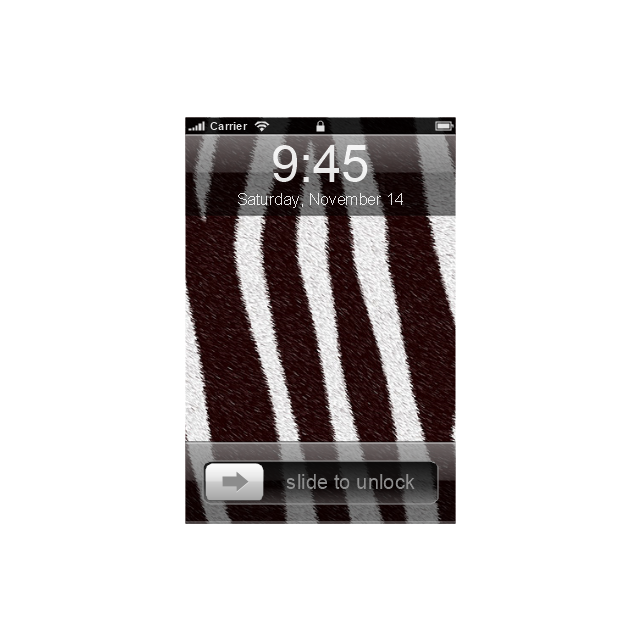
Screen

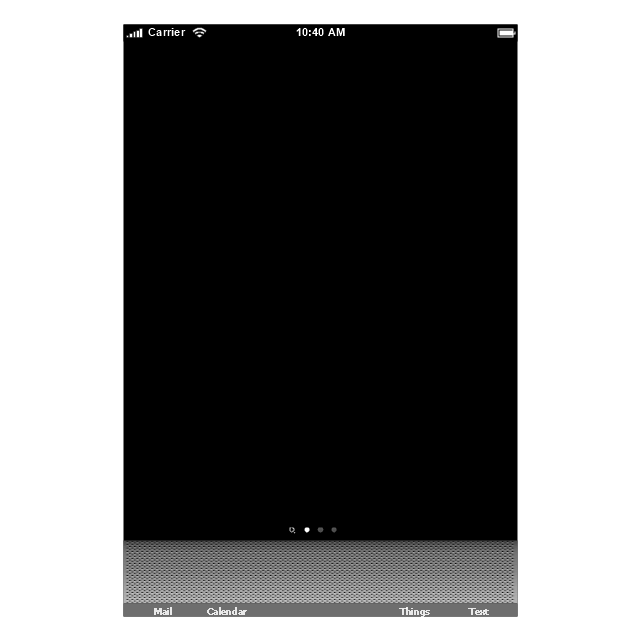
Home screen
Keypad control

Status bar
Navigation bar

Navigation bar with buttons

Navigation bar with controls
Navigation bar with controls
Navigation bar with buttons, horizontal
Navigation bar with controls, horizontal
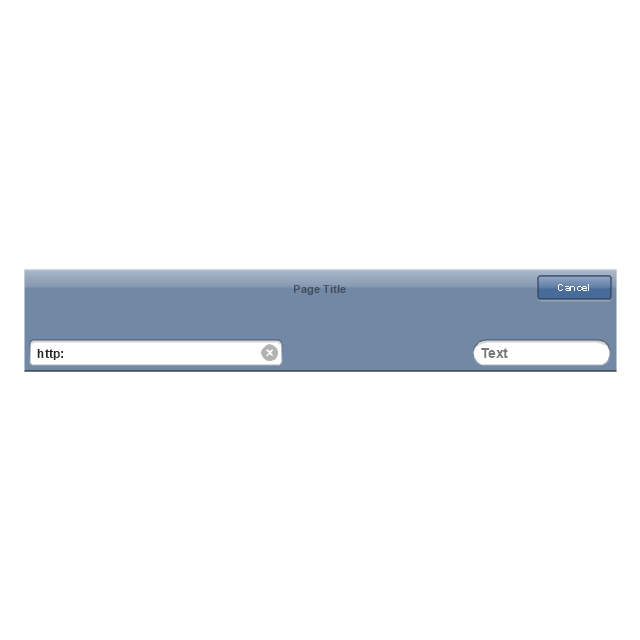
Modal view
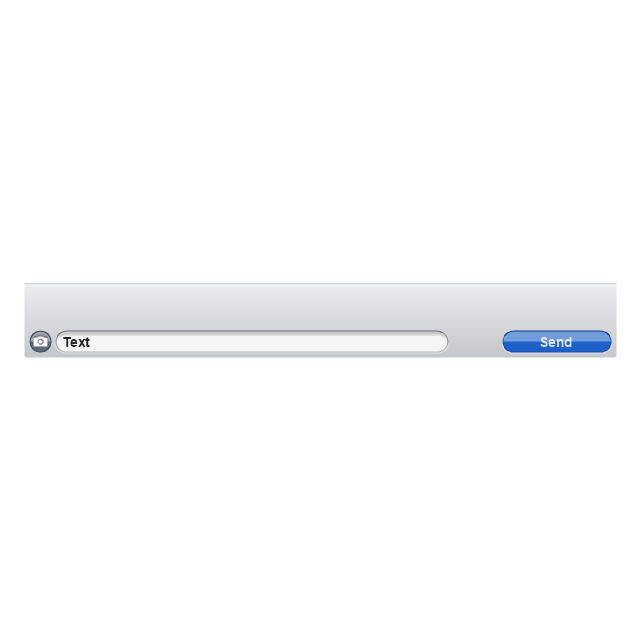
Search bar

Text field 1

Text field 2

Text field, varying

Table row

Table view row
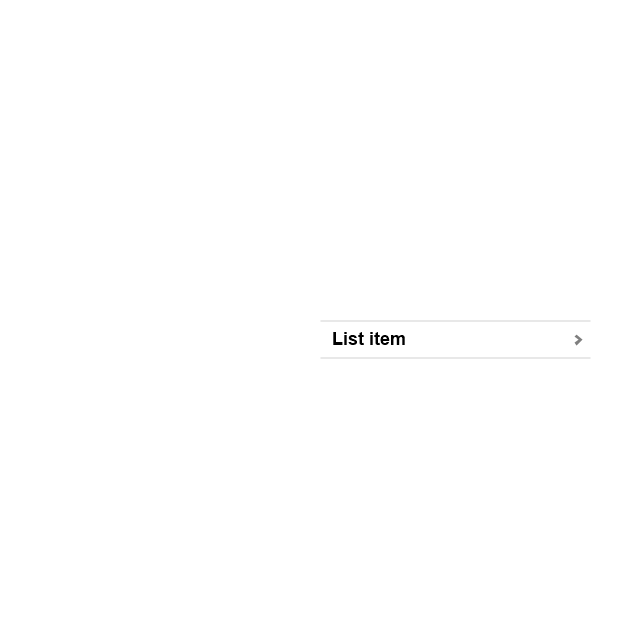
Table view (simple list)
-iphone-interface---vector-stencils-library.png--diagram-flowchart-example.png)
Table view (with header)
-iphone-interface---vector-stencils-library.png--diagram-flowchart-example.png)
Action list
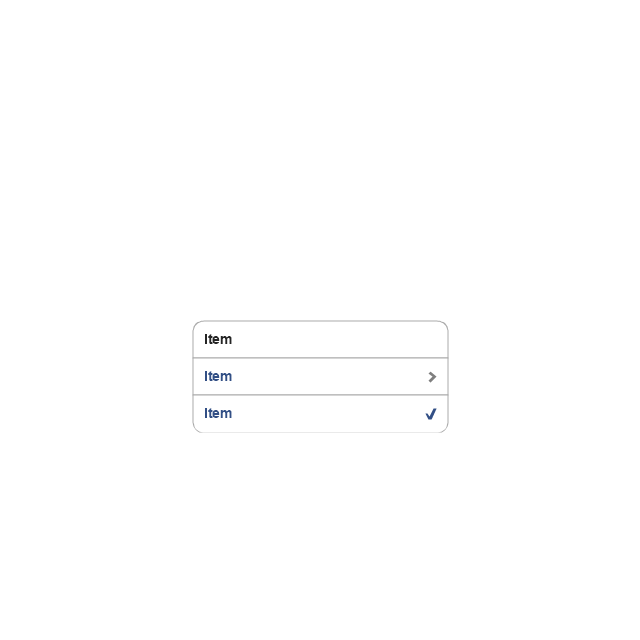
Control button

Navigational control button

Add button

Navigation toolbar

Tab bar

Action sheet

Choice button

Rounded rectangle button
Keyboard control
Keyboard literal button
Keyboard button, pressed
Keyboard label button

Selection frame 1

Selection frame 2

Loupe

Message box 1
Message box 2
Progress view

Progress view

Progress view

Player control
Label button

Back button

Forward button

Option button
Checkbox

Radio button

Alert
Two-button alert
Two-button alert (v 3.0)
-iphone-interface---vector-stencils-library.png--diagram-flowchart-example.png)
Up-Down control

Segmented control

Segmented control

Segmented control
Segmented control
Pop-up menu button

Popup menu

Clock, white

Clock, black

Clock application table

Date and time picker (1/2 parts)
-iphone-interface---vector-stencils-library.png--diagram-flowchart-example.png)
Date and time picker (3 parts)
-iphone-interface---vector-stencils-library.png--diagram-flowchart-example.png)
Date and time picker (4 parts)
-iphone-interface---vector-stencils-library.png--diagram-flowchart-example.png)
Date and time picker (v 3.0)
-iphone-interface---vector-stencils-library.png--diagram-flowchart-example.png)
Switch control

System button

Reply button

Organize button

Remove button

Refresh button

Play button

FastForward button

Pause button

Rewind button

Backward icon

Forward icon

Share button

Camera button

Compose button

Bookmarks button

Search button

Add button

Trash button

Bookmarks tab icon

Contacts tab icon

Downloads tab icon

Favorites tab icon

Featured tab icon

History tab icon

MostRecent tab icon

MostViewed tab icon

Search tab icon

More tab icon

SMS tab icon

Mail tab icon

Charts tab icon

World clock tab icon

Alarm tab icon

Stopwatch tab icon

Timer tab icon

Badge

Delete button control

Checkmark

Delete button

Insert

Disclosure indicator

Clear button

Bookmarks badge

Badge with varying width 1

Badge with varying width 2

Badge with varying width 3

Activity indicator

Network activity indicator

Page control

Search badge

Slider

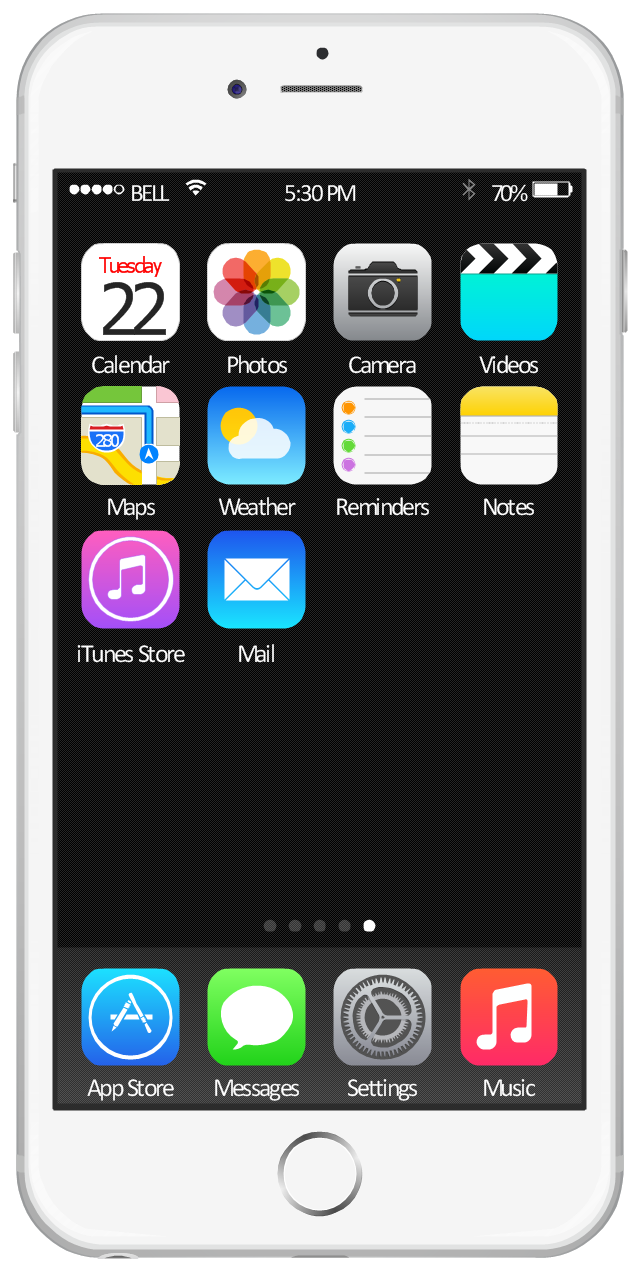
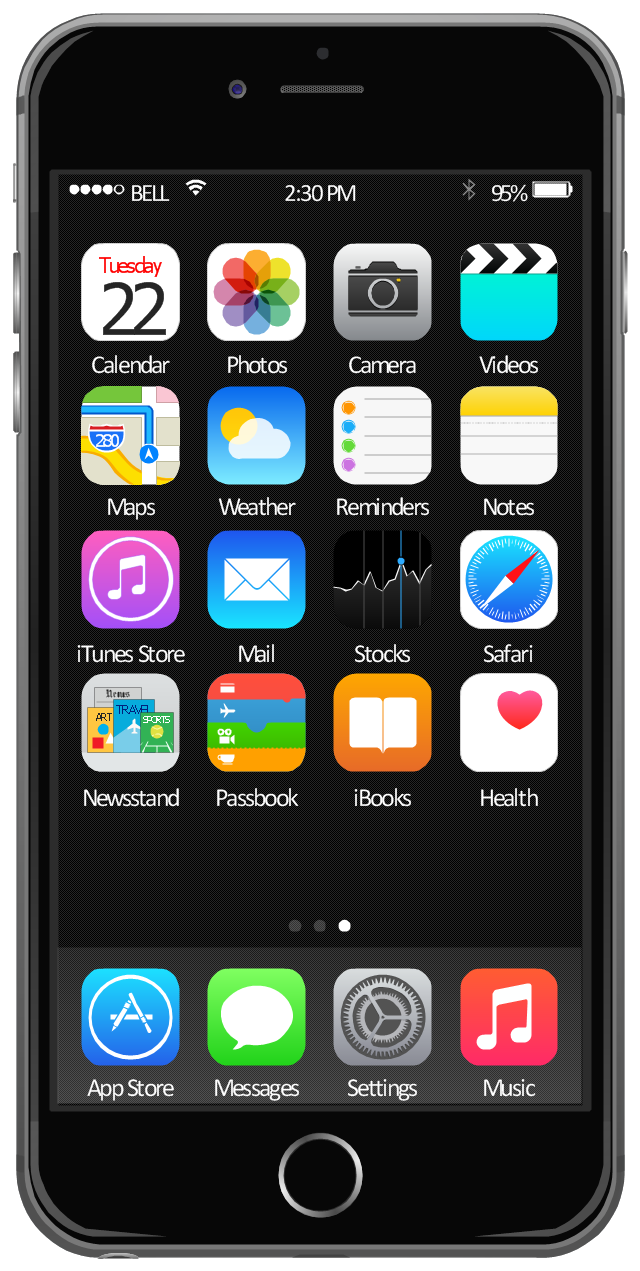
This example shows iPhone 6 home screen with photo background and app icons.
The sample "iOS 8 / iPhone 6 home screen" was created using the ConceptDraw PRO diagramming and vector drawing software extended with the iPhone User Interface solution from the Software Development area of ConceptDraw Solution Park.
The sample "iOS 8 / iPhone 6 home screen" was created using the ConceptDraw PRO diagramming and vector drawing software extended with the iPhone User Interface solution from the Software Development area of ConceptDraw Solution Park.
iPhone home screen with app icons
 iPhone User Interface
In order to draw the iPhone-related illustrations mentioning this phone’s capabilities, the ConceptDraw DIAGRAM charting and drawings software is used. Having all the basic tools from the mentioned application and those from the iPhone User Interface solution it becomes possible to create the needed drawing within only a few minutes as the solution contains a wide range of the pre-made samples and templates of the iPhone-related drawings and the vector stencils libraries that support iPhone 6 UI diagrams.
What Is User Interface?
This template contains iPhone home screen with app icons.
Use it to design iPhone software applications user interface sketches, mockups and prototypes.
The template "iOS 8 / iPhone 6 home screen" for the ConceptDraw PRO diagramming and vector drawing software is included in the iPhone User Interface solution from the Software Development area of ConceptDraw Solution Park.
Use it to design iPhone software applications user interface sketches, mockups and prototypes.
The template "iOS 8 / iPhone 6 home screen" for the ConceptDraw PRO diagramming and vector drawing software is included in the iPhone User Interface solution from the Software Development area of ConceptDraw Solution Park.
iPhone home screen with app icons
The vector stencils library "Menus" contains 22 menu elements.
Use this UI icon set to design graphic user interface (GUI) of your software application for OS X 10.10 Yosemite Apple Mac operating system.
The example "Menus - Vector stencils library" was created using the ConceptDraw PRO diagramming and vector drawing software extended with the Mac OS User Interface solution from the Software Development area of ConceptDraw Solution Park.
Use this UI icon set to design graphic user interface (GUI) of your software application for OS X 10.10 Yosemite Apple Mac operating system.
The example "Menus - Vector stencils library" was created using the ConceptDraw PRO diagramming and vector drawing software extended with the Mac OS User Interface solution from the Software Development area of ConceptDraw Solution Park.
Menu bar

Menu bar menu

Menu bar menu - selected

Apple menu

Apple menu - selected

General menu

Dock menu

Menu item

Menu item - selected

Menu item - disabled

Divider

AirPlay

Time Machine

Bluetooth

AirPort

Eject

Sound

Battery

Battery - charging

Power icon

Spotlight

Notifications

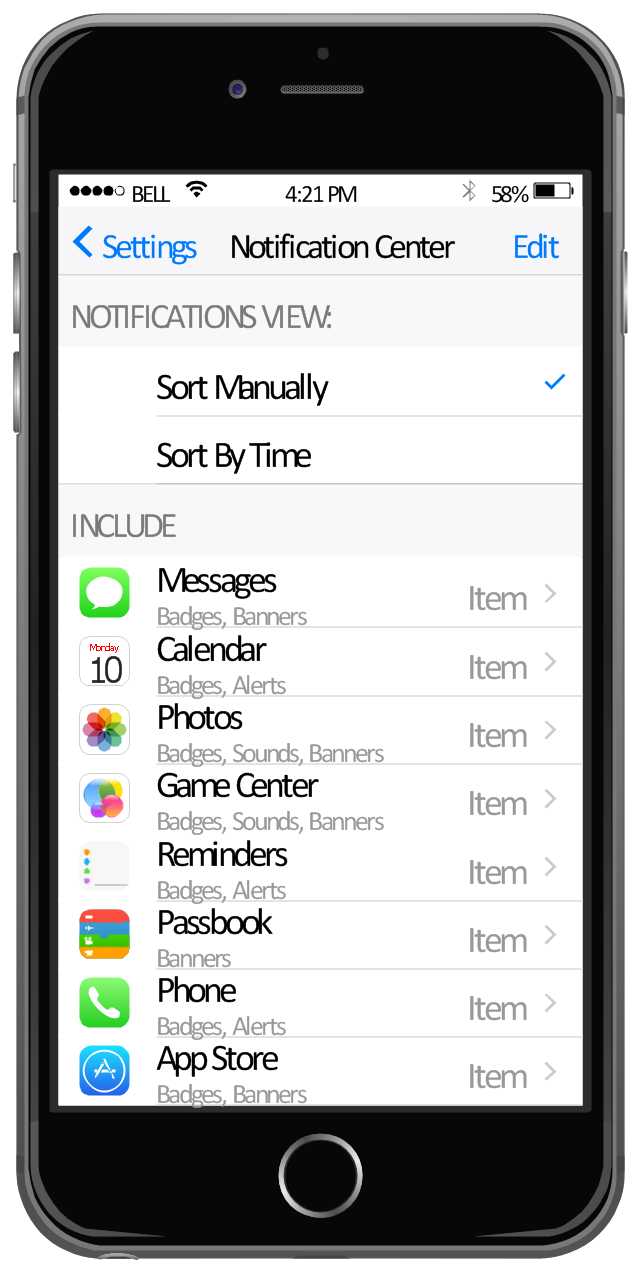
This example shows iPhone 6 screen Settings - Included Apps.
"Settings lets you configure iPhone, set app options, add accounts, and set other preferences. See other chapters for information about settings for the built-in apps." [iphone6manual.com/ wp-content/ uploads/ 2012/ 12/ iPhone-6-Manual-and-User-Guide.pdf]
The sample "Settings - Included Apps" was created using the ConceptDraw PRO diagramming and vector drawing software extended with the iPhone User Interface solution from the Software Development area of ConceptDraw Solution Park.
"Settings lets you configure iPhone, set app options, add accounts, and set other preferences. See other chapters for information about settings for the built-in apps." [iphone6manual.com/ wp-content/ uploads/ 2012/ 12/ iPhone-6-Manual-and-User-Guide.pdf]
The sample "Settings - Included Apps" was created using the ConceptDraw PRO diagramming and vector drawing software extended with the iPhone User Interface solution from the Software Development area of ConceptDraw Solution Park.
iPhone screen - Settings - Included Apps
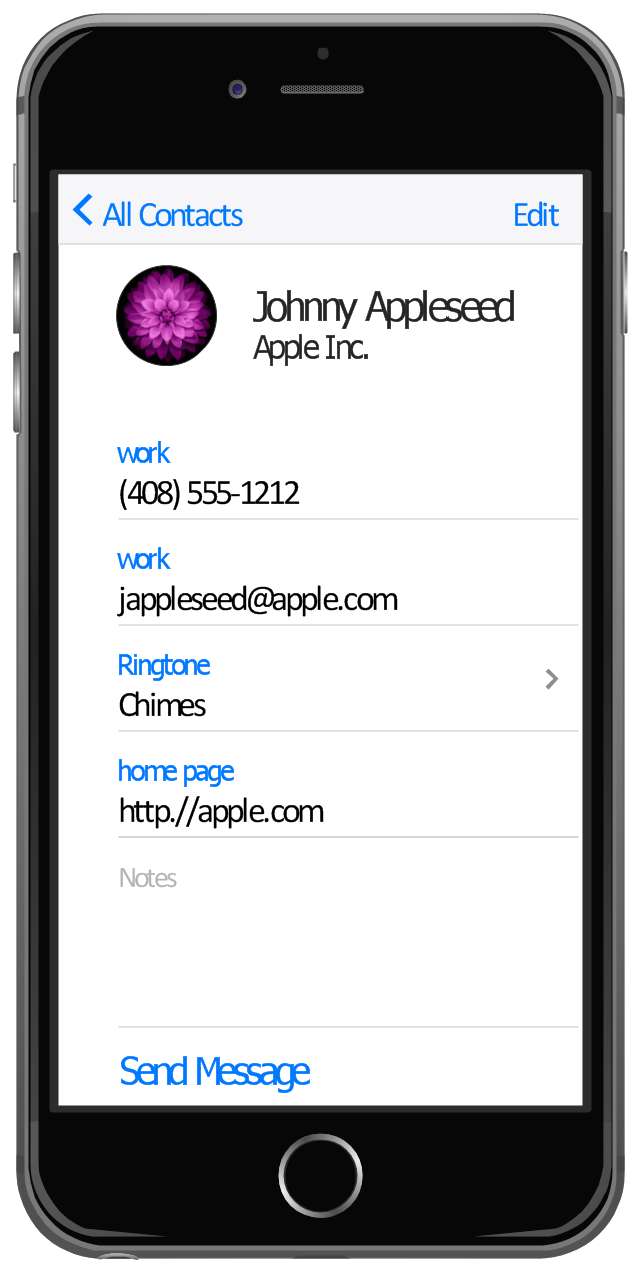
This example shows iPhone 6 Contact Card screen.
This example was drawn on the base of image from website developer.apple.com.
[developer.apple.com/ library/ ios/ documentation/ UserExperience/ Conceptual/ MobileHIG/ Art/ contact_ card_ 2x.png]
"If you need to quickly send contact information from your iPhone, iPad, or Mac, it's and easy task with iMessage or even good, old-fashioned SMS. As long as you have the information listed in your Contacts app, you're only a few taps away from sharing a vCard file (vcf) containing phone numbers, email, street addresses, and much more. ...
How to share a contact card via iMessage using the iOS Contacts app.
1. Launch the Contacts app on your iPhone or iPad and find the contact you'd like to share. On the iPhone you can alternately use the Phone app if you'd prefer.
2. Now tap on Share Contact towards the bottom.
3. Tap on Message.
4. Type the name of the person you'd like to share it with and select them.
5. Now tap Send." [imore.com/ how-send-contact-card-imessage-or-sms#share-ios]
The sample "Contact Card" was created using the ConceptDraw PRO diagramming and vector drawing software extended with the iPhone User Interface solution from the Software Development area of ConceptDraw Solution Park.
This example was drawn on the base of image from website developer.apple.com.
[developer.apple.com/ library/ ios/ documentation/ UserExperience/ Conceptual/ MobileHIG/ Art/ contact_ card_ 2x.png]
"If you need to quickly send contact information from your iPhone, iPad, or Mac, it's and easy task with iMessage or even good, old-fashioned SMS. As long as you have the information listed in your Contacts app, you're only a few taps away from sharing a vCard file (vcf) containing phone numbers, email, street addresses, and much more. ...
How to share a contact card via iMessage using the iOS Contacts app.
1. Launch the Contacts app on your iPhone or iPad and find the contact you'd like to share. On the iPhone you can alternately use the Phone app if you'd prefer.
2. Now tap on Share Contact towards the bottom.
3. Tap on Message.
4. Type the name of the person you'd like to share it with and select them.
5. Now tap Send." [imore.com/ how-send-contact-card-imessage-or-sms#share-ios]
The sample "Contact Card" was created using the ConceptDraw PRO diagramming and vector drawing software extended with the iPhone User Interface solution from the Software Development area of ConceptDraw Solution Park.
iPhone screen - Contact Card
This vector stencils library contains 195 cloud computing icons.
Use it to design cloud computing infographic and diagrams with ConceptDraw PRO software.
"Cloud computing, also on-demand computing, is a kind of Internet-based computing that provides shared processing resources and data to computers and other devices on demand. It is a model for enabling ubiquitous, on-demand access to a shared pool of configurable computing resources (e.g., networks, servers, storage, applications and services), which can be rapidly provisioned and released with minimal management effort. Cloud computing and storage solutions provide users and enterprises with various capabilities to store and process their data in third-party data centers.
Cloud computing has become a highly demanded service or utility due to the advantages of high computing power, cheap cost of services, high performance, scalability, accessibility as well as availability." [Cloud computing. Wikipedia]
The vector stencils library "Cloud clipart" is included in the Cloud Computing Diagrams solution from the Computer and Networks area of ConceptDraw Solution Park.
Use it to design cloud computing infographic and diagrams with ConceptDraw PRO software.
"Cloud computing, also on-demand computing, is a kind of Internet-based computing that provides shared processing resources and data to computers and other devices on demand. It is a model for enabling ubiquitous, on-demand access to a shared pool of configurable computing resources (e.g., networks, servers, storage, applications and services), which can be rapidly provisioned and released with minimal management effort. Cloud computing and storage solutions provide users and enterprises with various capabilities to store and process their data in third-party data centers.
Cloud computing has become a highly demanded service or utility due to the advantages of high computing power, cheap cost of services, high performance, scalability, accessibility as well as availability." [Cloud computing. Wikipedia]
The vector stencils library "Cloud clipart" is included in the Cloud Computing Diagrams solution from the Computer and Networks area of ConceptDraw Solution Park.
Access point

Airport

Alert

Banknote

Banknote bundle

Banknote bundles

Backup

Bar chart

Big data

Book (closed)
-cloud-clipart---vector-stencils-library.png--diagram-flowchart-example.png)
Book (open)
-cloud-clipart---vector-stencils-library.png--diagram-flowchart-example.png)
Books

Box, close

Box, open

Braces

Brackets

Bug

Building

Bus

Cable connection

Calculator
Calendar

Car

CD/DVD

Check list

Check mark

Clock
Cloud

Cloud computing
Cloud database

Cloud hosting

Cloud storage

Code

Coffee cup

Coin

Coins stack

Coins stacks

Communication

Computer terminal
Console

CPU
Credit card

Cubes
Dashboard
Database

Databases

Datacenter

Dialog box

Dialog boxes

Document

Documents

Dollar sign

Download

Earth

Email

Equal sign

Ethernet jack

Ethernet plug

Euro sign

Exclamation mark

Eye

Feed symbol

Feedback

File

Files

Filter

Firewall

Flash drive

Folder

Folders

Gamepad

Gauge
Gear

Gears, 2

Gears, 3

Globe

Hacker

Hard drive

Heart

Heart rhythm

Home

Hosting
Hotel

House

Image

Info

IP phone
Jet

Key

Keyboard
Laptop

Lego
Letter

Light bulb

Lightning

Line chart
Linux penguin

List

Load balancer

Location mark

Lock, close

Lock, open

Lock and key

Log
Login

Logout

Magnifying glass

Mail

Map

Memory (RAM)
-cloud-clipart---vector-stencils-library.png--diagram-flowchart-example.png)
Microphone

Minus sign

Mobile phone
Monitor

Mouse

Movie

Music

Music player

Network
Network bus

Newspaper

NIC (Network interface controller)
-cloud-clipart---vector-stencils-library.png--diagram-flowchart-example.png)
Not found (Error 404)
-cloud-clipart---vector-stencils-library.png--diagram-flowchart-example.png)
Notebook

Office printer
Operator

Page

Pages

PC

Pencil

Photo

Photo camera

Pie chart
Platform

Plus sign

Pound sign

Printer
Puzzle

Puzzles, 2x2

Puzzles, 3x3

Question sign

Rackmount server

Router
Safe

Satellite

Satellite antenna
Schedule

Sensor

Server

Server rack

Shield

Ship

Shopping bag

Shopping basket

Shopping cart

Sign up

Smartphone
Social network
Software box

Sound

Spider

Spreadsheet

SSD
Star

Stars, 5

Stethoscope

Stickman

Stickmen

Suitcase

Support

Switch
Syringe

Tablet computer
Tools

Train

Truck

Truck 2

TV

Umbrella

Upload

User man

User woman

User profile

Video

Video camera

Video mail

Virtual disk

Virus

Wallet

Web camera

Wifi antenna

Wireless

Wrench

X cross symbol

Yen sign

- App icons - Vector stencils library | Ios Messaging Icon Hd
- iPhone User Interface | App icons - Vector stencils library | Contact ...
- App icons - Vector stencils library | Design elements - iMessage | Ios ...
- App icons - Vector stencils library | Design elements - Apps icons ...
- App icons - Vector stencils library | Design elements - iMessage ...
- App icons - Vector stencils library | iPhone OS ( iOS ) graphic user ...
- Design elements - iMessage | App icons - Vector stencils library ...
- App icons - Vector stencils library | Iphone Message Icon Hd
- App icons - Vector stencils library | Messages - Template
- App icons - Vector stencils library | App icons | Png Ios Message Icon


