Made with
ConceptDraw
DIAGRAM 18

Winter Sports. Illustrations and Visualize Statistics

Sports Statistics Visualization

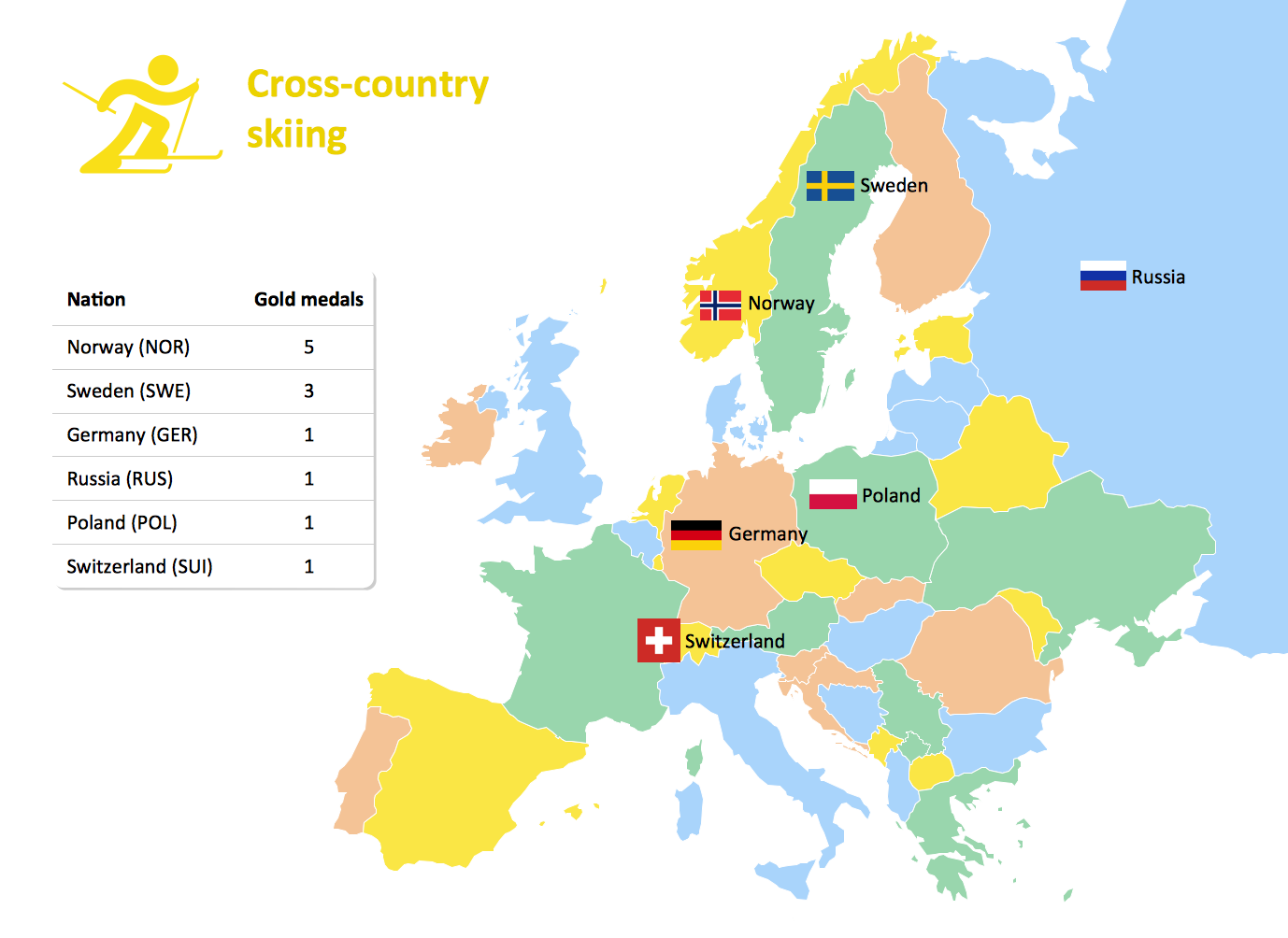
Visualizing sports statistics becomes as easy as never before with ConceptDraw DIAGRAM software extended with the Winter Sports solution. This solution delivers a complete set of winter sports illustrations, samples and templates you may use to visualize any kind of sports statistics in minutes.

The library objects are scalable vector images that can be easily exported to PDF format, Microsoft PowerPoint, Microsoft Visio, graphic image file, or HTML.
Winter Sports. Illustrations and Visualize Statistics *

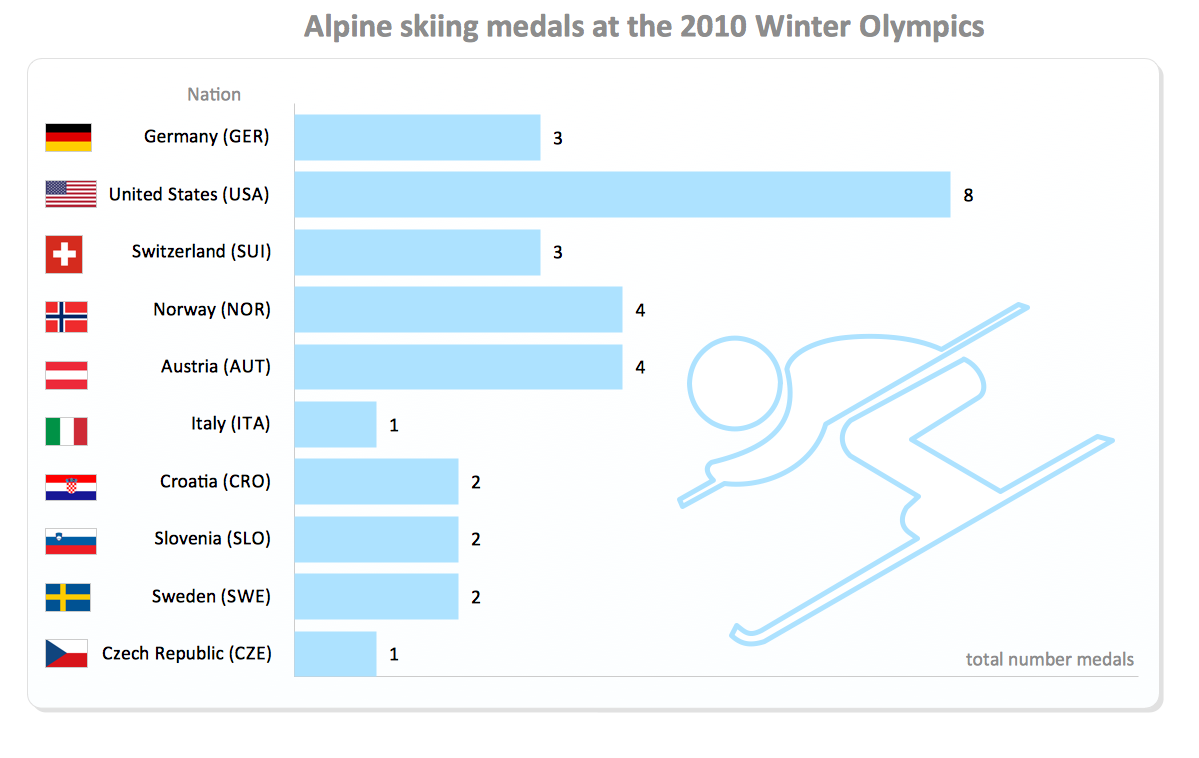
Sample 1. Alpine Skiing Medals at the 2010 Winter Olympics

The Winter Sports solution from Sport Area of ConceptDraw Solution Park contains winter sports illustrations and diagram examples, templates, and vector sport pictogram libraries.

The Winter Sports helps you to quickly visualize any kind of winter sports statistics in format of illustrations, infographics, presentation slides, website, and blog pages using ConceptDraw DIAGRAM diagramming and vector drawing software.
THREE RELATED HOW TO's:
An example flowchart of marketing analysis shows main steps you have to challenge writing a marketing analysis.Flowchart Example: Flow Chart of Marketing Analysis *
Picture: Flowchart Example: Flow Chart of Marketing Analysis
Related Solution:
Using diagrams is the easiest way to explain American Football defensive formations. The Football solution for ConceptDraw DIAGRAM contains a set of samples depicts the most popular defensive formations diagrams. Using embedded presentation tools you are able to share your football knowledge with wide audience.Defensive Formation – 4-3 Defense Diagram *
Picture: Defensive Formation – 4-3 Defense Diagram
Related Solution:
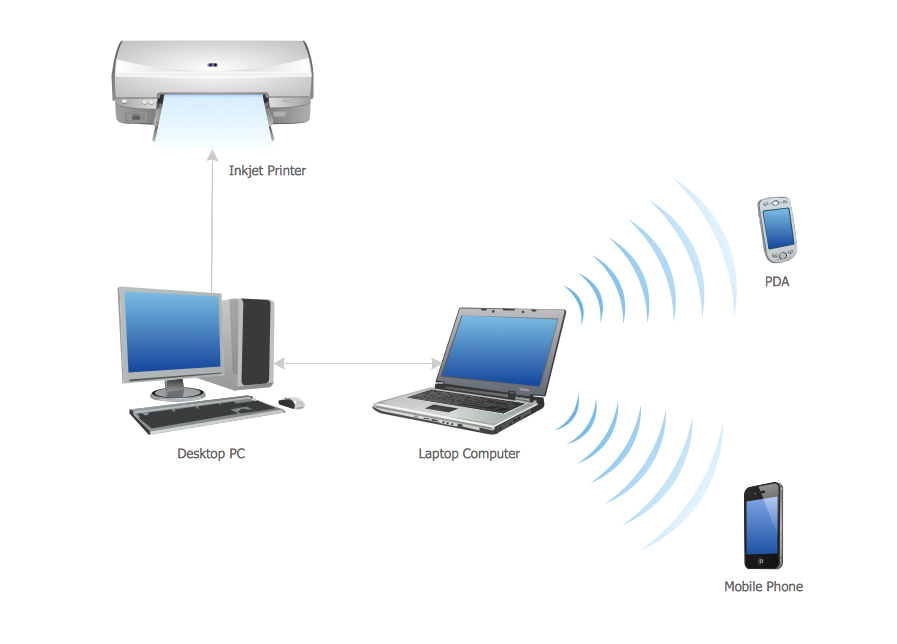
All computer networks differ by various params, and their size is one of them. As global area networks are the biggest, personal area (PAN) networks are the smallest. Personal computers, smartphones and other devices that have possibility to connect to Internet form a personal network. This diagram was created using ConceptDraw Computer Network Diagrams to represent a typical components of Personal area network. A personal area network (PAN) is the connection of IT devices around an individual person. This sample of personal area network involves a notebook, a personal digital assistant (PDA), and a portable printer. Commonly a PAN contains such wireless devices as mouse, keyboard, smartphone and tablet. A wireless connection is typical for a PAN.Personal area (PAN) networks
Picture: Personal area (PAN) networks. Computer and Network Examples
Related Solution:
ConceptDraw
DIAGRAM 18