Printing, e-mailing, and tweeting maps
from ConceptDraw MINDMAP (for Macintosh)
ConceptDraw MINDMAP a versatile, yet easy-to-use tool for organizing ideas and data. Creates mind maps that intuitively illustrate your thought process. Outputs a wide variety of document styles and formats. Delivers presentations from mind maps with built-in modes and MS PowerPoint export. Perfect for brainstorming, project planning, meeting management, note taking, and more.
Delivers a rich set of built-in functionalities and optional product extensions that support your daily workflow in time-saving and creative ways.
These videos provide a series of lessons that will enhance the understanding of all our users, from people just starting out with the software, through to expert users.
Separated into categories of Basic, Intermediate, and Advanced categories, the new instructional videos cover a huge breadth of topics. Users new to ConceptDraw MINDMAP will find the Basic lessons an essential platform for familiarizing themselves with the program’s functions. Experienced users will benefit from the Intermediate and Advanced lessons, learning to take advantage of the program’s full capabilities and unlock its true potential.
These videos demonstrating our commitment to ensuring success for every user of a ConceptDraw product.
Here’s some feedback from a happy customer:
"These are really good training aids, and the planning and execution of them is as good as anything I′ve seen. I′m deeply impressed with the two training videos, and they′ve already helped me get more out of my ConceptDraw Project - there′s a bunch of things that I just didn′t know were there. And you do this stuff FREE for your clients?!! That′s what sets CS Odessa apart from ANY other software company, in my view."
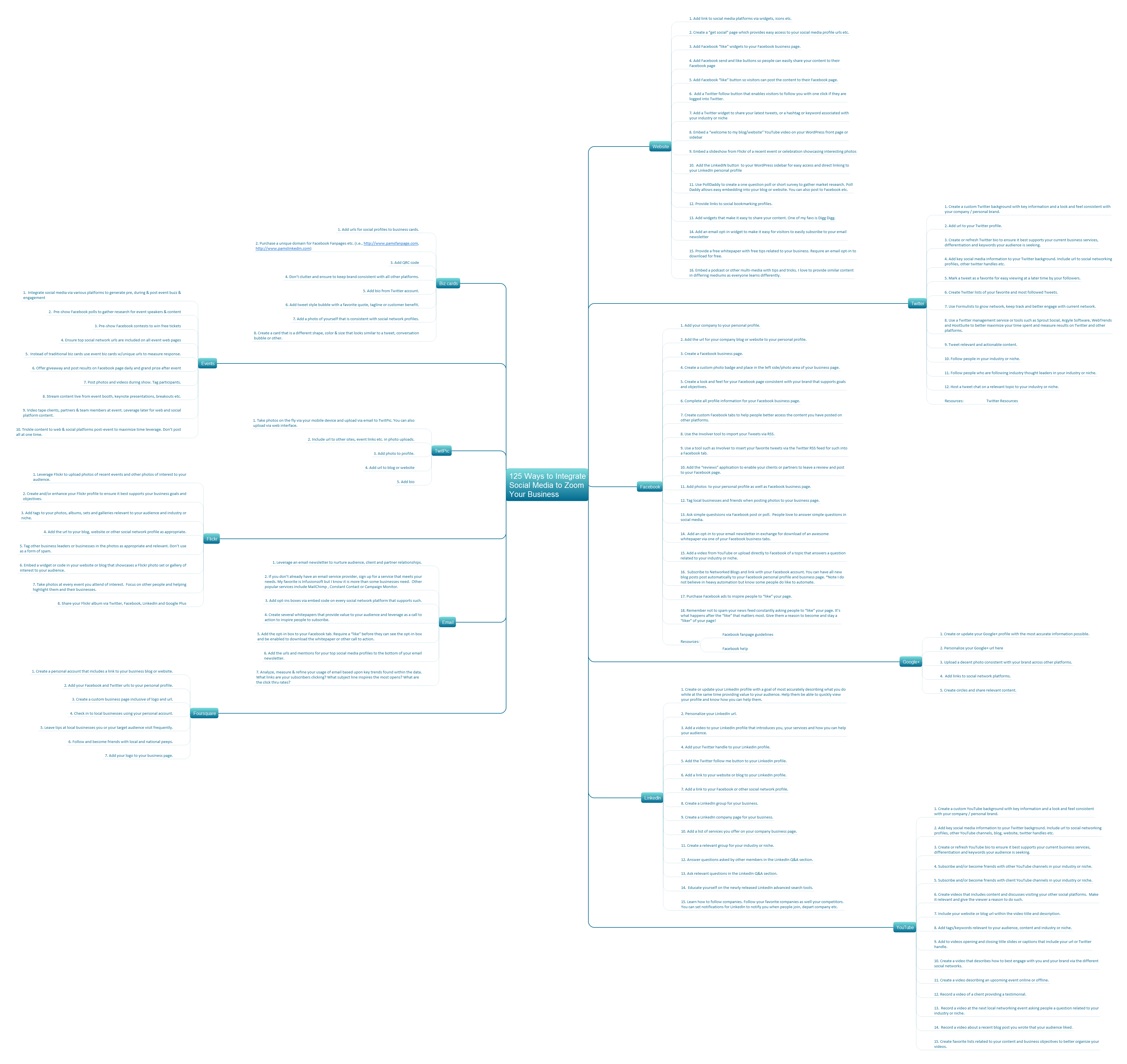 Pic.1. 125 Ways to Integrate Social Media to Zoom Your Business