Remote Learning Sessions - Webinars
Key factor for remote learning
The key factor behind successful remote learning is the possibility to demonstrate learning materials via Skype, comment on content, and have control over presentation slides. ConceptDraw MINDMAP is exactly this tool. It allows one to create learning materials, illustrate it, and present remotely via Skype.
ConceptDraw MINDMAP software extended via its Remote Presentation for Skype solution allows you to easily facilitate a successful remote learning session.
The unique combination of texting tools, mind mapping, presentations and remote collaboration via Skype helps to accomplish learning sessions successfully, run illustrated webinars, hold online meetings, and brainstorming sessions.
3 tips on preparing for a successful learning session
- Illustrate your materials.
To achieve better participation of attendees use ConceptDraw MINDMAP to visualize and illustrate your ideas, use icons, symbols, notes, callouts, balloons, images and formatting styles. - Distribute learning materials to all participants.
All participants receive a presentation document automatically. They are able to modify it after presentation participation; this ensures follow up to learning session. - Interact with your audience to build knowledge.
Ask participants to demonstrate a developed presentation related to subject being covered. Provide each with a template of a mind map that needs to be completed in 5 minutes and then give developed presentation to group; offer to create a mind map presentation which is an abstract of the learning session.
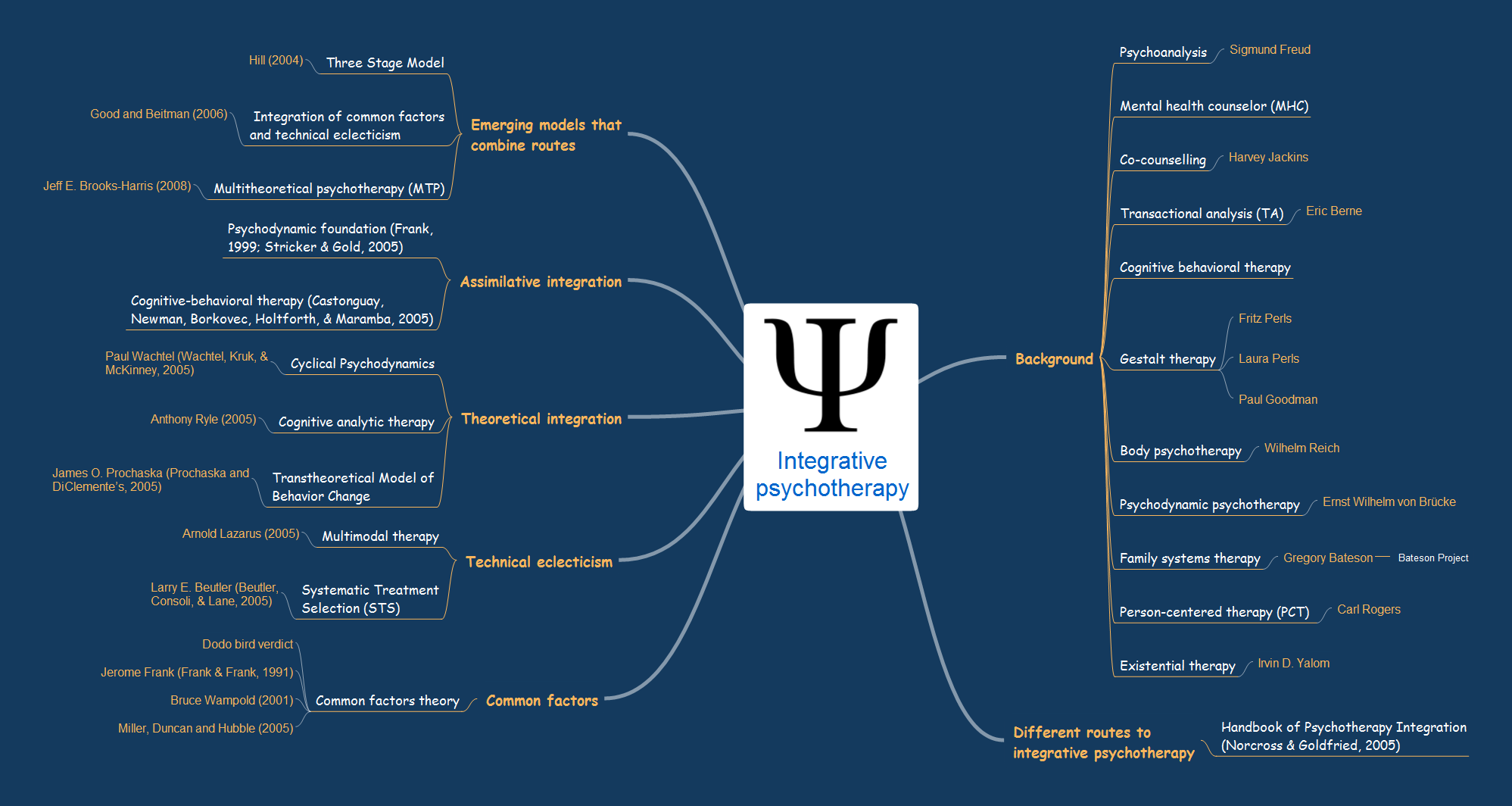
Sample 1.Integrative psychotherapy
Integrative psychotherapy mind map sample is created using ConceptDraw MINDMAP mind mapping software. This mind map example helps to learn how to use mind map presentation via Skype for online webinar, distance learning and online education.
Use this mindmap example for implementation of Remote Presentation for Skype solution from ConceptDraw Solution Park.
See also Samples: