Affinity Diagram
Business ProductivityIn Business Productivity Solutions we support managers and knowledge workers in making their jobs easier, saving them time and achieving better results. The solutions in the ConceptDraw Solution Park extend our ConceptDraw products beyond the scope of what ships with the product and add value to all of our products going forward. If in your job you need to make presentations, conduct meetings, prepare documents, brainstorm and build new strategies; as well as save yourself time then ConceptDraw Solution Park will provide you with the tools you need to be successful. You will find that our solutions are well designed to save you valuable time when you only have a minute or two to prepare. By leveraging content that has already been authored and then rapidly repurposing it to meet your requirements you have ratcheted up your ability to respond to any eventuality. Even a critical presentation that you only have a moment to prepare can be professionally generated and presented. No other tool anywhere gives you the flexibility and the immediacy that you will find in ConceptDraw Office and ConceptDraw Solution Park. When you do professional work and need more integrated approach for your data processing using many various software tools – then you need check Solution Park for separate support your professional Activity. It delivers comprehensive support for professional activities as separate Solution Park’s Activity collection of integrated software tools and the number of supported activities is growing. To achieve the professional results you desire, while being able to respond faster than you have ever been able to before require an integrated approach that leverages the data and documentation that currently exists. ConceptDraw Office in combination with the extensibility provided by ConceptDraw Solution Park supports your business activities. ConceptDraw Solution Park is an ever growing collection of point solutions that adds value to your investment. 7 Management & Planning ToolsBenefitsThe "7 Management and Planning Tools" solution implements well-known methodologies for problem analysis and solving. Different products from the ConceptDraw Office suite can be used as a complete solution for any of the methodologies in this solution. ConceptDraw Office provides visual communication during every stage of work. ObjectiveProvide comprehensive tool for problem analysis that supports any of the methodologies. Solution PurposeAssists in the solving of common business problems by using a step-by-step methodology for problem identification, analysis, planning of solving actions and countermeasures to address risks. Intended ForThis comprehensive solution set is intended for managers in medium to large companies, who are looking for tools to address issue management. The 7 MP solution is intended for business consultants, trainers and coaches to visualize the problem solving by using 7 MP Tools methodology. Products and MethodsConceptDraw MINDMAP is used for structuring, analyzing information. ConceptDraw DIAGRAM is used to generate ready-for-presentation documents and diagrams. ConceptDraw PROJECT is a powerful, professional tool for project planning and PERT chart generation. Affinity DiagramStructure factors by groups, name each group. The Affinity Diagram shows the structure of large, complex factors that have an influence on a problem, and then divides them up into a smaller and simpler structure. The Affinity Diagram does not show a causal relationship between the factors. This diagram is designed to prepare the data for further analysis of the cause-effect relationships. A typical size for an Affinity Diagram is approximately 40-50 topics in a chart. |
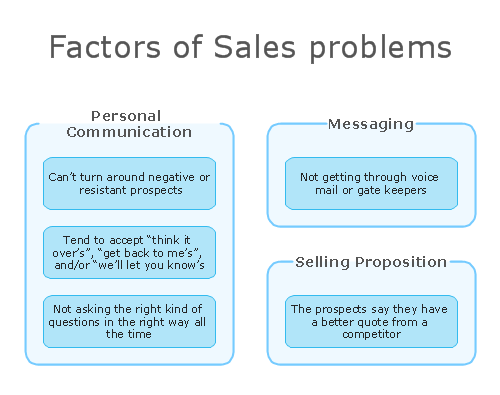
Example 1. Affinity Diagram
How to create Affinity Diagram
- Affinity Diagram template (located in Input tab) opens a new Brainstorming session
- Use this Brainstorming session to identify the central issue, contributing factors to that issue, and the details of those factors
- Drag and drop to connect factors to the central issue
- Drag and drop to organize details to their respective factors
- Save map when finished
- From Output tab, under "7 Management & Planning Tools", select Affinity Diagram
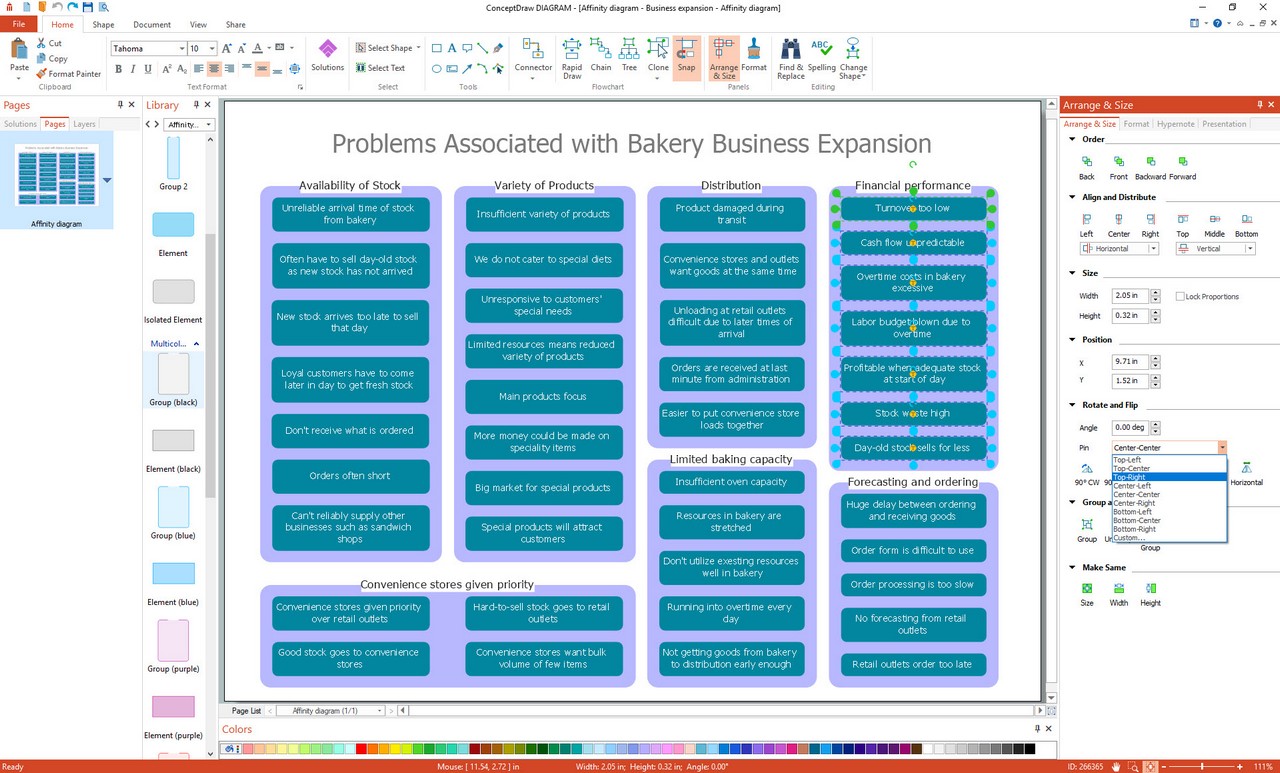
- Affinity Diagram will be automatically drawn in ConceptDraw DIAGRAM
The Benefits for ConceptDraw MINDMAP Brainstorming Software
- ConceptDraw MINDMAP is effective for brainstorming, designing mind maps, idea generating, creative and lateral thinking, creativity and problem solving.
- ConceptDraw MINDMAP is ideal for team and personal work in Business, Marketing and Project Management.
- The libraries with large quantity of vector objects help to illustrate your mind maps and to make them bright, visual and comprehensible.
- Use of View Navigator tool lets create presentations from a mind map: you can simply select the map parts you want to present, sequence your slides, and preview the presentation.
- ConceptDraw MINDMAP provides wide capabilities of importing and exporting in various formats: Microsoft PowerPoint, Microsoft Word, MS Excel, Mindjet MindManager, image, HTML, PDF file.