Evacuation Plan Maker
Evacuation Plans and Emergency Exit Plans are required to be obligatory available in all variety of buildings. They are obligatory for business premises, enterprises of any direction, public institutions, living buildings, shopping centers, etc. In this regard, special software for creating Evacuation and Emergency Plans is very popular.
Nobody expects a disaster, fire, earthquake, or any else emergency. But each one must be alert and always ready for any kind of danger to save the lives of the loved ones, neighbors, employees, and his own, also to protect a home, business premise, property. It is really important because an emergency can occur anytime, anywhere, and anyone.
ConceptDraw DIAGRAM software enhanced with Fire and Emergency Plans solution is an ideal Evacuation Plan maker. It allows simple development of an Emergency Plan for a location of any purpose — workplace or private property.
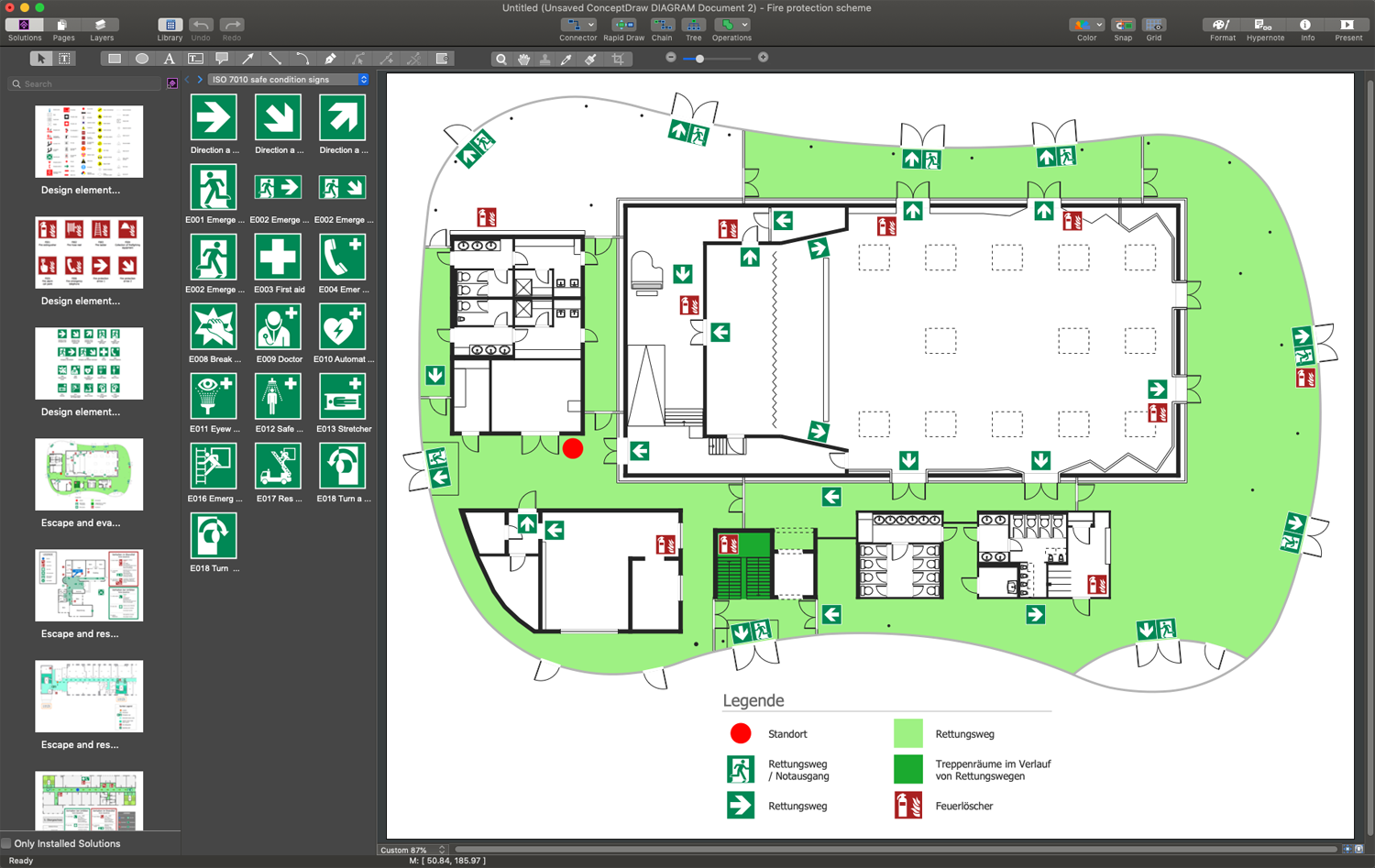
Example 1. ConceptDraw DIAGRAM - Evacuation Plan Maker
Fire and Emergency Plans solution provides three vector stencil libraries. They contain all possible design elements — fire and emergency planning, fire-fighting equipment, emergency exits signs. They also include fire safety signs, warning signs, and safe condition signs. You can find all this variety of symbols along with a large collection of professionally designed samples in ConceptDraw STORE at the Fire and Emergency Plans Solution section.
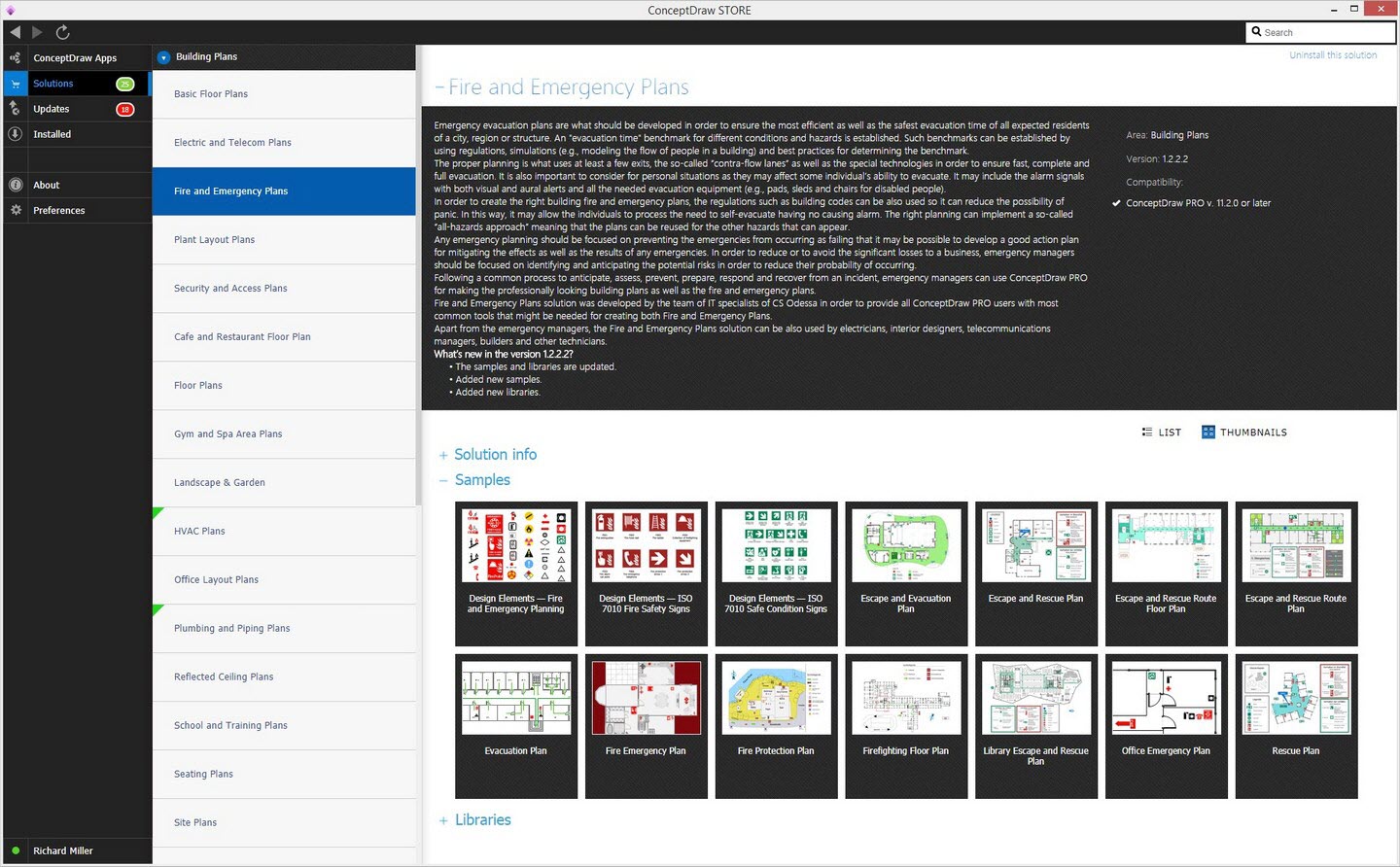
Example 2. Fire and Emergency Plans Solution in ConceptDraw STORE
The following features make ConceptDraw DIAGRAM the best Evacuation Plan maker:
- You don't need to be an artist to draw professional-looking diagrams in a few minutes.
- Large quantity of ready-to-use vector objects makes your drawing diagrams quick and simple.
- Great number of predesigned templates and samples give you a good start for your own diagrams.
- ConceptDraw DIAGRAM provides you the possibility to use the grid, rules, and guides. You can easily rotate, group, align, arrange the objects, use different fonts and colors to make your diagram exceptionally looking.
- All ConceptDraw DIAGRAM documents are vector graphic files and are available for reviewing, modifying, and converting to a variety of formats: image, HTML, PDF file, MS PowerPoint Presentation, Adobe Flash, MS Visio.
- Using ConceptDraw STORE you can navigate through ConceptDraw Solution Park, managing downloads and updates. You can access libraries, templates, and samples directly from the ConceptDraw STORE.
- If you have any questions, our free of charge support is always ready to come to your aid.
THREE RELATED HOW TO's:
Unfortunately, a man can’t predict the future and no one is safe from natural disasters, such as floods, earthquakes, hurricanes or fires. Nonetheless, what you can do to ensure safety for you and your relatives is to create an emergency plan, so everyone will know what to do if emergency happens. Keep that plan simple and train it several times a year so that no one could forget any details of it.
Fire and emergency plans are important to supply people with a visual safety solution. This diagram presents a set of standard symbols used to depict fire safety, emergency, and associated information. Using clear and standard symbols on fire emergency plans provides the coherence of collective actions , helps to avoid embarrassment, and improves communications in an emergent situation. The fire emergency symbols are intended for the general emergency and fire service, as well as for building plans ,engineering drawings and insurance diagrams. They can be used during fire extinguishing and evacuation operations, as well as trainings. It includes vector symbols for emergency management mapping, emergency evacuation diagrams and plans.
Picture: Emergency Plan
Related Solution:
Emergency Evacuation Plan is a detailed floor plan of a facility. It shows the location of emergency exits, routes of evacuation, and placement of fire extinguishers. It may also include the areas of people assembly after the evacuation and personal information about employees. ConceptDraw DIAGRAM enhanced with powerful Fire and Emergency Plans solution is an ideal software to draw Emergency Evacuation Plan free and without efforts.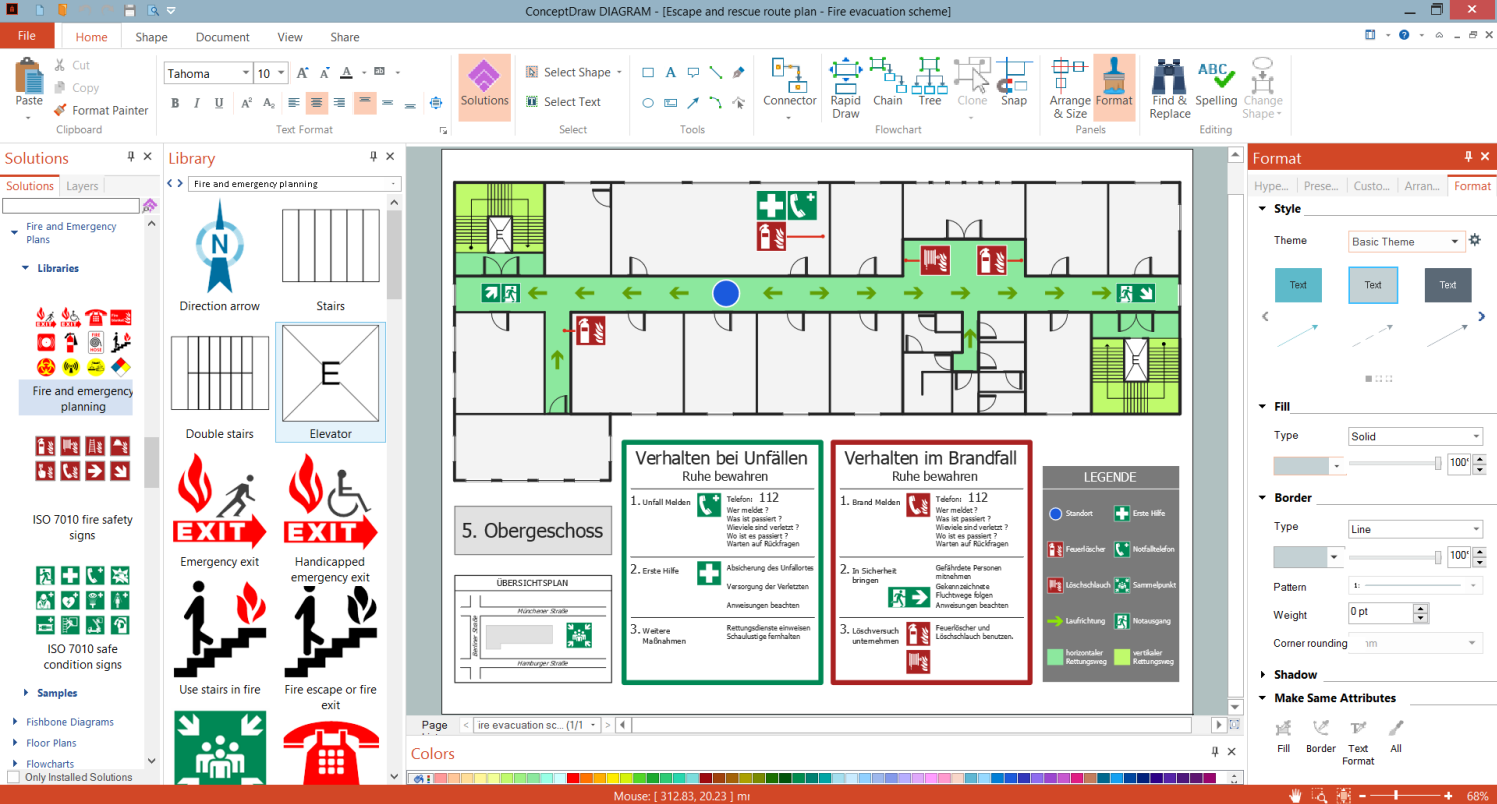
Picture: Draw Emergency Evacuation Plan Free
Related Solution:
Designing your own house sounds exciting at the beginning, but as the time passes, the more you realize there are stumbling blocks. To aid yourself, discover how to use house design software, and develop floor plans, landscape layouts or furniture arrangement plans easily. You can start from altering templates, and you won’t even notice how your designing skills would improve rapidly.
This private country house and landscape plan was created using ConceptDraw Floor Plans solution. Its power set of libraries containing near 700 vector graphic elements enhanced with handy templates is designed, so that an ordinary people can create professional floor plans. Using the stuff, provided by this solution, you can effortlessly design a plan of house, rooms and even backyard layout and landscape. This will save your time and money.This sample plan represents a detailed plan of the private ownership. It defines the apartments layout, the appointment arrangement and even possible location of plants in the garden.
Picture: How To use House Design Software
Related Solution:
