Draw Emergency Evacuation Plan Free
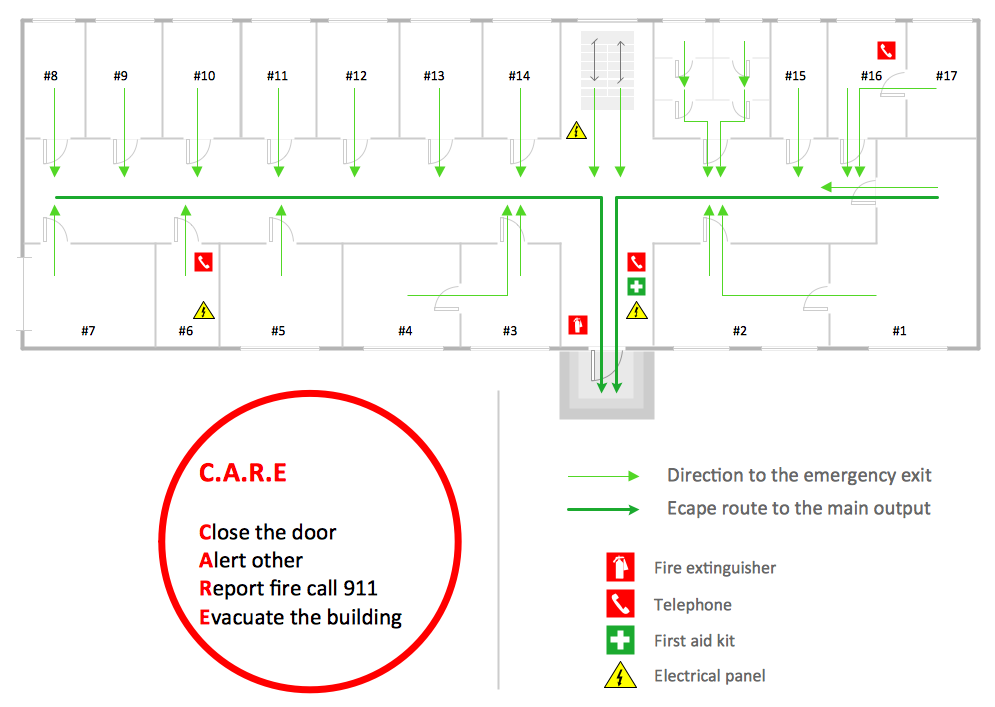
Emergency Evacuation Plan is a detailed floor plan of a facility. It shows the location of emergency exits, routes of evacuation, and placement of fire extinguishers. The areas of people assembly are also designated, especially if it is an Evacuation Plan for a large enterprise. These are the areas where employees should gather after evacuation for accounting in order to timely rescue people remaining in a building. The number of employees must be also designated. Moreover, in the event of an emergency, it is important to have ready access to employees' personal information. These are the names of employees, telephone numbers both personal and their immediate relatives, medical and insurance information.
ConceptDraw DIAGRAM enhanced with powerful Fire and Emergency Plans solution is an ideal software to draw Emergency Evacuation Plan free and without efforts. It offers a large collection of predesigned vector design stencils and illustrative samples. The included samples are good examples of solution use and its capabilities.
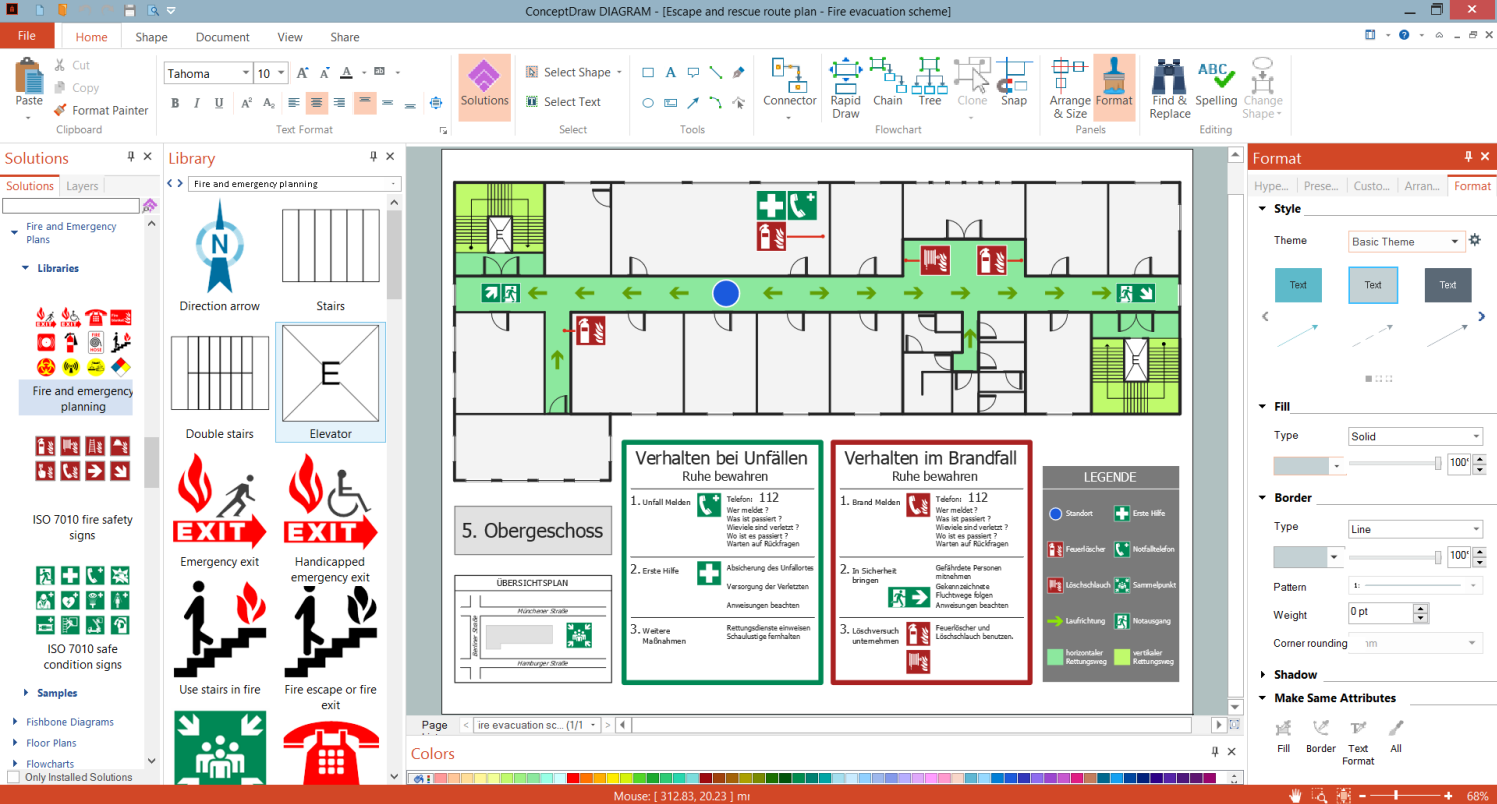
Example 1. Draw Emergency Evacuation Plan Free in ConceptDraw DIAGRAM
Fire and Emergency Plans solution offers three libraries with design elements — ISO 7010 Fire Safety Signs, ISO 7010 Safe Condition Signs, and Fire and Emergency Planning. All vector objects, symbols, pictograms, and signs included in these libraries are related to emergencies, safety, and dangers. They are helpful and time-saving in drawing plans of any complexity.
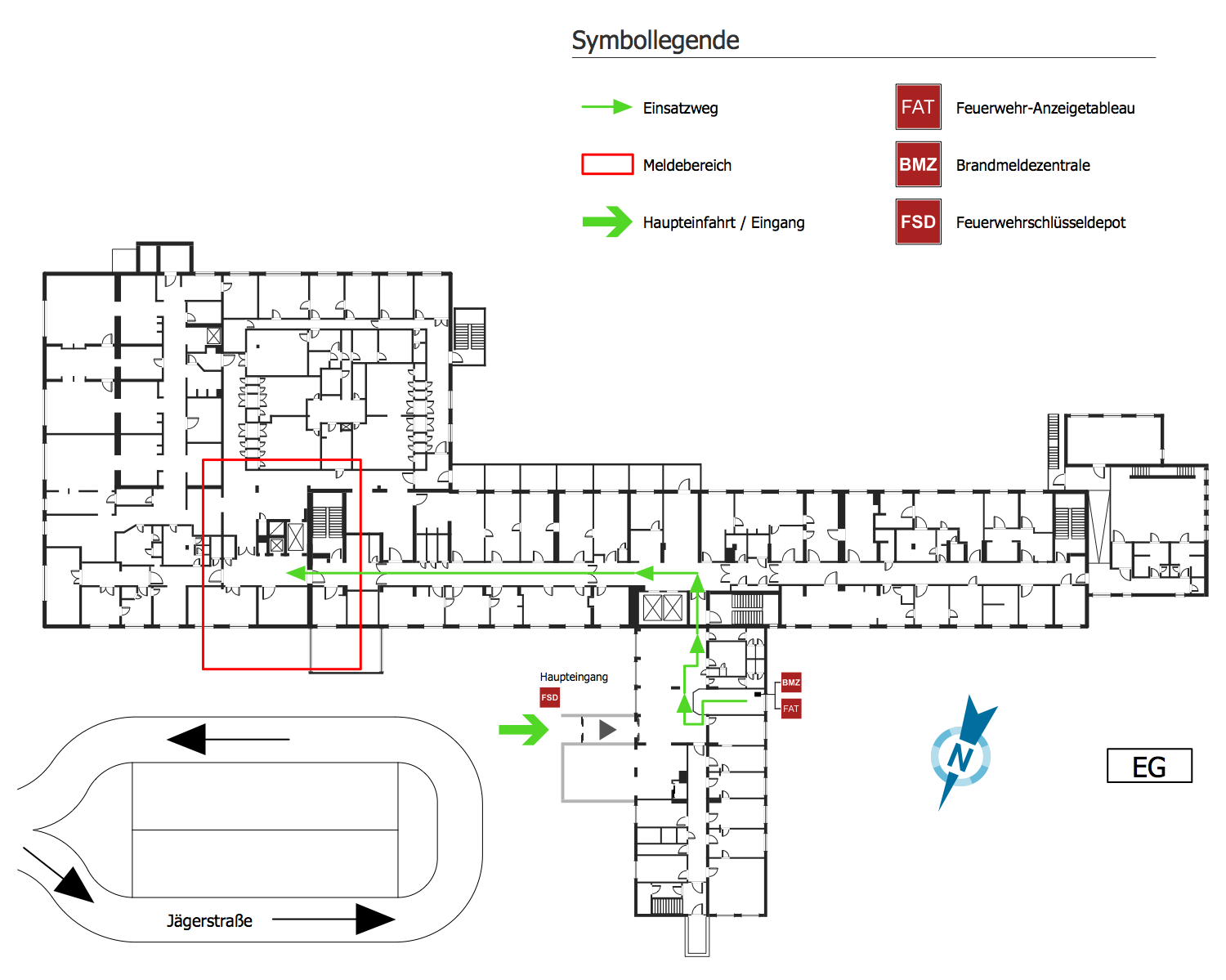
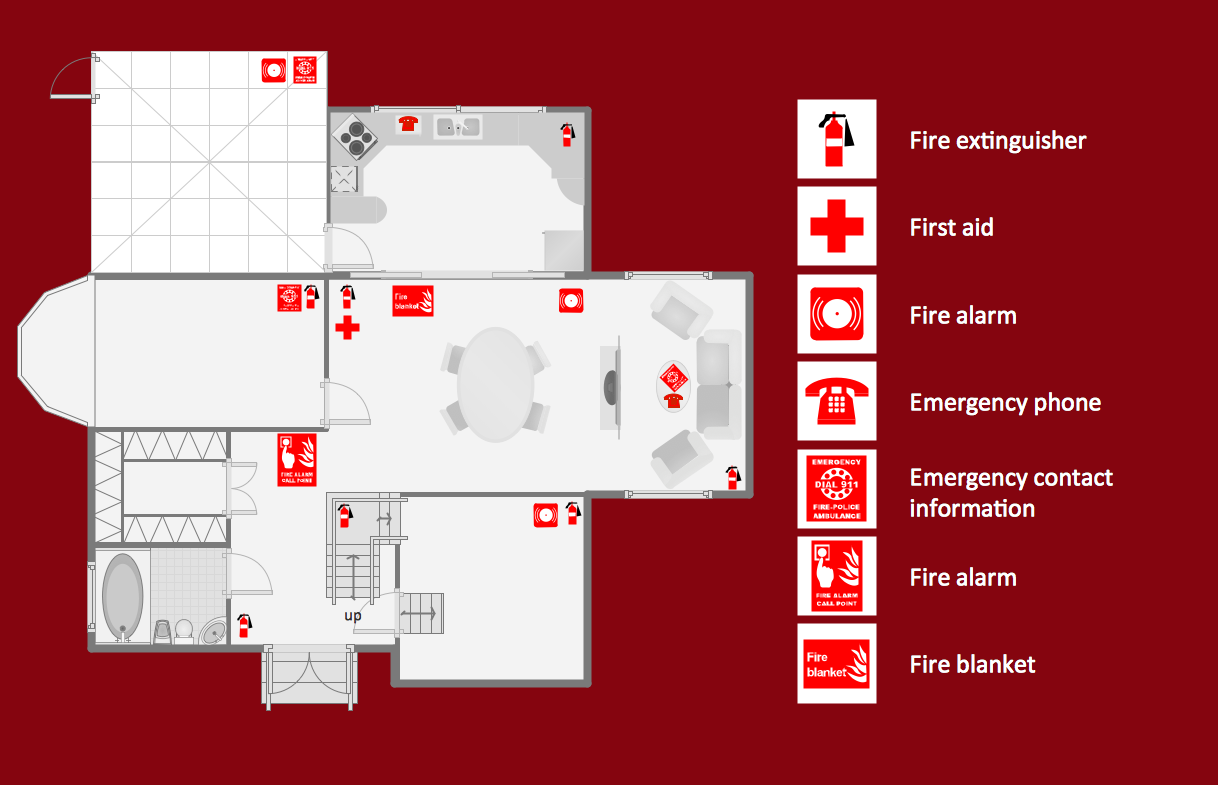
Example 2. Firefighting Floor Plan
The examples you see on this page were created in ConceptDraw DIAGRAM software using the drawing tools and objects from the libraries of Fire and Emergency Plans and Floor Plans solutions from the Building Plans area. They demonstrate the solutions' capabilities and the professional results you can achieve. An experienced user spent 15-20 minutes creating these samples.
Use Fire and Emergency Plans solution for ConceptDraw DIAGRAM to make your own Emergency Evacuation Plans quick, simply, and effectively from the beginning to the end.
All source documents are vector graphic documents. They are available for reviewing, modifying, or converting to a variety of formats (PDF file, MS PowerPoint, MS Visio, and many graphic formats) from the ConceptDraw STORE. The Fire and Emergency Plans Solution is available for all ConceptDraw DIAGRAM users.