GHS Label Pictograms
Hazard pictograms are those which form a part of the international GHS which is a “Globally Harmonized System of Classification and Labelling of Chemicals. Two sets of pictograms are included within the GHS: one for the labelling of containers and for workplace hazard warnings, and a second for use during the transport of dangerous goods. Either one or the other is chosen, depending on the target audience, but the two are not used together.
There are two sets of pictograms that use the very same symbols for the same hazards. But some of the mentioned symbols are known to be not required for any transport pictograms. There is a wider variety of colors used for the transport pictograms and they also may contain additional information (a subcategory number, for example). Hazard pictograms are known to be one of the major elements that are used for the labelling of the different containers under the GHS, along with an identification of the product, indicating the degree of the risks and the nature that is posed by the product. Each of the hazard statements is known to be designated a code, starting with the letter “H” and being followed by three digits.
All the statements which are known to be corresponding to some related hazards are those that are grouped all together by one code number. And the numbering is inconsecutive. The mentioned code is known to be used for the reference purposes, such as helping with translations.
There are also the so-called “precautionary statements” that are known to be indicating how the product should be handled in order to minimize risks to the user as well as to the general environment and to the other people. Precautionary statements are those which can form a part of the already previously mentioned GHS, intending to form a set of some standardized phrases giving advice about the process of handling of both chemical substances and the mixtures correctly as well as translating them into different languages. As such, they serve the same purpose as the well-known “S-phrases” which can be defined in Annex IV of European Union Directive 67/548/EEC: Safety advice concerning dangerous substances and preparations.
The whole list was republished and consolidated in the so-called “Directive 2001/59/EC” where the translations into other EU languages can be also found. And these safety phrases can be always used both internationally and not just in Europe but elsewhere.
There is also an ongoing effort towards the complete international harmonization and it is important to remember that all the missing S-number combinations are known to be indicating all the needed phrases that were either replaced or deleted by another phrase.
Being one of the key elements for the process of labelling the containers under the GHS along with an identification of the product, one or more hazard pictograms, hazard statements used for indicating the degree, a signal word – either Warning or Danger, and nature of the risks posed by the product as well as the identity of the supplier, the so-called “precautionary statements” designate the codes starting with the letter P, being followed by three digits.
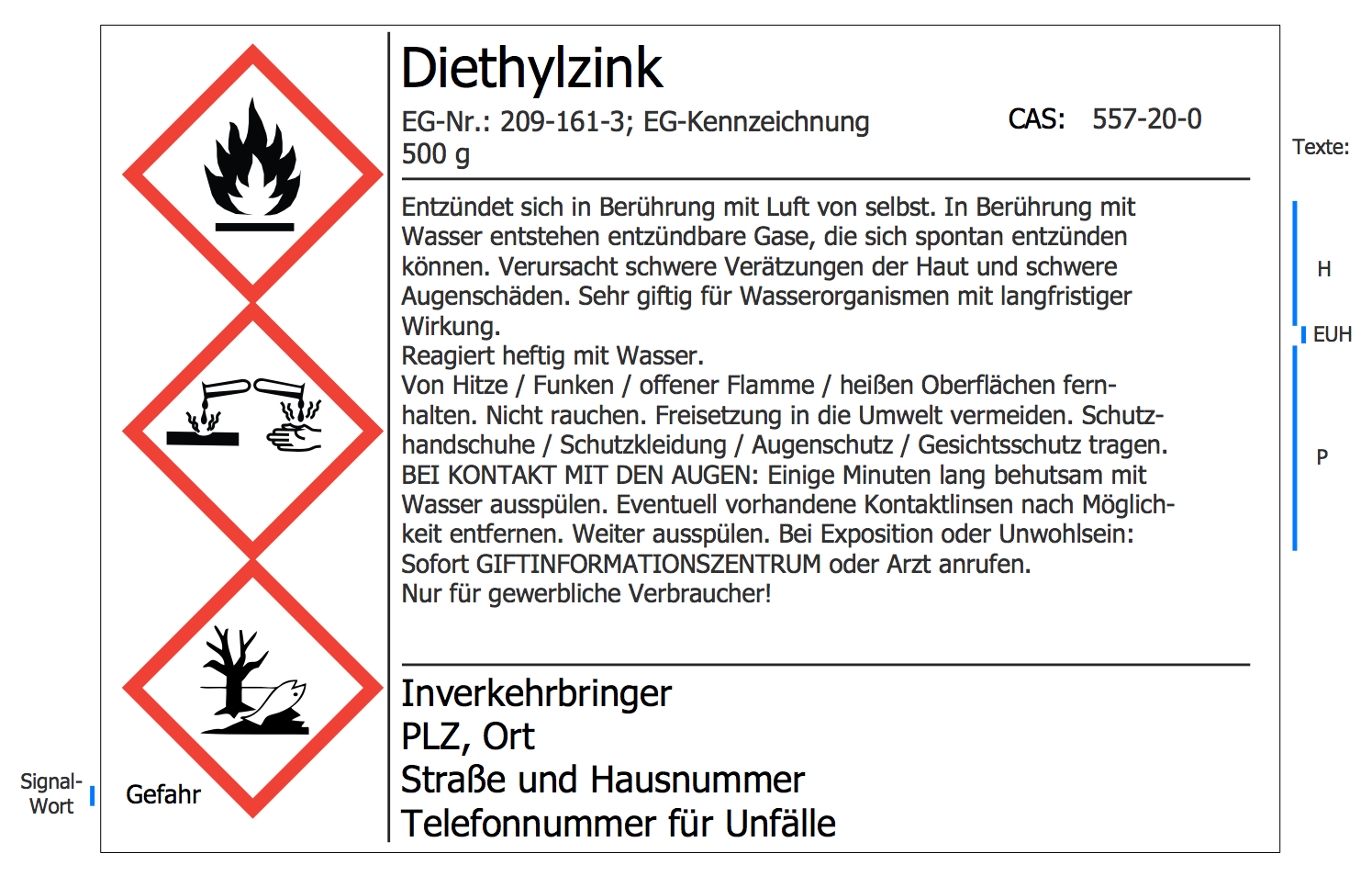
Example 1. GHS Label Pictograms
Those statements which correspond to the related hazards are all grouped together by some particular code number, so the numbering is not consecutive. The codes are used for the reference purposes, such as helping with translations, being the actual phrases which are expected to appear on labels as well as all the safety data sheets.
Some of the precautionary phrases are known to be combinations. They can be indicated by a plus sign. Although sometimes there is a choice of wording, such as "Avoid breathing fume/dust/gas/vapours/ mist/spray, etc". Thus, either the supplier or the regulatory agency should choose the most appropriate wording for the product concerned.
The GHS chemical hazard pictograms are those which are intended to provide the main basis for the hazard pictograms which all can be created with the help of the ConceptDraw DIAGRAM diagramming and drawing software as well as the ConceptDraw STORE and the “GHS Label Pictograms solution” in particular.
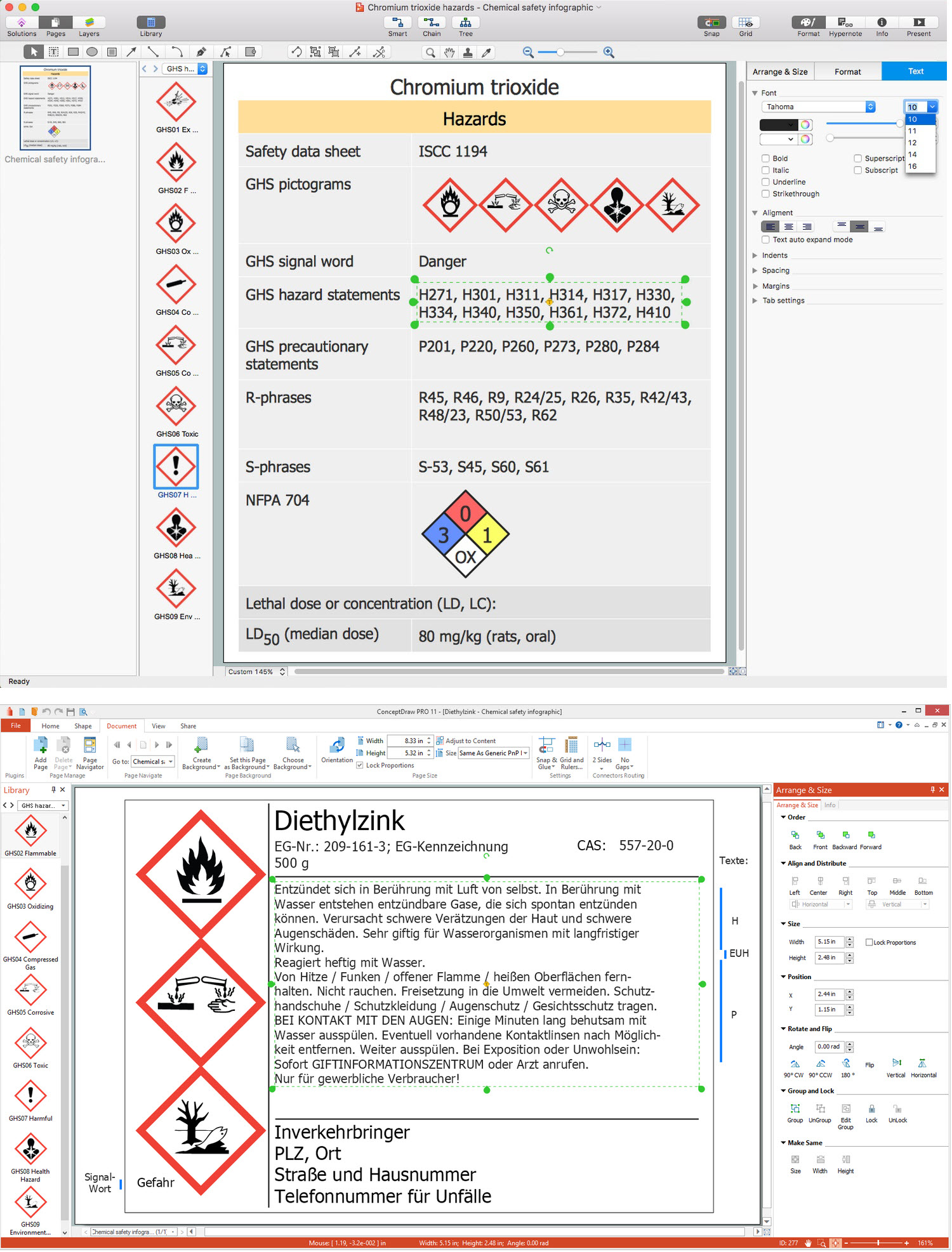
Example 2. Chemical Safety Infographics in ConceptDraw DIAGRAM (macOS, Microsoft Windows)
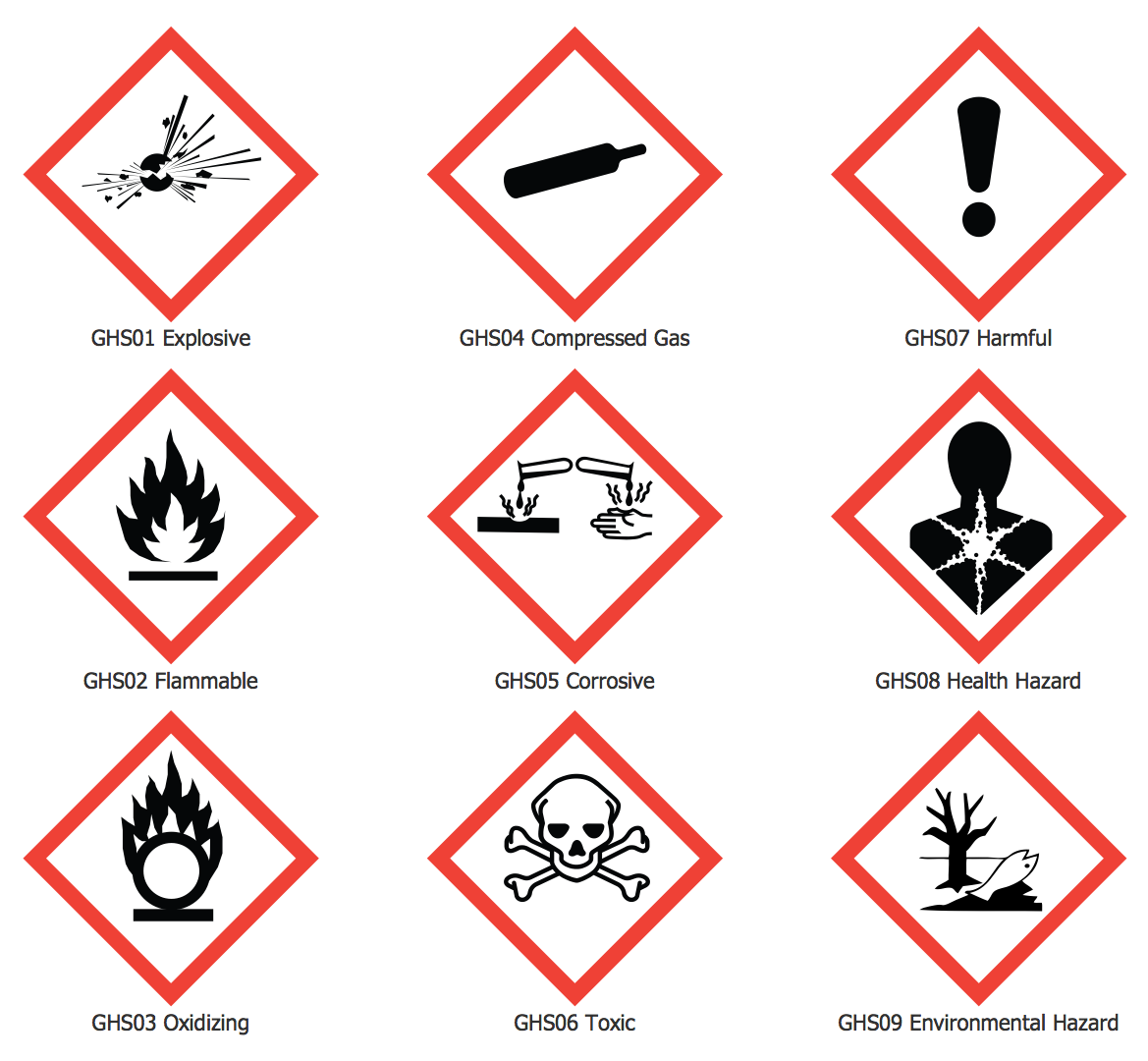
Having both mentioned products of the CS Odessa means having all the needed tools for making the drawings look simply professional as well as smart. As long as there is a “GHS Label Pictograms solution”, it means there is a chance to get those tools which it allows to use, such as the following vector shapes: “GHS01 Explosive” sign, “GHS04 Compresses Gas”, “GHS07 Harmful”, “GHS02 Flammable”, “GHS05 Corrosive”, “GHS08 Health Hazard”, “GHS03 Oxidizing”, “GHS06 Toxic” and “GHS09 Environmental Hazard” signs.
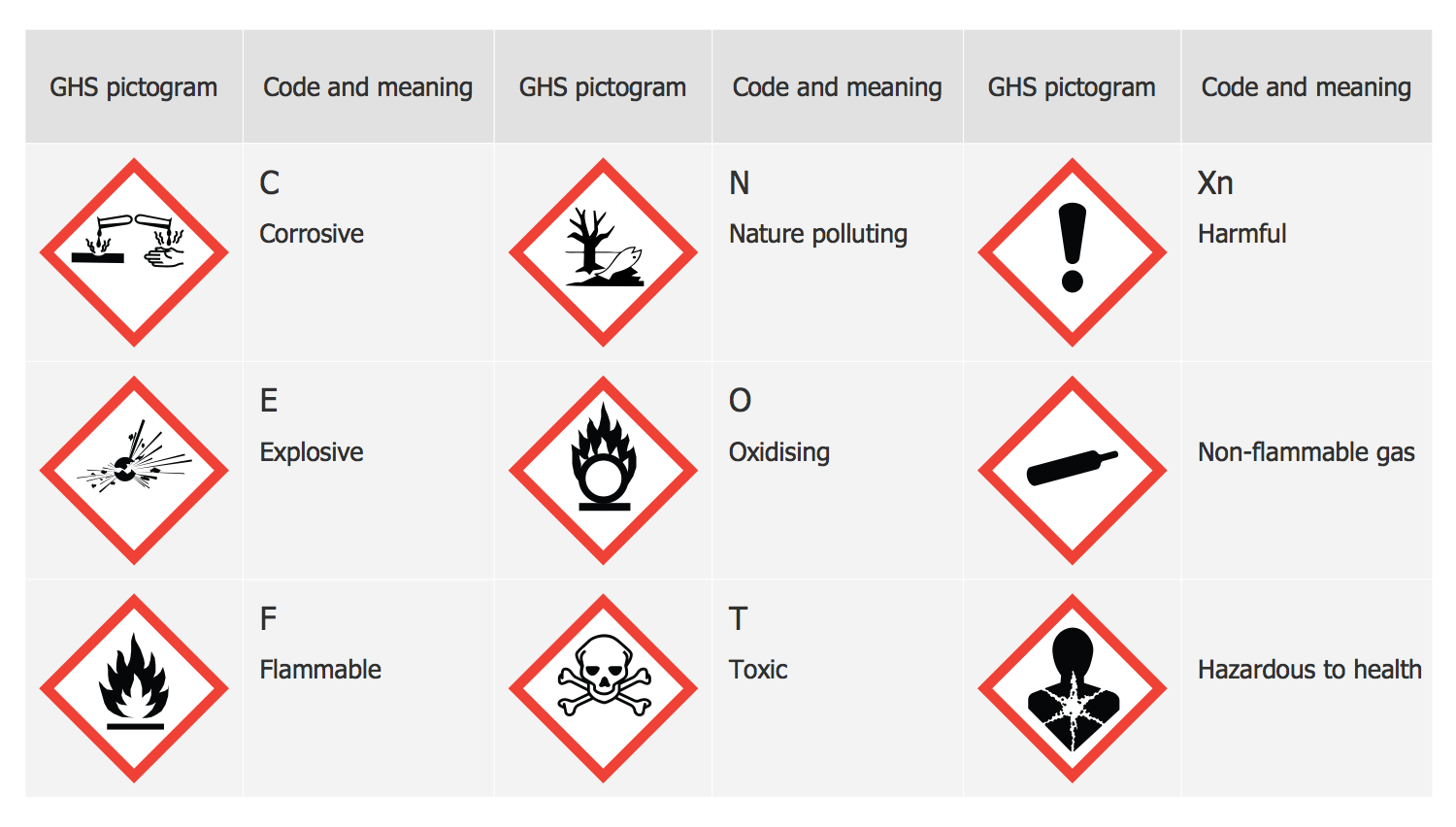
There are also the examples of the structured signs, such as the one saying something is “Corrosive”, “Nature polluting”, “Harmful”, “Explosive, “Oxidising”, “Non-flammable gas”, “Flammable”, “Toxic” and/or “Hazardous to health”. Mentioning what exactly is dangerous and what is not can help prevent people from getting in trouble.
To prevent many dangerous cases, it is always better to double check if it is safe enough to do what needs to be doing. Having the appropriate label pictograms can help both save somebody’s life and warn those who might get in trouble about all the possible effects of their actions.
Having both ConceptDraw DIAGRAM diagramming and drawing software as well as the GHS Label Pictograms solution from the ConceptDraw DIAGRAM may simplify your work of making the needed pictograms as there are already pre-made samples of many different signs that all can be used anytime when it becomes that necessary.