 iPhone User Interface
iPhone User Interface solution extends ConceptDraw PRO v10 software with templates, samples and libraries with large quantity of vector stencils of graphical user interface elements, Apps icons, UI patterns for designing and prototyping of the iOS applic
"The interface is based around the home screen, a graphical list of available applications. iPhone applications normally run one at a time. Starting with the iPhone 4, a primitive version of multitasking came into play. Users could double click the home button to select recently opened. However, the apps never ran in the background. Starting with iOS 7, though, apps can truly multitask, and each open application runs in the background when not in use, although most functionality is still available when making a call or listening to music. The home screen can be accessed at any time by a hardware button below the screen, closing the open application in the process.
By default, the Home screen contains the following icons: Messages (SMS and MMS messaging), Calendar, Photos, Camera, YouTube, Stocks, Maps (Google Maps), Weather, Voice Memos, Notes, Clock, Calculator, Settings, iTunes (store), App Store, (on the iPhone 3GS and iPhone 4) Compass, FaceTime and GameCenter were added in iOS 4.0 and 4.1 respectively. In iOS 5, Reminders and Newsstand were added, as well as the iPod application split into separate Music and Videos applications. iOS 6 added Passbook as well as an updated version of Maps that relies on data provided by TomTom as well as other sources. iOS 6 also added a Clock application onto the iPad's homescreen. However, it also no longer support YouTube. Docked at the base of the screen, four icons for Phone, Mail, Safari (Internet), and Music delineate the iPhone's main purposes. On January 15, 2008, Apple released software update 1.1.3, allowing users to create "Web Clips", home screen icons that resemble apps that open a user-defined page in Safari. After the update, iPhone users can rearrange and place icons on up to nine other adjacent home screens, accessed by a horizontal swipe." [iPhone. Wikipedia]
The example "iPhone OS (iOS) graphic user interface (GUI) - Alarm setting" was created using the ConceptDraw PRO diagramming and vector drawing software extended with the Graphic User Interface solution from the Software Development area of ConceptDraw Solution Park.
By default, the Home screen contains the following icons: Messages (SMS and MMS messaging), Calendar, Photos, Camera, YouTube, Stocks, Maps (Google Maps), Weather, Voice Memos, Notes, Clock, Calculator, Settings, iTunes (store), App Store, (on the iPhone 3GS and iPhone 4) Compass, FaceTime and GameCenter were added in iOS 4.0 and 4.1 respectively. In iOS 5, Reminders and Newsstand were added, as well as the iPod application split into separate Music and Videos applications. iOS 6 added Passbook as well as an updated version of Maps that relies on data provided by TomTom as well as other sources. iOS 6 also added a Clock application onto the iPad's homescreen. However, it also no longer support YouTube. Docked at the base of the screen, four icons for Phone, Mail, Safari (Internet), and Music delineate the iPhone's main purposes. On January 15, 2008, Apple released software update 1.1.3, allowing users to create "Web Clips", home screen icons that resemble apps that open a user-defined page in Safari. After the update, iPhone users can rearrange and place icons on up to nine other adjacent home screens, accessed by a horizontal swipe." [iPhone. Wikipedia]
The example "iPhone OS (iOS) graphic user interface (GUI) - Alarm setting" was created using the ConceptDraw PRO diagramming and vector drawing software extended with the Graphic User Interface solution from the Software Development area of ConceptDraw Solution Park.
iPhone GUI
-graphic-user-interface-(gui)---alarm-setting.png--diagram-flowchart-example.png)
The vector stencils library "App icons" contains 24 icons of iOS 8 / iPhone 6 software applications.
Use it to design iOS 8 apps GUI prototypes and iPhone 6 software applications user interface sketches and mockups.
The icons example "App icons - Vector stencils library" was created using the ConceptDraw PRO diagramming and vector drawing software extended with the iPhone User Interface solution from the Software Development area of ConceptDraw Solution Park.
Use it to design iOS 8 apps GUI prototypes and iPhone 6 software applications user interface sketches and mockups.
The icons example "App icons - Vector stencils library" was created using the ConceptDraw PRO diagramming and vector drawing software extended with the iPhone User Interface solution from the Software Development area of ConceptDraw Solution Park.
Messages

Calendar

Photos
Camera

Weather

Clock
Maps

Videos

Notes
Reminders
Stocks
Game Center
Newsstand

iTunes Store

App Store

iBooks

Health

Passbook

Passbook (iOS 7)
-app-icons---vector-stencils-library.png--diagram-flowchart-example.png)
Settings

Phone

Mail

Music

Safari
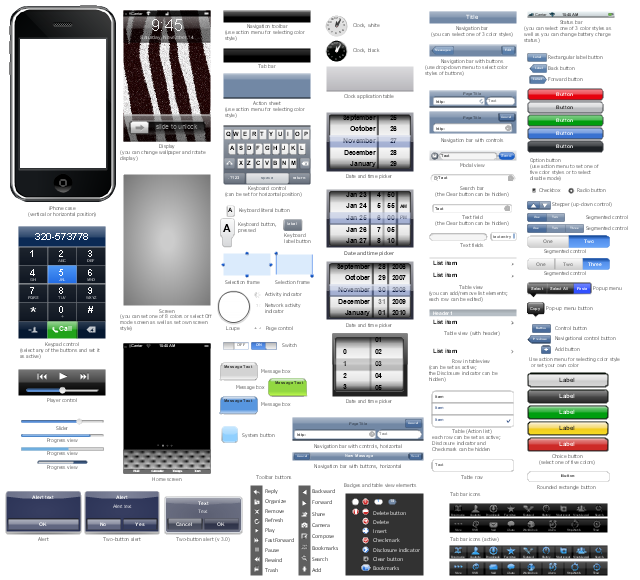
The vector stencils library "iPhone interface" contains 119 design elements for development of graphic user interface (GUI) for iPhone software applications.
"The user interface of iOS is based on the concept of direct manipulation, using multi-touch gestures. Interface control elements consist of sliders, switches, and buttons. Interaction with the OS includes gestures such as swipe, tap, pinch, and reverse pinch, all of which have specific definitions within the context of the iOS operating system and its multi-touch interface. Internal accelerometers are used by some applications to respond to shaking the device (one common result is the undo command) or rotating it in three dimensions (one common result is switching from portrait to landscape mode)." [iOS. Wikipedia]
The example "Design elements - iPhone interface" was created using the ConceptDraw PRO diagramming and vector drawing software extended with the Graphic User Interface solution from the Software Development area of ConceptDraw Solution Park.
"The user interface of iOS is based on the concept of direct manipulation, using multi-touch gestures. Interface control elements consist of sliders, switches, and buttons. Interaction with the OS includes gestures such as swipe, tap, pinch, and reverse pinch, all of which have specific definitions within the context of the iOS operating system and its multi-touch interface. Internal accelerometers are used by some applications to respond to shaking the device (one common result is the undo command) or rotating it in three dimensions (one common result is switching from portrait to landscape mode)." [iOS. Wikipedia]
The example "Design elements - iPhone interface" was created using the ConceptDraw PRO diagramming and vector drawing software extended with the Graphic User Interface solution from the Software Development area of ConceptDraw Solution Park.
iPhone GUI design elements
 Website Wireframe
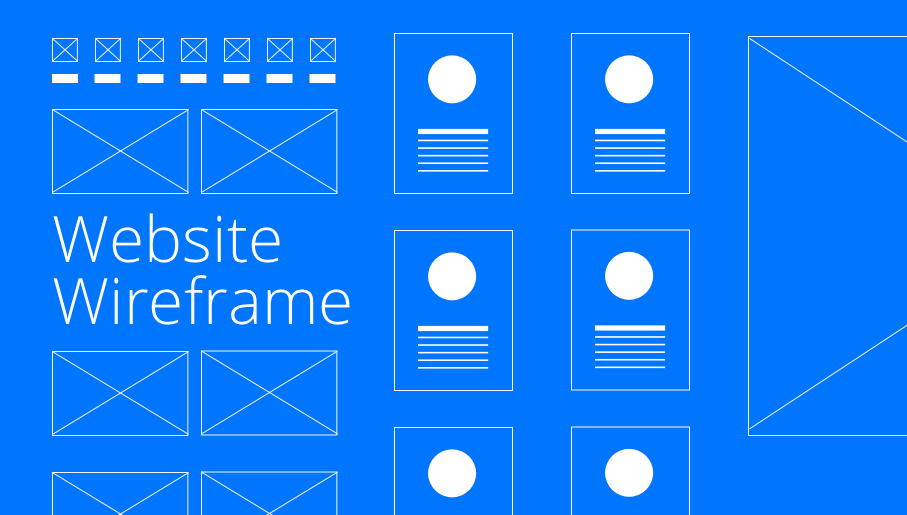
The innovative Website Wireframe solution enhances the ConceptDraw PRO v10 functionality with newest wireframe tools, libraries with variety of predesigned icons, symbols, buttons, graphics, forms, boxes, and many other vector elements, templates and professionally designed samples, which make it the best wireframing software. Website Wireframe solution gives you significant advantages when designing and maintaining websites, creating skeletal and content-free depictions of website structure, making website prototypes and planning the content arrangement before committing to design, also speeds up the processes of sketching, producing and sharing wireframe examples of website style and interface design.
 AWS Architecture Diagrams
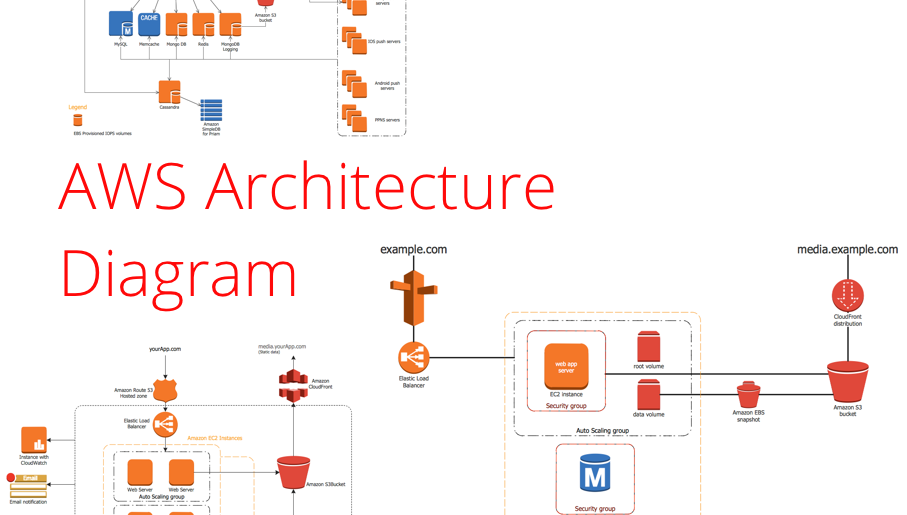
The flexible AWS cloud solutions will help you to create reliable applications with a high level of scaling in the AWS cloud, to run your applications and accelerate their work on the level of security. Besides AWS resources are available worldwide and yo
 Network Security Diagrams

The Network Security Diagrams solution presents a large collection of predesigned cybersecurity vector stencils, cliparts, shapes, icons and connectors to help you succeed in designing professional and accurate Network Security Diagrams, Network Security Infographics to share knowledge about effective ways of networks protection with help of software and network security devices of different cyber security degrees, Network Plans for secure wireless network, Computer Security Diagrams to visually tell about amazing possibilities of IT security solutions. The samples and examples reflect the power of ConceptDraw PRO software in drawing Network Security Diagrams, give the representation about variety of existing types of attacks and threats, help to realize their seriousness and the methods to deal with them.
- iPhone User Interface | UI Patterns | Cisco Network Icons | Browser ...
- Iphone 7 Mobile Template Png
- Ios Memo Icon Png
- Ios Ipad Status Bar Png Transparent
- App Icons Png
- Icon Videos Iphone 6 Png
- Png Applications Icons Iphone
- Home Icon Circle Png
- Website Icon Png
- Cisco WAN. Cisco icons , shapes, stencils and symbols | iPhone ...
- Icon Ios Png
- Music Memos Icons For Phones Images Png Hd
- Navigation Icon Png Gui
- Page Png Icon
- Png Icons Apps
- iPhone User Interface | App icons - Vector stencils library | iPhone ...
- Icon Contact Iphone 7 Png
- Reseller Icon Png
- App icons - Vector stencils library | Cubetto Flowchart | iPhone User ...
- Iphone App Icons Png


