Visualize Sales Data Using Sample Data
Sales Dashboard Solution
ConceptDraw DIAGRAM is a powerful tool for making sales data dashboards from various templates. The Sales Dashboard Solution include the numerous charts and gauges that allow sales managers to use live data in the dashboards that show sales KPI's. The clean and dynamic dashboard objects are driven by data files, and are updated automatically as the data changes.
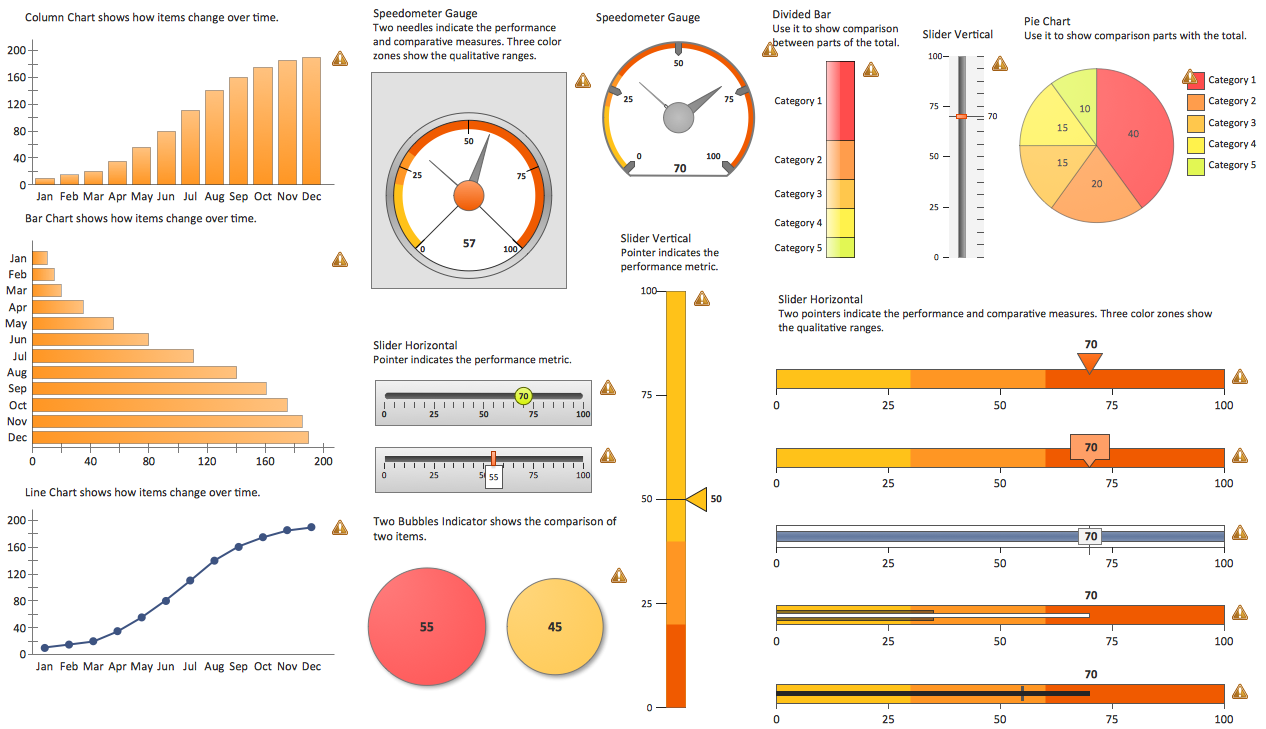
Pic. 1. Sales Dashboards
FIVE RELATED HOW TO's:
Cause and Effect Diagrams are designed to identify the potential factors that cause an overall effect. The causes are grouped into the categories, each cause is a source of variation.
ConceptDraw DIAGRAM powerful diagramming and vector drawing software provides the Fishbone Diagrams solution from the Management area of ConceptDraw Solution Park that allows to design the Cause and Effect Diagrams quick, easy and effective.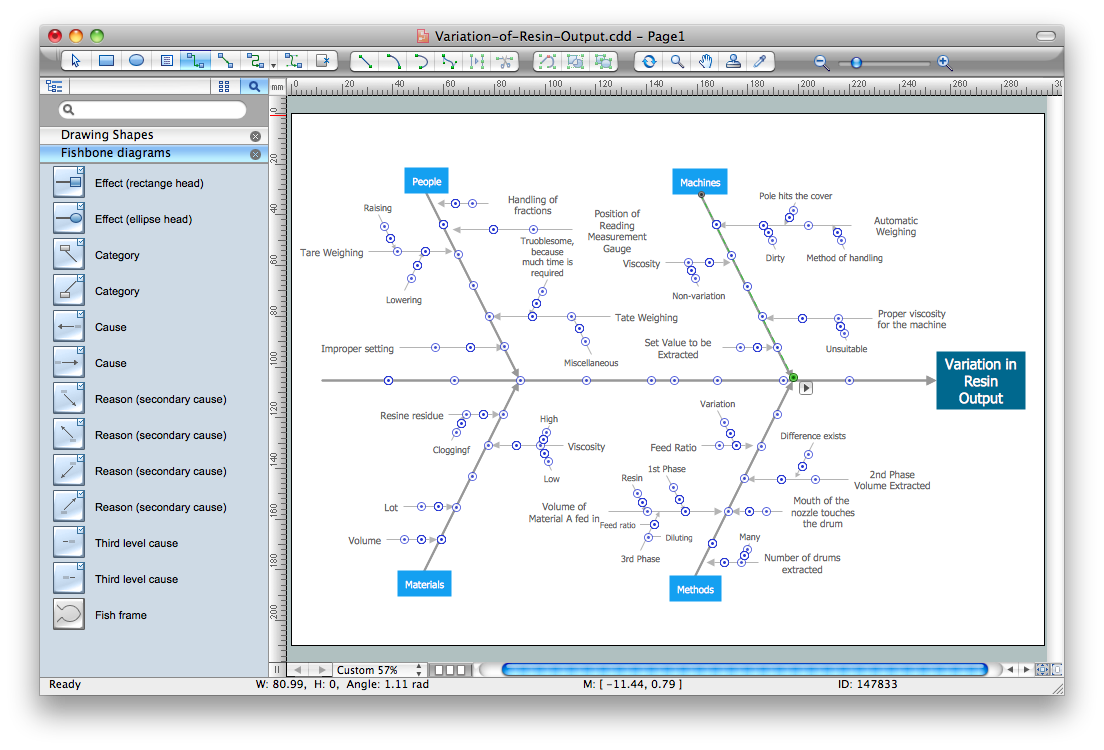
Picture: Cause and Effect Diagrams
Related Solution:
ConceptDraw DIAGRAM software exteneded with the Sales Dashboard solution is perfect for visualizing sales data. This is the best tool to analyse your sales perfornance and see how your business can improve.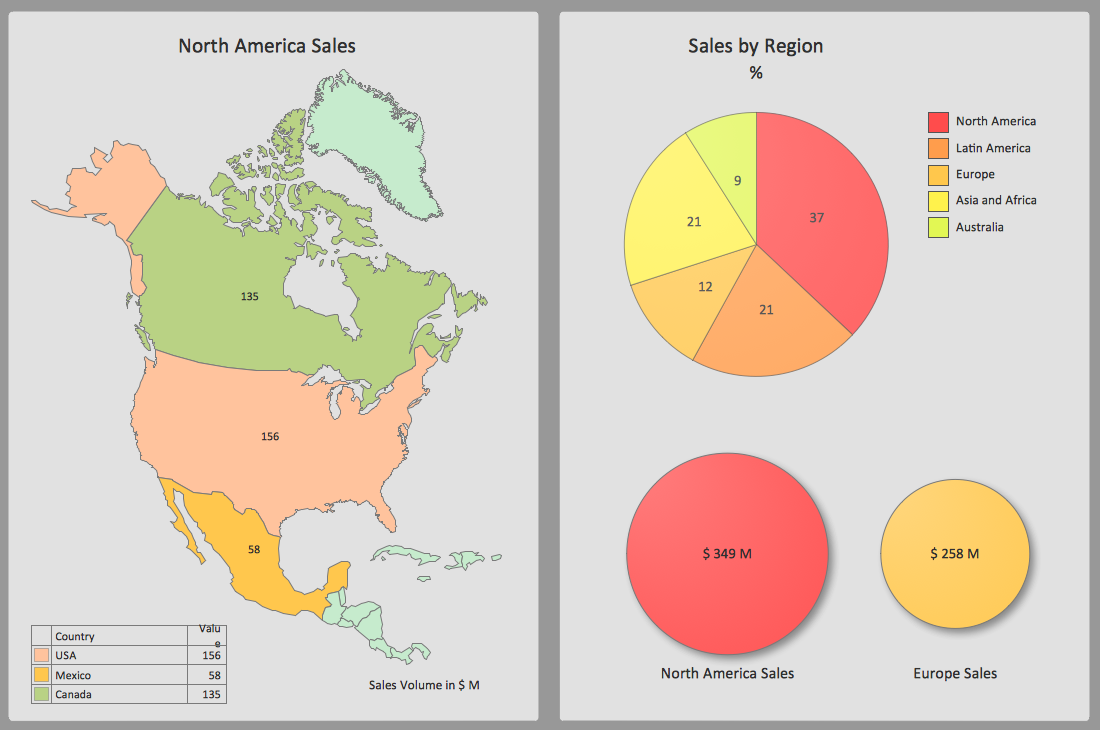
Picture: Sales Dashboard Screenshot
A Picture Graph is a popular and widely used type of a bar graph, which represents data in various categories using the pictures.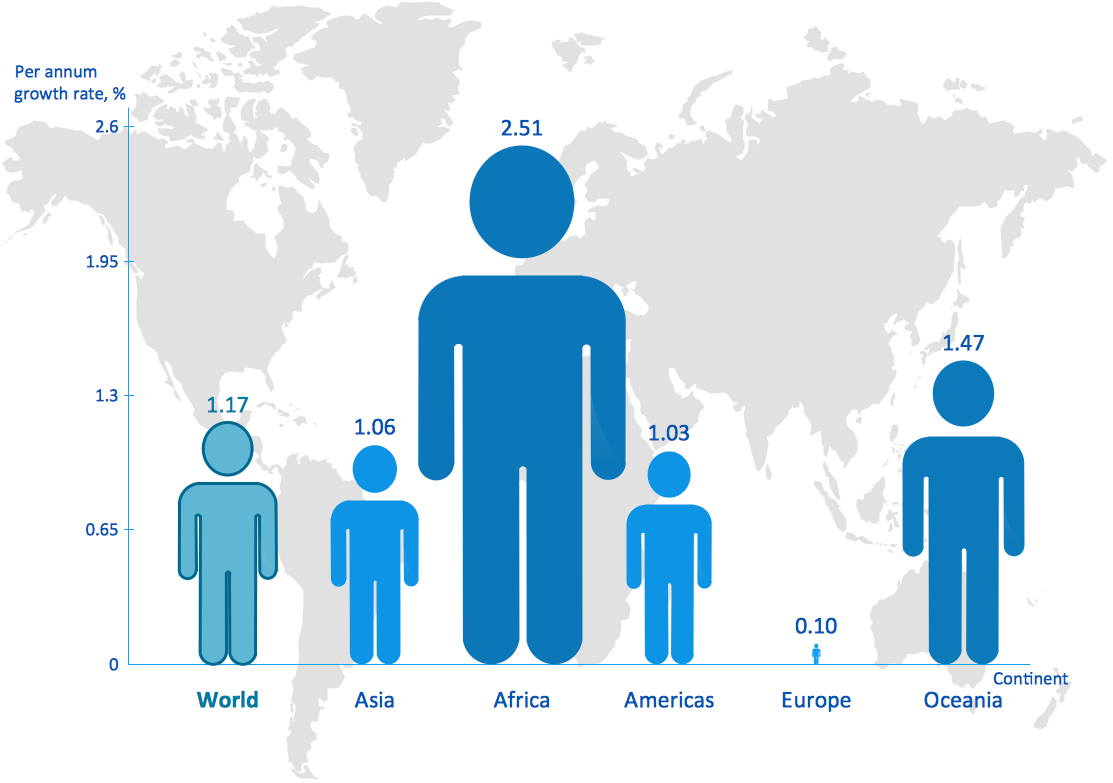
Picture: Picture Graph
Related Solution:
ConceptDraw DIAGRAM has extensive export capabilities which allow you to export your drawing to Adobe PDF files. Thus, you can share your documents with your colleagues and friends even if they don't have ConceptDraw DIAGRAM installed on their computer.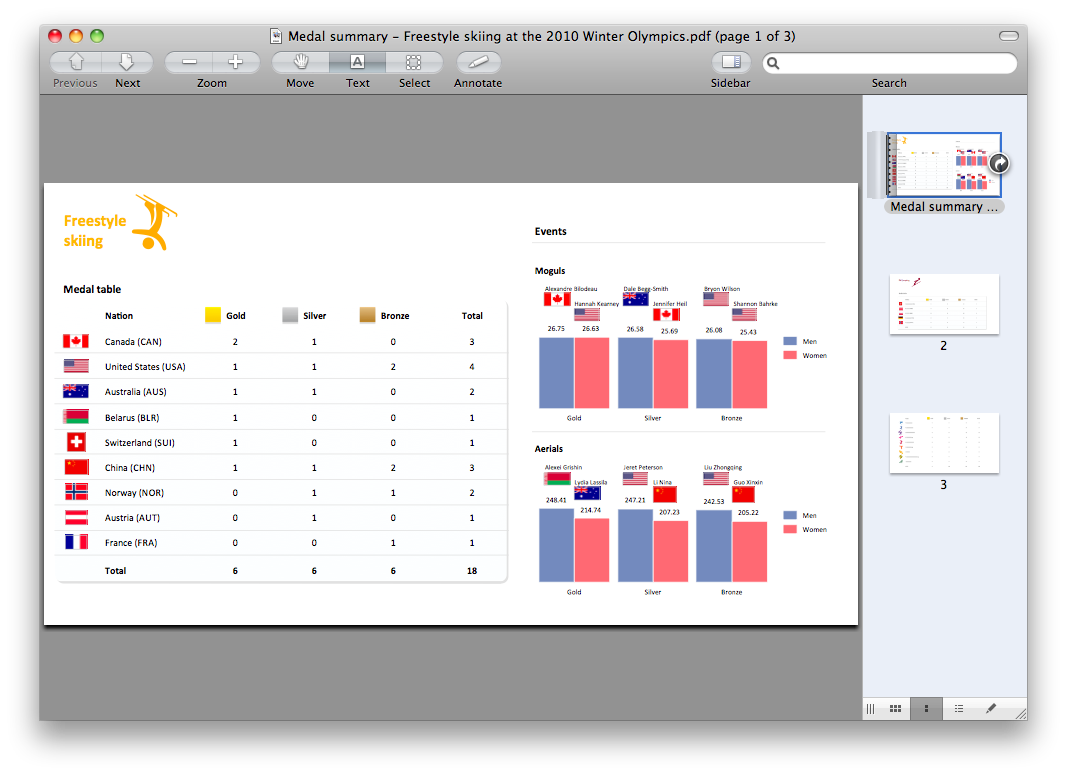
Picture: Export from ConceptDraw DIAGRAM Document to PDF (Adobe Acrobat®) File
ConceptDraw OFFICE suite is a software for Prioritization Matrix diagram making. This diagram ranks the drivers’ factors to determine priority. It identifies the factors of the first priority for analysis of possible corrective actions. It assesses the weight of each factor for each criterion and specifies it in the Prioritization Matrix. The total sum of weights for a factor’s criteria indicates its priority.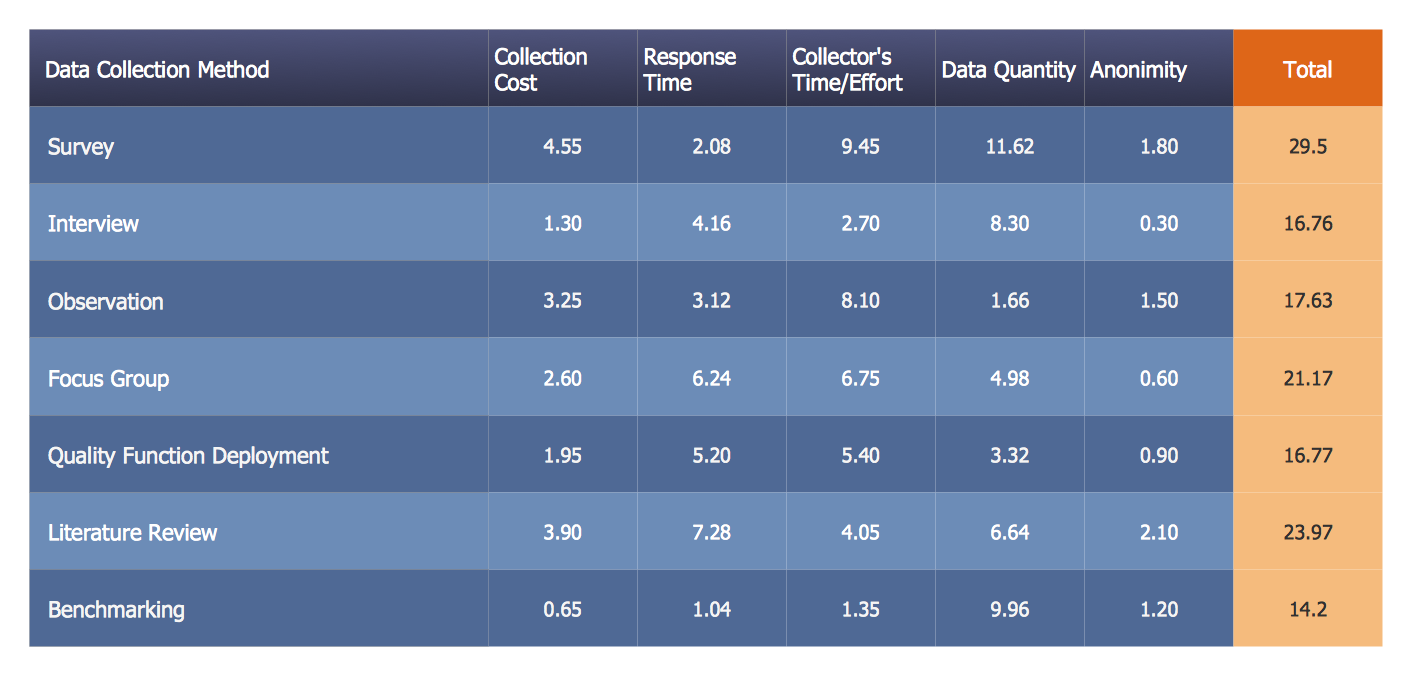
Picture: PROBLEM ANALYSIS. Prioritization Matrix
ConceptDraw
DIAGRAM 18