Software To Design Backyard
A backyard is a place for outdoor recreation near your house, meetings with family, friends, quiet conversations, or noisy parties in the open-air.
Often the backyard is a small space, but nevertheless, having carefully thought out its design, you can easily organize a comfortable place to relax with everything you need. The task of a designer is to distribute the space rationally, fill the backyard with pleasant and harmonious things like the furniture, fireplace, design elements. But at the same time you need avoid the overcrowding of a space. In this way, all the details must be carefully considered and a detailed plan of the backyard needs to be built.
When developing a plan, take into account the number of residents and the desires of everyone. Choose the style of your backyard and color scheme, decide what furniture will stand there, what greening you want to see. When choosing a style, take into account your house style, because a house and surrounding garden are a single composition and they need to harmonize with each other. However, there are no restrictions and you can use a mix of styles combining different styles. Because the main goal is to make a backyard pleasant and comfortable just for you.
ConceptDraw DIAGRAM supplied with Landscape & Garden solution from the Building Plans area of ConceptDraw Solution Park is a professional and easy-to-use software to design backyard. It allows the simple building of exceptionally looking backyard plans without the help of a professional designer.
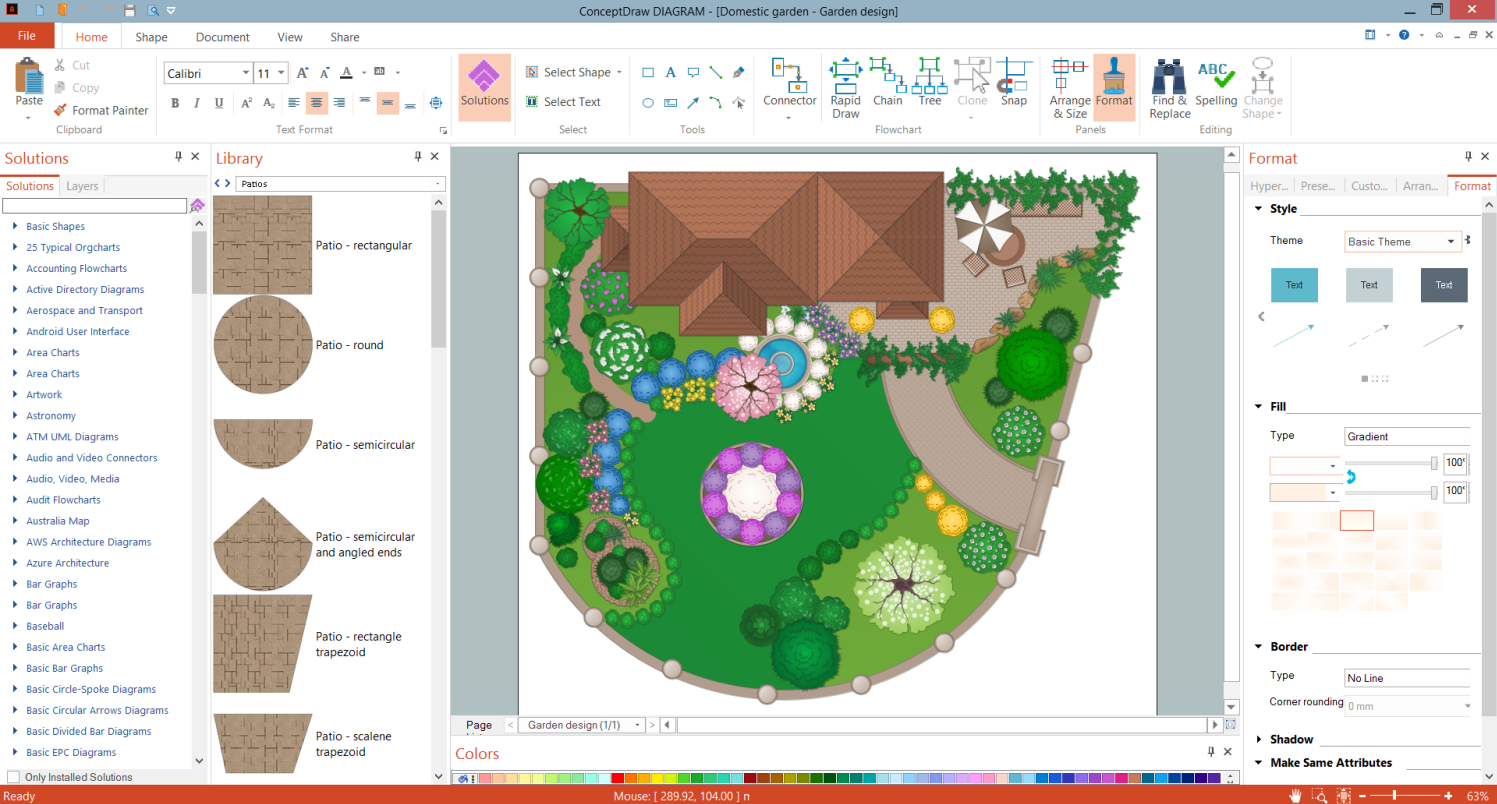
Example 1. Software To Design Backyard - ConceptDraw DIAGRAM
Draw a general plan of your plot, display the house location and then proceed to the landscape design of your backyard. Mark paths, lawns, large and small plants, and all planned areas — patio area, barbecue area, fountain, etc. using the predesigned vector objects from the libraries of the Landscape & Garden solution.
If you are going to put furniture for recreation in your backyard, then plan and in the future arrange a platform for it. Completely different materials are used for building a platform — concrete slabs, tiles, stoneware, stone slices, terrace decking, etc.
It is desirable to thought-out also other details and features. The different ones are inherent for the gardens of varied styles and purposes like a domestic garden, country garden, formal garden, etc. But some are relevant for any style. For example, a fireplace or barbecue can become the "heart" of any backyard. It is a pleasant and useful part, perfect for cooking, and also gives warmth for a comfortable staying in the open-air during the cool season.

Example 2. Backyard Design - Terrace Garden
The following features make ConceptDraw DIAGRAM the best software to design backyard:
- You don't need to be an artist to draw professional-looking diagrams in a few minutes.
- Large quantity of ready-to-use vector objects makes your drawing diagrams quick and simple.
- Great number of predesigned templates and samples give you a good start for your own diagrams.
- ConceptDraw DIAGRAM provides you the possibility to use the grid, rules, and guides. You can easily rotate, group, align, arrange the objects, use different fonts and colors to make your diagram exceptionally looking.
- All ConceptDraw DIAGRAM documents are vector graphic files and are available for reviewing, modifying, and converting to a variety of formats: image, HTML, PDF file, MS PowerPoint Presentation, Adobe Flash, MS Visio.
- Using ConceptDraw STORE you can navigate through ConceptDraw Solution Park, managing downloads and updates. You can access libraries, templates, and samples directly from the ConceptDraw STORE.
- If you have any questions, our free of charge support is always ready to come to your aid.