Made with
ConceptDraw
DIAGRAM 18

Office Ideas

ConceptDraw DIAGRAM diagramming and vector drawing software offers the Office Layout Plans Solution from the Building Plans Area of ConceptDraw Solution Park with powerful tools to help you depict your construction and design Office Ideas.
Office Ideas *

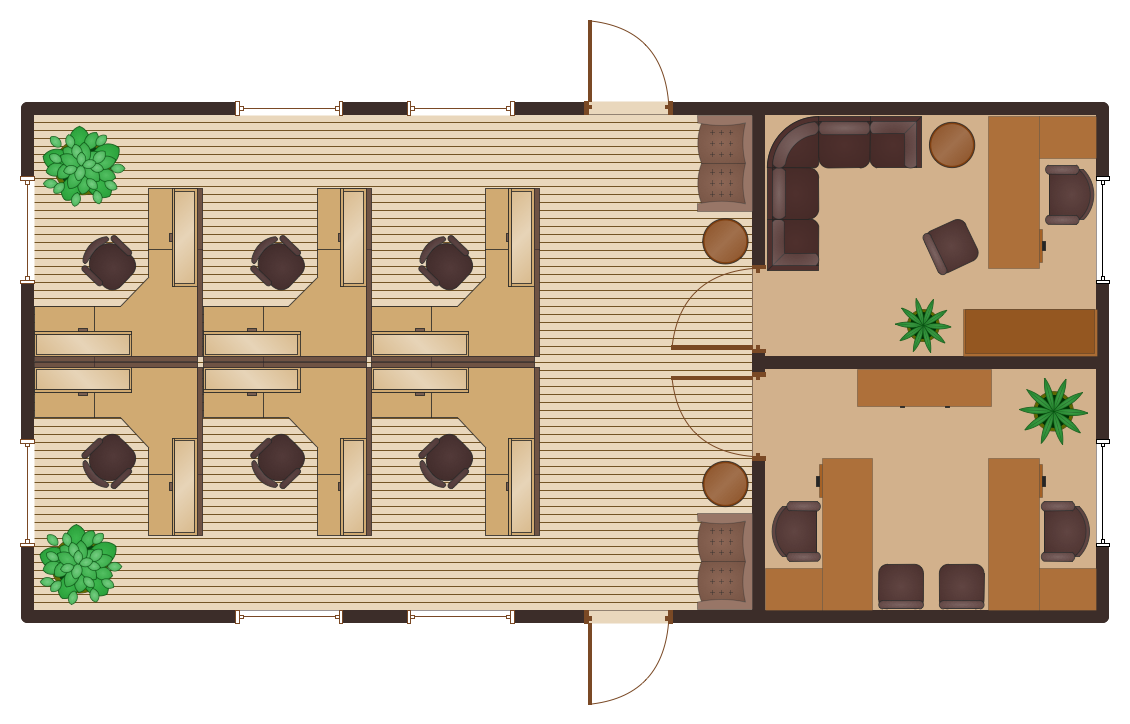
Example 1. Office Ideas - Cubicle Layout

Each office design and planning are unique and must corresponds for the direction of office work activity. There are many variants: it can be open space office or divided on cabinets, office design can be strict, simple, elegant or even creative.

Office Layout Plans Solution offers you the extensive drawing tools, 3 libraries of ready-to-use objects for implementation any of your office ideas.
Office Ideas - Office Layout Plan

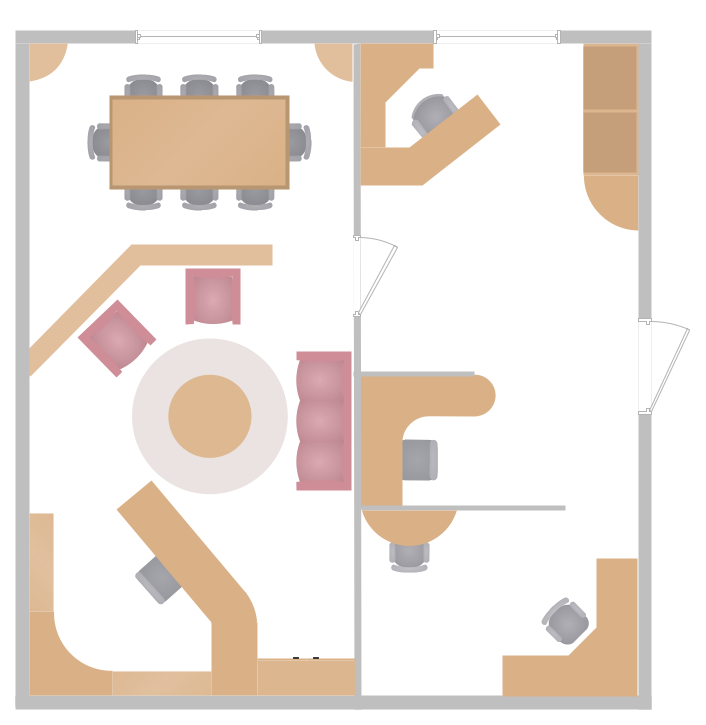
Example 2. Office Ideas - Office Layout Plan

Office plans created in ConceptDraw DIAGRAM software are professional looking and attractive, so they can be successfully used on the presentations and for further realization of these office ideas.
Office Ideas - Office Space Plan

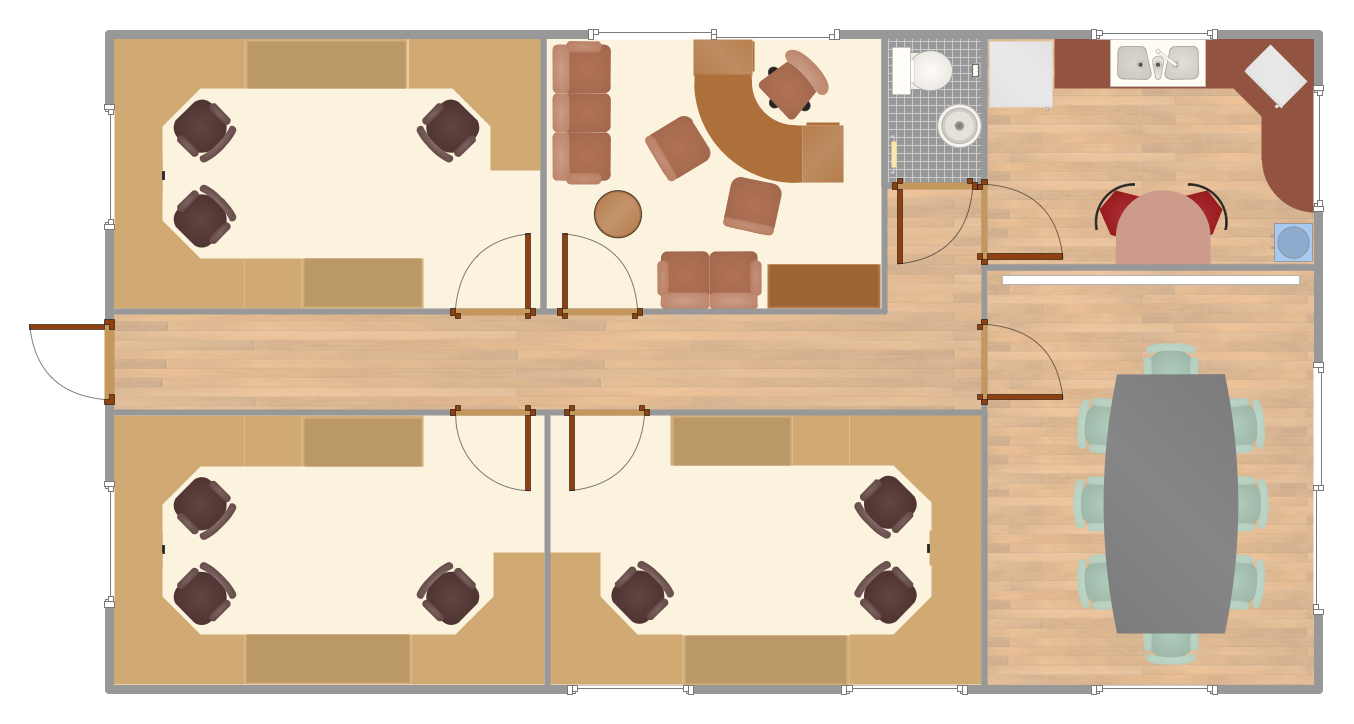
Example 3. Office Ideas - Office Space Plan

The samples you see on this page were created in ConceptDraw DIAGRAM using the tools of Office Layout Plans solution from the Building Plans area. These samples demonstrate a variety of versatile office ideas. An experienced user spent 10 minutes creating every of them.

All source documents are vector graphic documents. They are available for reviewing, modifying, or converting to a variety of formats (PDF file, MS PowerPoint, MS Visio, and many other graphic formats) from the ConceptDraw STORE. The Office Layout Plans Solution is available for all ConceptDraw DIAGRAM or later users.



THREE RELATED HOW TO's:
Now it’s easy to share your visual documents with other people in a form most convenient for them. ConceptDraw DIAGRAM can save your drawings and diagrams in a number of highly useful formats, including graphic files. You can save your drawing as a.PNG,.JPG, or other graphic format file.Export from ConceptDraw DIAGRAM Document to a Graphic File *
Picture: Export from ConceptDraw DIAGRAM Document to a Graphic File
Few other areas benefited as much from the development of advanced digital drawing software as interior design. Previously only done by professionals, nowadays it is made available to virtually anyone with the help of software such as ConceptDraw DIAGRAM. You can design whatever you want - a living room, an office, a garage, a school layout - design elements provided by ConceptDraw DIAGRAM fit all of these purposes. All you need to get started is your creativity and the right software tools. This library of vector graphic objects includes images of different school furniture and equipment related to school or training classes interior. These graphical elements are embedded into the ConceptDraw School and Training Plans solution. You can use them when designing interior layout of classroom or training office.Organization of the learning environment is an important element of a students learning. By using ConceptDraw DIAGRAM you can easily visualize and present your ideas related to any classes layout.Interior Design. School Layout — Design Elements *
Picture: Interior Design. School Layout — Design Elements
Related Solution:
You have some interesting design home office ideas and you want to inscribe them as soon as possible? ConceptDraw DIAGRAM software extended with Office Layout Plans Solution from the Building Plans Area will help you.Home Office Ideas *
Picture: Home Office Ideas
Related Solution:
ConceptDraw
DIAGRAM 18