Made with
ConceptDraw
DIAGRAM 18

Fire Escape Plan Drawing

Fire Escape Plan is an obligatory plan for any facility. It needs to be set in a well-observed place in order to be easily found in case of an emergency. It is a clear and detailed plan, and typically includes the clearly marked escape exits and short and direct escape routes. At this, enough quantity of escape exits with easy opening doors, a clear passageway to them, and emergency lighting where it is required need to be provided within an appropriate building.

When entering an unfamiliar building, pay attention to the plan and location of emergency exits and follow them in case of an accident. If there is no plan there, you can help to make it using the ConceptDraw DIAGRAM software. It is fast and simple but has great importance in the case of an emergency. If it is a commercial building or enterprise of any kind, it is obligatory to have the Fire Escape Plan or Emergency Plan. All employees need to be informed about the safety procedure, actions in an emergency, and use of the escape routes.

The Fire Escape Plan drawing is an incredibly simple process when you have specialized powerful software like ConceptDraw DIAGRAM. Supplied with Fire and Emergency Plans solution from the Building Plans area of ConceptDraw Solution Park it is the best for qualified design.
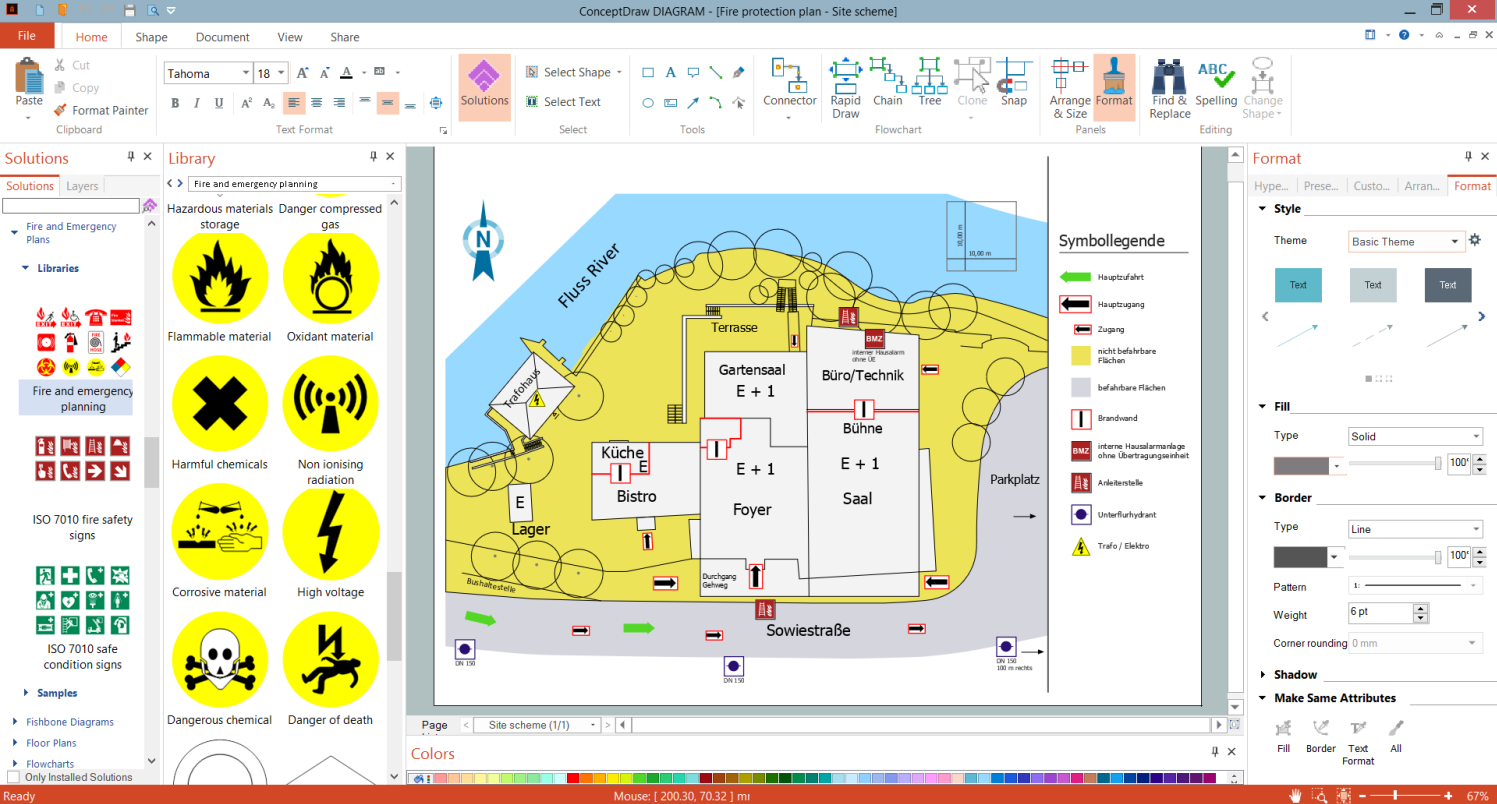
Fire Escape Plan Drawing in ConceptDraw DIAGRAM

Example 1. Fire Escape Plan Drawing in ConceptDraw DIAGRAM

Fire and Emergency Plans solution includes a large collection of Fire Escape Plan, Escape and Rescue Plan, Fire Emergency Plan, Evacuation Floor Plan and Rescue Plan examples and samples. All they perfectly suit as to explore solution capabilities as to design own plans based on any of these samples. This solution also offers three libraries with all vector design objects needed to draw your plans fast and simply:

  • Fire and Emergency Planning
  • ISO 7010 Safe Condition Signs
  • ISO 7010 Fire Safety Signs

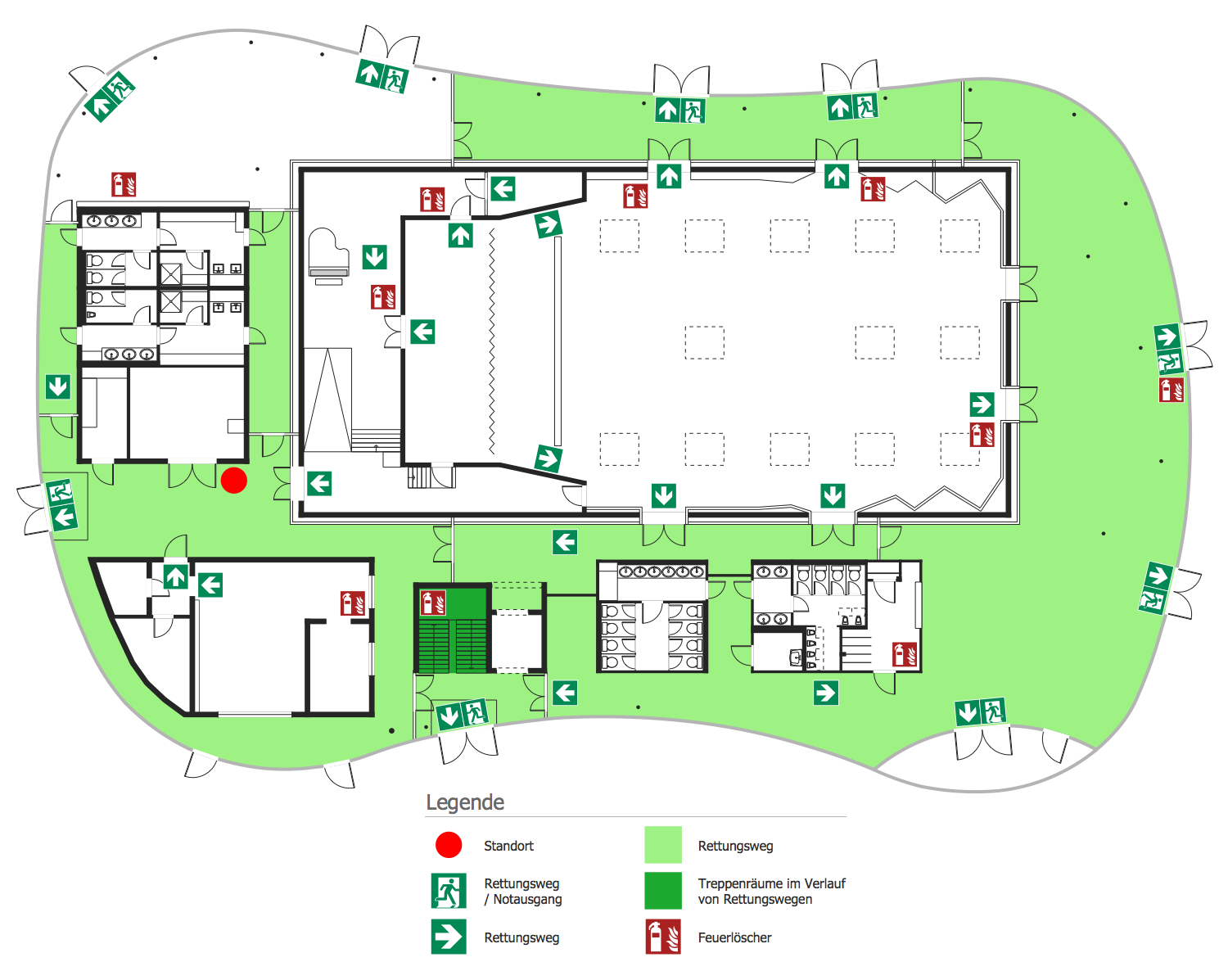
Escape and Evacuation Plan

Example 2. Escape and Evacuation Plan

The samples you see on this page were created in ConceptDraw DIAGRAM software using the drawing tools and objects from the libraries of the Fire and Emergency Plans and Floor Plans solutions from the Building Plans area. These samples demonstrate the solution's capabilities and the professional results you can achieve. An experienced user spent 15-20 minutes creating each of these samples.

Use Fire and Emergency Plans solution for ConceptDraw DIAGRAM to make quickly, easily, and effectively your own Fire Emergency Plans from the beginning to the end.

All source documents are vector graphic documents. They are available for reviewing, modifying, or converting to a variety of formats (PDF file, MS PowerPoint, MS Visio, and many graphic formats) from the ConceptDraw STORE. The Fire and Emergency Plans Solution is available for all ConceptDraw DIAGRAM users.




THREE RELATED HOW TO's:
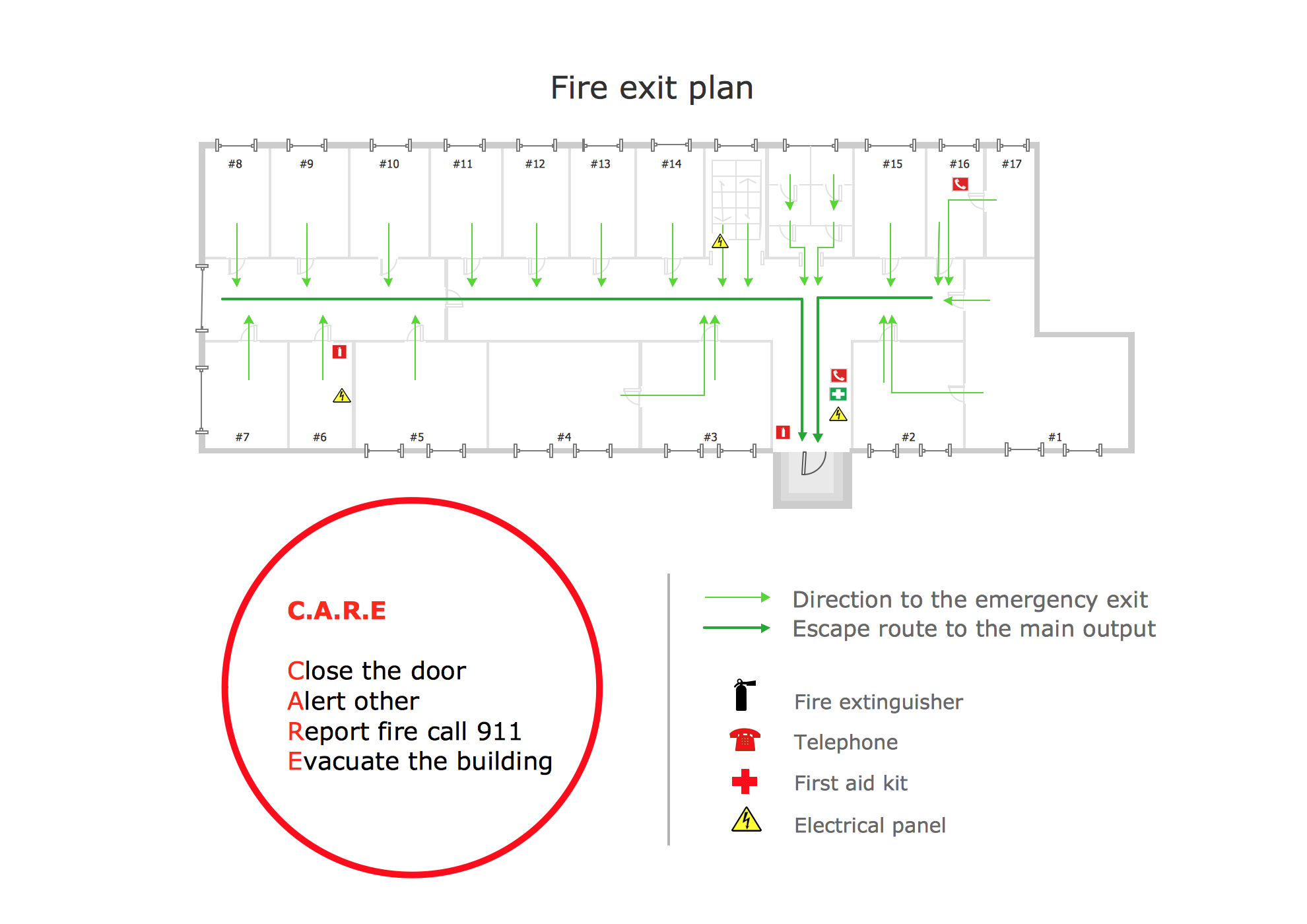
It’s very important for any establishment to have a fire exit plan and to train it several times a year. The plan must be put on each floor of the building in a way that it could be easily seen. To make the plan clear and descriptive, you should look through examples and then create one for you your building. Find out the fire exit plan example created with ConceptDraw DIAGRAM and its Fire and Emergency Plans solution. This plan is a floor plan that shows the ways in which people inside the building can be evacuated in the event of a fire. The location of telephones, fire extinguishers and first aid kits are indicated on the fire exit plan. The Legend in the lower right corner of the plan makes it clear and easy-to-read. Such plan should be placed on the wall on each floor of the building.Fire Exit Map Example
Picture: Fire Exit Plan. Building Plan Examples
Related Solution:
Interior design is an art of planning and coordinating the space in a building or on a floor to produce a charming and convenient environment for the client. You can ask professionals for help, or you can create floor plans easily with ConceptDraw DIAGRAM , using diverse libraries or altering numerous templates. You don’t need no formal training anymore to be a designer, isn’t it great? Using a ConceptDraw DIAGRAM floor plan software makes depicting of home or office layout ideas a simple task. It does not require special skills to make detailed and scaled floor plans. Adding furniture to design interior is also a breeze. You can draw and furnish your floor plans with a floor plan software. Moreover, using software for floor planning you gain an opportunity to share your plans and high-resolution images of your designs with clients or stakeholders.Create Floor Plans Easily with ConceptDraw DIAGRAM
Picture:
Create Floor Plans Easily
with ConceptDraw DIAGRAM Floor Design Software
Related Solution:
Unfortunately, a man can’t predict the future and no one is safe from natural disasters, such as floods, earthquakes, hurricanes or fires. Nonetheless, what you can do to ensure safety for you and your relatives is to create an emergency plan, so everyone will know what to do if emergency happens. Keep that plan simple and train it several times a year so that no one could forget any details of it. Fire and emergency plans are important to supply people with a visual safety solution. This diagram presents a set of standard symbols used to depict fire safety, emergency, and associated information. Using clear and standard symbols on fire emergency plans provides the coherence of collective actions , helps to avoid embarrassment, and improves communications in an emergent situation. The fire emergency symbols are intended for the general emergency and fire service, as well as for building plans ,engineering drawings and insurance diagrams. They can be used during fire extinguishing and evacuation operations, as well as trainings. It includes vector symbols for emergency management mapping, emergency evacuation diagrams and plans.Emergency Plan
Picture: Emergency Plan
Related Solution:
ConceptDraw
DIAGRAM 18