Made with
ConceptDraw
DIAGRAM 18

Family Tree Drawing Tool

A Family tree is a diagram visually representing a person’s lineage and allows one to trace genealogy, and relationships of ancestors and descendants in a given family using a tree structure. It shows a hierarchical data structure, where the older generations are mostly organized at the top and the youngest or current generations at the bottom. The family members of the same generation (brothers and sisters) are placed on the same level. Any glance at the family tree can tell a lot, even more than documents or tables. It is also a way to find out how your family story relates to well-known historical events.

Family trees take their origin many centuries ago. However, the exact origin of the family trees is difficult to identify. People have been documenting their heritage for a long time and in different points of the world. Earlier and now family trees are a perfect way to discover more about your family, feel a connection to your family, establish the roots of identity, and capture your family history for descendants. In addition, the genealogical type of a family tree often plays a key part in medical and anthropological studies. A number of health-related issues are hereditary. The family tree is helpful in identifying genetic traits in the family, diagnosing issues early, and treating them correctly. It helps to trace the genetics of your family in a visual form. Family trees are also helpful in tracing your origin. Sometimes it is convenient in law issues, legal disputes, and other judicial. They can help to resolve hereditary issues, settle questions of land or property ownership, legal entitlement to it by proving that your ancestors are historical owners of this land or property.

Creating a family tree is an accurate and careful process. In most family trees a specific person is placed in a center. The parents, grandparents, siblings, children, and more distant relatives form branches around the center and resemble the natural growth pattern of a tree. Each family member plays a significant role in the family’s history. The family tree can have a regular structure when all ancestors from both maternal and paternal lines are known, or unregular when some data are missing. However, any kind of family tree, regular or unregular, is valuable for a certain person. Because it is a visual way to trace direct lineage with descendants and explore how closely he is related to other family members.

The way to construct the family trees differs and greatly depends on your preferences - from the bottom up, from the top down, horizontally from left to right, or from the middle to both sides. One differs the ancestor and descendent trees. The ancestor tree starts with one person and shows all his ancestors, parents, grandparents, and older generations. The descendant tree illustrates the descendants of a person, children, grandchildren, and other living relatives, siblings, cousins, etc. The combinations of both types are also common.

Family trees can be simple and include only close family members, or complex allowing you to trace many generations back and explore who your ancestors are and from where they are. As a rule, the family trees include up to four or five generations, because of the limited information. It is really hard to find accurate records older than a few hundred years if they were not collected specially before and stored reliably. Wars, fires, floods, and simple carelessness are the main reasons for missing documents. However, the families of famous historical figures and royal families are the exception, often their lineage is precisely known and documented for many centuries.

It is only your own choice what generation you want to start with and in what direction you want to move. You can start from you and build your tree backward, from the bottom up, showing ancestors from generation to generation to most elder, or build downwards starting with older generations to you. In any case, start with research and collecting information, conduct a small genealogical research on your family, use the photos, papers, documents, reliable records, and other materials proving your history, talk with relatives to fill in the gaps. All information, even small details can become valuable. The amount of collected information impacts the size and level of detalization of the future family tree. Decide also what amount of data you will include for each family member, only minimal like name and year of birth, or more detailed including maiden name, entire date and place of birth, role in the family, profession, etc.
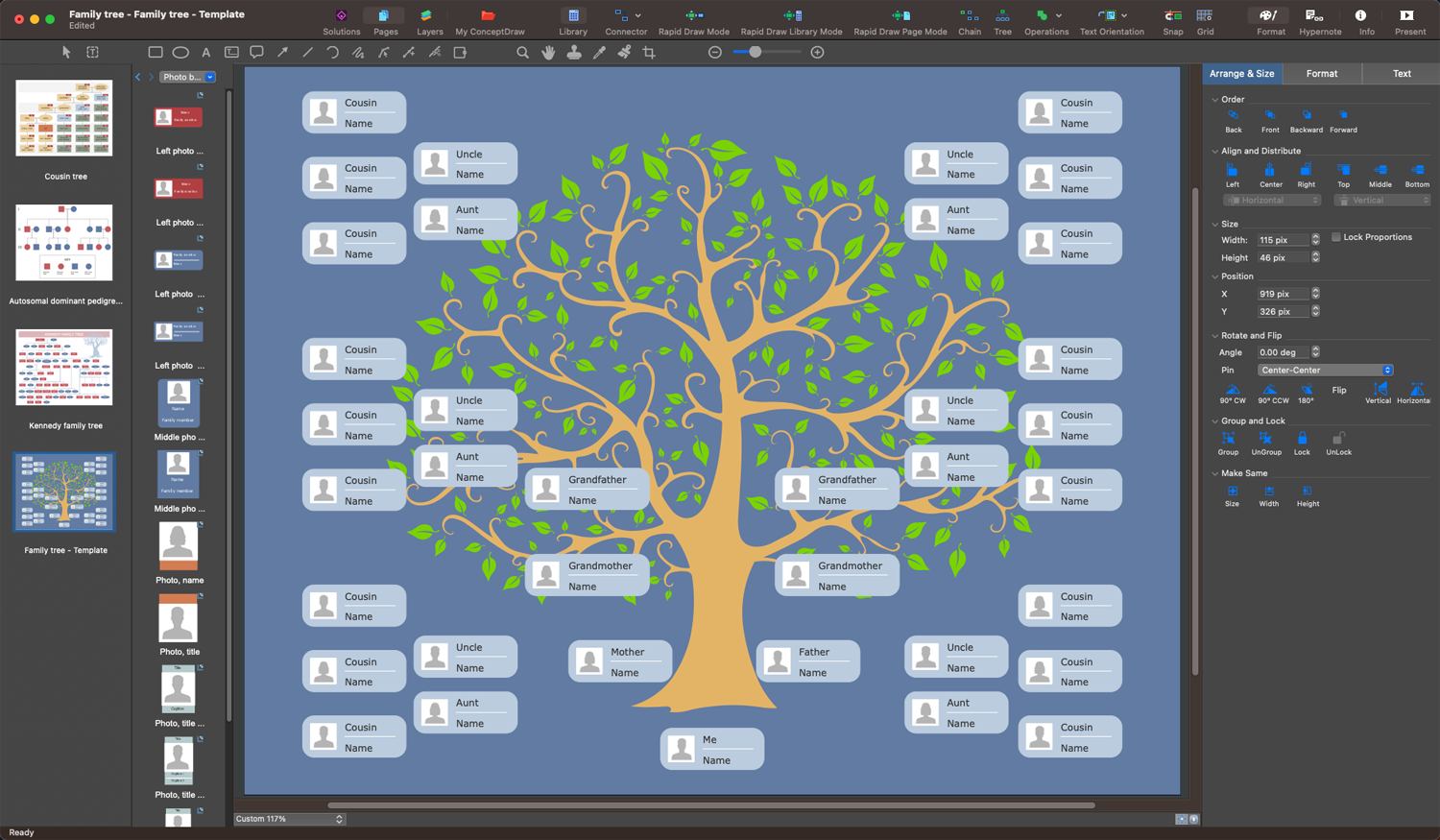
Family Tree Drawing Tool - ConceptDraw's Family Tree Solution

Example 1. Family Tree Drawing Tool - ConceptDraw's Family Tree Solution

Organizing the collected data in a graphical family tree helps to make their understanding and interpretation easier. Show the family members with shapes as leaves on a tree, add more boxes until all your family members have been included. Add information to each leaf and connect shapes with lines to represent relationships. As a rule, the boxes or ovals are used for a family tree, but you can also use any shape you desire. Arrange the family members in a diagram, indicate the birth dates, marriage dates, and depict relationships between spouses, parents, and children. Place a single generation on each tree level to ensure easy tracing relationships.

To make your family tree useful for all other family members, it is recommended to focus on its clearness and simplicity and include only the most important key information. In this way, the information is easily percept and digested. All additional information you can save in files and use on the request. The passage of time is also often included in a diagram.
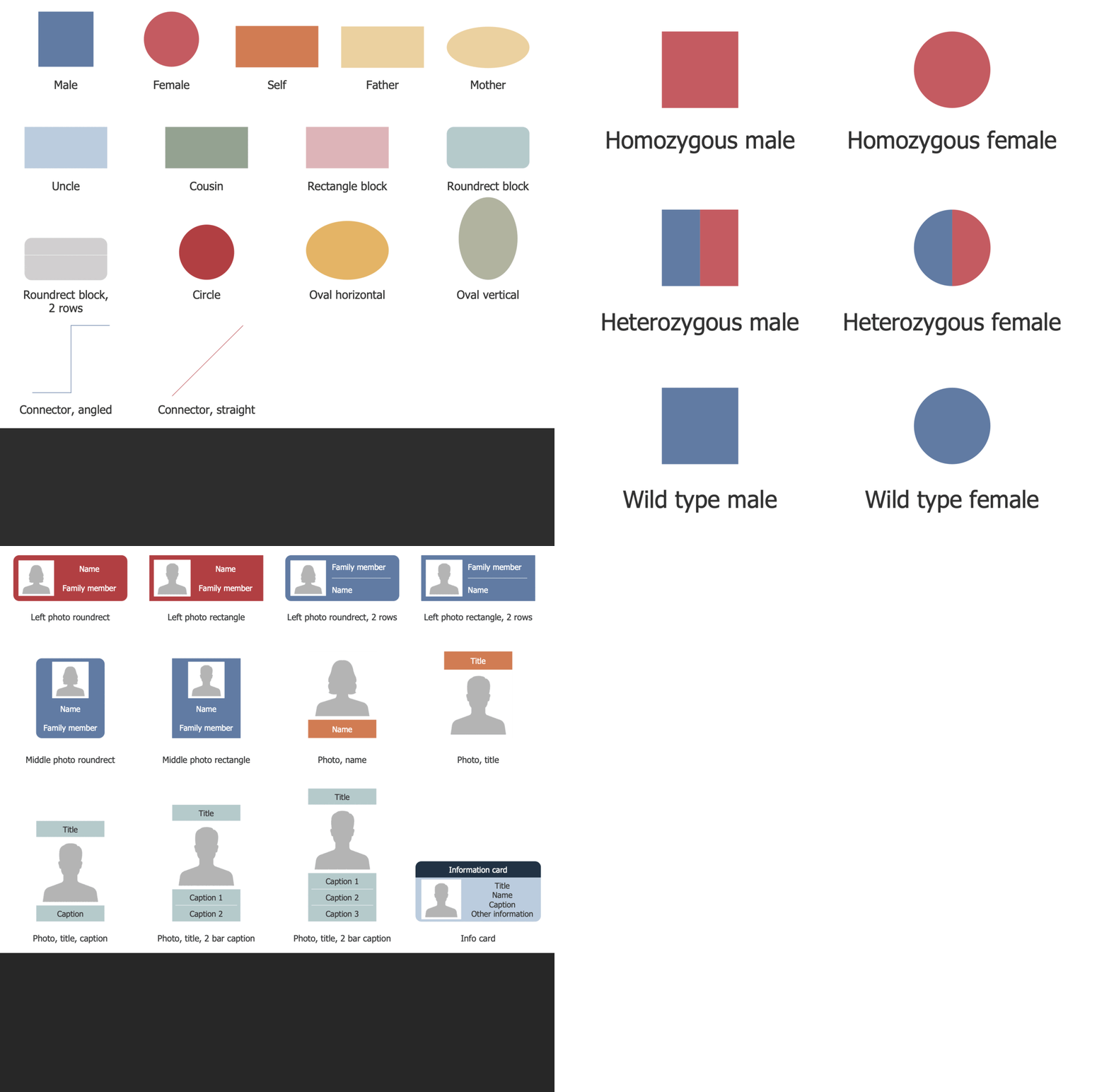
Family Tree Solution Libraries Design Elements

Example 2. Family Tree Solution Libraries Design Elements

Drawing a Family tree with professional vector drawing software is much more convenient than freehand drawing on paper. An intuitive family tree drawing tool Family Tree solution for ConceptDraw DIAGRAM software perfectly suits this goal. The user-friendly interface and drag-and-drop features are useful to design the family tree in minutes. It is extremely easy to use, offers a collection of vector design elements — family tree, a large variety of samples that you can modify with a few simple clicks, and templates to fill with your data and add your photos. Customize the included templates to make the drawing process easier and faster. Create your family tree without any restrictions. Connect and change shapes, add comments, edit colors, and add images, photos, attractive design elements, and clipart to visualize your family tree. Visual aspects are incredibly important, they make your family tree eye-catching.
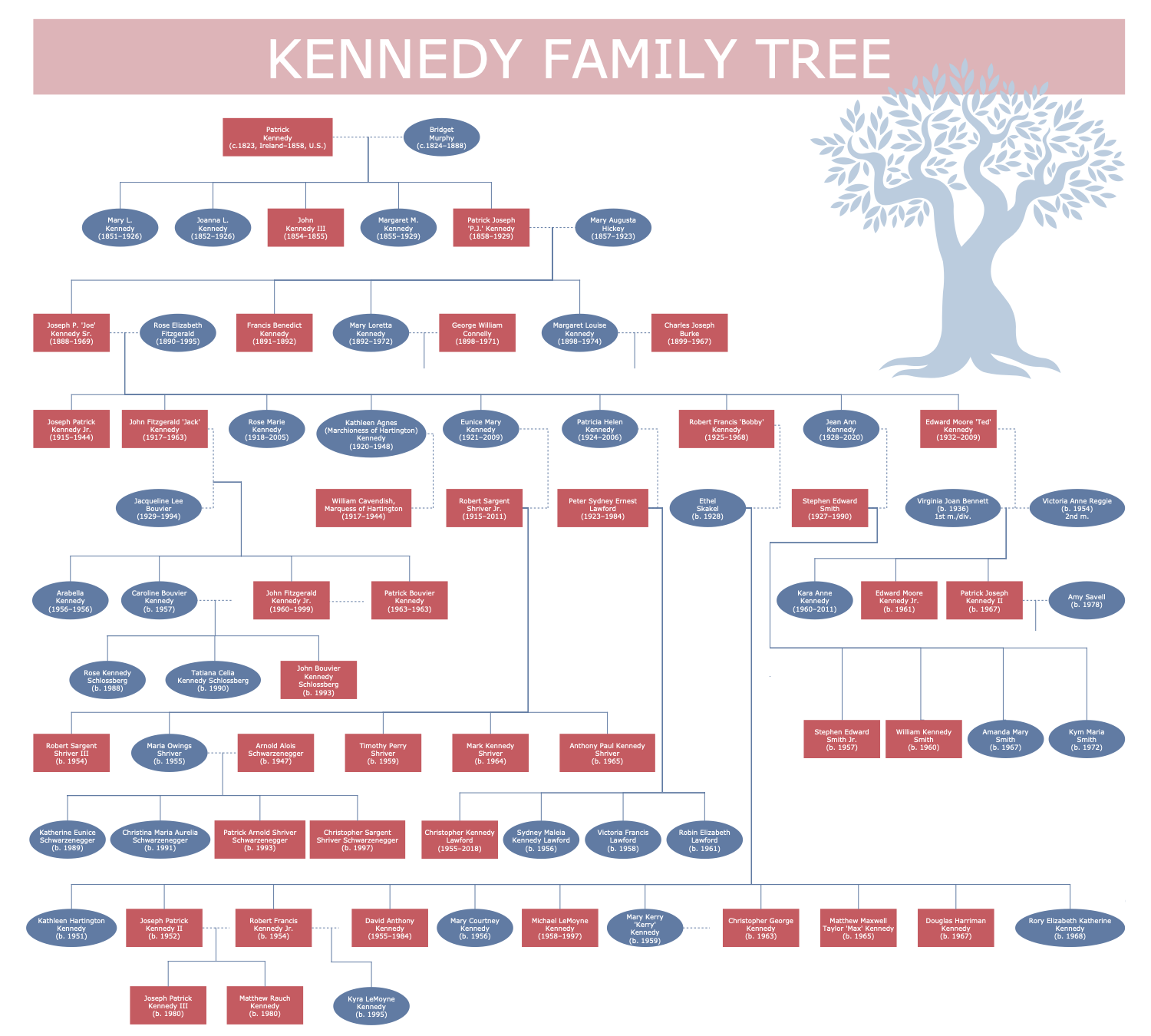
Kennedy Family Tree

Example 3. Kennedy Family Tree

The Family Trees samples you see on this page were created in ConceptDraw DIAGRAM software using the drawing tools of the Family Tree Solution. These examples successfully demonstrate solution's capabilities and the professional results you can achieve using it. An experienced user spent 10-15 minutes creating each of these samples.

Use the powerful tools of the Family Tree solution to design your own Family Trees and Genograms quick, easily, and effectively.

All source documents are vector graphic documents. They are available for reviewing, modifying, or converting to a variety of formats (PDF file, MS PowerPoint, MS Visio, and many other graphic formats) from the ConceptDraw STORE. The Family Tree Solution is available for ConceptDraw DIAGRAM users.


TEN RELATED HOW TO's:
When trying to figure out the nature of the problems occurring within a project, there are many ways to develop such understanding. One of the most common ways to document processes for further improvement is to draw a process flowchart, which depicts the activities of the process arranged in sequential order — this is business process management. ConceptDraw DIAGRAM is business process mapping software with impressive range of productivity features for business process management and classic project management. This business process management software is helpful for many purposes from different payment processes, or manufacturing processes to chemical processes. Business process mapping flowcharts helps clarify the actual workflow of different people engaged in the same process. This samples were made with ConceptDraw DIAGRAM — business process mapping software for flowcharting and used as classic visio alternative because its briefly named "visio for mac" and for windows, this sort of software named the business process management tools. This flowchart diagram shows a process flow of project management. The diagram that is presented here depicts the project life cycle that is basic for the most of project management methods. Breaking a project into phases allows to track it in the proper manner. Through separation on phases, the total workflow of a project is divided into some foreseeable components, thus making it easier to follow the project status. A project life cycle commonly includes: initiation, definition, design, development and implementation phases. Distinguished method to show parallel and interdependent processes, as well as project life cycle relationships. A flowchart diagram is often used as visual guide to project. For instance, it used by marketing project management software for visualizing stages of marketing activities or as project management workflow tools. Created with ConceptDraw DIAGRAM — business process mapping software which is flowcharting visio alternative or shortly its visio for mac, this sort of software platform often named the business process management tools.Process Flowchart
Picture: Process Flowchart: A Step-by-Step Comprehensive Guide
Related Solution:
Compare desktop flowchart software for Mac and Windows. Evaluate templates, symbol libraries, export formats, file control, and workflow fit for long-term documentation.Desktop flowchart editor workspace on Mac and Windows
Picture: Professional Flowchart Software for Mac & Windows
Related Solution:
A database is a data collection, structured into some conceptual model. Two most common approaches of developing data models are UML diagrams and ER-model diagrams. There are several notations of entity-relationship diagram symbols and their meaning is slightly different. Crow’s Foot notation is quite descriptive and easy to understand, meanwhile, the Chen notation is great for conceptual modeling. An entity relationship diagrams look very simple to a flowcharts. The main difference is the symbols provided by specific ERD notations. There are several models applied in entity-relationship diagrams: conceptual, logical and physical. Creating an entity relationship diagram requires using a specific notation. There are five main components of common ERD notations: Entities, Actions, Attributes, Cardinality and Connections. The two of notations most widely used for creating ERD are Chen notation and Crow foot notation. By the way, the Crow foot notation originates from the Chen notation - it is an adapted version of the Chen notation.ERD Symbols and Meanings
Picture: ERD Symbols and Meanings
Related Solution:
ConceptDraw DIAGRAM - workflow software extended with the Workflow Diagram solution provides a complete set of samples, templates and features help you to draw diagrams faster. A workflow software you use for drawing workflow diagrams and business process flow diagrams should provide a wide set of examples allows you get closer with workflow diagrams, learn symbols meaning, find appropriate layout and design, and then start drawing your own workflow diagram masterfully. Workflow diagrams used for orchestrating organizational processes between company departments and humans, so critical process diagrams used to train many people to interact must be clear and professional to convey an idea from a view. Thats a reason we created a lot workflow symbols and workflow icons collected them into special Workflow Diagram solution in ConceptDraw Solution Park.Workflow Diagram Examples *
Picture: Workflow Diagram Examples
Related Solution:
If you are just a beginner in drawing flowcharts, it may seem that a sheet of paper and a pen are just enough. However, at the time you would want to share your results, diagramming applications would suite you better. it’s very easy to create diagrams that way and to discover new kinds of flowcharts. The huge collection of sample ConceptDraw diagrams, charts, illustrations and other types of business drawings includes a wide range of business themes. A huge number of graphic images of ConceptDraw documents is divides on business application areas according to business-oriented solutions for which they were made.Here is a short visual list of samples of flowcharts, process diagrams, UML models, management charts, computer network diagrams, maps, infographics, illustrations, etc. In short, each ConceptDraw solution is accompanied with at least ten samples representing some particular examples of the application of the given chart.Applications *
Picture: Applications
When thinking about data visualization, one of the first tools that comes to mind is a flowchart design. You can find flowchart symbols, shapes, stencils and icons easily on the Internet, but it might take time to systematize this information. Nevertheless, once you start flowcharting, you’ll love its simplicity and efficiency. This diagram consists from standard flowchart symbols, approved by ANSI (American National Standard Institute) for drawing flowcharts. A flowchart is a diagram that represents a step-by-step algorithm of any process, displaying the process stages as boxes that are connected with arrows. Flowchart design makes it clear and readable. Flowchart designed using ConceptDraw DIAGRAM flowchart software allows to make attractive and clear process presentation, it makes interpretation of the business process flow fresh and versatile. Great flowchart design view is a big advantage over the diagram created manually on a paper.Flowchart design
Picture:
Flowchart Design
Flowchart Symbols, Shapes, Stencils and Icons
Related Solution:
It can be tough to get straight into business papers and processes.Otherwise, you can learn how to create flowcharts for an accounting information system and visualize these documents. Accounting diagrams are clear and easy to understand for all the participants of the process. There are symbols used for creating accounting flowcharts using ConceptDraw DIAGRAM and its Accounting Flowcharts solution. Accounting flow charts are a special kind of flow charts. Actually a variety of flowcharts are often used to facilitate many aspects of a workflow of accounting department. Accounting flowcharts are utilized to support creating accounting documentation, to depict positions responsible for fulfillment of each phase of accounting workflow.How to Create Flowcharts for an Accounting Information System
Picture:
How to Create Flowcharts for an
Accounting Information System
Related Solution:
A flowchart is a powerful tool for examining processes. It helps improving processes a lot, as it becomes much easier to communicate between involved people, to identify potential problems and to optimize workflow. There are flowcharts of different shapes, sizes and types of flowchart vary from quite basic process flowcharts to complex program flowcharts. Nevertheless, all these diagrams use the same set of special symbols like arrows to connect blocks, parallelogram to show data receiving or rectangles for showing process steps. Basic flowcharts are used to represent a simple process algorithm. A basic flowchart notation consists of rectangles (business processes), arrows (the flow of information, documents, etc.). The same notation is used in items such as the "decision", which allow you to do the branching. To indicate the start of the entire business process and its termination can be used the "Terminator" element. The advantages of Basic Flowchart are simplicity and clarity. With it you can quickly describe the business process steps. Creating of Basic Flowchart does not require any special knowledge, as easily understand by employees with different levels of education and IQ.Types of Flowchart — Overview
Picture: Types of Flowchart: Comprehensive Overview
Related Solution:
There are many ways to track the system in a critical situation. To model a system behavior, uml notation is widely used. Usually, an UML diagram consists of elements such as actor and a case. This diagram represents the structure of UML notations. Unified Modeling Language (UML) is used in software engineering to depict graphically the software modeling process. UM Language uses graphic notations for developing models of object-oriented systems. These notations displays requirements, sub-systems, logical and physical elements, etc. We created this diagram using ConceptDraw DIAGRAM reinforced with Rapid UML solution. It can be helpful for students on software engineering, when learning UML.UML Notation *
Picture: UML Notation
Related Solution:
Local area network connects computers and other network appliances within an area, such as office building or a campus. It can be difficult to provide such network without a predesigned plan. For these purposes you can use network diagram software, which helps you to create LAN network diagrams and office network diagrams quickly and effortless. This will speed up your work and you can save the diagram for the future network improvements. The following diagram illustrates a network topology of the small office. LAN configuration has a star topology. The local network joins 8 computers among which are several desktop PCs, laptop, two iMacs and iBook. The end-point devices are divided into three groups. Each group is connected to its hub. There is a network printer and a modem, which are interconnected with other devices through a network server. Each computer on the LAN can access the server through a corresponding hub.LAN Network Diagram
Picture: Network Diagram Software. LAN Network Diagrams. Physical Office Network Diagrams
Related Solution:
ConceptDraw
DIAGRAM 18