Economic Calendar
The economic calendar is a convenient way to display the economic events, the situation on the financial markets, it is a handy tool to keep track the chronology and dynamics of important events in the economy. But how design an economic calendar?
ConceptDraw DIAGRAM extended with Calendars Solution from the Management Area is a useful, convenient and effective software for quick and easy design professional looking and attractive economic calendars.
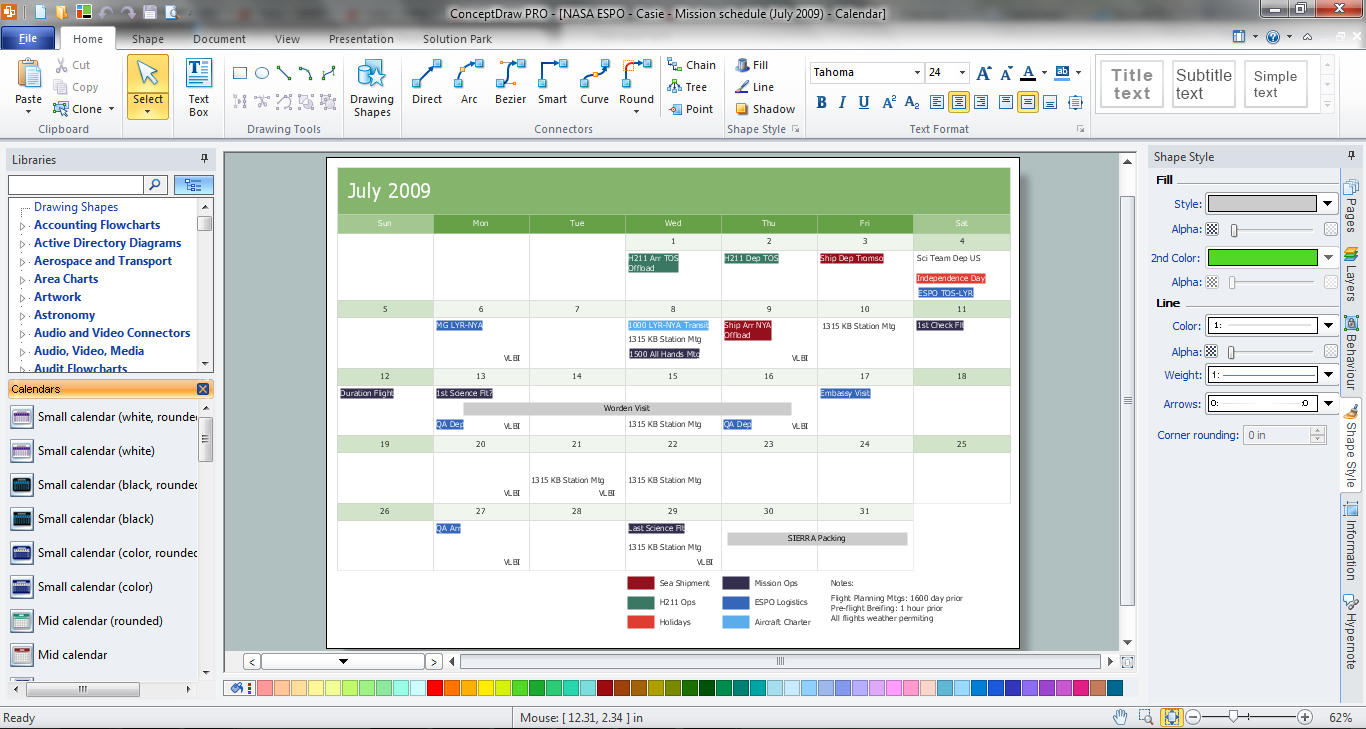
Example 1. Economic Calendar in ConceptDraw DIAGRAM
Design of economic calendar or financial calendar, what can be easier with ConceptDraw DIAGRAM and its Calendars Solution?
Calendars Solution offers the extensive drawing tools, collection of predesigned templates, samples and examples, and also the Calendars library with numerous vector objects for quick and easy design calendars.
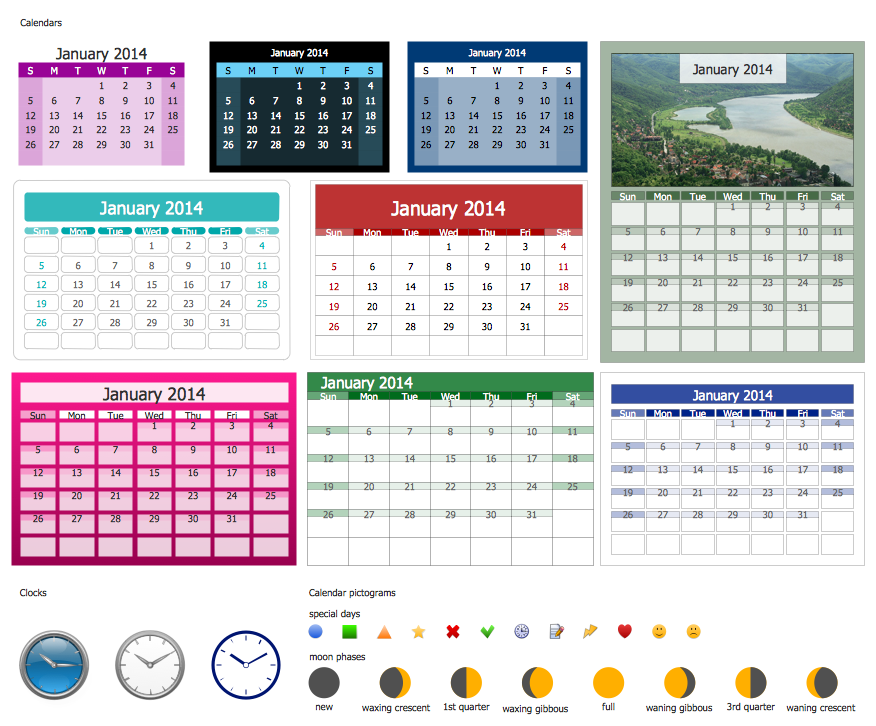
Example 2. Calendars Library Design Elements
Use of ready vector object is the easiest way of drawing. Simply drag the ready calendar's object which corresponds to your needs and then fill it with own data? Try yourself and verify that it's very fast and easy.
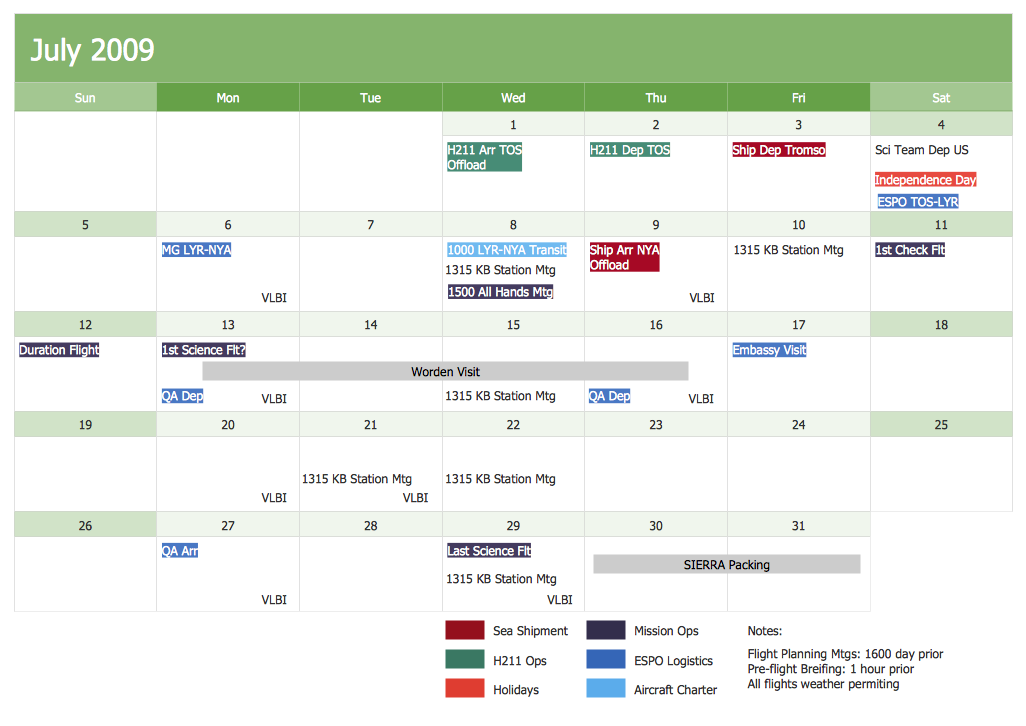
Example 3. NASA ESPO Casie Mission Schedule July 2009
This sample was created in ConceptDraw DIAGRAM using the predesigned calendar object from the Calendars library and shows the detailed monthly calendar of the NASA ESPO Casie Mission at the July 2009. An experienced user spent 15 minutes creating this sample.
Use Calendars solution to create your own professional looking and attractive calendars quick, easy and effective.
The Economic Calendar designed with ConceptDraw DIAGRAM is a vector graphic documents and is available for reviewing, modifying, converting to a variety of formats (image, HTML, PDF file, MS PowerPoint Presentation, Adobe Flash or MS Visio), printing and send via e-mail in one moment.
THREE RELATED HOW TO's:
Any business process consists from a number of tasks carrying out the certain business goal. It is useful to diagram business processes to ensure that they are as foolproof, logical and sequential as possible. This business process diagram describes a typical booking process flow by the example of a cab booking process. It can be used as a roadmap for any booking system implementation. Diagramming a business process allows you to look at the entire project and take into account all types of possible scenarios. Business process diagram helps you investigate and clarify the process thoroughly so that you can find out how it can be improved. Business process diagram supports team communications by ensuring that each process element is clear and everyone in the team is on the same page.
Sometimes your company brings you less profit than you expect it to be, and it’s difficult to reveal the causes. Maybe it’s time to learn new technologies, because business diagram are easily developed by means of special software, so you won’t make any extra effort. In return, you will increase your productivity and get more done in a less time.
Picture: Business Diagram Software
Related Solutions:
ConceptDraw PROJECT is simple project scheduling software delivering the full range of classic project reports about statuses and resorces usage. Learn how features of project gantt charts works in simple ConceptDraw PROJECT scheduling software, how to export project management dashboard in excel representation.
Picture: Gantt charts for planning and scheduling projects
Working with information can be quite tedious, furthermore, some data can be quite difficult to perceive without any graphic representation. So, to facilitate your work, you can use business diagrams, such as simple flowcharts or Gantt charts for project management and orgcharts for clarifying your company structure. You can use a proper software, like ConceptDraw Pro, draw them on paper, or use whiteboards, but it is more convenient to use a digital tool.
This diagram shows a cross-functional flowchart that was made fore telecom service provider. A workflow of a common telecommunication service provider has a rather branched structure. Thus, it is useful to have a flow chart to visualize the sequences and interrelations of the work flow steps. Business process flowchart contains 17 processes and 4 decision points,that are distributed through 2 lines depicting the participants involved. Also there are connectors that show the data flow within processes. This flowchart displays a detailed model of the telecom service trading process, as well as all participants in the process and how they interact with each other.
Picture: Business diagrams & Org Charts with ConceptDraw DIAGRAM